
Volcano Cooking




Let's make some volcanoes erupt!
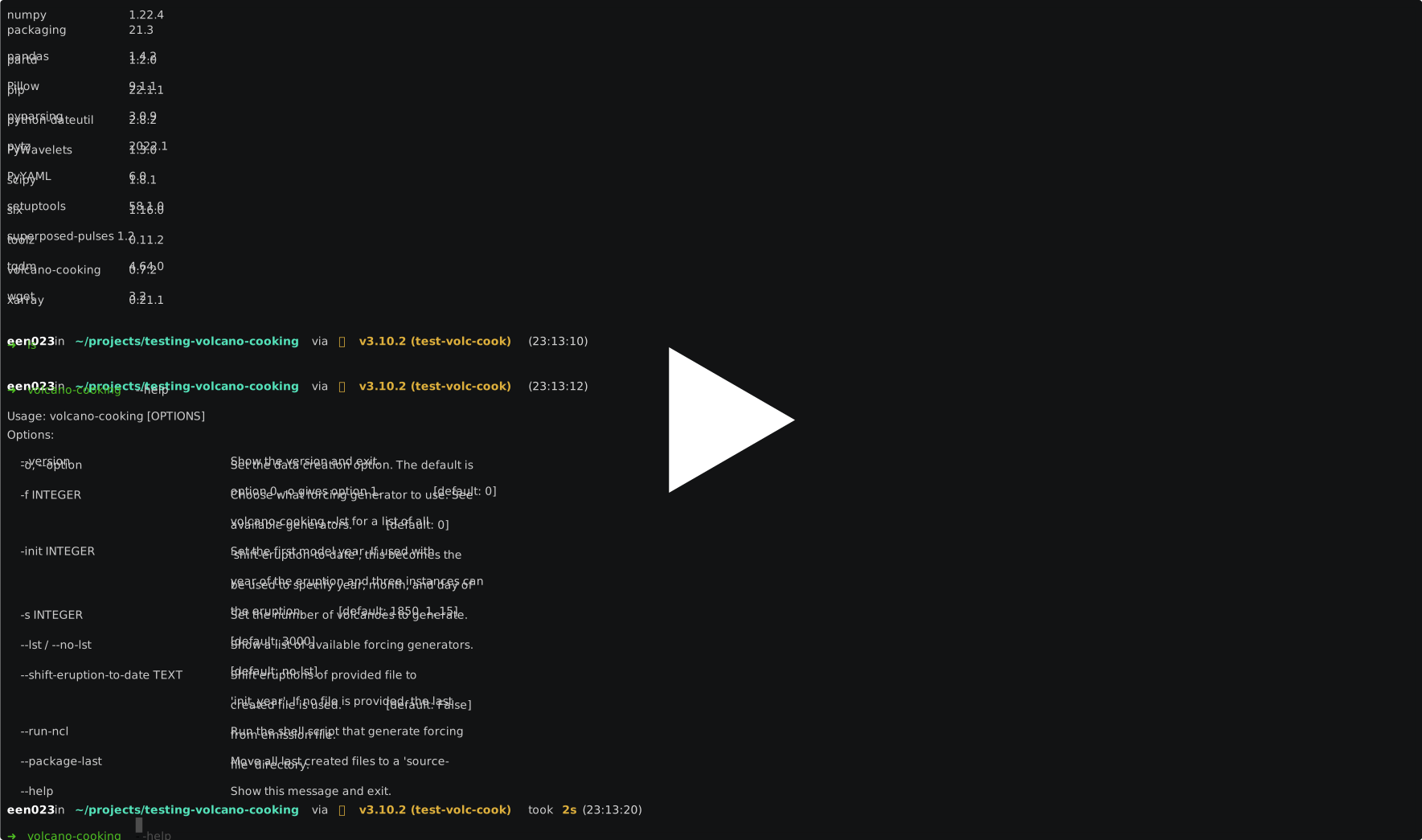
NOTE:
The created dates must start before the model start. Running CESM2 from year 1850 with
the first eruption in 1850 will make it crash. Setting the first eruption to 1849,
however, will make it run. The same goes for the end, the model must stop prior to the
last event, otherwise it will crash. This project will make sure one event is placed
ahead of the init year, but the end will vary depending on number of events created
and their frequency.
Install
The package is published on PyPI and installable via pip:
pip install volcano-cooking
If you only plan on using the already present generator classes and only need the CLI program, it is recommended to install this with pipx:
pipx install volcano-cooking
Usage
The basics
There are mainly two CLI programs coming with this project. The main program is
volcano-cooking, which will create a .nc and .npz file in the data/output
directory. With the view-frc program you can quickly view the content of the created
files in a plot. There is also a third program called sfrc-sparse2lin which converts
arrays of only non-zero events at arbitrary times to linearly spaced events where times
between the non-zero events are filled with zeros.
volcano-cooking
Once installed, run from within this directory with:
volcano-cooking
All created files are saved to a data/output directory that will be created inside the
current directory from where the volcano-cooking command is run.
For more information, see
volcano-cooking --help
[!TIP]
It is also possible to run the CLI as a python module. Try:
python -m volcano_cooking --help,python -m volcano_cooking.view_forcing --helporpython -m volcano_cooking.sparse_to_lin --help.
Option 0 (default, using NCL-script)
TL;DR
$ volcano-cooking -f 1 -s 100
Generating with 'GenerateFPP'...
$ volcano-cooking --run-ncl
 Copyright (C) 1995-2019 - All Rights Reserved
 University Corporation for Atmospheric Research
 NCAR Command Language Version 6.6.2
 The use of this software is governed by a License Agreement.
 See http://www.ncl.ucar.edu/ for more details.
(0)     in data/originals/createVolcEruptV3.ncl
...
  long_name :   SO2 elevated emissions from explosive volcanoes
  _FillValue :  9.96921e+36
(0)     saving stratvolc
(0)     File creation complete: data/cesm/VolcanEESMv3.11Enger_SO2_850-2016_Mscale_Zreduc_2deg_c20220502-140023.nc
Log file created at data/cesm/logs/20220502-140022.log
Fixing the attributes of the altitude_int coordinate...
$ volcano-cooking --package-last
Successfully placed all latest source files in the 'source-files' directory.
$ ls source-files
20220502-140022.log                     VolcanEESMv3.11Enger_SO2_850-2016_Mscale_Zreduc_2deg_c20220502-140023.nc
synthetic_volcanoes_20220502_135956.nc  synthetic_volcanoes_20220502_135956.npz
Dependencies
This option needs
volcano-cookinginstalled- A coordinate file (~ 10 kB)
nclexecutable
Create source file for forcing
Run command volcano-cooking with the options you want. See volcano-cooking --help.
Create forcing file for CESM2
Running the
volcano-cooking --run-nclscript depends on havingnclinstalled. See installation instructions here.
After having run the volcano-cooking command, the forcing file for CESM2 can be
generated by running
volcano-cooking --run-ncl
If the needed coordinate files are missing, you will be asked if you want to download them. If you want to use different files, or change the default resolution (default is 2 degrees), edit .env (see ./examples/.env.example) accordingly. In this case, you also need to manually download whatever coordinate file you want to use. See section Setting up manually.
Wrap up
The last created files, source files, logs and final output, can be nicely collected and
placed in a directory named source-files with command:
volcano-cooking --package-last
Setting up manually
To be able to create forcing files used by CESM2 from the newly created synthetic file,
we need a script from the emissions directory. These are scripts
that use the forcing file this project generates to make a new, full forcing file that
CESM2 accepts (examples of such files can be found here). For
example, createVolcEruptV3.ncl can be found in the emissions
directory. This need a common.ncl file, found here, in addition to other
standard ncl libraries. Make sure to edit createVolcEruptV3.ncl to read the created
file and that the first and last year cover those used in the created file. A working
version of createVolcEruptV3.ncl that uses input files generated by volcano-cooking
can be found in data/originals. To see what was changed from the
original, run diff data/originals/createVolcEruptV3.ncl.original src/volcano_cooking/createVolcEruptV3.ncl.
Coordinate files are needed when running createVolcEruptV3.ncl or similar scripts, and
are located here. For example fv_1.9x2.5_L30.nc which can be used with
two degrees resolution in the atmosphere model. The following commands will download
1 and 2 degree resolution coordinate files, respectively, to the data/originals
directory:
wget --no-check-certificate https://svn-ccsm-inputdata.cgd.ucar.edu/trunk/inputdata/atm/cam/coords/fv_0.9x1.25_L30.nc --directory-prefix data/originals
wget --no-check-certificate https://svn-ccsm-inputdata.cgd.ucar.edu/trunk/inputdata/atm/cam/coords/fv_1.9x2.5_L30.nc --directory-prefix data/originals
Option 1 (directly change forcing file)
TL;DR
$ volcano-cooking -f 1 -s 100 -o
Generating with 'GenerateFPP'...
Dependencies
This option needs
volcano-cookinginstalled- A coordinate file (~ 10 kB)
- Original CESM2 forcing file (~ 2.2 GB)
Run library
Now the only thing we need to do is running volcano-cooking with the flag -o, and
choose the type of forcing we want (see volcano-cooking --lst):
volcano-cooking -f 1 -s 100 -o
Get forcing and coordinate files manually
Manually downloading the files and placing them in the correct directory is not needed. Running the command as shown above will ask you if you want to download the files, and place them where they need to be.
This option relies on having a working forcing file and coordinate file at hand. We will
use the forcing file that CESM2 places in the stratvolc directory of the cam model.
Download from this link and place it in the data/originals
directory, or run command:
wget --no-check-certificate https://svn-ccsm-inputdata.cgd.ucar.edu/trunk/inputdata/atm/cam/chem/stratvolc/VolcanEESMv3.11_SO2_850-2016_Mscale_Zreduc_2deg_c191125.nc --directory-prefix data/originals
It's 2.2 GB file, so it will take some time.
We will also need a coordinate file, specifically fv_1.9x2.5_L30.nc which is found
here. This file is small and quick to download. From the command line:
wget --no-check-certificate https://svn-ccsm-inputdata.cgd.ucar.edu/trunk/inputdata/atm/cam/coords/fv_0.9x1.25_L30.nc --directory-prefix data/originals
wget --no-check-certificate https://svn-ccsm-inputdata.cgd.ucar.edu/trunk/inputdata/atm/cam/coords/fv_1.9x2.5_L30.nc --directory-prefix data/originals
Examples
When running the command volcano-cooking --run-ncl, a few environment variables will
be used, which can be controlled by setting them in a .env file. See
.env.example to see some default values. With this you can
for example easily change the grid resolution to be 1deg rather than 2deg (default).
The examples directory also include an example on how to use the
--file option. Cloning this repository and running volcano-cooking --file json.json
from inside the examples directory will result in some output files generated to a
new data directory inside examples. If you further rename .env.example →
.env you may also run volcano-cooking --run-ncl and volcano-cooking --package-last
(this assumes you follow option 0, see below).
Finally, there is also a script custom_generator.py
which show how you might define your own generator classes and functions. Run as python custom_generator.py.
view-frc
After running the volcano-cooking command, files with names synthetic_volcanoes_...
are created with file type .nc and .npz. These can be viewed with
view-frc <file.nc>
An optional flag can be sent to the view-frc program that will save the plot:
view-frc -s <file.nc>.
For more information, see
view-frc --help
sfrc-sparse2lin
This program is available as a convenience tool in the rare case when you have a forcing file with only the events of eruptions. The program will re-write time array to be linearly spaced and place the values from the forcing values into a new forcing array that matches the new linearly spaced time axis.
It assumes the file sent to it has yoes(year, YYYY), moes (month, MM), does
(days, DD) and tes (emissions, Tg) fields if it is a .npz file. If a .nc file is
used, it must have a dataset with variables "Year_of_Emission", "Month_of_Emission",
"Day_of_Emission" and "Total_Emission".
Extra
This assumes you are using the package from a python script, and not just the CLI.
Compare created file with a similar used in a default CESM2 experiment
A similar file to those that are created is needed to be able to use some scripts in the
helper_scripts directory. By default, it assumes the file is named
volcan-eesm_global_2015_so2-emissions-database_v1.0.nc and that it is placed inside
the data/originals directory. You can find this file here.
Contributing
To contribute to the project, clone and install the full development version (uses poetry for dependencies):
git clone https://github.com/engeir/volcano-cooking.git
cd volcano-cooking
poetry install
pre-commit install
1 maintainer

Metadata
1 maintainer
Release files for volcano-cooking 1.0.0
For a detailed explanation of source distributions (sdists) and built distributions (wheels), please see the package formats documentation.
Source distribution (sdist)
| File | Size | Uploaded | |
|---|---|---|---|
| volcano_cooking-1.0.0.tar.gz | 56.8 kB | Details |
Built distribution (wheel)
| File | Interpreter | ABI | Platform | Reset |
|---|---|---|---|---|
| volcano_cooking-1.0.0-py3-none-any.whl | Python 3 | none | any | Details |
Total release size: 119.8 kB
Release files / volcano_cooking-1.0.0.tar.gz
| Download URL | volcano_cooking-1.0.0.tar.gz |
|---|---|
| Size | 56.8 kB |
| Tags | Source |
|
SHA-256 checksum How to use checksums |
46f10b33217c6276dd2691effe6e2eeecb0964f89828120e7e291dcf8e96e28e
|
|
BLAKE2b-256 checksum How to use checksums |
be2b2787602565e261d6fcc39f4b6d7d2ca4dd726dc45b8990f56414600677da
|
| Upload date | |
|
Uploaded using Trusted Publishing? What is trusted publishing? |
No |
| Uploaded via |
twine/5.1.0 CPython/3.12.4
|
Release files / volcano_cooking-1.0.0-py3-none-any.whl
| Download URL | volcano_cooking-1.0.0-py3-none-any.whl |
|---|---|
| Size | 63.0 kB |
| Tags | Python 3 |
|
SHA-256 checksum How to use checksums |
cb8e88cb7916acb52f75e18c2f6180d382ba85977395dc679fd11eda9156d8c2
|
|
BLAKE2b-256 checksum How to use checksums |
522c1e9eeb128dab23dfc296c8a99d4ac1eb915f0ca191977929147b98715511
|
| Upload date | |
|
Uploaded using Trusted Publishing? What is trusted publishing? |
No |
| Uploaded via |
twine/5.1.0 CPython/3.12.4
|














