
VS Code Profile Extension Manager (VPEM)
VS Code Profile Extension Manager (VPEM) is a powerful command-line tool designed to help you manage your Visual Studio Code extensions across different profiles. It allows you to dump, categorize, and apply extensions with ease, streamlining your VS Code setup process.
Status
This project has been developed strictly on Linux, though it should work everywhere. If you find an issue, please report it in the GitHub issue tracker.
Executables are built using pyinstaller and are available for Linux, Windows and MacOS. Again, if any issues are found, please report them in the GitHub issue tracker.
TODO:
- Credit Paolo-Beci/pyinstaller-all-os-gh-action
- Test builds on various systems
- Maybe migrate to Textual from the rich folks for a TUI
Why?
I tend to use a lot of extensions. Further, I find myself switching frequently between TypeScript, Python, and now C#. Sometimes I work in Azure. Other times in AWS.
I realized that multiple profiles might make more sense than tons of extensions in a single profile. However, it's also really easy to experiment with extensions and leave unused ones polluting the profile. This tool helps me keep things organized.
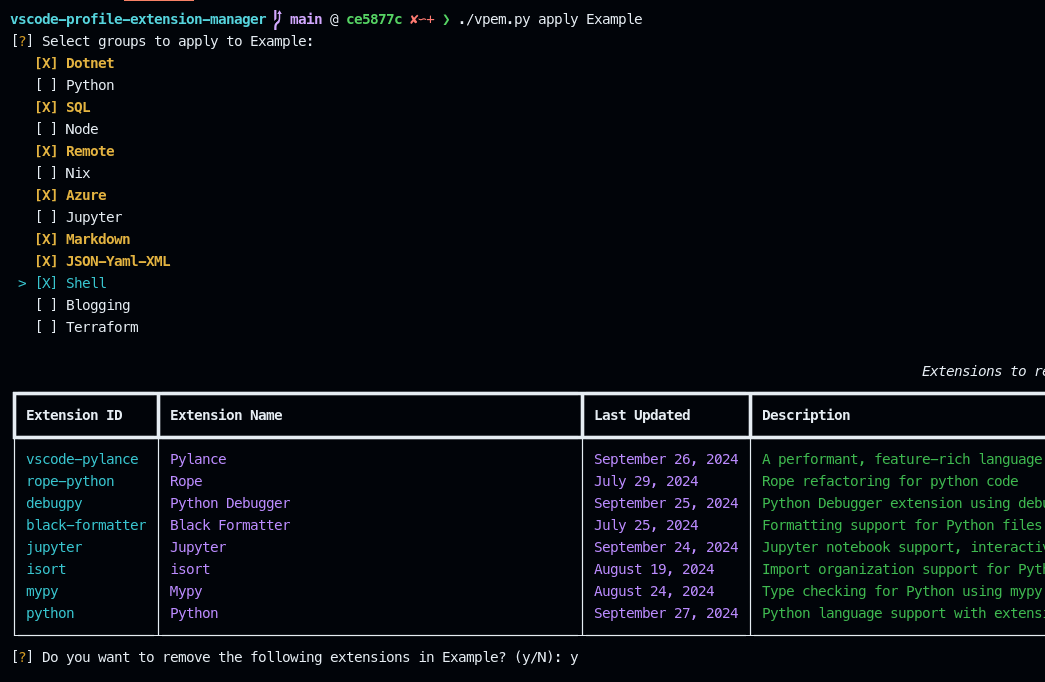
For example, here's how to apply a group of extensions to a profile:
Process
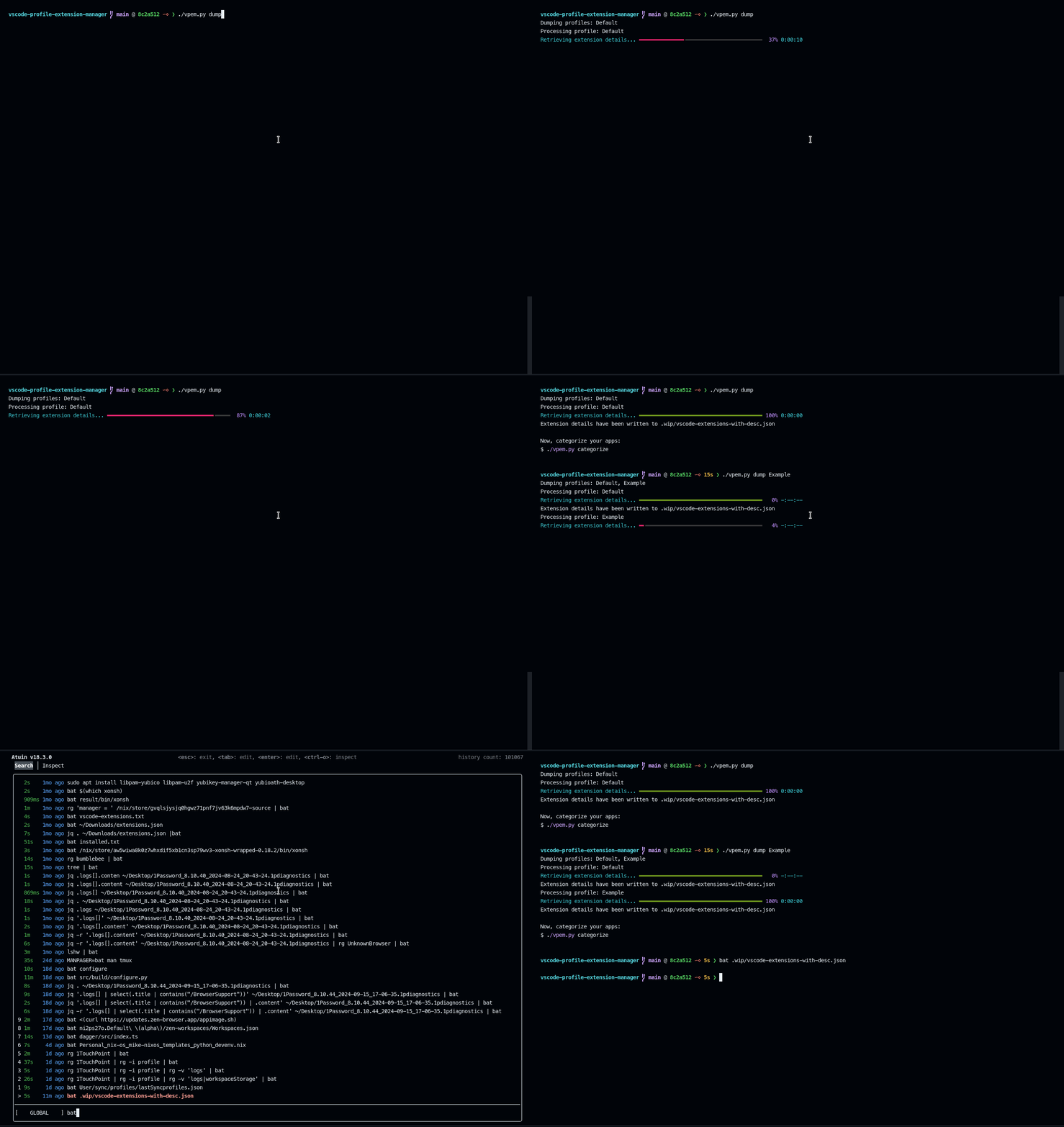
- First, dump your extensions for all your profiles
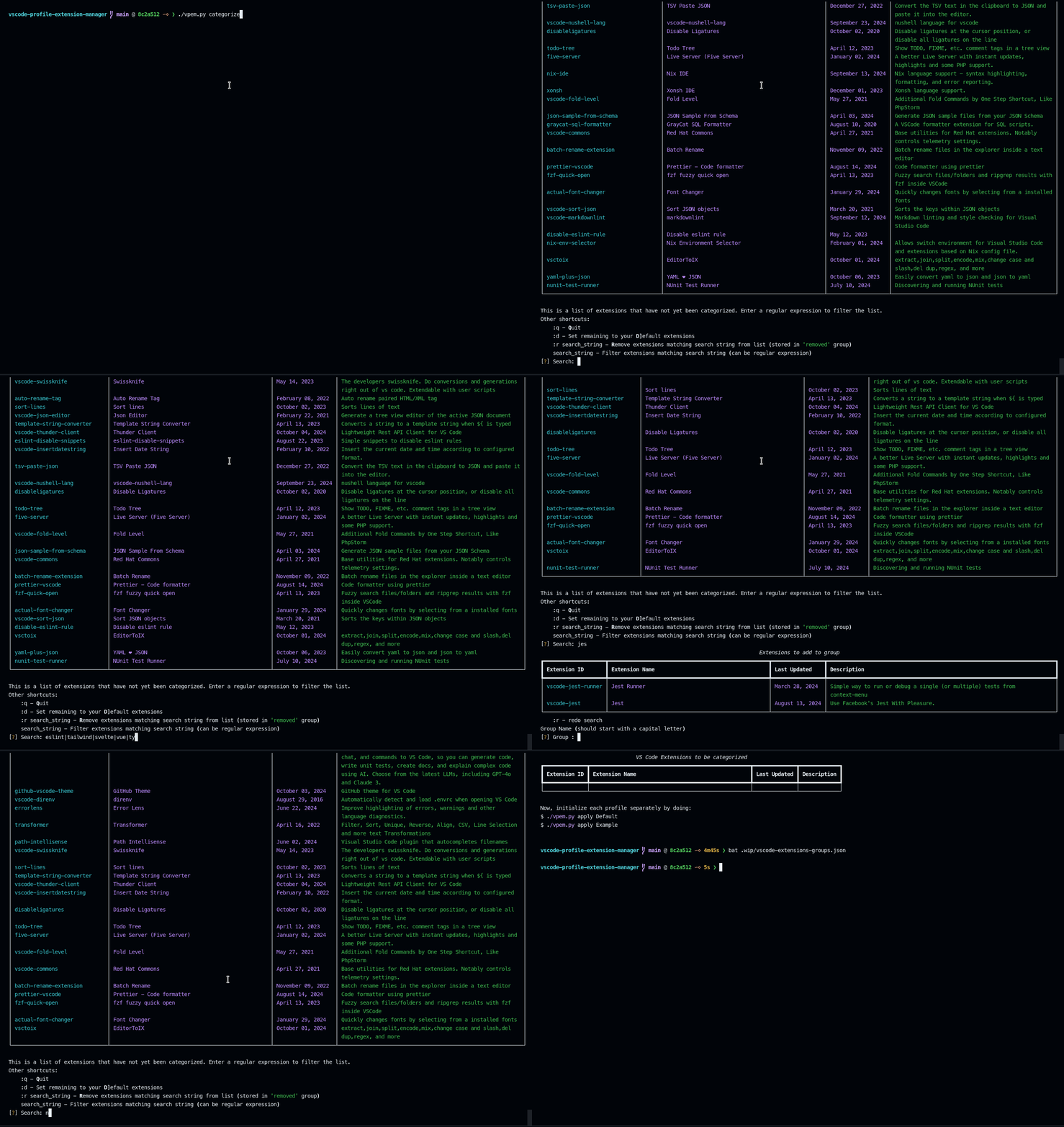
- Next, categorizing extensions by searching for common strings and assign to categories
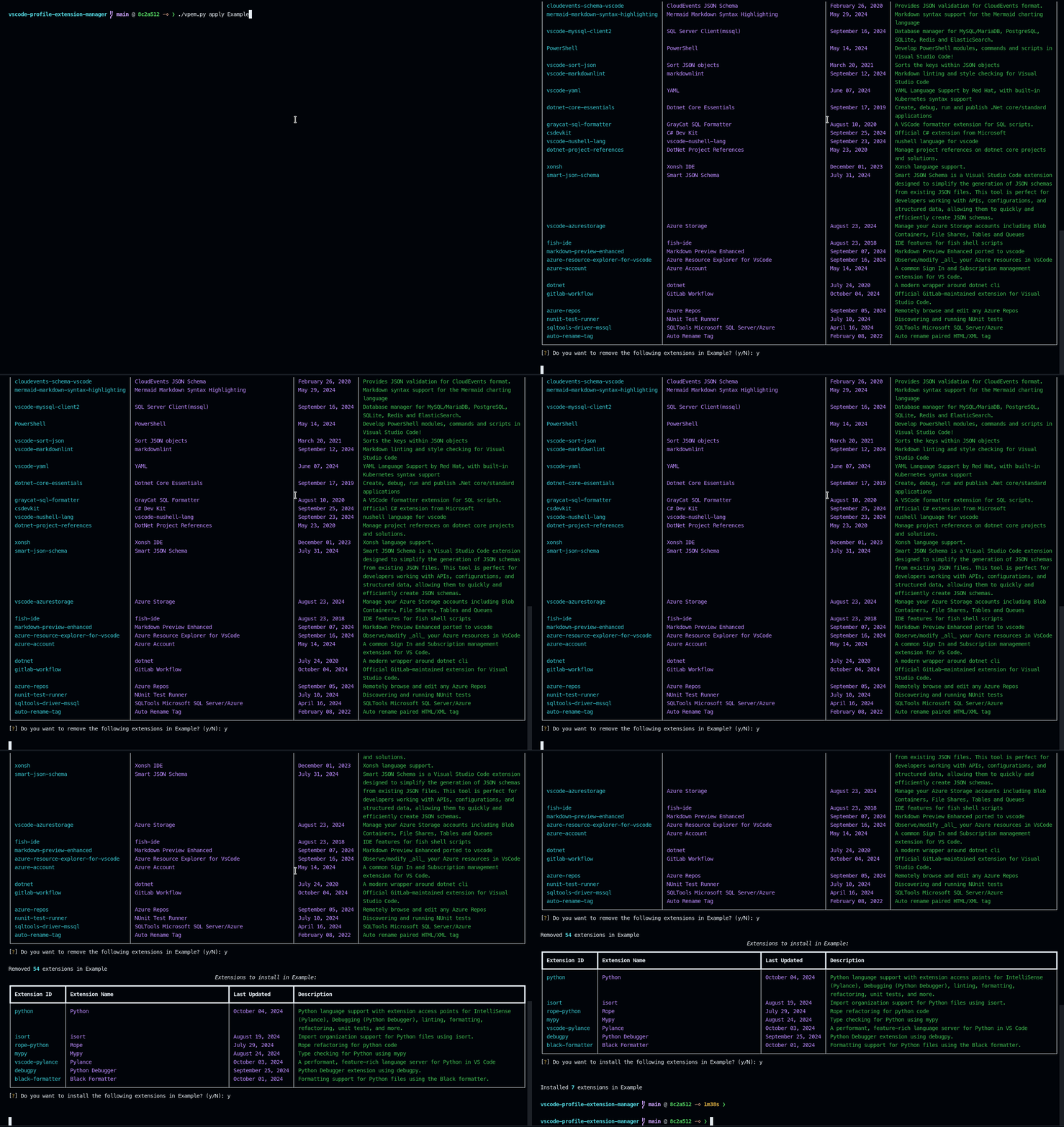
- Finally, apply extensions to a profile
Installation
To install VPEM, you can use pip:
Recommended way:
pipx install pipx install vscode_profile_extension_manager
Alternatively, you may download the released binaries in the repo. However, these are mass-produced by actions I've pulled from various places, so I can't guarantee they're tested.
Finally, you can also use jpillora/installer to automate the installation:
curl -q https://i.jpillora.com/drmikecrowe/vscode-profile-extension-manager! | sh
Usage
Here are some basic usage examples:
- Dump extensions from a profile:
vpem dump --profile "Default"
- Apply extensions to a profile:
vpem apply --profile "Work" --category "Python Development"
- List all categories:
vpem list-categories
Contributing
We welcome contributions to VPEM! If you'd like to contribute, please follow these steps:
- Fork the repository
- Create a new branch for your feature or bug fix
- Make your changes and commit them with a clear message
- Push your changes to your fork
- Create a pull request
Please make sure to update tests as appropriate and adhere to the project's coding standards.
License
This project is licensed under the Apache-2.0 License - see the LICENSE file for details.
Support
If you encounter any issues or have questions, please file an issue on the GitHub issue tracker.
1 maintainer

Metadata
1 maintainer
Release files for vscode-profile-extension-manager 0.1.13
For a detailed explanation of source distributions (sdists) and built distributions (wheels), please see the package formats documentation.
Source distribution (sdist)
| File | Size | Uploaded | |
|---|---|---|---|
| vscode_profile_extension_manager-0.1.13.tar.gz | 20.8 kB | Details |
Built distribution (wheel)
| File | Interpreter | ABI | Platform | Reset |
|---|---|---|---|---|
| vscode_profile_extension_manager-0.1.13-py3-none-any.whl | Python 3 | none | any | Details |
Total release size: 44.5 kB
Release files / vscode_profile_extension_manager-0.1.13.tar.gz
| Download URL | vscode_profile_extension_manager-0.1.13.tar.gz |
|---|---|
| Size | 20.8 kB |
| Tags | Source |
|
SHA-256 checksum How to use checksums |
1c723e61fa7af8948337f269a2a3b848c9aaed3b024eaef243b12935728e72d0
|
|
BLAKE2b-256 checksum How to use checksums |
e846bcd214427b403805f1545305027db95f30aecdb63bd7ba88842cb8d12650
|
| Upload date | |
|
Uploaded using Trusted Publishing? What is trusted publishing? |
Yes |
| Uploaded via |
twine/5.1.1 CPython/3.12.7
|
Release files / vscode_profile_extension_manager-0.1.13-py3-none-any.whl
| Download URL | vscode_profile_extension_manager-0.1.13-py3-none-any.whl |
|---|---|
| Size | 23.7 kB |
| Tags | Python 3 |
|
SHA-256 checksum How to use checksums |
d2d3d5154d222b1ced205c6fd3aa47e5236a36b6c24286f08c6e2f00953bf455
|
|
BLAKE2b-256 checksum How to use checksums |
696391874b09954e43ab9e3dd405f9046b90506868712ee6160a6e844c0e7759
|
| Upload date | |
|
Uploaded using Trusted Publishing? What is trusted publishing? |
Yes |
| Uploaded via |
twine/5.1.1 CPython/3.12.7
|














