
vsketch



What is vsketch?
vsketch is a Python generative art toolkit for plotters with the following focuses:
- Accessibility: vsketch is easy to learn and feels familiar thanks to its API strongly inspired from Processing.
- Minimized friction: vsketch automates every part of the creation process
(project initialisation, friction-less iteration, export to plotter-ready files) through a CLI tool called
vskand a tight integration with vpype. - Plotter-centric: vsketch is made for plotter users, by plotter users. It's feature set is focused on the peculiarities of this medium and doesn't aim to solve other problems.
- Interoperability: vsketch plays nice with popular packages such as Numpy and Shapely, which are true enabler for plotter generative art.
vsketch is the sum of two things:
- A CLI tool named
vskto automate every part of a sketch project lifecycle::- Sketch creation based on a customizable template.
- Interactive rendering of your sketch with live-reload and custom parameters.
- Batch export to SVG with random seed and configuration management as well as multiprocessing support.
- An easy-to-learn API similar to Processing to implement your sketches.
This project is at an early the stage and needs contributions. You can help by providing feedback and improving the documentation.
Installing vsketch
The recommended way to install vsketch is as a stand-alone installation using pipx:
$ pipx install vsketch
To run the examples, they must be downloaded separately. After decompressing the archive, they can be run using the following command:
$ vsk run path/to/vsketch-master/examples/schotter
Check the installation instructions for more details.
Getting started
This section is meant as a quick introduction of the workflow supported by vsketch. Check the documentation for a more complete overview.
Open a terminal and create a new project:
$ vsk init my_project
This will create a new project structure that includes everything you need to get started:
$ ls my_project
config
output
sketch_my_project.py
The sketch_my_project.py file contains a skeleton for your sketch. The config and output sub-directories are used
by vsk to store configurations and output SVGs.
Open sketch_my_project.py in your favourite editor and modify it as follows:
import vsketch

class SchotterSketch(vsketch.SketchClass):
    def draw(self, vsk: vsketch.SketchClass) -> None:
        vsk.size("a4", landscape=False)
        vsk.scale("cm")

        for j in range(22):
            with vsk.pushMatrix():
                for i in range(12):
                    with vsk.pushMatrix():
                        vsk.rotate(0.03 * vsk.random(-j, j))
                        vsk.translate(
                            0.01 * vsk.randomGaussian() * j,
                            0.01 * vsk.randomGaussian() * j,
                        )
                        vsk.rect(0, 0, 1, 1)
                    vsk.translate(1, 0)
            vsk.translate(0, 1)

    def finalize(self, vsk: vsketch.Vsketch) -> None:
        vsk.vpype("linemerge linesimplify reloop linesort")

if __name__ == "__main__":
    SchotterSketch.display()
Your sketch is now ready to be run with the following command:
$ vsk run my_project
You should see this:
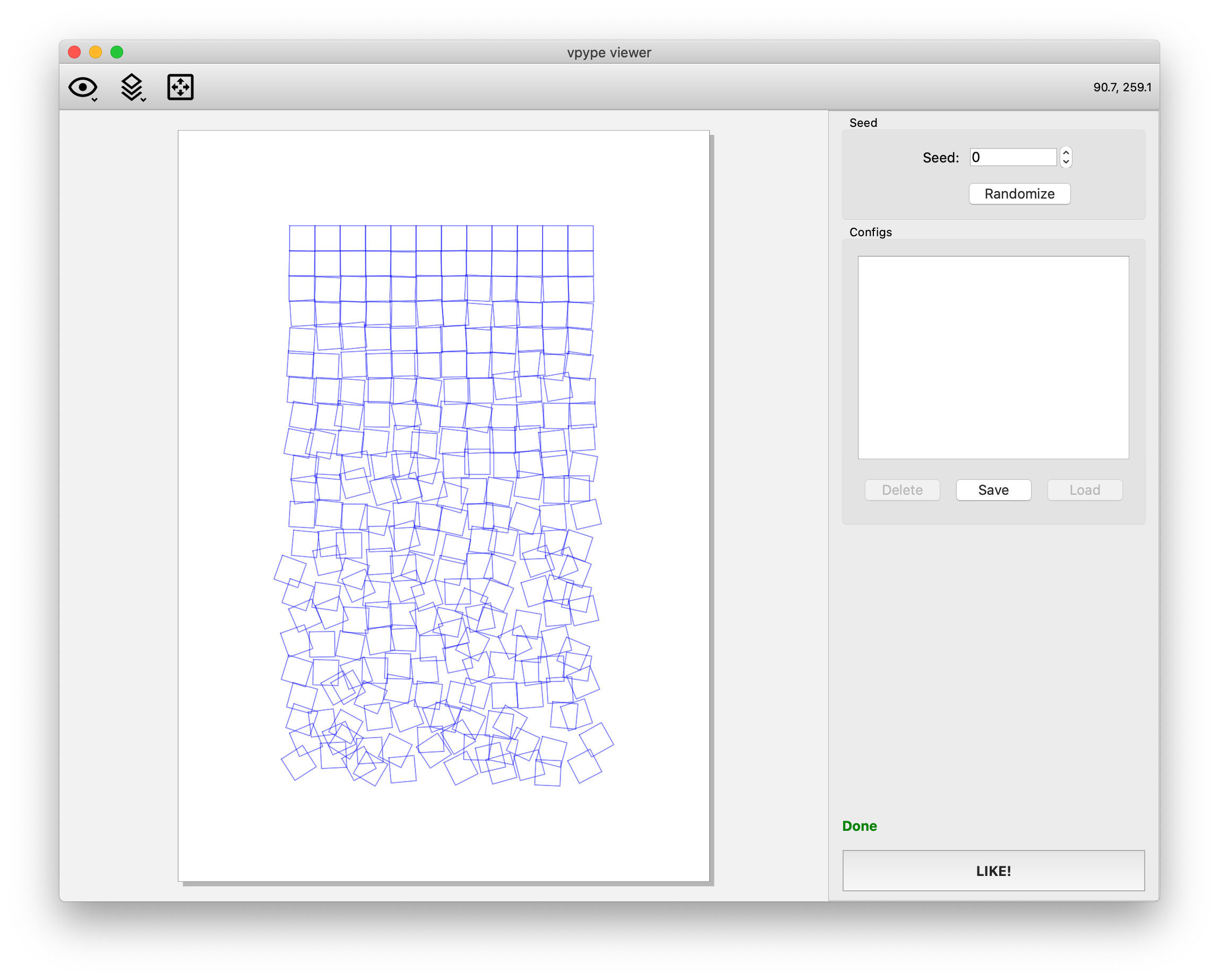
Congratulation, you just reproduced Georg Nees' famous artwork!
Wouldn't be nice if you could interactively interact with the script's parameters? Let's make this happen.
Add the following declaration at the top of the class:
class SchotterSketch(vsketch.SketchClass):
    columns = vsketch.Param(12)
    rows = vsketch.Param(22)
    fuzziness = vsketch.Param(1.0)

    # ...
Change the draw() method as follows:
    def draw(self, vsk: vsketch.Vsketch) -> None:
        vsk.size("a4", landscape=False)
        vsk.scale("cm")

        for j in range(self.rows):
            with vsk.pushMatrix():
                for i in range(self.columns):
                    with vsk.pushMatrix():
                        vsk.rotate(self.fuzziness * 0.03 * vsk.random(-j, j))
                        vsk.translate(
                            self.fuzziness * 0.01 * vsk.randomGaussian() * j,
                            self.fuzziness * 0.01 * vsk.randomGaussian() * j,
                        )
                        vsk.rect(0, 0, 1, 1)
                    vsk.translate(1, 0)
            vsk.translate(0, 1)
Hit ctrl-S/cmd-S to save and, lo and behold, corresponding buttons just appeared in the viewer without even needing to restart it! Here is how it looks with some more fuzziness:
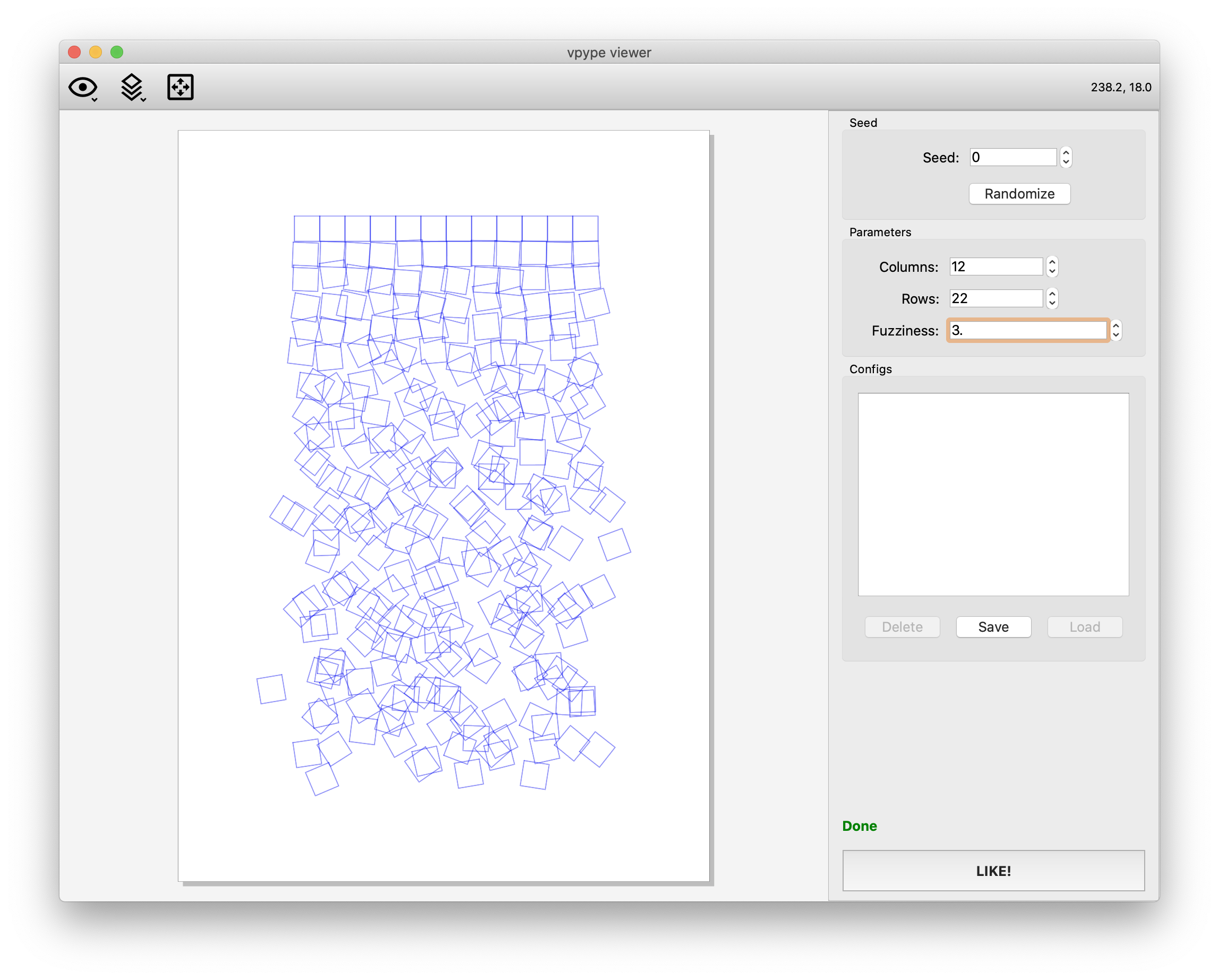
Let's play a bit with the parameters until we find a combination we like, then hit the Save button and enter a "Best config" as name.
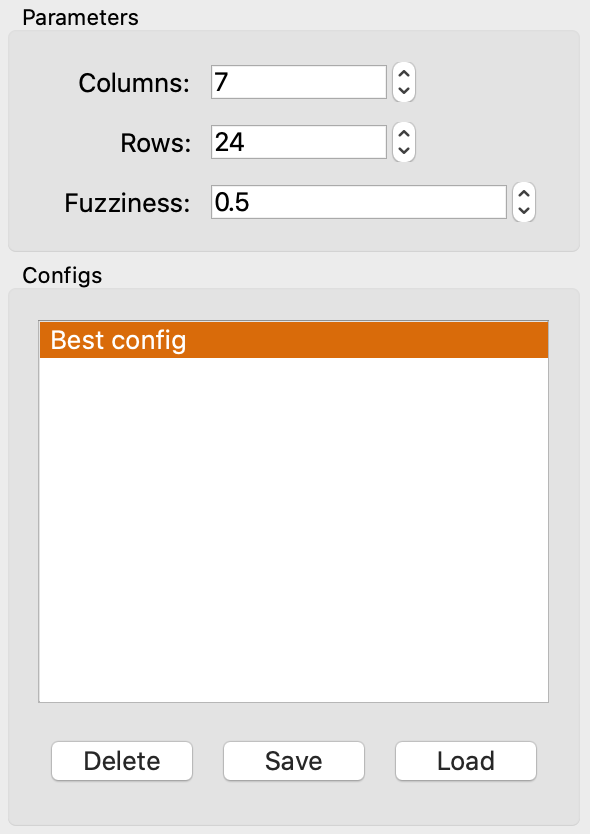
We just saved a configuration that we can load at any time.
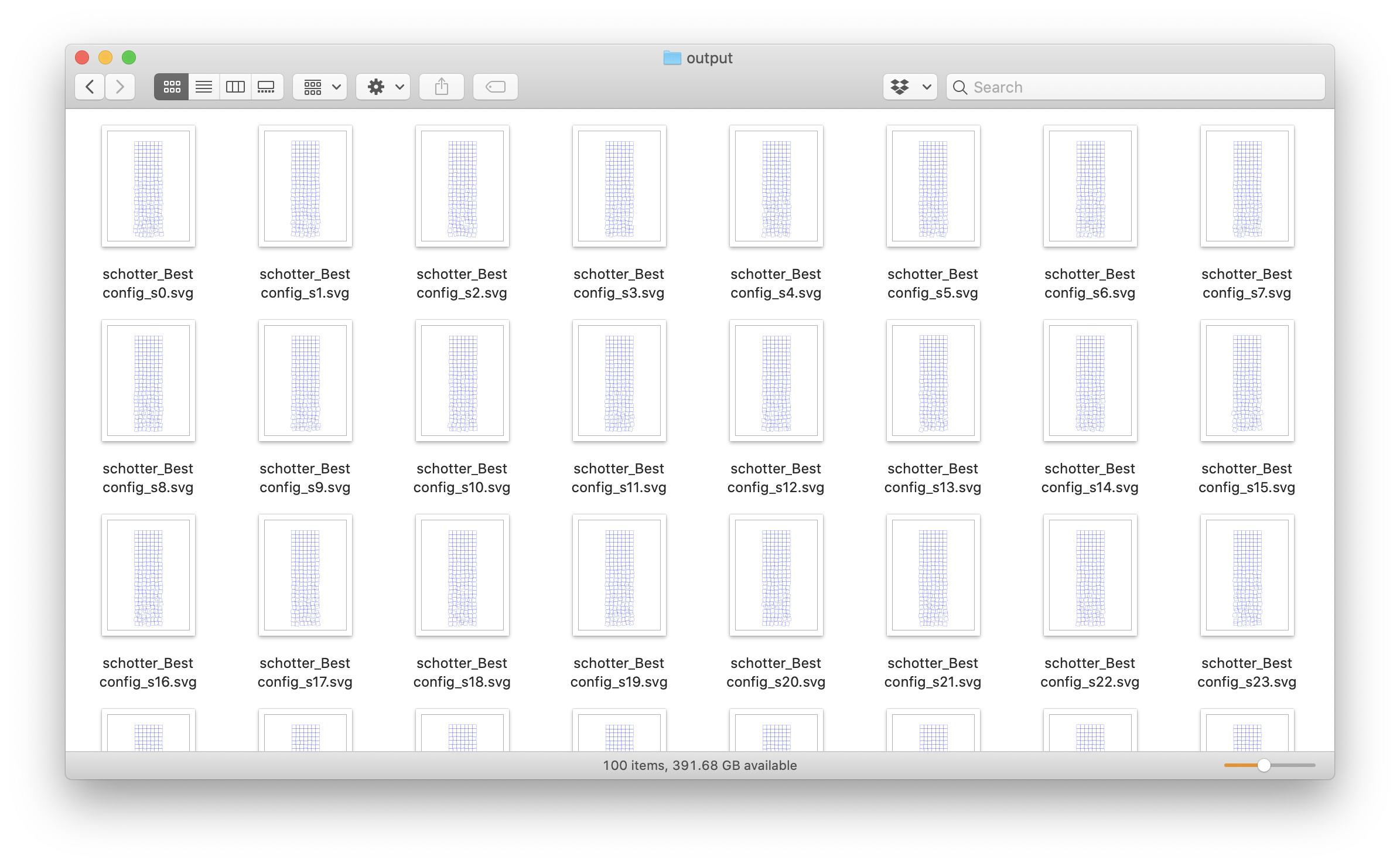
Finally, being extremely picky, it would be nice to be able to generate ONE HUNDRED versions of this sketch with various random seeds, in hope to find the most perfect version for plotting and framing. vsk will do this for you, using all CPU cores available:
$ vsk save --config "Best config" --seed 0..99 my_project
You'll find all the SVG file in the project's output subdirectory:
Next steps:
- Use
vskintegrated help to learn about the all the possibilities (vsk --help). - Learn the vsketch API on the documentation's overview and reference pages.
Acknowledgments
Part of this project's documentation is inspired by or copied from the Processing project.
License
This project is licensed under the MIT license. The documentation is licensed under the CC BY-NC-SA 4.0 license. See the documentation for details.
1 maintainer

Metadata
1 maintainer
Release files for vsketch 1.2.0
For a detailed explanation of source distributions (sdists) and built distributions (wheels), please see the package formats documentation.
Source distribution (sdist)
| File | Size | Uploaded | |
|---|---|---|---|
| vsketch-1.2.0.tar.gz | 54.7 kB | Details |
Built distribution (wheel)
| File | Interpreter | ABI | Platform | Reset |
|---|---|---|---|---|
| vsketch-1.2.0-py3-none-any.whl | Python 3 | none | any | Details |
Total release size: 114.4 kB
Release files / vsketch-1.2.0.tar.gz
| Download URL | vsketch-1.2.0.tar.gz |
|---|---|
| Size | 54.7 kB |
| Tags | Source |
|
SHA-256 checksum How to use checksums |
85161c26c992179fb8a78abf6a43b73e22e0c1e930e2e662d09b8779b77b4be4
|
|
BLAKE2b-256 checksum How to use checksums |
6320db845a47d0df14807450f38101065b3bd48803f6054e322e7785b627adb6
|
| Upload date | |
|
Uploaded using Trusted Publishing? What is trusted publishing? |
No |
| Uploaded via |
poetry/2.1.4 CPython/3.12.3 Linux/6.11.0-1018-azure
|
Release files / vsketch-1.2.0-py3-none-any.whl
| Download URL | vsketch-1.2.0-py3-none-any.whl |
|---|---|
| Size | 59.7 kB |
| Tags | Python 3 |
|
SHA-256 checksum How to use checksums |
ab5899a5ebdff4e350d73ba19e1ad86c5b0b49ab52d159583adf1349c07742b1
|
|
BLAKE2b-256 checksum How to use checksums |
38decec094d4a38f3cf55587e8956028c849e7e57d5737d63384c7e56e9e45b3
|
| Upload date | |
|
Uploaded using Trusted Publishing? What is trusted publishing? |
No |
| Uploaded via |
poetry/2.1.4 CPython/3.12.3 Linux/6.11.0-1018-azure
|














