
vtk-demo
Fancy VTK / PyVista scenes that show off VTK capabilities and performance: GPU instancing, composite datasets, PBR, transparency, huge point clouds, live simulations… plus the demo applications built on them (VTK.wasm + WebGPU in the browser with trame, standalone HTML exports, and Dear ImGui).
Install
pip install vtk-demo              # scenes, web applications (trame) and HTML export
pip install "vtk-demo[imgui]"     # + native desktop applications (Dear ImGui)
pip install "vtk-demo[all]"
This installs the latest VTK release from PyPI, or keeps the VTK already installed (9.7 or newer). A few demos need fixes that are only in VTK nightlies for now, and warn on startup when VTK is too old:
| Demo | Needs | Without it |
|---|---|---|
trame.animation |
newer than 9.7.1 | VTK.wasm keeps drawing the first frame |
trame.asteroid-impact, trame.bearing-assembly |
nightly of 2026-10-11 or later | the WebGPU view has no sorted (deep framebuffer) transparency |
pip and uv cannot get nightlies from the package metadata: ask for one from
wheels.vtk.org when installing. The demos are tested
with 9.7.20261101.dev0:
# the tested nightly
pip install --extra-index-url https://wheels.vtk.org vtk-demo "vtk==9.7.20261101.dev0"

# or the newest nightly (pip picks the highest version across both indexes)
pip install --pre --extra-index-url https://wheels.vtk.org vtk-demo
Reusable scenes
vtk_demo.scenes is plain VTK and numpy, through VTK's Python friendly API
(keyword constructors, snake_case properties, numpy backed arrays, >>
pipelines). Every build_* function fills a vtkRenderer (actors,
background, camera) and returns a few statistics:
import vtkmodules.vtkInteractionStyle  # noqa: F401
import vtkmodules.vtkRenderingOpenGL2  # noqa: F401
from vtkmodules.vtkRenderingCore import (
    vtkRenderer,
    vtkRenderWindow,
    vtkRenderWindowInteractor,
)

from vtk_demo.scenes import build_glyph_island

renderer = vtkRenderer()
n_actors, n_instances, n_triangles = build_glyph_island(renderer)
window = vtkRenderWindow(size=(1280, 800))
window.AddRenderer(renderer)
interactor = vtkRenderWindowInteractor(render_window=window)
interactor.Start()
PyVista only comes in with the applications, through a small adapter that builds a scene into a plotter and keeps the scene's camera:
import pyvista as pv
from vtk_demo.pyvista_adapter import add_scene
from vtk_demo.scenes import build_glyph_island

plotter = pv.Plotter()
n_actors, n_instances, n_triangles = add_scene(plotter, build_glyph_island)
plotter.show()
| Module | What it provides |
|---|---|
scenes.instancing |
InstanceLayer: many copies of one mesh, drawn with a vtkGlyph3DMapper (glyph_actor), one actor per copy (instance_actors) or baked into one mesh (bake_layer) |
scenes.composite |
composite_actor, scattered_collection, partitioned_collection: many meshes in one vtkCompositePolyDataMapper actor |
scenes.island |
The 43k object voxel island, drawn four ways: build_glyph_island, build_actor_island, build_archipelago, build_partitioned_island |
scenes.pbr |
build_pbr_scene: PBR materials and image based lighting |
scenes.transparency |
build_transparency_scene: depth peeling stress test |
scenes.galaxy |
build_galaxy_scene: tens of millions of points |
scenes.wave |
WaveSurface, build_wave_scene: a mesh updated live by a simulation |
scenes.isosurface |
Isosurface, build_isosurface_scene: live vtkFlyingEdges3D contour |
scenes.volume_rendering |
VolumeRendering, build_volume_rendering_scene: GPU ray cast volume with 3D Slicer's CT presets (PRESETS), shift and shading changed live |
scenes.bunny |
build_bunny_scene |
scenes.benchmark |
build_sphere_mesh, build_sphere_actors: synthetic throughput scenes |
scenes.primitives |
Shapes (cube, cylinder, cone, arrow, icosphere, super_ellipsoid, trefoil) and textures (stone_tiles_texture, image_texture) |
scenes.core |
VTK and numpy helpers: mesh_actor, make_property, rgb, lookup_table, vtk_points, transformed, set_camera… |
scenes.datasets |
bunny, lucy, head, sky_box: example data, downloaded once to ~/.cache/vtk-demo (or $VTK_DEMO_DATA) |
Demo applications
vtk-demo list
vtk-demo run trame.glyph            # VTK.wasm on WebGL 2
vtk-demo run trame.glyph --webgpu   # WebGPU in the browser and on the server
vtk-demo run trame.galaxy --help
Without installing anything, uv runs any demo
with uvx: every demo below comes with its command. Add -p 0 to have trame
pick a free port, or any of the demo options (--webgpu, --help…). The
demos that need a VTK nightly get one from wheels.vtk.org.
Demos are grouped by UI toolkit, under vtk_demo.apps:
| Demo | What it shows | Run it with uv |
|---|---|---|
trame.contour |
Isosurface of a CT scan, filtered on the server | uvx vtk-demo run trame.contour |
trame.volume-rendering |
Chest CT (or any 3D Slicer CT / MRI sample) ray cast with 3D Slicer presets | uvx vtk-demo run trame.volume-rendering |
trame.live-processing |
FEA bracket thresholded by stress, filtered on the server | uvx vtk-demo run trame.live-processing |
trame.galaxy |
Tens of millions of points with VTK.wasm 64-bit | uvx vtk-demo run trame.galaxy |
trame.animation |
Wave equation stepped in numpy, streamed live | uvx --with "vtk==9.7.20261101.dev0" --index-url https://wheels.vtk.org vtk-demo run trame.animation |
trame.pbr |
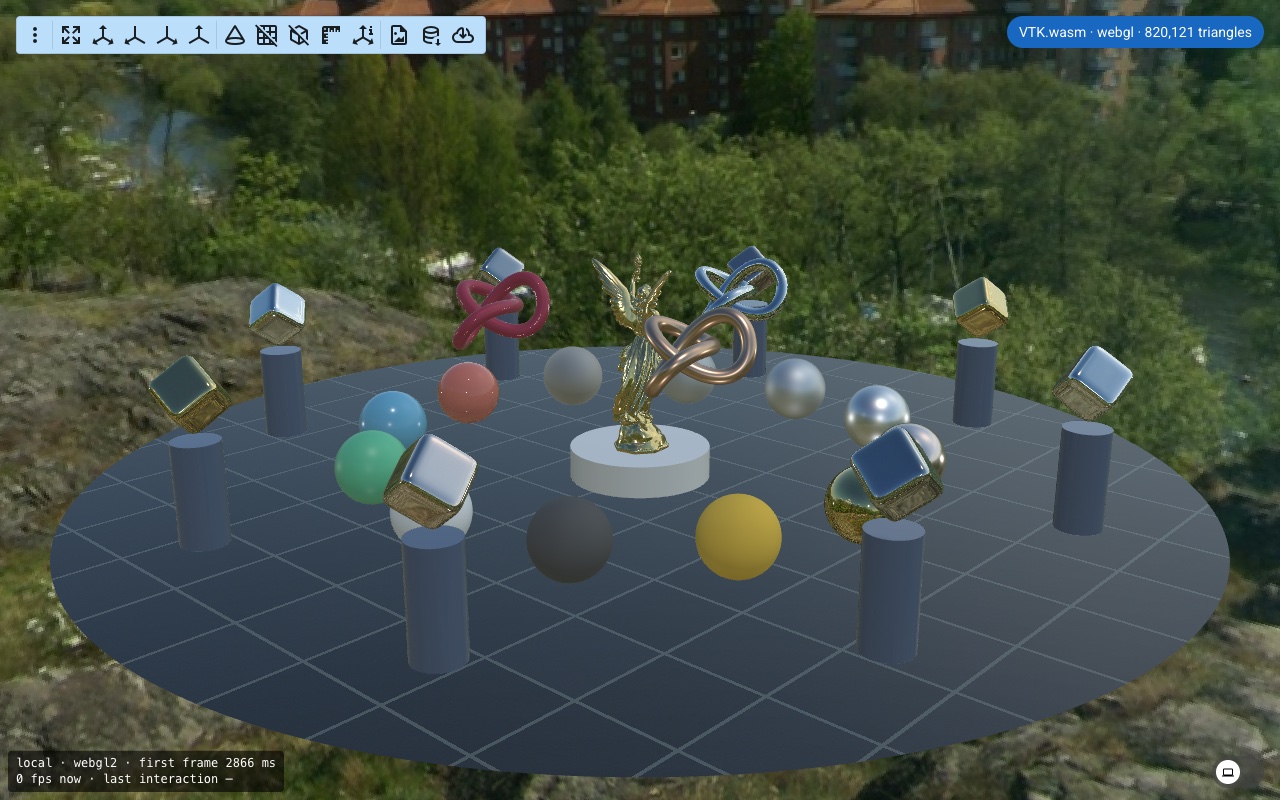
PBR materials and image based lighting | uvx vtk-demo run trame.pbr |
trame.pbr-legacy |
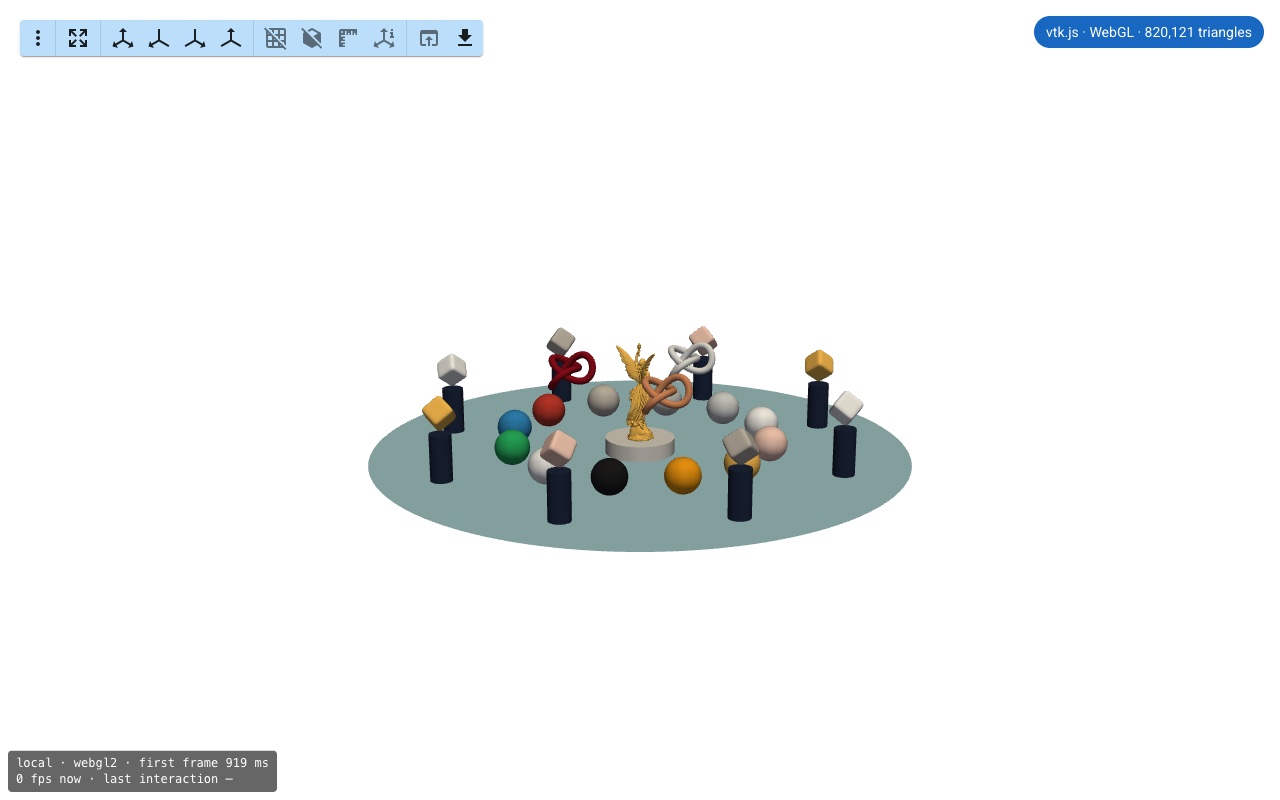
The same PBR scene with vtk.js | uvx vtk-demo run trame.pbr-legacy |
trame.transparency |
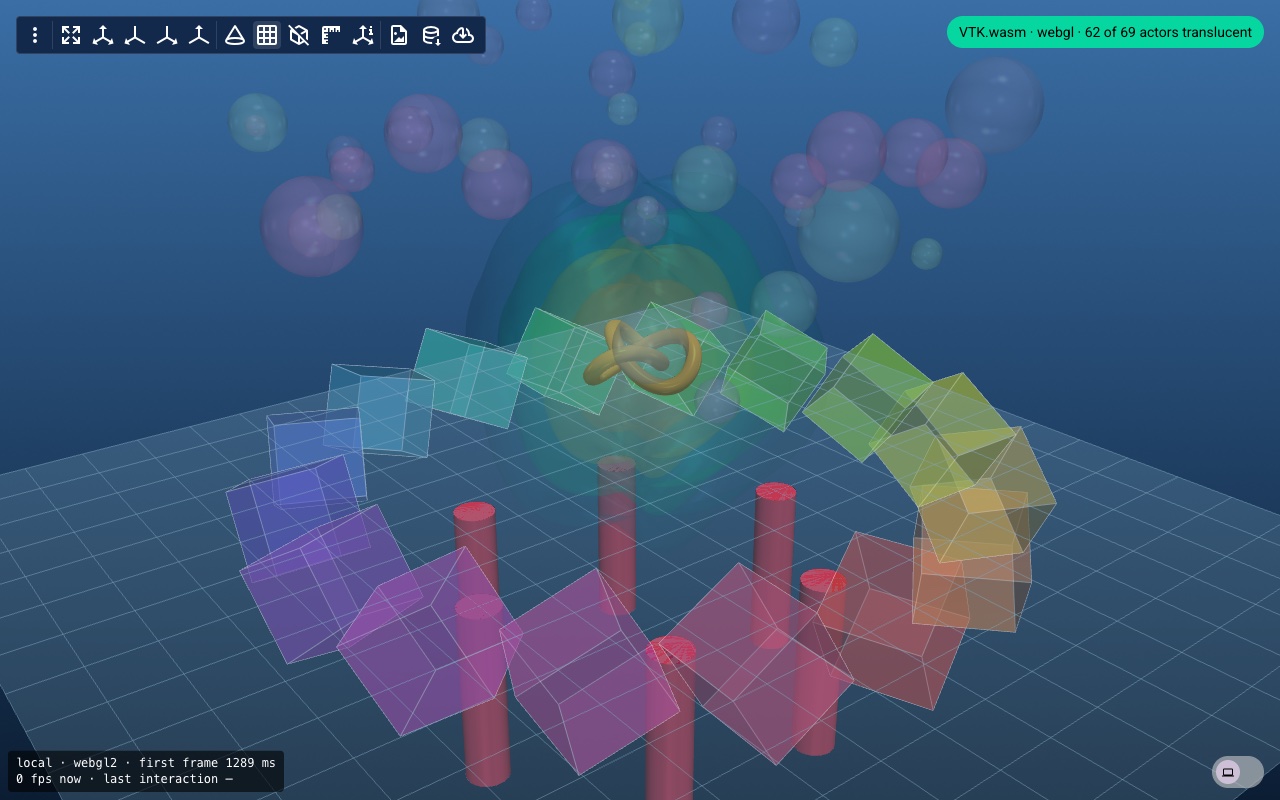
Depth peeling stress test | uvx vtk-demo run trame.transparency |
trame.asteroid-impact |
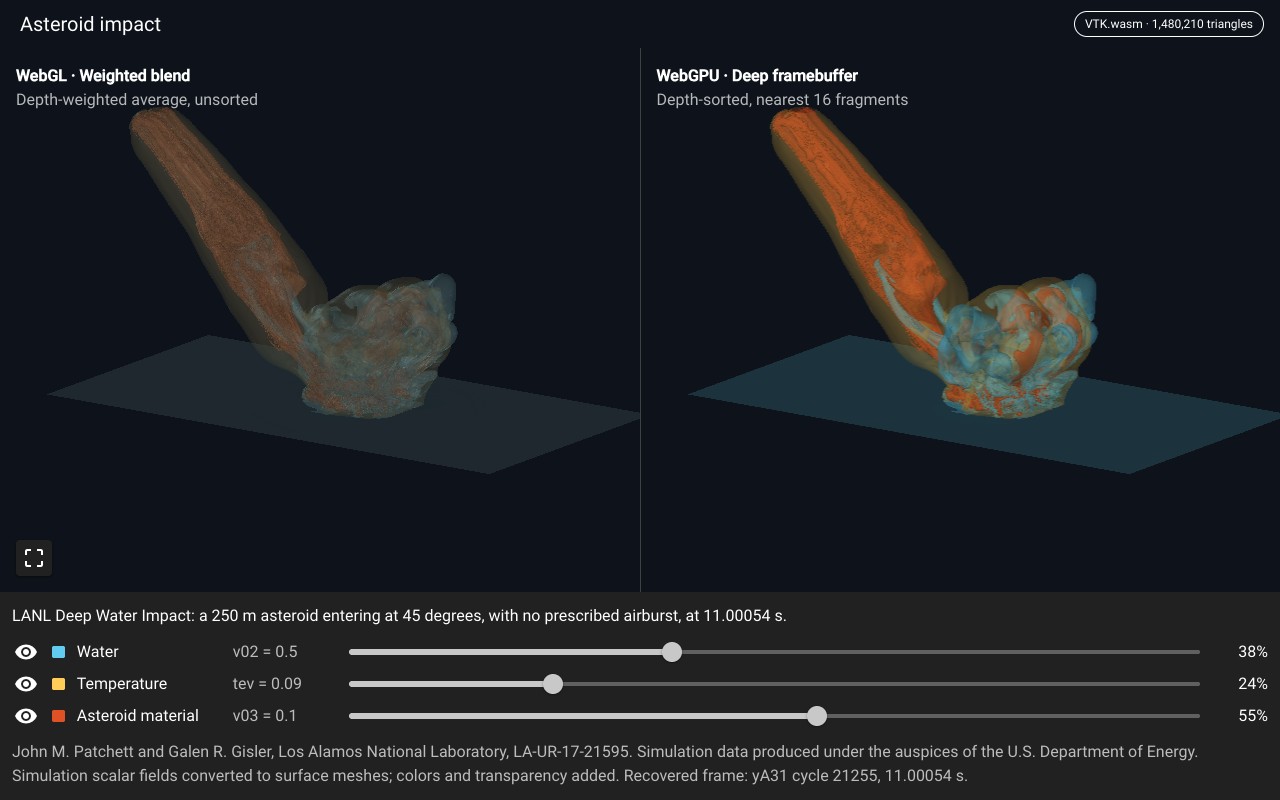
WebGL weighted blend vs. WebGPU deep framebuffer | uvx --with "vtk==9.7.20261101.dev0" --index-url https://wheels.vtk.org vtk-demo run trame.asteroid-impact |
trame.bearing-assembly |
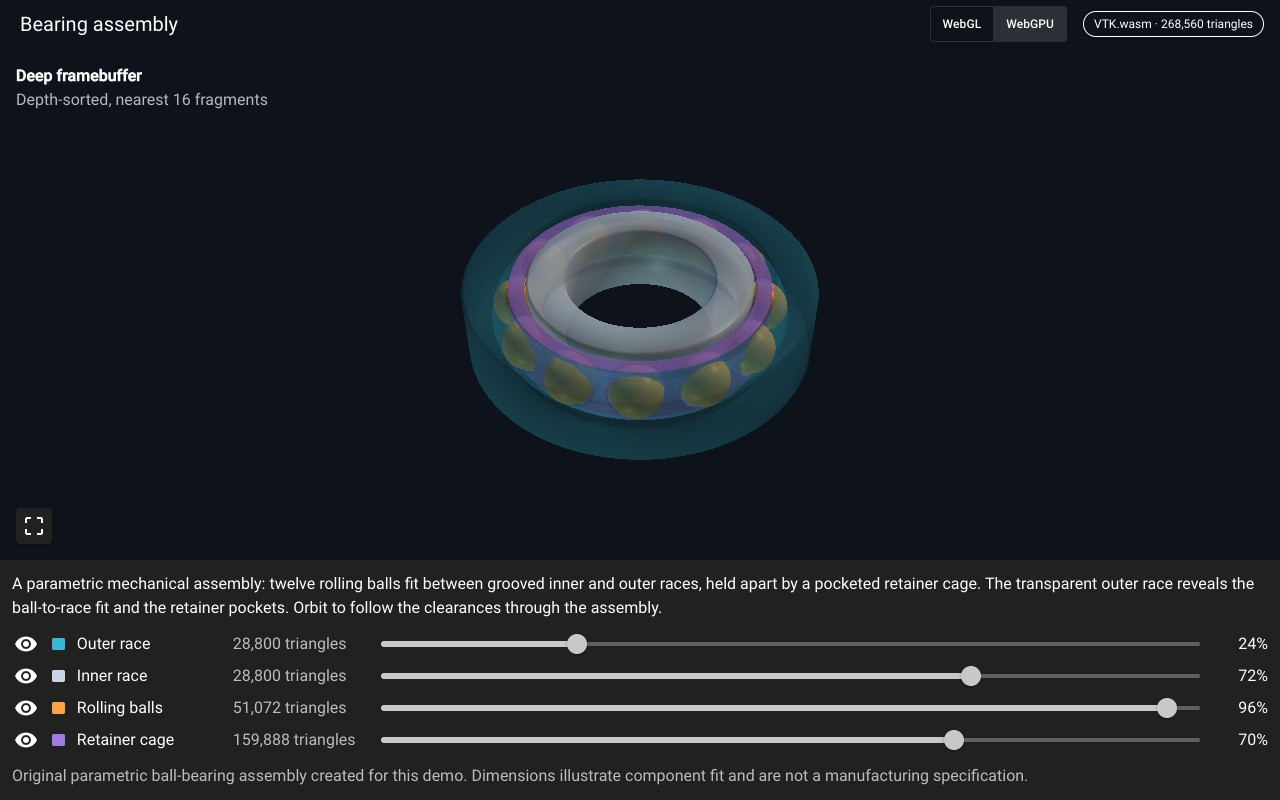
The same comparison, as a WebGL / WebGPU toggle | uvx --with "vtk==9.7.20261101.dev0" --index-url https://wheels.vtk.org vtk-demo run trame.bearing-assembly |
trame.glyph |
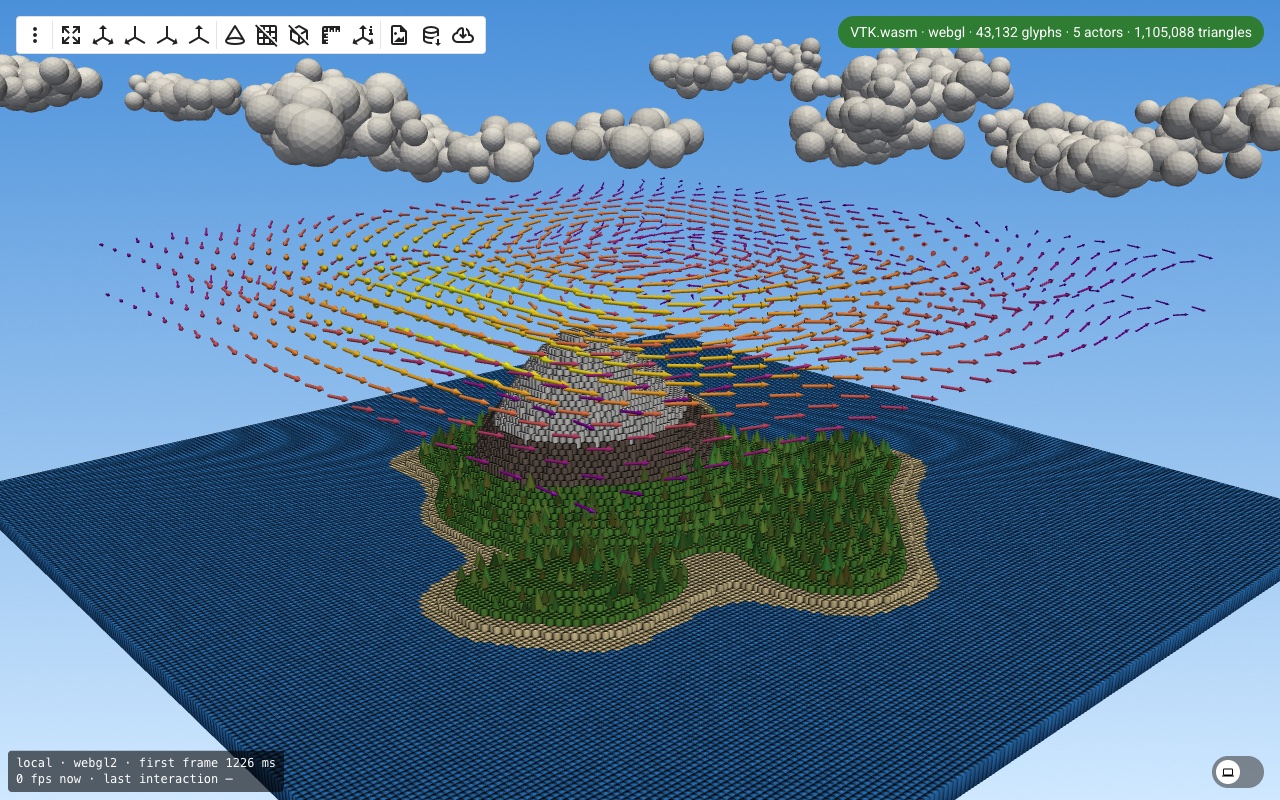
43k object voxel island, GPU instancing | uvx vtk-demo run trame.glyph |
export.bunny-html |
Self-contained VTK.wasm HTML page, written to exports/ |
uvx vtk-demo run export.bunny-html |
imgui.contour |
The contour demo in a native desktop window (Python 3.11+) | uvx --from "vtk-demo[imgui]" vtk-demo run imgui.contour |
Every demo is also a runnable module, e.g. python -m vtk_demo.apps.trame.glyph.
The SimpleViewer based trame demos report first frame and interaction times:
see vtk_demo/apps/trame/observability.py (--obs-log, --obs-verbose, --no-hud).
Volume rendering
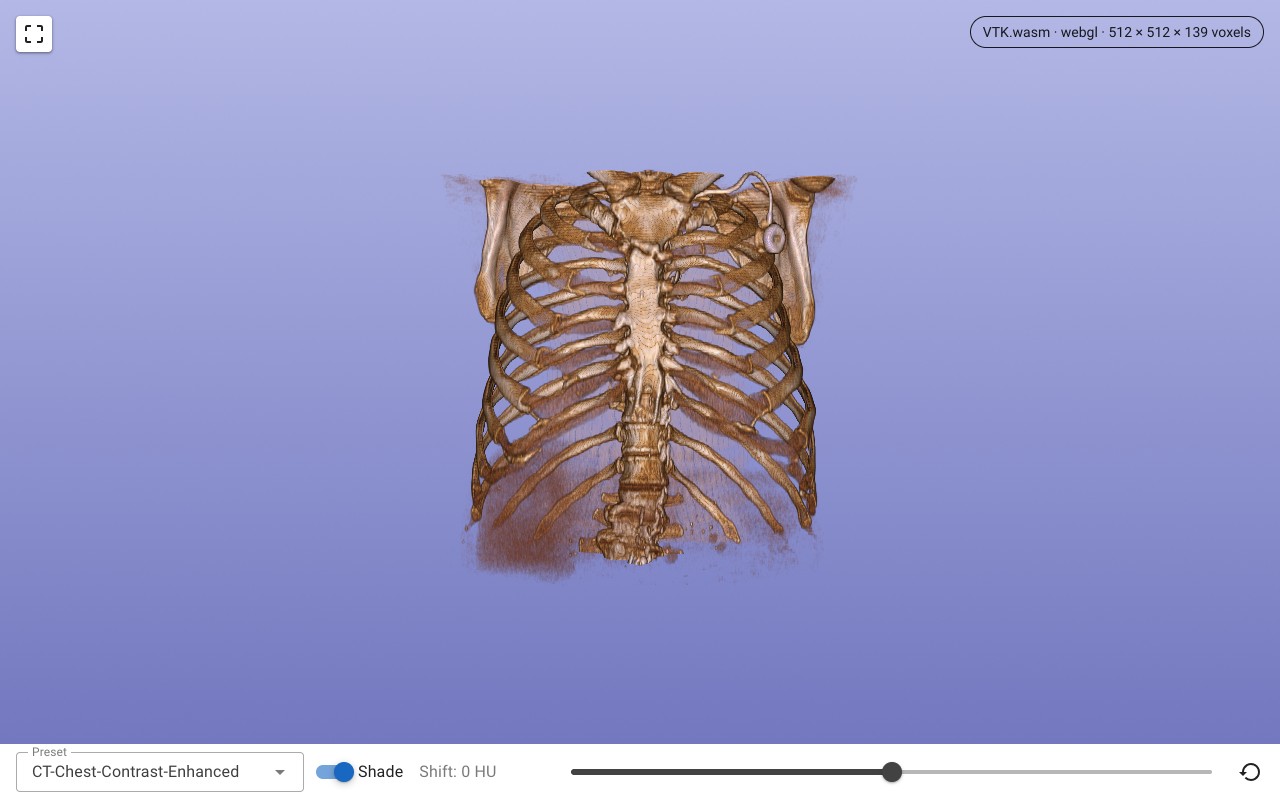
trame.volume-rendering ray casts a chest CT in the browser with VTK.wasm,
using 3D Slicer's volume rendering presets, as discussed in
How show the bone of a serial dicom files.
The data is 3D Slicer's CTChest sample (ct-chest-scene in
vtk_demo.data.medical, 41 MB, downloaded on first run), read straight from
its scene bundle (.mrb) by vtk_demo.io.nrrd.
Any other 3D Slicer sample holding a 3D scalar volume, as a NRRD file or a
scene bundle, can be rendered instead with --dataset and its name.
--dataset list prints them, one per line with download size, modality and
description. MRI scans start with the MR-Default preset.
vtk-demo run trame.volume-rendering            # VTK.wasm on WebGL 2
vtk-demo run trame.volume-rendering --webgpu   # WebGPU in the browser
vtk-demo run trame.volume-rendering --dataset list
vtk-demo run trame.volume-rendering --dataset cervical-spine-ct
vtk-demo run trame.volume-rendering --dataset mr-head-scene

uvx vtk-demo run trame.volume-rendering        # without installing anything
The footer picks a preset (CT-Chest-Contrast-Enhanced, CT-Bone, CT-Muscle, MR-Default…), toggles shading and shifts the transfer functions (in Hounsfield units for CT) to fine-tune what shows up. The volume is sent to the browser once: these controls only send the new volume property.
Gallery
Each demo with its default options, VTK.wasm (or vtk.js) on WebGL 2 in Chrome,
or WebGPU for trame.asteroid-impact and trame.bearing-assembly:
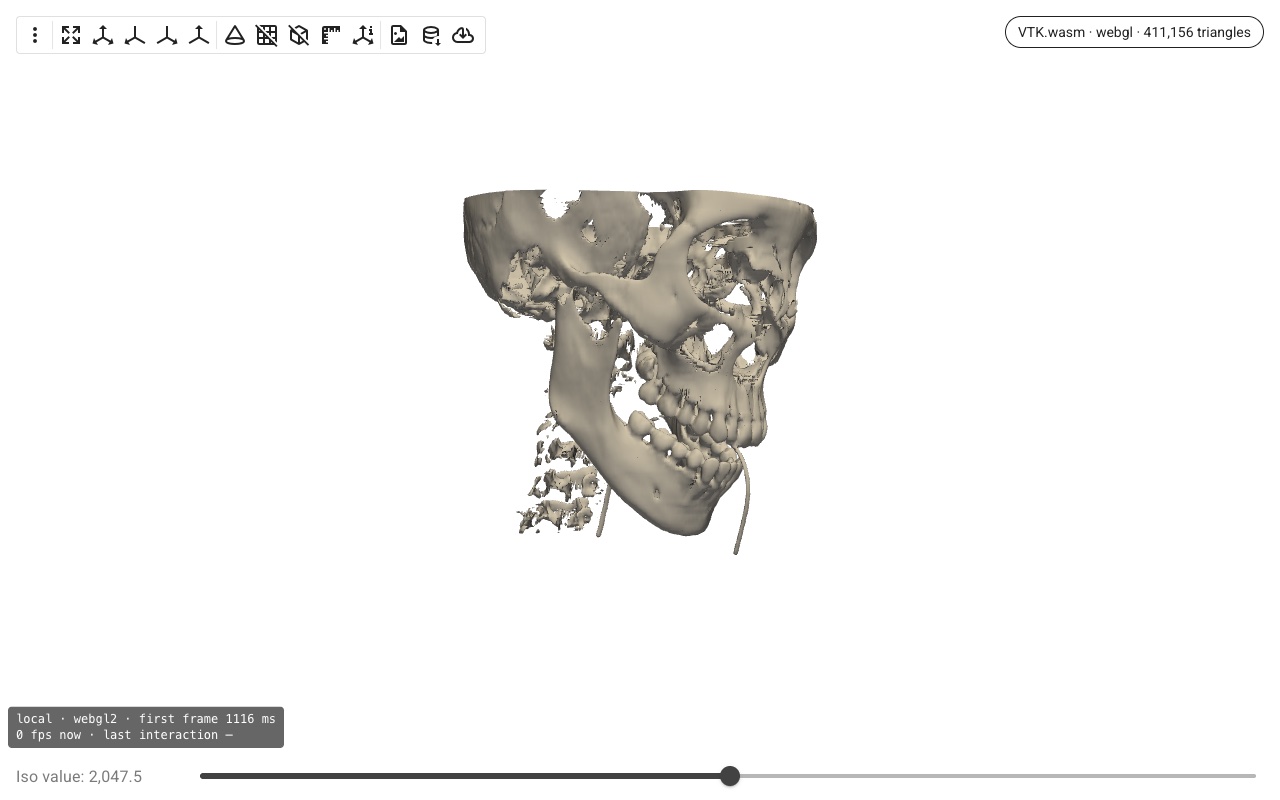
trame.contour: isosurface of a CT scan, filtered on the server |
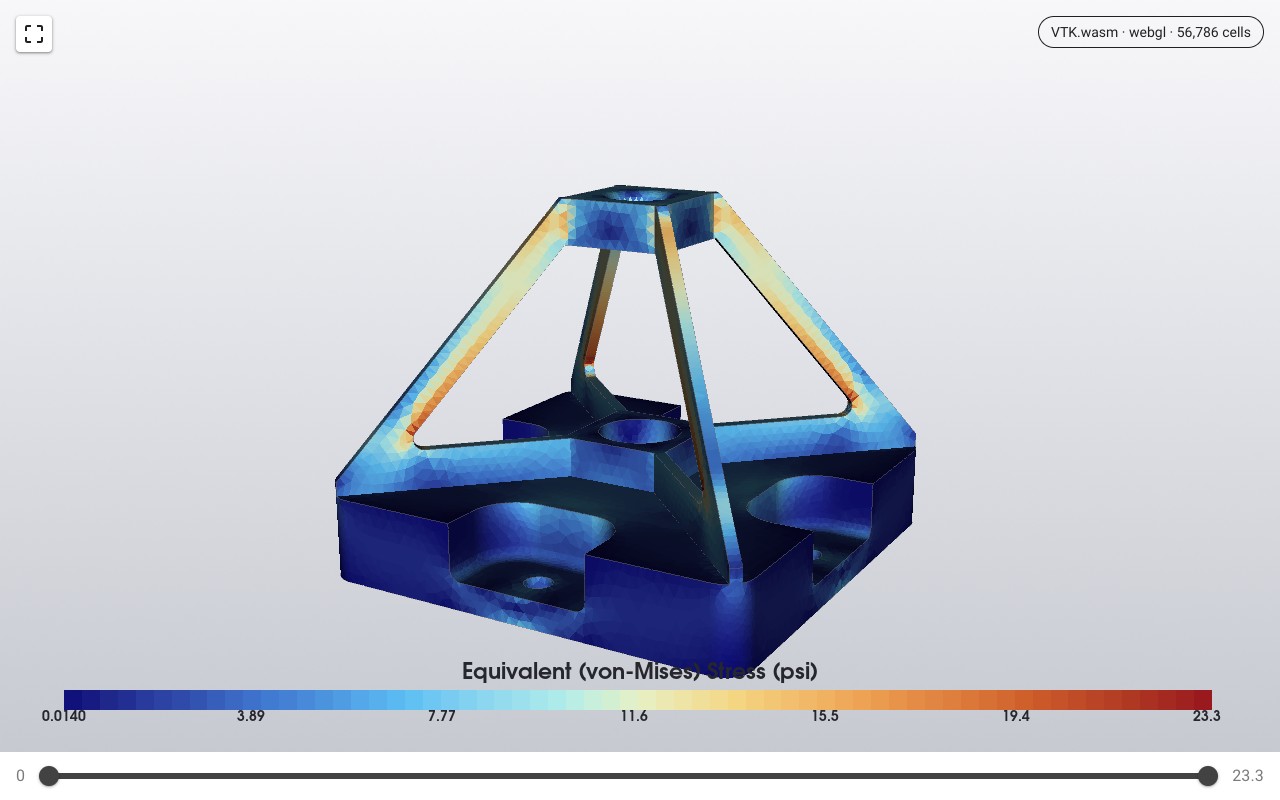
trame.live-processing: FEA bracket thresholded by stress, filtered on the server |
 |
 |
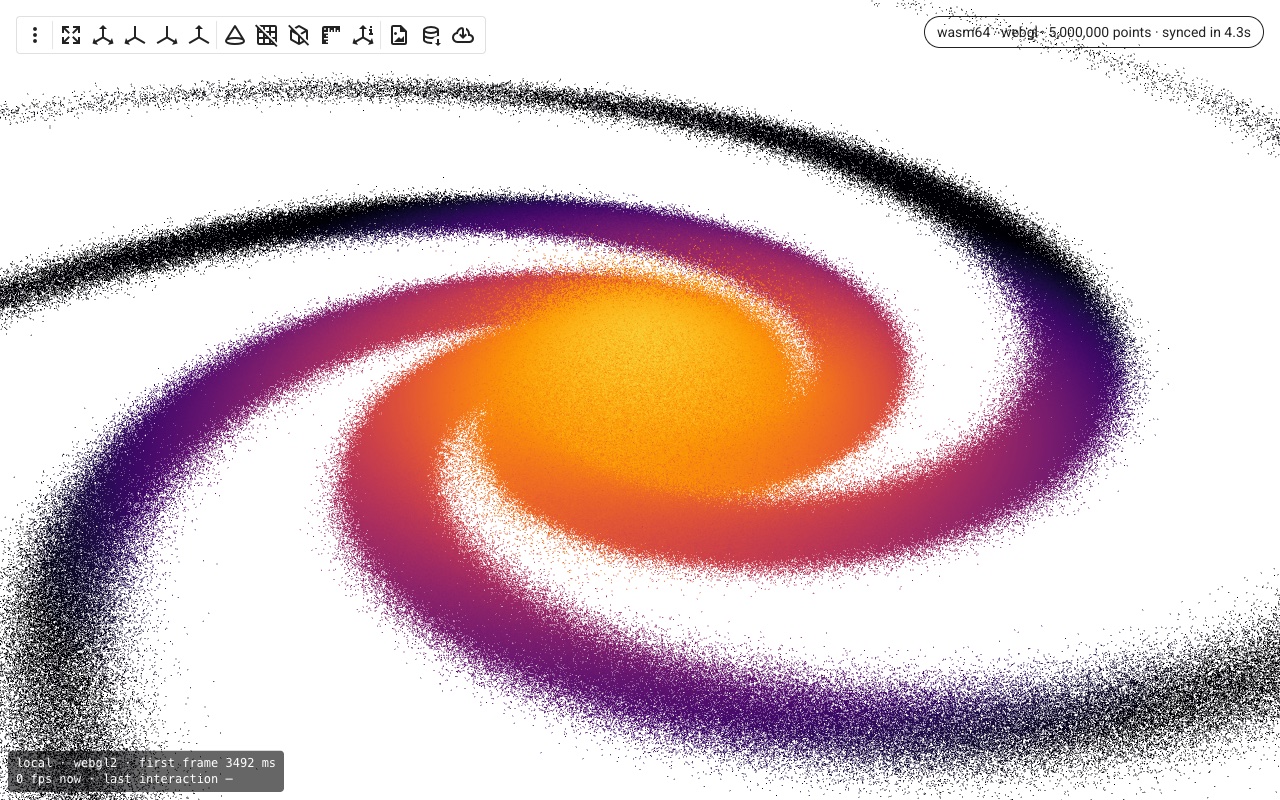
trame.galaxy: millions of points with VTK.wasm 64-bit |
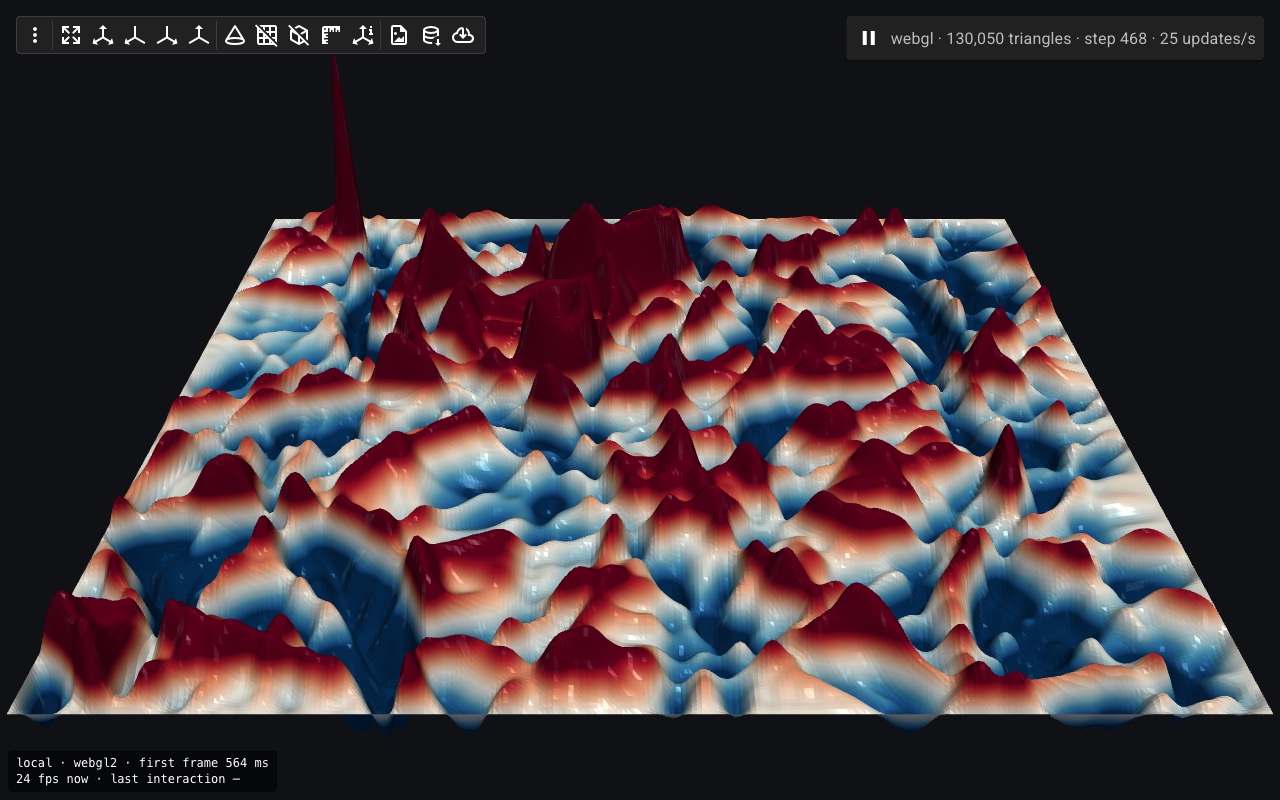
trame.animation: wave equation stepped in numpy, streamed live |
 |
 |
trame.glyph: 43k object voxel island, GPU instancing |
trame.pbr: PBR materials and image based lighting |
 |
 |
trame.pbr-legacy: the same scene with vtk.js |
trame.transparency: depth peeling stress test |
 |
 |
trame.asteroid-impact: WebGL weighted blend vs. WebGPU deep framebuffer |
trame.bearing-assembly: the same comparison, as a WebGL / WebGPU toggle |
 |
 |
trame.volume-rendering: chest CT ray cast with 3D Slicer presets |
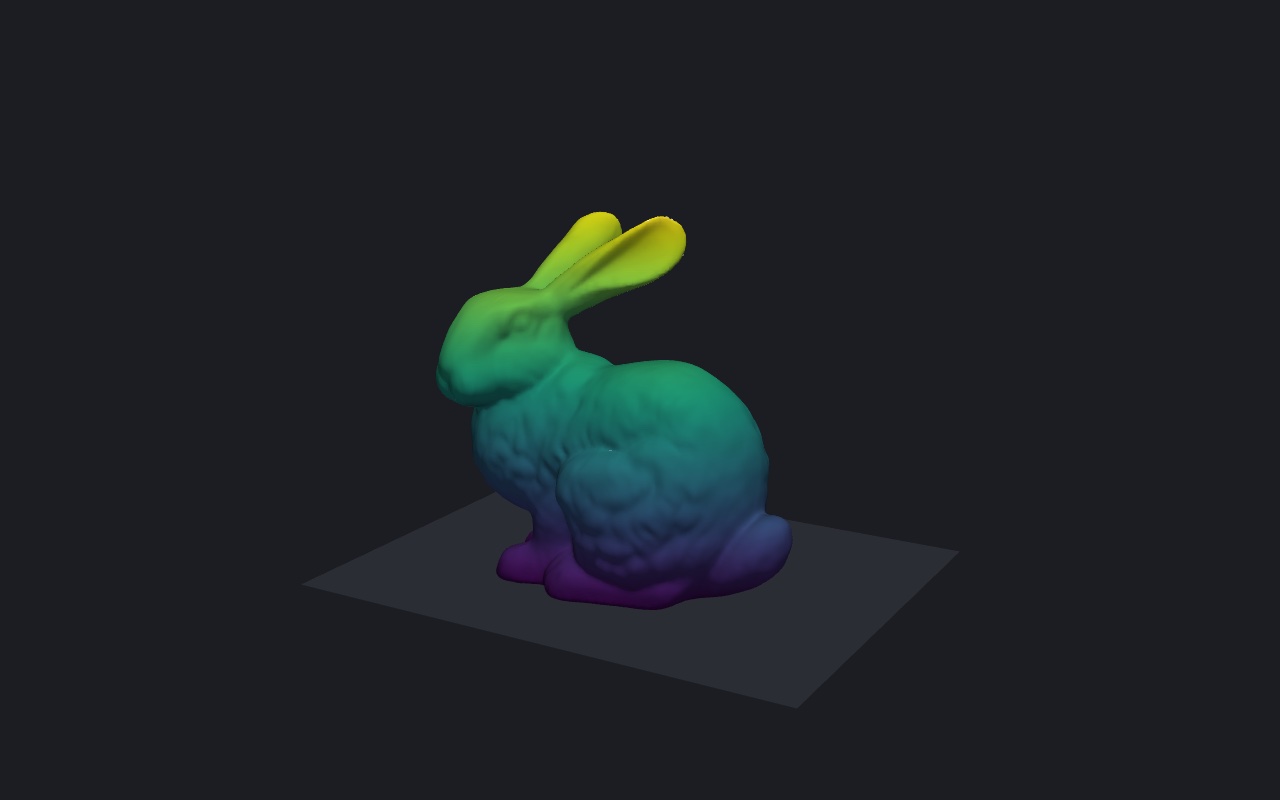
export.bunny-html: self-contained HTML page, no server |
 |
 |
Notes
--webgpualso asks the server to render with WebGPU, which needs a VTK built withVTK_ENABLE_WEBGPU=ON; otherwise the server falls back to OpenGL, as shown in the chip when rendering remotely.- VTK's WebGPU backend has no PBR shaders yet:
pbr --webgpuis Phong shaded. - The uv setup (
uv sync, nox, CI) pins the tested VTK nightly ([tool.uv]inpyproject.toml), see Install to get it with pip.
Contributing
See CONTRIBUTING.md for the development setup, how to add a demo and how releases are made.
License
1 maintainer

Metadata
1 maintainer
Release files for vtk-demo 0.3.1
For a detailed explanation of source distributions (sdists) and built distributions (wheels), please see the package formats documentation.
Source distribution (sdist)
| File | Size | Uploaded | Provenance | Actions |
|---|---|---|---|---|
| vtk_demo-0.3.1.tar.gz | 146.0 kB | With provenance | Details for vtk_demo-0.3.1.tar.gz |
Built distribution (wheel)
| File | Interpreter | ABI | Platform | Actions Reset |
|---|---|---|---|---|
| vtk_demo-0.3.1-py3-none-any.whl | Python 3 | none | any | Details for vtk_demo-0.3.1-py3-none-any.whl |
Total release size: 314.8 kB
Release files / vtk_demo-0.3.1.tar.gz
| Download URL | vtk_demo-0.3.1.tar.gz |
|---|---|
| Size | 146.0 kB |
| Tags | Source |
|
SHA-256 checksum How to use checksums |
6a6f030dc05cb63eff98537f9e3fc1a894acca989621783432b8492ab8a5d406
|
|
BLAKE2b-256 checksum How to use checksums |
8d193312b6f8b12154577c30a011c61d3ec2e0ab3e266be00e53e4486895b900
|
| Upload date | |
|
Uploaded using Trusted Publishing? What is trusted publishing? |
Yes |
| Uploaded via |
twine/7.0.0 CPython/3.13.16
|
Provenance
Provenance describes where a file came from. On PyPI, provenance is shared via attestations, which provide a verifiable record of the build or publishing details. View details, limitations and caveats.


PyPI Publish Attestation
PyPI verified that this artifact, at this checksum, originated from the publisher listed below.
Signed by GitHub Actions, verified by PyPI on Nov 19, 2026.
Transparency logRelease files / vtk_demo-0.3.1-py3-none-any.whl
| Download URL | vtk_demo-0.3.1-py3-none-any.whl |
|---|---|
| Size | 168.8 kB |
| Tags | Python 3 |
|
SHA-256 checksum How to use checksums |
8db7bcd25477dab5439e8ab02875b87cf667a9d1966bd6c402d3a585b4fd94d2
|
|
BLAKE2b-256 checksum How to use checksums |
707eee8f723176fd326136f672dccd835796e7778b03145725aadf4feb56435d
|
| Upload date | |
|
Uploaded using Trusted Publishing? What is trusted publishing? |
Yes |
| Uploaded via |
twine/7.0.0 CPython/3.13.16
|
Provenance
Provenance describes where a file came from. On PyPI, provenance is shared via attestations, which provide a verifiable record of the build or publishing details. View details, limitations and caveats.
PyPI Publish Attestation
PyPI verified that this artifact, at this checksum, originated from the publisher listed below.
Signed by GitHub Actions, verified by PyPI on Nov 19, 2026.
Transparency logSecurity for vtk-demo 0.3.1
Provenance
Provenance describes where a file came from. On PyPI, provenance is shared via attestations, which provide a verifiable record of the build or publishing details. View details, limitations and caveats.
Full provenance
Both files in this release have been uploaded with provenance metadata.
Attestation for vtk_demo-0.3.1.tar.gz
PyPI Publish Attestation
PyPI verified that this artifact, at this checksum, originated from the publisher listed below.
Signed by GitHub Actions, verified by PyPI on Nov 19, 2026.
Transparency logA note on package security
PyPI is a repository for distributing packages, not a service for auditing them. While third-party security researchers and our staff do their best to detect and remove malicious packages, PyPI cannot guarantee the quality, security or suitability of any given package.
To learn more about protecting yourself from malicious actors, visit our package security documentation.














