
Reusable Wagtail app to manage header and footer scripts sitewide and per-page.

Project description
Wagtail Header & Footer Scripts
A reusable Wagtail app for managing header and footer scripts across different sites using Wagtail Settings. It also supports adding page-specific header and footer scripts.
Features
- Add header/footer scripts per site
- Add header/footer scripts specific to individual pages
- Use Wagtail settings and model clustering
- Toggle scripts on/off
- Render scripts using custom template tags
- Supports easy integration into Wagtail pages via models
Installation
pip install wagtail-headers-footers
Add to INSTALLED_APPS
INSTALLED_APPS = [
    ...
    "wagtail.contrib.settings",
    "wagtail_headers_footers",
]
Add context processor to your settings
TEMPLATES = [
    {
        ...
        "OPTIONS": {
            "context_processors": [
                ...
                "wagtail.contrib.settings.context_processors.settings",
            ],
        },
    },
]
Migrate Wagtail H/F
python manage.py migrate wagtail_headers_footers
Usage
Add Site-wide scripts
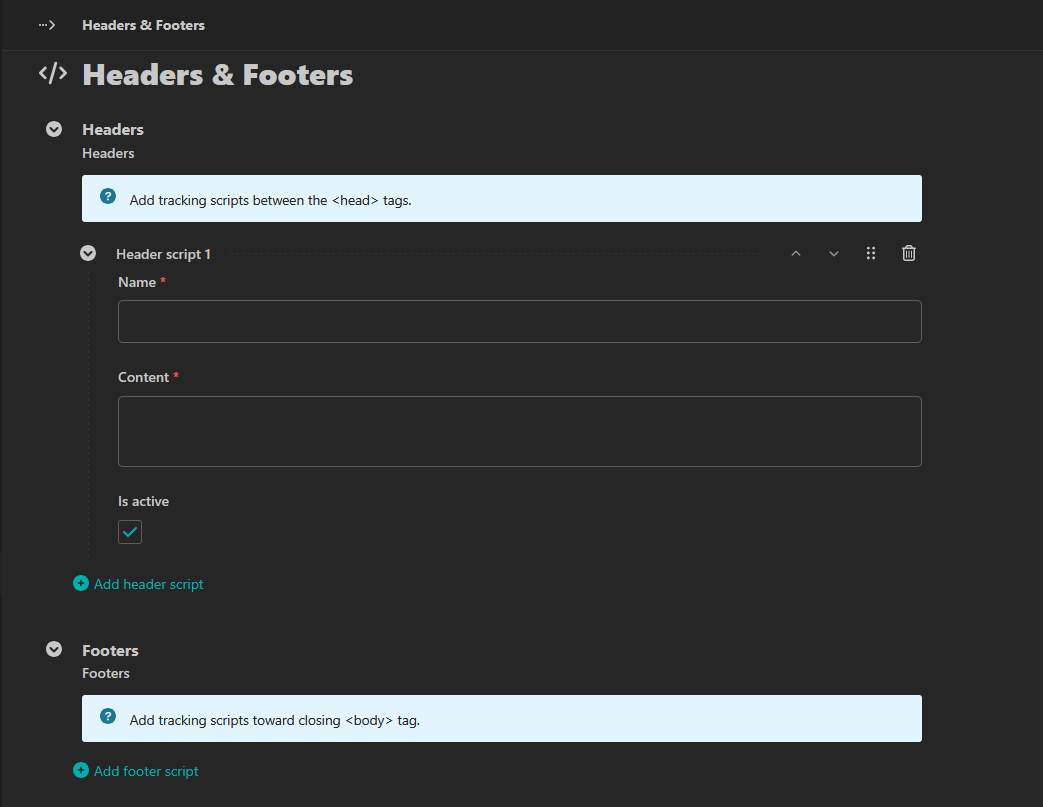
Go to Settings > Headers & Footers in the Wagtail Admin to manage your scripts.
Add page-specific scripts
For page-specific headers and footers, you can add them by inheriting the following in your page models:
from wagtail.models import Page
from wagtail_headers_footers.models import PageHeaderFooterScriptsMixin

class HomePage(PageHeaderFooterScriptsMixin, Page):
    content_panels = Page.content_panels + PageHeaderFooterScriptsMixin.header_footer_panels
Don't forget to make migrations and migrate if neccessory.
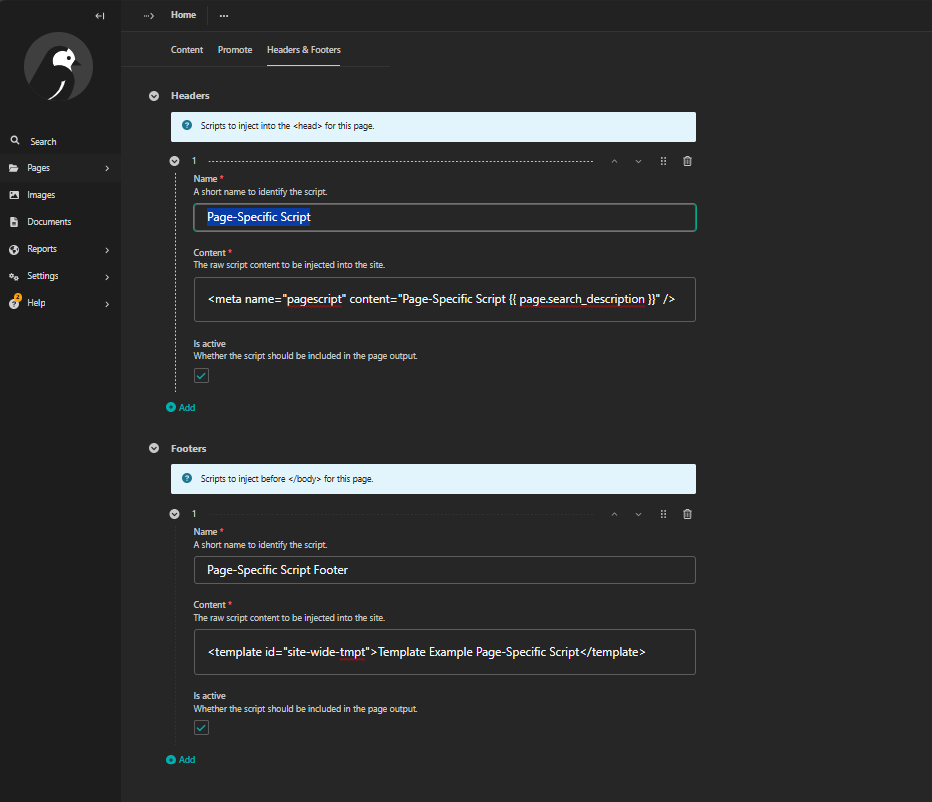
Go to Pages in the Wagtail Admin to manage your page-specific scripts.
Add to your templates
Add the following code to your base template where you want to render the scripts:
{% load header_footer_tags %}

<head>
	...
    {% render_header_scripts %}
	...
</head>
<body>
    ...
    {% render_footer_scripts %}
	...
</body>
This will render both the site-wide and page-specific header/footer scripts dynamically.
Testing
python -m unittest discover tests
License
MIT


Download files
Download the file for your platform. If you're not sure which to choose, learn more about installing packages.
Source Distribution
Built Distribution
Filter files by name, interpreter, ABI, and platform.
If you're not sure about the file name format, learn more about wheel file names.
Copy a direct link to the current filters






