
[!IMPORTANT] The wait-for-it project has a new home at https://github.com/hartwork/wait-for-it by now.
wait-for-it




Wait for service(s) to be available before executing a command.

wait-for-it is a script that will wait on the availability of one or more TCP services (i.e. host:port) before executing a user-defined command.
It is useful for synchronizing the spin-up of interdependent services, such as linked docker containers.
Since v2.0.0,
wait-for-itwill return the exit code of the executed command(s).
Check out the wait-for-it docs
Installation
$ pip install wait-for-it
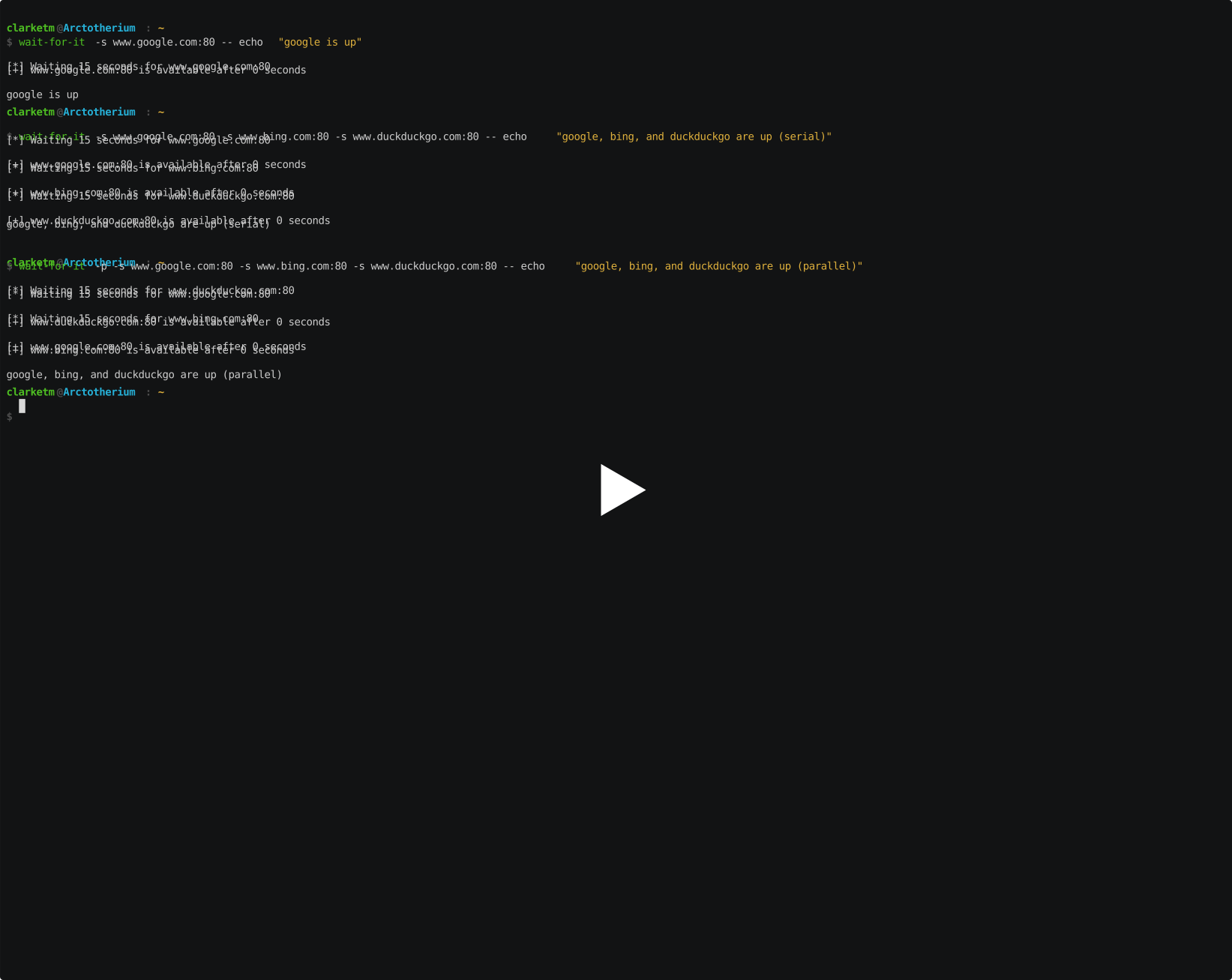
Demo
Usage
Usage: wait-for-it [OPTIONS] [COMMANDS]...

  Wait for service(s) to be available before executing a command.

Options:
  -h, --help               Show this message and exit.
  -v, --version            Show the version and exit.
  -q, --quiet              Do not output any status messages
  -p, --parallel           Test services in parallel rather than in serial
  -t, --timeout seconds    Timeout in seconds, 0 for no timeout  [default: 15]
  -s, --service host:port  Services to test, in one of the formats: ':port',
                           'hostname:port', 'v4addr:port', '[v6addr]:port' or
                           'https://...'
Examples
Test to see if we can access port 80 on www.google.com, and if it is available, echo the message google is up:
$ wait-for-it \
--service www.google.com:80 \
-- echo "google is up"
[*] Waiting 15 seconds for www.google.com:80
[+] www.google.com:80 is available after 0 seconds
google is up
You can set your own timeout with the -t or --timeout option. Setting the timeout value to 0 will disable the timeout:
$ wait-for-it \
--service www.google.com:80 \
--timeout 0 \
-- echo "google is up"
[*] Waiting for www.google.com:80 without a timeout
[+] www.google.com:80 is available after 0 seconds
google is up
Multiple services can be tested by adding additional -s or --service options:
$ wait-for-it \
--service www.google.com:80 \
--service www.bing.com:80 \
--service www.duckduckgo.com:80 \
-- echo "google, bing, and duckduckgo are up"
[*] Waiting 15 seconds for www.google.com:80
[+] www.google.com:80 is available after 0 seconds
[*] Waiting 15 seconds for www.bing.com:80
[+] www.bing.com:80 is available after 0 seconds
[*] Waiting 15 seconds for www.duckduckgo.com:80
[+] www.duckduckgo.com:80 is available after 0 seconds
google, bing, and duckduckgo are up
By adding the -p or --parallel option, wait-for-it can do the same in parallel rather than serial:
$ wait-for-it \
--parallel \
--service www.google.com:80 \
--service www.bing.com:80 \
--service www.duckduckgo.com:80 \
-- echo "google, bing, and duckduckgo are up"
[*] Waiting 15 seconds for www.bing.com:80
[*] Waiting 15 seconds for www.duckduckgo.com:80
[*] Waiting 15 seconds for www.google.com:80
[+] www.bing.com:80 is available after 0 seconds
[+] www.duckduckgo.com:80 is available after 0 seconds
[+] www.google.com:80 is available after 0 seconds
google, bing, and duckduckgo are up
Status message output can be suppressed with the -q or --quiet option:
$ wait-for-it \
--quiet \
--service www.google.com:80 \
-- echo "google is up"
google is up
Related
License
MIT © Travis Clarke, Sebastian Pipping
1 maintainer

Release files for wait-for-it 2.3.0
For a detailed explanation of source distributions (sdists) and built distributions (wheels), please see the package formats documentation.
Source distribution (sdist)
| File | Size | Uploaded | |
|---|---|---|---|
| wait_for_it-2.3.0.tar.gz | 18.3 MB | Details |
Built distribution (wheel)
| File | Interpreter | ABI | Platform | Reset |
|---|---|---|---|---|
| wait_for_it-2.3.0-py3-none-any.whl | Python 3 | none | any | Details |
Total release size: 18.3 MB
Release files / wait_for_it-2.3.0.tar.gz
| Download URL | wait_for_it-2.3.0.tar.gz |
|---|---|
| Size | 18.3 MB |
| Tags | Source |
|
SHA-256 checksum How to use checksums |
bc6eaeb0912cf4d59c824067f36c73739bb7a6182912ec8984f2fb3447ef68c0
|
|
BLAKE2b-256 checksum How to use checksums |
11b9494d24f3572f40d667df174cfeef75a245e7314425b7c438717268b5350c
|
| Upload date | |
|
Uploaded using Trusted Publishing? What is trusted publishing? |
No |
| Uploaded via |
twine/5.1.1 CPython/3.10.15
|
Release files / wait_for_it-2.3.0-py3-none-any.whl
| Download URL | wait_for_it-2.3.0-py3-none-any.whl |
|---|---|
| Size | 8.1 kB |
| Tags | Python 3 |
|
SHA-256 checksum How to use checksums |
22ddbf08d6fe1b5f59b3807d539a932df7cab3de2823cb8b63591f81fa666c38
|
|
BLAKE2b-256 checksum How to use checksums |
c493fb9935c3bd263036785d30bdc84960c31bc2e925ec729a4db107231f5a4f
|
| Upload date | |
|
Uploaded using Trusted Publishing? What is trusted publishing? |
No |
| Uploaded via |
twine/5.1.1 CPython/3.10.15
|














