
Modular audio library management system for playing, managing, and editing music files (requires FFmpeg, GStreamer, ImageMagick, rsgain)

Project description
Walrio GUI
Walrio is a modular library/set of files that let you play, manage, and edit music and music-related files. Every file should be usable via the terminal except documentation.
Contributing
For those interested in contributing code/documentation, please check the contribution guidelines. On top of these guidelines, this specific project requires a single comment at the top of each file explaining what it does so that help commands properlyload dynmically. TODO: add this to a CONTRIBUTING.md later.
All current contributors are listed both in the sidebar and (optionally) in the AUTHORS file.
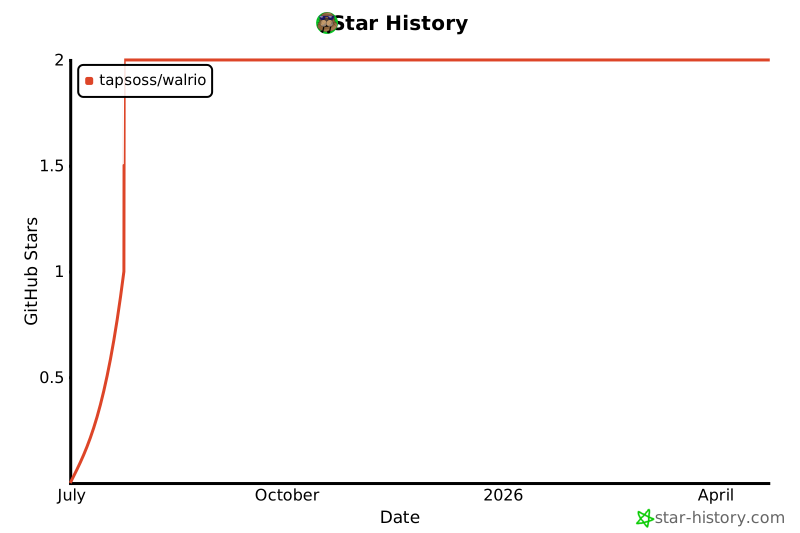
Star History
Licensing (USE IN OTHER PROJECTS)
Check out the LICENSE file to see what LICENSE this project uses and how you're allowed to use it. General rule of thumb is attribution (crediting) is required at a minimum.
Installation
Quick Install (pip)
pip install walrio
⚠️ Important: Walrio requires system dependencies that pip cannot install:
- FFmpeg
- GStreamer
- ImageMagick
- rsgain
After installing via pip, check for missing dependencies:
walrio dependency_checker --verbose
Then install any missing system packages (see System Requirements below).
System Requirements
Walrio requires the following non-Python tools to be installed on your system:
- FFmpeg - Audio/video conversion and processing
- GStreamer - Audio playback engine
- ImageMagick - Image processing for album art
- rsgain - ReplayGain 2.0 loudness scanner
Installation by platform:
Fedora:
sudo dnf install gstreamer1-plugins-base gstreamer1-plugins-good gstreamer1-plugins-ugly gstreamer1-tools ffmpeg ImageMagick rsgain
Ubuntu/Debian:
sudo apt install gstreamer1.0-tools gstreamer1.0-plugins-base gstreamer1.0-plugins-good gstreamer1.0-plugins-ugly ffmpeg imagemagick
# rsgain: See https://github.com/complexlogic/rsgain
Arch Linux:
sudo pacman -S gstreamer gst-plugins-base gst-plugins-good gst-plugins-ugly ffmpeg imagemagick
yay -S rsgain  # or use another AUR helper
macOS:
brew install gstreamer gst-plugins-base gst-plugins-good gst-plugins-ugly ffmpeg imagemagick rsgain
Development Setup
-
Clone the repository
git clone https://github.com/TAPSOSS/Walrio.git
cd Walrio
-
Install system dependencies (see System Requirements above)
-
Install in editable mode with dev dependencies
pip install -e .[dev]
-
Verify dependencies
walrio dependency_checker --verbose
-
Run Walrio
walrio --help
walrio player song.mp3
Third-Party Credits
Walrio uses/requires/bundles the following projects (and python):
Non-Python
- GStreamer : https://github.com/GStreamer/gstreamer
- FFmpeg : https://github.com/FFmpeg/FFmpeg
- rsgain : https://github.com/complexlogic/rsgain
- ImageMagick: https://github.com/ImageMagick/ImageMagick
Python/Pip-Installable
Check the requirements.txt file to see what to install with pip/python in order to use this library.
File Structure
Modules
The main folder with all the seperate walrio music modules you can use and walrio.py, the global file that lets you easily run any file without having the CD into each folder.
Addons
Files that are non-essential for playing music but are still very nice to have/relevant for maintaining a music library (converter files, replay gain, move files, etc.). Can require modules from the addons folder itself or the core modules.
Core
The core set of modules that are absolutely essential to playing your music files from your media library. Often required for addons/niche modules to function.
Database
Modules that require a SQLite database (walrio_library.db/database.py from the core section) to function. These provide advanced library management features like playback statistics, smart playlists, and database-powered queues. The database must be created first using the database module.
Niche
Very specific workflow related files or extremely niche functionality. Generally files combining multiple different core and addon modules together into a singular unified workflow or something to connect your music to external programs/hardware.
Release history Release notifications | RSS feed


Download files
Download the file for your platform. If you're not sure which to choose, learn more about installing packages.
Source Distribution
Built Distribution
Filter files by name, interpreter, ABI, and platform.
If you're not sure about the file name format, learn more about wheel file names.
Copy a direct link to the current filters
File details
Details for the file walrio-1.1.0.tar.gz.
File metadata
- Download URL: walrio-1.1.0.tar.gz
- Upload date:
- Size: 227.3 kB
- Tags: Source
- Uploaded using Trusted Publishing? No
- Uploaded via: twine/6.2.0 CPython/3.14.3
File hashes
| Algorithm | Hash digest | |
|---|---|---|
| SHA256 |
0335de9ca6a080173cc5cef9e4f9a44df2947d50729869563d48e0b796da2845
|
|
| MD5 |
1fd90847bdb444fda38281ccc9e70258
|
|
| BLAKE2b-256 |
8b9f36e770d86a9ff10677542736af95feb546e6a89cb5d161e179883c2ebac5
|
File details
Details for the file walrio-1.1.0-py3-none-any.whl.
File metadata
- Download URL: walrio-1.1.0-py3-none-any.whl
- Upload date:
- Size: 137.7 kB
- Tags: Python 3
- Uploaded using Trusted Publishing? No
- Uploaded via: twine/6.2.0 CPython/3.14.3
File hashes
| Algorithm | Hash digest | |
|---|---|---|
| SHA256 |
e7163dc77221118796b69b153913f8a2134b70078b130d20d3007999cccf9a3c
|
|
| MD5 |
05235318618453db9ed88228c4ab0ec8
|
|
| BLAKE2b-256 |
a734050cae521e6cbb0727fa4de6d68a9c744e7d4fa9f1eab29444c5129a8752
|






