
This release is a pre-release and may not be stable for production use.
watchlib
watchlib is a python module for loading, analyzing and visualizing Apple Watch health data. A detailed documentation can be found in the Wiki. To see the module in action you can try out the watchlib demonstrator or look at some of the demo notebooks.
Disclaimer: This is still a work in progres! If you want to help with further development feel free to join me on Discord where we can discuss together or write an Issue here on GitHub.
How to export Apple Watch health data
To use this Python package you first have to export the health data like this:
- Open Health app
- Open your profile in the upper right corner
- Scroll down
- Tap on "Export all health data"
- Confirm that you want to export all health data
- Wait until the export has finished (this might take some minutes)
- Select "Save in files"
- Choose a folder and tap "Save"
- Last step is to unzip the "Export.zip" file
ECG
ECG Analysis
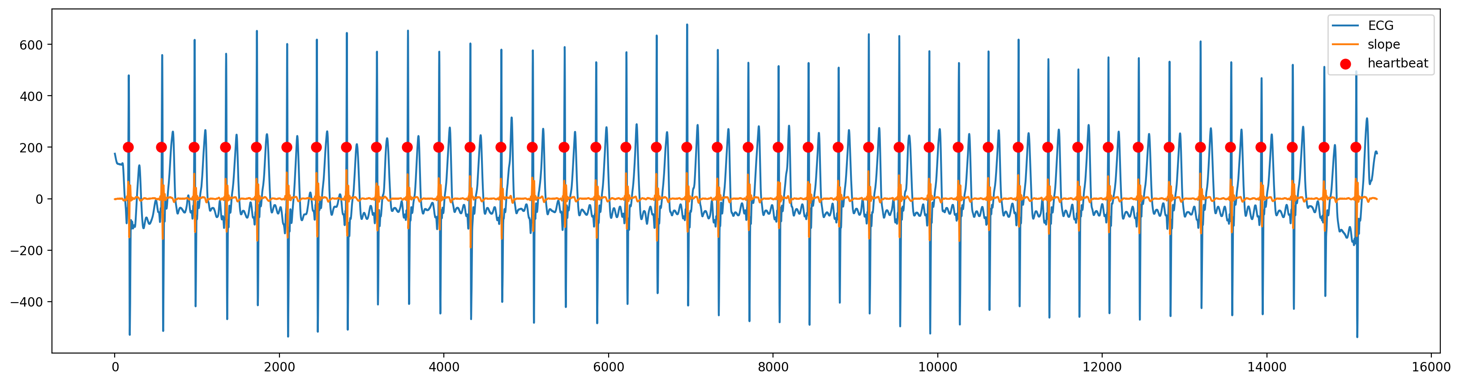
Calculate various heart rate metrics from a 30 second ECG:
- beats per minute (bpm)
- time between heartbeats in ms
- heart rate variability (hrv)
- coming soon: ECG wave detection
ECG Plotting and Animation
- plot ECG
- plot ECG together with metrics
- animate ECG
Workout Route
Filtering workout routes by:
- country
- bounding box size in km
- length of workout in min
3D animation of workout routes:
- coloring based on:
- elevation
- speed
- course
- horizontal acceleration
- vertical acceleration
Other Health Data
- loading and converting other health data
Analysis of other health data
coming soon
Notebook demos
Streamlit demo
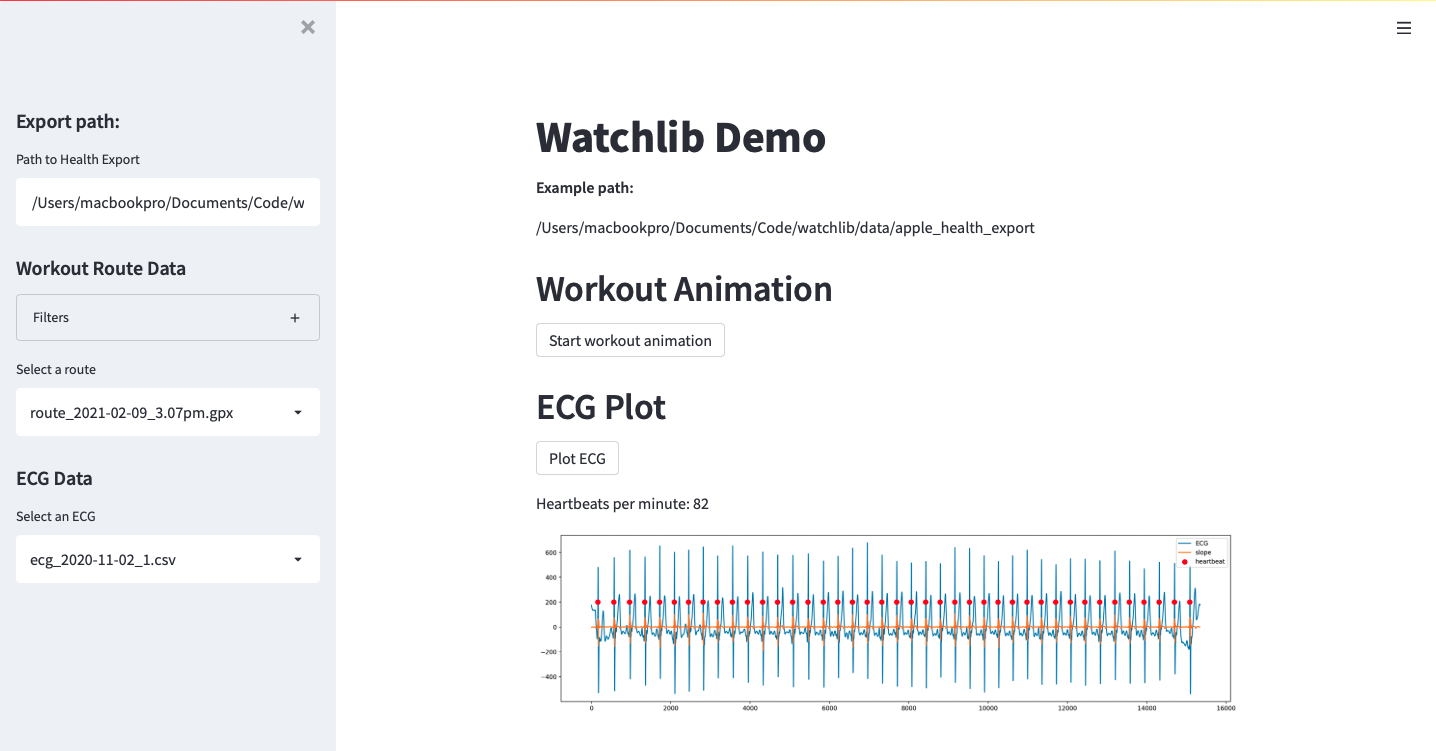
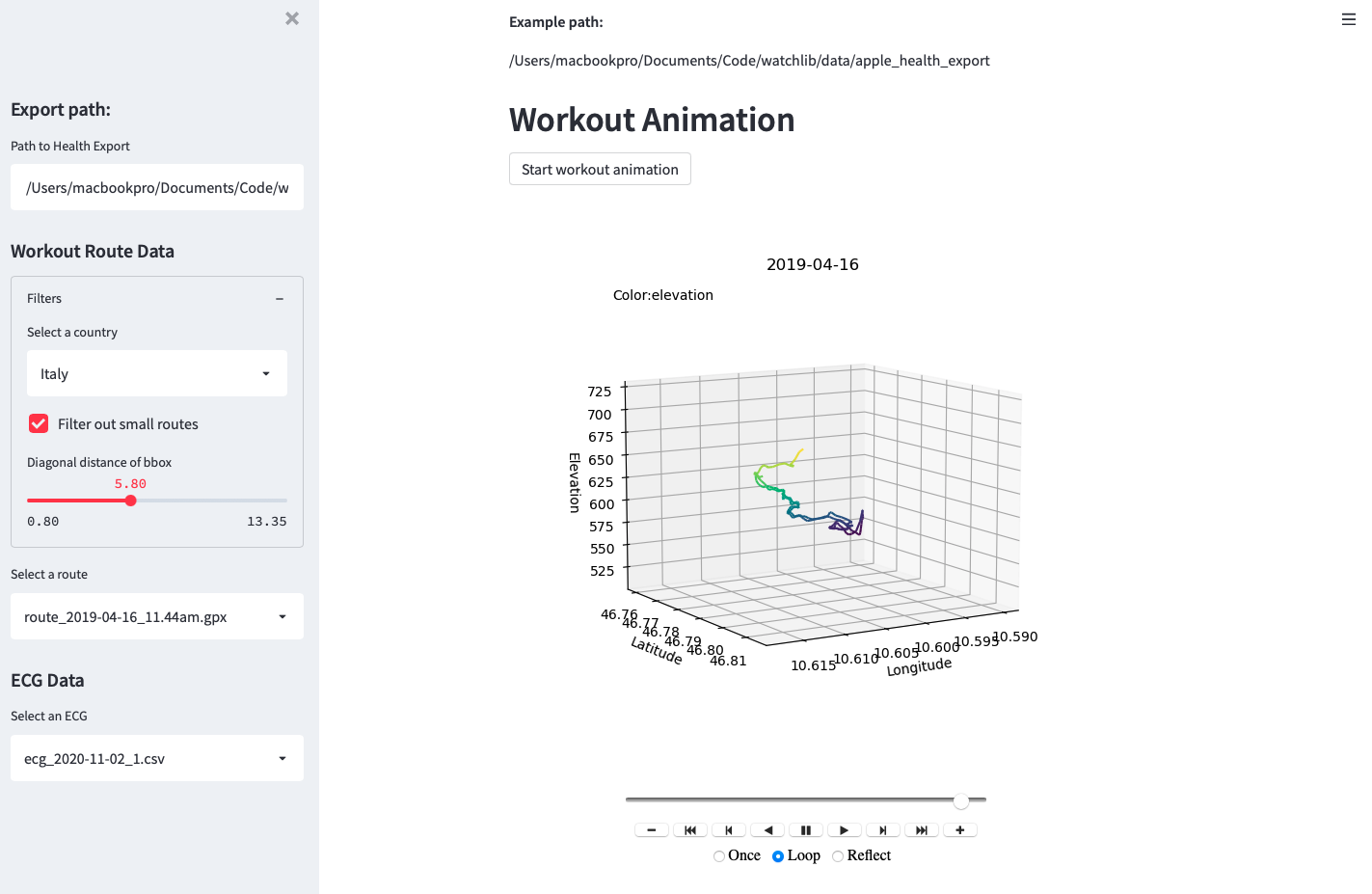
ECG heartbeat calculation
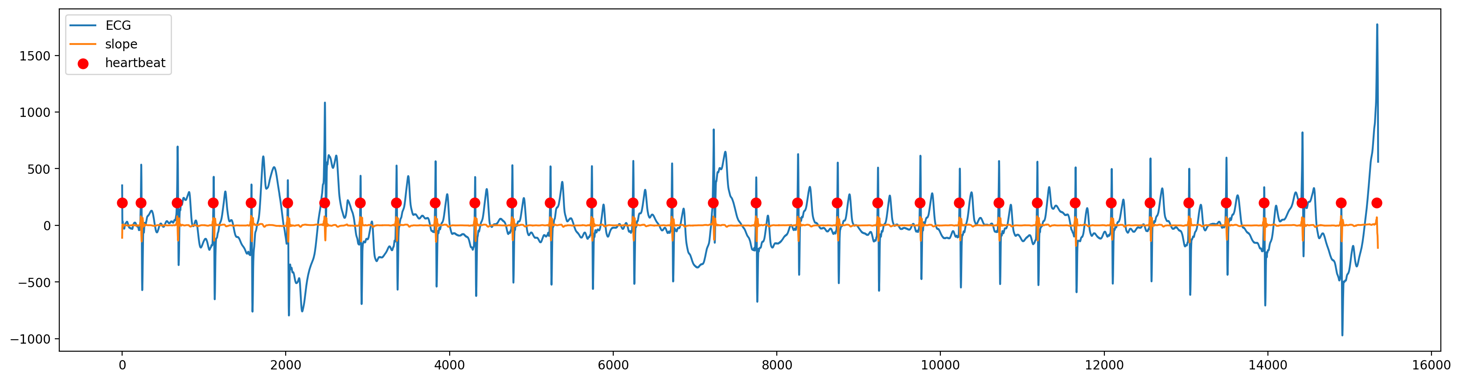
Workout Animation
Watch an example workout animation here
1 maintainer

Metadata
1 maintainer
Release files for watchlib 0.0.1a2
For a detailed explanation of source distributions (sdists) and built distributions (wheels), please see the package formats documentation.
Source distribution (sdist)
| File | Size | Uploaded | Provenance | |
|---|---|---|---|---|
| watchlib-0.0.1a2.tar.gz | 15.9 kB | Without provenance | Details |
Built distribution (wheel)
| File | Interpreter | ABI | Platform | Reset |
|---|---|---|---|---|
| watchlib-0.0.1a2-py3-none-any.whl | Python 3 | none | any | Details |
Total release size: 34.4 kB
Release files / watchlib-0.0.1a2.tar.gz
| Download URL | watchlib-0.0.1a2.tar.gz |
|---|---|
| Size | 15.9 kB |
| Tags | Source |
|
SHA-256 checksum How to use checksums |
90a1dd606137472eaf8b76587e9c2be2859f52ffa94d75d53fd8183a28cc01fc
|
|
BLAKE2b-256 checksum How to use checksums |
785f97bd02d1d3338e21a723d38bf1bd7ec7dc2e8161782379a2c38420cd2cfe
|
| Upload date | |
|
Uploaded using Trusted Publishing? What is trusted publishing? |
No |
| Uploaded via |
twine/3.8.0 pkginfo/1.8.2 readme-renderer/32.0 requests/2.26.0 requests-toolbelt/0.9.1 urllib3/1.26.7 tqdm/4.62.3 importlib-metadata/4.8.1 keyring/23.1.0 rfc3986/2.0.0 colorama/0.4.4 CPython/3.9.7
|
Release files / watchlib-0.0.1a2-py3-none-any.whl
| Download URL | watchlib-0.0.1a2-py3-none-any.whl |
|---|---|
| Size | 18.5 kB |
| Tags | Python 3 |
|
SHA-256 checksum How to use checksums |
2dd806a09456354944b3bfb162af33cc0bc6f056b0ff52903b5664f542b8da62
|
|
BLAKE2b-256 checksum How to use checksums |
2dfa2f9a1b2c47d057a1fdb08ed324b9e0a3c494f1cf5bfb5860dc3be790765f
|
| Upload date | |
|
Uploaded using Trusted Publishing? What is trusted publishing? |
No |
| Uploaded via |
twine/3.8.0 pkginfo/1.8.2 readme-renderer/32.0 requests/2.26.0 requests-toolbelt/0.9.1 urllib3/1.26.7 tqdm/4.62.3 importlib-metadata/4.8.1 keyring/23.1.0 rfc3986/2.0.0 colorama/0.4.4 CPython/3.9.7
|
Security for watchlib 0.0.1a2
Provenance
Provenance describes where a file came from. On PyPI, provenance is shared via attestations, which provide a verifiable record of the build or publishing details. View details, limitations and caveats.
No provenance found
None of the files in this release were uploaded with provenance metadata.
A note on package security
PyPI is a repository for distributing packages, not a service for auditing them. While third-party security researchers and our staff do their best to detect and remove malicious packages, PyPI cannot guarantee the quality, security or suitability of any given package.














