

Wayback Restorator
Turn a Wayback Machine capture into a portable static website ZIP. Restore archived pages and assets from your terminal or a local dashboard, with a report of missing captures and resumable jobs.







Install
Requires Python 3.11 or newer:
pipx install wayback-restorator
# or
uv tool install wayback-restorator
Or run the Docker image without installing Python:
mkdir -p data
docker run --rm -it --user "$(id -u):$(id -g)" -v "$PWD/data:/app/data" \
  registry.gitlab.com/restorator-labs/wayback-restorator restore '<replay URL>'
Usage
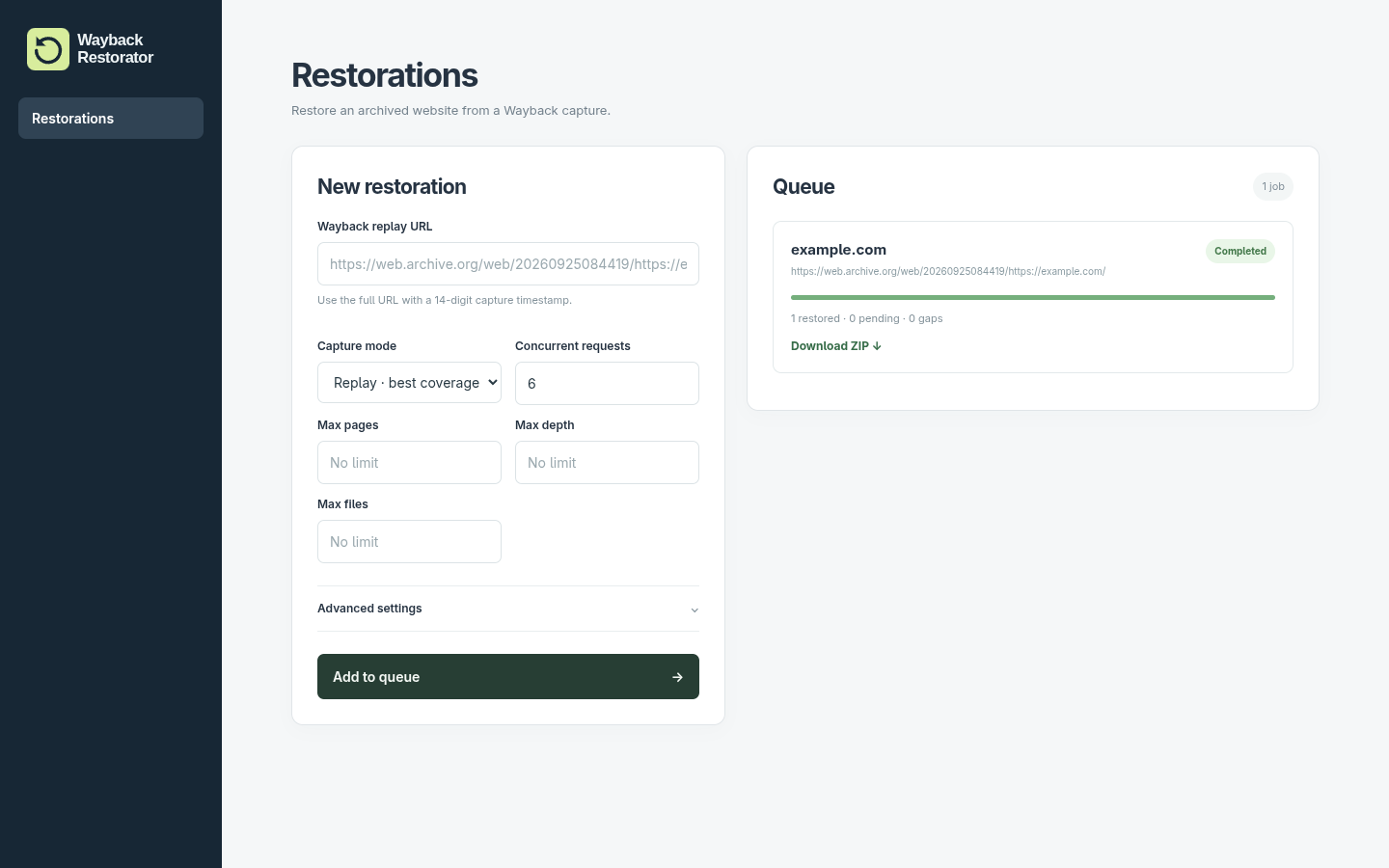
Web dashboard
wayback-restorator web
Open localhost:8080, paste an exact Wayback replay URL,
and download the finished ZIP. The dashboard runs on your machine, bound to
127.0.0.1 by default.
Restore from the terminal
wayback-restorator restore 'https://web.archive.org/web/20260925084419/https://example.com/'
Follow the progress in your terminal. Completed jobs print the archive and
report paths in data/output/jobs/<job-id>/. Run
wayback-restorator restore --help for all options.
What it does
- Finds archived pages and assets using Wayback CDX, falling back to exact replay when necessary, and downloads them with bounded concurrency and retries.
- Rewrites HTML and CSS references to local paths and records missing captures instead of silently treating them as restored.
- Saves resumable crawl state and publishes a validated static ZIP. Static or server-rendered sites work best; client-rendered routes, forms, authenticated pages, and resources never archived may be incomplete.
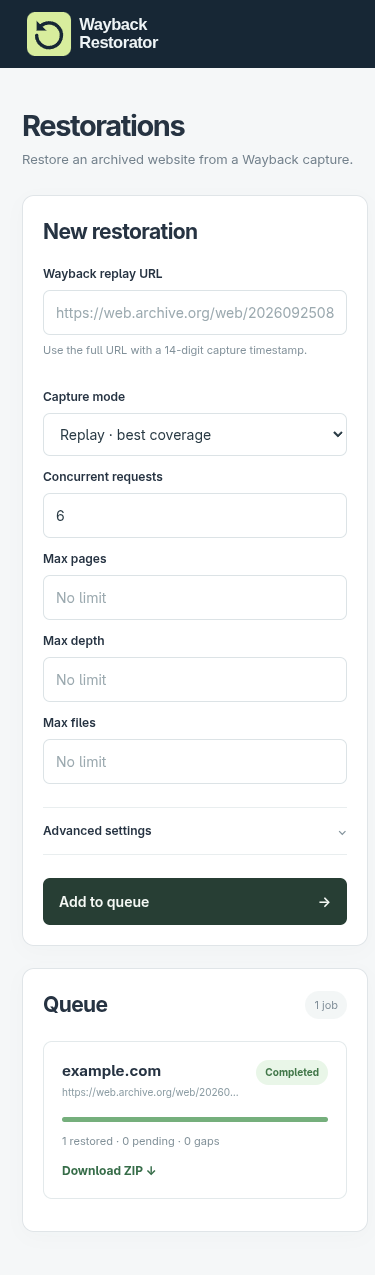
Mobile dashboard
Documentation
Read the full documentation at docs.waybackrestorator.dev:
| Page | Content |
|---|---|
| Quickstart | Install, restore a capture, and open the result |
| Dashboard | Queue jobs, follow progress, and download ZIPs |
| CLI | Options, named jobs, resuming, automation, and exit codes |
| Configuration | Config file, settings, defaults, environment variables, and storage |
| Results | Archive contents, statuses, and report fields |
| Plugins | Built-in transformations and custom plugins |
| Development | Run from source and test changes |
Project
Wayback Restorator is independent open-source software and is not affiliated with, endorsed by, or sponsored by the Internet Archive.
Licensed under the GNU Affero General Public License version 3; see LICENSE. Changes are recorded in releases.
1 maintainer

Metadata
1 maintainer
Release files for wayback-restorator 0.8.0
For a detailed explanation of source distributions (sdists) and built distributions (wheels), please see the package formats documentation.
Source distribution (sdist)
| File | Size | Uploaded | Provenance | Actions |
|---|---|---|---|---|
| wayback_restorator-0.8.0.tar.gz | 123.8 kB | Without provenance | Details for wayback_restorator-0.8.0.tar.gz |
Built distribution (wheel)
| File | Interpreter | ABI | Platform | Actions Reset |
|---|---|---|---|---|
| wayback_restorator-0.8.0-py3-none-any.whl | Python 3 | none | any | Details for wayback_restorator-0.8.0-py3-none-any.whl |
Total release size: 231.2 kB
Release files / wayback_restorator-0.8.0.tar.gz
| Download URL | wayback_restorator-0.8.0.tar.gz |
|---|---|
| Size | 123.8 kB |
| Tags | Source |
|
SHA-256 checksum How to use checksums |
47b1b68c9d6a5d5e70d8924d956e9715c46addd1e5b78f2d3312b76d07d83b09
|
|
BLAKE2b-256 checksum How to use checksums |
deb97b91f422734f09c5cd23efb42f215b28554e2c425b65c9b44f8fffb0054f
|
| Upload date | |
|
Uploaded using Trusted Publishing? What is trusted publishing? |
Yes |
| Uploaded via |
twine/7.0.0 CPython/3.13.18
|
Release files / wayback_restorator-0.8.0-py3-none-any.whl
| Download URL | wayback_restorator-0.8.0-py3-none-any.whl |
|---|---|
| Size | 107.4 kB |
| Tags | Python 3 |
|
SHA-256 checksum How to use checksums |
11026905e9bef0a6d7ec8bc9c2248d7d7216f604500dc40b265bbcfcd6abed76
|
|
BLAKE2b-256 checksum How to use checksums |
7b450a2e22635e93cd77bf7bf33e0b6d30961eba5f6f8c251d6d4949c402fbce
|
| Upload date | |
|
Uploaded using Trusted Publishing? What is trusted publishing? |
Yes |
| Uploaded via |
twine/7.0.0 CPython/3.13.18
|
Security for wayback-restorator 0.8.0
Provenance
Provenance describes where a file came from. On PyPI, provenance is shared via attestations, which provide a verifiable record of the build or publishing details. View details, limitations and caveats.
No provenance found
None of the files in this release were uploaded with provenance metadata.
A note on package security
PyPI is a repository for distributing packages, not a service for auditing them. While third-party security researchers and our staff do their best to detect and remove malicious packages, PyPI cannot guarantee the quality, security or suitability of any given package.
To learn more about protecting yourself from malicious actors, visit our package security documentation.














