
Composable RDF operations in JSON
Verified details
These details have been verified by PyPIProject links
GitHub Statistics
Maintainers

Project description
Web-Algebra
A composable RDF operations system that translates natural language instructions into JSON-formatted domain-specific language operations for loading, querying, and writing RDF Linked Data.
Overview
This system implements generic operations for RDF Linked Data and SPARQL management, as well as some LinkedDataHub-specific operations. Operations can be consumed in two ways:
- Executable JSON format: Operations are composed into JSON structures and executed by the provided execution engine
- Model Context Protocol (MCP): Operations are exposed as tools for AI agents to use interactively
Instead of agents executing semantic workflows step-by-step through individual MCP tool calls, Web-Algebra enables agents to compile entire workflows into optimized JSON "bytecode" that executes atomically - enabling complex multi-operation compositions.
Demo
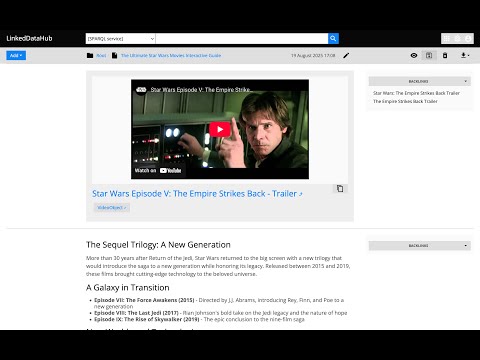
See WebAlgebra in action - translating natural language into RDF operations.
Architecture
The system is built around the Operation abstract base class that provides:
- Registry System: Auto-discovery of operations from
src/web_algebra/operations/ - JSON DSL: Operations use
@opkey withargsfor parameters, supporting nested operation calls - RDFLib Type System: Uses
URIRef,Literal,Graph, andResulttypes internally for proper RDF handling - Execution Engine: Both standalone execution and MCP server integration
- Context System: ForEach operations set row context for inner operations to access via
Value - URI Resolution: Proper semantic URI construction with
ResolveURIoperation
Key Components
- System Prompt: Complete operation definitions and JSON format specification
- Formal Semantics: Complete type system and operation catalog
- Operation Interface: Base class and JSON interpreter
- Operation Implementations: Directory containing all available operations
- JSON Examples: Sample operation compositions
Operations
The operations cover read-write Linked Data, SPARQL queries, URI manipulation, and LinkedDataHub-specific resource creation. Non-exhaustive list:
- Linked Data
GETPATCHPOSTPUT
- SPARQL
CONSTRUCTDESCRIBESELECTSubstitute
- URI & String Operations
ResolveURIEncodeForURIConcatReplaceStrURI
- Control Flow & Variables
ValueVariableForEach
- LinkedDataHub-specific
ldh-CreateContainerldh-CreateItemldh-Listldh-AddGenericServiceldh-AddResultSetChartldh-AddSelectldh-AddViewldh-AddObjectBlockldh-AddXHTMLBlockldh-RemoveBlock
Usage
Pre-requisites
- Install uv
-
uv venv
uv sync
Standalone
Natural language instruction
uv run python src/web_algebra/main.py
Then enter instruction, for example:
Select random 10 UK cities from DBpedia
See more examples
Currently requires OpenAI API access. OPENAI_API_KEY env value has to be set.
Execute JSON
uv run python src/web_algebra/main.py --from-json ./examples/united-kingdom-cities.json
See JSON examples.
With LinkedDataHub
- Run LinkedDataHub v5
- Execute
src/web_algebra/main.py, it expects the path to your LDH's owner certificate and its password as arguments. For example:
uv run python src/web_algebra/main.py --from-json ./examples/united-kingdom-cities.json \
  --cert_pem_path ../LinkedDataHub/ssl/owner/cert.pem \
  --cert_password **********
Here and throughout this guide, the client certificate/password arguments are only required for authentication with LinkedDataHub. You don't need them if you're not using LinkedDataHub with Web Algebra.
As MCP server
stdio transport
uv run python -m web_algebra
Streamable HTTP transport
uv run uvicorn web_algebra.server:app --reload
or with LinkedDataHub certificate credentials (change the path and password to yours):
CERT_PEM_PATH="/Users/Martynas.Jusevicius/WebRoot/LinkedDataHub/ssl/owner/cert.pem" CERT_PASSWORD="********" uv run uvicorn web_algebra.server:app --reload
MCP Inspector config
You can the inspector like this:
npx @modelcontextprotocol/inspector
and then open on the URL printed in its console output, for example:
http://localhost:6274/?MCP_PROXY_AUTH_TOKEN=b31e4b3d852b5a2445f45032c484e54e319bf16359585858cf88fe9a90816744
The MCP_PROXY_AUTH_TOKEN is required. If the link does not appear, you need to copy the session token from the console and paste it into inspector's Proxy Session Token config.
Web Algebra's settings:
- Transport Type
- Streamable HTTP
- URL
- http://127.0.0.1:8000/mcp
Claude Desktop tool config
Add Web Algebra entry (that uses stdio transport) to the mcpServer configuration your claude_desktop_config.json file:
{
    "mcpServers": {
        "Web Algebra": {
            "command": "uv",
            "args": [
                "--directory",
                "/Users/Martynas.Jusevicius/WebRoot/Web-Algebra/src",
                "run",
                "--with",
                "mcp[cli]",
                "--with",
                "rdflib",
                "--with",
                "openai",
                "python",
                "-m",
                "web_algebra"
            ],
            "env": {
                "CERT_PEM_PATH": "/Users/Martynas.Jusevicius/WebRoot/LinkedDataHub/ssl/owner/cert.pem",
                "CERT_PASSWORD": "********"
            }
        }
    }
}
Leave the command as it is. Those uv run --with arguments are important, otherwise 3rd party packages cannot be found.
On my Mac, the path to uv has to be absolute, otherwise it doesn't work in Claude Desktop 🤷♂️.
CERT_PEM_PATH and CERT_PASSWORD env values are optional.
Project details
Verified details
These details have been verified by PyPIProject links
GitHub Statistics
Maintainers


Download files
Download the file for your platform. If you're not sure which to choose, learn more about installing packages.
Source Distribution
Built Distribution
Filter files by name, interpreter, ABI, and platform.
If you're not sure about the file name format, learn more about wheel file names.
Copy a direct link to the current filters
File details
Details for the file web_algebra-1.1.0.tar.gz.
File metadata
- Download URL: web_algebra-1.1.0.tar.gz
- Upload date:
- Size: 51.9 kB
- Tags: Source
- Uploaded using Trusted Publishing? Yes
- Uploaded via: twine/6.1.0 CPython/3.13.12
File hashes
| Algorithm | Hash digest | |
|---|---|---|
| SHA256 |
66568bf30412c2cf9ad1d81b7152359dbaa21126f611b1739fce81df0198cd71
|
|
| MD5 |
9d651087b1c8cd7d0c718bed60122eab
|
|
| BLAKE2b-256 |
a8c5d231aa55fc57da6c62da577a6758972fae1c5fd519a29066d7e65afe81fe
|
Provenance
The following attestation bundles were made for web_algebra-1.1.0.tar.gz:
Publisher:
release.yml on AtomGraph/Web-Algebra
-
Statement:
-
Statement type:
https://in-toto.io/Statement/v1 -
Predicate type:
https://docs.pypi.org/attestations/publish/v1 -
Subject name:
web_algebra-1.1.0.tar.gz -
Subject digest:
66568bf30412c2cf9ad1d81b7152359dbaa21126f611b1739fce81df0198cd71 - Sigstore transparency entry: 1574537802
- Sigstore integration time:
-
Permalink:
AtomGraph/Web-Algebra@faf7a7e7dd242e7c8ffd6aaa4b52374dc2a291c8 -
Branch / Tag:
refs/tags/v1.1.0 - Owner: https://github.com/AtomGraph
-
Access:
public
-
Token Issuer:
https://token.actions.githubusercontent.com -
Runner Environment:
github-hosted -
Publication workflow:
release.yml@faf7a7e7dd242e7c8ffd6aaa4b52374dc2a291c8 -
Trigger Event:
push
-
Statement type:
File details
Details for the file web_algebra-1.1.0-py3-none-any.whl.
File metadata
- Download URL: web_algebra-1.1.0-py3-none-any.whl
- Upload date:
- Size: 92.0 kB
- Tags: Python 3
- Uploaded using Trusted Publishing? Yes
- Uploaded via: twine/6.1.0 CPython/3.13.12
File hashes
| Algorithm | Hash digest | |
|---|---|---|
| SHA256 |
f2a14b29bc5b56f3a3b7a7d3fc830c27032494d18ca7a38434ab27ad6b4a9131
|
|
| MD5 |
f11d905cdad534a609c0673e524b5bd2
|
|
| BLAKE2b-256 |
6e35aa69e5e199c830f179653225f2b8f72b70d9ef9b4d6a4136780720504f6c
|
Provenance
The following attestation bundles were made for web_algebra-1.1.0-py3-none-any.whl:
Publisher:
release.yml on AtomGraph/Web-Algebra
-
Statement:
-
Statement type:
https://in-toto.io/Statement/v1 -
Predicate type:
https://docs.pypi.org/attestations/publish/v1 -
Subject name:
web_algebra-1.1.0-py3-none-any.whl -
Subject digest:
f2a14b29bc5b56f3a3b7a7d3fc830c27032494d18ca7a38434ab27ad6b4a9131 - Sigstore transparency entry: 1574537837
- Sigstore integration time:
-
Permalink:
AtomGraph/Web-Algebra@faf7a7e7dd242e7c8ffd6aaa4b52374dc2a291c8 -
Branch / Tag:
refs/tags/v1.1.0 - Owner: https://github.com/AtomGraph
-
Access:
public
-
Token Issuer:
https://token.actions.githubusercontent.com -
Runner Environment:
github-hosted -
Publication workflow:
release.yml@faf7a7e7dd242e7c8ffd6aaa4b52374dc2a291c8 -
Trigger Event:
push
-
Statement type:






