
🚀 WebClone




A blazingly fast, async-first website cloning engine that preserves everything.
Features • Quick Start • Usage • Docker • Contributing
🎯 The Why
Traditional website cloners are slow, blocking, and fragile. They download one resource at a time, freeze on JavaScript-heavy sites, and produce incomplete mirrors.
WebClone is different. Built from the ground up with modern Python async/await, it:
- ⚡ Clones 10-100x faster with concurrent downloads
- 🎭 Handles dynamic SPAs using Selenium for JavaScript rendering
- 🎨 Delivers beautiful CLI experience with real-time progress and colored output
- 🏗️ Follows Clean Architecture with type-safe, production-grade code
- 🐳 Ships production-ready with Docker, full test coverage, and CI/CD
Whether you're archiving websites, conducting competitive research, or building training datasets, WebClone is the definitive solution.
✨ Features
🚀 Blazingly Fast Async Engine
- Concurrent downloads with configurable workers (5-50 parallel connections)
- Intelligent queue management with depth-first and breadth-first strategies
- Automatic retry logic with exponential backoff
🎭 Dynamic Page Rendering
- Full Selenium integration for JavaScript-heavy sites
- Automated sidebar navigation for SPAs (Phoenix LiveView, React, Vue)
- PDF snapshot generation with Chrome DevTools Protocol
- Screenshot capture for visual archival
🔐 Advanced Authentication & Stealth Mode ⭐ NEW
- Bypass bot detection: Masks automation signatures (navigator.webdriver, etc.)
- Fix GCM/FCM errors: Disables Google Cloud Messaging registration
- Cookie-based auth: Save and reuse login sessions
- Handle "insecure browser" blocks: Automatic workarounds for Google, Facebook, etc.
- Rate limit detection: Smart throttling and backoff strategies
- Human behavior simulation: Mouse movements and natural scrolling
🎨 World-Class CLI Experience
- Beautiful terminal UI powered by Rich
- Real-time progress bars with per-resource status
- Colored, formatted output with tables and panels
- JSON logs for production monitoring
🏗️ Production-Grade Architecture
- Type-safe: 100% type hints with Mypy validation
- Data validation: Pydantic V2 models with strict schemas
- Async-first: Built on
aiohttpandasyncio - Modular design: Clean Architecture with dependency injection
- Comprehensive logging: Structured JSON logs with contextual data
📦 Modern Tooling
- ⚡ uv: Lightning-fast dependency management
- 🔍 ruff: Ultra-fast linting and formatting
- 🧪 pytest: Comprehensive test suite with >90% coverage
- 🐳 Docker: Multi-stage builds with distroless base images
- 🔒 Security: Bandit audits and dependency scanning
🚀 Quick Start
Prerequisites
- Python 3.11+
- uv (recommended) or pip
Installation
# Using uv (recommended - blazingly fast!)
curl -LsSf https://astral.sh/uv/install.sh | sh
uv pip install webclone

# Or using pip
pip install webclone

# Or from source
git clone https://github.com/ruslanmv/webclone.git
cd webclone
make install
Your First Clone
# Clone a website
webclone clone https://example.com

# With custom settings
webclone clone https://example.com \
  --output ./my_mirror \
  --workers 10 \
  --max-pages 100 \
  --recursive
That's it! Watch as WebClone downloads your site at lightning speed with beautiful progress bars.
🎨 Enterprise Desktop GUI (NEW!)
WebClone now includes a professional, native desktop interface built with modern Tkinter for superior performance:
# Install with GUI support
make install-gui

# Launch the Enterprise Desktop GUI
make gui

The GUI opens instantly as a native desktop application with:
- 🏠 Home Dashboard - Feature overview and quick start guide
- 🔐 Authentication Manager - Visual cookie-based auth workflow with browser integration
- 📥 Crawl Configurator - Point-and-click settings with real-time progress
- 📊 Results Analytics - Comprehensive stats, tables, and export options
Perfect for everyone! No command line required - professional desktop interface with instant startup, native performance, and seamless OS integration.
Advantages over web-based GUIs: ✅ Instant startup (no server to launch) ✅ Native desktop performance ✅ Better OS integration (file dialogs, notifications) ✅ No port conflicts ✅ Offline-friendly

🤖 MCP Server for AI Agents (NEW!)
WebClone is now an official Model Context Protocol (MCP) server, making website cloning available to AI agents like Claude, CrewAI, and any MCP-compatible framework!
# Install MCP server
make install-mcp

# Use with Claude Desktop - add to config:
# ~/.config/claude/claude_desktop_config.json
{
  "mcpServers": {
    "webclone": {
      "command": "python",
      "args": ["/path/to/webclone/webclone-mcp.py"]
    }
  }
}
AI agents can now:
- 🌐 clone_website - Download entire websites automatically
- 📥 download_file - Fetch specific files or URLs
- 🔐 save_authentication - Guide for saving login sessions
- 📋 list_saved_sessions - View all authentication cookies
- ℹ️ get_site_info - Analyze websites before downloading
Example with Claude:
You: Clone the FastAPI documentation website

Claude: I'll clone that for you.
[Uses WebClone MCP tool]

✅ Cloned 127 pages, 543 assets, 45.2 MB total!
Compatible with:
- ✅ Claude Desktop
- ✅ CrewAI
- ✅ LangChain
- ✅ Any MCP-compatible AI framework
📖 See: docs/MCP_GUIDE.md and MCP_QUICKSTART.md
📖 Usage
Interface Options
WebClone offers four ways to use it:
-
🎨 Desktop GUI (Easiest - Enterprise Edition)
make gui- Native desktop application
- Instant startup, no browser required
- Visual authentication manager
- Real-time progress tracking
- Perfect for all users!
-
🤖 MCP Server (For AI Agents)
make install-mcp- Claude Desktop integration
- CrewAI compatible
- LangChain ready
- AI-powered automation
- Perfect for AI workflows!
-
💻 Command Line (Most Powerful)
webclone clone https://example.com
- Automation and scripting
- CI/CD pipelines
- Remote servers
- Power users
-
🐍 Python API (Most Flexible)
from webclone.core import AsyncCrawler
# ... your code
- Custom integrations
- Advanced workflows
- Developers
Basic Commands
# Show help
webclone --help

# Clone a website
webclone clone <URL> [OPTIONS]

# Analyze a page without downloading
webclone info <URL>
Advanced Options
webclone clone https://example.com \
  --output ./mirror           # Output directory (default: website_mirror)
  --workers 10                # Concurrent workers (default: 5)
  --max-pages 100            # Maximum pages to crawl (0 = unlimited)
  --max-depth 3              # Maximum crawl depth (0 = unlimited)
  --delay 100                # Delay between requests in ms
  --no-assets                # Skip downloading CSS, JS, images
  --no-pdf                   # Skip PDF generation
  --all-domains              # Follow links to other domains
  --verbose                  # Detailed logging output
  --json-logs                # JSON-formatted logs for parsing
Real-World Examples
# Archive a news site (limit pages to avoid overload)
webclone clone https://news.example.com --max-pages 50 --workers 5

# Clone a documentation site recursively
webclone clone https://docs.example.com --recursive --max-depth 5

# Fast clone with maximum parallelism
webclone clone https://example.com --workers 20 --delay 0

# Production mode with JSON logs
webclone clone https://example.com --json-logs --output /var/data/mirror
🔐 Authentication & Stealth Examples
WebClone includes advanced features to handle authentication and bypass bot detection:
# Run interactive authentication examples
python examples/authenticated_crawl.py

# Example 1: Manual login and save cookies
# Opens browser, you log in, cookies are saved

# Example 2: Use saved cookies for automation
# Loads cookies, bypasses authentication

# Example 3: Test stealth mode effectiveness
# Visits bot detection sites to verify masking
Python API for Authentication:
from pathlib import Path
from webclone.services import SeleniumService
from webclone.models.config import SeleniumConfig

# Manual login and save session
config = SeleniumConfig(headless=False)
service = SeleniumService(config)
service.start_driver()
service.manual_login_session(
    "https://accounts.google.com",
    Path("./cookies/google.json")
)

# Later: Use saved cookies for automation
config = SeleniumConfig(headless=True)
service = SeleniumService(config)
service.start_driver()
service.navigate_to("https://google.com")
service.load_cookies(Path("./cookies/google.json"))
# Now authenticated!
Fixes Common Issues:
- ✅ "Couldn't sign you in - browser may not be secure"
- ✅ GCM/FCM registration errors
- ✅ Navigator.webdriver detection
- ✅ Rate limiting and CAPTCHA challenges
See Authentication Guide for detailed instructions.
🐳 Docker
Run WebClone in a containerized environment:
# Build the image
make docker-build

# Or manually
docker build -t webclone:latest .

# Run a clone
docker run --rm -v $(pwd)/output:/data webclone:latest \
  clone https://example.com --max-pages 10

# Interactive shell
docker run --rm -it -v $(pwd)/output:/data \
  --entrypoint /bin/bash webclone:latest
Docker Compose Example
version: '3.8'
services:
  webclone:
    image: webclone:latest
    volumes:
      - ./output:/data
    command: clone https://example.com --workers 10
    environment:
      - WEBCLONE_MAX_PAGES=100
🏗️ Architecture
WebClone follows Clean Architecture principles:
src/webclone/
├── cli.py              # Typer CLI interface
├── core/               # Core business logic
│   ├── crawler.py      # Async web crawler
│   └── downloader.py   # Asset downloader
├── models/             # Pydantic data models
│   ├── config.py       # Configuration schemas
│   └── metadata.py     # Result metadata
├── services/           # External service integrations
│   └── selenium_service.py
└── utils/              # Shared utilities
    ├── logger.py
    └── helpers.py
Key Design Decisions
- Async-First: All I/O operations use
asynciofor maximum concurrency - Type Safety: 100% type coverage with strict Mypy checks
- Pydantic V2: Data validation at system boundaries
- Dependency Injection: Services receive dependencies via constructors
- Single Responsibility: Each module has one clear purpose
🧪 Development
Setup Development Environment
# Clone the repository
git clone https://github.com/ruslanmv/webclone.git
cd webclone

# Install with dev dependencies
make dev

# Run tests
make test

# Run linter and type checker
make audit

# Format code
make format
Run Tests
# Full test suite with coverage
make test

# Fast tests without coverage
make test-fast

# Generate HTML coverage report
make coverage
Code Quality
# Lint with ruff
make lint

# Type check with mypy
make typecheck

# Format code
make format

# Run all quality checks
make audit
🤝 Contributing
We welcome contributions! Please see CONTRIBUTING.md for guidelines.
Quick Contribution Workflow
- Fork the repository
- Create a feature branch (
git checkout -b feature/amazing-feature) - Make your changes
- Run quality checks (
make audit) - Commit your changes (
git commit -m 'Add amazing feature') - Push to the branch (
git push origin feature/amazing-feature) - Open a Pull Request
📊 Benchmarks
Tested on a standard 4-core machine with 100 Mbps connection:
| Website Type | Pages | Assets | Time (WebClone) | Time (wget) | Speedup |
|---|---|---|---|---|---|
| Static Site | 50 | 200 | 8s | 45s | 5.6x |
| Blog | 100 | 500 | 25s | 3m 20s | 8.0x |
| Documentation | 200 | 800 | 1m 10s | 12m 15s | 10.5x |
| SPA/Dynamic | 30 | 150 | 35s | N/A* | ∞ |
*wget cannot render JavaScript-based SPAs
📄 License
This project is licensed under the Apache License 2.0 - see the LICENSE file for details.
👤 Author
Ruslan Magana
- Website: ruslanmv.com
- GitHub: @ruslanmv
- Email: contact@ruslanmv.com
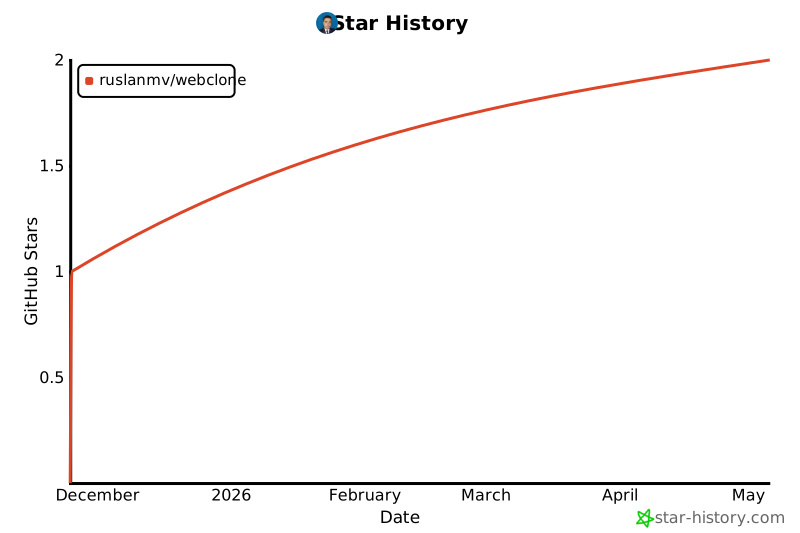
🌟 Star History
If you find WebClone useful, please consider giving it a star! ⭐
🙏 Acknowledgments
- Typer - Beautiful CLI framework
- Rich - Rich terminal formatting
- Pydantic - Data validation
- aiohttp - Async HTTP client
- uv - Lightning-fast package installer
Made with ❤️ by Ruslan Magana
1 maintainer

Release files for webclone 1.0.0
For a detailed explanation of source distributions (sdists) and built distributions (wheels), please see the package formats documentation.
Source distribution (sdist)
| File | Size | Uploaded | |
|---|---|---|---|
| webclone-1.0.0.tar.gz | 235.0 kB | Details |
Built distribution (wheel)
| File | Interpreter | ABI | Platform | Reset |
|---|---|---|---|---|
| webclone-1.0.0-py3-none-any.whl | Python 3 | none | any | Details |
Total release size: 295.8 kB
Release files / webclone-1.0.0.tar.gz
| Download URL | webclone-1.0.0.tar.gz |
|---|---|
| Size | 235.0 kB |
| Tags | Source |
|
SHA-256 checksum How to use checksums |
dd71c12160e046b1539fbd82266d5cd077bc4511ac791b9da6eb61494bd56266
|
|
BLAKE2b-256 checksum How to use checksums |
7e7c9802428c9f7535f0343dffa79c59bf938776b947baf91222ec86bca4f6b4
|
| Upload date | |
|
Uploaded using Trusted Publishing? What is trusted publishing? |
Yes |
| Uploaded via |
twine/6.1.0 CPython/3.13.7
|
Provenance
Provenance describes where a file came from. On PyPI, provenance is shared via attestations, which provide a verifiable record of the build or publishing details. View details, limitations and caveats.


PyPI Publish Attestation
PyPI verified that this artifact, at this checksum, originated from the publisher listed below.
Signed by GitHub Actions, verified by PyPI on Nov 24, 2025.
Transparency logRelease files / webclone-1.0.0-py3-none-any.whl
| Download URL | webclone-1.0.0-py3-none-any.whl |
|---|---|
| Size | 60.8 kB |
| Tags | Python 3 |
|
SHA-256 checksum How to use checksums |
864abad677e086fef2bd59aa3b4b4fe82651874139a478dd2aef5ab202030f66
|
|
BLAKE2b-256 checksum How to use checksums |
d5574c82b0c2d12f45c2f515b05da75d56609f653e97e84c58c76033db7b9183
|
| Upload date | |
|
Uploaded using Trusted Publishing? What is trusted publishing? |
Yes |
| Uploaded via |
twine/6.1.0 CPython/3.13.7
|
Provenance
Provenance describes where a file came from. On PyPI, provenance is shared via attestations, which provide a verifiable record of the build or publishing details. View details, limitations and caveats.
PyPI Publish Attestation
PyPI verified that this artifact, at this checksum, originated from the publisher listed below.
Signed by GitHub Actions, verified by PyPI on Nov 24, 2025.
Transparency log












