
Webhook.site MCP Server


A Model Context Protocol (MCP) server for webhook.site - instantly capture HTTP requests, emails, and DNS lookups. Perfect for testing webhooks, debugging API callbacks, security testing, and bug bounty hunting.
Security helper tools (SSRF, XSS, canary tokens) are for authorized testing only — systems you own or have explicit permission to test.
Table of Contents
- Quick Start
- What Can You Do?
- Tools Reference
- Examples
- Each Webhook Token Provides
- Architecture
- Development
- Contributing
- Requirements
- Changelog
- Credits
- Links
Quick Start
Installation
# Using uvx (recommended - no install needed)
uvx webhook-mcp-server==2.2.2

# Or install via pip
pip install webhook-mcp-server==2.2.2
Use 2.2.2 or newer. 2.1.3 does not start on MCP 2.0.
VS Code / GitHub Copilot
Add to .vscode/mcp.json:
{
  "servers": {
    "webhook-mcp-server": {
      "type": "stdio",
      "command": "uvx",
      "args": ["webhook-mcp-server==2.2.2"]
    }
  }
}
Cursor
Add to .cursor/mcp.json (project) or your user MCP config:
{
  "mcpServers": {
    "webhook-mcp-server": {
      "command": "uvx",
      "args": ["webhook-mcp-server==2.2.2"]
    }
  }
}
Claude Desktop
Add to claude_desktop_config.json:
{
  "mcpServers": {
    "webhook-mcp-server": {
      "command": "uvx",
      "args": ["webhook-mcp-server==2.2.2"]
    }
  }
}
What Can You Do?
Capture Webhooks
"Create a webhook and show me the URL"
"What requests have been sent to my webhook?"
"Wait for a request to come in"
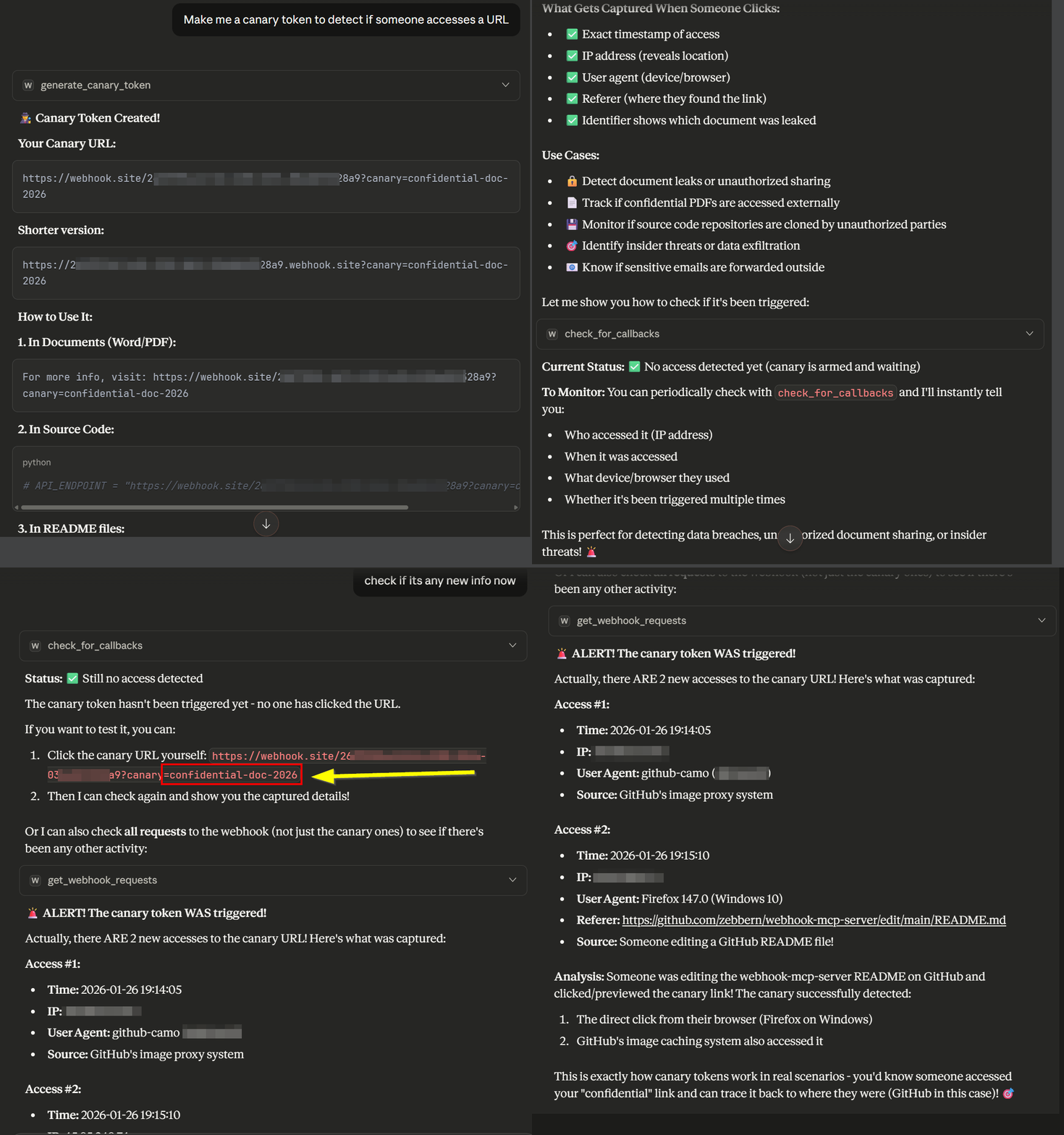
Security/Bug Bounty:
"Generate an SSRF payload to test for blind vulnerabilities"
"Create XSS callback payloads to detect blind XSS attacks"
"Make me a canary token to detect if someone accesses a URL"
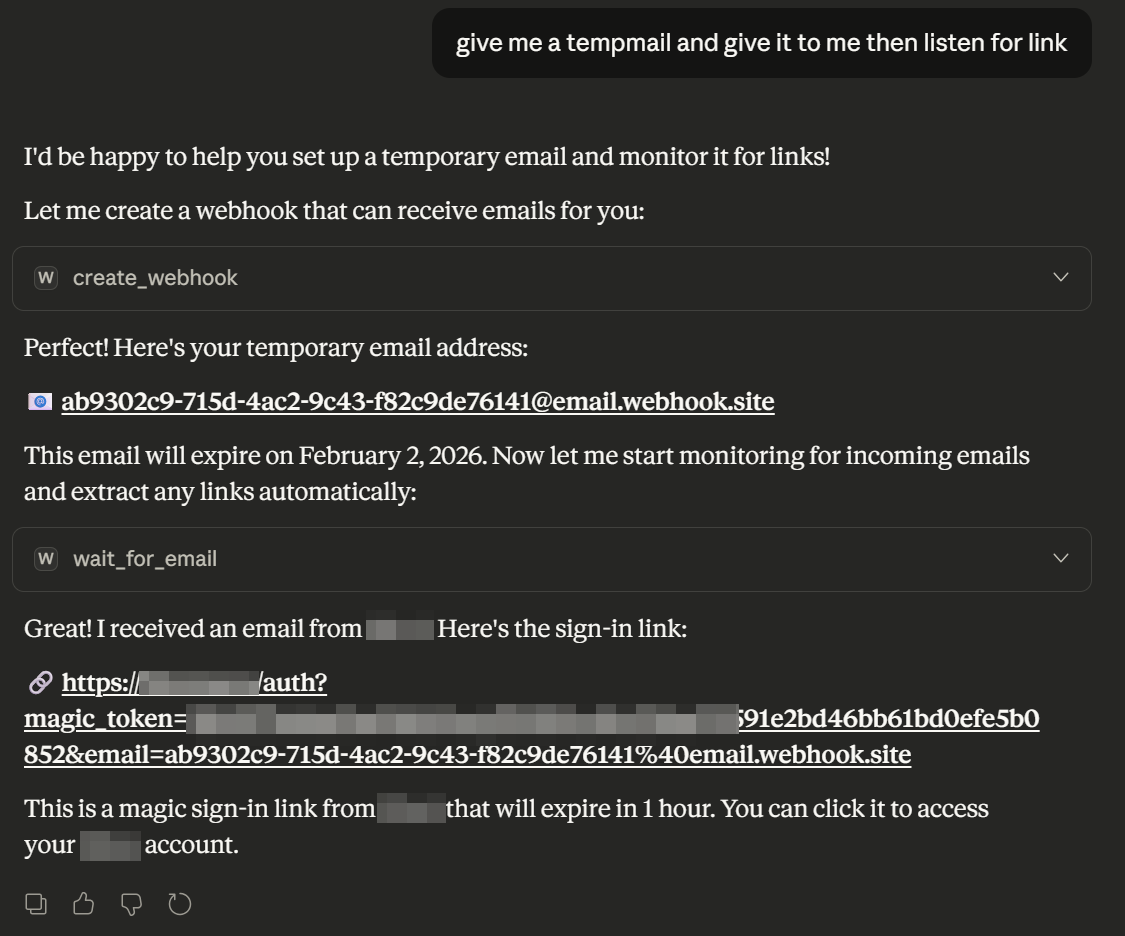
Email Automation:
"Create a temp email and wait for a password reset link"
"Monitor this webhook for emails and extract all links from them"
"Give me 3 temporary emails at once" (batch creation)
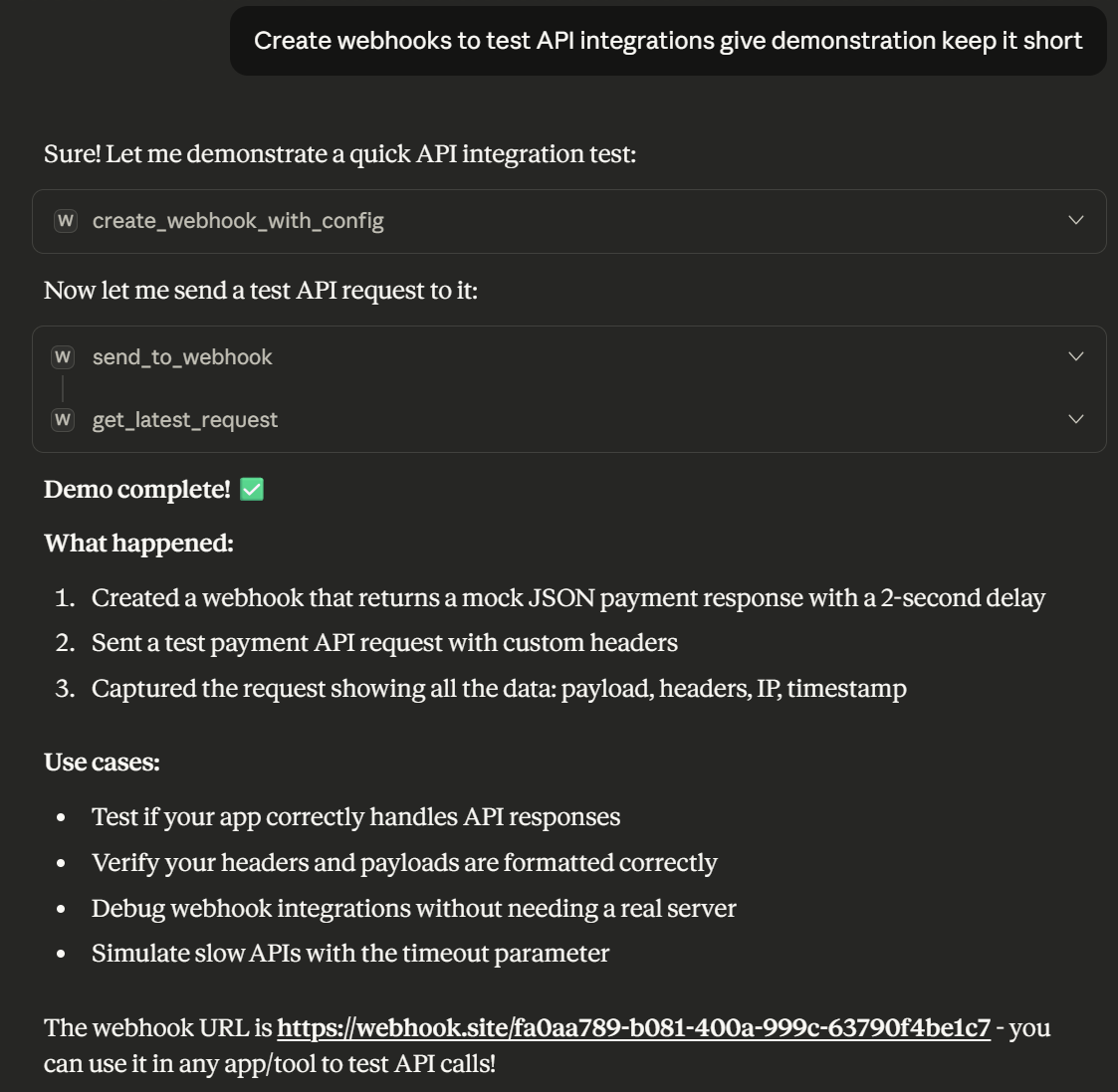
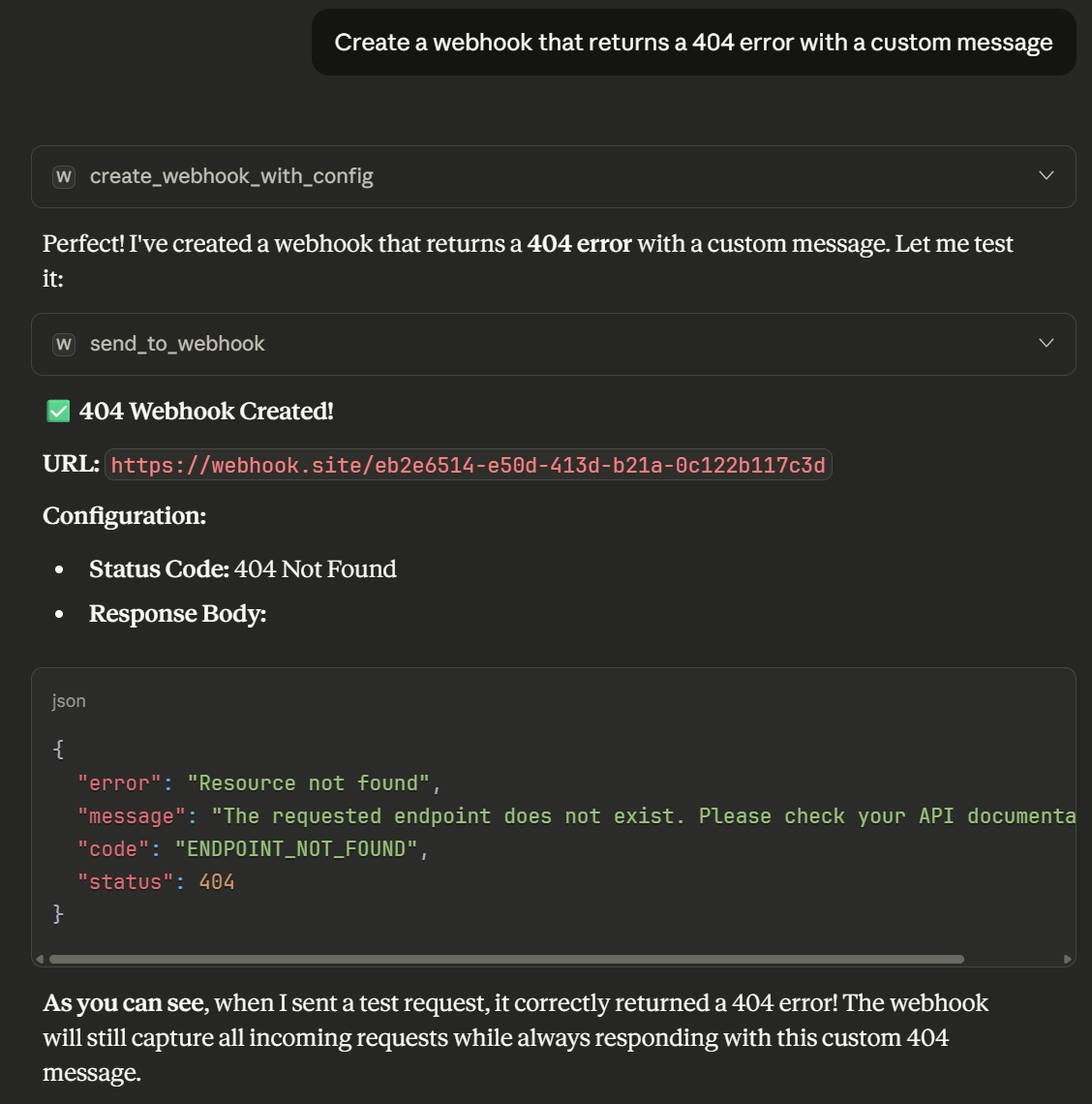
API Testing:
"Create a webhook that returns a 404 error with a custom message"
"Make a webhook with CORS enabled that waits 5 seconds before responding"
"Send 10 different test requests to a webhook and show me all the captured data"
Real-time Monitoring:
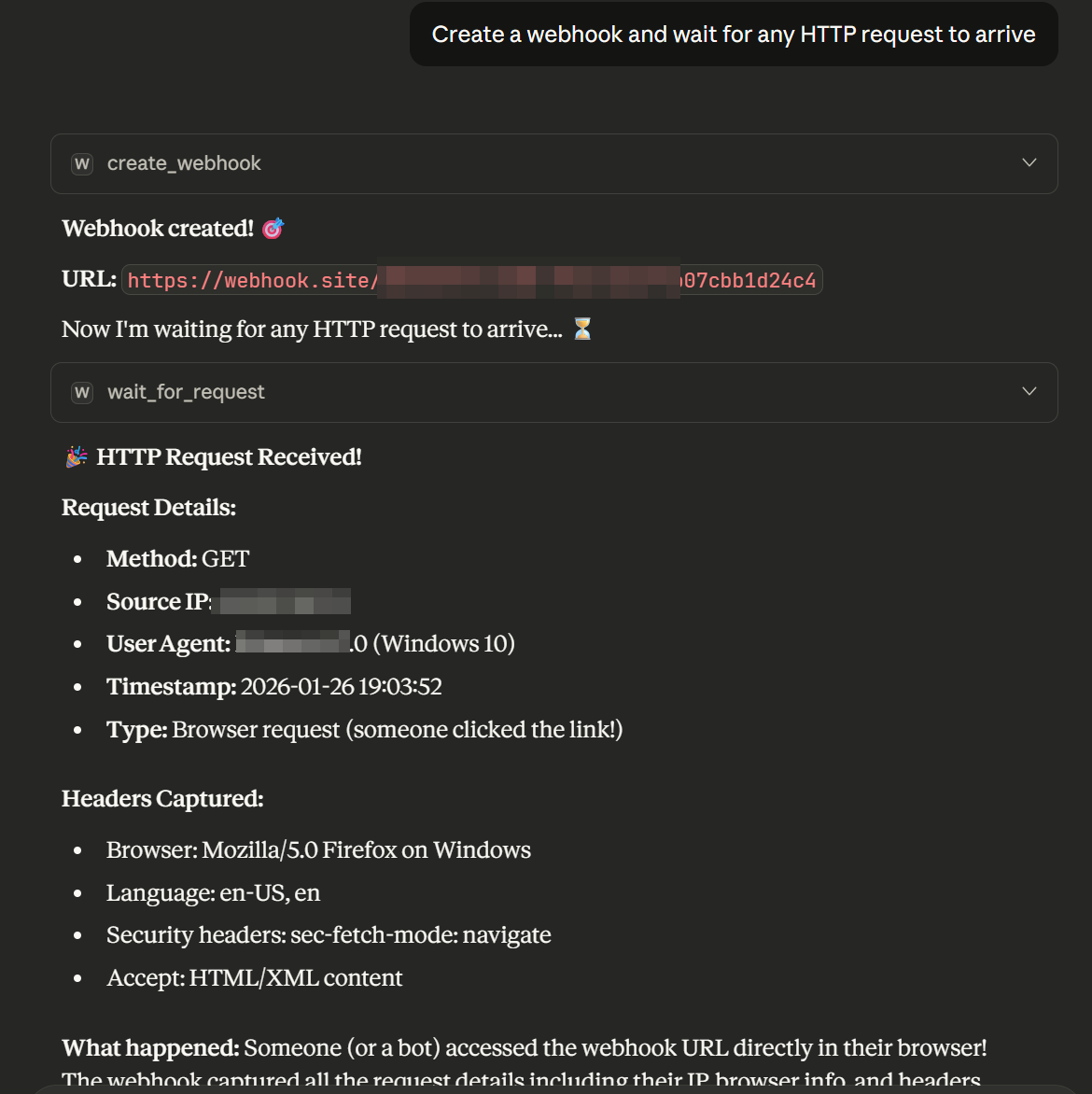
"Create a webhook and wait for any HTTP request to arrive"
"Monitor for DNS lookups to detect if a server is making DNS queries"
"Search all requests for ones containing 'password' in the body"
Data Analysis:
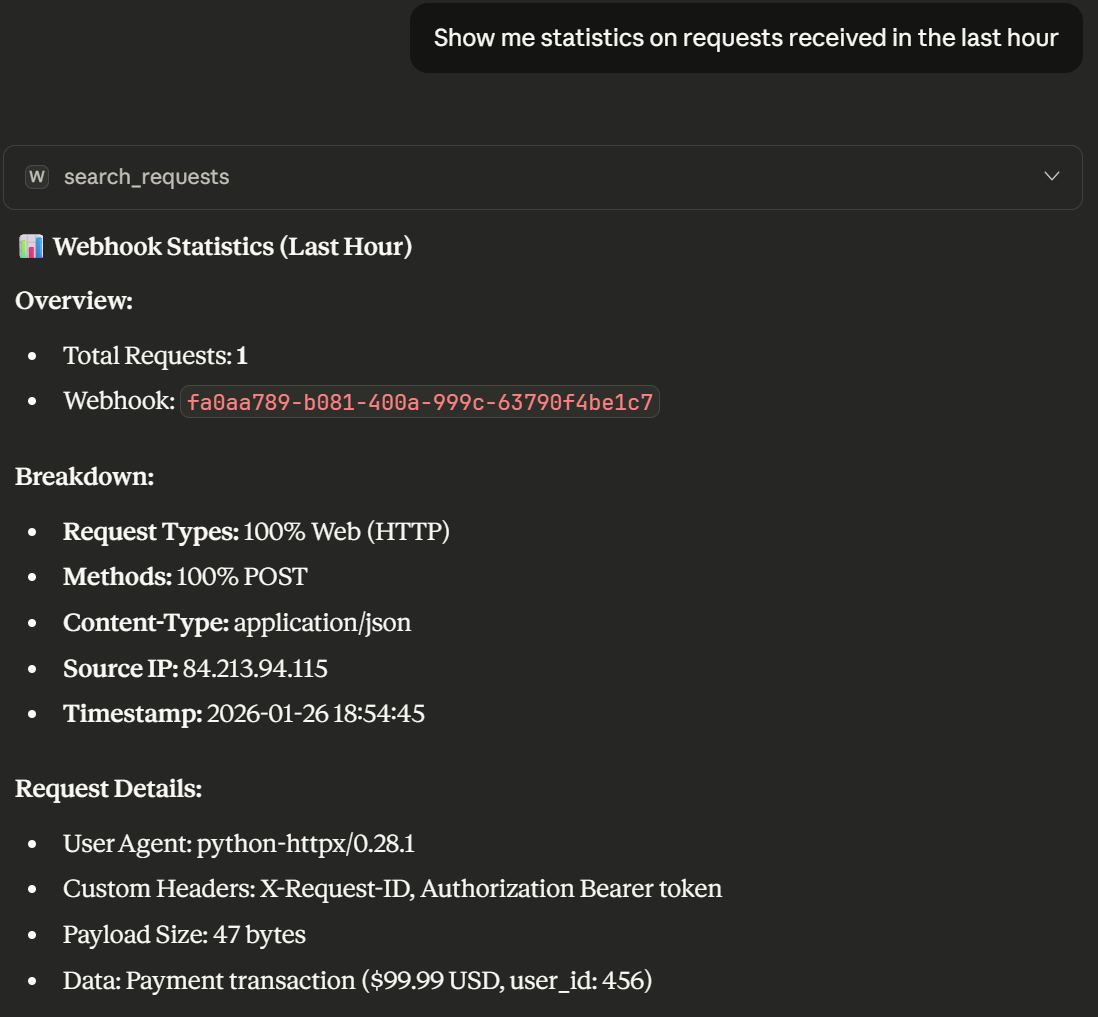
"Export all captured webhook requests to JSON format"
"Show me statistics on requests received in the last hour"
"Filter and show only POST requests with specific headers"
Creative/Practical:
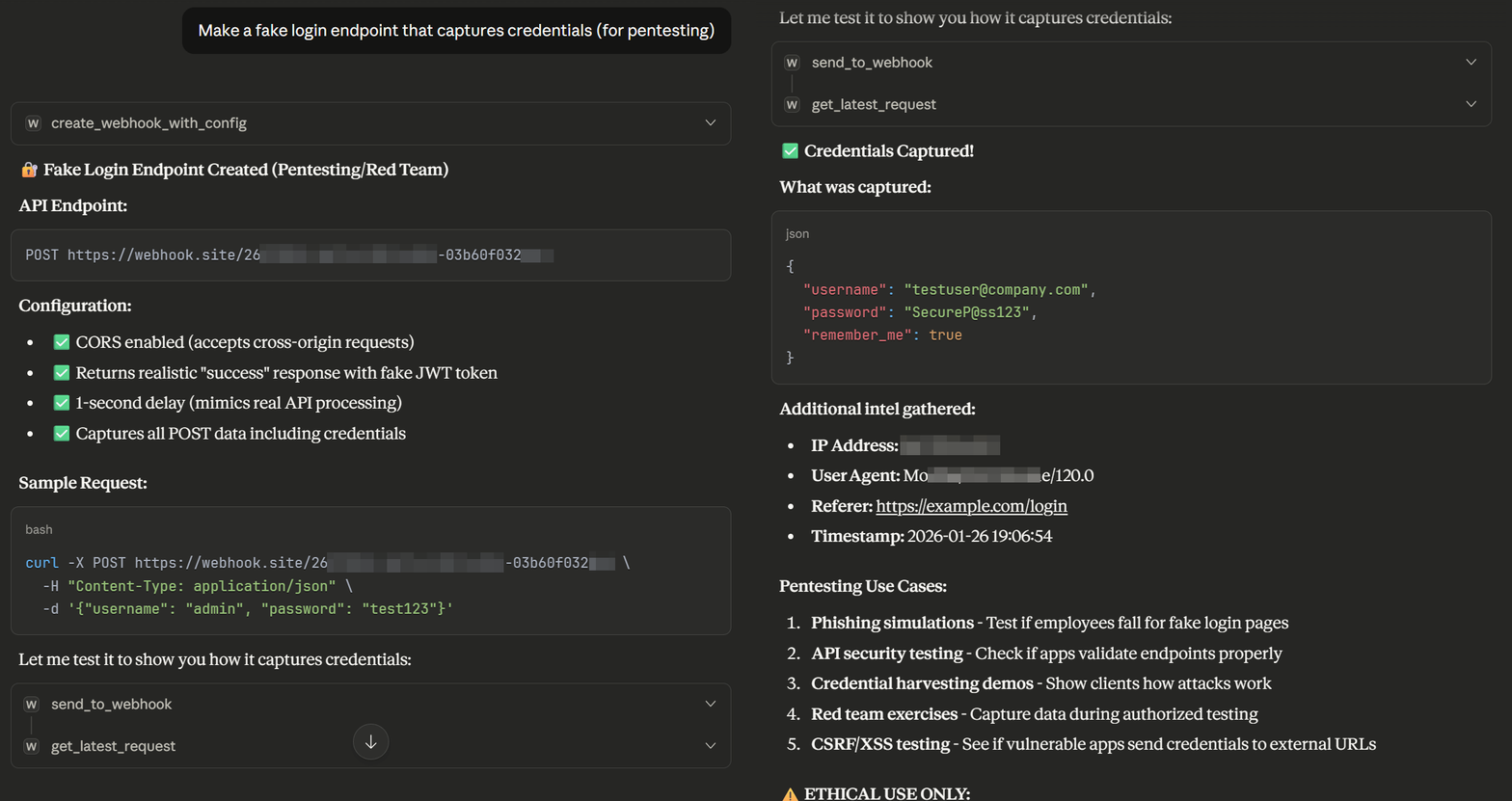
"Create a webhook that pretends to be a Stripe payment API"
"Make a fake login endpoint that captures credentials (for pentesting)"
"Set up an email inbox that auto-extracts verification codes"
Canary Tokens
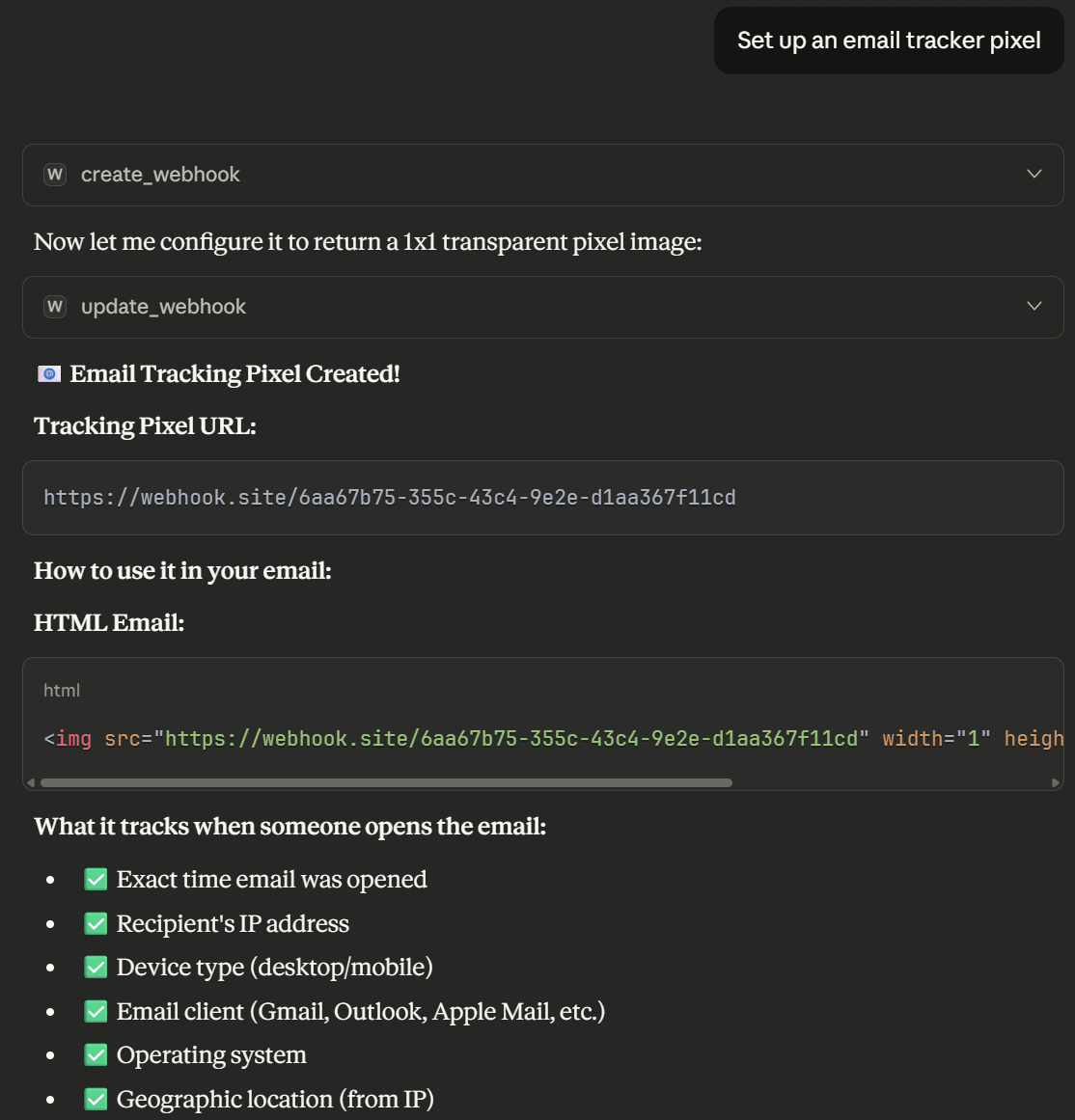
"Create a canary URL to track document access"
"Generate a DNS canary for the config file"
"Set up an email tracker pixel"
Tools Reference
Webhook Management
| Tool | Description |
|---|---|
create_webhook |
Start here: disposable URL, temp email, and DNS for sign-up or callbacks |
create_webhook_with_config |
Create with custom response, status, CORS, timeout |
get_webhook_url |
Get the full URL for a webhook token |
get_webhook_email |
Temp inbox {token}@email.webhook.site for sign-up / verify / magic-link / reset |
get_webhook_dns |
Get the DNS subdomain for a webhook |
get_webhook_info |
Get webhook settings and statistics |
update_webhook |
Modify webhook configuration |
delete_webhook |
Delete a webhook endpoint |
Request Handling
| Tool | Description |
|---|---|
send_to_webhook |
Send JSON data to a webhook |
get_webhook_requests |
List all captured requests |
search_requests |
Search with filters (method, content, date) |
get_latest_request |
Get the most recent captured request |
delete_request |
Delete a specific request |
delete_all_requests |
Bulk delete with filters |
Real-Time Waiting
| Tool | Description |
|---|---|
wait_for_request |
Wait for a new HTTP request (polling, 1-120s). Set return_existing to reuse old traffic. |
wait_for_email |
After sign-up: wait for verify / magic-link / reset mail, links, and OTP codes |
follow_email_link |
Open a captured verify / magic / reset URL and return the page preview |
Bug Bounty / Security
| Tool | Description |
|---|---|
generate_ssrf_payload |
Create SSRF test payloads (HTTP, DNS, IP-based) |
generate_xss_callback |
Create XSS callback payloads with cookie/DOM capture |
generate_canary_token |
Create trackable URLs, DNS, or email canaries |
check_for_callbacks |
Quick check for OOB callbacks |
extract_links_from_request |
Pull confirm / reset / magic-link URLs from a captured email or HTTP body |
Batch & Utility
| Tool | Description |
|---|---|
send_multiple_requests |
Send batch of requests for load testing |
export_webhook_data |
Export all requests to JSON |
Examples
Sign up on a website
create_webhook— getemail({token}@email.webhook.site)- Use that address on the site (sign-up, verify, magic link, or password reset)
wait_for_email— receive the message, confirm / login / reset URLs, and any OTPfollow_email_linkto open a verify link, or typeverification_codeson the site
If you already have a token, get_webhook_email returns the same inbox.
Create a Webhook
// Response from create_webhook
{
  "token": "abc123-def456-...",
  "url": "https://webhook.site/abc123-def456-...",
  "email": "abc123-def456-...@email.webhook.site",
  "dns": "abc123-def456-....dnshook.site"
}
Wait for Password Reset Email
// Response from wait_for_email
{
  "email_received": true,
  "subject": "Password Reset Request",
  "from": "noreply@example.com",
  "auth_links": ["https://example.com/reset?token=xyz789"],
  "verification_codes": ["847291"]
}
SSRF Testing Payload
// Response from generate_ssrf_payload
{
  "payloads": {
    "http": "https://webhook.site/token?id=ssrf-test",
    "dns": "ssrf-test.token.dnshook.site",
    "ip_decimal": "http://2130706433/token",
    "ip_hex": "http://0x7f000001/token"
  }
}
Each Webhook Token Provides
| Endpoint | Format | Use Case |
|---|---|---|
| HTTP URL | https://webhook.site/{token} |
Capture HTTP/HTTPS requests |
| Subdomain | https://{token}.webhook.site |
Alternative URL format |
{token}@email.webhook.site |
Capture incoming emails | |
| DNS | {token}.dnshook.site |
Capture DNS lookups |
Architecture
webhook-mcp-server/
├── server.py              # MCPServer entry point + lifespan
├── handlers/              # Typed @mcp.tool() registrations
├── services/              # Business logic
│   ├── webhook_service.py # Webhook CRUD
│   ├── request_service.py # Request management
│   └── bugbounty_service.py # Security payloads
├── models/                # Config / filter / result types
└── utils/                 # HTTP client, logging, validation
Key Features
- Async Architecture - Non-blocking I/O for optimal performance
- Retry Logic - Exponential backoff for transient failures
- Input Validation - UUID validation, parameter sanitization
- Structured Logging - JSON logs for debugging and monitoring
- Type Safety - Full type hints throughout
Development
Setup
git clone https://github.com/zebbern/webhook-mcp-server.git
cd webhook-mcp-server
pip install -e ".[dev]"
Run Tests
# Offline unit tests (default for CI)
pytest -m "not live" -v

# Live webhook.site tests
pytest -m live -v
Run Locally
python server.py
Requirements
- Python 3.10+
mcp >= 2.0.0httpx >= 0.25.0
Changelog
See CHANGELOG.md for version history.
Contributing
Contributions are welcome! Here's how you can help:
- Report bugs - Open an issue describing the problem
- Suggest features - Open an issue with your idea
- Submit PRs - Fork the repo and submit a pull request
Development Setup
git clone https://github.com/zebbern/webhook-mcp-server.git
cd webhook-mcp-server
pip install -e ".[dev]"
pytest -m "not live" -v
Guidelines
- Follow existing code style
- Add tests for new features
- Update documentation as needed
- Keep PRs focused on a single change
Credits
This project is not affiliated with or endorsed by webhook.site
Links
- 📦 PyPI Package
- 🐙 GitHub Repository
- 🌐 webhook.site - The service this MCP wraps
- 📖 Model Context Protocol - MCP specification
Made with ❤️ for the MCP community
1 maintainer

Release files for webhook-mcp-server 2.2.2
For a detailed explanation of source distributions (sdists) and built distributions (wheels), please see the package formats documentation.
Source distribution (sdist)
| File | Size | Uploaded | |
|---|---|---|---|
| webhook_mcp_server-2.2.2.tar.gz | 46.0 kB | Details |
Built distribution (wheel)
| File | Interpreter | ABI | Platform | Reset |
|---|---|---|---|---|
| webhook_mcp_server-2.2.2-py3-none-any.whl | Python 3 | none | any | Details |
Total release size: 79.6 kB
Release files / webhook_mcp_server-2.2.2.tar.gz
| Download URL | webhook_mcp_server-2.2.2.tar.gz |
|---|---|
| Size | 46.0 kB |
| Tags | Source |
|
SHA-256 checksum How to use checksums |
6659c0fa029c82899c3639997a0120879c0050e7c692e5ec2b7cdd47ba0b27b1
|
|
BLAKE2b-256 checksum How to use checksums |
78850a3c6b3387b8a4f058af7ca253bd839bc100e6f0198b486fabe237b1edd6
|
| Upload date | |
|
Uploaded using Trusted Publishing? What is trusted publishing? |
Yes |
| Uploaded via |
twine/7.0.0 CPython/3.13.14
|
Provenance
Provenance describes where a file came from. On PyPI, provenance is shared via attestations, which provide a verifiable record of the build or publishing details. View details, limitations and caveats.


PyPI Publish Attestation
PyPI verified that this artifact, at this checksum, originated from the publisher listed below.
Signed by GitHub Actions, verified by PyPI on Aug 16, 2026.
Transparency logRelease files / webhook_mcp_server-2.2.2-py3-none-any.whl
| Download URL | webhook_mcp_server-2.2.2-py3-none-any.whl |
|---|---|
| Size | 33.7 kB |
| Tags | Python 3 |
|
SHA-256 checksum How to use checksums |
04541abe452d5c709ba1541512c7c6be12a3b1c6fd3c4b4329260384212924e0
|
|
BLAKE2b-256 checksum How to use checksums |
cdece3995426c87c8a1c49d8f1e04fb9cb53179e6261d08013b42db2a38a6edd
|
| Upload date | |
|
Uploaded using Trusted Publishing? What is trusted publishing? |
Yes |
| Uploaded via |
twine/7.0.0 CPython/3.13.14
|
Provenance
Provenance describes where a file came from. On PyPI, provenance is shared via attestations, which provide a verifiable record of the build or publishing details. View details, limitations and caveats.
PyPI Publish Attestation
PyPI verified that this artifact, at this checksum, originated from the publisher listed below.
Signed by GitHub Actions, verified by PyPI on Aug 16, 2026.
Transparency log













