
Webscapy: Selenium Configured for Webscraping
Introduction
Webscapy is a Python package that extends the capabilities of the Selenium framework, originally designed for web testing, to perform web scraping tasks. It provides a convenient and easy-to-use interface for automating browser interactions, navigating through web pages, and extracting data from websites. By combining the power of Selenium with the flexibility of web scraping, Webscapy enables you to extract structured data from dynamic websites efficiently.
Features
-
Automated Browser Interaction: Webscapy enables you to automate browser actions, such as clicking buttons, filling forms, scrolling, and navigating between web pages. With a user-friendly interface, you can easily simulate human-like interactions with the target website.
-
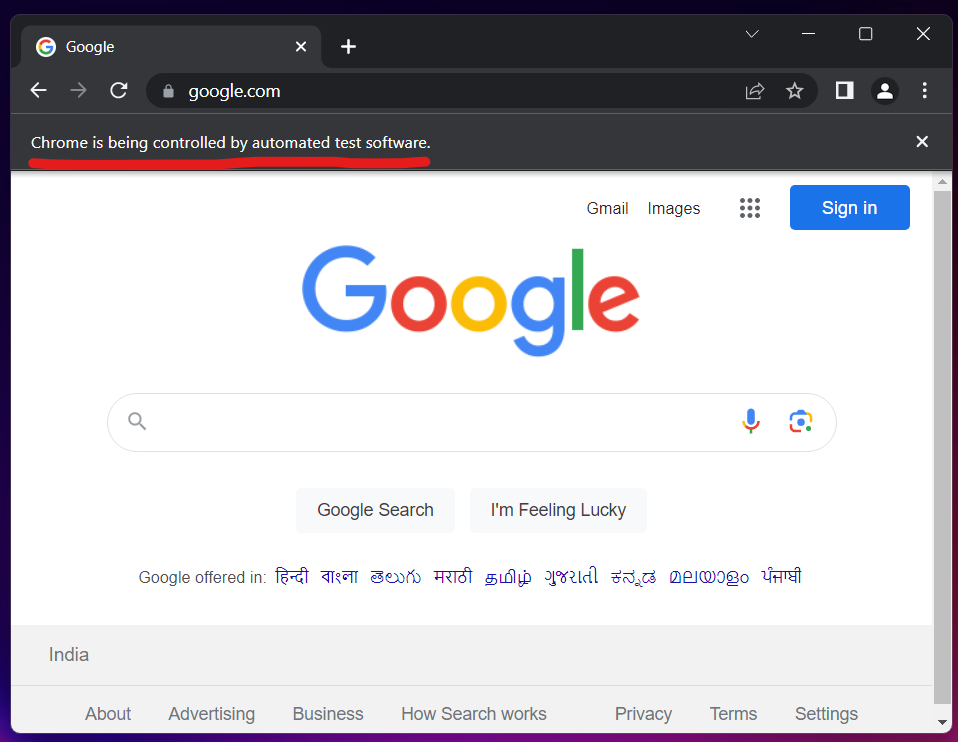
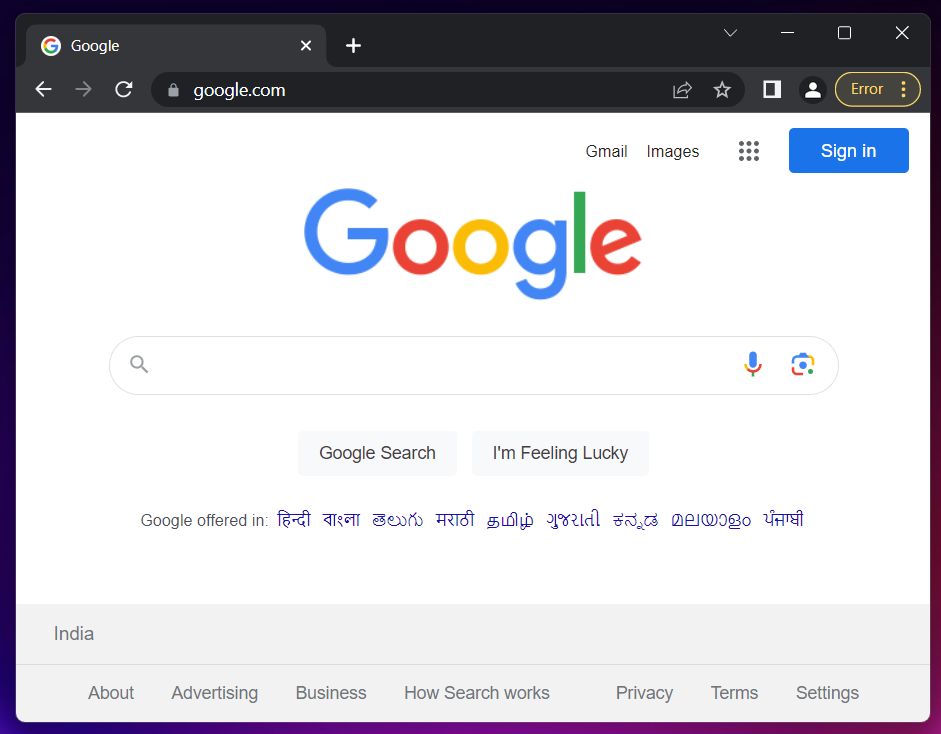
Undetected Mode: Webscapy includes built-in mechanisms to bypass anti-bot measures, including Cloudflare protection. It provides an undetected mode that reduces the chances of detection and allows for seamless scraping even from websites with strict security measures.
Undetected Mode (Off) Undetected Mode (On) -
Headless Browsers: Webscapy supports headless browser operations, allowing you to scrape websites without displaying the browser window. This feature is useful for running scraping tasks in the background or on headless servers.
-
Element Load Waiting: The package offers flexible options for waiting until specific elements are loaded on the web page. You can wait for elements to appear, disappear, or become interactable before performing further actions. This ensures that your scraping script synchronizes with the dynamic behavior of websites.
-
Execute JavaScript Code: Webscapy allows you to execute custom JavaScript code within the browser. This feature enables you to interact with JavaScript-based functionalities on web pages, manipulate the DOM, or extract data that is not easily accessible through traditional scraping techniques.
-
Connect with Remote Browsers: SeleniumWebScraper provides a simplified method to connect with remote browsers using just one line of code. This feature allows you to distribute your scraping tasks to remote nodes or cloud-based Selenium Grid infrastructure. By specifying the remote URL, you can easily connect to a remote browser and leverage its capabilities for efficient scraping.
Installation
You can install Webscapy using pip, the Python package manager. Open your command-line interface and execute the following command:
pip install webscapy
Getting Started
Following are the ways to create a driver
- Simple Driver (headless)
from webscapy import Webscapy

driver = Webscapy()

driver.get("https://google.com")
- Turn off headless
from webscapy import Webscapy

driver = Webscapy(headless=False)

driver.get("https://google.com")
- Make the driver undetectable
from webscapy import Webscapy

driver = Webscapy(headless=False, undetectable=True)

driver.get("https://google.com")
- Connect to a remote browser
from webscapy import Webscapy

REMOTE_URL = "..."
driver = Webscapy(remote_url=REMOTE_URL)

driver.get("https://google.com")
Element Interaction
Following are the ways to interact with DOM Element
- Wait for the element to load
driver.load_wait(type, selector)
- Load the element
element = driver.load_element(type, selector)
- Load all the possible instance of the selector (outputs an array)
elements = driver.load_elements(type, selector)

# Exmaple
elements = driver.load_elements("tag-name", "p")

# Output:
# [elem1, elem2, elem3, ...]
- Wait and load element
element = driver.wait_load_element(type, selector)
- Interact / Click the element
element = driver.load_element(type, selector)
element.click()
Different Type of Selectors
Take the following sample HTML code as example
<html>
  <body>
    <h1>Welcome</h1>
    <p>Site content goes here.</p>
    <form id="loginForm">
      <input name="username" type="text" />
      <input name="password" type="password" />
      <input name="continue" type="submit" value="Login" />
      <input name="continue" type="button" value="Clear" />
    </form>
    <p class="content">Site content goes here.</p>
    <a href="continue.html">Continue</a>
    <a href="cancel.html">Cancel</a>
  </body>
</html>
Following are different selector types
| Type | Example |
|---|---|
| id | loginForm |
| name | username / password |
| xpath | /html/body/form[1] |
| link-text | Continue |
| partial-link-text | Conti |
| tag-name | h1 |
| class-name | content |
| css-selector | p.content |
Following is some usecase examples
content = driver.wait_load_element("css-selector", 'p.content')
content = driver.wait_load_element("class-name", 'content')
content = driver.wait_load_element("tag-name", 'p')
Execute Javascript Code
You can execute any javascript code on the site using the following method
code = "..."
driver.execute_script(code)
Network Activity Data
You can get network activity data after waiting for a while using commands like time.sleep(...)
network_data = driver.get_network_data()

print(network_data)
Cookie Handling
You can add cookies using the following method
- Add a single cookie
cookie = {
   "name": "cookie1",
   "value": "value1"
}
driver.add_cookie(cookie)
- Get a single cookie
driver.get_cookie("cookie1")
- Delete a single cookie
driver.delete_cookie("cookie1")
- Import cookie from JSON
driver.load_cookie_json("cookie.json")
Close the driver
Always close the driver after using it to save memory, or avoid memory leaks
driver.close()
1 maintainer

Metadata
1 maintainer
Release files for webscapy 1.6.5
For a detailed explanation of source distributions (sdists) and built distributions (wheels), please see the package formats documentation.
Source distribution (sdist)
| File | Size | Uploaded | |
|---|---|---|---|
| webscapy-1.6.5.tar.gz | 5.5 kB | Details |
Release files / webscapy-1.6.5.tar.gz
| Download URL | webscapy-1.6.5.tar.gz |
|---|---|
| Size | 5.5 kB |
| Tags | Source |
|
SHA-256 checksum How to use checksums |
4a8de1caab6eaf285b212dfc58fd5089bb51629ee7c85f5ae1feed39cfab4d19
|
|
BLAKE2b-256 checksum How to use checksums |
0a5eeb84db26324b17b450e5964cafa26765a4ce77aa20dbe548401f00933f67
|
| Upload date | |
|
Uploaded using Trusted Publishing? What is trusted publishing? |
No |
| Uploaded via |
twine/4.0.2 CPython/3.11.2
|














