
Track WhatsApp Web presence sessions, export history, and generate analytics dashboards.

Project description
🕵️♂️ WhatsApp Beacon (OSINT Tracker)




WhatsApp Beacon tracks when specific WhatsApp contacts go online and stores every completed session in SQLite. It can export to Excel, generate a polished analytics dashboard, and run fully headless once the session is authenticated.
Disclaimer: This tool is for educational and research purposes only. Do not use it for stalking or any illegal activities.
✨ Features
- PyPI install:
pip install whatsapp-osintgets you the package fast. - One-command installer: clone, create a local
.venv, install the package, and verify the browser setup. - Best-effort Linux bootstrap: if Git, Python, or Chrome/Chromium are missing, the installer will try to install them with
sudo. - Automated browser driver resolution: Selenium Manager handles matching drivers, with manual override flags if you need them.
- Headless tracking: authenticate once, then run quietly in the background.
- SQLite session history: every finished online session is stored locally.
- Excel export: turn the database into
History_wp.xlsx. - Advanced analytics dashboard: generate a static HTML report with filters, heatmaps, leaderboards, and recent-session views.
🚀 Installation
Install from PyPI
python3 -m pip install whatsapp-osint
The package installs 2 equivalent entry points:
whatsapp-osintwhatsapp-beacon
One-click installer from GitHub
curl -fsSL https://raw.githubusercontent.com/jasperan/whatsapp-osint/master/install.sh | bash
What it does:
- clones or updates the repo into
./whatsapp-osint - creates
./whatsapp-osint/.venv - installs the package and the
whatsapp-beaconcommand - on Linux, uses
sudowhen needed to install missing system packages and Chrome/Chromium - verifies that a browser binary is available before it finishes
If you want a custom location:
PROJECT_DIR=/opt/whatsapp-osint curl -fsSL https://raw.githubusercontent.com/jasperan/whatsapp-osint/master/install.sh | bash
Manual / development install
Use this only if you explicitly want to manage setup yourself.
git clone https://github.com/jasperan/whatsapp-osint.git
cd whatsapp-osint
python3 -m venv .venv
source .venv/bin/activate
python -m pip install --upgrade pip setuptools wheel
python -m pip install -e ".[dev]"
▶️ Run it
If you installed from PyPI:
whatsapp-osint -u "John Doe"
whatsapp-osint and whatsapp-beacon run the same CLI. The rest of the examples keep using whatsapp-beacon.
If you used the GitHub installer:
cd whatsapp-osint
source .venv/bin/activate
whatsapp-beacon -u "John Doe"
If you do not want to activate the venv first:
./whatsapp-osint/.venv/bin/whatsapp-beacon -u "John Doe"
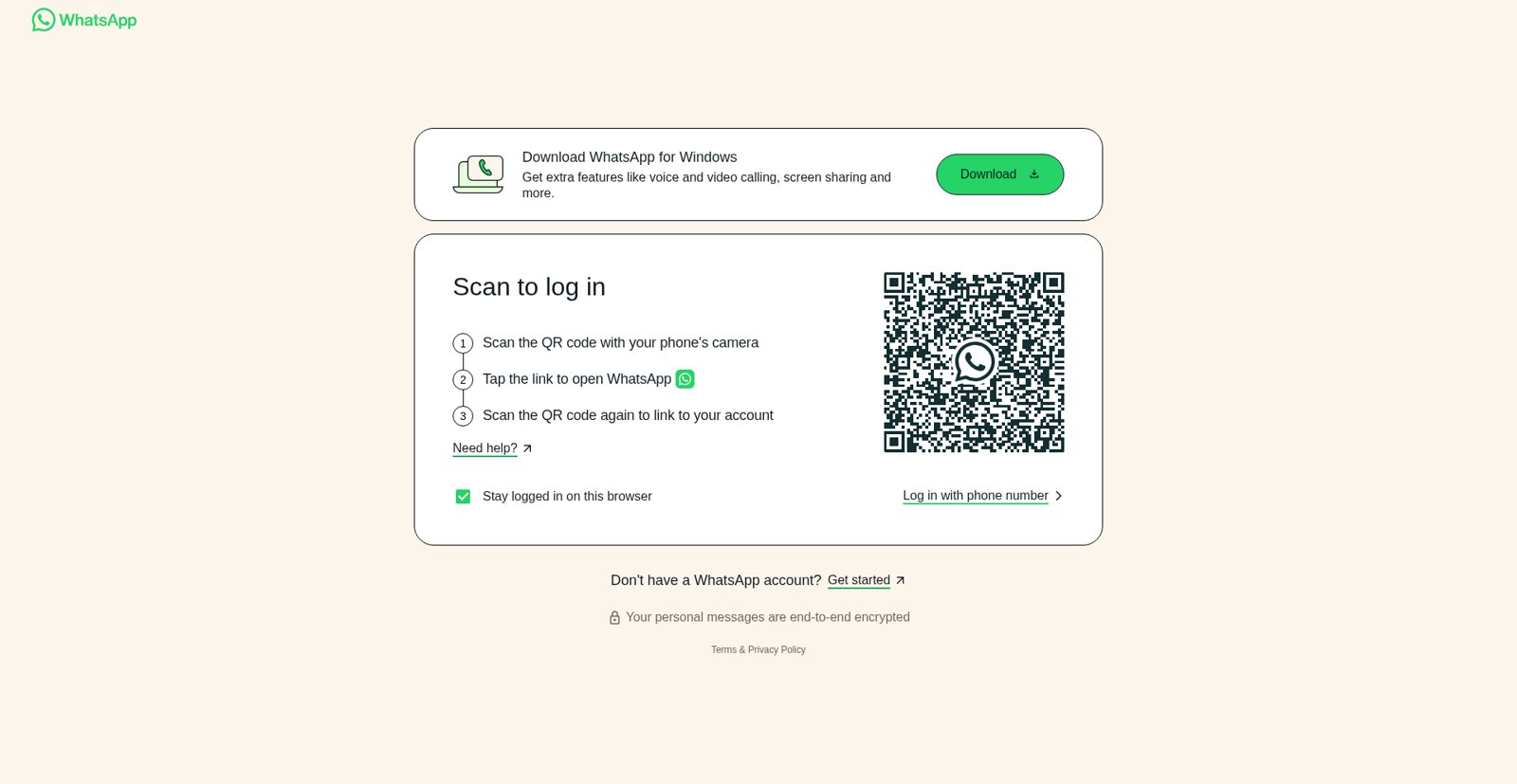
First run
The first run must authenticate with WhatsApp Web.
- Non-headless is the easiest path. Scan the QR code once, then the saved browser profile will be reused.
- Headless also works. If the session is not authenticated yet, the tool will save a QR screenshot to
qrcode.png.
Example:
whatsapp-beacon -u "Maria" --headless
📊 Advanced analytics
Generate a static HTML dashboard from the collected SQLite history:
whatsapp-beacon --analytics
By default, the report is written to:
analytics/index.html
Custom output path:
whatsapp-beacon --analytics --analytics-output reports/contact-dashboard.html
Once generated, open it in your browser:
xdg-open analytics/index.html
# or on macOS
open analytics/index.html
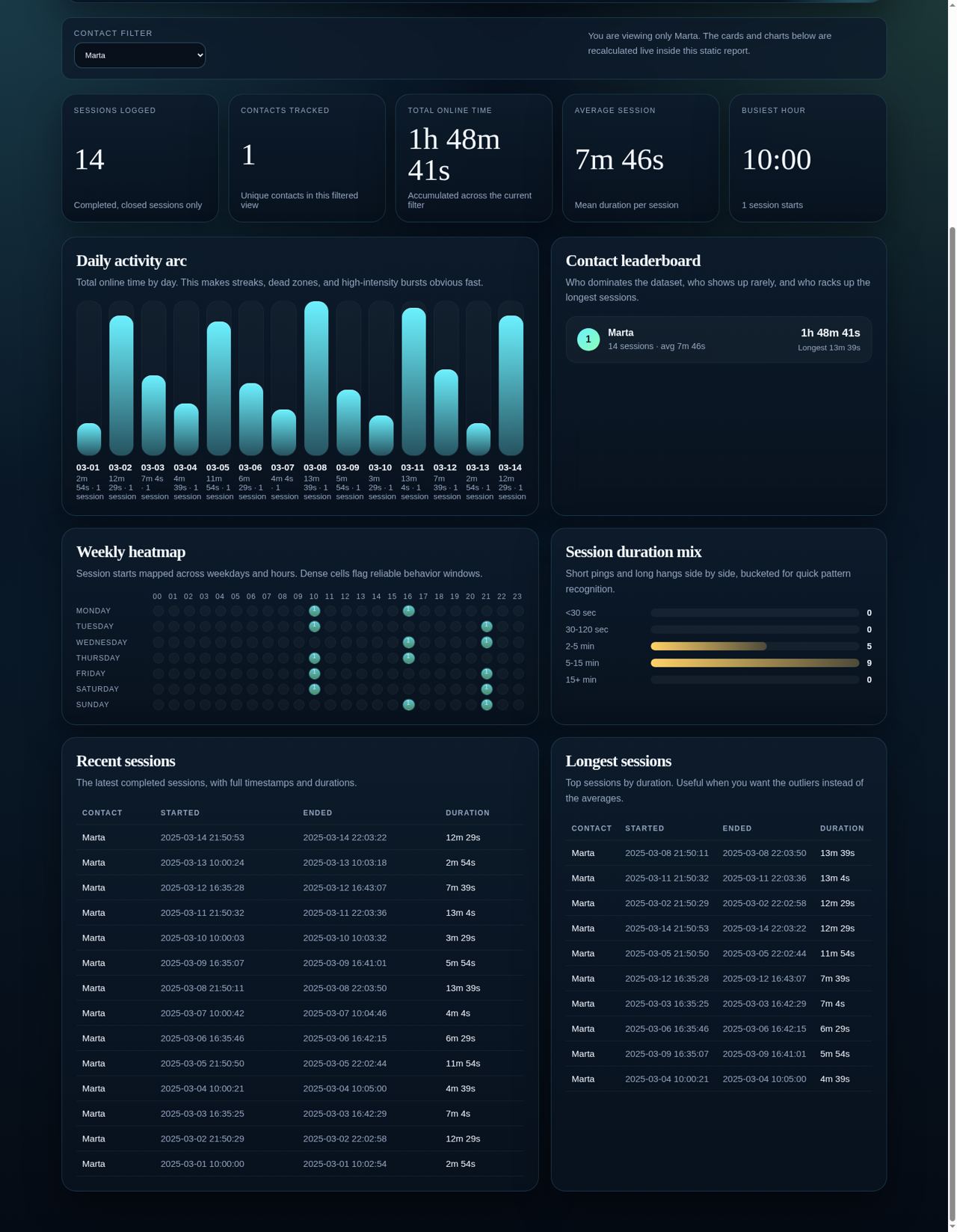
The dashboard includes:
- top-level KPIs
- per-contact leaderboard
- daily online-time bars
- weekday/hour heatmap
- duration distribution
- recent sessions and longest sessions tables
- live filtering by contact inside the page
🖼️ Screenshots
First-run WhatsApp Web authentication flow
Advanced analytics dashboard overview
Captured from a demo dataset generated through the built-in analytics exporter.

Advanced analytics dashboard filtered to a single contact
Same dashboard, narrowed to one contact to show the live filter state.
⚙️ Command line arguments
| Argument | Description | Default |
|---|---|---|
-u, --username |
Exact WhatsApp contact name to track. | Required for tracking |
-l, --language |
WhatsApp Web language code (en, es, fr, etc.). |
en |
-e, --excel |
Export the database to Excel before doing anything else. | False |
--headless |
Run without a visible browser window. | False |
--chrome-driver-path |
Explicit path to chromedriver. |
Auto-detect |
--chrome-binary-path |
Explicit path to Chrome or Chromium. | Auto-detect |
--analytics |
Generate the analytics dashboard and exit. | False |
--analytics-output |
Output path for the analytics HTML report. | analytics/index.html |
--config |
Path to a custom config file. | config.yaml |
⚙️ Configuration
You can keep defaults in config.yaml:
username: "Target Name"
language: "en"
headless: false
excel: false
browser: "chrome"
log_level: "INFO"
data_dir: "data"
chrome_binary_path: null
📦 Output
- Logs:
logs/whatsapp_beacon.log - Database:
data/victims_logs.db - Excel export:
History_wp.xlsx - Analytics report:
analytics/index.htmlby default - Saved WhatsApp profile:
data/chrome_profile
🔧 Troubleshooting
cannot find Chrome binary
The installer now tries to fix this automatically on Linux. If your distro keeps the browser in a weird place, launch with an explicit path:
whatsapp-beacon -u "John Doe" --chrome-binary-path /full/path/to/browser
Useful checks:
which google-chrome google-chrome-stable chromium chromium-browser
whatsapp-beacon --help
Username is required
Tracking mode needs a contact name:
whatsapp-beacon -u "John Doe"
Analytics mode does not:
whatsapp-beacon --analytics
🤝 Contributing
Contributions are welcome. Fork it, build what you need, and send a PR.
📜 License
Distributed under the MIT License. See LICENSE for more information.
🙌 Credits
Original concept developed in 2019. Revamped in 2025 for better performance and usability.


Release history Release notifications | RSS feed


Download files
Download the file for your platform. If you're not sure which to choose, learn more about installing packages.
Source Distribution
Built Distribution
Filter files by name, interpreter, ABI, and platform.
If you're not sure about the file name format, learn more about wheel file names.
Copy a direct link to the current filters
File details
Details for the file whatsapp_osint-2.0.0.tar.gz.
File metadata
- Download URL: whatsapp_osint-2.0.0.tar.gz
- Upload date:
- Size: 26.7 kB
- Tags: Source
- Uploaded using Trusted Publishing? No
- Uploaded via: twine/6.2.0 CPython/3.12.2
File hashes
| Algorithm | Hash digest | |
|---|---|---|
| SHA256 |
b69bad5006a8c14c1e97513a4e8bb5d98784528f2e2fdddeadb5c295fb54d015
|
|
| MD5 |
9b6ec082a38dadb43b2b89b7acb08743
|
|
| BLAKE2b-256 |
125681e29924ee9780d00ba3b52e2d8988c59aca11868678fba63d93e3ff9d11
|
File details
Details for the file whatsapp_osint-2.0.0-py3-none-any.whl.
File metadata
- Download URL: whatsapp_osint-2.0.0-py3-none-any.whl
- Upload date:
- Size: 24.3 kB
- Tags: Python 3
- Uploaded using Trusted Publishing? No
- Uploaded via: twine/6.2.0 CPython/3.12.2
File hashes
| Algorithm | Hash digest | |
|---|---|---|
| SHA256 |
1495ffc5c50350e0d8ced0a38c00ba2fc7a1766ed93624cd8b17d6d18ea80b19
|
|
| MD5 |
cabeae75b270a53698cbbe0e08e670a3
|
|
| BLAKE2b-256 |
8b13864e19656fb7d027b8826d99b3c0553538b8f5e5f503b6753783d635f685
|






