
where2charge
Course project for 'CSE583 Software Development for Data Scientists' during the autumn 2024 quarter at the University of Washington.
Team members: Arsalan Esmaili, Soheil Keshavarz
Description:
where2charge is a platform that is aimed to suggest reliable charging station options to EV owners.
This repository contains four main components as below:
-
User interface (app.py)
-
Server handler (server.py)
-
Control logic (recommender.py)
-
Unit tests
More information on user requirements, component design, structure of this work, and future work
can be seen at doc/README.md and doc/CSE583 where2charge presentation.pptx
How to use
This project can be used in three ways: as a web application, as an API, and as a python package.
Before using our codes, you need to have:
- A valid Google API key (https://developers.google.com/maps) with access to Places, Distance Matrix, and Directions APIs.
- A valid OpenAI API key (https://platform.openai.com/api-keys)
Streamlit based web app
- Update
config.yamlfile with your api keys
GOOGLE_API_KEY: "your_google_api_key"
OpenAI_API_KEY: "your_openai_api_key"
- run
src/main.pyfrom root directory of this repo.

Please do not click or drag on the map when you see the message below on the app:

API
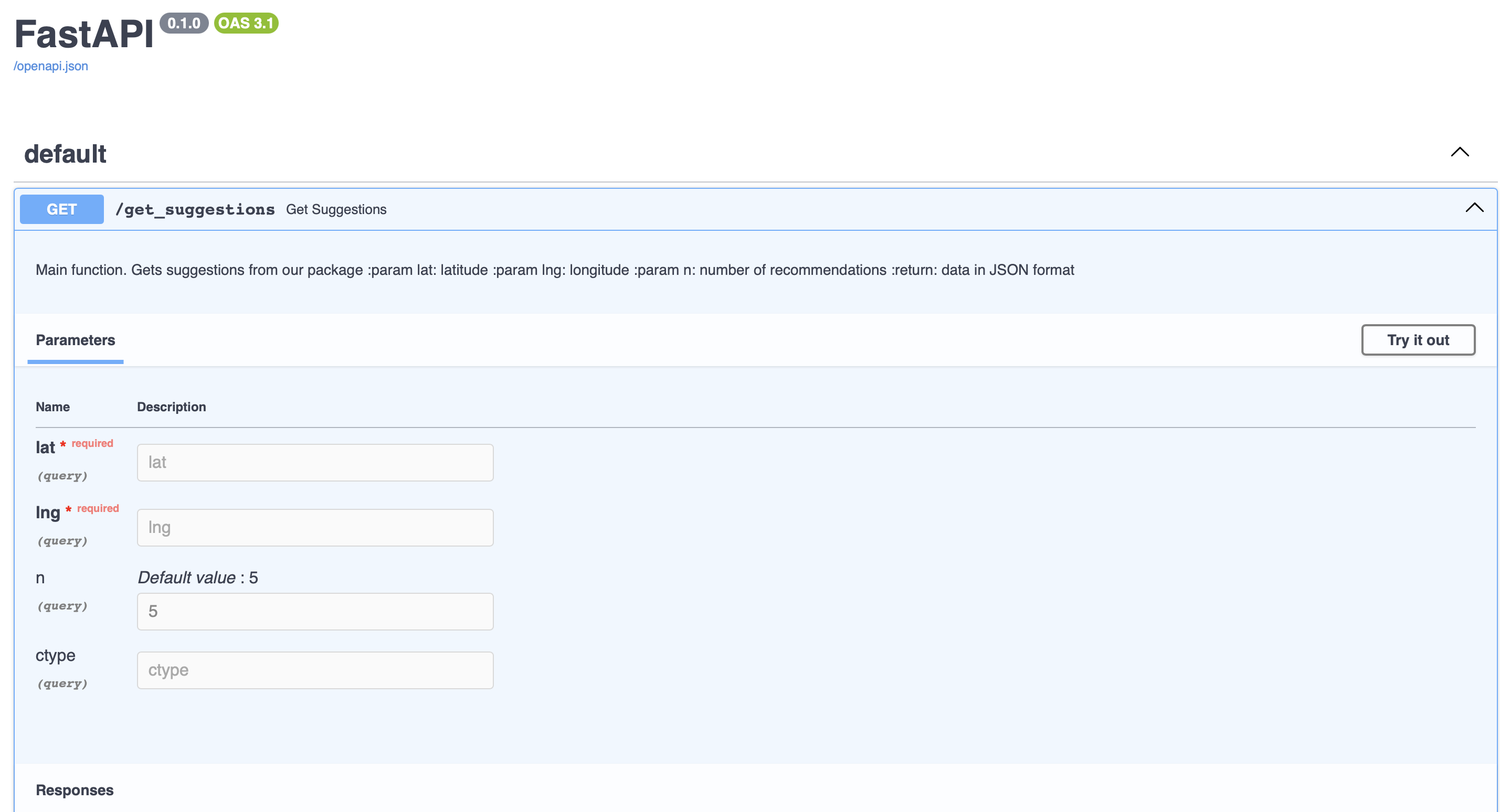
in case you want to use this work directly as an api instead of a UI, you can get connected to the server.
Since this project is deployed on cloud yet, server address is you localhost. To run the server individually,
run uvicorn src.server:app --reload --port {selected-port} on terminal and on the root directory. Then open a browser and type http://localhost:{selected-port}/docs in the address bar. selected-port, 8000 for example, is determined by the user.
a Python package
pip install where2charge
Sample code:
import where2charge

google_key = 'your_google_api_key'
openai_key = 'your_openai_api_key'

lat, lng = selected_latitude, selected_longitude
connector_type = 'Tesla'
number_of_suggestions = 3

recommender = where2charge.Recommender(google_key, openai_key)
suggestions = recommender.get_suggestions(lat, lng, number_of_suggestions, connector_type)
1 maintainer

Metadata
1 maintainer
Release files for where2charge 1.0.0
For a detailed explanation of source distributions (sdists) and built distributions (wheels), please see the package formats documentation.
Source distribution (sdist)
| File | Size | Uploaded | |
|---|---|---|---|
| where2charge-1.0.0.tar.gz | 56.5 MB | Details |
Built distribution (wheel)
| File | Interpreter | ABI | Platform | Reset |
|---|---|---|---|---|
| where2charge-1.0.0-py3-none-any.whl | Python 3 | none | any | Details |
Total release size: 57.8 MB
Release files / where2charge-1.0.0.tar.gz
| Download URL | where2charge-1.0.0.tar.gz |
|---|---|
| Size | 56.5 MB |
| Tags | Source |
|
SHA-256 checksum How to use checksums |
f5391fd03a7ce03b86cd914bf155b5c58a9a810e35cdae98efaa90ed39f8927f
|
|
BLAKE2b-256 checksum How to use checksums |
49e380df47e38a4791dc3b69cdc72c6e975c75e1c4c1d47cb3f1634a94f630cf
|
| Upload date | |
|
Uploaded using Trusted Publishing? What is trusted publishing? |
No |
| Uploaded via |
twine/6.0.1 CPython/3.12.7
|
Release files / where2charge-1.0.0-py3-none-any.whl
| Download URL | where2charge-1.0.0-py3-none-any.whl |
|---|---|
| Size | 1.3 MB |
| Tags | Python 3 |
|
SHA-256 checksum How to use checksums |
0f7539ae8addbe3d011c07b0d1d543287ddbce6fc9aa33c1bec28cd1e4acb9b9
|
|
BLAKE2b-256 checksum How to use checksums |
deb50002b6ad0689806a0ae587a9e873d8128d482bceaccdbf00f492e7da6662
|
| Upload date | |
|
Uploaded using Trusted Publishing? What is trusted publishing? |
No |
| Uploaded via |
twine/6.0.1 CPython/3.12.7
|













