
whitebox-secure-scan




whitebox-secure-scan is a local, offline white-box secure-code triage tool for penetration testers. It helps you filter a large codebase into explainable review leads, precise file and line evidence, grouped root causes, and reviewer guidance.
It is a triage aid—not a final penetration-test report and not an automatic vulnerability confirmer. Every candidate must be independently verified by an authorized security engineer.
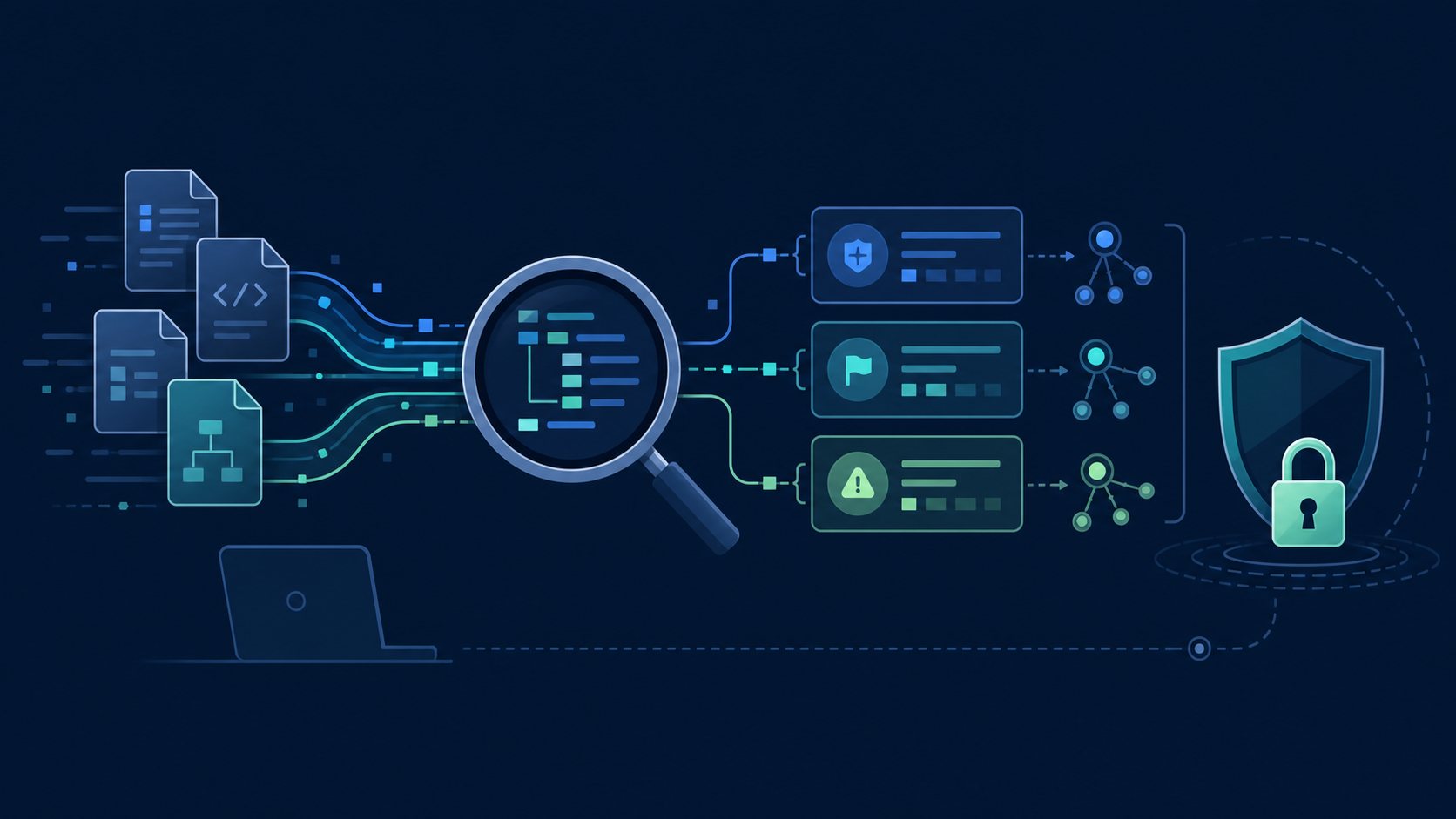
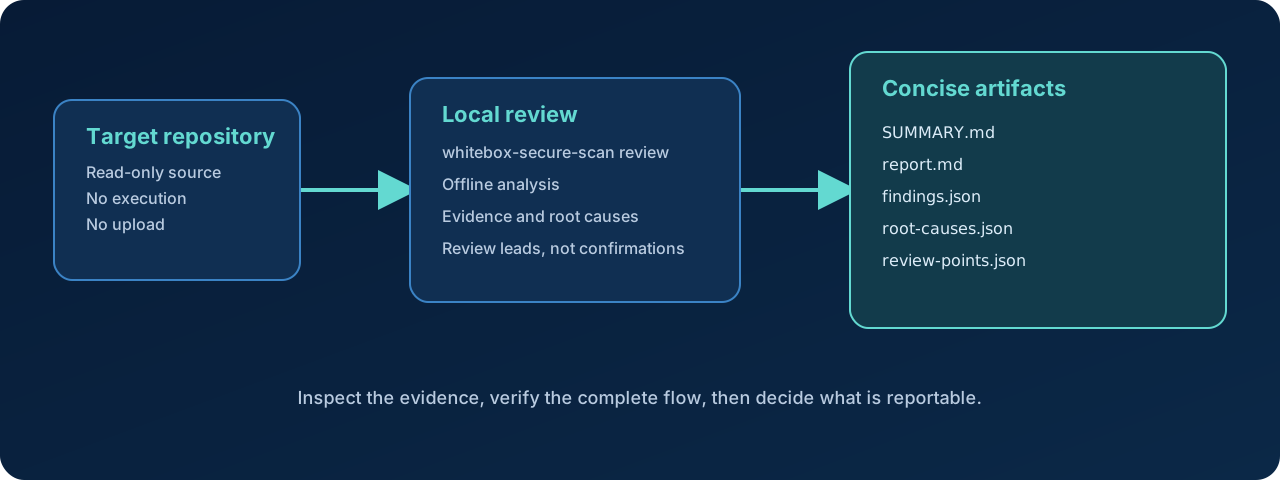
The analysis stays local: source enters a bounded review pipeline, evidence is grouped for a human reviewer, and no source is sent to an external service.
Quick start
Run the latest published package without installing it globally:
uvx whitebox-secure-scan@latest version
uvx whitebox-secure-scan@latest review /path/to/repository \
  --output ./whitebox-results
Keep the output directory outside the target repository. The scanner reads target source locally, does not execute it, and does not modify it.
Installation
Run with uvx — recommended
uvx runs the published package in an isolated environment and does not require a permanent installation.
uvx whitebox-secure-scan@latest version
uvx whitebox-secure-scan@latest --help
uvx whitebox-secure-scan@latest review /path/to/repository \
  --output ./whitebox-results
uvx whitebox-secure-scan@1.0.1 version
Install with pip
python3 -m venv .venv
source .venv/bin/activate
python3 -m pip install whitebox-secure-scan
whitebox-secure-scan version
whitebox-secure-scan review /path/to/repository \
  --output ./whitebox-results
Upgrade an existing installation with:
python -m pip install --upgrade whitebox-secure-scan
The package supports Python 3.11 and newer. uvx and pip use the published PyPI package; no repository checkout is required for normal use.
Optional parsing dependencies
The core scanner works without optional parsers. Install the local parsing extras when you want the additional parser support:
python -m pip install "whitebox-secure-scan[parsing]"
What you get
The normal review command writes a concise, reviewer-first result set:
| File | Purpose |
|---|---|
SUMMARY.md |
Fast overview of root causes, locations, and scope |
report.md |
Detailed evidence and verification guidance |
findings.json |
Normalized finding instances for automation |
root-causes.json |
Related instances grouped for efficient review |
review-points.json |
Lower-confidence items that need context |
Advanced compatibility commands can also produce inventory, routes, metadata, SARIF, and a bounded internal-AI handoff package.
Local result files from supported tools can be imported without executing them:
whitebox-secure-scan review /path/to/repository \
  --import-result semgrep=/path/to/semgrep.json \
  --output ./whitebox-results
Supported import formats include Semgrep, Gitleaks, Bandit, gosec, and FindSecBugs. Imported results retain the external tool and rule IDs and are still review candidates.
What it does—and does not do
| It does | It does not |
|---|---|
| Scan Python, JavaScript/TypeScript, Java, and Go source locally | Execute application code, tests, builds, migrations, or package scripts |
| Identify security review leads and review points | Claim that a finding is exploitable or confirmed |
| Preserve file, line, source, sink, and proof-gap context | Replace manual code review or a penetration tester |
| Group related evidence into root causes | Upload source, findings, telemetry, or analytics |
| Work offline by default | Call external AI services or download rules during a scan |
Safety boundaries
The scanner is designed for controlled white-box review:
- Offline operation is enabled by default.
- Target repositories are treated as read-only.
- Repository code and commands are never executed.
- External scanners are disabled unless explicitly enabled and already installed locally.
- Output paths are safety-checked and should be outside the target repository.
- Symlinks that escape the target are not followed.
- Secrets are redacted by default and snippets are bounded.
- No source code or scan results are sent to a cloud service.
Only scan repositories you are authorized to review.
Supported languages
- Python
- JavaScript and TypeScript, including common Node.js and frontend patterns
- Java, including common Spring-oriented patterns
- Go
Framework evidence is reported only when it is observable in the repository. Static analysis is intentionally conservative: incomplete flows remain review leads or review points.
When the optional parsing extra is installed, the parser layer can use local Tree-sitter grammars for JavaScript, TypeScript, Java, and Go. Without it, the scanner uses a structured lexical fallback. The code graph is bounded to observable declarations, routes, and calls; it is not complete whole-program interprocedural taint analysis.
Typical workflow
Scan locally
    ↓
Read SUMMARY.md and grouped root causes
    ↓
Inspect the referenced file and line
    ↓
Verify the complete flow manually
    ↓
Write the approved security finding, if confirmed
Development installation
Use this section only when contributing to the project or running its synthetic test suite:
git clone https://github.com/Waariss/whitebox-secure-scan.git
cd whitebox-secure-scan
python3 -m venv .venv
source .venv/bin/activate
python -m pip install -e ".[dev]"
pytest -q
ruff check .
ruff format --check .
mypy src
Tests use synthetic fixtures. Do not point the test suite or examples at repositories you do not own or have permission to review. See CONTRIBUTING.md and the technical reference.
Documentation and support
License
Apache License 2.0. See LICENSE.
1 maintainer

Metadata
1 maintainer
Release files for whitebox-secure-scan 1.1.0
For a detailed explanation of source distributions (sdists) and built distributions (wheels), please see the package formats documentation.
Source distribution (sdist)
| File | Size | Uploaded | |
|---|---|---|---|
| whitebox_secure_scan-1.1.0.tar.gz | 49.5 kB | Details |
Built distribution (wheel)
| File | Interpreter | ABI | Platform | Reset |
|---|---|---|---|---|
| whitebox_secure_scan-1.1.0-py3-none-any.whl | Python 3 | none | any | Details |
Total release size: 100.3 kB
Release files / whitebox_secure_scan-1.1.0.tar.gz
| Download URL | whitebox_secure_scan-1.1.0.tar.gz |
|---|---|
| Size | 49.5 kB |
| Tags | Source |
|
SHA-256 checksum How to use checksums |
5db324920268b229ea9ec1e602a6436feb006442bf5384263373f33b5d79ea46
|
|
BLAKE2b-256 checksum How to use checksums |
f564086d75485d2bbd93b7463bf44045b356013f5d1d2d019e335e9be23cb59f
|
| Upload date | |
|
Uploaded using Trusted Publishing? What is trusted publishing? |
Yes |
| Uploaded via |
twine/6.1.0 CPython/3.13.14
|
Provenance
Provenance describes where a file came from. On PyPI, provenance is shared via attestations, which provide a verifiable record of the build or publishing details. View details, limitations and caveats.


PyPI Publish Attestation
PyPI verified that this artifact, at this checksum, originated from the publisher listed below.
Signed by GitHub Actions, verified by PyPI on Jul 20, 2026.
Transparency logRelease files / whitebox_secure_scan-1.1.0-py3-none-any.whl
| Download URL | whitebox_secure_scan-1.1.0-py3-none-any.whl |
|---|---|
| Size | 50.8 kB |
| Tags | Python 3 |
|
SHA-256 checksum How to use checksums |
edbfcb5c29ac5ebda7ef83be55abb27c467d606a32255fbd1a3b0c1bf3df673d
|
|
BLAKE2b-256 checksum How to use checksums |
226960b310eab0b3c3cad29b0e0242946f061c69edd3c9e634bb40efd89a94d3
|
| Upload date | |
|
Uploaded using Trusted Publishing? What is trusted publishing? |
Yes |
| Uploaded via |
twine/6.1.0 CPython/3.13.14
|
Provenance
Provenance describes where a file came from. On PyPI, provenance is shared via attestations, which provide a verifiable record of the build or publishing details. View details, limitations and caveats.
PyPI Publish Attestation
PyPI verified that this artifact, at this checksum, originated from the publisher listed below.
Signed by GitHub Actions, verified by PyPI on Jul 20, 2026.
Transparency log













