
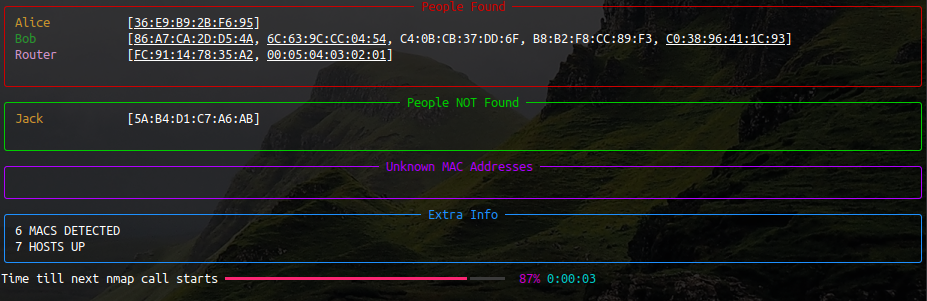
A simple python CLI dashboard which uses nmap to help you keep track of who's on your network (made beautiful with the python library 'rich').

Project description
WhoIsHome
A simple Python CLI dashboard which uses nmap to help you keep track of who's on your network (made beautiful with the python library rich).
-
Install nmap.
-
Install using pip:
pip install whoishome -
Add MAC addresses:
whoishome --add Jack=DE:FA:CE:D1:23:45 -
Learn more about how to use it:
whoishome --help -
Run it:
whoishome --subnet 192.168.0.1/24
Release history Release notifications | RSS feed


Download files
Download the file for your platform. If you're not sure which to choose, learn more about installing packages.
Source Distribution
whoishome-0.0.13.tar.gz
(4.3 kB
view details)
File details
Details for the file whoishome-0.0.13.tar.gz.
File metadata
- Download URL: whoishome-0.0.13.tar.gz
- Upload date:
- Size: 4.3 kB
- Tags: Source
- Uploaded using Trusted Publishing? No
- Uploaded via: twine/4.0.0 CPython/3.7.0
File hashes
| Algorithm | Hash digest | |
|---|---|---|
| SHA256 |
fb4c448f5f55d64dcdd86b4a4e94327ff12f6b7b22c83d59ef11e80bf6ad6404
|
|
| MD5 |
e476726c8f45056d3aaa7a44e3dc6d5e
|
|
| BLAKE2b-256 |
e7f5458bd75732daef8f1643922daa4d42fc6c5035e74372f53f032286e4b4bd
|






