



whydatApp (why?)
Ever install something, then months later wonder why it's on your machine?
why? catches every package manager install (and supported uninstalls) (brew, npm, pip, cargo, apt, …) right as it happens via a lightweight shell hook, then prompts you to jot down what the tool is for, which project needed it, whether it's worth keeping, and what to do with it later. It also captures a short command-history snippet for context (redacted for secrets) so you can reconstruct what led up to an install. Everything stays in a local SQLite database — nothing is sent anywhere. Browse, search, filter, and export your install history through a built-in web UI, or right from the terminal.
What you can answer with why?:
- What do I have installed? — Full inventory across all package managers in one place
- Why did I install this? — Context captured at install time, while you remember
- Which project needed it? — Auto-inferred from your working directory
- Is this still useful? — Mark tools as experimental, for removal, or permanent docs
- What's taking up space? — See resolved install paths and identify candidates to uninstall
- Did I ever install X? — Search by name, command, or description — find it instantly
- Did I ever remove X? — Uninstalls are captured too; removed entries stay in your history
- What led up to this install? — See the recent commands that ran before it (with secret redaction)
- What should I clean up? — Review queue surfaces incomplete entries and stale experimental installs
- How do I set up this project elsewhere? — Export your setup dependencies to Markdown or JSON
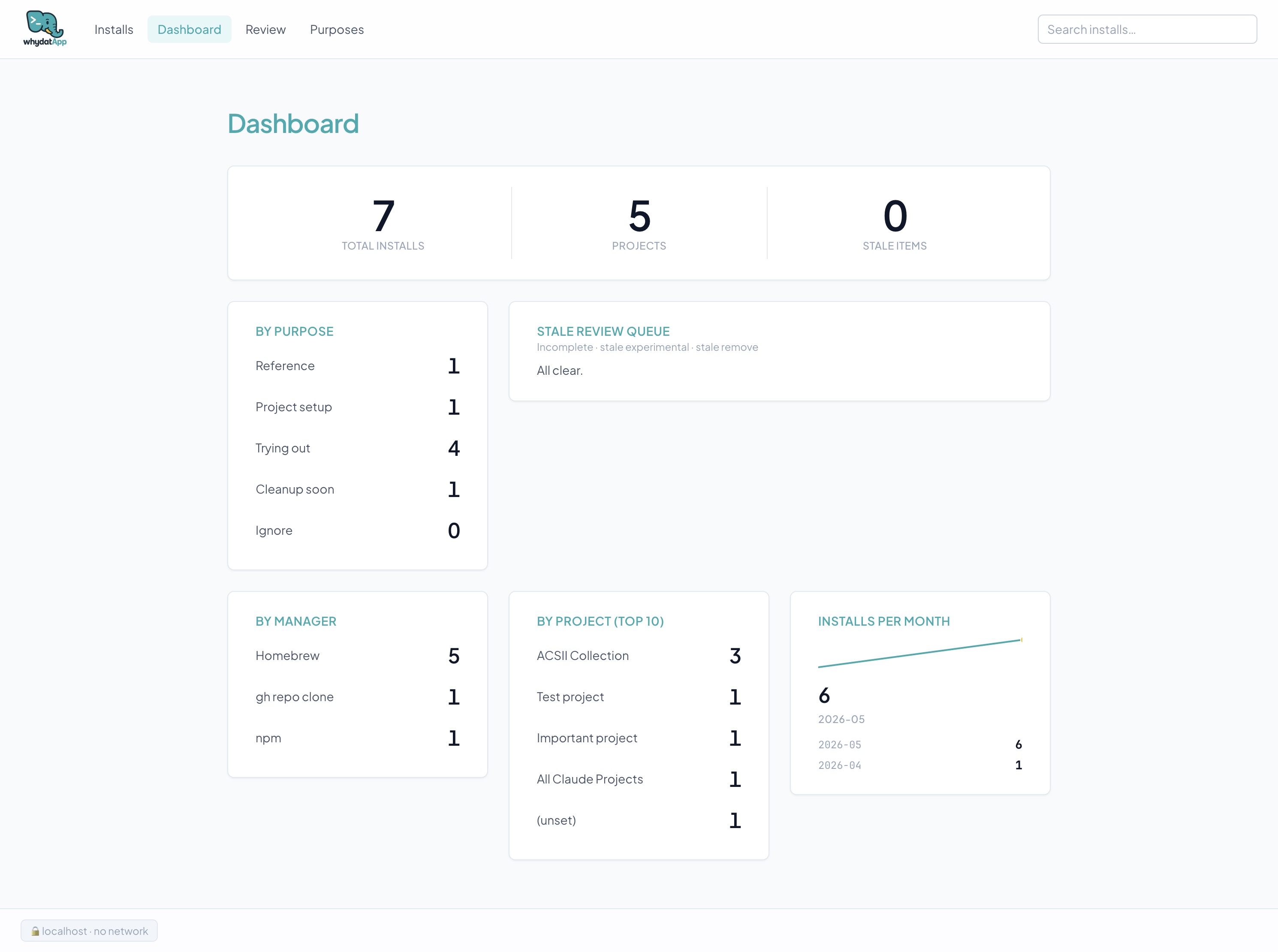
- Which managers do I use most? — Dashboard shows install trends by manager, project, and month
Screenshots
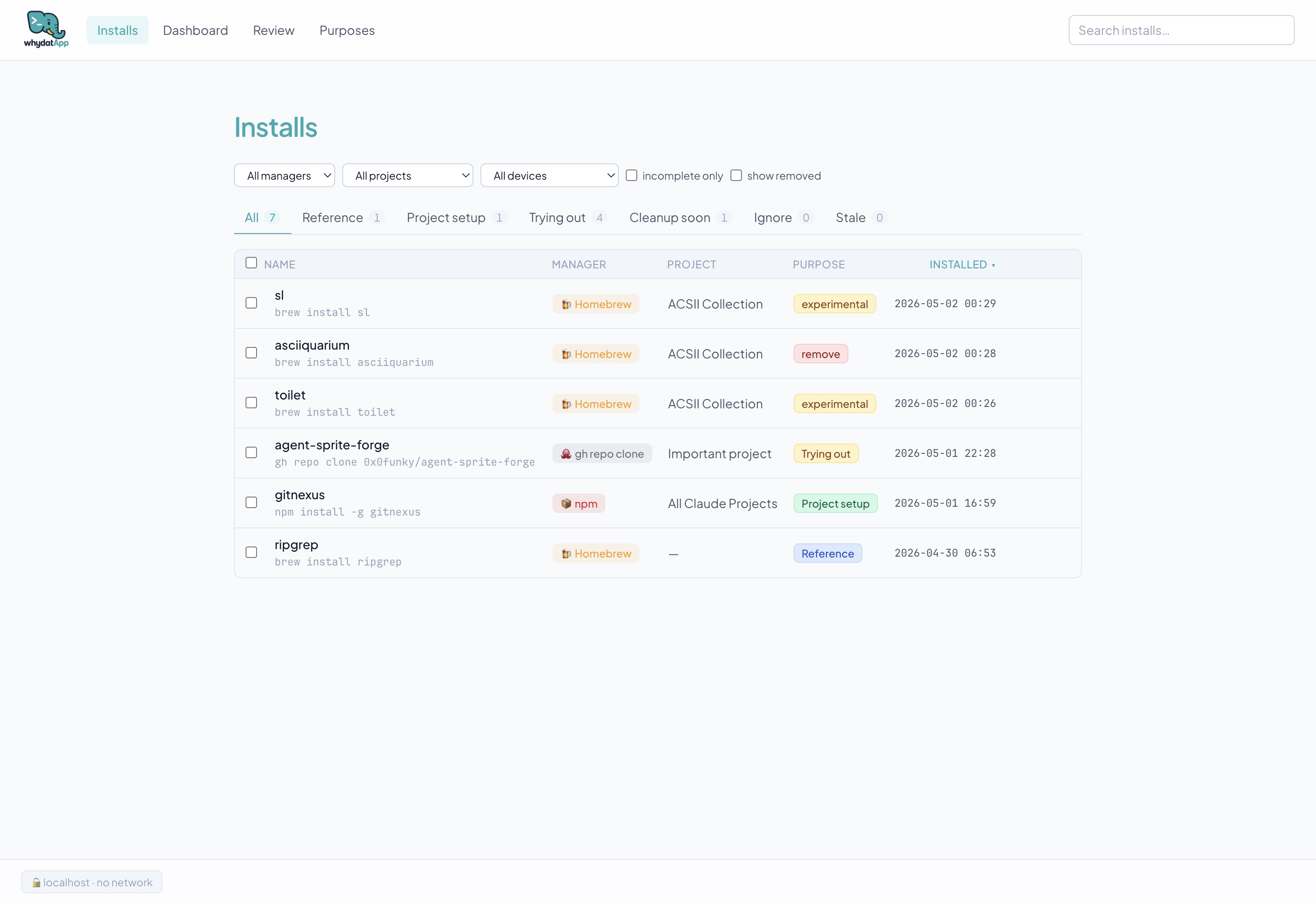
Browse and filter your full install history in the web UI:
The dashboard shows installs by purpose, manager, project, and trend over time:
More screenshots — edit modal, purposes, CLI
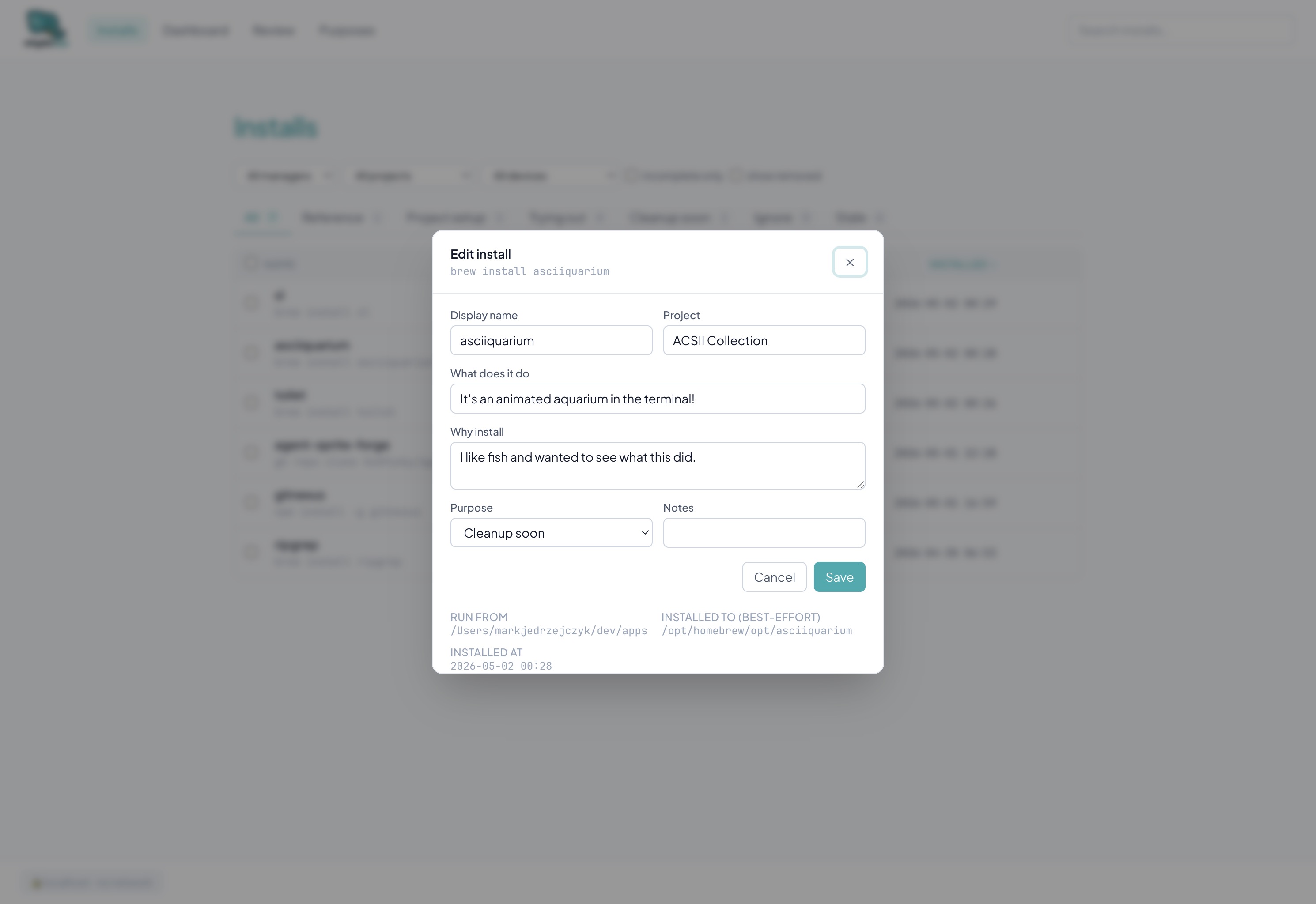
Edit any entry directly in the web UI:
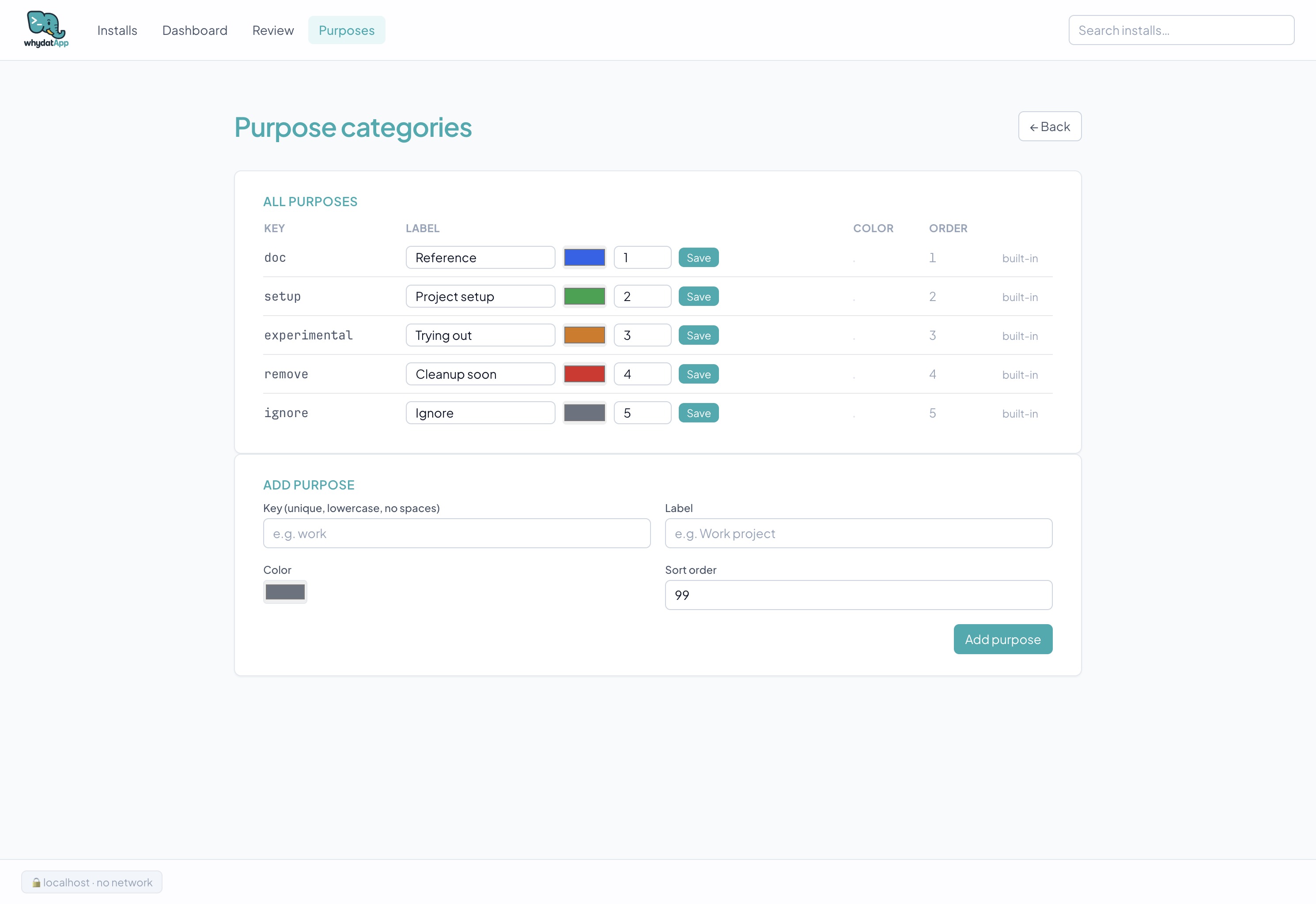
Customize or add your own purpose categories:
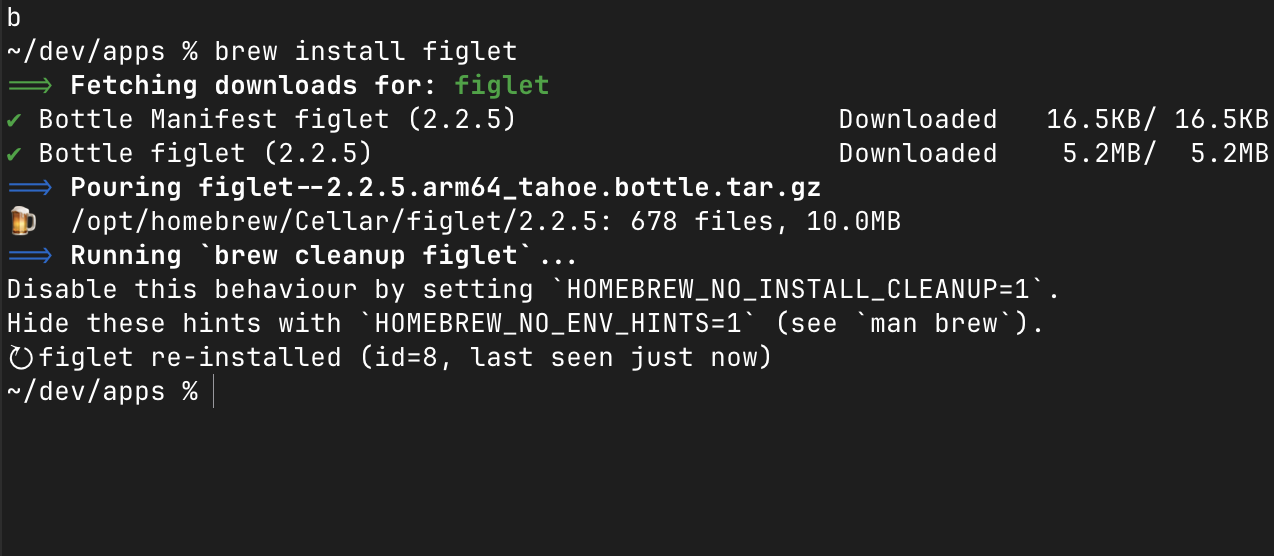
why show — full details for a single install:
Install
From PyPI (recommended):
uv tool install 'why-cli[web]'   # or: pipx install 'why-cli[web]'
why init                          # interactive setup; edits your shell rc
With Homebrew (macOS/Linux):
brew tap nostoi/why
brew trust --tap nostoi/why      # Homebrew 6 requires this for any third-party tap
brew install why-cli
why init
The formula includes the web UI. Tap source: Nostoi/homebrew-why.
From source (for development or pre-release):
git clone https://github.com/Nostoi/whydatapp.git
cd whydatapp
uv tool install --editable '.[web]'
why init
Restart your shell, then try brew install ripgrep (or any tracked manager).
To upgrade:
uv tool upgrade why-cli # or: pipx upgrade why-cli
That's it. Schema migrations, new config keys, and the shell hook in ~/.why/ all
catch up on their own the next time you run any why command. If the hook was
refreshed you'll be told to start a new shell — nothing is restarted for you.
Full install instructions, including building from a wheel: Install guide.
Quick reference
| Command | What it does |
|---|---|
why init |
Interactive first-run setup |
why |
Show help and the available subcommands |
why log -- <cmd> |
Manually log an install |
why review |
Drain the skipped/incomplete review queue |
why list |
Print installs as a table |
why show <id> |
Show full details for one entry |
why follow |
Record a terminal task transcript |
why recall |
Save recent command history as a transcript |
why sessions |
View transcripts and manually summarize them |
why llm |
Configure optional LLM task recaps |
why delete <id> |
Soft-delete an entry |
why export |
Export to Markdown or JSON |
why purposes |
Manage purpose categories |
why serve |
Open the local web UI at 127.0.0.1:7873 |
why uninstall |
Remove the hook (and optionally the data) |
Detailed usage with examples: Usage guide.
Documentation
- Install — Requirements, install paths (PyPI / source / wheel), what
why initdoes, uninstall. - Usage — Every CLI subcommand with examples.
- Web UI — Walkthrough of the local web interface.
- Configuration —
~/.why/*.tomlfiles, env vars, ignore rules. - Troubleshooting — Hook not firing, prompt missed, address-in-use, restoring data, filing bugs.
- Development — Clone, set up, run tests, build the wheel, project layout, contribute.
- Changelog — Release history.
- Roadmap — What's shipped and what's next, in priority order with the reasoning.
Privacy
- All data lives in
~/.why/data.dbunless you explicitly runwhy sessions summarizeor click Summarize in the web UI. Both surfaces enforceconfirm_before_send: with the defaultremotepolicy, anything leaving the machine is confirmed first, and the web UI names the endpoint, model, and command count before you approve. - Recorded transcripts can be removed —
why sessions delete <id>hides one,--purgeerases it and its commands and summaries. - The web UI binds to
127.0.0.1only. - All static assets vendored locally — no CDN, no Google Fonts, no analytics.
- The shell hook ignores any install triggered by another tracked installer (no false positives from
brewresolving deps). - LLM summaries are opt-in. Command text is redacted on a best-effort basis before storage and before LLM submission, but review payloads with
why sessions summarize <id> --print-payloadwhen privacy matters.
License
1 maintainer

Metadata
1 maintainer
Release files for why-cli 2.3.9
For a detailed explanation of source distributions (sdists) and built distributions (wheels), please see the package formats documentation.
Source distribution (sdist)
| File | Size | Uploaded | |
|---|---|---|---|
| why_cli-2.3.9.tar.gz | 3.7 MB | Details |
Built distribution (wheel)
| File | Interpreter | ABI | Platform | Reset |
|---|---|---|---|---|
| why_cli-2.3.9-py3-none-any.whl | Python 3 | none | any | Details |
Total release size: 5.1 MB
Release files / why_cli-2.3.9.tar.gz
| Download URL | why_cli-2.3.9.tar.gz |
|---|---|
| Size | 3.7 MB |
| Tags | Source |
|
SHA-256 checksum How to use checksums |
554be289a807a822c71a9930471fa7db72934ac86d406505a81660866c21c920
|
|
BLAKE2b-256 checksum How to use checksums |
0d34f53ea572f189da178ff1d4b4e8f106718f62e20c264ea5f5dacdd3a0060a
|
| Upload date | |
|
Uploaded using Trusted Publishing? What is trusted publishing? |
Yes |
| Uploaded via |
twine/7.0.0 CPython/3.13.14
|
Provenance
Provenance describes where a file came from. On PyPI, provenance is shared via attestations, which provide a verifiable record of the build or publishing details. View details, limitations and caveats.


PyPI Publish Attestation
PyPI verified that this artifact, at this checksum, originated from the publisher listed below.
Signed by GitHub Actions, verified by PyPI on Aug 9, 2026.
Transparency logRelease files / why_cli-2.3.9-py3-none-any.whl
| Download URL | why_cli-2.3.9-py3-none-any.whl |
|---|---|
| Size | 1.5 MB |
| Tags | Python 3 |
|
SHA-256 checksum How to use checksums |
10428e4e40216ce481aa598a704bfd6d2573ad70f08aaad58b40da94d678e905
|
|
BLAKE2b-256 checksum How to use checksums |
9f3bd0fe3908976bca642a0afdb79f84bd7157a1b9b72386e8a45be74696cb5b
|
| Upload date | |
|
Uploaded using Trusted Publishing? What is trusted publishing? |
Yes |
| Uploaded via |
twine/7.0.0 CPython/3.13.14
|
Provenance
Provenance describes where a file came from. On PyPI, provenance is shared via attestations, which provide a verifiable record of the build or publishing details. View details, limitations and caveats.
PyPI Publish Attestation
PyPI verified that this artifact, at this checksum, originated from the publisher listed below.
Signed by GitHub Actions, verified by PyPI on Aug 9, 2026.
Transparency log













