
Apply mica background (if supported) and immersive dark mode to Windows 11 Win32 apps made with python, such as Tkinter or PyQt/PySide apps

Project description





Win32mica: A simple module to add the Mica effect and enable immersive dark mode on Python UI Windows
The aim of this project is to apply the Mica effect and enable immersive dark mode on python applications made with Python, like Tkinter, PyQt/PySide, WxPython, Kivy, etc.
This will work on any windows version, including the new released dev builds where the mica API is public.
View this project on PyPi View this project on GitHub
Installation:
python -m pip install win32mica
Requirements:
- Windows 11
- A window set to not have a transparent background and to have extended composition enabled* (It might work with other settings, but nothing is guaranteed.)
- The HWND (identifier) of that window. More info: what is a hwnd?
- OPTIONAL: The window must have semi-transparent widgets/controls in order to recreate the transparency effect on the controls.
- OPTIONAL: Know if Windows has dark or light mode enabled. This can be checked with the
darkdetectmodule
Usage:
#####################################################################
#                                                                   #
# Those examples are oversimplified, please see the examples folder #
# for detailed usage with each UI library.                          #
#                                                                   #
#####################################################################

hwnd = qtwindow.winId().__int__() # On a PyQt/PySide window
hwnd = tkwindow.frame() # On a tkinter window
# You'll need to adjust this to your program

from win32mica import MICAMODE, ApplyMica

mode = MICAMODE.DARK  # Dark mode mica effect
mode = MICAMODE.LIGHT # Light mode mica effect
# Choose one of them following your app color scheme

import darkdetect # You can pass the darkdetect return value directly, since the ColorMode accepts bool values (True -> dark, False -> light)
mode = darkdetect.isDark()

win32mica.ApplyMica(hwnd, mode)
# Will return 0x32 if the system does not support Mica textures (Windows 10 or less). Immersive dark mode will still be applied (if selected theme is MICAMODE.DARK)
# Will return 0x00 if mica is applied successfully
# If DwmSetWindowAttribute fails, the output code will be returned
You can check out the examples folder for detailed use in Tk and PySide/PyQt.
Result:
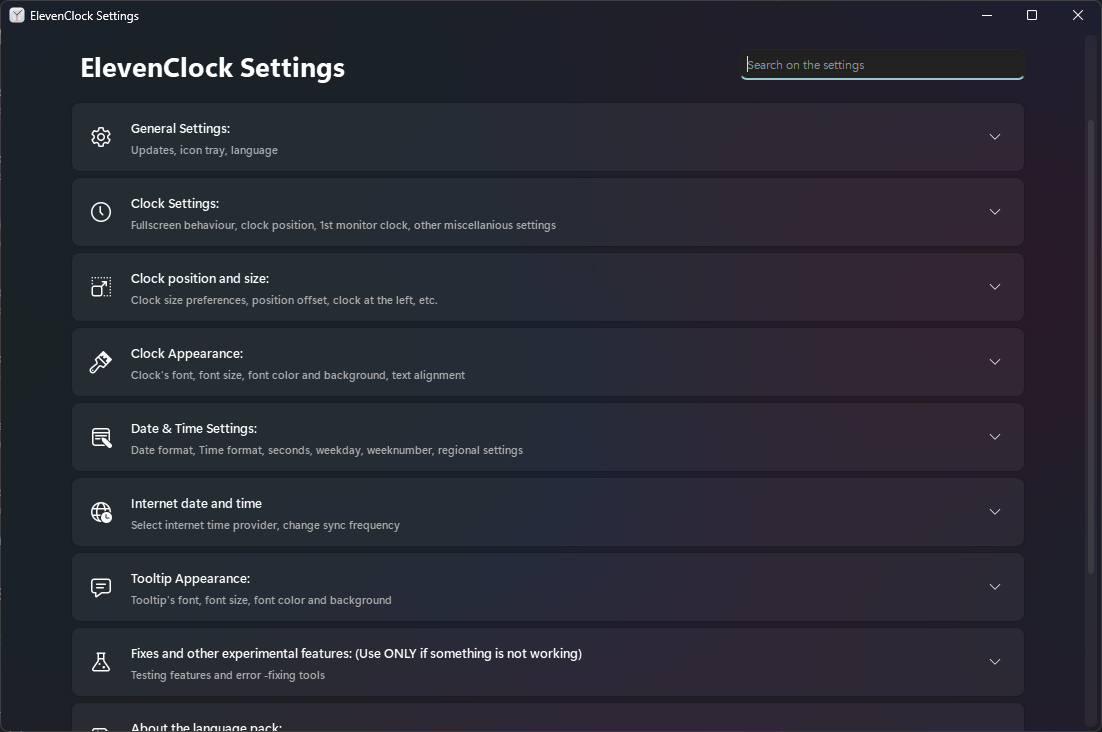
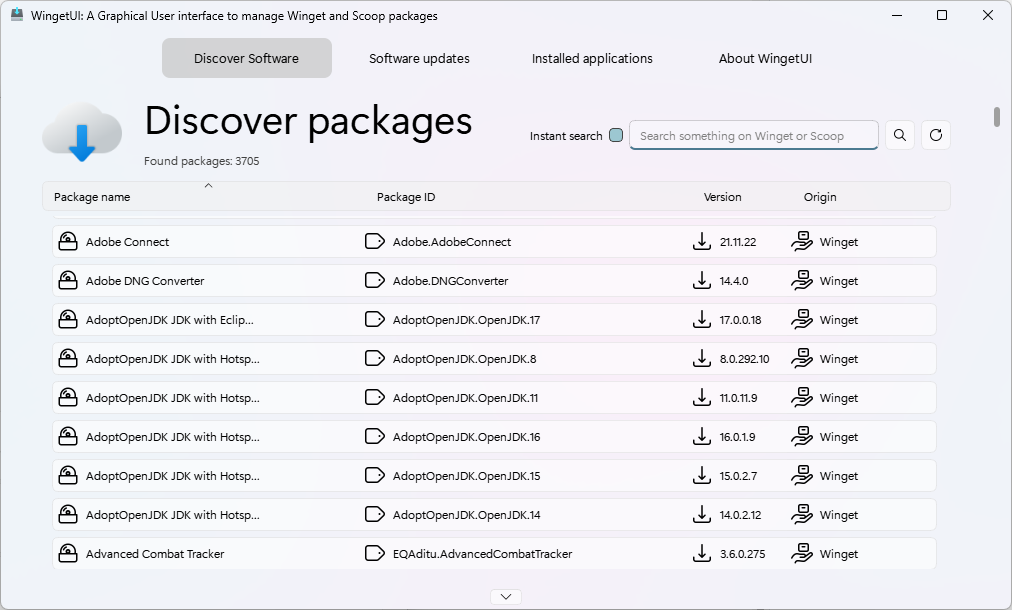
Those are PySide2 windows with custom widgets.
Troubleshooting:
For more information about possible errors/mistakes, make sure to add the following before using win32mica:
# Add these lines at the very start of your script
import win32mica
win32mica.debugging = True


Download files
Download the file for your platform. If you're not sure which to choose, learn more about installing packages.
Source Distribution
Built Distribution
Filter files by name, interpreter, ABI, and platform.
If you're not sure about the file name format, learn more about wheel file names.
Copy a direct link to the current filters
File details
Details for the file win32mica-1.8.tar.gz.
File metadata
- Download URL: win32mica-1.8.tar.gz
- Upload date:
- Size: 5.0 kB
- Tags: Source
- Uploaded using Trusted Publishing? No
- Uploaded via: twine/4.0.2 CPython/3.9.16
File hashes
| Algorithm | Hash digest | |
|---|---|---|
| SHA256 |
84991c7818630620ebb64d26af29ee27448171af47e1050ad05a84704b893958
|
|
| MD5 |
0d778bc619745556370872ce8d9c3589
|
|
| BLAKE2b-256 |
dccc115123cf4bd7aecd2b9a7aa3d02d4daefd20726423ff0aafefb2e291589a
|
File details
Details for the file win32mica-1.8-py3-none-any.whl.
File metadata
- Download URL: win32mica-1.8-py3-none-any.whl
- Upload date:
- Size: 5.0 kB
- Tags: Python 3
- Uploaded using Trusted Publishing? No
- Uploaded via: twine/4.0.2 CPython/3.9.16
File hashes
| Algorithm | Hash digest | |
|---|---|---|
| SHA256 |
72f55fa8a6af4ab8194b61ae40eb51e0d567c9df4cb865d9c8ba6d1755cc2270
|
|
| MD5 |
2d72df6cc075dc4d29efa3e82bc15a50
|
|
| BLAKE2b-256 |
9d81b6022bc4ffdbe451c16b54df8dcfa1fdaf68e57298c29e396ffe724fbd15
|






