

winaccent








A simple and lightweight Python module for easily retrieving Windows' accent color, including shades, specific window chrome colors such as active/inactive titlebar and window borders and theme. Supports Windows 8.x, 10 and 11 and doesn't require additional dependencies.
📦 Installation
Run this command in your terminal:
pip install winaccent
To update the module, run this command:
pip install --upgrade winaccent
📝 Requirements
- Windows 8.0 or newer
- Python 3.6 or newer
📜 Documentation
import sys

if sys.platform == "win32":
    import winaccent
    print(winaccent.accent_normal)
If you're using a Python version that supports Windows versions older than 8.0 (Python 3.8 and older), use the following example:
Show the code
import sys

if sys.platform == "win32":
    # Get Windows version (major.minor)
    version = sys.getwindowsversion()
    current_version = float(f"{version.major}.{version.minor}")

    # Check if the Windows version is greater than or equal to 6.2 (Windows 8)
    # Windows 8.1 will return 6.3 and Windows 10 and 11 will return 10.0
    if current_version >= 6.2:
        import winaccent
        print(winaccent.accent_normal)
Get a specific accent color
For simplicity, you can get a specific accent color from one of the following variables:
| Variable | Color |
|---|---|
| accent_dark_mode (or accent_light) |
 #4CC2FF |
| accent_normal |  #0078D4 |
| accent_light_mode (or accent_dark) |
 #0067C0 |
If you need a different shade, you can get it from one of these variables:
| Variable | Color | Variable | Color |
|---|---|---|---|
| accent_light_3 |  #99EBFF |
accent_dark_1 | #0067C0 |
| accent_light_2 | #4CC2FF |
accent_dark_2 |  #003E92 |
| accent_light_1 |  #0091F8 |
accent_dark_3 |  #001A68 |
| accent_normal | #0078D4 |
You can get the accent color used in lockscreen, UAC (Windows 10), welcome screen and start menu (Windows 8.x) and other elements using accent_menu variable (usually it's the same color as accent_normal, but can be modified in the registry).
Example:
import winaccent

print(winaccent.accent_light_mode) # Prints the light mode accent color
You may want to take a look at Microsoft's accent color guidelines. You can do that here.
Get active/inactive titlebar color or window border color
You can get the active titlebar color from titlebar_active variable and the inactive titlebar color from titlebar_inactive. The window border color can be obtained from window_border variable.
You can also check if colored titlebars are enabled using is_titlebar_colored boolean.
Get apps or system theme
This module also allows you to check if the apps or system use the light theme or not using the apps_use_light_theme and system_uses_light_theme booleans. The difference between them is that apps_use_light_theme is used to check the apps' theme and system_uses_light_theme is used to check the theme of some system components, such as the taskbar, Start menu and others. Here's an example:
import winaccent

if winaccent.apps_use_light_theme:
    print("Apps use light theme")
else:
    print("Apps use dark theme")

if winaccent.system_uses_light_theme:
    print("System uses light theme")
else:
    print("System uses dark theme")
Update values
The colors and settings values provided by this module can be updated manually using the update_values() function. This function will retrieve them again.
Convert HEX color string to RGB tuple
This module has a function that allows you to convert a HEX color string to an RGB tuple. Useful if the GUI toolkit you're using expects using RGB tuples as colors instead of HEX string colors.
The function that does this is hex_to_rgb() and takes hex as an argument, where hex is the hex string color you want to convert to an RGB tuple. Here's how you can use it:
import winaccent

# Prints (0, 120, 212) instead of #0078D4
print(winaccent.hex_to_rgb(winaccent.accent_normal))

# Prints (255, 255, 255) instead of #FFFFFF
print(winaccent.hex_to_rgb("#FFFFFF"))
Appearance change listener
This module allows you to add a listener that will call a specific function when the accent color, active/inactive titlebar color, window border color or system theme changes. Here's how you can add it:
import winaccent, threading

# Replace `callback` with the function that you want to be called
thread = threading.Thread(target = lambda: winaccent.on_appearance_changed(callback), daemon = True)
thread.start()
💻 Demo
To see a demo, run the following command in your terminal (winaccent must be installed):
python -m winaccent
This command has an optional --mode argument. It can take the following values:
| Value | Info |
|---|---|
| gui | Shows a GUI demo. The GUI demo responds to accent color changes. |
| console | Shows a console demo. The console demo does not respond to accent color changes. |
| auto | If tkinter is installed and works correctly, a GUI demo will be shown. If that's not the case, a console demo will be shown. |
Example usage:
python -m winaccent --mode gui
The command will run with --mode set to auto by default.
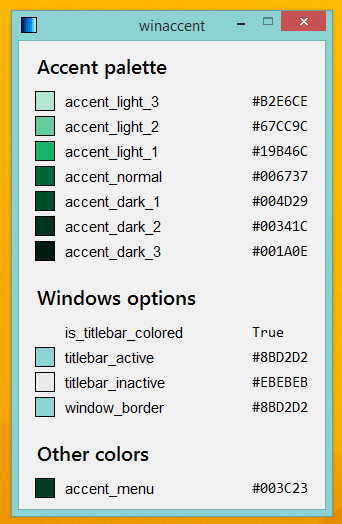
Show GUI demo screenshots
| Windows version | Default colors & settings | Modified colors & settings |
|---|---|---|
| Windows 11 | 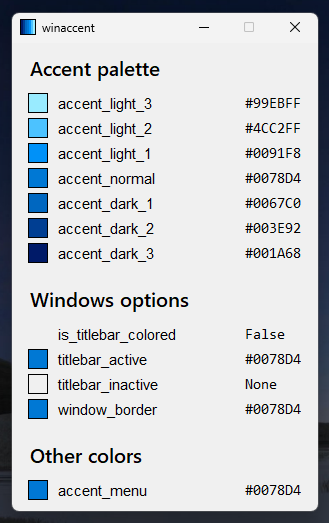 |
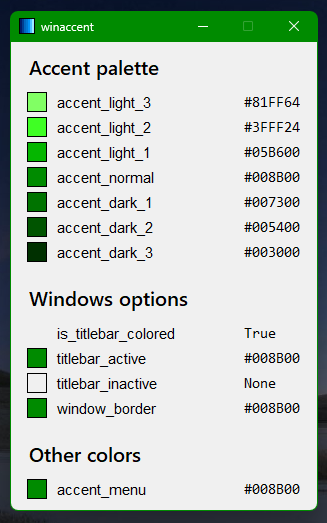 |
| Windows 10 | 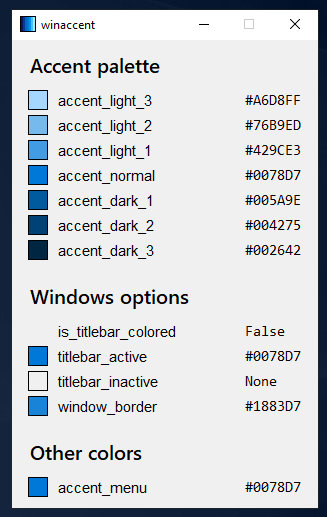 |
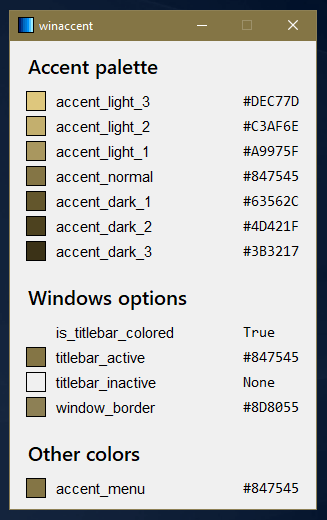 |
| Windows 8 | 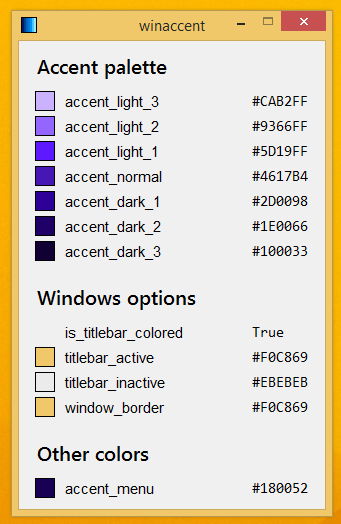 |
 |
Show console demo output
Accent palette
==============

accent_light_3:           #99EBFF
accent_light_2:           #4CC2FF
accent_light_1:           #0091F8
accent_normal:            #0078D4
accent_dark_1:            #0067C0
accent_dark_2:            #003E92
accent_dark_3:            #001A68


Windows options
===============

is_titlebar_colored:      False
titlebar_active:          #0078D4
titlebar_inactive:        None
window_border:            #0078D4


System theme
============

apps_use_light_theme:     False
system_uses_light_theme:  False


Other colors
============

accent_menu:              #0078D4
🤩 Feedback
If you found a bug or want to make a suggestion, open a new issue. If you're ready to add a new feature or fix a bug, pull requests are welcome.
If you found this module useful, please consider starring this repository.
1 maintainer

Metadata
1 maintainer
Release files for winaccent 2.1.0
For a detailed explanation of source distributions (sdists) and built distributions (wheels), please see the package formats documentation.
Source distribution (sdist)
| File | Size | Uploaded | |
|---|---|---|---|
| winaccent-2.1.0.tar.gz | 18.6 kB | Details |
Built distribution (wheel)
| File | Interpreter | ABI | Platform | Reset |
|---|---|---|---|---|
| winaccent-2.1.0-py3-none-any.whl | Python 3 | none | any | Details |
Total release size: 35.7 kB
Release files / winaccent-2.1.0.tar.gz
| Download URL | winaccent-2.1.0.tar.gz |
|---|---|
| Size | 18.6 kB |
| Tags | Source |
|
SHA-256 checksum How to use checksums |
ced57c42ae0ce768ee45ca6d38bc3cc3a80603eddbc6ce4d8597275a9d296fa1
|
|
BLAKE2b-256 checksum How to use checksums |
82cc5e65bcec8918da4e1758da8220ef1029a77eda5e316db695c3c6a9a0a182
|
| Upload date | |
|
Uploaded using Trusted Publishing? What is trusted publishing? |
No |
| Uploaded via |
twine/5.1.1 CPython/3.11.9
|
Release files / winaccent-2.1.0-py3-none-any.whl
| Download URL | winaccent-2.1.0-py3-none-any.whl |
|---|---|
| Size | 17.0 kB |
| Tags | Python 3 |
|
SHA-256 checksum How to use checksums |
91595b7a1586a37332590744fba6028130f06291ff0c302bca56779edb9ace42
|
|
BLAKE2b-256 checksum How to use checksums |
2ed70f2a069e8c6f5f279b3136e1e02f479a1e742ad7a03b16182e9d540129b2
|
| Upload date | |
|
Uploaded using Trusted Publishing? What is trusted publishing? |
No |
| Uploaded via |
twine/5.1.1 CPython/3.11.9
|














