
Capture screen from background windows and adb (Windows only)
pip install windows-adb-screen-capture


# If you get the following error during the installation

#       ModuleNotFoundError: No module named 'win32.distutils.command'

#       [end of output]

#

#   note: This error originates from a subprocess, and is likely not a problem with pip.

# error: subprocess-exited-with-error

#

# Try this:


pip install windows-adb-screen-capture --no-deps

pip install pywin32

pip install mss

pip install pandas

pip install opencv-python
Update 2022/11/10
Faster ADB screenshots
Update 2022/11/04
-
Screenshots can now be resized for imshow
-
Screenshots can be taken from the whole screen, and even multiple screens
-
Bugfix: Closing and reopening imshow is working now
from windows_adb_screen_capture import ScreenShots

sc2 = ScreenShots()

sc2.set_resize_ratio(50).choose_monitor_for_screenshot(0).imshow_screenshot_monitor() #0 for all screens, 1 for screen 1, 2 for screen 2...
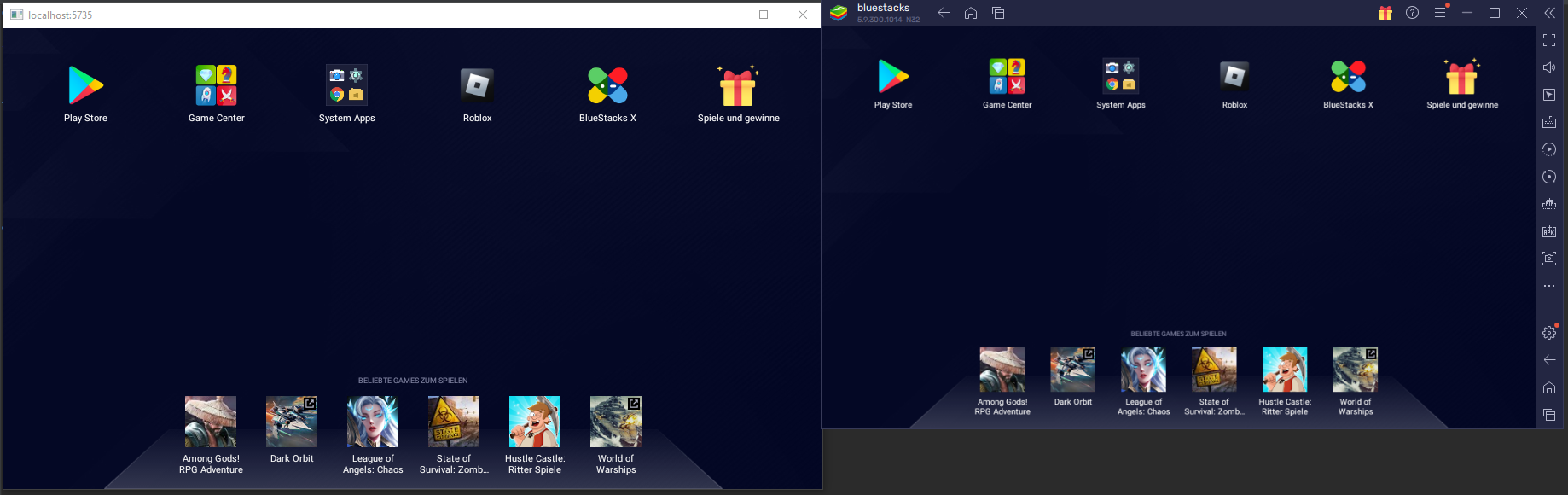
Example with BlueStacks (using adb)
Open bluestacks
$adb connect localhost:5735  #connect to adb from shell or however you want

from windows_adb_screen_capture import ScreenShots

sc=ScreenShots(hwnd=None, adb_path=r"C:\ProgramData\adb\adb.exe", adb_serial='localhost:5735')

sc.imshow_adb(sleep_time=0.05, quit_key="e") #show captured screen
Edit screenshots before showing
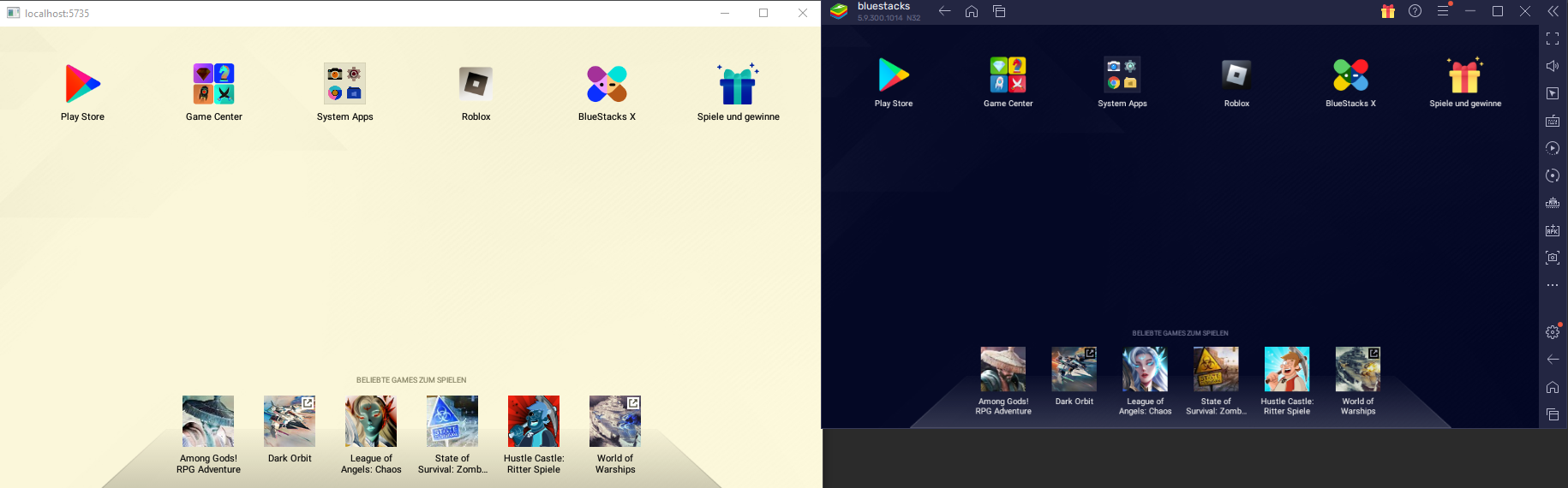
import cv2

sc.enable_show_edited_images()


for x in range(120): #while True for endless loop

    tmpscreenshot = sc.imget_adb() #get as numpy array

    tmpscreenshort_inverted = cv2.bitwise_not(tmpscreenshot) #just an example, do your editing here

    sc.show_edited_image(tmpscreenshort_inverted) #show the edited pic


sc.disable_show_edited_images() #back to normal screen capturing
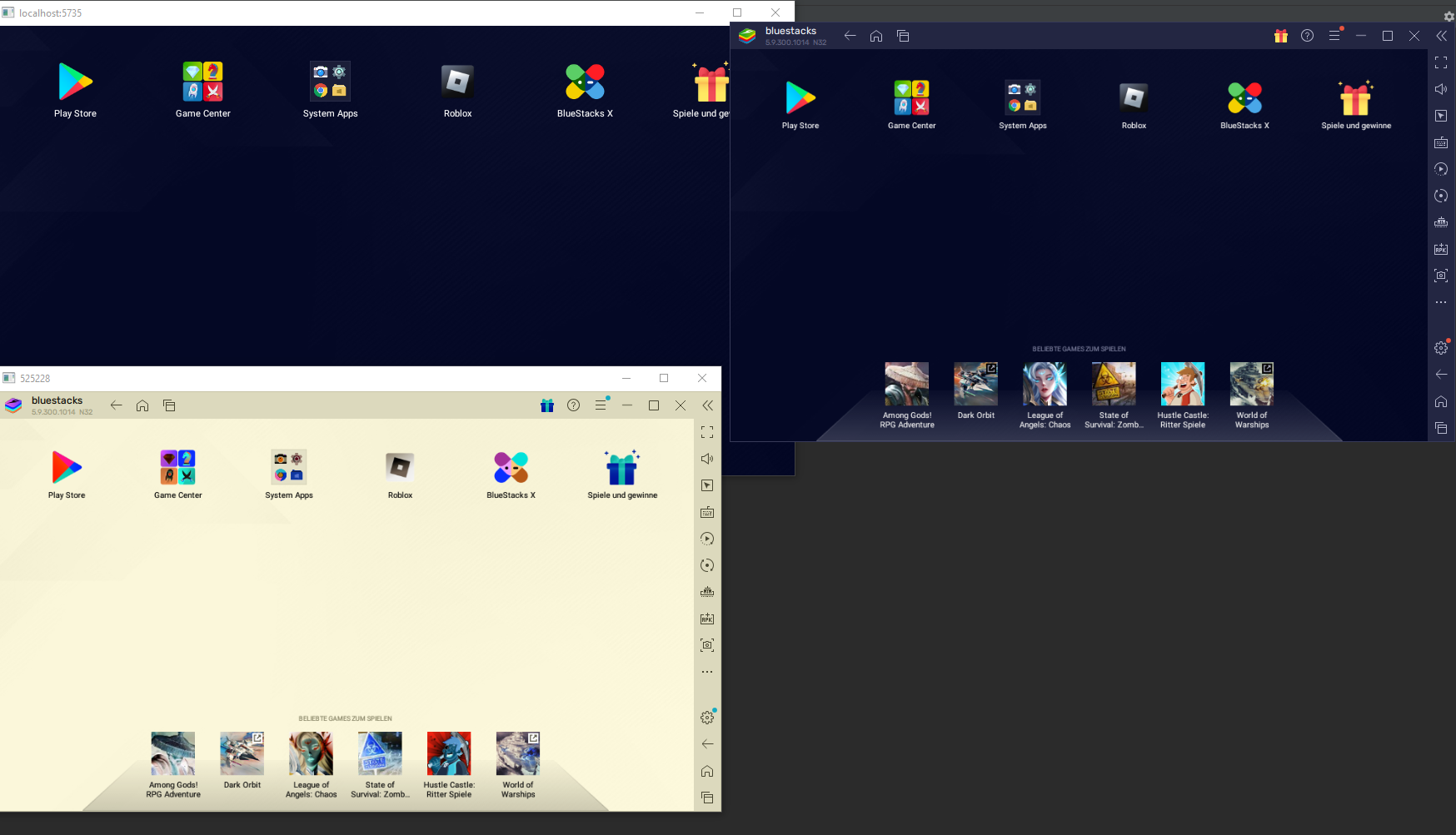
Example with BlueStacks (using hwnd)
sc2 = ScreenShots()

sc2.find_window_with_regex('[bB]lue[sS]tacks.*')

sc2.imshow_hwnd(sleep_time=0.05, quit_key="q")  #show captured screen
#capture screen and edit before showing

sc2.enable_show_edited_images()

for x in range(1000):   #while True for endless loop

    tmpscreenshot = sc2.imget_hwnd()

    tmpscreenshort_inverted = cv2.bitwise_not(tmpscreenshot) #do your editing here

    sc2.show_edited_image(tmpscreenshort_inverted) #show the edited pic

sc2.disable_show_edited_images()    #back to normal screen capturing
Get screenshots without showing windows
from windowcapture import ScreenShots

sc=ScreenShots(hwnd=None, adb_path=r"C:\ProgramData\adb\adb.exe", adb_serial='localhost:5735')

sc.imget_adb()
sc2 = ScreenShots()

sc2.find_window_with_regex('[bB]lue[sS]tacks.*')

sc2.imget_hwnd()
1 maintainer

Metadata
1 maintainer
Release files for windows-adb-screen-capture 0.17
For a detailed explanation of source distributions (sdists) and built distributions (wheels), please see the package formats documentation.
Source distribution (sdist)
| File | Size | Uploaded | Provenance | Actions |
|---|---|---|---|---|
| windows_adb_screen_capture-0.17.tar.gz | 7.3 kB | Without provenance | Details for windows_adb_screen_capture-0.17.tar.gz |
Built distribution (wheel)
| File | Interpreter | ABI | Platform | Actions Reset |
|---|---|---|---|---|
| windows_adb_screen_capture-0.17-py3-none-any.whl | Python 3 | none | any | Details for windows_adb_screen_capture-0.17-py3-none-any.whl |
Total release size: 16.2 kB
Release files / windows_adb_screen_capture-0.17.tar.gz
| Download URL | windows_adb_screen_capture-0.17.tar.gz |
|---|---|
| Size | 7.3 kB |
| Tags | Source |
|
SHA-256 checksum How to use checksums |
b8a27c2d3728b8bfab208d401069594d94423c69cf66828c3976c9a0bba1c7ca
|
|
BLAKE2b-256 checksum How to use checksums |
7f9d31e351823becc21b6bfba3299e9321e2fd2264c2c1c5186fed960198a591
|
| Upload date | |
|
Uploaded using Trusted Publishing? What is trusted publishing? |
No |
| Uploaded via |
twine/4.0.1 CPython/3.9.13
|
Release files / windows_adb_screen_capture-0.17-py3-none-any.whl
| Download URL | windows_adb_screen_capture-0.17-py3-none-any.whl |
|---|---|
| Size | 8.9 kB |
| Tags | Python 3 |
|
SHA-256 checksum How to use checksums |
9149f04c060916a3fbbc55bec5b0789498386baccce68e3b026e8fe5456f04b3
|
|
BLAKE2b-256 checksum How to use checksums |
020e9ec8afcec7380c44333d79f12397ef2cb878b49cf927f08975e557523971
|
| Upload date | |
|
Uploaded using Trusted Publishing? What is trusted publishing? |
No |
| Uploaded via |
twine/4.0.1 CPython/3.9.13
|
Security for windows-adb-screen-capture 0.17
Provenance
Provenance describes where a file came from. On PyPI, provenance is shared via attestations, which provide a verifiable record of the build or publishing details. View details, limitations and caveats.
No provenance found
None of the files in this release were uploaded with provenance metadata.
A note on package security
PyPI is a repository for distributing packages, not a service for auditing them. While third-party security researchers and our staff do their best to detect and remove malicious packages, PyPI cannot guarantee the quality, security or suitability of any given package.
To learn more about protecting yourself from malicious actors, visit our package security documentation.














