
winzy-screenshot




Screenshot using python
Installation
First configure your Winzy project to use Winzy.
Then install this plugin in the same environment as your Winzy application.
pip install winzy-screenshot
Usage
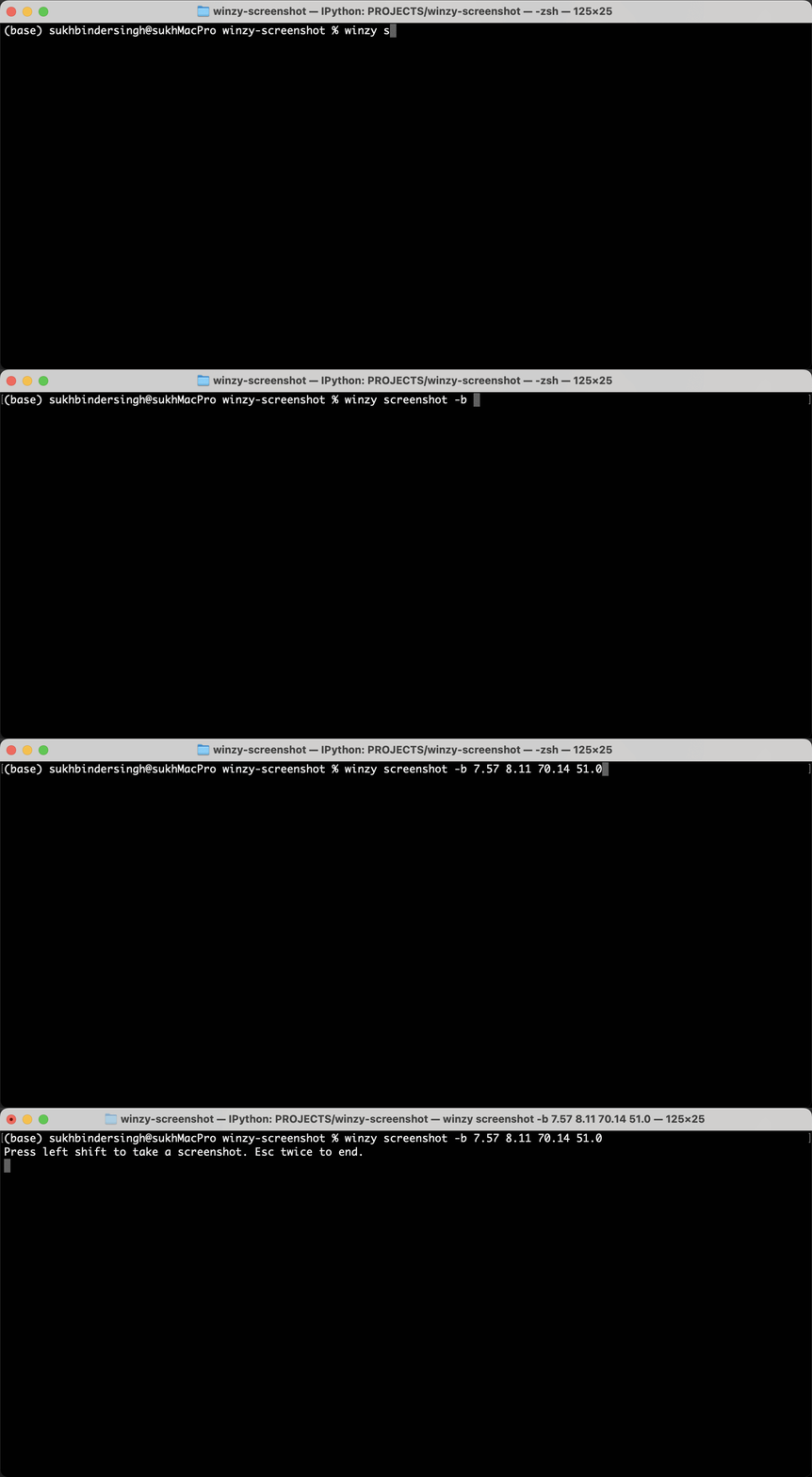
To use
winzy screenshot -b 7.57 8.11 70.14 51.0
Press Right shift to take a screenshot. Esc twice to end.
To Get help, type.
winzy screenshot -h

usage: winzy screenshot [-h] [-b BBOX BBOX BBOX BBOX] [-ut] [-t TITLE] [-aw]

Screenshot using python

optional arguments:
  -h, --help            show this help message and exit
  -b BBOX BBOX BBOX BBOX, --bbox BBOX BBOX BBOX BBOX
                        Bounding box as left,top,width,height in percentages
                        (can be specified multiple times)
  -ut, --use-tempdir    Use tempdir to save the screenshots
  -t TITLE, --title TITLE
                        Create BBOX for the windows whose title is given. type
                        'none' to choose window
  -aw, --activewindow   Capture the active window
Features
- Bounding Box Capture: Define regions of interest using percentages (left, top, width, height)
- Multiple Regions: Specify multiple
-bflags to capture several areas at once - Active Window Mode: Use
--activewindowto automatically capture the currently active window - Window Title Targeting: Use
--titleto capture specific windows by their title - Temporary Directory: Save screenshots to system temp directory with
--use-tempdir - Keyboard Controls: Press
Right Shiftto capture,Esctwice to exit
Development
To set up this plugin locally, first checkout the code. Then create a new virtual environment:
cd winzy-screenshot
python -m venv venv
source venv/bin/activate
Now install the dependencies and test dependencies:
pip install -e '.[test]'
To run the tests:
python -m pytest
1 maintainer

Metadata
1 maintainer
Release files for winzy-screenshot 0.0.6
For a detailed explanation of source distributions (sdists) and built distributions (wheels), please see the package formats documentation.
Source distribution (sdist)
| File | Size | Uploaded | Provenance | |
|---|---|---|---|---|
| winzy_screenshot-0.0.6.tar.gz | 10.3 kB | With provenance | Details |
Built distribution (wheel)
| File | Interpreter | ABI | Platform | Reset |
|---|---|---|---|---|
| winzy_screenshot-0.0.6-py3-none-any.whl | Python 3 | none | any | Details |
Total release size: 19.4 kB
Release files / winzy_screenshot-0.0.6.tar.gz
| Download URL | winzy_screenshot-0.0.6.tar.gz |
|---|---|
| Size | 10.3 kB |
| Tags | Source |
|
SHA-256 checksum How to use checksums |
870978729f41eab12bea37da809b541fdf95917277306892b30159413c80ddff
|
|
BLAKE2b-256 checksum How to use checksums |
5d8080c8af8a1a228173eeea42608a8001d3bbcb65a0d6377e39563af076cf03
|
| Upload date | |
|
Uploaded using Trusted Publishing? What is trusted publishing? |
Yes |
| Uploaded via |
twine/6.1.0 CPython/3.13.12
|
Provenance
Provenance describes where a file came from. On PyPI, provenance is shared via attestations, which provide a verifiable record of the build or publishing details. View details, limitations and caveats.


PyPI Publish Attestation
PyPI verified that this artifact, at this checksum, originated from the publisher listed below.
Signed by GitHub Actions, verified by PyPI on Apr 9, 2026.
Transparency logRelease files / winzy_screenshot-0.0.6-py3-none-any.whl
| Download URL | winzy_screenshot-0.0.6-py3-none-any.whl |
|---|---|
| Size | 9.1 kB |
| Tags | Python 3 |
|
SHA-256 checksum How to use checksums |
284142a3d0421e2d27187c77c0d89167e74ac7e0624ac06769206ded1f7fe045
|
|
BLAKE2b-256 checksum How to use checksums |
a041c7b795816f89ec1228f0b9f7fc4af55de53cfd001ab0081adcb0660bf07a
|
| Upload date | |
|
Uploaded using Trusted Publishing? What is trusted publishing? |
Yes |
| Uploaded via |
twine/6.1.0 CPython/3.13.12
|
Provenance
Provenance describes where a file came from. On PyPI, provenance is shared via attestations, which provide a verifiable record of the build or publishing details. View details, limitations and caveats.
PyPI Publish Attestation
PyPI verified that this artifact, at this checksum, originated from the publisher listed below.
Signed by GitHub Actions, verified by PyPI on Apr 9, 2026.
Transparency logSecurity for winzy-screenshot 0.0.6
Provenance
Provenance describes where a file came from. On PyPI, provenance is shared via attestations, which provide a verifiable record of the build or publishing details. View details, limitations and caveats.
Full provenance
All 2 files in this release have been uploaded with provenance metadata.
Attestation for winzy_screenshot-0.0.6.tar.gz
PyPI Publish Attestation
PyPI verified that this artifact, at this checksum, originated from the publisher listed below.
Signed by GitHub Actions, verified by PyPI on Apr 9, 2026.
Transparency logA note on package security
PyPI is a repository for distributing packages, not a service for auditing them. While third-party security researchers and our staff do their best to detect and remove malicious packages, PyPI cannot guarantee the quality, security or suitability of any given package.
To learn more about protecting yourself from malicious actors, visit our package security documentation.














