
Wis3D: A web-based 3D visualization tool for 3D computer vision
Online Demo | Installation | Tutorial | Documentation
Wis3D is a web-based 3D visualization tool built for 3D computer vision researchers. You can import 3D bounding box, point clouds, meshes and feature correspondences directly from your python code and view them in your local browser. You can think of it as TensorBoard but with 3D data as the first-class citizen.
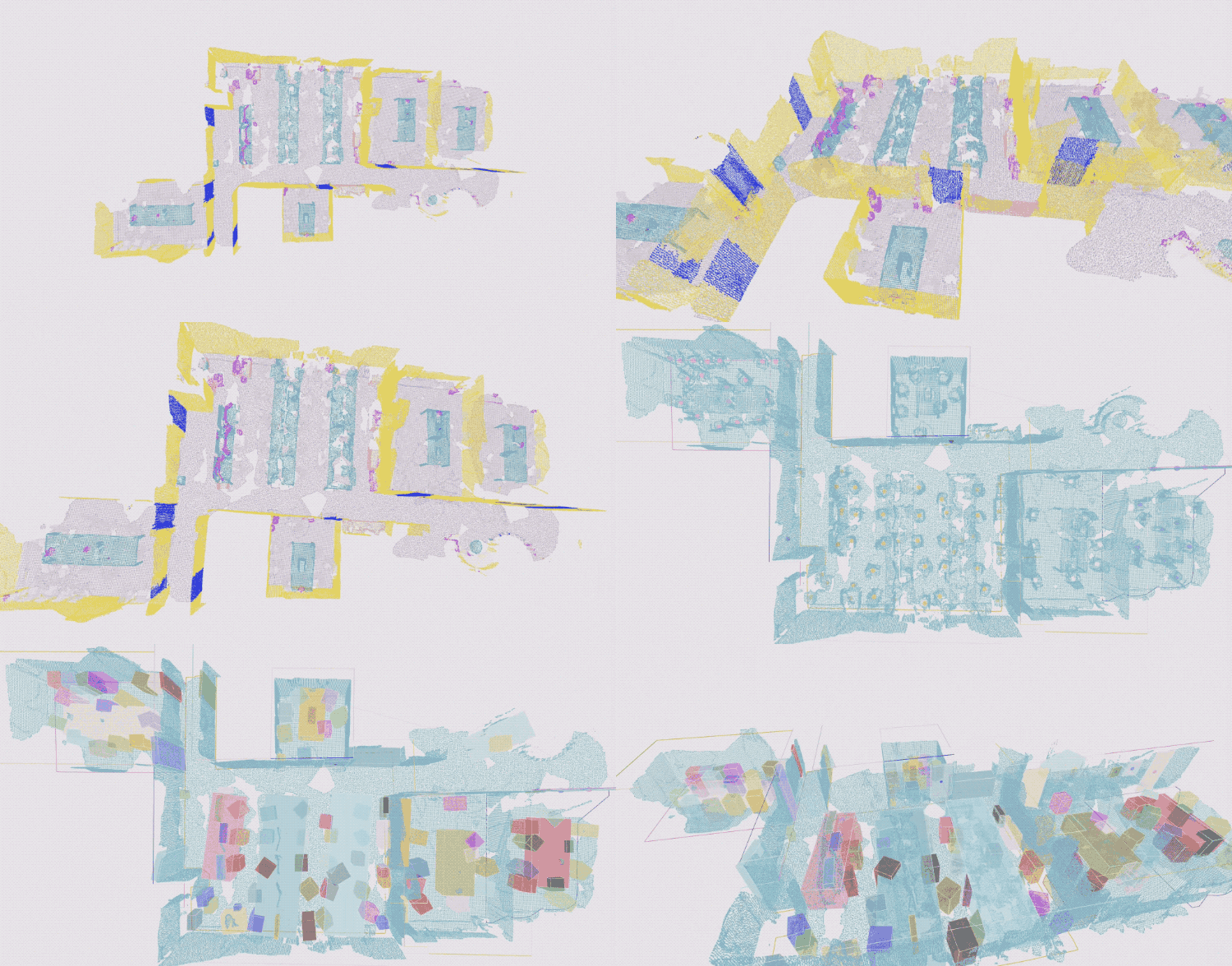
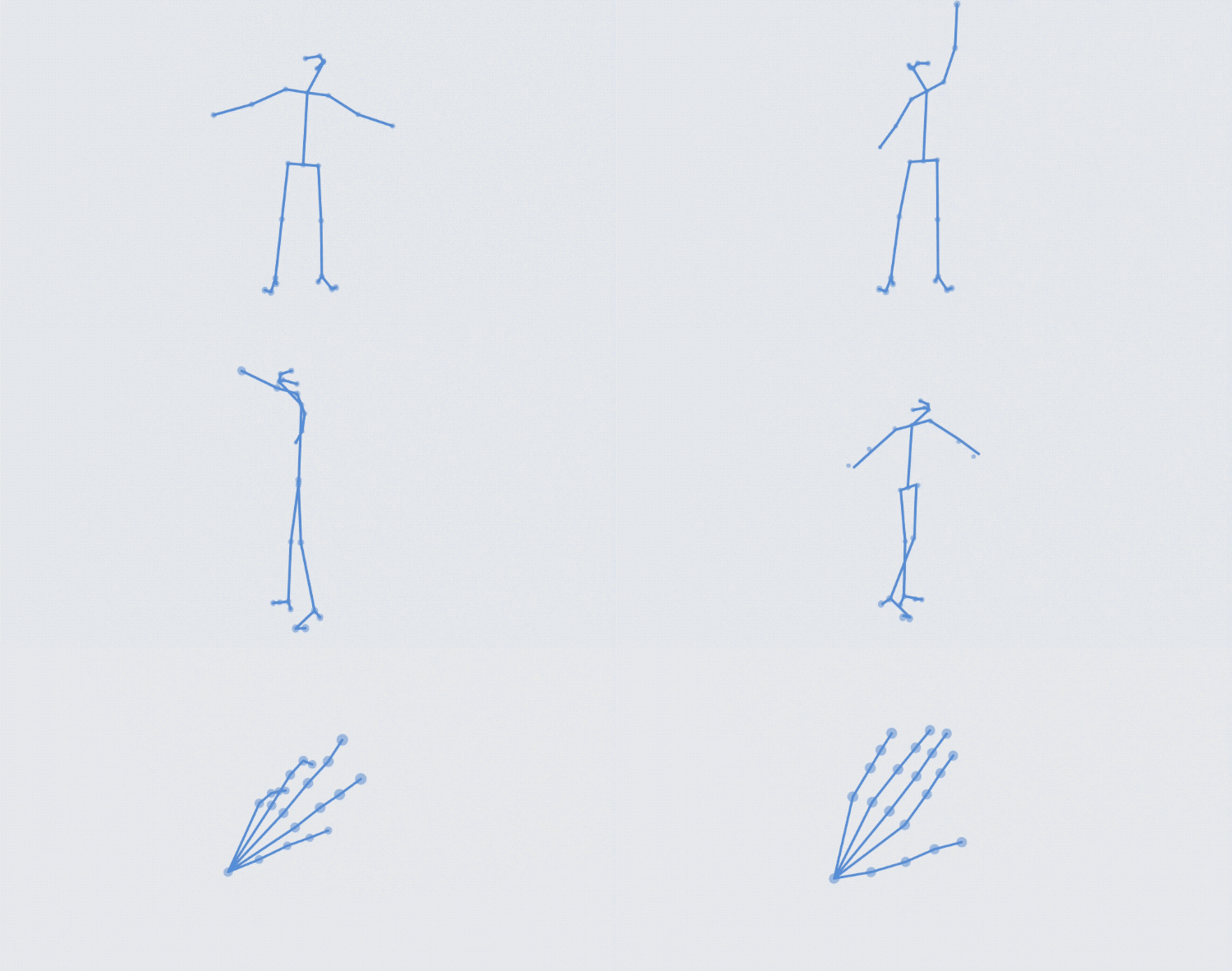
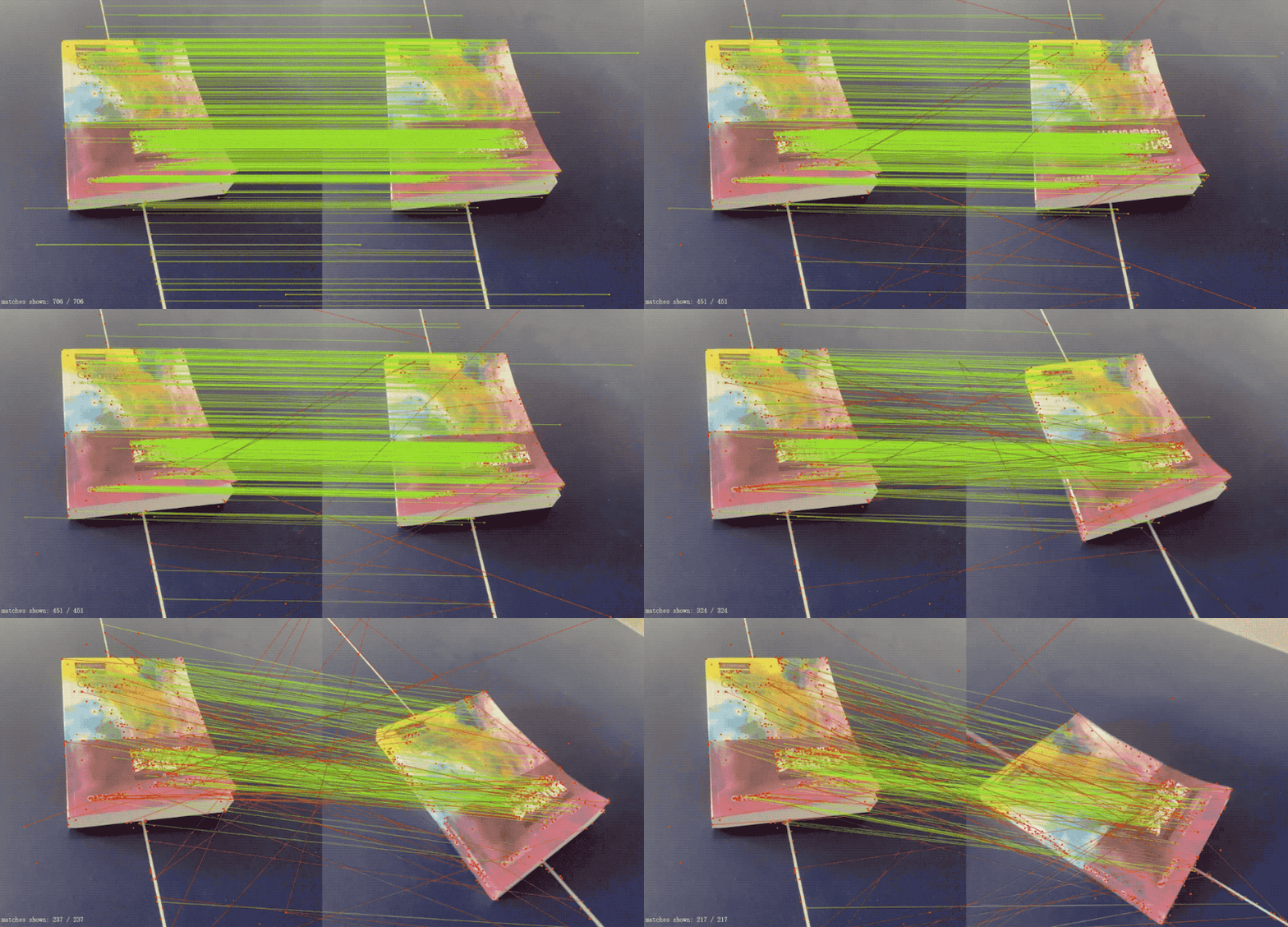
Basic Installation
Install from PyPI
pip install wis3d
or Build from source
- install Node.js
- run
pip install -r requirements.txt - build web pages
cd wis3d/app
npm install # install dependencies
npx next build
npx next export
- install package
cd ../..
python setup.py develop
Web Page
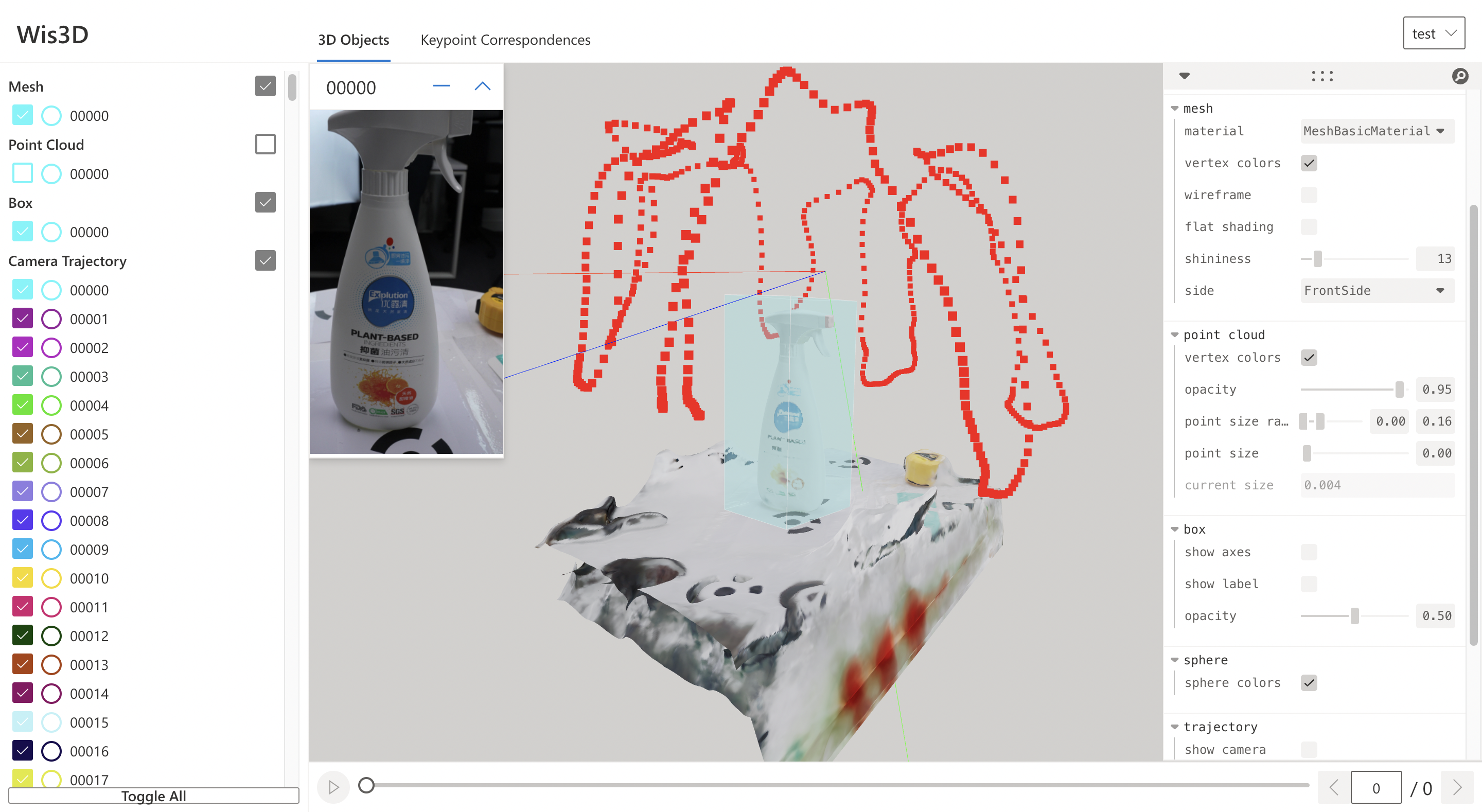
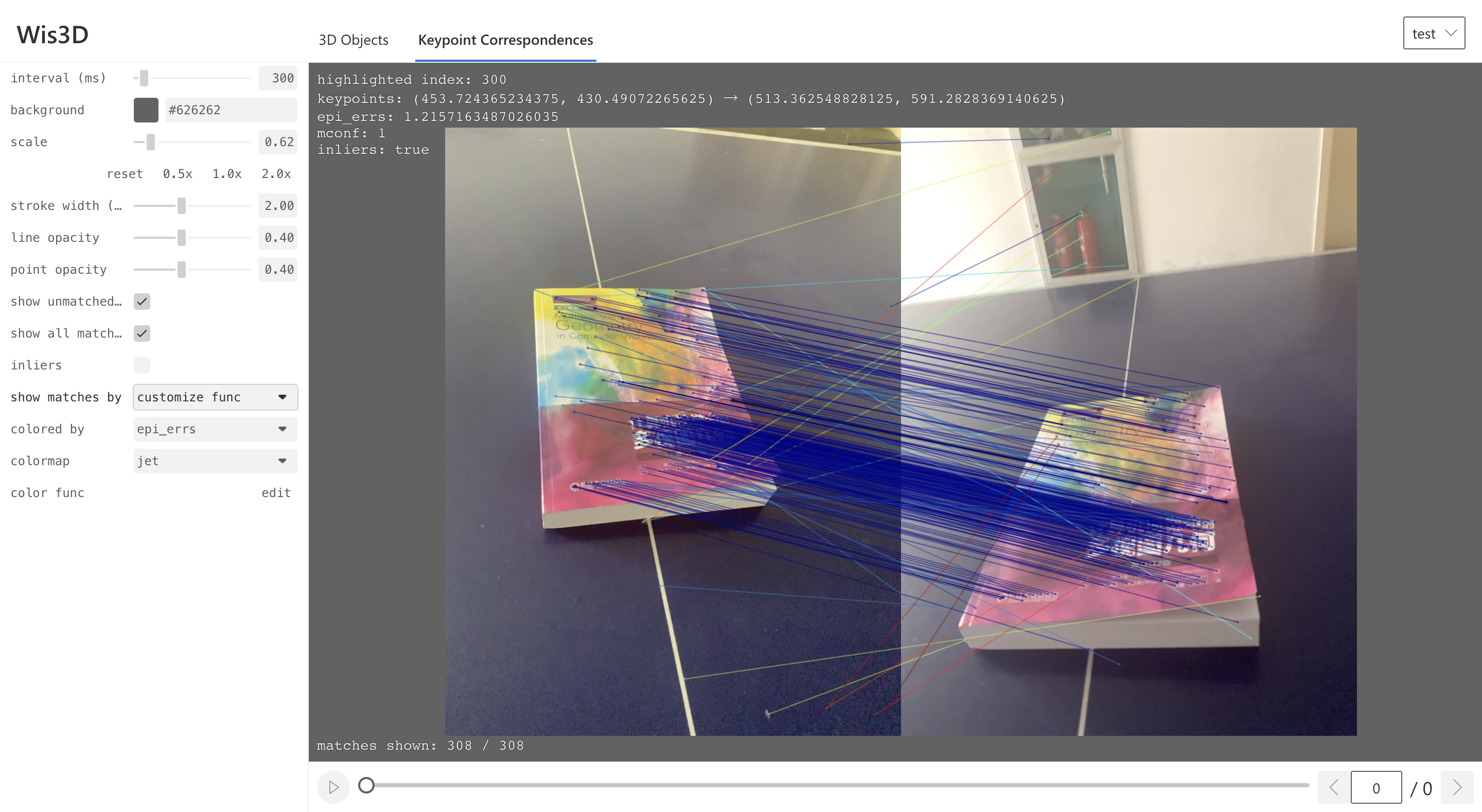
Quick Start
Add visualization data
# coding=utf-8
from wis3d import Wis3D
import trimesh
from PIL import Image
from transforms3d import affines, quaternions
import os
import numpy as np

wis_dir = "path_to_vis_dir"
wis3d = Wis3D(wis_dir, 'test')

# add point cloud
pcd_path = 'path_to_ply_file'
wis3d.add_point_cloud(pcd_path, name='pcd0')
pcd = trimesh.load_mesh(pcd_path)
wis3d.add_point_cloud(pcd, name='pcd1')
wis3d.add_point_cloud(pcd.vertices, pcd.colors, name='pcd2')


# add mesh
mesh_path = 'path_to_mesh_file'
wis3d.add_mesh(mesh_path, name='mesh0')
mesh = trimesh.load_mesh(mesh_path)
wis3d.add_mesh(mesh, name='mesh1')
wis3d.add_mesh(mesh.vertices, mesh.faces,
               mesh.visual.vertex_colors[:, :3], name='mesh2')

# add image
image_path = 'path_to_image_file'
wis3d.add_image(image_path, name='image0')
image = Image.open(image_path)
wis3d.add_image(image, name='image1')
wis3d.add_image(np.asarray(image), name='image2')

# add box
points = np.array([
    [-0.5, -0.5, -0.5],
    [0.5, -0.5, -0.5],
    [0.5, -0.5, 0.5],
    [-0.5, -0.5, 0.5],
    [-0.5, 0.5, -0.5],
    [0.5, 0.5, -0.5],
    [0.5, 0.5, 0.5],
    [-0.5, 0.5, 0.5]
])
wis3d.add_boxes(points, name='box0', labels='test0')
wis3d.add_boxes(points.reshape(1, 8, 3) + 0.6, name='box1', labels=['test1'])
wis3d.add_boxes([0.5, 0.2, 0.1], [1.24, 3.0, 2.1], [0.5, 0.6, 0.7], name='box2', labels='test2')
wis3d.add_boxes([[0.2, 0.6, 0.3],[0.5, 0.9, 1.0]], [[2.24, 1.0, 3.1], [0.6, 2.9, 2.1]], [[0.2, 0.5, 0.8], [0.4, 0.6, 0.8]], name='box3', labels='test3')

# add line
wis3d.add_lines(np.array([0, 0, 0]),np.array([1, 1, 1]), name='line0')
colors = np.array([[0, 255, 0], [0, 0, 255]])
wis3d.add_lines(np.array([[0, 1, 0], [0, -1, 0]]), np.array([[1, 0, 0], [1, 0, 0]]), colors, name='line1')

# add voxel
wis3d.add_voxel(np.array([[1.0, 1.0, 1.0], [-1, -1, -1]]), 0.1, np.array([[255, 255, 255], [0, 0, 0]]), name='voxel0')

# add sphere
wis3d.add_spheres(np.array([0, 0, 0]), 0.5, name='sphere0')
wis3d.add_spheres(np.array([[0, 1, 0], [0, 0, 1]]), 0.5, name = 'sphere1')
wis3d.add_spheres(np.array([[0, 1, 0], [0, 0, 1]]), np.array([0.25, 0.5]),np.array([[0, 255, 0], [0, 0, 255]]), name='sphere2')
You can also reference to examples/test.py. For more usage, see Documentation
Start the Web Server
Start the web service to view the visualization in the browser.
wis3d --vis_dir $path_to_vis_dir --host 0.0.0.0 -port 19090
Open your browser, and enter http://localhost:19090 to see the results.
Authors
- Project lead: Jiaming Sun, Xiaowei Zhou
- Core members: Jingmeng Zhang, Hongcheng Zhao, Siyu Zhang
- Past contributors: Zijing Huang
Citation
@article{sun2022onepose,
    title={{OnePose}: One-Shot Object Pose Estimation without {CAD} Models},
    author = {Sun, Jiaming and Wang, Zihao and Zhang, Siyu and He, Xingyi and Zhao, Hongcheng and Zhang, Guofeng and Zhou, Xiaowei},
    journal={CVPR},
    year={2022},
}
1 maintainer

Release files for wis3d 1.0.1
For a detailed explanation of source distributions (sdists) and built distributions (wheels), please see the package formats documentation.
Source distribution (sdist)
| File | Size | Uploaded | |
|---|---|---|---|
| wis3d-1.0.1.tar.gz | 576.3 kB | Details |
Built distribution (wheel)
| File | Interpreter | ABI | Platform | Reset |
|---|---|---|---|---|
| wis3d-1.0.1-py3-none-any.whl | Python 3 | none | any | Details |
Total release size: 1.2 MB
Release files / wis3d-1.0.1.tar.gz
| Download URL | wis3d-1.0.1.tar.gz |
|---|---|
| Size | 576.3 kB |
| Tags | Source |
|
SHA-256 checksum How to use checksums |
f34483379165c5e67d5fb231d4436ba47199d95f39dc3351d19b88c2167be277
|
|
BLAKE2b-256 checksum How to use checksums |
6d93c251a32dac8804040255fb8e3df75bdbc57d66fd081b0acfb8b94695f084
|
| Upload date | |
|
Uploaded using Trusted Publishing? What is trusted publishing? |
No |
| Uploaded via |
twine/4.0.1 CPython/3.8.13
|
Release files / wis3d-1.0.1-py3-none-any.whl
| Download URL | wis3d-1.0.1-py3-none-any.whl |
|---|---|
| Size | 584.9 kB |
| Tags | Python 3 |
|
SHA-256 checksum How to use checksums |
7f20d9a590ad0b2cafbbd9de444a1ec5d5b2fe04c2daa220a0ac7f5ca591846e
|
|
BLAKE2b-256 checksum How to use checksums |
b16f1f871141feffd6380d143c5b422b7d5aad53fca1c5c63a3d5bbfc0268c8a
|
| Upload date | |
|
Uploaded using Trusted Publishing? What is trusted publishing? |
No |
| Uploaded via |
twine/4.0.1 CPython/3.8.13
|














