
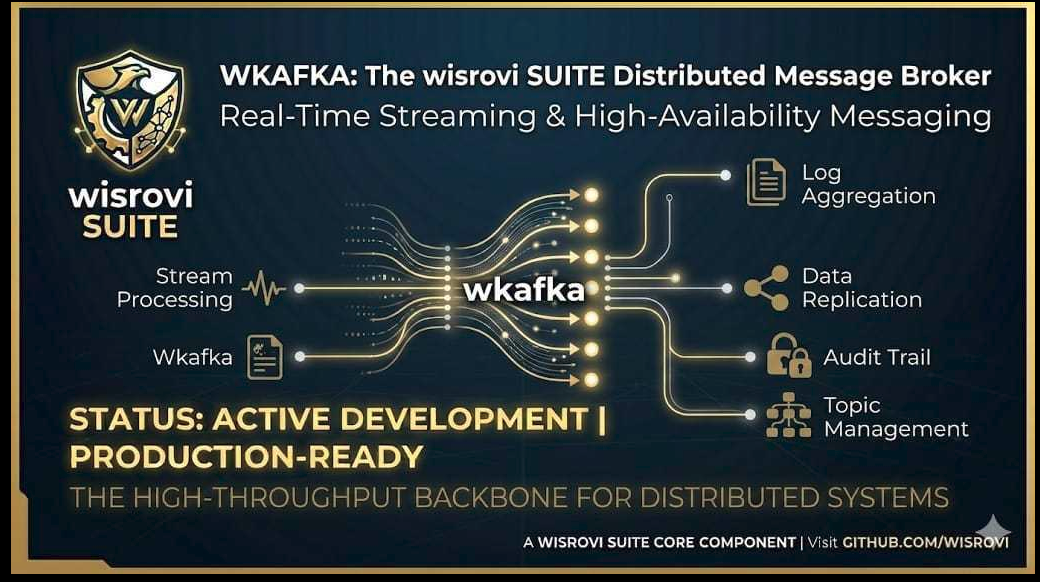







WKafka 🚀
Production-Grade, Decorator-Driven Apache Kafka Framework for Python.
WKafka simplifies event-driven architectures by eliminating boilerplate code. It transforms raw, low-level Apache Kafka clients into an intuitive, elegant, and resilient development experience. With first-class native support for JSON, YAML, Computer Vision Images (OpenCV / Pillow), Arbitrary Binary Files (PDF, ZIP, TXT), and Strict Pydantic Validation, WKafka powers high-throughput microservices, IoT telemetry, real-time multimedia, and AI/ML inference pipelines.
🌟 Why WKafka?
Raw Kafka clients require dozens of lines of repetitive boilerplate: manually serializing bytes, managing poll loops, handling heartbeat timeouts during heavy tasks, orchestrating thread pools, decoding headers, and configuring retries.
WKafka solves these challenges out of the box:
- 🎯 Clean Decorator Syntax: Register consumers with a single
@kafka.consumer(...)annotation. - 🧬 5 Native Serializers: Seamlessly transfer JSON, YAML, OpenCV/NumPy images, raw files, and Pydantic schemas without manual byte conversion.
- ⚡ Decoupled Heavy Computation: Prevent Kafka's infamous
CommitFailedError/max_poll_interval_msrebalance loops during hours-long ML tasks viabackground=Trueandcommit_on_receive=True. - 🛡️ Built-in Resilience: Automatic retries with exponential backoff and automated Dead Letter Queue (DLQ) routing with diagnostic error headers.
- 🚀 Dynamic Partition Auto-Scaling: Automatically detect consumer concurrency and scale topic partitions on the broker via
KafkaAdminClient(partition_scale=True). - ⚡ High-Throughput Payload Offloading: Stream high-FPS computer vision matrices or heavy files directly in Redis RAM with automated TTL via
wrediswhile Kafka routes ultra-lightweight Claim-Check references (~120 bytes). - 🔒 Enterprise Security: Native support for SASL (PLAIN, SCRAM-SHA-256, SCRAM-SHA-512), SSL/TLS, and SOCKS5 proxies.
- ⚡ Async/Await Ready: Native execution of asynchronous coroutine handlers (
async def).
📦 Installation
# Basic installation via pip
pip install wkafka

# Via poetry
poetry add wkafka

# With high-speed Redis payload offload support
pip install "wkafka[redis]"

# High-performance snappy compression support
pip install "wkafka[snappy]"

# All optional enterprise features
pip install "wkafka[all]"
🚀 5-Minute Quick Start
1. Minimal Producer & Consumer
from wkafka import WKafka

# Connects to KAFKA_SERVER environment variable or defaults to localhost:9092
kafka = WKafka(bootstrap_servers="localhost:9092")

# Register consumer handler
@kafka.consumer(topic="orders.created", format="json")
def on_order_created(msg):
    print(f"📦 [Consumer] Order received: {msg.value}")
    print(f"   Topic: {msg.topic}, Partition Offset: {msg.offset}")

# Start consumers in a managed thread pool
kafka.run_consumers(block=False)

# Produce message safely within a context manager
with kafka.producer() as p:
    p.send(
        topic="orders.created",
        value={"order_id": "ORD-9842", "customer": "Alice", "total": 149.99},
        format="json",
    )
🧬 Built-in Serializers Deep Dive
WKafka includes 5 specialized serializers. No manual .encode("utf-8"), json.loads(), or image decoding is required:
1. JSON (format="json")
Serializes standard Python dictionaries, lists, primitives, and nested objects.
with kafka.producer() as p:
    p.send("iot.telemetry", value={"device_id": "sensor-12", "temp": 23.5}, format="json")

@kafka.consumer(topic="iot.telemetry", format="json")
def handle_telemetry(msg):
    print(f"Temperature: {msg.value['temp']} °C")
2. YAML (format="yaml")
Ideal for configuration payloads, declarative job descriptions, and Kubernetes-style manifests.
job_config = {
    "version": "v1",
    "pipeline": "face_clustering",
    "resources": {"gpu": 1, "memory": "8Gi"}
}
with kafka.producer() as p:
    p.send("jobs.deploy", value=job_config, format="yaml")

@kafka.consumer(topic="jobs.deploy", format="yaml")
def handle_job(msg):
    # msg.value is deserialized back into a Python dict via PyYAML safe_load
    print(f"Pipeline: {msg.value['pipeline']}")
3. Images & Video Frames (format="image")
Native integration with OpenCV (cv2), NumPy, and Pillow (PIL.Image). Produces compressed JPEG byte streams and deserializes directly into OpenCV BGR numpy arrays (np.ndarray) ready for deep learning models.
import cv2
import numpy as np
from PIL import Image

# Produce an OpenCV BGR frame or Pillow Image
frame = cv2.imread("frame_001.jpg")  # np.ndarray
with kafka.producer() as p:
    # Optional 'quality' parameter (1-100, default: 80)
    p.send("camera.stream", value=frame, format="image", quality=90)

@kafka.consumer(topic="camera.stream", format="image")
def process_frame(msg):
    # msg.value is a decoded cv2 BGR numpy array ready for inference
    image_bgr = msg.value
    h, w, c = image_bgr.shape
    print(f"📸 Frame received: {w}x{h}, {c} channels")
4. Arbitrary Binary Files & Documents (format="file")
Transmit entire PDF reports, ZIP archives, models, audio, or text files directly. You can pass:
- A local file system path string (e.g.
"/path/to/report.pdf"). - Raw
bytes. - A dictionary containing a
"content"key with bytes.
# Producer sends a PDF document directly by file path
with kafka.producer() as p:
    p.send("reports.generated", value="/tmp/quarterly_audit.pdf", format="file")

@kafka.consumer(topic="reports.generated", format="file")
def handle_pdf(msg):
    pdf_bytes = msg.value  # Raw binary bytes
    with open("/storage/received_audit.pdf", "wb") as f:
        f.write(pdf_bytes)
    print(f"📄 Saved PDF file ({len(pdf_bytes)} bytes)")
5. Pydantic Models (format="pydantic")
Strict typed validation for both Pydantic v1 and v2. Guarantees that consumer handlers only receive valid, validated domain models.
from pydantic import BaseModel, Field

class UserEvent(BaseModel):
    user_id: int
    email: str
    active: bool = True

# Producer sends Pydantic model instance
event = UserEvent(user_id=101, email="wisrovi@example.com")
with kafka.producer() as p:
    p.send("users.events", value=event, format="pydantic")

# Consumer automatically validates and parses back into the model class
@kafka.consumer(topic="users.events", format="pydantic", model=UserEvent)
def handle_user(msg):
    user: UserEvent = msg.value
    print(f"👤 User: {user.user_id}, Email: {user.email}")
📤 Producer Guide
Context Manager & Safe Flushing
The with kafka.producer() as p: pattern guarantees that messages buffered in memory are completely flushed (p.flush()) to the Kafka broker and sockets are cleanly closed even if exceptions occur.
with kafka.producer() as p:
    for i in range(10):
        p.send("metrics", value={"cpu": i * 10}, format="json")
# Guaranteed flush & close upon exiting the block
Message Keys & Partition Routing
Provide key="entity_id" to ensure all events with the same key land on the same partition, guaranteeing strict chronological ordering.
with kafka.producer() as p:
    p.send("sensor.data", key="sensor-alpha", value={"reading": 42.1}, format="json")
Headers & Metadata
Pass rich metadata dictionaries via headers. WKafka automatically serializes dictionary and list headers into JSON bytes, and automatically parses them back on the receiving consumer end:
headers = {
    "trace_id": "7b8f9e2d-3c4a-4e89",
    "tenant_id": 502,
    "routing_info": {"datacenter": "eu-central-1", "priority": "high"},
}

with kafka.producer() as p:
    p.send("orders", value={"order": 1}, headers=headers, format="json")
High-Throughput Snappy Compression
If python-snappy is installed (pip install "wkafka[snappy]"), WKafka automatically enables Snappy compression for maximum throughput and minimal network bandwidth. If not installed, it gracefully falls back to gzip compression with an informative log.
📥 Consumer Guide
1. Manual Offset Commits (At-Least-Once Delivery)
By default, Kafka uses auto-commit. When you require strict At-Least-Once guarantees where an offset must only be marked as completed after successful database persistence, set auto_commit=False and call msg.commit():
@kafka.consumer(topic="payments", format="json", auto_commit=False)
def process_payment(msg):
    try:
        charge_credit_card(msg.value)
        record_in_database(msg.value)
        # Commit offset only after business operations succeed
        msg.commit()
    except DatabaseConnectionError:
        # Message is not committed; will be safely re-consumed
        raise
2. Automatic Retries & Dead Letter Queue (DLQ)
When external services fail temporarily, configure retries with exponential backoff. If all attempts fail, the message is automatically routed to a Dead Letter Queue topic with diagnostic headers:
@kafka.consumer(
    topic="external.sync",
    format="json",
    max_retries=3,          # Retry up to 3 times
    retry_delay=1.0,        # Delays: 1s, 2s, 4s (exponential)
    dlq_topic="external.sync.DLQ"
)
def sync_handler(msg):
    call_flaky_third_party_api(msg.value)
Failed messages routed to dlq_topic automatically receive the following headers:
x-error-message: Exact Python exception text that caused the final failure.x-original-topic: Source topic where the message originated.x-original-offset: Source partition offset.
3. Multi-Topic & Regex Pattern Subscriptions
Subscribe to multiple explicit topics or dynamically match topics using regular expressions:
# Multiple explicit topics
@kafka.consumer(topic=["telemetry.eu", "telemetry.us"], format="json")
def handle_global_telemetry(msg):
    print(f"Data from {msg.topic}: {msg.value}")

# Dynamic Regex pattern matching
@kafka.consumer(pattern="iot\\..*\\.sensors", format="json")
def handle_dynamic_sensors(msg):
    print(f"Regex matched event on {msg.topic}: {msg.value}")
4. Partition Key Filtering
Filter incoming messages by partition key directly at the decorator level, ignoring unrelated keys without business logic overhead:
@kafka.consumer(topic="logs", format="json", key_filter="CRITICAL")
def handle_critical_logs_only(msg):
    send_pagerduty_alert(msg.value)
5. Asynchronous Coroutines (async / await)
Handlers can be native Python coroutines. WKafka manages event loops and thread safety transparently:
import aiohttp

@kafka.consumer(topic="webhooks.dispatch", format="json")
async def dispatch_webhook(msg):
    async with aiohttp.ClientSession() as session:
        async with session.post(msg.value["url"], json=msg.value["payload"]) as resp:
            print(f"Webhook response status: {resp.status}")
⚡ Long-Running Tasks & Decoupled Workers (The ML Dilemma)
The Problem: Heartbeat Timeouts & Rebalance Storms
In Apache Kafka, if a consumer handler takes longer than max_poll_interval_ms (default: 5 minutes) to return:
- The Kafka broker assumes the consumer has crashed or deadlocked.
- The broker evicts the consumer from the consumer group (Consumer Group Rebalance).
- The message offset is never committed, and another consumer picks up the same message in an infinite duplicate loop.
The Solution: WKafka Decoupled Architecture
WKafka provides two native solutions that can be used independently or combined:
commit_on_receive=True: Immediately commits the partition offset to the broker the moment the message is dequeued, before running heavy processing logic.background=True: Immediately submits the message to an internalThreadPoolExecutor. The main Kafka polling thread instantly returns to itspoll()loop, continually answering broker heartbeats. Heavy ML model inference, large video rendering, or PDF generation can run for hours without triggering a rebalance!background_workers=N: Controls the maximum number of concurrent tasks executed in parallel.
from wkafka import WKafka
import time

kafka = WKafka(bootstrap_servers="localhost:9092")

# Long-running ML inference or heavy document generation
@kafka.consumer(
    topic="ai.document.ocr",
    format="json",
    commit_on_receive=True,  # 1. Acknowledge offset immediately upon receipt
    background=True,         # 2. Offload to background worker pool
    background_workers=4,    # 3. Allow up to 4 parallel heavy jobs
)
def heavy_ocr_pipeline(msg):
    # Runs in an isolated thread.
    # The Kafka consumer poll loop remains active, sending heartbeats continuously!
    print(f"🚀 Processing document {msg.value['doc_id']}...")
    time.sleep(600)  # Simulating a 10-minute AI task
    print(f"✅ Finished document {msg.value['doc_id']}")

kafka.run_consumers(block=True)
Architecture Diagram
Kafka Topic ────────► KafkaConsumer Loop Thread (poll)
                            │
                            ├─► commit_on_receive=True ──► [Immediate Broker Offset Commit]
                            │
                            └─► background=True ─────────► [ThreadPoolExecutor]
                                                               ├─► Worker Thread 1 (Heavy ML / PDF)
                                                               ├─► Worker Thread 2 (Heavy ML / PDF)
                                                               └─► Polling Thread Continues (Heartbeats Active!)
🚀 Dynamic Partition Auto-Scaling (partition_scale=True)
In Apache Kafka, the number of parallel consumers in a consumer group cannot exceed the number of partitions on the topic. If a topic has 1 partition and you run 4 consumer threads, 3 threads remain completely idle.
When partition_scale=True is enabled in WKafka() or run_consumers(partition_scale=True):
- WKafka counts the number of registered consumer handlers for each topic.
- It queries the broker via
KafkaAdminClient.describe_topics(). - If the topic exists with fewer partitions than required, it dynamically scales the partition count via
KafkaAdminClient.create_partitions(). - If the topic does not exist, it automatically creates it with the desired partition count.
- All worker threads can now consume partitions in true parallel fashion!
kafka = WKafka(bootstrap_servers="localhost:9092", partition_scale=True)
🚀 High-Throughput RAM Payload Offloading (Claim-Check Pattern with WRedis)
The Vision & Large-File Bottleneck
Streaming high-frequency multimedia (e.g. 30 FPS at 1080p OpenCV matrices) or multi-megabyte binary documents directly through Apache Kafka brokers leads to severe problems:
- Broker Memory & Disk Saturation: Heavy messages bloat the JVM heap, trigger garbage collection stalls, and monopolize disk pagecaches.
- Commit Latency & Rebalances: Transporting heavy binaries slows down consumer polling and offset commits.
- Stale Frames Accumulation: If a downstream consumer lags during deep learning inference (e.g., YOLO or segmentation), Kafka queues up gigabytes of outdated frames instead of maintaining real-time video state.
The Solution: Transparent Claim-Check via WRedis
WKafka natively implements the Claim-Check Pattern powered by WRedis:
- Producer Side: Heavy payloads (e.g.
format="image"orformat="file") are compressed and written directly to Redis in RAM with a short Time-To-Live (TTL = 5 seconds). - Kafka Broker: Transfers only an ultra-lightweight JSON Claim-Check pointer (~120 bytes) containing headers and routing keys.
- Consumer Side: Intercepts the Claim-Check reference, retrieves the binary payload directly from Redis RAM, and decodes it back to the original object (
numpy.ndarrayfor images) transparently. - Drop-on-Expired Policy: If a consumer lags beyond the TTL (5s), stale frames evaporate from RAM and are skipped automatically without crashing (
on_expired="drop"), keeping your pipeline strictly real-time!
sequenceDiagram
    autonumber
    actor P as Producer (Camera Extractor)
    participant WK as WKafka Engine
    participant R as Redis RAM (WRedis)
    participant K as Kafka Broker
    actor C as Consumer (Vision AI / YOLO)

    P->>WK: send("camera-stream", frame, format="image")
    Note over WK: Serializes frame to JPEG bytes.<br/>Detects offload active
    WK->>R: SETEX("wkafka:claim:<uuid>", 5s, raw_bytes)
    WK->>K: send(Topic, Header & JSON pointer: ~120 bytes)
    Note over K: Broker handles sub-millisecond routing
    K->>WK: raw_message
    Note over WK: Intercepts x-wkafka-offload header
    WK->>R: GET("wkafka:claim:<uuid>")
    alt Frame alive in RAM (within 5s TTL)
        R-->>WK: raw_bytes
        Note over WK: Deserializes to np.ndarray
        WK->>C: callback(msg) with original frame
    else Frame expired (> 5s consumer lag)
        Note over WK: on_expired="drop": Drops stale frame safely
        WK-->>C: Skips callback, preserves 0 lag
    end
Flexible Configuration (Options A, B, C, & D)
Option A: Load from Full Application YAML (config.yaml)
Ideal for Kubernetes ConfigMaps where infrastructure settings are updated without altering Python code:
kafka:
  bootstrap_servers: "192.168.1.68:9092"
  client_id: "vision-pipeline-extended"
  offload:
    backend: "redis"
    host: "192.168.1.68"
    port: 15963
    password: null
    db: 0
    ttl: 5
    on_expired: "drop"
    formats:
      - "image"
      - "file"
    threshold_kb: 50
    key_prefix: "wkafka:claim:camera_1"
In Python:
kafka = WKafka(config="config.yaml")
# Or directly as first positional argument:
kafka = WKafka("config.yaml")
Option B: Load Offload Block from Dedicated YAML
kafka = WKafka(
    bootstrap_servers="localhost:9092",
    offload="offload_config.yaml"
)
Option C: In-Memory Dictionary (Minimal or Extended)
# Minimal configuration (uses defaults and localhost:6379 / REDIS_HOST)
kafka = WKafka(
    bootstrap_servers="localhost:9092",
    offload={"backend": "redis", "ttl": 5}
)

# Extended configuration with custom network host/port and drop policy
kafka = WKafka(
    bootstrap_servers="localhost:9092",
    offload={
        "backend": "redis",
        "host": "192.168.1.68",
        "port": 15963,
        "password": "<your_redis_password>",
        "db": 0,
        "ttl": 5,
        "on_expired": "drop",
        "formats": ["image", "file"],
        "threshold_kb": 50,
        "key_prefix": "wkafka:claim:cam1",
    }
)
Option D: Environment Variables (Docker & Kubernetes)
export REDIS_HOST="192.168.1.68"
export REDIS_PORT="15963"
kafka = WKafka(offload={"backend": "redis", "ttl": 5})
Producer & Consumer Implementation (100% Transparent)
# 1. Producer (Camera Extractor)
kafka = WKafka(bootstrap_servers="localhost:9092", offload={"backend": "redis", "ttl": 5})

# Send as usual - offloading is transparent:
kafka.send("camera-stream", value=frame, format="image")

# 2. Consumer (Inference / Analytics)
@kafka.consumer("camera-stream", format="image")
def process_frame(msg):
    frame = msg.value  # Seamlessly receives the numpy.ndarray from Redis RAM
🔒 Enterprise Security & Proxies
SASL Authentication (PLAIN / SCRAM)
WKafka seamlessly passes authentication credentials down to KafkaConsumer, KafkaProducer, and KafkaAdminClient:
sasl_config = {
    "security_protocol": "SASL_PLAINTEXT",  # or SASL_SSL
    "sasl_mechanism": "SCRAM-SHA-512",      # PLAIN, SCRAM-SHA-256, SCRAM-SHA-512
    "sasl_plain_username": "enterprise-service",
    "sasl_plain_password": "super-secure-password",
}

kafka = WKafka(
    bootstrap_servers="kafka-secure.internal:9093",
    **sasl_config
)
SOCKS5 Proxy Normalization
If operating behind corporate firewalls or SOCKS proxies, WKafka automatically normalizes deprecated proxy settings (socks5_proxy to proxy_url) without triggering client warnings.
📋 Comprehensive API Reference
1. WKafka Constructor Reference
WKafka(bootstrap_servers=None, client_id=None, dynamic_group_id=False, partition_scale=False, **extra_config)
| Parameter | Type | Default | Description |
|---|---|---|---|
bootstrap_servers |
str | List[str] |
None |
Kafka broker address. Falls back to KAFKA_SERVER env var or "localhost:9092". |
client_id |
str |
"wkafka-client" |
Identifier passed to Kafka broker for logging and tracing. |
dynamic_group_id |
bool |
False |
Generates a random unique group_id per run (useful for fan-out pub/sub). |
partition_scale |
bool |
False |
Automatically scales topic partitions to match registered consumer count. |
**extra_config |
Any |
- | Additional low-level settings forwarded to underlying KafkaConsumer and KafkaProducer. |
2. @kafka.consumer(...) Decorator Reference
@kafka.consumer(topic=None, pattern=None, group_id=None, format="json", auto_commit=True, commit_on_receive=False, background=False, background_workers=1, max_retries=0, retry_delay=1.0, dlq_topic=None, model=None, key_filter=None, **kafka_kwargs)
| Parameter | Type | Default | Description |
|---|---|---|---|
topic |
str | List[str] |
None |
Single topic name or list of topic names to subscribe to. |
pattern |
str |
None |
Regular expression string for dynamic topic pattern matching. |
group_id |
str |
Auto-generated | Consumer group identifier. |
format |
str |
"json" |
Deserializer: "json", "yaml", "image", "file", "pydantic". |
auto_commit |
bool |
True |
Standard periodic background offset commits by Kafka. |
commit_on_receive |
bool |
False |
Commits offset immediately upon receipt before executing handler. |
background |
bool |
False |
Offloads handler execution to a decoupled thread pool to keep polling loop alive. |
background_workers |
int |
1 |
Max concurrent worker threads when background=True. |
max_retries |
int |
0 |
Number of retry attempts on exception before routing to DLQ. |
retry_delay |
float |
1.0 |
Initial delay in seconds for exponential backoff retries. |
dlq_topic |
str |
None |
Dead Letter Queue topic to route permanently failed messages. |
model |
BaseModel |
None |
Pydantic model class for typed validation when format="pydantic". |
key_filter |
str |
None |
Only executes handler for messages matching this exact key. |
3. Producer Reference (kafka.send(...))
kafka.send(topic, value, key=None, format="json", headers=None, **kwargs)
| Parameter | Type | Default | Description |
|---|---|---|---|
topic |
str |
Required | Target topic to publish message to. |
value |
Any |
Required | Payload to serialize and send. |
key |
str |
None |
Partition routing key. |
format |
str |
"json" |
Target serializer: "json", "yaml", "image", "file", "pydantic". |
headers |
Dict[str, Any] |
None |
Key-value dictionary of metadata headers (auto-serialized to JSON). |
**kwargs |
Any |
- | Serializer options (e.g. quality=90 for format="image"). |
4. Message Object Reference
Received by consumer callback functions:
| Attribute / Method | Type | Description |
|---|---|---|
msg.value |
Any |
Deserialized message content (dict, ndarray, bytes, Pydantic model). |
msg.topic |
str |
Topic from which the message was consumed. |
msg.offset |
int |
Partition offset number. |
msg.key |
Optional[str] |
Message partition key (decoded as string if bytes). |
msg.headers |
Dict[str, Any] |
Decoded headers and metadata dictionary. |
msg.group_id |
str |
Consumer group identifier. |
msg.commit() |
Callable |
Manually commits this message offset to the Kafka broker. |
🗂️ 15 Production-Ready Examples
WKafka includes a comprehensive catalog of 15 fully functional example modules in the examples/ directory:
| Directory | Level | Architectural Concept |
|---|---|---|
01_basic |
🟢 Easy | Basic JSON Producer and Consumer setup. |
02_advanced |
🟡 Intermediate | Custom metadata Headers and Partition routing Keys. |
03_multimedia |
🟠 Advanced | Continuous streaming of OpenCV / NumPy image frames. |
04_security_sasl |
🔴 Pro | Enterprise security with SASL authentication (PLAIN / SCRAM). |
05_patterns |
🔥 Architect | Distributed microservices worker pattern. |
06_images |
🖼️ Multimedia | Dual support for Pillow (PIL) and OpenCV computer vision images. |
07_files |
📁 Documents | Binary file transfers (PDFs, ZIPs, TXTs) via format="file". |
08_manual_commit |
⚙️ Resilience | Manual offset commits (auto_commit=False & msg.commit()). |
09_retries_and_dlq |
🛡️ Resilience | Automatic retries with exponential backoff and DLQ routing. |
10_multi_topic_regex |
🎯 Routing | Multi-topic subscription lists and Regex pattern matching. |
11_async_handlers |
⚡ Async | Non-blocking asynchronous handlers using async / await. |
12_pydantic_validation |
🛡️ Validation | Strict schema validation with Pydantic v1 & v2 models. |
13_partition_scale |
🚀 Scaling | Dynamic partition auto-scaling for true consumer parallelism. |
14_interactive_producer |
🎮 Tooling | Interactive CLI console for publishing messages in real time. |
15_long_running_background_tasks |
⚡ Compute | Decoupled background workers preventing heartbeat timeouts. |
16_offload_basic |
🚀 Offload | High-throughput Claim-Check pattern: frames in Redis RAM with 5s TTL. |
17_offload_extended |
🌐 Enterprise | Production offloading via external config.yaml and custom network ports. |
🛠️ Key Technologies and Libraries
- Python (3.9 - 3.14): Core programming language and execution runtime.
- kafka-python-ng / kafka-python: Low-level client driver for Apache Kafka and KRaft protocol communication.
- WRedis (
wredis): High-speed in-memory database and caching layer for ephemeral multimedia offloading. - OpenCV (
opencv-python) & Pillow: Computer vision matrix manipulation, image decoding, rendering, and JPEG compression. - NumPy: Multidimensional arrays and tensor buffers for real-time video matrices.
- Pydantic (v1 / v2): Declarative validation and strictly-typed data contracts.
- PyYAML: Safe parsing and serialization of declarative configuration manifests.
- Loguru: Structured logging framework for distributed event traceability.
- Pytest & Coverage: Automated unit test suites and comprehensive coverage reporting.
- Docker: Isolated sandboxing for consistent testing across environments.
🧪 Unit Testing & Coverage
The project includes an exhaustive unit test suite verifying serializers, retry policies, DLQ routing, manual offsets, decoupled execution, dynamic partition scaling, and Claim-Check payload offload.
1. Run Tests Locally (pytest)
poetry run pytest tests/ -v
2. Generate Coverage Report (Guaranteed >80%)
./run_coverage.sh
This script runs pytest --cov=wkafka --cov-fail-under=80 and outputs a comprehensive HTML report in htmlcov/index.html. It currently guarantees over 88% code coverage.
3. Run Tests in Isolated Docker Container
To ensure strict parity with CI/CD and production environments:
./run_tests_docker.sh
The script runs the full test suite inside an isolated python:3.13-slim container with all operating system and Python dependencies installed.
👤 Author & Affiliation
- Author: William Steve Rodriguez Villamizar (Wisrovi)
- Title: AI Leader & Solutions Architect at eCaptureDtech
- Location: Badajoz, Extremadura, Spain
- 🌐 Official Website: wisrovi.dev
- 💼 LinkedIn: wisrovi-rodriguez
- 🆔 ORCID: 0009-0005-0710-1861
- 📦 PyPI: pypi.org/user/wisrovi/
- 🐙 GitHub: @wisrovi
📜 License
Distributed under the MIT License. Free for commercial, enterprise, and academic research use.
1 maintainer

Metadata
1 maintainer
Release files for wkafka 1.5.0
For a detailed explanation of source distributions (sdists) and built distributions (wheels), please see the package formats documentation.
Source distribution (sdist)
| File | Size | Uploaded | Provenance | Actions |
|---|---|---|---|---|
| wkafka-1.5.0.tar.gz | 34.4 kB | Without provenance | Details for wkafka-1.5.0.tar.gz |
Built distribution (wheel)
| File | Interpreter | ABI | Platform | Actions Reset |
|---|---|---|---|---|
| wkafka-1.5.0-py3-none-any.whl | Python 3 | none | any | Details for wkafka-1.5.0-py3-none-any.whl |
Total release size: 60.4 kB
Release files / wkafka-1.5.0.tar.gz
| Download URL | wkafka-1.5.0.tar.gz |
|---|---|
| Size | 34.4 kB |
| Tags | Source |
|
SHA-256 checksum How to use checksums |
d01aed6d1f6ed7fbc7490f829610e38a541fcc550af4f1d99cfa774f17fa336c
|
|
BLAKE2b-256 checksum How to use checksums |
1de9cdd0b12c03e8eb2d889ca645485e07456a461ba2b7c9f07005ff900d2d7c
|
| Upload date | |
|
Uploaded using Trusted Publishing? What is trusted publishing? |
No |
| Uploaded via |
twine/7.0.0 CPython/3.13.5
|
Release files / wkafka-1.5.0-py3-none-any.whl
| Download URL | wkafka-1.5.0-py3-none-any.whl |
|---|---|
| Size | 26.0 kB |
| Tags | Python 3 |
|
SHA-256 checksum How to use checksums |
c1a68e91169c6cae266d4f60815dff419a440ddd810aa9a78c2ebd9bb3ac8c2a
|
|
BLAKE2b-256 checksum How to use checksums |
948292f831391cb426b08c8eee6e79039748614634a87e497794b0df19e89ecd
|
| Upload date | |
|
Uploaded using Trusted Publishing? What is trusted publishing? |
No |
| Uploaded via |
twine/7.0.0 CPython/3.13.5
|
Security for wkafka 1.5.0
Provenance
Provenance describes where a file came from. On PyPI, provenance is shared via attestations, which provide a verifiable record of the build or publishing details. View details, limitations and caveats.
No provenance found
None of the files in this release were uploaded with provenance metadata.
A note on package security
PyPI is a repository for distributing packages, not a service for auditing them. While third-party security researchers and our staff do their best to detect and remove malicious packages, PyPI cannot guarantee the quality, security or suitability of any given package.
To learn more about protecting yourself from malicious actors, visit our package security documentation.














