
🚀 WPipe v2.5.1
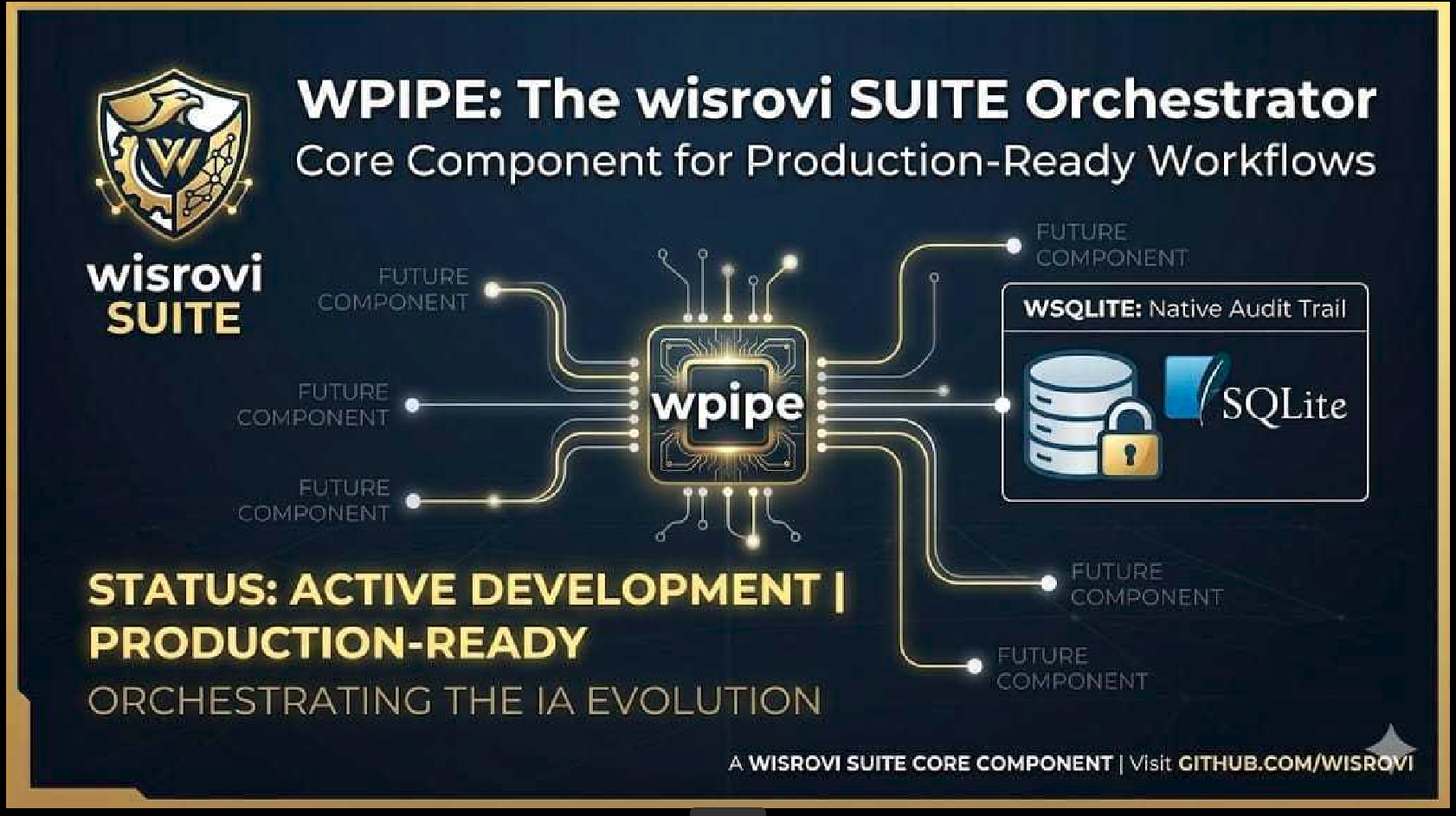
El motor de orquestación de pipelines más rápido, resiliente y puro para Python.
WPipe es una librería profesional diseñada para automatizar flujos de trabajo complejos, garantizando que tus datos viajen seguros, tus procesos sean ultra-rápidos y tus fallos sean fáciles de diagnosticar. Incluye ahora un Tour de Aprendizaje con 140 Niveles para dominar la librería desde lo más básico hasta lo más avanzado.




💎 ¿Por qué WPipe?
Diferénciate de los scripts lineales. WPipe te ofrece superpoderes:
| Superpoder | Descripción |
|---|---|
| ⚡ Modo Relámpago | Optimización extrema de SQLite (WAL Mode) y sincronización thread-safe para ejecuciones paralelas. |
| 🧵 Paralelismo Nativo | Ejecuta tareas en Hilos o Procesos con un solo comando. Bypass del GIL para tareas pesadas de CPU. |
| 🛡️ Checkpoints Inteligentes | Resiliencia ante objetos no serializables y referencias circulares. Si el sistema cae, WPipe reanuda exactamente donde se quedó. |
| 🔍 Captura de Errores Forense | Olvídate de los errores genéricos. Recibe notificaciones detalladas con el archivo y la línea exacta del fallo. |
| 🧬 Contratos de Datos | Valida tu "Bodega" de datos automáticamente con esquemas estrictos pero extensibles. |
| 🔄 Paridad Síncrona/Asíncrona | Elige entre Pipeline o PipelineAsync con el 100% de las mismas funcionalidades. |
📊 Features (25 Features)
| Feature | Descripción |
|---|---|
| 🔗 Pipeline Orchestration | Crear pipelines con funciones y clases como pasos |
| 🌳 Conditional Branches | Ejecutar diferentes rutas basadas en condiciones de datos |
| 🔄 Retry Logic | Reintentos automáticos con estrategias configurables |
| 🌐 API Integration | Conectar a APIs externas, registrar workers |
| 💾 SQLite Storage | Persistir resultados de ejecución a base de datos |
| ⚠️ Error Handling | Excepciones personalizadas y códigos de error detallados |
| 📋 YAML Configuration | Cargar y gestionar configuraciones |
| 🔀 Nested Pipelines | Componer flujos de trabajo complejos |
| 📊 Progress Tracking | Salida rica en terminal |
| 🧪 Type Hints | Anotaciones de tipo completas |
| 🔒 Memory Control | Utilidades integradas de memoria |
| 🧩 Composable | Componentes reutilizables de pipeline |
| ⚡ Parallel Execution | Ejecutar pasos en paralelo (I/O o CPU bound) |
| 📂 Pipeline Composition | Usar pipelines como pasos de otros pipelines |
| 🎯 Step Decorators | Definir pasos en línea con @step decorator |
| 💾 Checkpointing | Guardar y resumir desde checkpoints |
| ⏱️ Timeouts | Prevenir tareas colgadas con soporte de timeout |
| 📈 Resource Monitoring | Rastrear RAM y CPU durante ejecución |
| 📤 Export | Exportar logs, métricas y estadísticas a JSON/CSV |
| 🎪 Events & Hooks | Eventos pre/post ejecución y hooks personalizados |
| 📉 Alerts | Alertas configurables basadas en métricas |
| 🔐 Type Validation | Validación de esquemas con PipelineContext |
| 🔄 Async Pipeline | Soporte completo para pipelines asíncronos |
| 🏗️ DAG Scheduling | Programación basada en grafos acíclicos dirigida |
| 🌐 Dashboard Web | Dashboard visual en tiempo real |
| ⚡ Background Tasks | Ejecutar tareas sin bloquear el pipeline (fire & forget) |
🚀 Instalación
pip install wpipe
🧩 VS Code Extension (WPipe Tools)
WPipe cuenta con su extensión oficial para VS Code (WPipe Tools), diseñada para acelerar el desarrollo y la depuración visual de pipelines.
- Instalación: Busca
WPipe Toolsen el VS Code Marketplace o ejecutaext install wpipe.wpipe-vscode. - Previsualización DAG: Abre el Command Palette (
Ctrl+Shift+P) y ejecutaWPipe: Preview Pipeline DAG.
🧠 Snippets Inteligentes en VS Code
Escribe wp en cualquier archivo Python para desplegar los plantillas aceleradas:
| Snippet | Comando | Descripción |
|---|---|---|
| WPipe Complete | wppipecomplete |
Genera un pipeline profesional completo con add_error_capture(..., break_on_error=True), alertas, checkpoints, eventos y métricas de recursos. |
| WPipe Advanced | wppipeadv |
Pipeline robusto con retries, metrics y gestión de configuración. |
| WPipe Pipeline | wppipe |
Pipeline básico con almacenamiento de tracking en base de datos. |
| WPipe Step Func | wpstep |
Paso rápido basado en funciones. |
| WPipe Step Adv | wpstepadv |
Paso avanzado en clase con retries, timeouts y DTOs Pydantic. |
| WPipe Error Capture | wperrorcapture |
Registra el capturador de errores forense. |
📖 Guía Completa
1. Conceptos Fundamentales
WPipe se basa en 5 pilares que puedes combinar libremente:
from wpipe import Pipeline, step, Condition, For, Parallel
| Pilar | Uso |
|---|---|
step |
Decorador para definir funciones como pasos del pipeline |
Pipeline |
Contenedor principal que orquesta la ejecución |
Condition |
Ramificación condicional basada en expresiones |
For |
Bucles con validación de parada y merge_policy (accumulate/last_wins/callable) |
Parallel |
Ejecución paralela de múltiples pasos |
Hooks |
Middlewares globales (Pre/Post) para lógica transversal |
2. Tu Primer Pipeline con Hooks
from wpipe import Pipeline, step

@step(name="saludar")
def saludar(context):
    return {"mensaje": f"Hola, WPipe!"}

p = Pipeline()
# Añade hooks globales para auditoría o logging
p.add_pre_hook(lambda ctx, info: print(f"🚀 Iniciando: {info['name']}"))
p.add_post_hook(lambda ctx, info, res: print(f"✅ Finalizado: {info['name']}"))

p.add_state(saludar)
p.run({})
pipeline = Pipeline(pipeline_name="miPrimero") pipeline.set_steps([saludar])
result = pipeline.run({"name": "Mundo"})
{'mensaje': 'Hola, Mundo!'}
### 3. Pipeline con Validación de Tipos

```python
from wpipe import Pipeline, step, PipelineContext

class Usuario(PipelineContext):
    nombre: str
    edad: int
    email: str

@step(name="validar_usuario")
def validar(usuario: Usuario):
    if usuario.edad < 18:
        return {"validado": False, "razon": "menor de edad"}
    return {"validado": True}

pipeline = Pipeline(pipeline_name="validacion")
pipeline.set_steps([validar])

result = pipeline.run({"nombre": "Ana", "edad": 25, "email": "ana@ejemplo.com"})
# {'validado': True}
4. Ramificaciones Condicionales
from wpipe import Pipeline, step, Condition

@step(name="procesar")
def procesar(data):
    return {"resultado": "procesado"}

@step(name="alerta")
def alertar(data):
    return {"alerta": "¡Datos críticos!"}

pipeline = Pipeline(pipeline_name="condicional")
pipeline.set_steps([
    Condition(
        expression="valor > 100",
        branch_true=[procesar],
        branch_false=[alertar]
    )
])

pipeline.run({"valor": 50})  # Ejecuta alertar
pipeline.run({"valor": 150})  # Ejecuta procesar
5. Ejecución Paralela
from wpipe import Pipeline, step, Parallel

@step(name="tarea_a")
def tarea_a(data):
    return {"a": "listo"}

@step(name="tarea_b")
def tarea_b(data):
    return {"b": "listo"}

@step(name="tarea_c")
def tarea_c(data):
    return {"c": "listo"}

pipeline = Pipeline(pipeline_name="paralelo")
pipeline.set_steps([
    Parallel(
        steps=[tarea_a, tarea_b, tarea_c],
        max_workers=3
    )
])

result = pipeline.run({})
# Las 3 tareas se ejecutan simultáneamente
6. Background Tasks (Fire & Forget)
from wpipe import Pipeline, step
from wpipe.pipe.components.logic_blocks import Background

@step(name="tarea_principal")
def tarea_principal(data):
    print("Ejecutando tarea principal...")
    return {"status": "completado"}

@step(name="tarea_lenta")
def tarea_lenta(data):
    import time
    print("Enviando telemetría...")
    time.sleep(2)  # Simula operación lenta
    print("¡Telemetría enviada!")

pipeline = Pipeline(pipeline_name="con_background")
pipeline.set_steps([
    tarea_principal,
    Background(tarea_lenta),  # No bloquea el pipeline
])

result = pipeline.run({})
# El pipeline NO espera 2 segundos, continúa inmediatamente
# La tarea lenta se ejecuta en background (daemon thread)
7. Checkpoints (Resiliencia)
from wpipe import Pipeline, step, CheckpointManager

pipeline = Pipeline(pipeline_name="resiliente")

# Definir checkpoint basado en expresión lógica
pipeline.add_checkpoint(
    checkpoint_name="datos_listos",
    expression="temperatura > 0"
)

@step(name="procesar")
def procesar(data):
    return {"status": "completado"}

pipeline.set_steps([procesar])

# Si el sistema cae, WPipe reanuda automáticamente
chk = CheckpointManager("mi_db.db")
if chk.can_resume("resiliente"):
    pipeline.resume()
else:
    pipeline.run({"temperatura": 25})
7. Reintentos Automáticos
from wpipe import Pipeline, step

@step(name="conexion_api", retry_count=3, retry_delay=1)
def conexion_api(data):
    # Simulamos posible fallo
    if not data.get("disponible"):
        raise ConnectionError("API no disponible")
    return {"conectado": True}

pipeline = Pipeline(pipeline_name="retry")
pipeline.set_steps([conexion_api])
pipeline.run({"disponible": False})  # Reintenta 3 veces antes de fallar
8. Timeouts
from wpipe import Pipeline, step, timeout_sync

@timeout_sync(seconds=5)
@step(name="tarea_lenta")
def tarea_lenta(data):
    import time
    time.sleep(10)  # Simula tarea lenta
    return {"status": "ok"}

pipeline = Pipeline(pipeline_name="timeout")
pipeline.set_steps([tarea_lenta])
# Si tarda más de 5 segundos, lanza TimeoutError
9. Pipeline Asíncrono
import asyncio
from wpipe import PipelineAsync, step

@step(name="async_task")
async def async_task(data):
    await asyncio.sleep(1)
    return {"result": "async done"}

async def main():
    pipeline = PipelineAsync(pipeline_name="async_demo")
    pipeline.set_steps([async_task])
    result = await pipeline.run({"data": "test"})
    return result

asyncio.run(main())
10. Pipelines Anidados
from wpipe import Pipeline, step

# Pipeline hijo
sub_pipeline = Pipeline(pipeline_name="hijo")
sub_pipeline.set_steps([step_a, step_b])

# Pipeline padre que usa el hijo
parent_pipeline = Pipeline(pipeline_name="padre")
parent_pipeline.set_steps([
    paso_inicial,
    sub_pipeline,  # ¡Se ejecuta como un paso más!
    paso_final
])
11. Exportar Resultados
from wpipe import PipelineExporter

exporter = PipelineExporter("tracking.db")

# Exportar a JSON
json_data = exporter.export_pipeline_logs(format="json")

# Exportar a CSV
csv_data = exporter.export_pipeline_logs(format="csv")

# Exportar estadísticas
stats = exporter.export_statistics(format="json")
12. Dashboard Web
from wpipe import start_dashboard

# Inicia el dashboard en http://localhost:5000
start_dashboard(db_path="tracking.db", port=5000)
Control de almacenamiento de datos (Input/Output)
Por defecto, WPipe guarda los datos de entrada/salida de cada estado y del
pipeline en la base de datos de tracking. Si tus datos son pesados (imágenes,
video, tensores) y quieres reducir el tamaño de la DB, deshabilita su
persistencia con save_json_input_output=False. El dashboard seguirá
funcionando y mostrará N/A en las secciones Input/Output.
pipeline = Pipeline(pipeline_name="Trip_L1", verbose=True, save_json_input_output=False)
🎯 Uso Avanzado: El Viaje Resiliente
Este ejemplo combina todas las características de WPipe:
from wpipe import (
    Pipeline, For, Condition, Parallel, step, to_obj,
    PipelineContext, CheckpointManager, Metric, Severity
)

# 1. Definimos el contrato de datos
class MiContexto(PipelineContext):
    motor: str
    temperatura: float
    nivel_gasolina: str

# 2. Creamos pasos con validación automática
@step(name="VerificarMotor", retry_count=3)
@to_obj(MiContexto)
def verificar_motor(ctx: MiContexto):
    print(f"Chequeando motor: {ctx.motor}")
    return {"temperatura": 85.5}

@step(name="CargarCombustible")
def cargar_combustible(data):
    return {"nivel_gasolina": "completo"}

@step(name="Conducir")
def conducir(data):
    return {"distancia": 100}

# 3. Orquestación de Alto Nivel
viaje = Pipeline(pipeline_name="ViajeLTS", verbose=True)

# Añadimos checkpoint inteligente
viaje.add_checkpoint(
    checkpoint_name="arranque",
    expression="temperatura > 0"
)

# Añadimos alertas
viaje.tracker.add_alert_threshold(
    metric=Metric.PIPELINE_DURATION,
    expression=">5000",
    severity=Severity.WARNING,
    steps=[lambda d: print("⚠ Pipeline lento!")]
)

# 4. Configuramos los pasos
viaje.set_steps([
    verificar_motor,
    Parallel(
        steps=[cargar_combustible, revisar_neumaticos],
        max_workers=2,
        merge_policy="accumulate"   # suma números, extiende listas, fusiona dicts
    ),
    For(
        iterations=10,
        validation_expression="nivel_gasolina != 'vacío'",
        steps=[conducir],
        merge_policy="last_wins"    # solo última iteración gana
    )
])

# 5. Ejecutamos
results = viaje.run({"motor": "V8", "temperatura": 20})
🔀 Merge Policy: Fusión de Resultados en Paralelo y Bucles
Cuando se ejecutan pasos en paralelo (Parallel) o en bucle (For), cada worker recibe una copia del contexto (base). Al finalizar, solo las claves que el worker realmente modificó se fusionan de vuelta al contexto global usando merge_policy.
Parallel(merge_policy=...) — Default: "accumulate"
| Policy | Comportamiento |
|---|---|
"accumulate" (default) |
Suma números, extiende listas, fusiona dicts; resto: último write gana |
"last_wins" |
Último step en orden de declaración gana |
callable(current, new) -> merged |
Resolución personalizada |
# Ejemplo: suma contadores en paralelo
p = Pipeline()
p.set_steps([
    Parallel(
        steps=[
            lambda ctx: {**ctx, "counter": ctx.get("counter", 0) + 1},
            lambda ctx: {**ctx, "counter": ctx.get("counter", 0) + 10}
        ],
        merge_policy="accumulate"   # 1 + 10 = 11 se suma al base
    )
])
result = p.run({"counter": 100})
print(result["counter"])  # 111 (100 + 1 + 10)
# Ejemplo: último write gana
p = Pipeline()
p.set_steps([
    Parallel(
        steps=[
            lambda ctx: {**ctx, "value": "A"},
            lambda ctx: {**ctx, "value": "B"}
        ],
        merge_policy="last_wins"
    )
])
result = p.run({})
print(result["value"])  # "B" (segundo step en orden de declaración)
# Ejemplo: merge personalizado
p = Pipeline()
p.set_steps([
    Parallel(
        steps=[
            lambda ctx: {**ctx, "items": ["a"]},
            lambda ctx: {**ctx, "items": ["b"]}
        ],
        merge_policy=lambda cur, new: cur + new  # concatena listas
    )
])
result = p.run({"items": ["start"]})
print(result["items"])  # ["start", "a", "b"]
For(merge_policy=...) — Default: "last_wins"
En bucles, base es el contexto antes de la primera iteración. Solo claves modificadas en la última iteración (o acumuladas) se fusionan.
| Policy | Uso típico |
|---|---|
"last_wins" (default) |
Solo resultado de la última iteración persiste |
"accumulate" |
Acumula contadores/listas a lo largo de iteraciones |
callable |
Lógica custom por iteración |
# Acumular en cada iteración del bucle
p = Pipeline()
p.set_steps([
    For(
        iterations=5,
        steps=[lambda ctx: {**ctx, "sum": ctx.get("sum", 0) + 1}],
        merge_policy="accumulate"
    )
])
result = p.run({"sum": 10})
print(result["sum"])  # 15 (10 + 5 iteraciones)
# Solo última iteración (default)
p = Pipeline()
p.set_steps([
    For(
        iterations=3,
        steps=[lambda ctx: {**ctx, "value": ctx.get("value", 0) + 100}],
        merge_policy="last_wins"
    )
])
result = p.run({"value": 0})
print(result["value"])  # 100 (solo última iteración: 0+100)
📊 Observabilidad Completa
WPipe no solo ejecuta, entiende tu proceso:
# Análisis de rendimiento
analysis = pipeline.tracker.analysis
stats = analysis.get_stats()

# Estadísticas globales
print(f"Total ejecuciones: {stats['total_pipelines']}")
print(f"Tasa de éxito: {stats['success_rate']}%")
print(f"Duración media: {stats['avg_duration_ms']}ms")

# Detectar cuellos de botella
slow_steps = analysis.get_top_slow_steps(limit=5)
for step in slow_steps:
    print(f"{step['step_name']}: {step['avg_duration_ms']}ms")

# Exportar a JSON/CSV para auditorías
exporter = PipelineExporter("tracking.db")
exporter.export_pipeline_logs(format="json", output_path="reporte.json")
📋 API Reference (Resumen)
| Clase/Función | Descripción |
|---|---|
Pipeline |
Pipeline síncrono principal (save_json_input_output=True por defecto) |
PipelineAsync |
Pipeline asíncrono (save_json_input_output=True por defecto) |
@step(name, version, retry_count, ...) |
Decorador para definir pasos |
Condition(expression, branch_true, branch_false) |
Ramificación condicional |
For(iterations, validation_expression, steps, merge_policy="last_wins") |
Bucle con validación y merge policy |
Parallel(steps, max_workers, use_processes, merge_policy="accumulate") |
Ejecución paralela con merge policy |
CheckpointManager |
Gestor de checkpoints |
PipelineExporter |
Exportador de logs/métricas |
start_dashboard(port) |
Dashboard web |
ResourceMonitor |
Monitor de RAM/CPU |
PipelineContext |
TypedDict para validación de tipos |
🛡️ Calidad y Soporte
| Aspecto | Detalle |
|---|---|
| LTS | WPipe v2.1+ cuenta con soporte a largo plazo |
| Test Coverage | 95%+ pruebas en entornos síncronos y asíncronos |
| Arquitectura | Unificación bajo wsqlite, sin SQL crudo en el núcleo |
| Python | Compatible con Python 3.9+ |
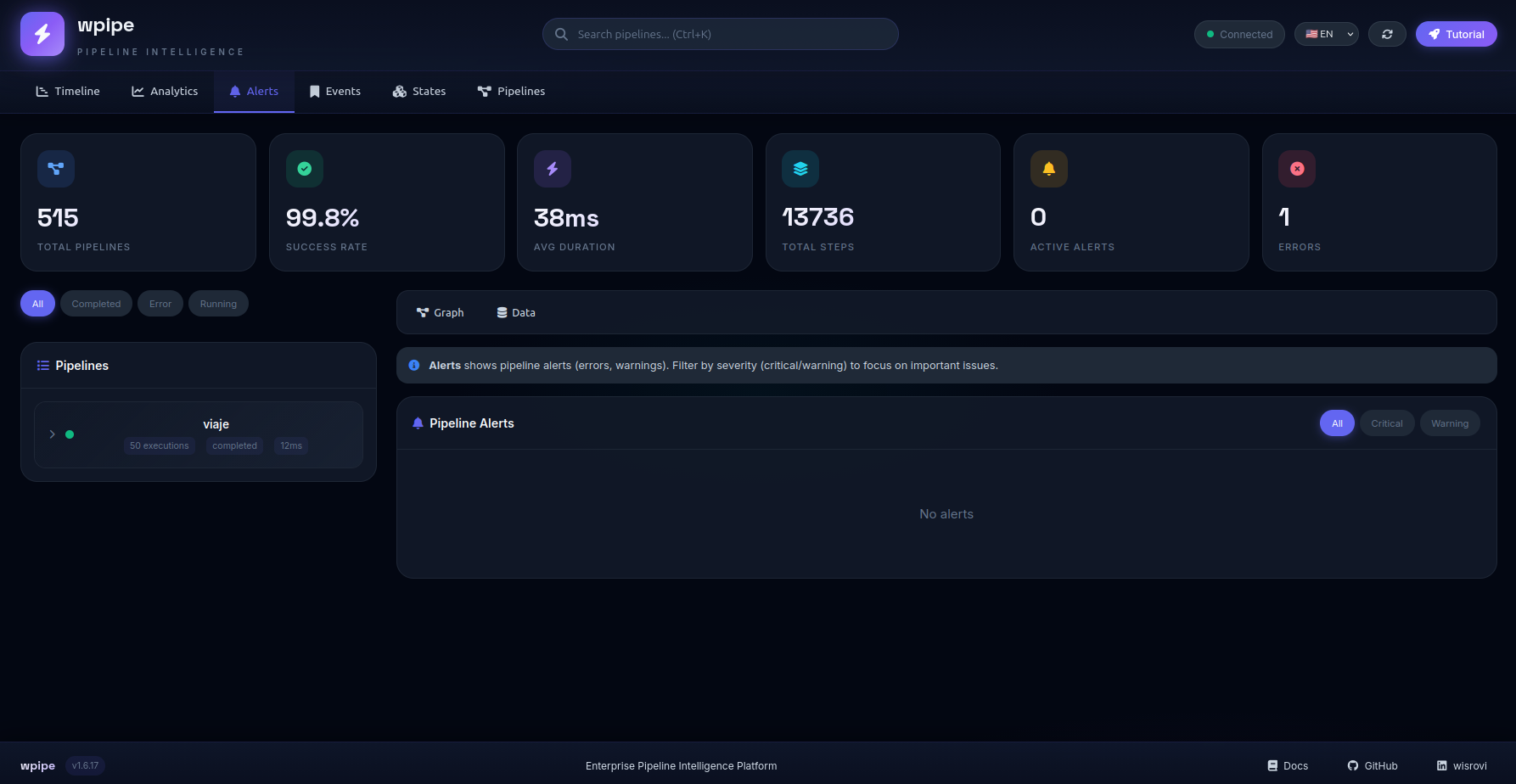
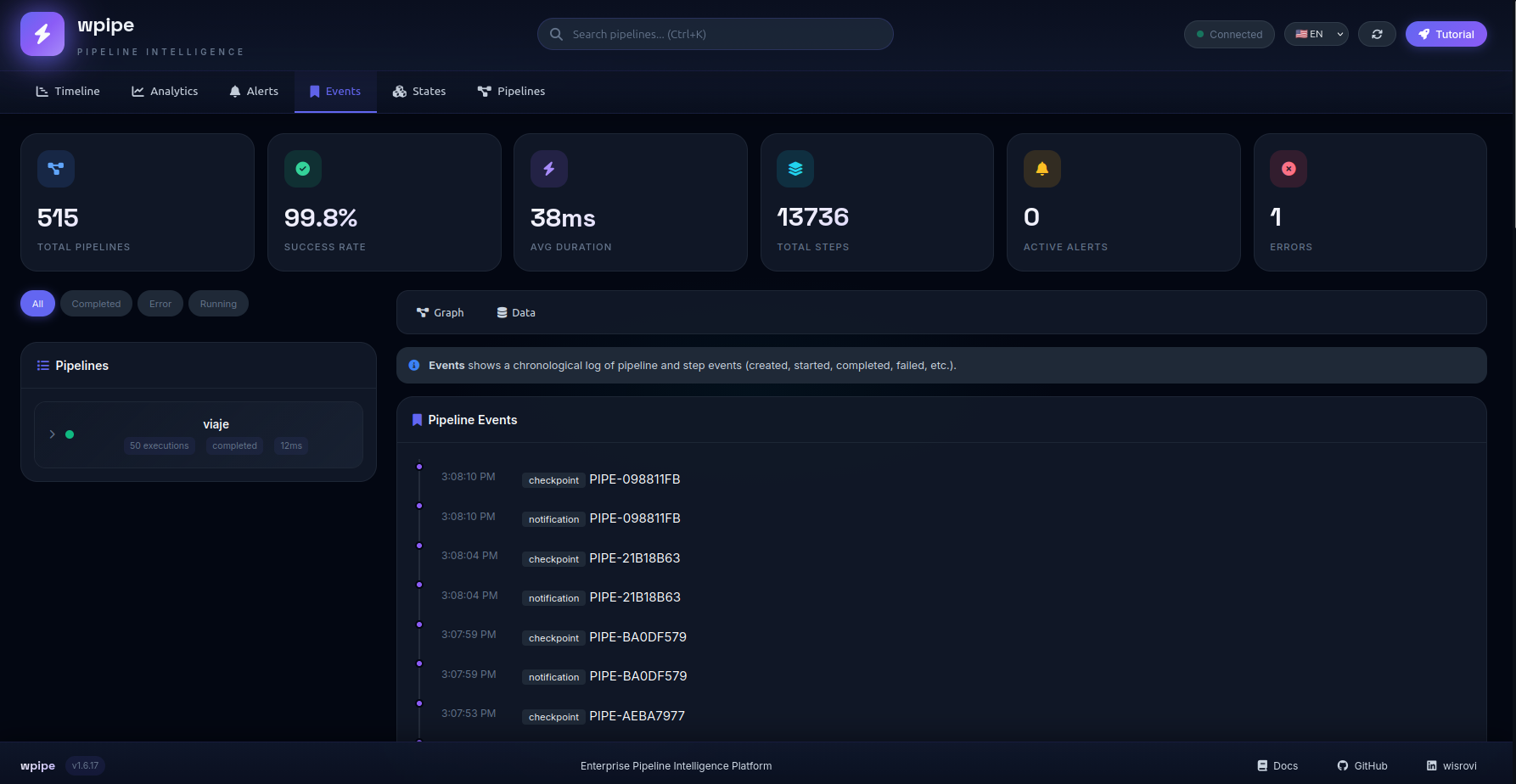
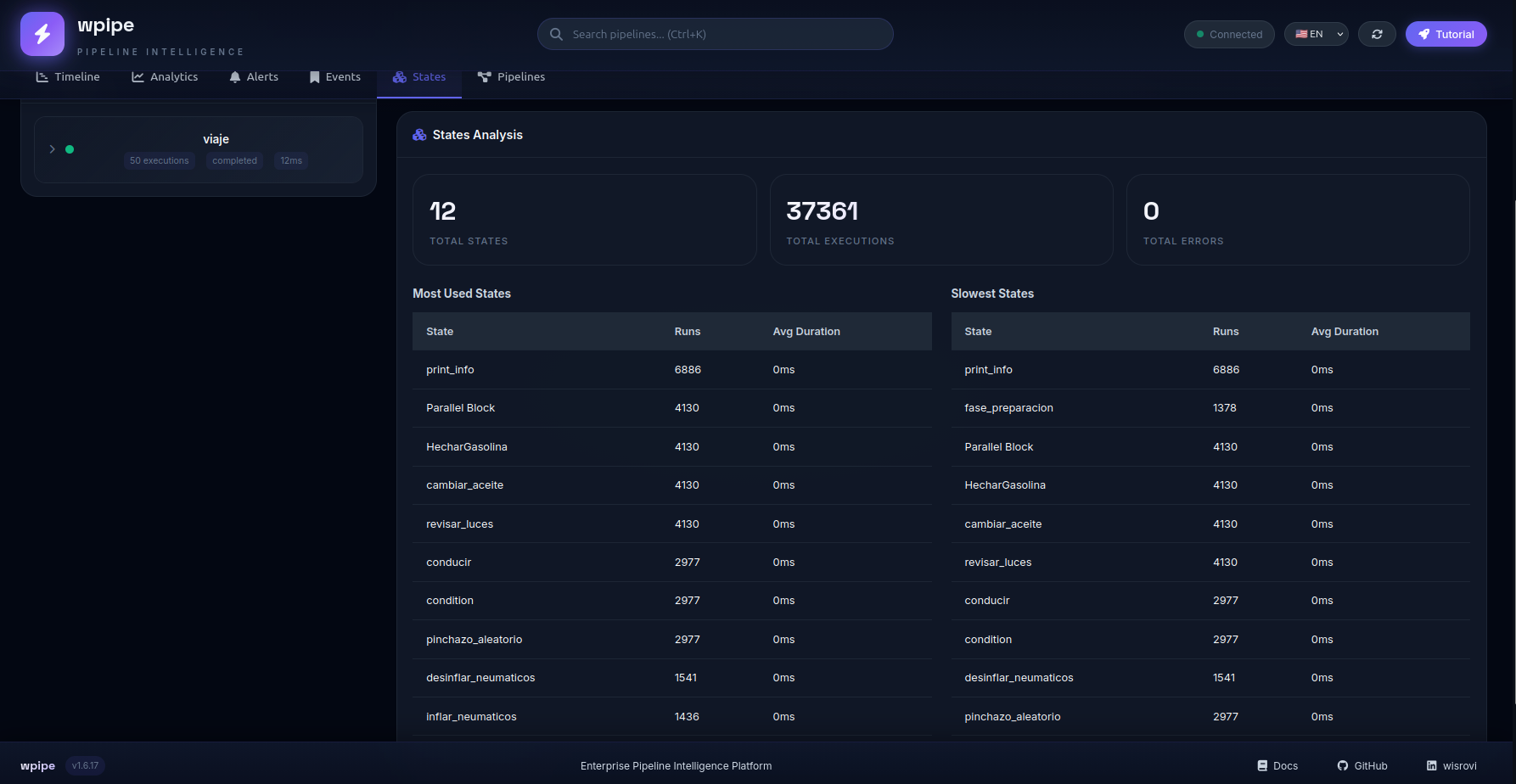
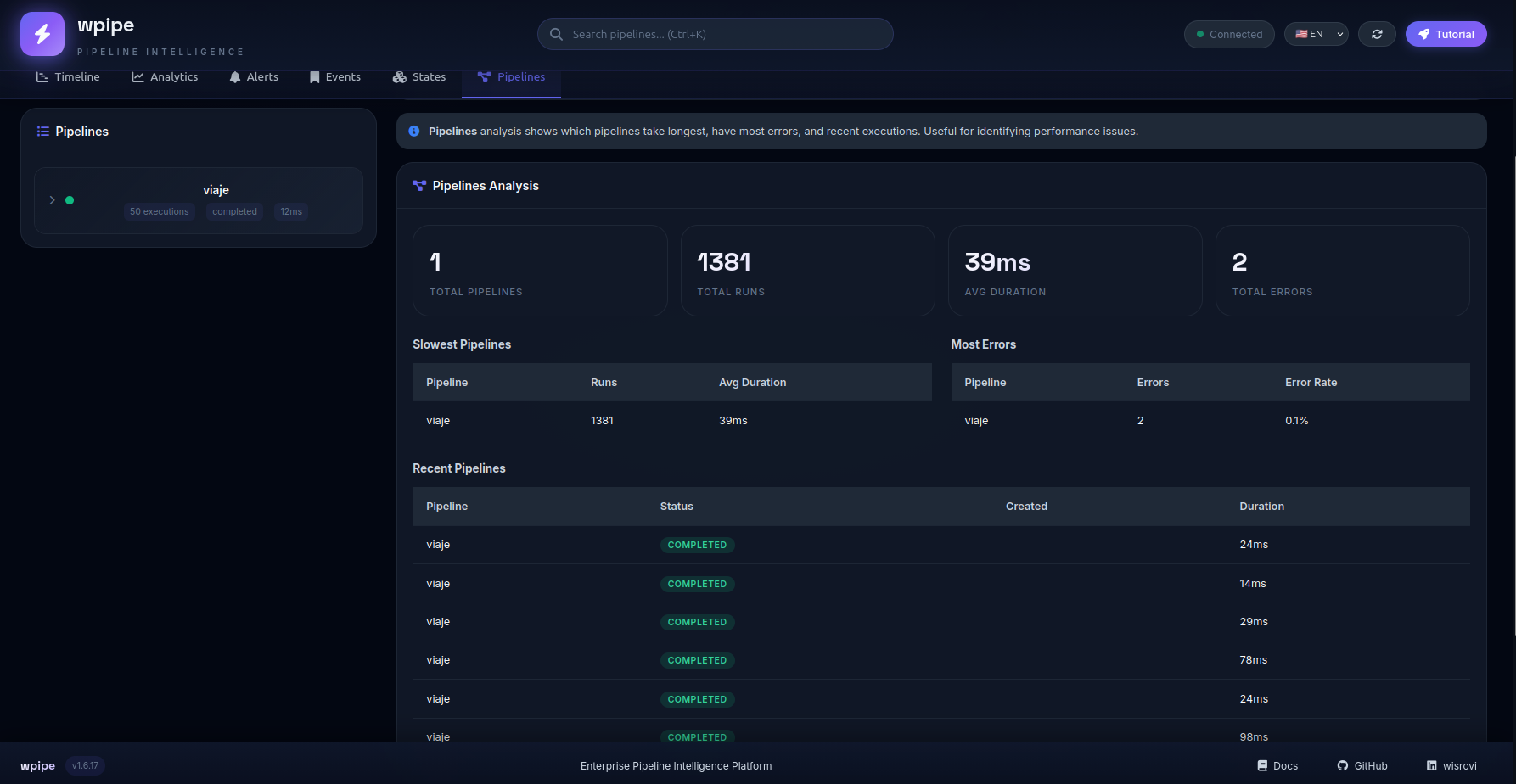
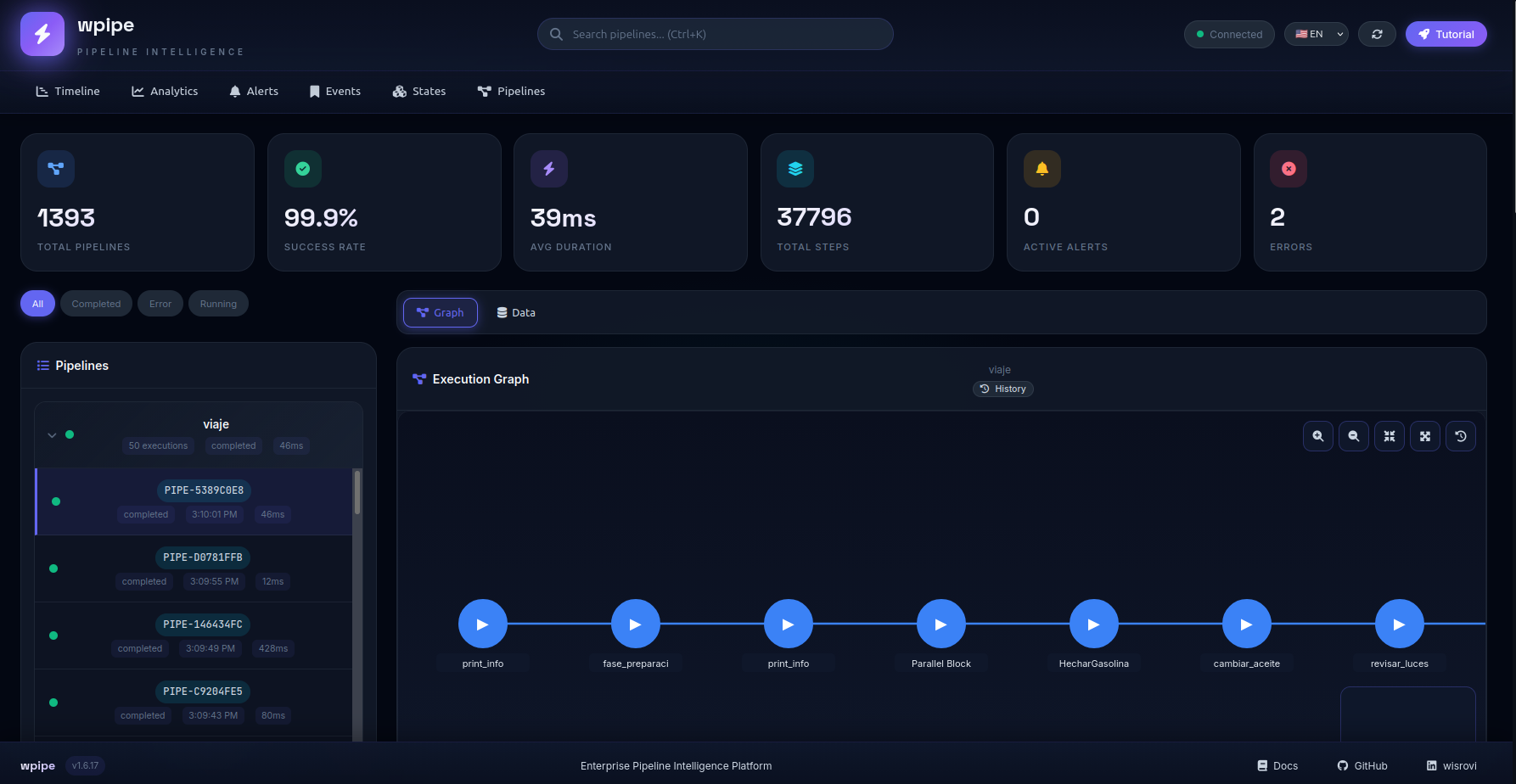
DASHBOARD
Tutorial
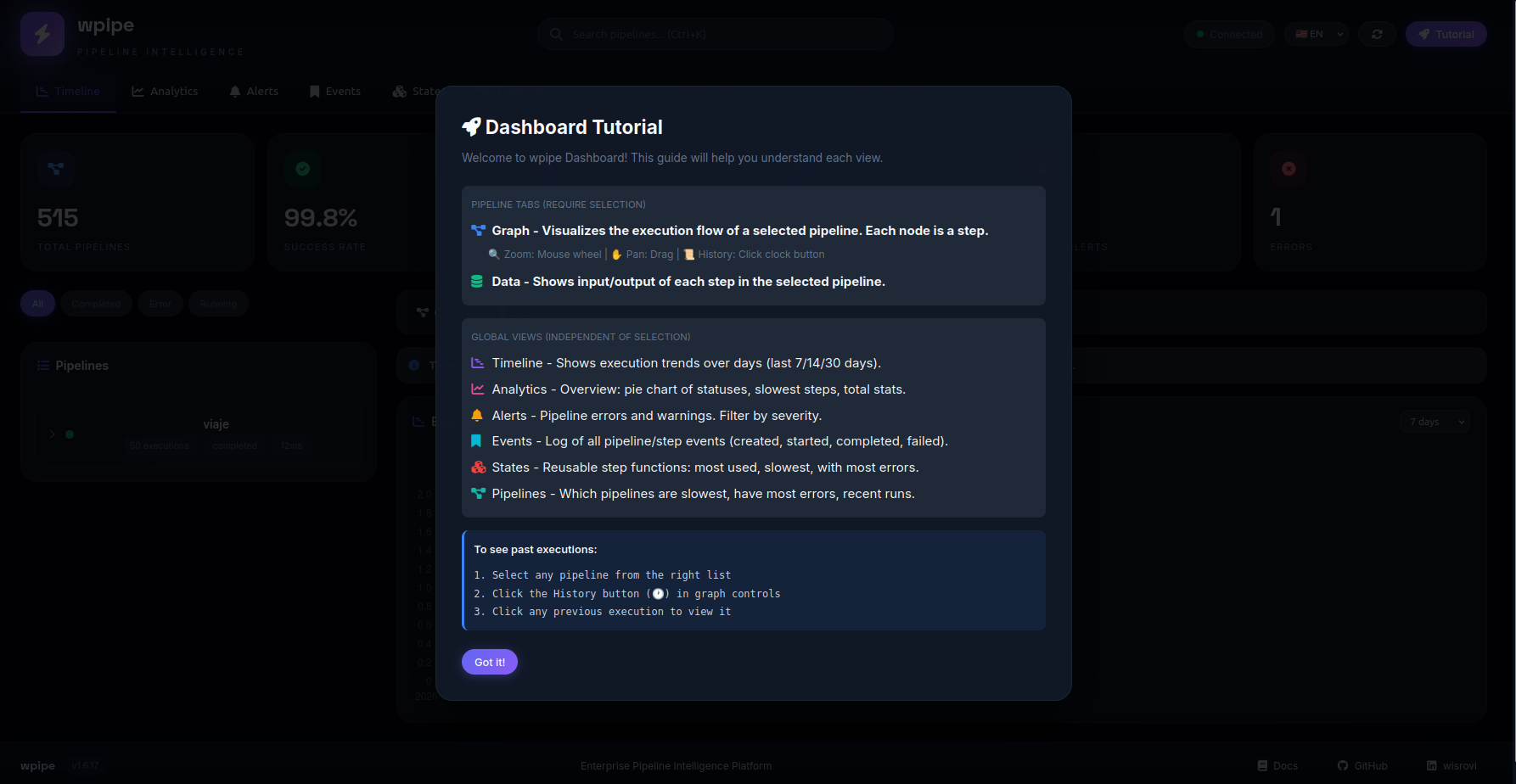
Principal menus
Timeline:
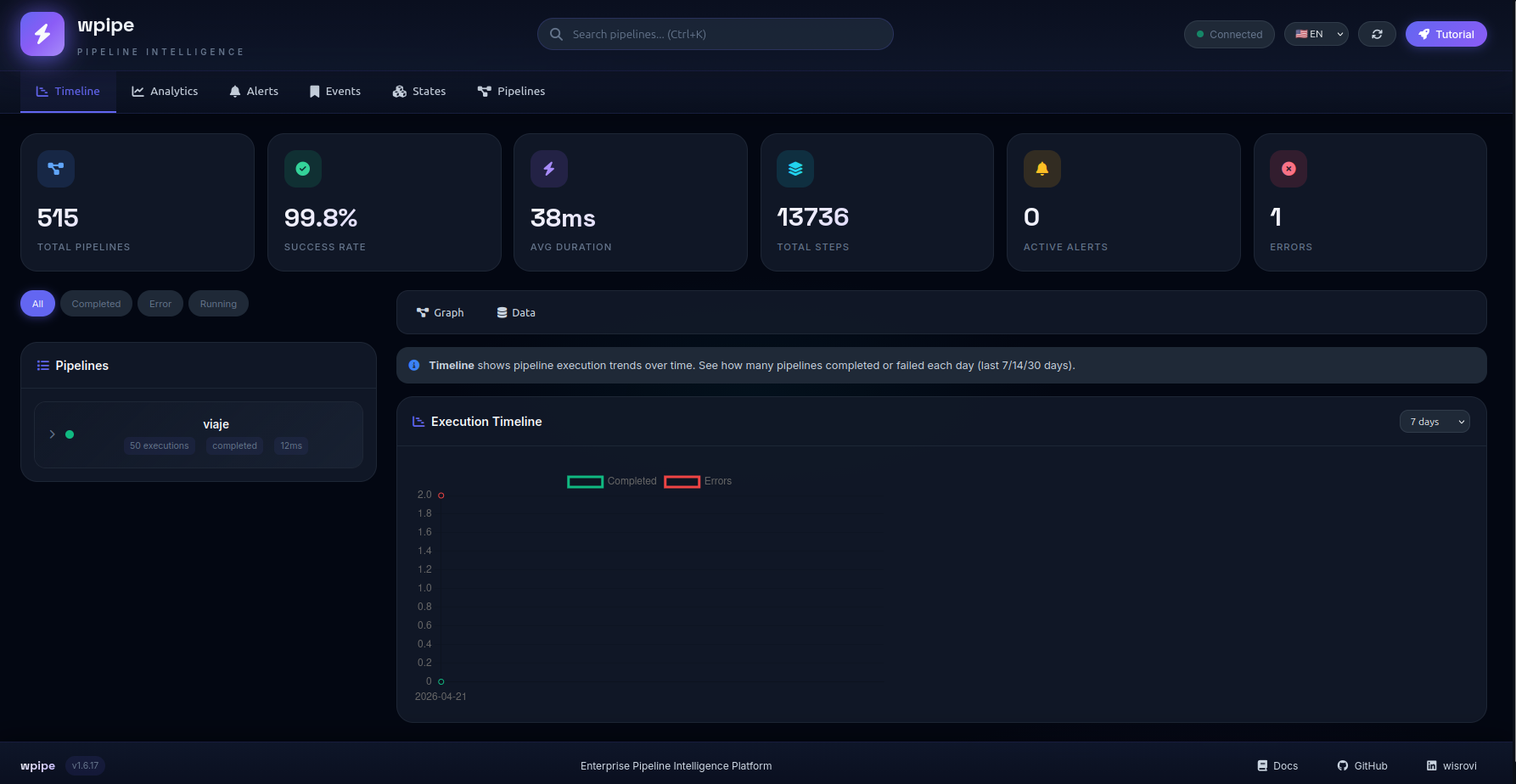
Analitics:
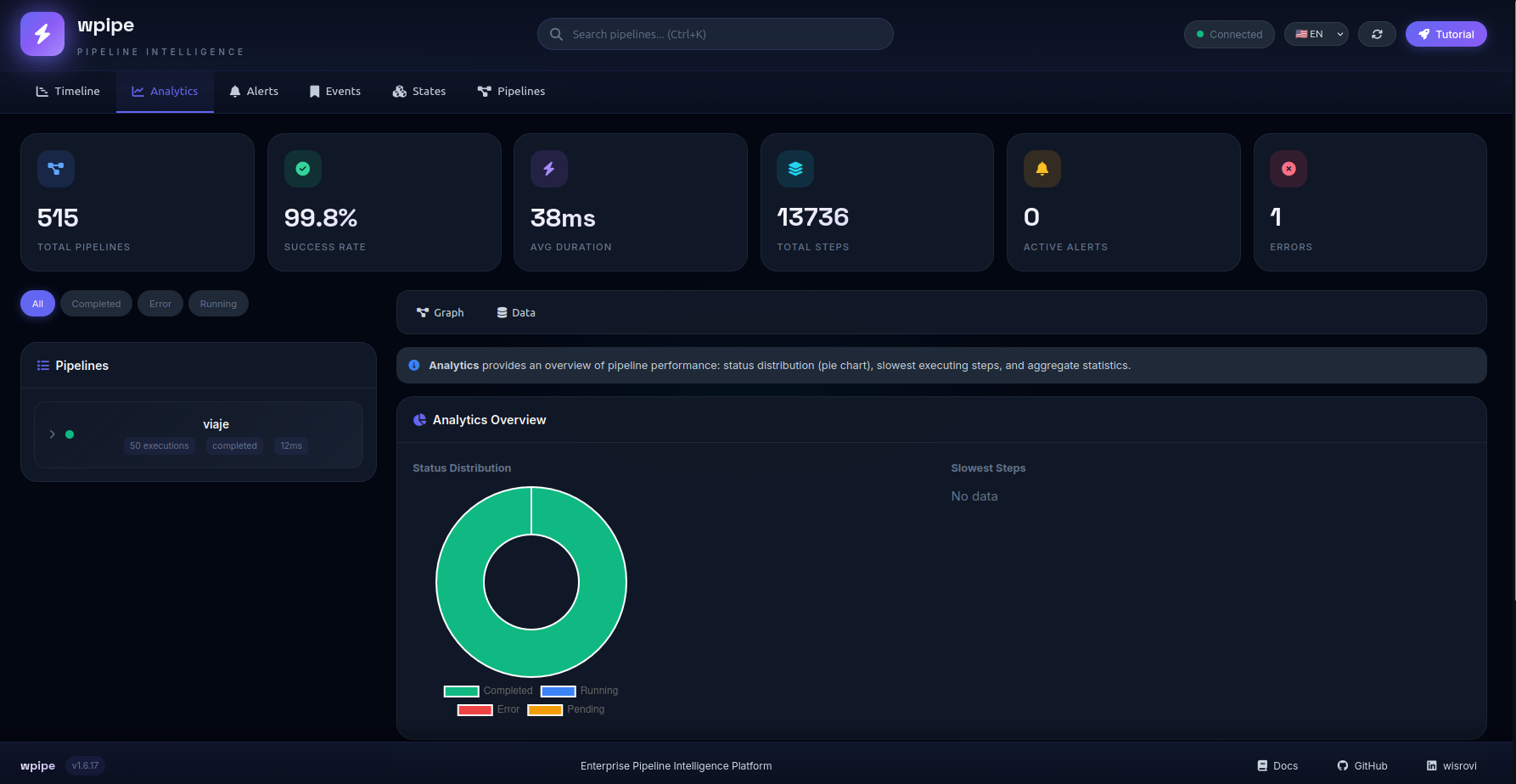
Alerts:
Events:
states:
Pipelines:
Graph pipeline
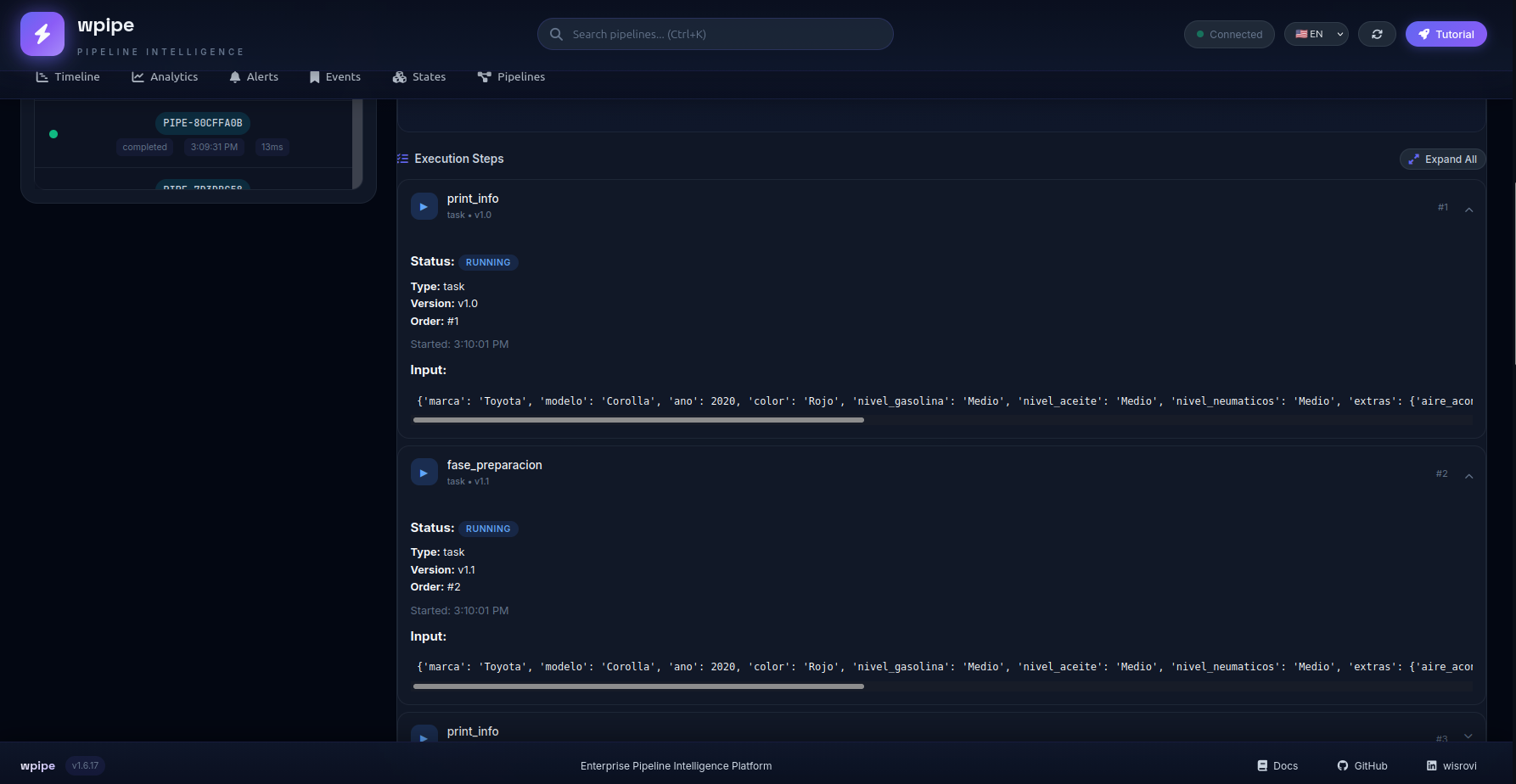
states data transaction
🛠️ Extensiones para Editores
Visual Studio Code
WPipe cuenta con una extensión oficial para mejorar la experiencia de desarrollo:
- Snippets: Autocompletado para
@step,Pipeline,Parallely más. - Validación YAML: Soporte para esquemas de configuración de pipelines.
- Comandos: Acceso rápido a herramientas de WPipe.
Puedes encontrar la extensión y las instrucciones de instalación en la carpeta editors/vscode/.
📄 Licencia
MIT License - Libre para usar, modificar y distribuir.
🏢 ¿Usas WPipe? (Opcional)
¡Nos encantaría saberlo! Si usas WPipe en producción, nos motiva mucho saberlo.
** badge opcional:**
[](https://github.com/wisrovi/wpipe)
📧 Contáctanos: wisrovi.rodriguez@gmail.com
Consulta USERS.md para ver la lista completa de usuarios reconocidos.
📜 Historial de Versiones (Resumen)
| Versión | Fecha | Cambios Principales |
|---|---|---|
| 2.5.2 | 2026-08-07 | For.merge_policy fix (accumulate/last_wins/callable), async For handler |
| 2.5.1 | 2026-08-07 | Parallel merge_policy fix, checkpoints unblocked, dashboard get_table_data, mypy/ruff 0 |
| 2.5.0 | 2026-08-06 | Flag save_json_input_output, Parallel.merge_policy, optimizaciones |
| 2.4.3 | — | Optimización serializador, memoria compartida, checkpoints |
| 2.4.0 | — | Bump estable LTS |
Diseñado con ❤️ por William Rodriguez (wisrovi) para ingenieros que no aceptan menos que la excelencia.
1 maintainer

Metadata
1 maintainer
Release files for wpipe 2.5.13
For a detailed explanation of source distributions (sdists) and built distributions (wheels), please see the package formats documentation.
Source distribution (sdist)
| File | Size | Uploaded | Provenance | |
|---|---|---|---|---|
| wpipe-2.5.13.tar.gz | 144.8 kB | Without provenance | Details |
Built distribution (wheel)
| File | Interpreter | ABI | Platform | Reset |
|---|---|---|---|---|
| wpipe-2.5.13-py3-none-any.whl | Python 3 | none | any | Details |
Total release size: 284.7 kB
Release files / wpipe-2.5.13.tar.gz
| Download URL | wpipe-2.5.13.tar.gz |
|---|---|
| Size | 144.8 kB |
| Tags | Source |
|
SHA-256 checksum How to use checksums |
6dcadae6bf10c4bb6cb1cb27ad932d8696c6634c0d8b3d180b9df11a980b8b14
|
|
BLAKE2b-256 checksum How to use checksums |
ba3a510590481d8387adc2c0a57bc0c6e2938ebf866bb54502ce1636e859117d
|
| Upload date | |
|
Uploaded using Trusted Publishing? What is trusted publishing? |
No |
| Uploaded via |
twine/7.0.0 CPython/3.13.5
|
Release files / wpipe-2.5.13-py3-none-any.whl
| Download URL | wpipe-2.5.13-py3-none-any.whl |
|---|---|
| Size | 139.8 kB |
| Tags | Python 3 |
|
SHA-256 checksum How to use checksums |
8be79c530462d3d54d88f4336ca25d7e9fa27bc7a2c0e5b6487c14584f64f9a3
|
|
BLAKE2b-256 checksum How to use checksums |
36dac1ab709deb66a935c34a38b7e29b19c9ffe26cf64316bc0043c65684bb87
|
| Upload date | |
|
Uploaded using Trusted Publishing? What is trusted publishing? |
No |
| Uploaded via |
twine/7.0.0 CPython/3.13.5
|
Security for wpipe 2.5.13
Provenance
Provenance describes where a file came from. On PyPI, provenance is shared via attestations, which provide a verifiable record of the build or publishing details. View details, limitations and caveats.
No provenance found
None of the files in this release were uploaded with provenance metadata.
A note on package security
PyPI is a repository for distributing packages, not a service for auditing them. While third-party security researchers and our staff do their best to detect and remove malicious packages, PyPI cannot guarantee the quality, security or suitability of any given package.
To learn more about protecting yourself from malicious actors, visit our package security documentation.














