
Extract information from WPK mails
Verified details
These details have been verified by PyPIProject links
GitHub Statistics
Maintainers

Project description
WPKonverter
A script to convert registration data for the “Wiener Produktionstechnik-Kongress” (WPK) into an Excel file.
Requirements
-
Python 3.12 or later
Note: When you install the software, please do not forget to enable the checkbox “Add Python to PATH” in the setup window of the installer.
Installation
-
Open Microsoft Terminal
-
Install the package with
pippip install wpkonverter
Usage
Preparation
-
Open Outlook Classic
-
Move WPK mails into folder e.g. one named “WPK”
-
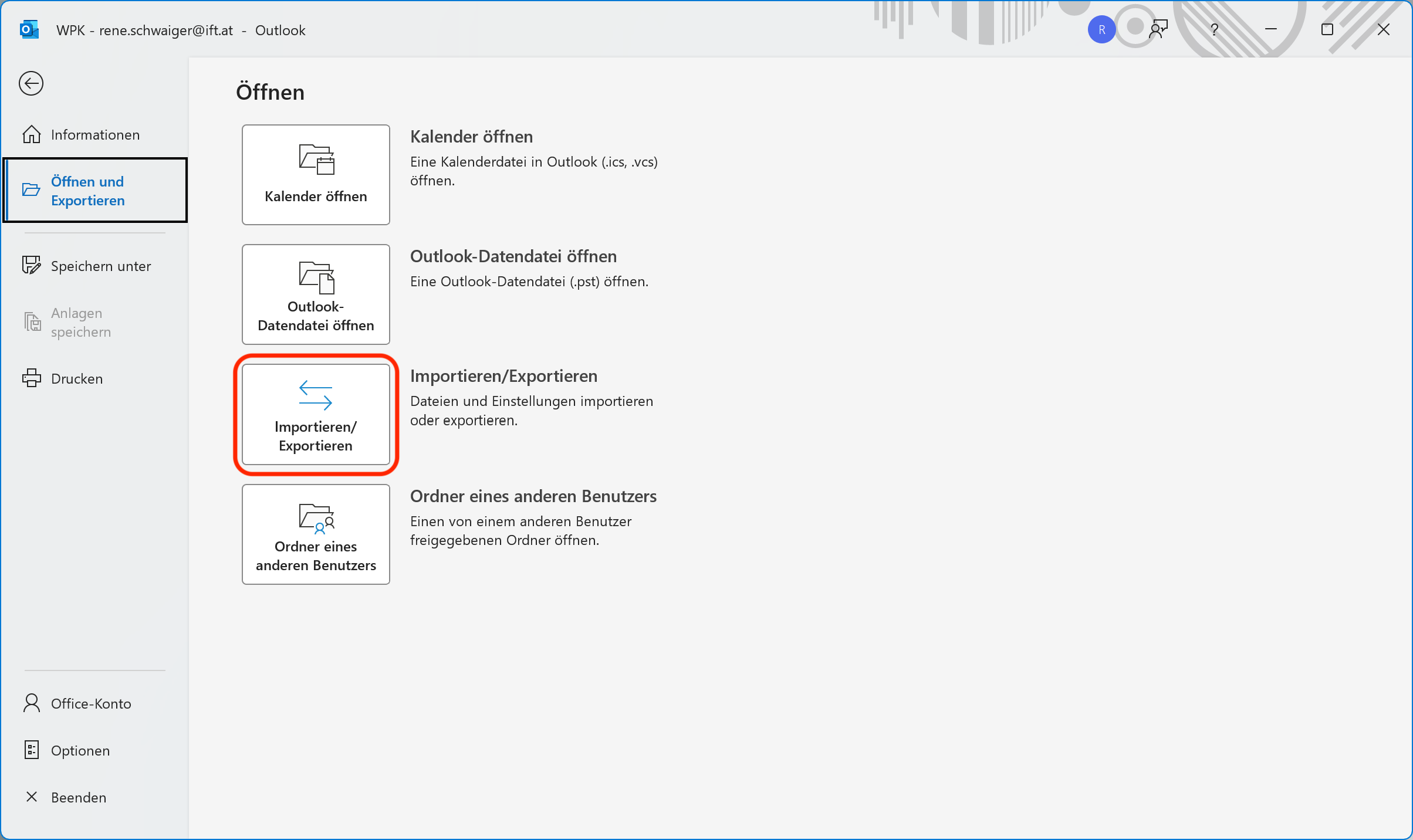
Click on “Datei”
-
Click on “Öffnen und Exportieren”
-
Click on “Importieren/Exportieren”
-
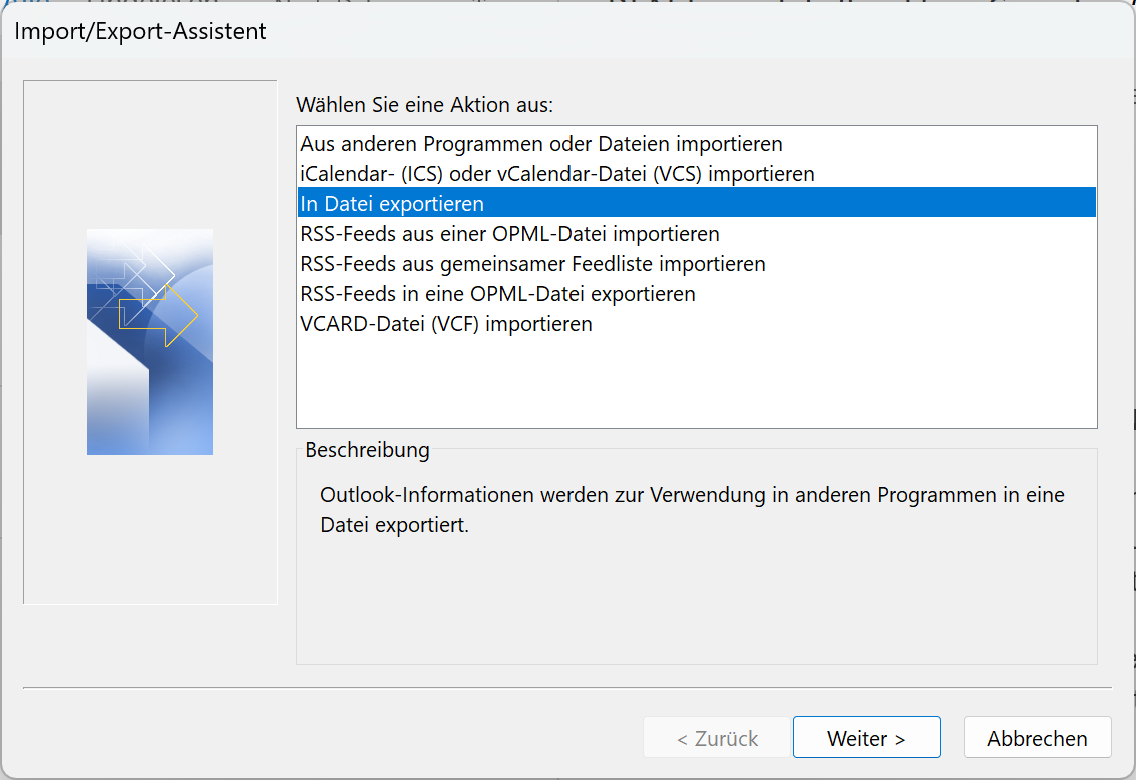
Click on “In Datei exportieren” and “Weiter”
-
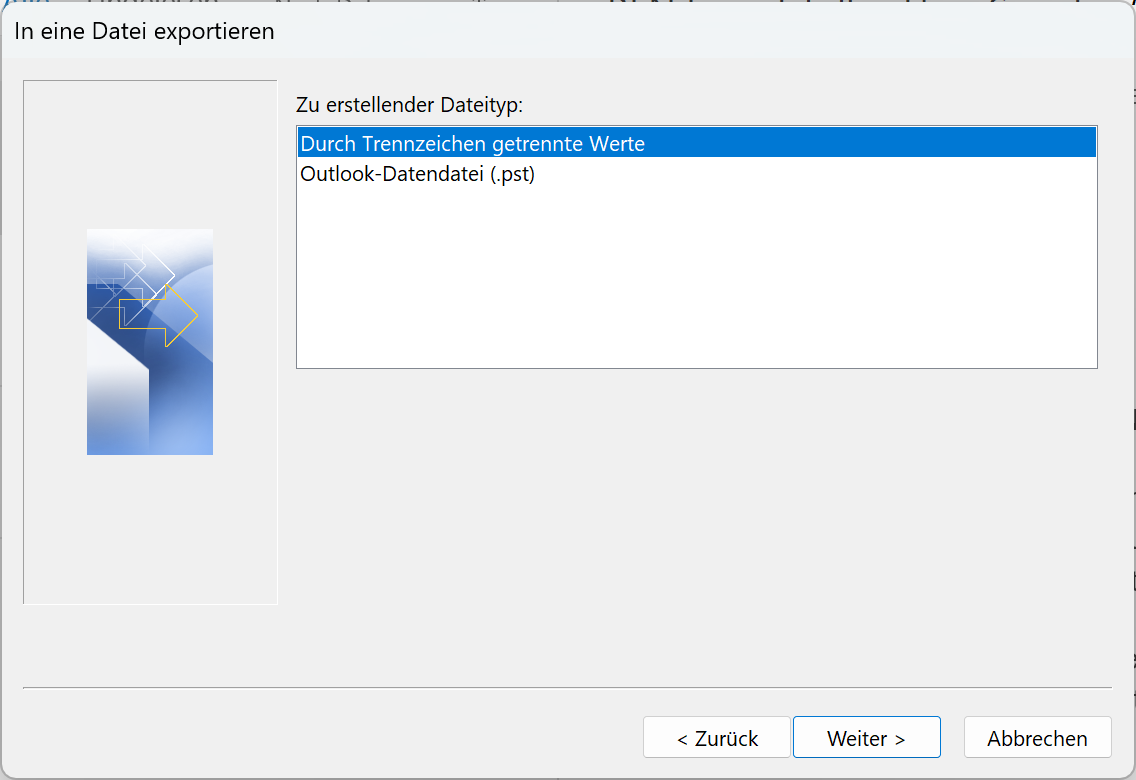
Click on “Durch Trennzeichen getrennte Werte” and “Weiter”
-
Click on “Durch Trennzeichen getrennte Werte” and “Weiter”
-
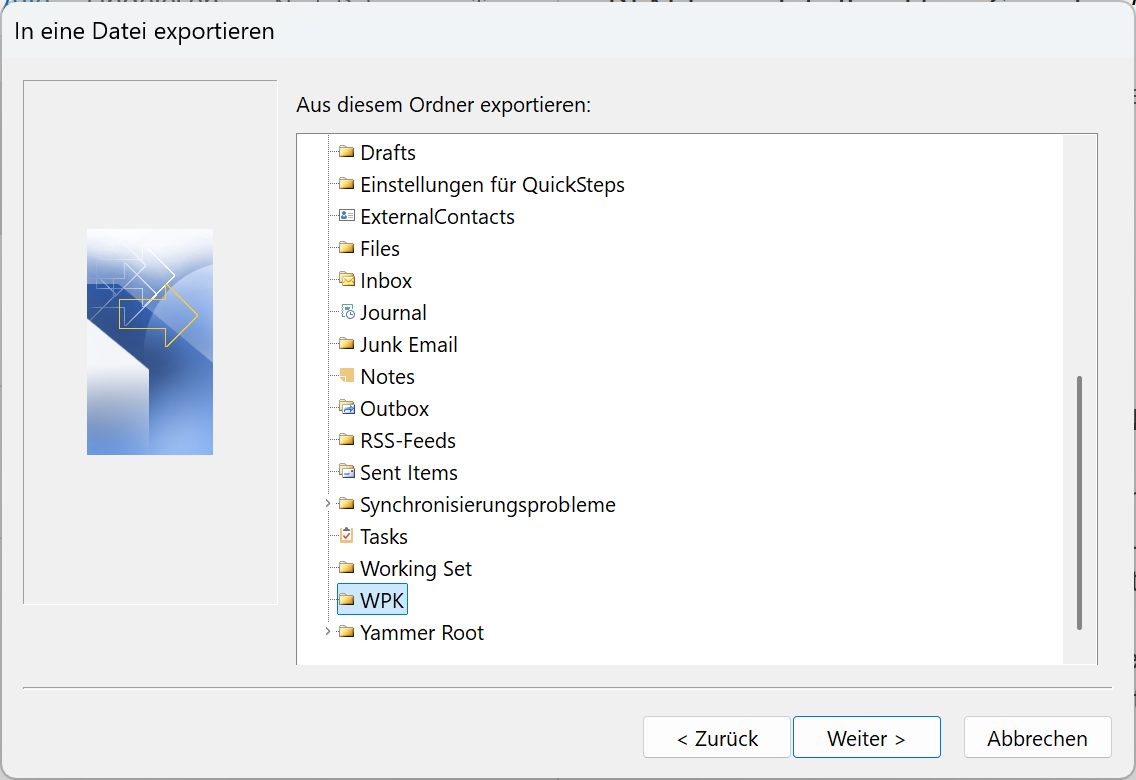
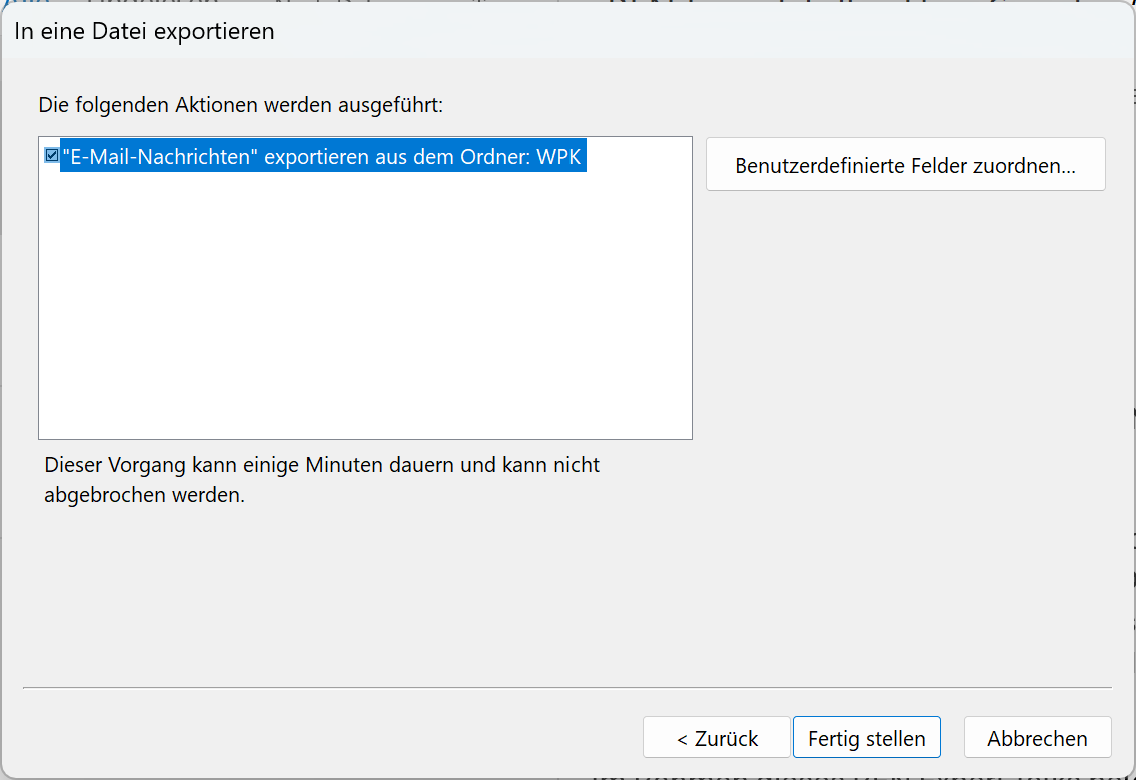
Select the folder from step 2 (e.g. “WPK”) and click on “Weiter”
-
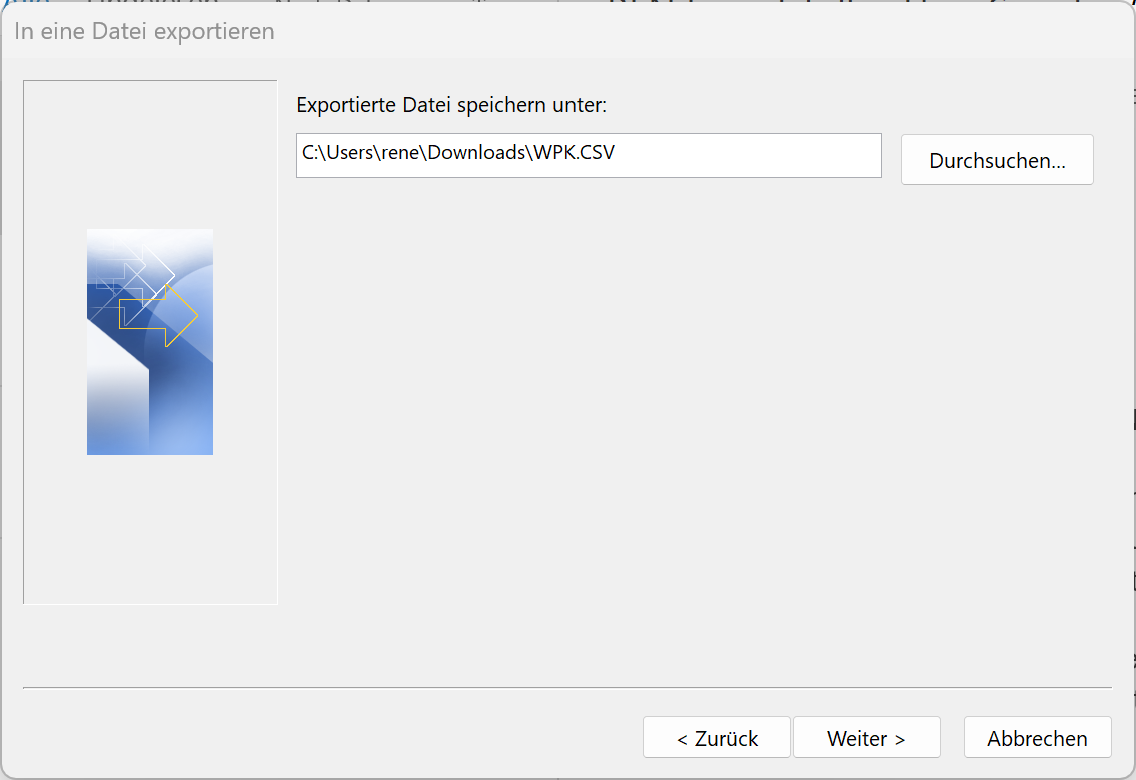
Choose the folder (e.g.
Downloads) and the filename (e.g.WPK.CSV) for the exported file and click on “Weiter” -
Click on “Fertig stellen” to store the file
Conversion
-
Open “Windows Terminal”
-
Execute the following command:
wpkonverter ~/Downloads/WKP.CSVNote: The command above assumes that you stored the CSV file from Outlook in a file called
WPK.CSVin theDownloadsfolder of the current user
Development
Release
Note: Please replace <VERSION> with the version number e.g. 0.0.1 in the text below
To release a new version of WPKonverter, please use the following steps:
-
Switch to the
mainbranchgit switch main
-
Check that the CI jobs for the
mainbranch finish successfully -
Change the version number and commit your changes:
just release <VERSION>
Note: GitHub Actions will publish a package based on the tagged commit and upload it to PyPi.
-
Publish your release on GitHub:
gh release create
- Choose the tag for the latest release
- As title use “Version
<VERSION>”, e.g. “Version 0.0.1” - Choose “Write my own”
- Paste the release notes for the latest version into the text editor window
- Save and close the text file
- Answer “N” to the question “Is this a prerelease?”
Project details
Verified details
These details have been verified by PyPIProject links
GitHub Statistics
Maintainers
Release history Release notifications | RSS feed


Download files
Download the file for your platform. If you're not sure which to choose, learn more about installing packages.
Source Distribution
Built Distribution
Filter files by name, interpreter, ABI, and platform.
If you're not sure about the file name format, learn more about wheel file names.
Copy a direct link to the current filters
File details
Details for the file wpkonverter-0.0.1b2.tar.gz.
File metadata
- Download URL: wpkonverter-0.0.1b2.tar.gz
- Upload date:
- Size: 3.9 kB
- Tags: Source
- Uploaded using Trusted Publishing? Yes
- Uploaded via: twine/6.1.0 CPython/3.13.12
File hashes
| Algorithm | Hash digest | |
|---|---|---|
| SHA256 |
c0a53015c3e1d66dfe06b07d99a33f0cd19ebd6e6922b3676923d4dc3834e188
|
|
| MD5 |
2024468391a65842dc71323f8504f6b8
|
|
| BLAKE2b-256 |
1cca59f08696c36d6bf448f9eafa57f4c2c9d126963f19f65dc3f7e753feda33
|
Provenance
The following attestation bundles were made for wpkonverter-0.0.1b2.tar.gz:
Publisher:
publish.yaml on ift-tuwien/WPKonverter
-
Statement:
-
Statement type:
https://in-toto.io/Statement/v1 -
Predicate type:
https://docs.pypi.org/attestations/publish/v1 -
Subject name:
wpkonverter-0.0.1b2.tar.gz -
Subject digest:
c0a53015c3e1d66dfe06b07d99a33f0cd19ebd6e6922b3676923d4dc3834e188 - Sigstore transparency entry: 1357051828
- Sigstore integration time:
-
Permalink:
ift-tuwien/WPKonverter@f74106e12c0ff79c9c74366f170d70c44c56d62d -
Branch / Tag:
refs/tags/0.0.1b2 - Owner: https://github.com/ift-tuwien
-
Access:
public
-
Token Issuer:
https://token.actions.githubusercontent.com -
Runner Environment:
github-hosted -
Publication workflow:
publish.yaml@f74106e12c0ff79c9c74366f170d70c44c56d62d -
Trigger Event:
push
-
Statement type:
File details
Details for the file wpkonverter-0.0.1b2-py3-none-any.whl.
File metadata
- Download URL: wpkonverter-0.0.1b2-py3-none-any.whl
- Upload date:
- Size: 4.9 kB
- Tags: Python 3
- Uploaded using Trusted Publishing? Yes
- Uploaded via: twine/6.1.0 CPython/3.13.12
File hashes
| Algorithm | Hash digest | |
|---|---|---|
| SHA256 |
4b1f2ed9a26172c4160c27203a80dafc94428d3417afbde7be9137c2a4d4fad8
|
|
| MD5 |
f83e66ddc6a483fc7d861cc2172224a7
|
|
| BLAKE2b-256 |
240bfcab2e45f867e313ac6dc8e82cecfdd8aac0e26b7f4d715703dc3029d4c9
|
Provenance
The following attestation bundles were made for wpkonverter-0.0.1b2-py3-none-any.whl:
Publisher:
publish.yaml on ift-tuwien/WPKonverter
-
Statement:
-
Statement type:
https://in-toto.io/Statement/v1 -
Predicate type:
https://docs.pypi.org/attestations/publish/v1 -
Subject name:
wpkonverter-0.0.1b2-py3-none-any.whl -
Subject digest:
4b1f2ed9a26172c4160c27203a80dafc94428d3417afbde7be9137c2a4d4fad8 - Sigstore transparency entry: 1357051843
- Sigstore integration time:
-
Permalink:
ift-tuwien/WPKonverter@f74106e12c0ff79c9c74366f170d70c44c56d62d -
Branch / Tag:
refs/tags/0.0.1b2 - Owner: https://github.com/ift-tuwien
-
Access:
public
-
Token Issuer:
https://token.actions.githubusercontent.com -
Runner Environment:
github-hosted -
Publication workflow:
publish.yaml@f74106e12c0ff79c9c74366f170d70c44c56d62d -
Trigger Event:
push
-
Statement type:






