




wxcss
Wxcss is a very basic package that adds a handful of helper methods that allow you to style widgets using css.
Why write wxcss?
The reason is simple. I hate using wxpython.
I know that sounds really weird since I am making a wxpython extension. Genuinely though, one of my biggest annoyances with wxpython was the styling. Its the one hold-out I had in fully embracing wxpython over pyqt/pyside. Its what made me hate it. When, really, its not all that bad of a library.
I feel like wxcss at least makes an attempt to solve this problem. It makes me joyful to mess with UI like how I am when working with pyqt/pyside. I hope this package can do the same for you!
Demo
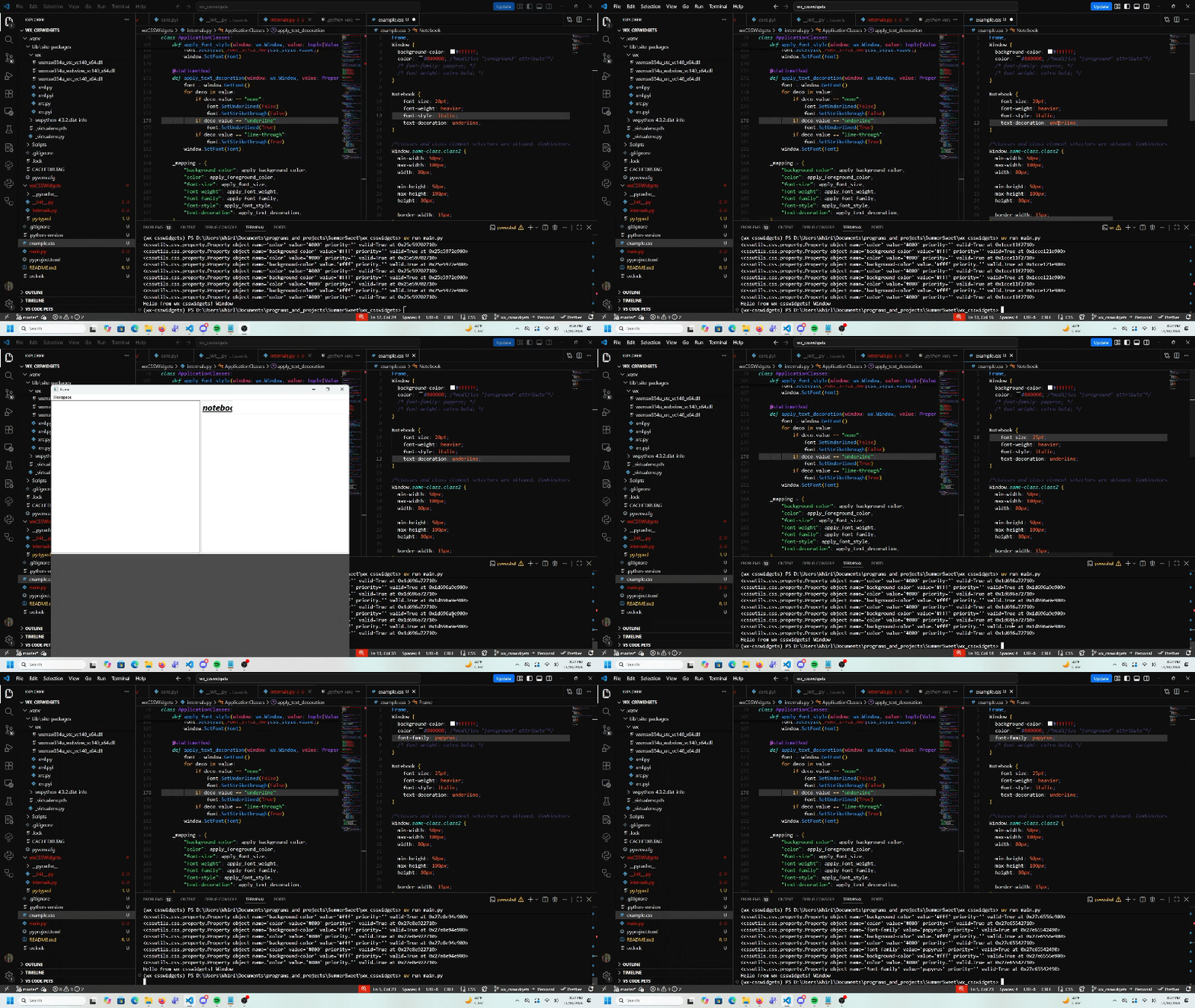
Gif showing multiple edits being made to the css and them being applied once the application is reloaded.
Basic API
import wxcss
# ... wx imports

class AppFrame(wx.Frame):
    def __init__(self, *args, **kwargs):
        super().__init__(*args, **kwargs)

        # * Load the css
        with open("data/default.css", "r") as f:
            css_data = f.read()
            wxcss.apply_css(css_data, self)

        # css loading needs to happen before this call.
        self.Layout()

class MyApp(wx.App):
    def OnInit(self):
        self.frame = AppFrame(None, wx.ID_ANY, "")
        self.SetTopWindow(self.frame)
        self.frame.Show()
        return True

if __name__ == "__main__":
    app = MyApp(0)
    app.MainLoop()
Apply CSS class to Window/Widget
import wxcss

class MyWidget(wx.Window):
    def __init__(self, *args, **kwargs):
        super().__init__(*args, **kwargs)

        wxcss.set_class(self, "my-css-class")
OR
import wxcss

class MyWidget(wx.Window):
    __css_classes__ = ["my-css-class"]

    ...
Working CSS Features
Below will show you a css example containing all available changeable css properties
/* applied to Frame and Window objects*/
Frame,
Window {
  background-color: #ffffff;
  color: #000000; /*modifies "foreground" attribute"*/
  font-family: papyrus;
  font-size: 10px;
  font-weight: heavier;
  font-style: italic;
  text-decoration: underline;
}

TextCtrl,
StaticText {
  content: "some example text";

  /*The following are very laggy!
    I plan to make these use cython or c for a speedup if possible
  */
  margin: 10px;
  margin-left: 10px;
  margin-right: 12px;

  padding: 20px;
}

/*classes and class element selectors are allowed. Combinators are not supported :( */
Window.some-class {
  min-width: 50px;
  max-width: 100px;
  width: 80x;

  min-height: 50px;
  max-height: 100px;
  height: 80px;

  /* This is still being completed and is buggy/non-functional */
  border-width: 15px;
}
1 maintainer

Metadata
1 maintainer
Release files for wxcss 0.1.0
For a detailed explanation of source distributions (sdists) and built distributions (wheels), please see the package formats documentation.
Source distribution (sdist)
| File | Size | Uploaded | Provenance | Actions |
|---|---|---|---|---|
| wxcss-0.1.0.tar.gz | 6.8 kB | Without provenance | Details for wxcss-0.1.0.tar.gz |
Built distribution (wheel)
| File | Interpreter | ABI | Platform | Actions Reset |
|---|---|---|---|---|
| wxcss-0.1.0-py3-none-any.whl | Python 3 | none | any | Details for wxcss-0.1.0-py3-none-any.whl |
Total release size: 13.8 kB
Release files / wxcss-0.1.0.tar.gz
| Download URL | wxcss-0.1.0.tar.gz |
|---|---|
| Size | 6.8 kB |
| Tags | Source |
|
SHA-256 checksum How to use checksums |
48a2b799a3849910402a75e0f47a639998602078dd527be31294da525495f130
|
|
BLAKE2b-256 checksum How to use checksums |
404bd6348ca07bff6fc4f76cb422e7ceca15f515232f3b78de78a236187cff5a
|
| Upload date | |
|
Uploaded using Trusted Publishing? What is trusted publishing? |
Yes |
| Uploaded via |
uv/0.13.9 {"installer":{"name":"uv","version":"0.13.9","subcommand":["publish"]},"python":null,"implementation":{"name":null,"version":null},"distro":{"name":"Ubuntu","version":"26.04","id":"resolute","libc":null},"system":{"name":null,"release":null},"cpu":null,"openssl_version":null,"setuptools_version":null,"rustc_version":null,"ci":true}
|
Release files / wxcss-0.1.0-py3-none-any.whl
| Download URL | wxcss-0.1.0-py3-none-any.whl |
|---|---|
| Size | 7.0 kB |
| Tags | Python 3 |
|
SHA-256 checksum How to use checksums |
c0bc983d8b65a51c137fba5502075015353238d6cd3f1596e92605b2d13a9a88
|
|
BLAKE2b-256 checksum How to use checksums |
95275e5f1a47d370c02899041f13f530f5967a8163e0320afff6cd02c0a02700
|
| Upload date | |
|
Uploaded using Trusted Publishing? What is trusted publishing? |
Yes |
| Uploaded via |
uv/0.13.9 {"installer":{"name":"uv","version":"0.13.9","subcommand":["publish"]},"python":null,"implementation":{"name":null,"version":null},"distro":{"name":"Ubuntu","version":"26.04","id":"resolute","libc":null},"system":{"name":null,"release":null},"cpu":null,"openssl_version":null,"setuptools_version":null,"rustc_version":null,"ci":true}
|
Security for wxcss 0.1.0
Provenance
Provenance describes where a file came from. On PyPI, provenance is shared via attestations, which provide a verifiable record of the build or publishing details. View details, limitations and caveats.
No provenance found
None of the files in this release were uploaded with provenance metadata.
A note on package security
PyPI is a repository for distributing packages, not a service for auditing them. While third-party security researchers and our staff do their best to detect and remove malicious packages, PyPI cannot guarantee the quality, security or suitability of any given package.
To learn more about protecting yourself from malicious actors, visit our package security documentation.













