
🧠 WYN-Agent
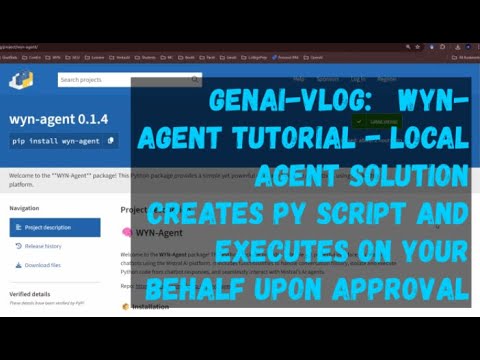
Welcome to the WYN-Agent package! This Python package provides a simple yet powerful interface to create AI chatbots using the Mistral AI platform. It includes functionalities to handle conversation history, isolate and execute Python code from chatbot responses, and seamlessly interact with Mistral's AI agents.
💻 Github: https://github.com/yiqiao-yin/wyn-agent
📦 Installation
Before using the package, make sure you have Python installed. You can install the package via pip:
pip install wyn-agent
🛠️ Features
- ChatBot Class: Easily create a chatbot that interacts with Mistral AI services.
- Conversation History: Track the entire conversation history with ease.
- Python Code Extraction: Automatically extract and save Python code from chatbot responses.
- Script Execution: Execute Python scripts directly from the extracted code.
- Interactive Agent: Run a Mistral AI agent chatbot with simple commands.
🚀 Quick Start
To get started, simply initialize the ChatBot class with your Mistral API key and call the run_mistral_agent() method.
from wyn_agent.mistral_agent import ChatBot

bot = ChatBot(
    api_key=YOUR_MISTRAL_API_KEY,
    agent_id=YOUR_MISTRAL_AGENT_API_ID
)

bot.run_mistral_agent()
This will start an interactive chatbot session where you can converse with the AI, extract Python code snippets, and even execute them on your local machine.
📚 Mistral AI Agent Bot Tutorial
In this section, we'll walk through using the Mistral AI Agent Bot to build a simple interactive chatbot.
1. Initialization
Start by creating a ChatBot instance with your API key:
from wyn_agent.mistral_agent import ChatBot

bot = ChatBot(
    api_key=YOUR_MISTRAL_API_KEY,
    agent_id=YOUR_MISTRAL_AGENT_API_ID
)
2. Running the Agent
Call the run_mistral_agent() method to begin interacting with the Mistral AI agent:
bot.run_mistral_agent()
3. Interacting with the Bot
You'll be prompted to enter your messages. The bot will respond and, if the response contains Python code enclosed in triple backticks (```), you'll have the option to save and execute the code.
4. Saving and Executing Python Code
If the bot generates Python code, you'll be asked if you want to save and execute the code. The code will be saved as a .py file, and you can choose to run it immediately.
5. Exiting the Program
Type EXIT to end the conversation.
📧 Contact
Developed by Yiqiao Yin. For any questions or feedback, feel free to reach out at eagle0504@gmail.com.
🎉 Contributions
We welcome contributions! If you'd like to contribute, please fork the repository and submit a pull request.
Enjoy building your AI agents with Mistral! 🚀
1 maintainer

Metadata
1 maintainer
Release files for wyn-agent 0.1.9
For a detailed explanation of source distributions (sdists) and built distributions (wheels), please see the package formats documentation.
Source distribution (sdist)
| File | Size | Uploaded | |
|---|---|---|---|
| wyn_agent-0.1.9.tar.gz | 4.0 kB | Details |
Built distribution (wheel)
| File | Interpreter | ABI | Platform | Reset |
|---|---|---|---|---|
| wyn_agent-0.1.9-py3-none-any.whl | Python 3 | none | any | Details |
Total release size: 8.3 kB
Release files / wyn_agent-0.1.9.tar.gz
| Download URL | wyn_agent-0.1.9.tar.gz |
|---|---|
| Size | 4.0 kB |
| Tags | Source |
|
SHA-256 checksum How to use checksums |
22ee873360c261e7e2f425cf21539896af648804820158721d6d7751e8d17241
|
|
BLAKE2b-256 checksum How to use checksums |
8867668e95534040d5a24e2c7082c2ba950a3321c559eb8d505b23a07bc4bbac
|
| Upload date | |
|
Uploaded using Trusted Publishing? What is trusted publishing? |
No |
| Uploaded via |
poetry/1.8.3 CPython/3.11.1 Windows/10
|
Release files / wyn_agent-0.1.9-py3-none-any.whl
| Download URL | wyn_agent-0.1.9-py3-none-any.whl |
|---|---|
| Size | 4.4 kB |
| Tags | Python 3 |
|
SHA-256 checksum How to use checksums |
32144b7467f1659d7ada28f531ea2d3bb65414d0f055447971fc6ff69bd4e94d
|
|
BLAKE2b-256 checksum How to use checksums |
e057dd064baa4bd9fb878aa92b1381d191ae6a2348bdcdde0dfd85b6295a756a
|
| Upload date | |
|
Uploaded using Trusted Publishing? What is trusted publishing? |
No |
| Uploaded via |
poetry/1.8.3 CPython/3.11.1 Windows/10
|














