
reqlint
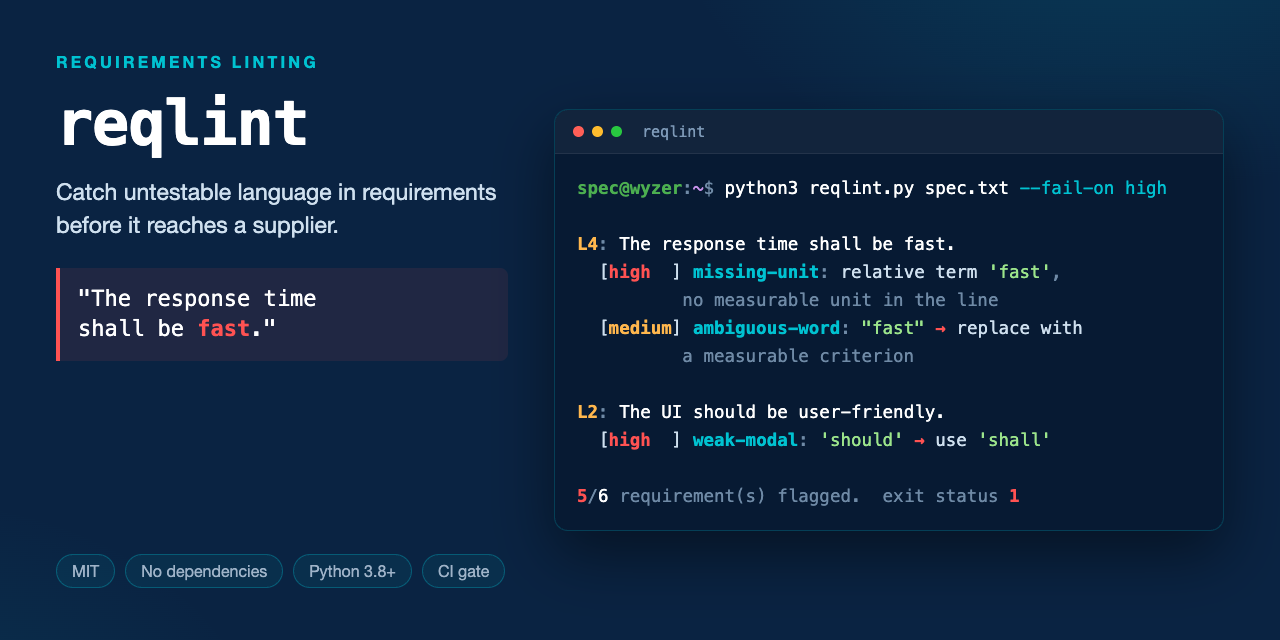
Catch untestable requirements before they reach a supplier.
reqlint reads a requirements file and flags the language a test engineer cannot turn into a test case — ambiguous adjectives, weak modals, performance claims with no number attached.
One file. No dependencies. MIT licensed. Python 3.8+.
pip install wyzer-reqlint
reqlint your-requirements.txt
The PyPI distribution is
wyzer-reqlint— the namereqlintwas already taken on PyPI by an unrelated dependency-pinning tool. The command you run is stillreqlint.
Prefer not to install anything? It's a single file with no dependencies:
curl -O https://raw.githubusercontent.com/Wyzer-it/reqlint/main/reqlint.py
python3 reqlint.py your-requirements.txt
Or clone and try it on the bundled example:
git clone https://github.com/Wyzer-it/reqlint.git
cd reqlint
python3 reqlint.py examples/sample-requirements.txt
What it looks like
Input — six requirements that would pass most reviews:
The system shall respond to a user request within 200 ms under normal load.
The UI should be user-friendly and appropriate for all users.
It shall handle errors gracefully.
The response time shall be fast.
The system may log all transactions if practical.
The gateway shall reject malformed packets and return an HTTP 400 status code.
Output:
L2: The UI should be user-friendly and appropriate for all users.
  [medium] ambiguous-word: Ambiguous term "user-friendly" — replace with a measurable criterion.
  [medium] ambiguous-word: Ambiguous term "appropriate" — replace with a measurable criterion.
  [high  ] weak-modal: Uses "should" — a binding requirement should use "shall" for testability.

L3: It shall handle errors gracefully.
  [low   ] vague-pronoun: Starts with vague pronoun "It" — name the actual subject.

L4: The response time shall be fast.
  [medium] ambiguous-word: Ambiguous term "fast" — replace with a measurable criterion.
  [high  ] missing-unit: Uses relative term(s) ['fast'] with no measurable unit or threshold nearby.

5/6 requirement(s) flagged.
One requirement per line. That's the whole input format.
What it catches
| Rule | Severity | Example |
|---|---|---|
ambiguous-word |
medium | "appropriate", "user-friendly", "as required", "TBD" |
weak-modal |
high | "should", "may", "could" where a binding requirement needs "shall" |
missing-unit |
high | "shall be fast" with no ms/s/%/Hz anywhere in the line |
vague-pronoun |
low | "It shall…", "This shall…" — the subject is missing |
The word lists come from the INCOSE Guide for Writing Requirements and common EARS-syntax conventions. They live at the top of reqlint.py as plain sets — edit them to match your house style.
In CI
python3 reqlint.py requirements.txt --fail-on high   # exit 1 if any high-severity finding
python3 reqlint.py requirements.txt --json           # machine-readable, for dashboards
As a GitHub Actions gate:
- uses: actions/setup-python@v5
  with:
    python-version: '3.12'
- run: python3 reqlint.py requirements/*.txt --fail-on high
Why bother
Catching ambiguous requirement language early is cheap. Catching it after the spec ships to a supplier, or after it has been built, is not — the cost of removing a defect rises the later it is found (Boehm & Basili, "Software Defect Reduction Top 10 List", IEEE Computer 34(1), 2001, which reports the effect while noting the ratio varies widely with system size and criticality).
reqlint handles the cheapest tier of that problem — wording no one can test — at commit time, for free.
What it deliberately does not do
reqlint is a language lint. It reads one line at a time and has no idea what your system does. It will not find:
- Contradictions — two requirements that cannot both be satisfied, especially when they share no vocabulary
- Duplicates — the same requirement written twice in different words, across different documents
- Gaps — the requirement that should exist and doesn't
- Traceability breaks — links pointing at requirements that moved or died
Those need to compare requirements against each other, across a whole document set. That is a substantially harder problem, and naive text-similarity approaches produce enough false positives to be unusable at spec scale — we wrote up why, and what actually works, here:
→ Contradiction detection in specs: why hybrid approaches beat pure similarity
It is also the problem Wyzer Detective exists to solve: duplicates, contradictions and gaps across a full requirement set, with every finding traced back to its exact source reference so a reviewer can check the work. Built for teams working to AUTOSAR, ISO 26262 and ASPICE.
Expect false positives from reqlint itself, by design — it flags "normal load" as ambiguous even in an otherwise well-formed requirement. Tune the word lists; they are meant to be edited.
Contributing
Issues and pull requests welcome — especially additions to the word lists from other domains and standards.
License
MIT © 2026 Wyzer.it Ltd
1 maintainer

Download files
Download the file for your platform. If you're not sure which to choose, learn more about installing packages.
Source Distribution
Built Distribution
Filter files by name, interpreter, ABI, and platform.
If you're not sure about the file name format, learn more about wheel file names.
Copy a direct link to the current filters
File details
Details for the file wyzer_reqlint-0.1.0.tar.gz.
File metadata
- Download URL: wyzer_reqlint-0.1.0.tar.gz
- Upload date:
- Size: 6.8 kB
- Tags: Source
- Uploaded using Trusted Publishing? No
- Uploaded via:
twine/7.0.0 CPython/3.12.13
File hashes
| Algorithm | Hash digest | |
|---|---|---|
| SHA256 |
ea1f9a12f50fa78011a357b0367430bfa0c05b4f1b36ee074ddf8314e1cd2648
|
|
| MD5 |
a16dce05895d8d8bfee5d4e030d66057
|
|
| BLAKE2b-256 |
e55d593e912215dcef3ef4be550d936e06ae329b8fd8e4451a8ff9d203939ab2
|
File details
Details for the file wyzer_reqlint-0.1.0-py3-none-any.whl.
File metadata
- Download URL: wyzer_reqlint-0.1.0-py3-none-any.whl
- Upload date:
- Size: 7.2 kB
- Tags: Python 3
- Uploaded using Trusted Publishing? No
- Uploaded via:
twine/7.0.0 CPython/3.12.13
File hashes
| Algorithm | Hash digest | |
|---|---|---|
| SHA256 |
1c4841d34f240b8b7f777ee853587bd98bd4637d8b0c82e02b511f89fc9185df
|
|
| MD5 |
be880372956d8fe0c79f55f6a85dc2ee
|
|
| BLAKE2b-256 |
e2ca40ff23d1176ea97258826240b3bfa9cd6fbeee8277e58214f77adfcdd864
|













