
Browser-native AI agents for X (Twitter): multi-account, MCP-ready, no API keys required.

Project description
x-use
Browser-native AI agents for X (Twitter). Multi-account, MCP-ready, no X API key required.
x-use drives a real, stealth-hardened browser instead of the paid X API. It posts, replies, searches, and engages across as many accounts as you configure, writes content with your own LLM, and exposes everything as MCP tools, so Claude Desktop, Claude Code, Cursor, and other MCP clients can run your X presence directly.
The X API's pricing tiers put write access out of reach for exactly the people who want to automate a couple of accounts. x-use sidesteps the API entirely: if a logged-in browser can do it, an MCP client can ask for it. And because write actions go through a draft-approval step by default, an agent can prepare work all day while nothing reaches X until a human says yes.
x-use is the v2 relaunch of twitter-automation-ai. The repository was renamed; old URLs keep redirecting, and stars, forks, and issues came along intact.


Install
From PyPI (CLI and MCP server):
pip install x-use-mcp
For the full repo setup (presets, example configs, docs), the one-line installer clones the repo, installs x-use into its own virtual environment, and finishes with x-use doctor so you can see what is left to configure.
Windows (PowerShell):
iex "& { $(irm https://raw.githubusercontent.com/ihuzaifashoukat/x-use/main/install.ps1) }"
macOS / Linux / Git Bash:
curl -fsSL https://raw.githubusercontent.com/ihuzaifashoukat/x-use/main/install.sh | bash
Or the manual way:
git clone https://github.com/ihuzaifashoukat/x-use.git
cd x-use
pip install -e .
Requires Python 3.10+ and Chrome. Any of these gives you the x-use command.
Set up
x-use init     # interactive wizard: presets, account + cookie import, LLM keys
x-use doctor   # verify browser/driver, cookies, LLM keys, proxies
Then connect your AI client. Paste this into claude_desktop_config.json (Claude Desktop > Settings > Developer > Edit Config); the same command/args pair works for any MCP client that runs stdio servers:
{
  "mcpServers": {
    "x-use": {
      "command": "x-use",
      "args": ["mcp"]
    }
  }
}
If x-use is not on your client's PATH, use the full path the installer printed (for example venv/bin/x-use or venv\Scripts\x-use.exe). Restart the client, then ask it to list_accounts.
Draft mode is on by default. Write tools return a reviewable draft and change nothing until you call approve_draft with the returned draft_id. Opt out with "mcp": { "draft_mode": false } in config/settings.json.
MCP tools
32 tools in six groups, full reference with signatures and examples: docs/MCP_GUIDE.md. Two safety gates: write tools run in draft mode by default (review, then approve_draft), and the queue only stores work until an explicit process_queue call.
| Group | Tools |
|---|---|
| Read-only & status | list_accounts, get_account, get_metrics, search_tweets, get_tweet, prepare_reply, list_queue, list_drafts, get_draft, reject_draft, get_run_status, get_account_health, list_proxies |
| Write (draft-gated) | post_tweet, generate_and_post, reply_to_tweet, engage, run_cycle, approve_draft |
| Scheduled queue | queue_post, queue_engagement, cancel_queued_action, process_queue |
| Composite (server LLM) | research_and_stage, draft_post_variations |
| Account management | add_account, update_account, set_account_active, remove_account |
| Proxy management | add_proxy, remove_proxy, test_proxy |
Interactive use needs no LLM key: your MCP client (Claude, Codex, ...) does the thinking, sees tweet images via get_tweet/prepare_reply, and passes explicit text to the write tools. The optional server-side LLM (llm block) only powers the composite tools, "auto" text, and background automation.
Drafts persist in data/drafts.jsonl; the queue persists in data/engagement_queue.jsonl. Both survive restarts.
Agent skills
x-use init (or x-use skills install) installs five agent skills for Claude Code and Codex: x-use (overview), x-use-setup (zero-knowledge onboarding interview), x-use-engage (research + reply workflow), x-use-content (content creation), x-use-review (daily digest). Claude Code users can also install from the marketplace: /plugin marketplace add ihuzaifashoukat/x-use.
Zero-knowledge setup: paste the prompt from docs/SETUP_PROMPT.md into your AI client, it installs, registers, verifies, and interviews you to configure your account.
CLI
x-use init                            # interactive setup wizard
x-use run                             # all active accounts, concurrent
x-use run --account my_account        # one account only
x-use run --pipeline keyword_replies  # one pipeline only (in-memory; config files untouched)
x-use doctor                          # environment checks; exits non-zero on failure
x-use mcp                             # start the MCP stdio server
Pipelines for --pipeline: community_engagement, competitor_reposts, content_curation, keyword_replies, keyword_retweets, likes. The MCP run_cycle tool accepts the same names.
The legacy python src/main.py entry point still works via a deprecation shim (removal no earlier than v2.1).
Features
| Area | What you get |
|---|---|
| MCP server | 32 tools over stdio on the official MCP Python SDK (FastMCP, pinned mcp>=1.6,<2): draft-gated writes, a persistent scheduled-action queue with daily caps, account management, and a lazy per-account browser session pool. |
| Draft mode | On by default. Write tools build the full payload (including LLM-generated text), store a draft, and touch nothing until approve_draft runs. |
| Multi-account engine | Post (including communities and media), reply, repost/quote, like, keyword search, and relevance-gated engagement. Per-account overrides for keywords, LLM settings, and action behavior. |
| LLM generation | One OpenAI-compatible client (llm: api_key, base_url, model) covers OpenAI, OpenRouter, Azure, Gemini, and local servers. Only needed for "auto" text and background automation; interactive MCP use runs keyless. Keys resolve from env/.env first, then config/settings.json. |
| Stealth | undetected-chromedriver, selenium-stealth, randomized user agents, headless support. |
| Proxies | Per-account proxy, named pools, hash or round-robin rotation, ${VAR} env interpolation in proxy strings. |
| Metrics | Per-account counters in data/metrics/<account_id>.json plus JSONL event logs in logs/accounts/<account_id>.jsonl. |
x-use vs. API-based X MCP servers
| x-use | API-based X/Twitter MCP servers | |
|---|---|---|
| X API cost | $0: cookie auth, no X API key needed | Paid X API tier required |
| Multi-account | Built-in: per-account config, cookies, proxies | Typically one account |
| Proxies | Per-account proxies, named pools, hash/round-robin rotation | N/A |
| Stealth | undetected-chromedriver + selenium-stealth, randomized user agents | N/A (official API) |
| Write safety | Draft mode on by default, explicit approve_draft gate |
Usually posts directly |
| Metrics | Per-account counters + JSONL event logs, readable via MCP | Varies |
An LLM key is optional: interactive MCP use needs none (your agent writes the text). For "auto" generation and background automation, set one OpenAI-compatible key (llm.api_key + base_url + model, or OPENAI_API_KEY/OPENAI_BASE_URL/OPENAI_MODEL); that is the only key involved.
Configuration
config/accounts.json: your accounts (gitignored). Start fromconfig/accounts.example.jsonor letx-use initwrite it.config/settings.json: global defaults for browser, pacing, action caps, LLM, proxies, and themcpsection..env: LLM API keys; overridessettings.json(env wins). See.env.example.
Full schema: docs/CONFIG_REFERENCE.md. Starter templates: presets/ (offered as wizard choices by x-use init).
Recommended proxy provider
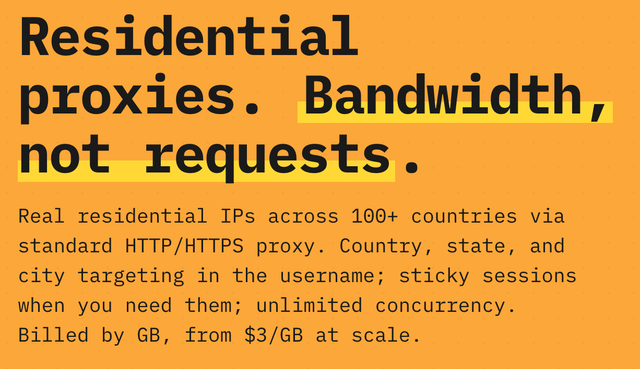
Multi-account automation needs quality residential proxies, X's per-IP detection kills datacenter IPs fast. We use and recommend ScrapingAnt (5% off with code TWI_AUTO):
Responsible use
Browser automation of X carries real account risk. Read docs/BEST_PRACTICES.md before running anything: it covers conservative rate limits (the shipped defaults), account warm-up, relevance filters, cookie and credential hygiene, and X ToS considerations. Keep delays high, caps low, and draft mode on.
Development
pip install -e '.[dev]'
pytest
304 tests cover config loading and merging, dedup keys, LLM JSON extraction and the single-client service, tweet parsing, proxy pool selection, the MCP tool contract, drafts, sessions, the action queue, account writes, and the CLI; none of them needs a network or a browser. CI (.github/workflows/ci.yml) runs the suite plus an import smoke check on Python 3.10/3.11/3.12.
The v2.0 relaunch is merged; PyPI publishing and MCP directory submissions are the remaining Phase 1 items. Dashboard and Docker are Phase 2; personas, plugins, and selector self-healing are Phase 3. See ROADMAP.md.
Contributing
Contributions are welcome. Selector fixes, presets, docs, and MCP tool ideas (via issues) are the most valuable contributions right now. See CONTRIBUTING.md for the workflow and CODE_OF_CONDUCT.md for community expectations.
Star history

License
MIT. See LICENSE.


Download files
Download the file for your platform. If you're not sure which to choose, learn more about installing packages.
Source Distribution
Built Distribution
Filter files by name, interpreter, ABI, and platform.
If you're not sure about the file name format, learn more about wheel file names.
Copy a direct link to the current filters
File details
Details for the file x_use_mcp-2.3.1.tar.gz.
File metadata
- Download URL: x_use_mcp-2.3.1.tar.gz
- Upload date:
- Size: 182.5 kB
- Tags: Source
- Uploaded using Trusted Publishing? Yes
- Uploaded via: twine/6.1.0 CPython/3.13.14
File hashes
| Algorithm | Hash digest | |
|---|---|---|
| SHA256 |
1718cb99c748e5b31e87ddaf6f53f7e4ce303e2a1a7c81f7fb50b198bfacc4df
|
|
| MD5 |
879289891129ea829e3f7fc21f7f38c6
|
|
| BLAKE2b-256 |
02811d1f035e30bff4a6424dcdacb7db1c76a00e245ef39c85b358c669019a4c
|
Provenance
The following attestation bundles were made for x_use_mcp-2.3.1.tar.gz:
Publisher:
publish.yml on ihuzaifashoukat/x-use
-
Statement:
-
Statement type:
https://in-toto.io/Statement/v1 -
Predicate type:
https://docs.pypi.org/attestations/publish/v1 -
Subject name:
x_use_mcp-2.3.1.tar.gz -
Subject digest:
1718cb99c748e5b31e87ddaf6f53f7e4ce303e2a1a7c81f7fb50b198bfacc4df - Sigstore transparency entry: 2248388304
- Sigstore integration time:
-
Permalink:
ihuzaifashoukat/x-use@56d34e408c1742640be2784e115898af413e10b0 -
Branch / Tag:
refs/tags/v2.3.1 - Owner: https://github.com/ihuzaifashoukat
-
Access:
public
-
Token Issuer:
https://token.actions.githubusercontent.com -
Runner Environment:
github-hosted -
Publication workflow:
publish.yml@56d34e408c1742640be2784e115898af413e10b0 -
Trigger Event:
release
-
Statement type:
File details
Details for the file x_use_mcp-2.3.1-py3-none-any.whl.
File metadata
- Download URL: x_use_mcp-2.3.1-py3-none-any.whl
- Upload date:
- Size: 178.5 kB
- Tags: Python 3
- Uploaded using Trusted Publishing? Yes
- Uploaded via: twine/6.1.0 CPython/3.13.14
File hashes
| Algorithm | Hash digest | |
|---|---|---|
| SHA256 |
b82365ff3017968251b348d77e427d71ef46b753a1b153eba35696322072efc1
|
|
| MD5 |
c04f2571d0abb5a0aa24fbdc5506ed0c
|
|
| BLAKE2b-256 |
204249e2f8c21634bf6e07d41c4c023744534cdcf4434b9b7625411b619fe9db
|
Provenance
The following attestation bundles were made for x_use_mcp-2.3.1-py3-none-any.whl:
Publisher:
publish.yml on ihuzaifashoukat/x-use
-
Statement:
-
Statement type:
https://in-toto.io/Statement/v1 -
Predicate type:
https://docs.pypi.org/attestations/publish/v1 -
Subject name:
x_use_mcp-2.3.1-py3-none-any.whl -
Subject digest:
b82365ff3017968251b348d77e427d71ef46b753a1b153eba35696322072efc1 - Sigstore transparency entry: 2248388537
- Sigstore integration time:
-
Permalink:
ihuzaifashoukat/x-use@56d34e408c1742640be2784e115898af413e10b0 -
Branch / Tag:
refs/tags/v2.3.1 - Owner: https://github.com/ihuzaifashoukat
-
Access:
public
-
Token Issuer:
https://token.actions.githubusercontent.com -
Runner Environment:
github-hosted -
Publication workflow:
publish.yml@56d34e408c1742640be2784e115898af413e10b0 -
Trigger Event:
release
-
Statement type:






