

The Xanadu Sphinx Theme (XST) is a Sphinx theme used for open-source Xanadu software projects.
A fork of the Guzzle Sphinx theme, the theme has the following features:
Responsive. Fluid layout that automatically adjusts for phone, tablet, and computer screens.
LaTeX Macros. Comes with built-in support for MathJAX and common predefined quantum optics LaTeX macros.
Cohesive Design. Unifies the appearance of all Xanadu Sphinx documentation.
Installation
The Xanadu Sphinx Theme requires Python 3.7 or later. The latest version of the XST can be installed directly from the GitHub repository using pip:
pip install xanadu-sphinx-themeGetting Started
Once installed, simply add or modify the following variables of your Sphinx conf.py configuration file to start using the Xanadu Sphinx Theme:
from xanadu_sphinx_theme import templates_dir

# Add Xanadu Sphinx Theme autosummary templates
templates_path = [templates_dir()]

html_theme = "xanadu"

html_theme_options = {
    "navbar_name": "Example Project",
    "navbar_logo_colour": "#123456",

    "navbar_home_link": "https://example.com",

    "github_repo": "",
    "navbar_left_links": [
        {
            "name": "Tutorials",
            "href": "https://example.com/tutorials",
            "img": "_static/tutorial.png",
            "img_width": "30px",
        },
        {
            "name": "Install",
            "href": "install.html",
        },
        {
            "name": "Documentation",
            "href": "index.html",
            "active": True,
        }
    ],

    "navbar_right_links": [
        {
            "name": "FAQ",
            "href": "https://example.com/faq.html",
            "icon": "fas fa-question",
        },
        {
            "name": "GitHub",
            "href": "https://github.com/XanaduAI/example",
            "icon": "fab fa-github",
        }
    ],

    "extra_copyrights": [
        "TensorFlow, the TensorFlow logo, and any related marks are "
        "trademarks of Google Inc."
    ],

    "google_analytics_tracking_id": "UA-116279123-2",

    "prev_next_button_colour": "#b13a59",
    "prev_next_button_hover_colour": "#712b3d",
    "toc_marker_colour": "#b13a59",
    "table_header_background_colour": "#ffdce5",
    "border_colour": "#b13a59",
    "text_accent_colour": "#b13a59",
}
Configuration
The Xanadu Sphinx Theme supports the following options. These should be added to the html_theme_options dictionary in your conf.py file.
- google_analytics_tracking_id
Google Analytics tracking ID to enable website analytics.
- github_repo
The GitHub organization and repository associated with the documentation. E.g., for a GitHub repository https://github.com/Organization/repo, this should be "github_repo": "Organization/repo".
- search_on_pennylane_ai
If True, navigating to search.html (or using the search box) will redirect users to https://pennylane.ai/search with the appropriate query parameters.
- command_palette_enabled
When set to True, the command palette is activated, enabling users to easily search and navigate all content within pennylane.ai.
Table of contents
The following options customize the table of contents.
- toc_overview
If True, the project name, and a link to the homepage index.rst, is included in the left-hand table of contents.
- toc_global
Whether to show the global table of contents by default via the left sidebar. If False, then the left sidebar will be disabled.
- toc_subset
If set to True, and the current page has no local table of contents, the right-hand table of contents will instead display the current subset of the document tree. That is, the right-hand ToC will display the location in the document of the current page. If False, and the current page has no local table of contents, no right-hand ToC will be shown.
- relations
If True, then Next and Previous buttons are included at the bottom of every page, allowing navigation according to the table of contents.
Coach mark
The following options control a dismissible toast prompt (“coach mark”) that can be shown near the top of every page, after a short delay. Once dismissed, it stays hidden for the remainder of the browser session.
- coach_mark_enabled
If True, the toast coach mark is enabled. Defaults to False.
- coach_mark_toast
A dictionary of the form
"coach_mark_toast": {
    "title": "Some title",
    "body": [
        "Some text ",
        {
            "type": "link",
            "text": "a link",
            "href": "https://...",
            "gaLabel": "toast_some_link",
            "isExternal": True,
        },
        " and more text.",
    ],
    "icon": "megaphone",
    "delayMs": 3000,
}
specifying the toast’s content. body is an ordered list of plain text strings and part dictionaries, rendered in the given order. A type of "link" renders an <a> (text, href, gaLabel); set isExternal to open it in a new tab. A type of "action" renders a button (text, gaLabel). Unknown types are ignored. icon is either "megaphone" or "lightbulb". delayMs (default 3000) is the delay, in milliseconds, before the toast is shown after the page loads.
Style Colours
The following options allow the colours of various theme elements to be altered. These should be fully qualified CSS color specifiers such as #004B6B or #444.
- border_colour
Border colour of accent rules and table headers.
- code_colour
Colour of code blocks and teletype text. Defaults to #8D1A38.
- prev_next_button_colour and prev_next_button_hover_colour
Colours of the “Next” and “Previous” navigation buttons located at the bottom of most pages.
- social_icon_colour
Colour of the social icons.
- table_header_background_colour
Background colour of table headers.
- text_accent_colour
Accent colour for text such as download links.
- toc_marker_colour
Colour of the marker beside the current ToC entry.
- toc_mobile_heading_colour and toc_mobile_heading_background_colour
Text and background colours of the mobile ToC heading.
Directives
The Xanadu Sphinx Theme implements the custom Sphinx directives listed below. For more information, consult the relevant Python module in the directives package.
Community Card
<No example is available yet.>
Details
.. details::
    :title: Usage Details

    In general, the block takes :math:`D` parameters and **must** have the following signature:

    .. code-block:: python

        unitary(parameter1, parameter2, ... parameterD, wires)

    For a block with multiple parameters, ``n_params_block`` is equal to the number of parameters in ``block``.
    For a block with a single parameter, ``n_params_block`` is equal to the length of the parameter array.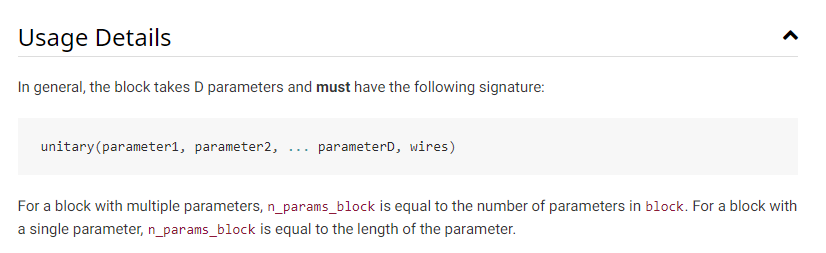
Gallery Item
.. gallery-item::
    :description: :doc:`AmplitudeEmbedding <../code/api/pennylane.AmplitudeEmbedding>`
    :figure: _static/templates/embeddings/amplitude.png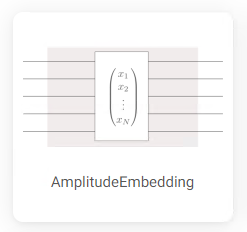
Index Card
.. index-card::
    :name: Using PennyLane
    :link: introduction/pennylane.html
    :description: A guided tour of the core features of PennyLane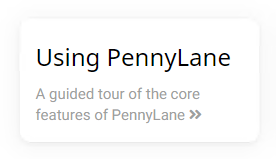
Title Card
.. title-card::
    :name: 'lightning.qubit'
    :description: A fast state-vector qubit simulator written in C++
    :link: devices.html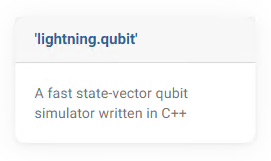
YouTube Video
<No example is available yet.>
Support
Source Code: https://github.com/XanaduAI/xanadu-sphinx-theme
Issue Tracker: https://github.com/XanaduAI/xanadu-sphinx-theme/issues
If you are having issues, please let us know by posting the issue on our Github issue tracker.
License
The Xanadu Sphinx Theme is free and open source, released under the Apache License, Version 2.0.
3 maintainers


Metadata
3 maintainers
Release files for xanadu-sphinx-theme 0.25.0
For a detailed explanation of source distributions (sdists) and built distributions (wheels), please see the package formats documentation.
Source distribution (sdist)
| File | Size | Uploaded | |
|---|---|---|---|
| xanadu_sphinx_theme-0.25.0.tar.gz | 69.0 kB | Details |
Built distribution (wheel)
| File | Interpreter | ABI | Platform | Reset |
|---|---|---|---|---|
| xanadu_sphinx_theme-0.25.0-py3-none-any.whl | Python 3 | none | any | Details |
Total release size: 142.7 kB
Release files / xanadu_sphinx_theme-0.25.0.tar.gz
| Download URL | xanadu_sphinx_theme-0.25.0.tar.gz |
|---|---|
| Size | 69.0 kB |
| Tags | Source |
|
SHA-256 checksum How to use checksums |
ea46fb64be40b8f125fbec23ac9d7328377bd97a837f2fe2c948ea67058c19a4
|
|
BLAKE2b-256 checksum How to use checksums |
8b81c4742411d8542c7364de868382f1598bea25c03d507d667c011b0bda8734
|
| Upload date | |
|
Uploaded using Trusted Publishing? What is trusted publishing? |
Yes |
| Uploaded via |
twine/7.0.0 CPython/3.13.14
|
Provenance
Provenance describes where a file came from. On PyPI, provenance is shared via attestations, which provide a verifiable record of the build or publishing details. View details, limitations and caveats.


PyPI Publish Attestation
PyPI verified that this artifact, at this checksum, originated from the publisher listed below.
Signed by GitHub Actions, verified by PyPI on Sep 30, 2026.
Transparency logRelease files / xanadu_sphinx_theme-0.25.0-py3-none-any.whl
| Download URL | xanadu_sphinx_theme-0.25.0-py3-none-any.whl |
|---|---|
| Size | 73.7 kB |
| Tags | Python 3 |
|
SHA-256 checksum How to use checksums |
7765880a9cf93f9781dbb687e8c1590aafe952b63a32847471d42389c40c3a6f
|
|
BLAKE2b-256 checksum How to use checksums |
4863bdc3ac11be34b6a5ea172d4edf44203d91f7cf1b3a668ed29308ad0d12c7
|
| Upload date | |
|
Uploaded using Trusted Publishing? What is trusted publishing? |
Yes |
| Uploaded via |
twine/7.0.0 CPython/3.13.14
|
Provenance
Provenance describes where a file came from. On PyPI, provenance is shared via attestations, which provide a verifiable record of the build or publishing details. View details, limitations and caveats.
PyPI Publish Attestation
PyPI verified that this artifact, at this checksum, originated from the publisher listed below.
Signed by GitHub Actions, verified by PyPI on Sep 30, 2026.
Transparency log













