
Executable Class Model Parser
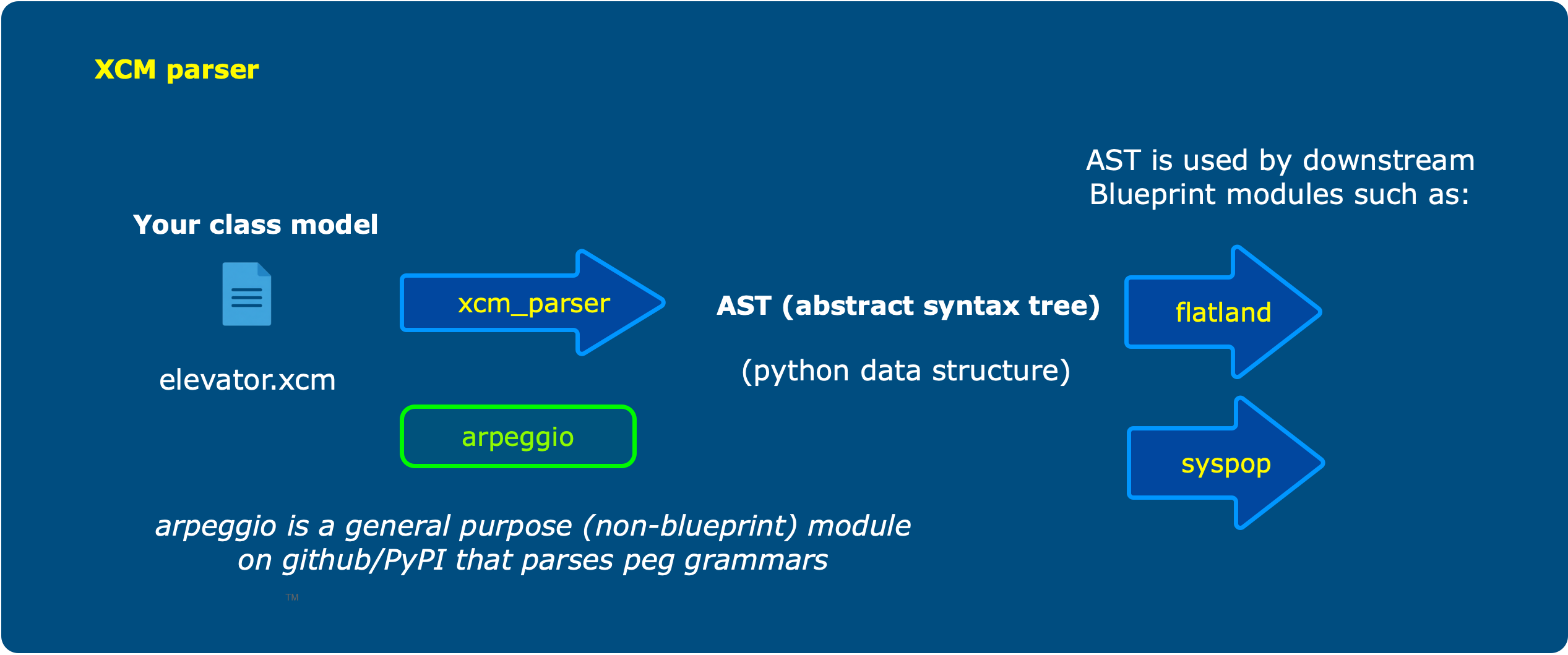
Parses an *.xcm file (Executable Class Model) to yield an abstract syntax tree using python named tuples
Why you need this
You need to process an *.xcm file in preparation for populating a database or some other purpose
Installation
Create or use a python 3.11+ environment. Then
% pip install xcm-parser
At this point you can invoke the parser via the command line or from your python script.
From your python script
You need this import statement at a minimum:
from xcm_parser.class_model_parser import ClassModelParser
You can then specify a path as shown:
result = ClassModelParser.parse_file(file_input=path_to_file, debug=False)
In either case, result will be a Subsystem_a named tuple holding the parsed class model elements
(subsystem, domain, classes, rels, and metadata). You may find the header of the
class_model_visitor.py file helpful in interpreting these results.
From the command line
This is not the intended usage scenario, but may be helpful for testing or exploration. Since the parser may generate some diagnostic info you may want to create a fresh working directory and cd into it first. From there...
% xcm elevator.xcm
The .xcm extension is not necessary, but the file must contain xcm text. See this repository's wiki for more about the xcm language. The grammar is defined in the class_model.peg file. (if the link breaks after I do some update to the code, just browse through the code looking for the class_model.peg file, and let me know so I can fix it)
You can also specify a debug option like this:
% xcm elevator.xcm -D
This will create a diagnostics folder in your current working directory and deposit a couple of PDFs defining
the parse of both the class model grammar: class_model.pdf and your supplied text: class_parse_tree.pdf.
You should also see a file named xcm_parser.log in your current working directory
1 maintainer

Metadata
1 maintainer
Release files for xcm-parser 0.3.8
For a detailed explanation of source distributions (sdists) and built distributions (wheels), please see the package formats documentation.
Source distribution (sdist)
| File | Size | Uploaded | |
|---|---|---|---|
| xcm_parser-0.3.8.tar.gz | 13.9 kB | Details |
Built distribution (wheel)
| File | Interpreter | ABI | Platform | Reset |
|---|---|---|---|---|
| xcm_parser-0.3.8-py3-none-any.whl | Python 3 | none | any | Details |
Total release size: 27.9 kB
Release files / xcm_parser-0.3.8.tar.gz
| Download URL | xcm_parser-0.3.8.tar.gz |
|---|---|
| Size | 13.9 kB |
| Tags | Source |
|
SHA-256 checksum How to use checksums |
2fef0e5d8106be11be11c8b18d2fcf83bc5508f3bcd83f4b12dcab7c05f217be
|
|
BLAKE2b-256 checksum How to use checksums |
41f9bbcc4c60aaada62efff0c0f51515bdbbc7eb3ed817ecda018984cdf5b305
|
| Upload date | |
|
Uploaded using Trusted Publishing? What is trusted publishing? |
No |
| Uploaded via |
twine/6.1.0 CPython/3.11.4
|
Release files / xcm_parser-0.3.8-py3-none-any.whl
| Download URL | xcm_parser-0.3.8-py3-none-any.whl |
|---|---|
| Size | 14.0 kB |
| Tags | Python 3 |
|
SHA-256 checksum How to use checksums |
a84915374b0b88b703cea465c1fbba7b6ac438a436164a371e800bf0fd69d685
|
|
BLAKE2b-256 checksum How to use checksums |
ef4b73419b744765864164da848320059f5d91abeb09750af943a35982572c2d
|
| Upload date | |
|
Uploaded using Trusted Publishing? What is trusted publishing? |
No |
| Uploaded via |
twine/6.1.0 CPython/3.11.4
|














