
MCP server for AI-driven music production in REAPER via file-based IPC with a Lua bridge

Project description
ReaperMCP
AI-powered music production in REAPER through the Model Context Protocol






Quick Start • Features • Tools Reference • Architecture • Changelog • Contributing • Troubleshooting
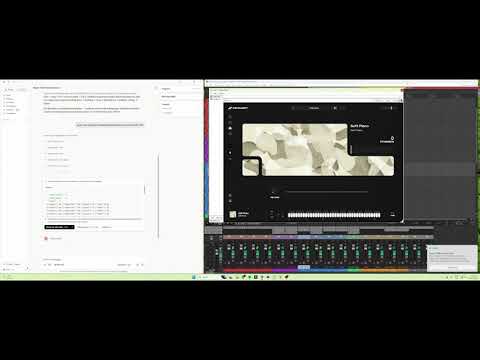
ReaperMCP connects any MCP-compatible AI assistant to REAPER, giving it full control over music production through 173 tools across 26 modules — transport, tracks, MIDI, patterns (drum / chord progressions), loop-library pipeline, vocal chops (end-to-end chop_pipeline with chillstep / future-bass / porter / trap styles, plus primitives), FX, envelopes, sidechain, mixing, mastering, bus pipelines, objective audio analysis, and post-production tooling (batch item/marker editing, ReaScript discovery and execution, edit-oriented QC — silence/click candidate detection per region). Talk to your AI assistant and it composes, mixes, masters, and measures your music in real-time — the AI chooses every note, rhythm, and CC itself.
ReaperMCP itself runs entirely on your machine via a file-based Lua IPC bridge inside REAPER — your project, audio, and MIDI never leave your computer. The AI "brain" naturally lives wherever you already run it: Claude Desktop / Claude Code / Cursor / Antigravity / any MCP client. You bring the AI, ReaperMCP handles REAPER.
If this is useful to you, a star helps other people find it — that's the whole marketing budget for this project.
Demo
Works With
ReaperMCP works with any AI client that supports the Model Context Protocol:
- Claude Desktop — Anthropic's desktop app
- Claude Code — CLI agent
- Cursor — AI code editor with MCP support
- LM Studio — run local models with MCP tool access
- Any other MCP-compatible client
Quick Start
1. Get ReaperMCP
Option A: Click the green Code button above → Download ZIP → extract to a folder — works with nothing pre-installed, easiest on a brand new machine.
Option B: Clone with git (lets you git pull for updates later):
A fresh Windows install doesn't ship with git — check first:
git --version
If that says "not recognized", install it, then close and reopen your terminal:
winget install --id Git.Git -e --source winget
(winget itself ships with Windows 11 and up-to-date Windows 10. If winget isn't found either, grab the installer directly from git-scm.com.)
macOS/Linux almost always have git already — git --version to check, or brew install git / sudo apt install git if not.
git clone https://github.com/xDarkzx/Reaper-MCP.git
2. Run the installer
Windows: either double-click install.bat in File Explorer, or — if you're already in a terminal from the git clone step above — just keep going in the same PowerShell/Command Prompt window:
cd Reaper-MCP
.\install.bat
macOS / Linux:
cd Reaper-MCP
bash install.sh
The installer installs
reaper-mcplocally and optionally configures Claude Desktop — no manual JSON editing needed.
Manual install / other MCP clients (Cursor, Claude Code, etc.)
Install manually with pip install -e . from the repo folder and add to your client's MCP config:
{
  "mcpServers": {
    "reaper": {
      "command": "reaper-mcp"
    }
  }
}
Check your client's MCP documentation for the config file location.
3. Load the Lua script in REAPER
Used the one-click installer? Already done — it sets up REAPER to auto-load the script on every launch. Just open (or restart) REAPER.
Manual install?
- Open REAPER
- Go to Actions → Show action list
- Click Load ReaScript...
- Navigate to
reaper_scripts/reaper_mcp_server.luaand select it - Click Run
This only loads it for the current session — you'll need to re-run it each time REAPER restarts. See docs/INSTALLATION.md for the auto-start setup.
4. Start producing
Open your AI client and start talking:
"Create 4 tracks: strings, brass, piano, and drums"
"Compose an 8-bar orchestral string arrangement in D minor"
"Add ReaEQ to the piano track and cut the low end below 200Hz"
"Set the tempo to 90 BPM and loop the first 8 bars"
REAPER must be open with the Lua script running. ReaperMCP communicates through file-based IPC — it can't launch REAPER for you.
See the full Installation Guide for detailed setup on all platforms and MCP clients.
Features
163 Tools Across 25 Modules
| Category | Tools | Highlights |
|---|---|---|
| Transport | 11 | Play, stop, pause, record, set BPM, time signature, playrate, toggle repeat/metronome |
| Tracks | 18 | Create, delete, rename, volume, pan, mute, solo, arm, colour, input, folder, mixer state, peak meter, freeze/unfreeze |
| Track Templates | 4 | Save, apply, list, and delete REAPER track templates |
| Project | 11 | New, open, save, export audio (WAV/MP3/OGG/FLAC/AIFF), undo/redo, notes, grid |
| Items | 13 | Get/select/split/delete/move items, set length/volume/mute/fade, insert media, create MIDI |
| Takes | 4 | List, add, delete, and switch active take |
| MIDI | 13 | Insert notes (single/batch), edit/delete notes, insert/delete CC, count events, note names, sort, set extents (CC reading intentionally omitted — see below) |
| MIDI Quantize / Humanize | 3 | midi_quantize, midi_humanize, project_set_ripple_mode |
| Markers & Regions | 6 | Add markers/regions, delete, edit, navigate (+ add_markers_batch in Composition Editing) |
| Tempo Map | 4 | Add/delete/list tempo markers, clear all |
| Envelopes | 3 | Read, write, and clear automation envelopes (track / item / FX-param) |
| Selection | 9 | Time selection, loop points, select/deselect all items/tracks, get selected |
| Sends & Routing | 7 | Create/remove sends, set volume/pan/mute, full routing diagram |
| FX | 15 | Add/remove plugins, get/set parameters, presets, enable/disable, show UI, find instrument, move within chain, rename display label |
| FX Inventory | 2 | fx_list_installed (detects FabFilter / Waves / iZotope / Valhalla / racks), set_fx_preferences |
| Mix & Master | 3 | engine_mix, engine_master, engine_fix_mix — 35 style profiles across EDM / Rock / Pop / Electronic / Jazz / Orchestral / Funk-Soul |
| Sidechain | 1 | setup_sidechain — pin-mapped kick→bass/pad pumping with a single amount dial |
| Bus Pipelines | 4 | setup_parallel_compression, setup_drum_bus, setup_vocal_chain, bounce_stems |
| Composition Utility | 3 | get_track_instruments, analyze_score, compose_arrangement (small batch insert) |
| Composition Editing | 9 | wipe_all_midi, reset_composition, configure_tracks, setup_routing, add_markers_batch, rewrite_cc, edit_section, setup_fx_chain, setup_effect_bus |
| Patterns | 2 | create_drum_pattern (multi-lane step-sequencer notation), create_chord_progression (parses "Cm7, Fm7, Bb7, Eb" into voiced MIDI) |
| Loop Library | 3 | scan_audio_folder (parse BPM / key / role from filenames), detect_common_bpm, load_loops (batch-create tracks + load stems). Point at a sample-pack folder and the AI builds a track from it. |
| Vocal Chops | 10 | chop_pipeline — end-to-end: reorders slices from the source vocal onto a NEW track with style-specific rhythms (chillstep / future bass / porter / trap), pitches to chord tones, stutters + harmonises + fades. Primitives: item_split_at_transients, item_split_at_positions, take_set_pitch, take_set_playrate, take_set_reversed, item_duplicate. Helpers: analyze_chop_set, arrange_chops_to_chord_tones, stack_chop_layers. |
| Audio Analysis | 4 | analyze_loudness (LUFS vs. streaming/broadcast/cinema target), analyze_clipping, analyze_frequency_spectrum, analyze_stereo_field — objective mix metrics for measure → correct loops. Optional extras: pip install 'reaper-mcp[analysis]' |
| Demo | 1 | demo_edm_project — one-shot full-project demo render (smoke test + reference) |
See docs/TOOLS.md for the complete tool reference with every signature and a one-line description for each tool.
Tool profiles
The default 173-tool surface is designed for full-featured frontier models. Smaller/cheaper models (Groq Llama 3 caps at 128 tools, some local models lower still) will silently truncate. Set REAPER_MCP_PROFILE in your client's server config to pick a workflow-specific subset:
| Profile | Tools | For |
|---|---|---|
full (default) |
~173 | Frontier models — Claude, GPT-4, Gemini |
composition |
~130 | Writing / editing music (includes patterns, loops, batch item/marker edits, ReaScript) |
mixing |
~71 | Mixing, mastering, bus pipelines |
analysis |
~53 | Inspect + measure only |
minimal |
~43 | Smoke test / basic control |
{
  "mcpServers": {
    "reaper": {
      "command": "reaper-mcp",
      "env": { "REAPER_MCP_PROFILE": "mixing" }
    }
  }
}
Mixing & Mastering Pipelines
35 professional style profiles drive automatic EQ, compression, reverb buses, sidechain pumping, and mastering — each tuned to industry-standard LUFS targets and character.
| Tool | What It Does |
|---|---|
engine_mix(style) |
Per-track EQ + compression + reverb buses with send routing. Auto-detects FabFilter Pro-Q 3 / Pro-C 2 / Pro-R or falls back to REAPER stock (ReaEQ / ReaComp / ReaVerbate) |
engine_master(style) |
Master-bus chain: HP 25 Hz → bus glue comp → tonal shelf EQ → stereo width → brick-wall limiter, targeting style-specific LUFS and true-peak ceilings |
engine_fix_mix(style) |
Non-destructive repair pass — re-runs the mix pipeline on an existing session, preserving user tweaks where possible |
setup_sidechain(source, target, amount) |
Kick → bass / pad pumping via channels 3/4 + pin-mapped sidechain inputs |
setup_drum_bus / setup_parallel_compression / setup_vocal_chain |
Ready-made bus recipes for drums, parallel (NY) comp, and pro vocal chains |
bounce_stems(track_indices) |
Render selected tracks individually to WAV stems |
Styles (35):
- EDM (11):
melodic_dubstep,big_room,future_bass,future_house,deep_house,tech_house,progressive_house,dubstep,trap,drum_and_bass,trance - Rock (6):
alt_rock,classic_rock,pop_rock,hard_rock,punk,post_rock - Pop (4):
modern_pop,dance_pop,indie_pop,rnb_pop - Electronic (4):
synthwave,lofi,ambient,hiphop - Jazz (3):
swing_jazz,jazz_fusion,latin_jazz - Orchestral (3):
classical_chamber,cinematic_trailer,ambient_orchestral - Funk/Soul (4):
classic_funk,motown_soul,neo_soul,disco_funk
Smart plugin detection. fx_list_installed() inspects what's on the user's machine and reports the best-available EQ / compressor / reverb / limiter / de-esser / gate / saturator / multiband / stereo tool — covering FabFilter, Waves, iZotope, Valhalla, Softube, TDR, Slate, Melda, Soundtoys, Airwindows, REAPER stock, and common rack hosts (Waves StudioRack, Blue Cat PatchWork, Kilohearts Snap Heap). Users can pin category → plugin preferences via set_fx_preferences(...).
AI-Driven Composition
The AI writes every note, rhythm, CC curve, and keyswitch itself using the granular MIDI and FX tools above. A single 00_core.md instruction file provides the tool surface, shorthand notation, BBC Spitfire CC reference, and per-family mixing tips. Voicing, humanization, structure, and genre conventions all come from the AI's own musical knowledge.
Architecture
┌──────────────┐     stdio      ┌──────────────┐   file IPC    ┌──────────────┐
│  MCP Client  │◄──────────────►│  ReaperMCP   │◄────────────►│    REAPER    │
│(AI assistant)│    (JSON-RPC)  │   FastMCP    │  (JSON files) │  (Lua script)│
└──────────────┘                └──────────────┘               └──────────────┘
The Python server writes commands to command.json in a shared temp directory; a Lua script inside REAPER polls, executes, and writes results to response.json. No sockets, no ports, no network exposure.
IPC directory:
- Windows:
%TEMP%\reaper_mcp - macOS:
$TMPDIR/reaper_mcp - Linux:
/tmp/reaper_mcp
Key design decisions
- File-based IPC — no port allocation, no firewall surface.
- Static Lua dispatch — every handler is explicit code, no
load/dofile/loadstring. - Dynamic tool registration — drop a module into
reaper_mcp/tools/, exportregister(mcp), and it's picked up automatically. - Heartbeat + timeouts — the client detects a stale REAPER (no lock-file update) and raises a typed error instead of hanging.
- Conservative per-call limits —
MAX_COMPOSE_TRACKS,MAX_TOTAL_NOTES_PER_CALLetc. keep any single command under ~2 s of REAPER's main thread time.
Full details — IPC protocol, request lifecycle, registration internals, mix-engine pipeline, style catalog — in docs/ARCHITECTURE.md.
Project structure
Reaper-MCP/
├── reaper_mcp/
│   ├── main.py                     # FastMCP server entry (`reaper-mcp` command)
│   ├── tool_registry.py            # Auto-discovers tool modules
│   ├── reaper_client.py            # File-IPC client (lock, heartbeat, timeouts)
│   ├── cc_map.py                   # CC number translation helpers
│   ├── shorthand.py                # Compact composition notation parser
│   ├── instructions/
│   │   └── 00_core.md              # System-prompt instructions injected into MCP
│   ├── mix_engine/                 # Mixing + mastering pipelines
│   │   ├── __init__.py             # run_mix_pipeline
│   │   ├── master.py               # run_master_pipeline
│   │   ├── fix_mix.py              # Non-destructive mix repair
│   │   ├── detect.py               # FabFilter / REAPER stock detection
│   │   ├── fx_inventory.py         # Installed-plugin discovery
│   │   ├── plugins.py              # Plugin param translation
│   │   ├── profiles.py             # Legacy orchestral profiles
│   │   ├── profiles_v2.py          # Schema for 35 style profiles
│   │   └── catalog/                # Per-family style catalog
│   │       ├── edm.py              # 11 EDM subgenres
│   │       ├── rock.py             # 6 rock subgenres
│   │       ├── pop.py              # 4 pop subgenres
│   │       ├── electronic.py       # synthwave, lofi, ambient, hiphop
│   │       └── _shared.py          # Shared role → EQ/comp library
│   └── tools/                      # 26 modules, 173 auto-registered tools
│       ├── transport_tools.py      # Playback and recording (11)
│       ├── track_tools.py          # Track management + freeze (18)
│       ├── template_tools.py       # Track templates (4)
│       ├── project_tools.py        # Project/file operations (13)
│       ├── item_tools.py           # Media item management + batch apply (14)
│       ├── take_tools.py           # Takes (4)
│       ├── midi_tools.py           # MIDI notes and CC (13)
│       ├── quantize_tools.py       # Quantize / humanize / ripple (3)
│       ├── marker_tools.py         # Markers, regions + batch apply (7)
│       ├── tempo_tools.py          # Tempo map markers (4)
│       ├── envelope_tools.py       # Automation envelopes (3)
│       ├── selection_tools.py      # Selection and loop (9)
│       ├── send_tools.py           # Sends and routing (7)
│       ├── fx_tools.py             # FX chain + params (15)
│       ├── inventory_tools.py      # fx_list_installed + set_fx_preferences (2)
│       ├── mix_tools.py            # engine_mix / engine_master / engine_fix_mix (3)
│       ├── sidechain_tools.py      # setup_sidechain (1)
│       ├── pipeline_tools.py       # Drum bus, parallel comp, vocal chain, stems (4)
│       ├── compose_tools.py        # get_track_instruments, analyze_score, compose_arrangement (3)
│       ├── compose_edit_tools.py   # wipe_all_midi, edit_section, rewrite_cc, … (9)
│       ├── patterns_tools.py       # create_drum_pattern, create_chord_progression (2)
│       ├── loops_tools.py          # scan_audio_folder, detect_common_bpm, load_loops (3)
│       ├── chops_tools.py          # Vocal chop pipeline + primitives (10)
│       ├── analysis_tools.py       # LUFS, clipping, spectrum, stereo field, silence/peak/region QC (7, optional deps)
│       ├── script_tools.py         # ReaScript discovery + execution (2)
│       ├── demo_tools.py           # demo_edm_project (1)
│       └── compose_helpers.py      # Shared helpers (no tools)
├── reaper_mcp_shared/
│   ├── constants.py                # IPC paths, timeouts, safety limits
│   ├── error_codes.py              # ReaperMCPError + ErrorCode enum
│   └── protocol.py                 # Command / response formatting
├── reaper_scripts/
│   └── reaper_mcp_server.lua       # Lua IPC bridge (runs inside REAPER)
├── docs/
│   ├── INSTALLATION.md             # Detailed setup for all platforms
│   ├── PROJECT_SETUP.md            # Template setups for orchestral / pop / EDM
│   ├── TOOLS.md                    # Complete tool reference
│   └── ARCHITECTURE.md             # IPC protocol, mix engine, design notes
├── tests/
├── install.bat / install.sh        # One-click installers
├── CHANGELOG.md
├── CONTRIBUTING.md
├── LICENSE
└── pyproject.toml
Setting Up Your REAPER Project
ReaperMCP controls REAPER — but you need instruments loaded for the AI to compose with. The AI can create tracks and write MIDI, but it can't browse or install VST plugins for you.
Before You Start Composing
- Open REAPER and create a new project
- Add tracks with your desired VST instruments (Kontakt, Spitfire, LABS, etc.)
- Load patches — e.g., "Violin 1 Legato", "French Horn a4", "Grand Piano"
- Save as a template (File → Save Project As Template) so you don't repeat this every time
The AI will use get_track_instruments to detect what's loaded and compose for those instruments automatically.
See the full Project Setup Guide for recommended instrument templates (orchestral, pop/rock, EDM) and what plugins to load.
Known limitation — multi-sample/one-shot instruments: the AI can't see which sound is mapped to which key inside a plugin's own sample browser, or whether a given key is a one-shot vs. a held/sustained sample — that's private plugin state no host can read, true of most sample-based VSTs/AUs, not specific to this project. See Project Setup Guide § multi-sample libraries for the workaround.
Troubleshooting
| Problem | Fix |
|---|---|
| "No response from REAPER" | Make sure REAPER is open and the Lua script is running. Go to Actions → Show action list → find reaper_mcp_server.lua → Run. |
| Script not found in Actions | Click Load ReaScript... first to register it, then Run. |
| "Connection timeout" | REAPER is busy. Wait for it to finish, or check if the Lua script crashed (re-run it). |
| Works once then stops | The Lua script may have stopped. Re-run it from Actions. |
| Claude Desktop doesn't see ReaperMCP | Restart Claude Desktop after editing the config. Check %APPDATA%\Claude\claude_desktop_config.json (Windows) or ~/Library/Application Support/Claude/claude_desktop_config.json (macOS). |
| "command not found: reaper-mcp" | Run the installer again, or manually: pip install -e . from the repo folder. |
| MIDI notes sound robotic | Make sure your AI is using the humanization instructions — ask it to "humanize the MIDI" or "add expression CC curves". |
Development
# Install dev dependencies
pip install -e ".[dev]"

# Run tests
pytest tests/ -x -q
Adding New Tools
- Create a module in
reaper_mcp/tools/(or add to an existing one) - Export a
register(mcp: FastMCP)function - Define your tools with
@mcp.tool()decorators - That's it — the tool registry auto-discovers it on startup
See CONTRIBUTING.md for full guidelines.
Community
Turning this into a tool every REAPER user reaches for takes more than one person. If you're using ReaperMCP — even just trying it out — come join the Discord: share what you built, report what's broken, suggest what's missing, or just hang out with other people doing AI-driven production. Communities grow one person telling another this exists, so if you know someone who'd get value out of this, send them the link.

Support
If ReaperMCP has helped with your music production, consider buying me a coffee:

Your support helps keep this project maintained and free for everyone.
Documentation
- Installation Guide — Detailed setup for Windows, macOS, Linux and every supported MCP client
- Project Setup Guide — Setting up your REAPER project with instruments for AI composition
- Tools Reference — Every tool grouped by domain, with a one-line description and signature
- Architecture — IPC protocol, Lua bridge, dynamic tool registration, mix-engine pipeline, style catalog
- Contributing — How to add tools and contribute
- Changelog — Version history and release notes
Want to know when a new version ships? Click Watch → Custom → Releases at the top of this repo — GitHub notifies you on every tagged Release, without the noise of every commit or issue.
License
Apache License 2.0 — see LICENSE for details.
Built by Daniel Hodgetts • 𝕏 @daehonz1
Release history Release notifications | RSS feed

Download files
Download the file for your platform. If you're not sure which to choose, learn more about installing packages.
Source Distribution
Built Distribution
Filter files by name, interpreter, ABI, and platform.
If you're not sure about the file name format, learn more about wheel file names.
Copy a direct link to the current filters
File details
Details for the file xdarkzx_reaper_mcp-0.6.0.tar.gz.
File metadata
- Download URL: xdarkzx_reaper_mcp-0.6.0.tar.gz
- Upload date:
- Size: 287.7 kB
- Tags: Source
- Uploaded using Trusted Publishing? Yes
- Uploaded via: twine/6.1.0 CPython/3.13.14
File hashes
| Algorithm | Hash digest | |
|---|---|---|
| SHA256 |
c19bf07c2c46d5f427fae4d4f6d8d4939b8dd0a5724e203cbde78b14906d3212
|
|
| MD5 |
cb601d4ac535fafbcae0122a0fcc3409
|
|
| BLAKE2b-256 |
997993ed026f0aff17eabafbaa8cebc8862011b961ad3c1bfa1e7ab51920d453
|
Provenance
The following attestation bundles were made for xdarkzx_reaper_mcp-0.6.0.tar.gz:
Publisher:
publish.yml on xDarkzx/Reaper-MCP
-
Statement:
-
Statement type:
https://in-toto.io/Statement/v1 -
Predicate type:
https://docs.pypi.org/attestations/publish/v1 -
Subject name:
xdarkzx_reaper_mcp-0.6.0.tar.gz -
Subject digest:
c19bf07c2c46d5f427fae4d4f6d8d4939b8dd0a5724e203cbde78b14906d3212 - Sigstore transparency entry: 2254624789
- Sigstore integration time:
-
Permalink:
xDarkzx/Reaper-MCP@d17896a10a28a01f9e2cda3e89be6ace6d0fb7df -
Branch / Tag:
refs/heads/main - Owner: https://github.com/xDarkzx
-
Access:
public
-
Token Issuer:
https://token.actions.githubusercontent.com -
Runner Environment:
github-hosted -
Publication workflow:
publish.yml@d17896a10a28a01f9e2cda3e89be6ace6d0fb7df -
Trigger Event:
workflow_dispatch
-
Statement type:
File details
Details for the file xdarkzx_reaper_mcp-0.6.0-py3-none-any.whl.
File metadata
- Download URL: xdarkzx_reaper_mcp-0.6.0-py3-none-any.whl
- Upload date:
- Size: 180.5 kB
- Tags: Python 3
- Uploaded using Trusted Publishing? Yes
- Uploaded via: twine/6.1.0 CPython/3.13.14
File hashes
| Algorithm | Hash digest | |
|---|---|---|
| SHA256 |
9a89f9c39f574103d2e84d011f583d934a751eff4eefc00a02ab6a9ea4b088c6
|
|
| MD5 |
1ac2d54a398a47eae2eda0adecea0f1a
|
|
| BLAKE2b-256 |
84fd923bd6fd8fc6b328d3b4c018c605709bb6023640dabf25fcf9cb43b2ccb6
|
Provenance
The following attestation bundles were made for xdarkzx_reaper_mcp-0.6.0-py3-none-any.whl:
Publisher:
publish.yml on xDarkzx/Reaper-MCP
-
Statement:
-
Statement type:
https://in-toto.io/Statement/v1 -
Predicate type:
https://docs.pypi.org/attestations/publish/v1 -
Subject name:
xdarkzx_reaper_mcp-0.6.0-py3-none-any.whl -
Subject digest:
9a89f9c39f574103d2e84d011f583d934a751eff4eefc00a02ab6a9ea4b088c6 - Sigstore transparency entry: 2254624836
- Sigstore integration time:
-
Permalink:
xDarkzx/Reaper-MCP@d17896a10a28a01f9e2cda3e89be6ace6d0fb7df -
Branch / Tag:
refs/heads/main - Owner: https://github.com/xDarkzx
-
Access:
public
-
Token Issuer:
https://token.actions.githubusercontent.com -
Runner Environment:
github-hosted -
Publication workflow:
publish.yml@d17896a10a28a01f9e2cda3e89be6ace6d0fb7df -
Trigger Event:
workflow_dispatch
-
Statement type:






