
XeFM — a dual-pane file manager for the desktop and the terminal
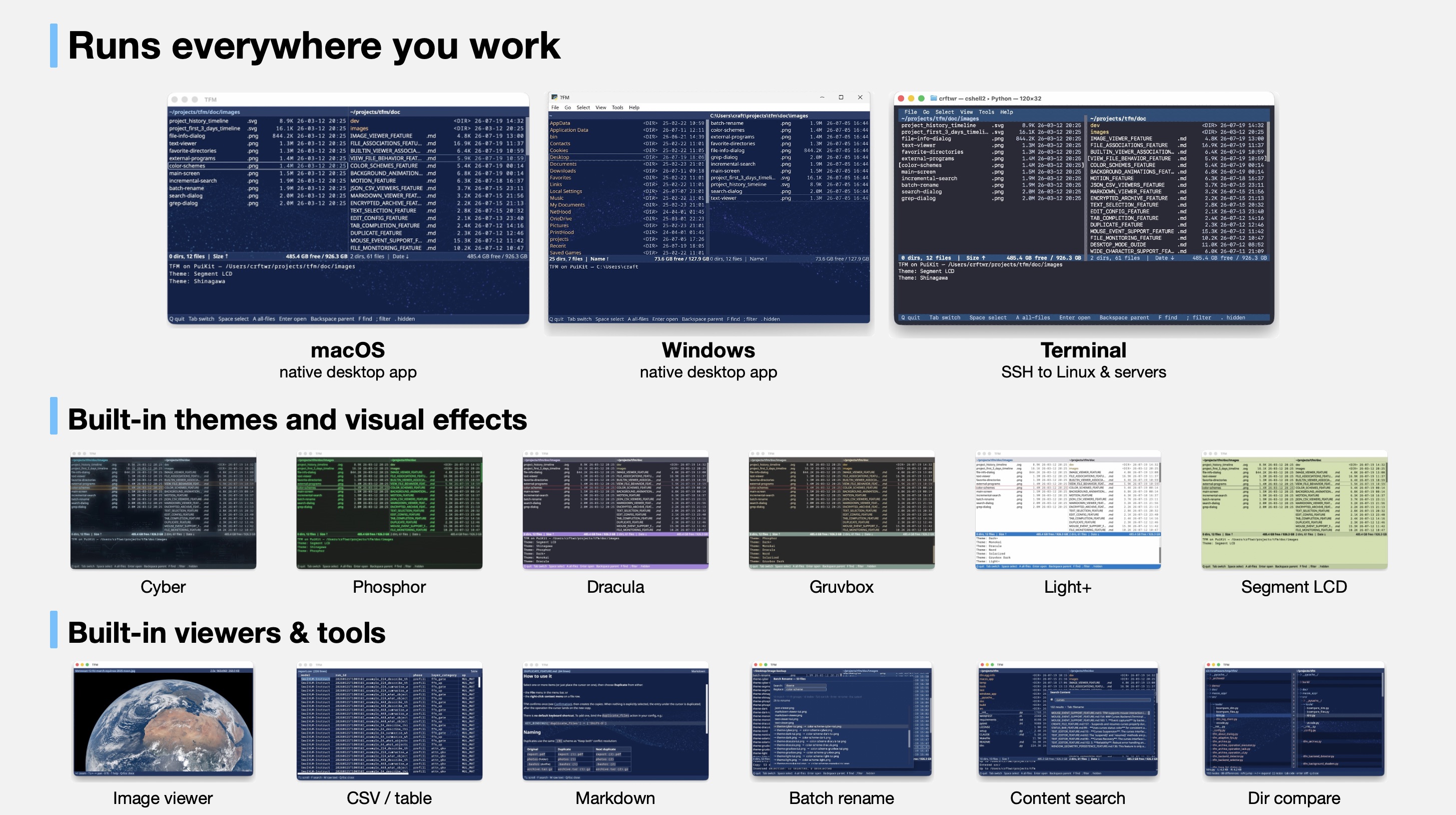
XeFM — short for Xenolith File Manager — is a powerful file manager that runs as a native desktop application on Windows and macOS, and in the terminal on all platforms — Windows, macOS, and Linux. Navigate your filesystem with keyboard shortcuts in a clean, intuitive dual-pane interface with comprehensive file operations, rich built-in viewers, themeable visual effects, and professional-grade features.
Key Features
- Cross-platform - Native desktop app on Windows and macOS; terminal (TUI) app on Windows, macOS, and Linux
- Dual-pane interface with independent navigation and cross-pane operations
- Archive browsing - Navigate ZIP, TAR, and compressed archives as virtual directories
- SFTP support - Browse and manage remote servers via SSH with optimized performance
- AWS S3 support for cloud storage operations
- Advanced search with real-time filtering, background processing, and multi-selection bulk operations
- Rich built-in viewers - Syntax-highlighted text, images, Markdown, JSON, and CSV/TSV
- Themes & visual effects - A dozen built-in themes; desktop mode adds GPU background animations, CRT/phosphor screen effects, and text-reveal animations
- Customizable - Fully configurable key bindings, settings, and external program launchers
Quick Start
Installation
Pick the install that matches how you want to run XeFM:
| Get it from | Gives you | |
|---|---|---|
| Desktop app — Windows | the Microsoft Store | A real installed application, signed by Microsoft: one click, automatic updates, no SmartScreen prompt. No Python needed. |
| Desktop app — macOS | the latest release | A real installed application: own icon, Dock entry, own file permissions. No Python needed. |
| Terminal app — Windows, macOS, Linux | PyPI | The xefm command in any terminal, including over SSH. Needs Python 3.10+. |
The desktop and terminal apps coexist and share their settings in ~/.xefm/ —
installing both is a perfectly normal setup.
Desktop app (Windows, macOS)
The desktop packages bundle their own Python, so there is nothing else to install.
Windows — install from the
Microsoft Store, or run
winget install --id 9PK2X44W810V --source msstore: XeFM lands in the Start
menu, updates automatically, and uninstalls from Settings → Apps. An unsigned
portable zip also ships with every
release; it needs
unblocking once.
macOS — download XeFM-<version>-macos.dmg from the
latest release, drag
XeFM to Applications, and launch it from Launchpad or Spotlight. It is
signed with the author's Apple Developer ID; full install details, including
Gatekeeper notes, are in the
Desktop Mode Guide.
Use the package, not
xefm --backend gui— that path is for developing XeFM, not for using it: the Dock / taskbar icon and, on macOS, the file permissions get attributed to Python / your terminal instead of to XeFM. See Why notxefm --backend gui?.
Terminal app (Windows, macOS, Linux)
XeFM is on PyPI. Install it as a tool and run it — no checkout and no virtualenv to manage:
pipx install xefm     # or:  uv tool install xefm,  or:  pip install xefm
xefm
pipx and uv keep XeFM in
its own environment while putting the xefm command on your PATH; uvx xefm
tries it once without installing anything. Python 3.10+ is the only
prerequisite, and this is the only install available on Linux — the one for
SSH sessions, remote servers, and terminal-centric workflows.
Upgrade with the same tool you installed with (pipx upgrade xefm,
uv tool upgrade xefm, or pip install --upgrade xefm) — they are not
interchangeable. Details and fixes for common install errors are in the
User Guide.
From source
Working on XeFM itself? Use a checkout instead:
git clone https://github.com/crftwr/xefm.git
cd xefm
make venv        # creates .venv with every dependency
make run         # launch XeFM through it, no activation needed
make help lists the rest — editable install, PuiKit co-development, and the
macOS / Windows app bundles.
Essential Controls
- Navigate:
↑↓to move up/down,←→to switch panes/navigate directories - Select:
Spaceto select/deselect files,Afor all files,Shift-Afor all items - File operations:
C(copy),M(move),K(delete),R(rename) - Search:
Ffor incremental search,Shift-Ffor filename search,Shift-Gfor content search - Remote paths: open
ssh://hostname/pathors3://bucket/pathlike any directory - Help:
?opens the help dialog with every key binding organized by category — no need to memorize - Quit:
Qto exit
Documentation
User Documentation
- Complete User Guide - Comprehensive guide covering all features, configuration, and usage
- Configuration - Complete configuration reference and customization guide
- Desktop Mode - Native Windows / macOS desktop app setup and options
- Color Schemes & Visual Effects - Themes, themeable GPU background scenes, and screen effects
- Image Viewer, Markdown Viewer & JSON / CSV Viewers - Built-in viewers
- Diff Viewer & Batch Rename - File / directory diffs and regex-based multi-file renaming
- SFTP Support - Remote server access via SSH with file operations and search
- AWS S3 Support - Cloud storage integration and S3 bucket management
- Archives - Create, extract, and browse archives as directories
- Migemo Search - Japanese matching from typed romaji in incremental search
- Search Animation - Advanced search features and visual feedback
Developer Documentation
- Project Structure - Repository layout and where things live
- Path Polymorphism System - Storage-agnostic architecture and extensibility
- Navigation System - Core navigation implementation
- External Programs - Program integration system
Archive Virtual Directory Browsing
Press Enter on an archive file (.zip, .tar, .tar.gz, .tgz, .tar.bz2,
.tar.xz) to browse it as if it were a regular directory — no extraction
needed. Navigate nested directories, view files, search by name or content, and
copy files out with the normal copy key; Backspace leaves the archive. P
creates a new archive, U extracts one. See the
Archive Feature Guide.
Built-in File Viewers
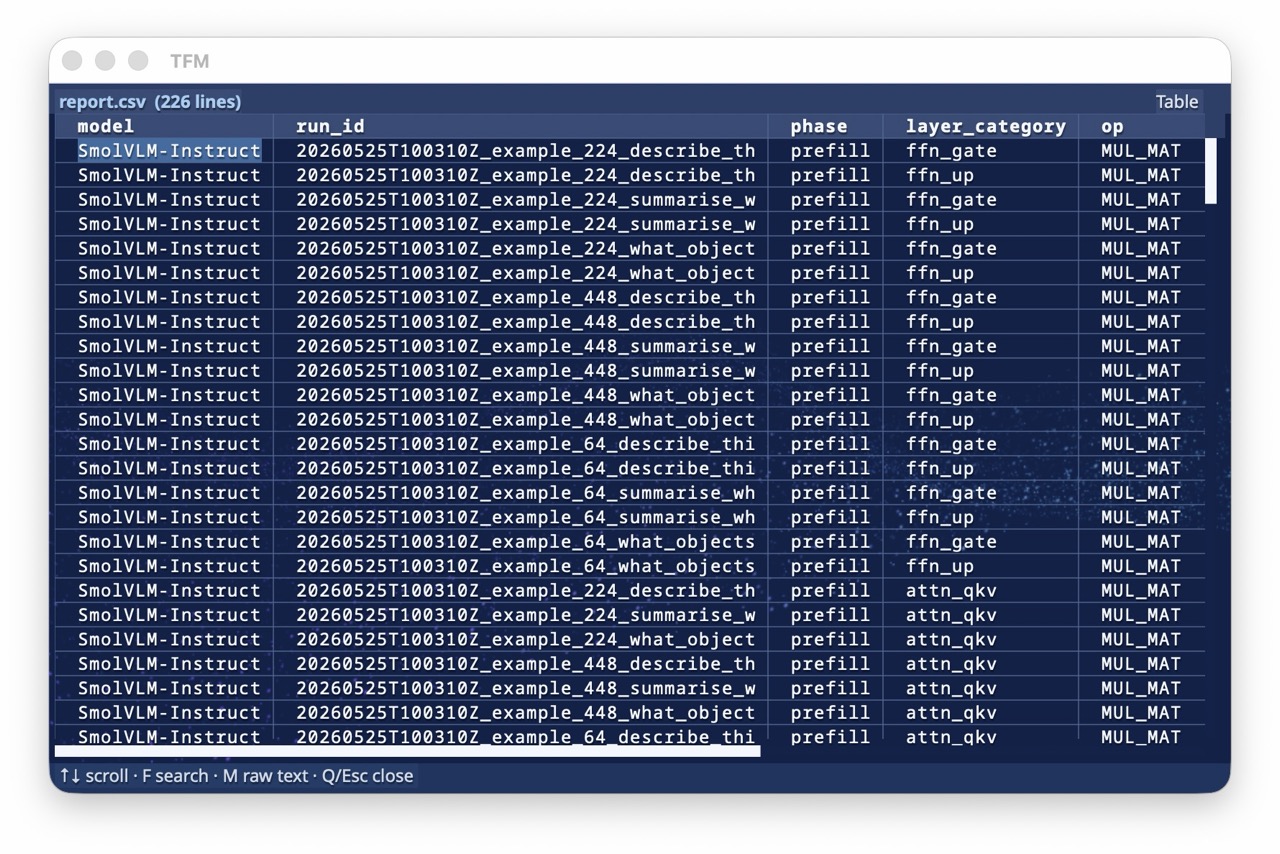
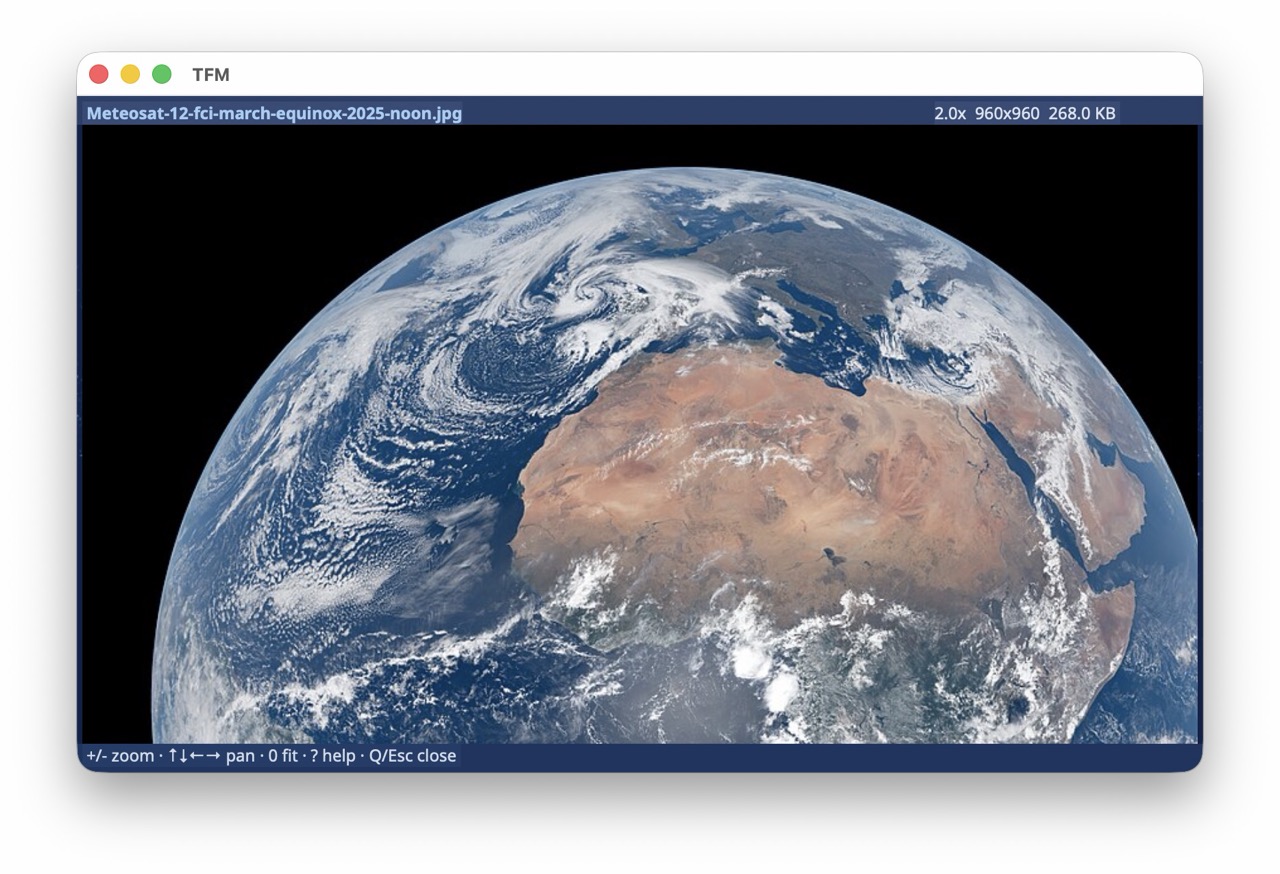
Press V (or Enter) to view the selected file. XeFM picks the right viewer
for the file type: syntax-highlighted text (20+ formats, line numbers, wrapping,
in-file search), images with zoom / pan (inline in iTerm2 / kitty / sixel
terminals and in desktop mode), and rendered views for Markdown, JSON, and
CSV/TSV (M toggles rendered / raw). All viewers work on local files, inside
archives, and on remote SFTP / S3 paths without extraction or download.
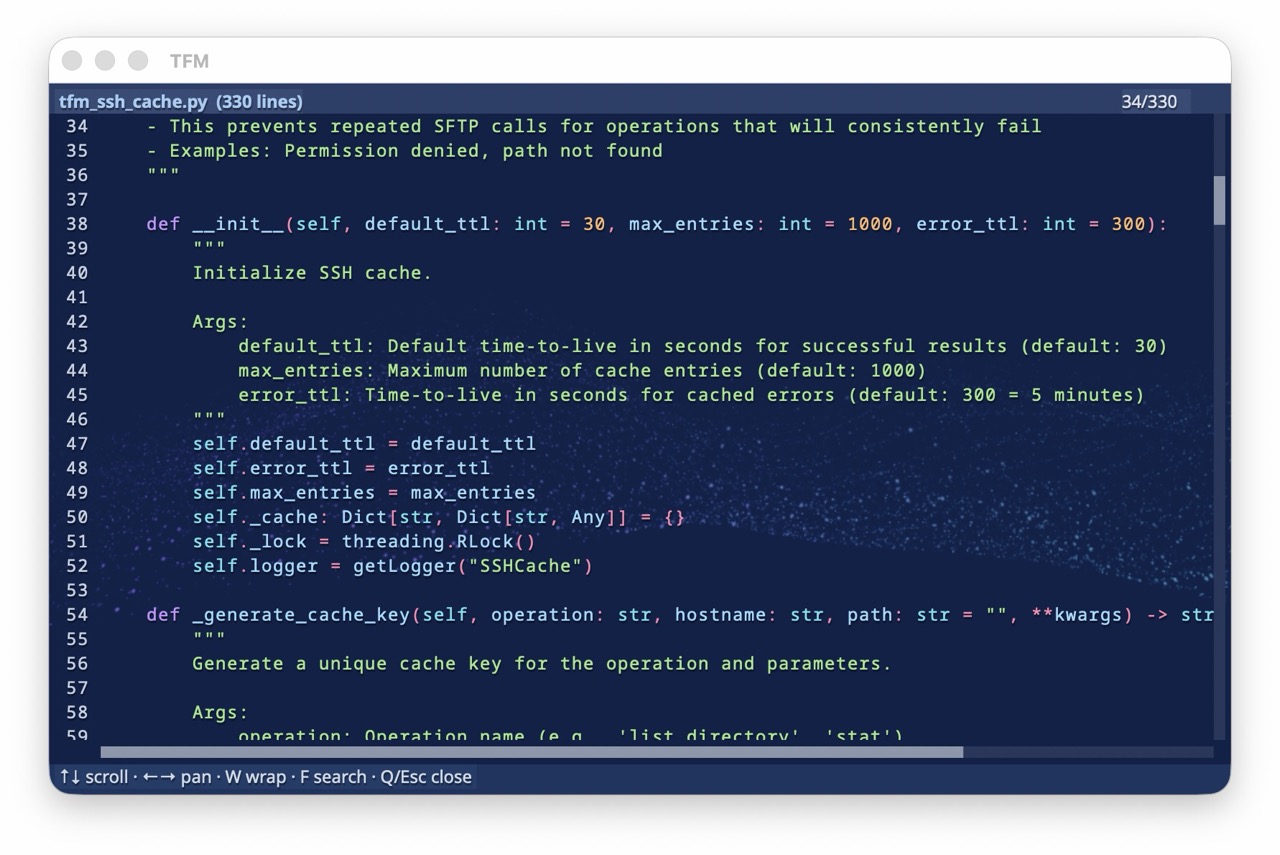
| Markdown | JSON / JSONL | CSV / TSV |
|---|---|---|
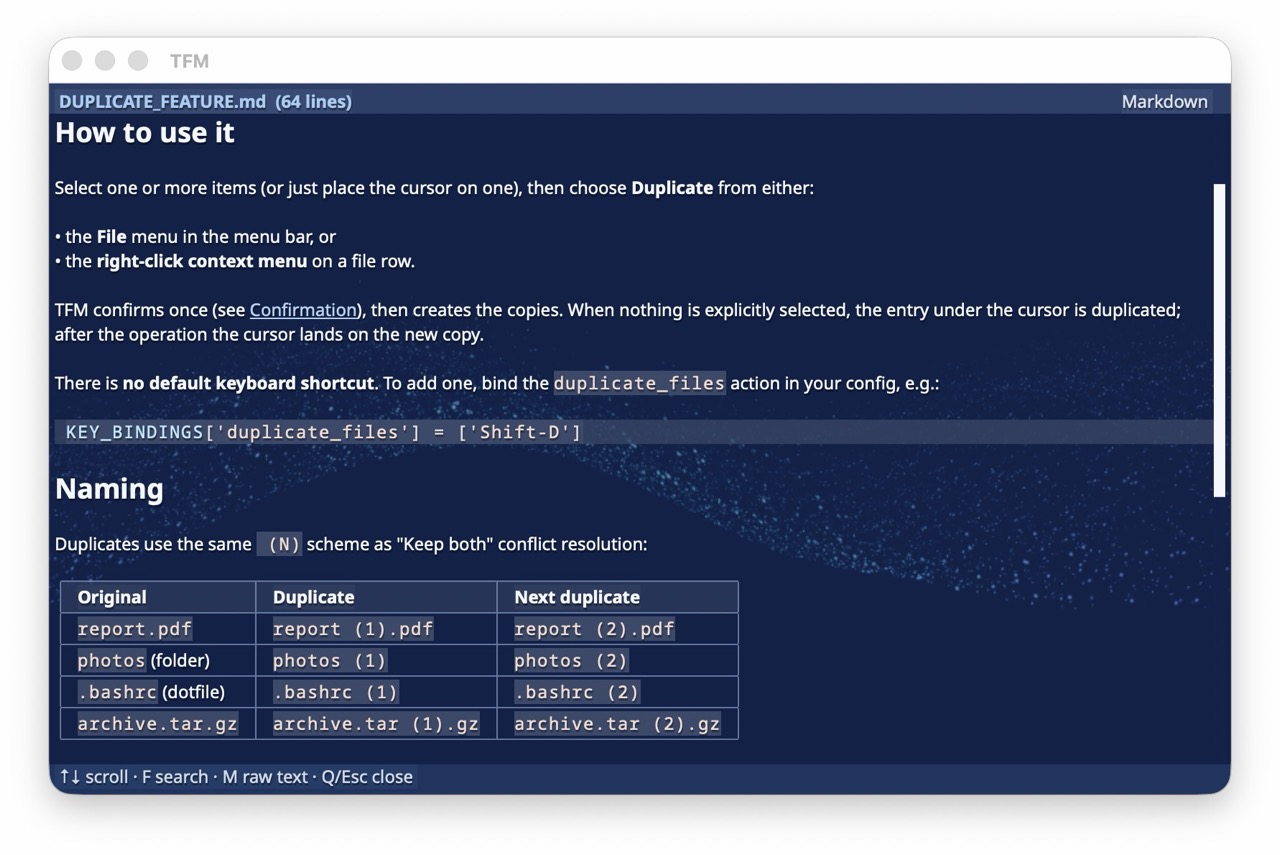 |
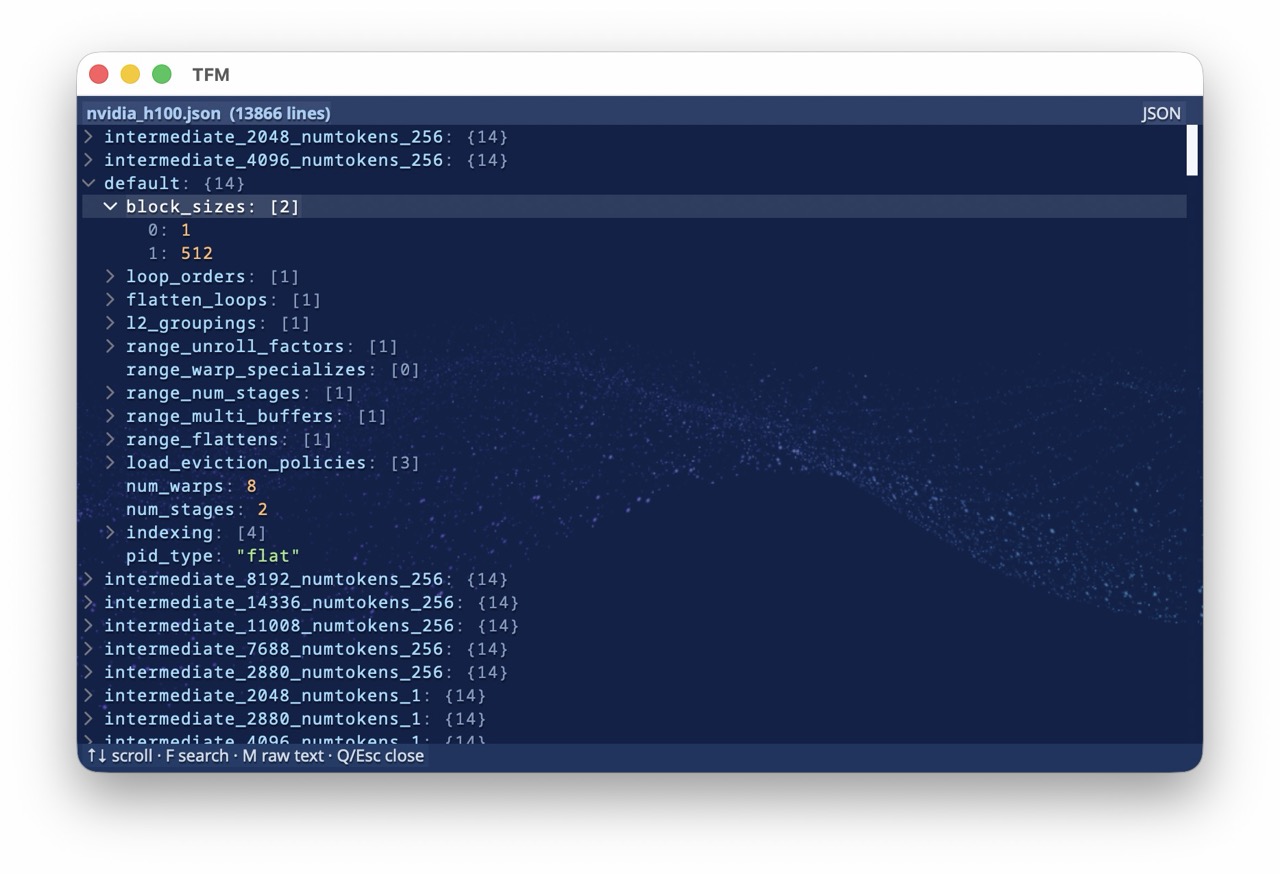 |
 |
| Rendered headings, lists, code, and links | Collapsible, syntax-colored tree (.json, .jsonl, .ndjson) |
Column-aligned table grid (.csv, .tsv) |
Themes & Visual Effects
XeFM ships a dozen built-in themes. Press T to cycle to the next theme, or pick one from the View → Theme menu — your choice is remembered across restarts. Define your own in ~/.xefm/config.py and they appear in the picker alongside the built-ins.
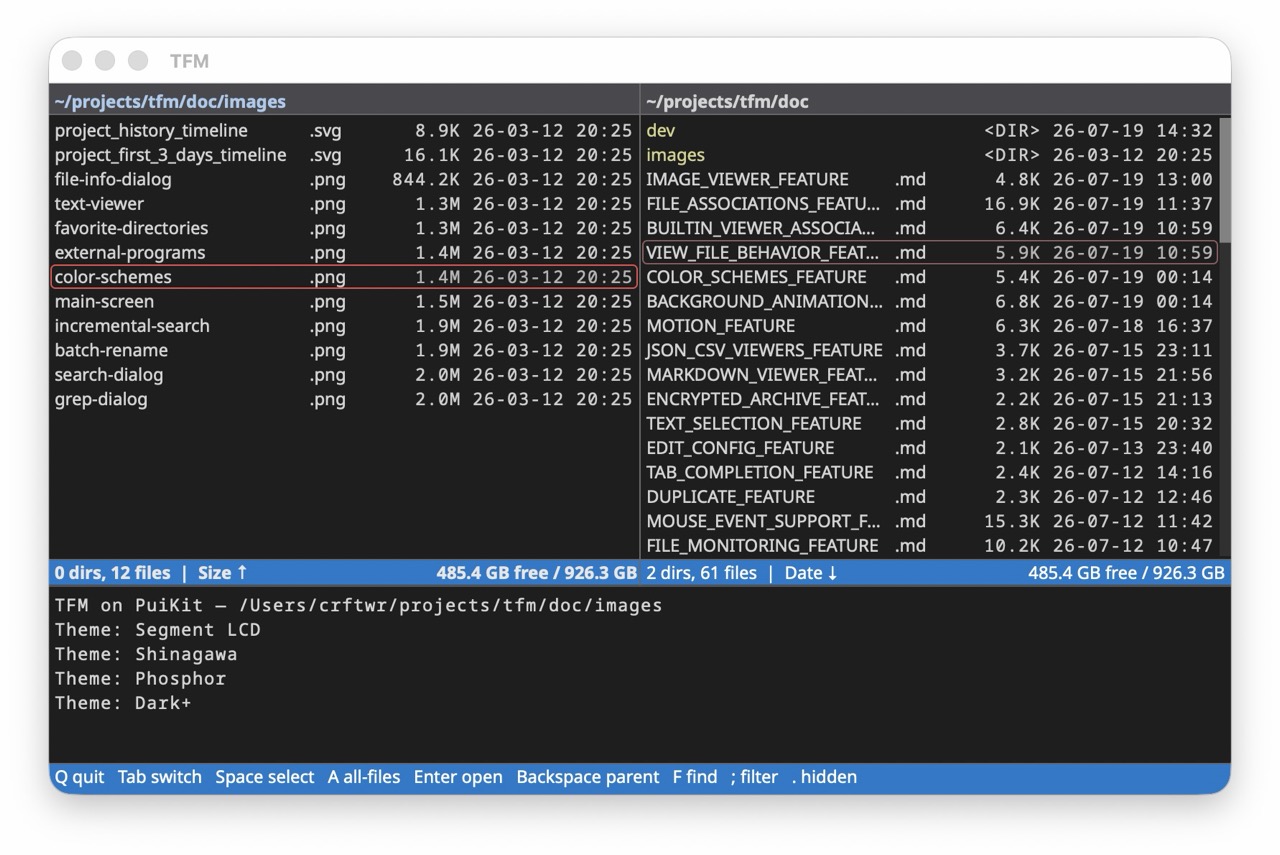 Dark+ |
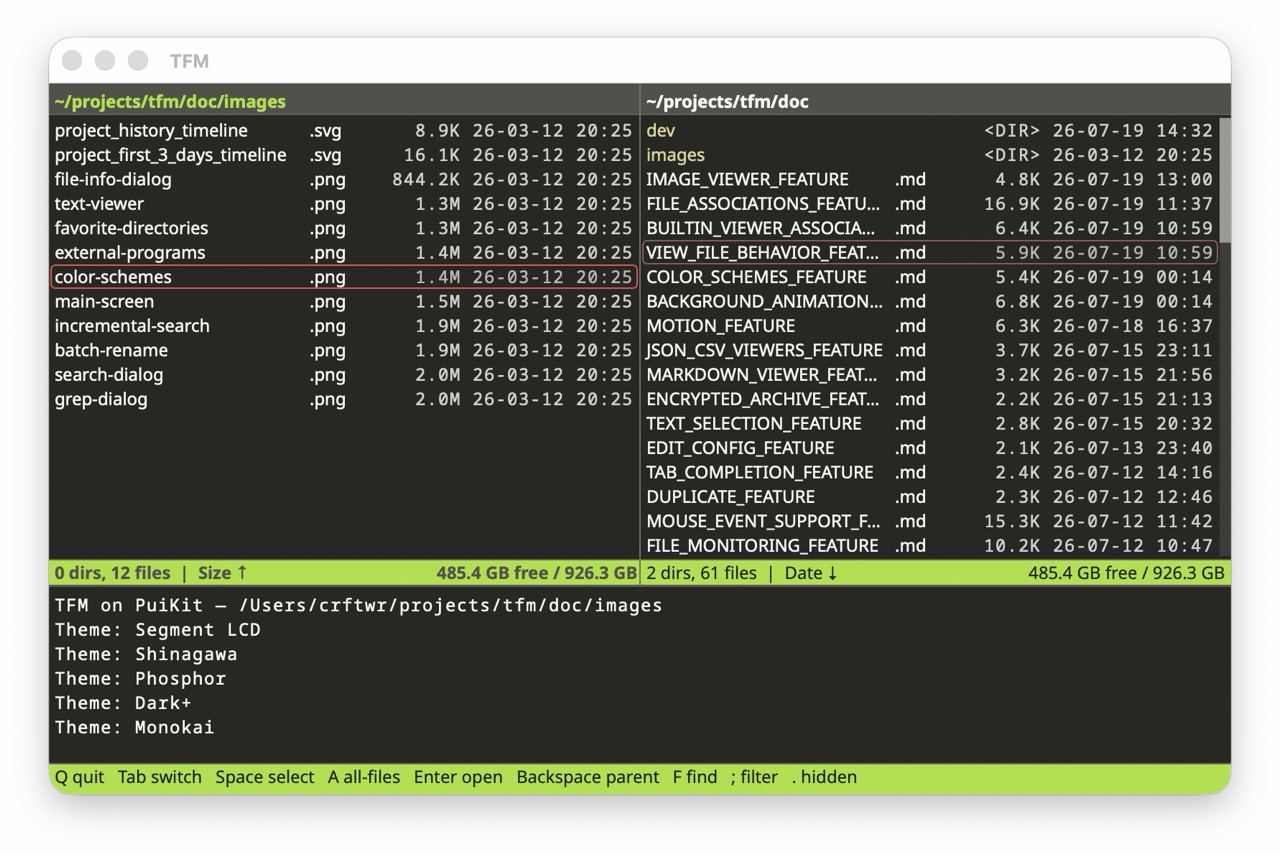 Monokai |
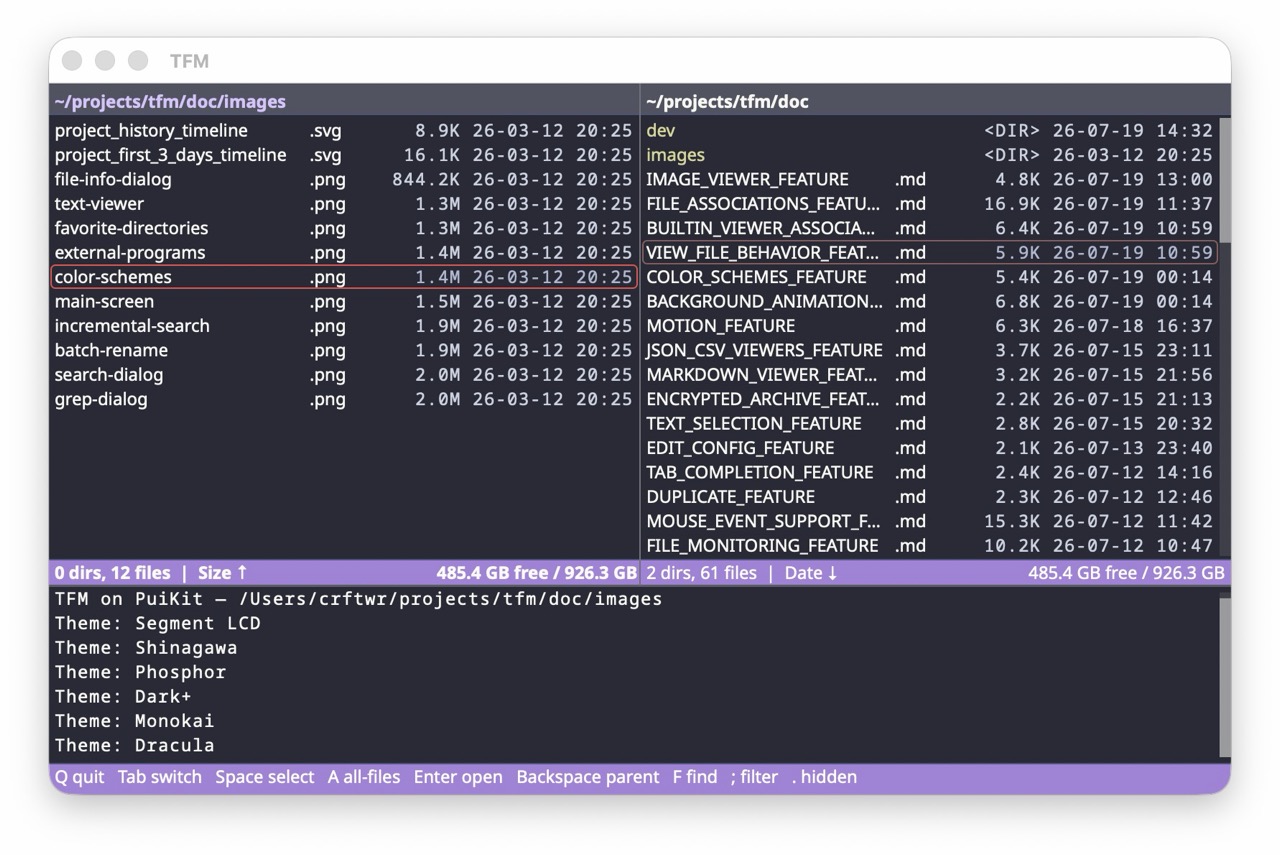 Dracula |
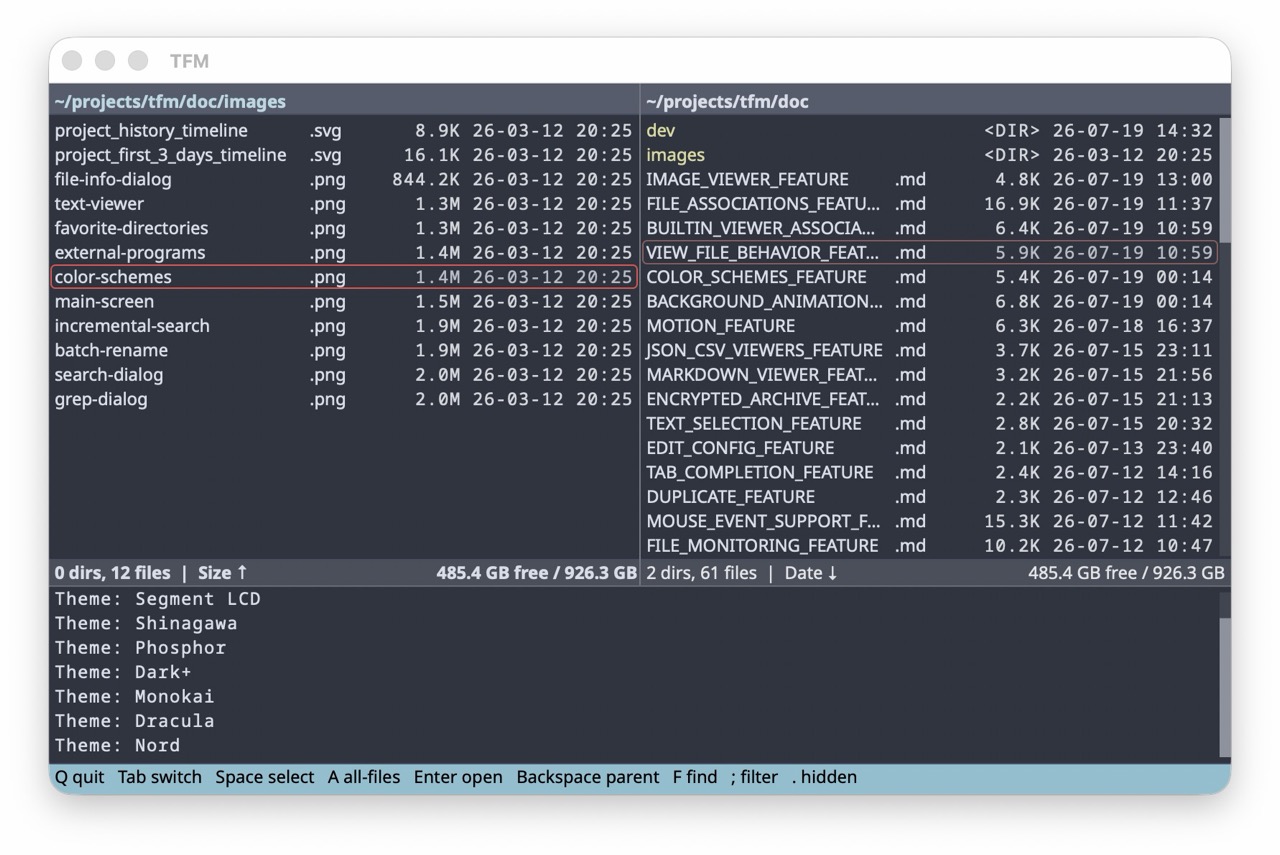 Nord |
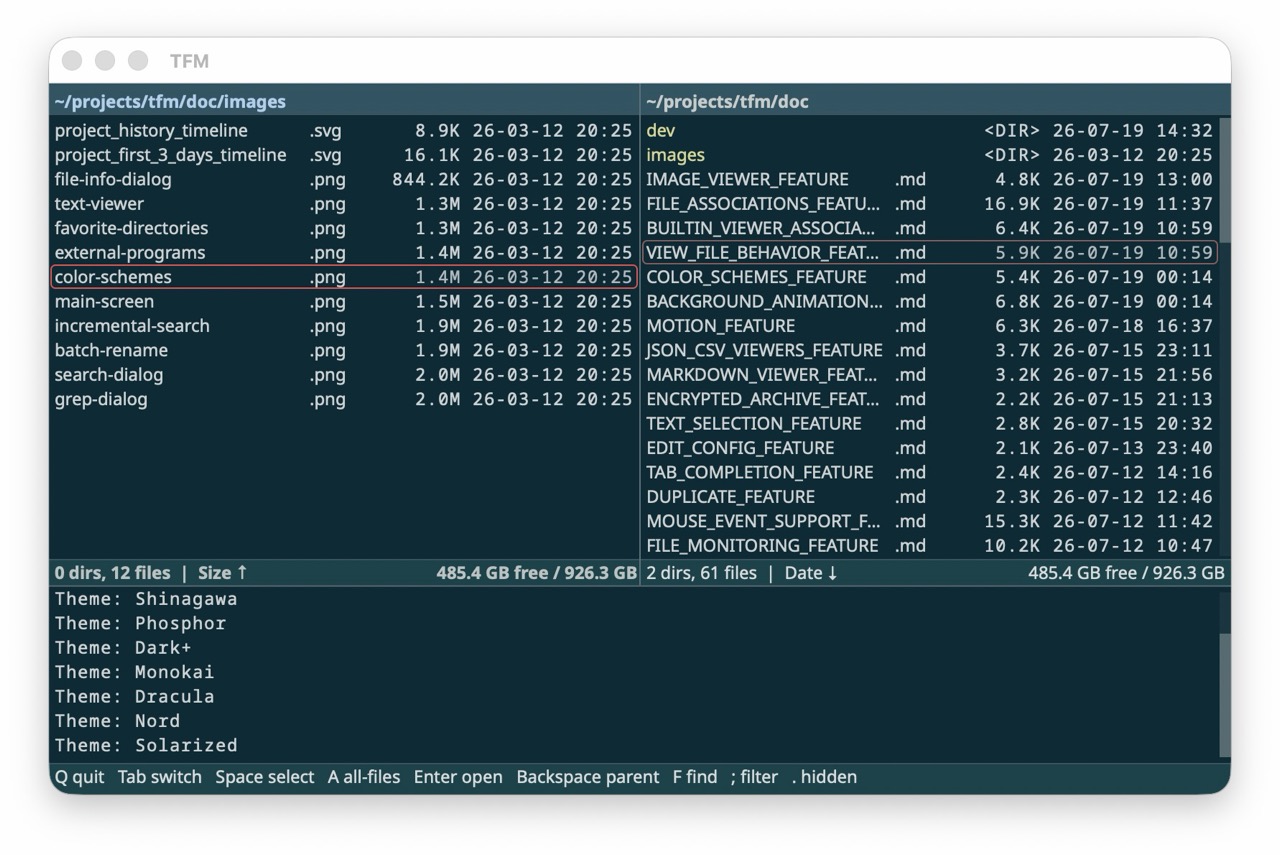 Solarized |
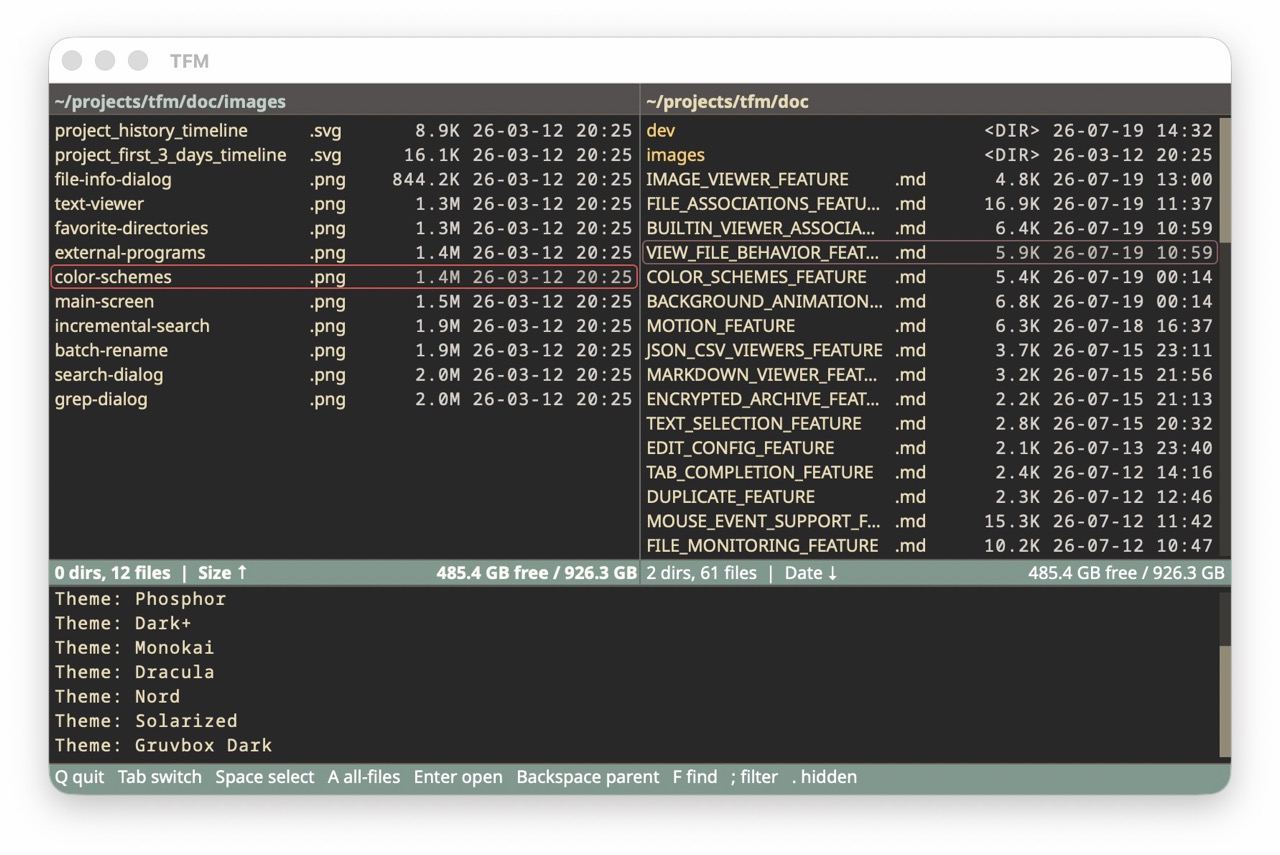 Gruvbox Dark |
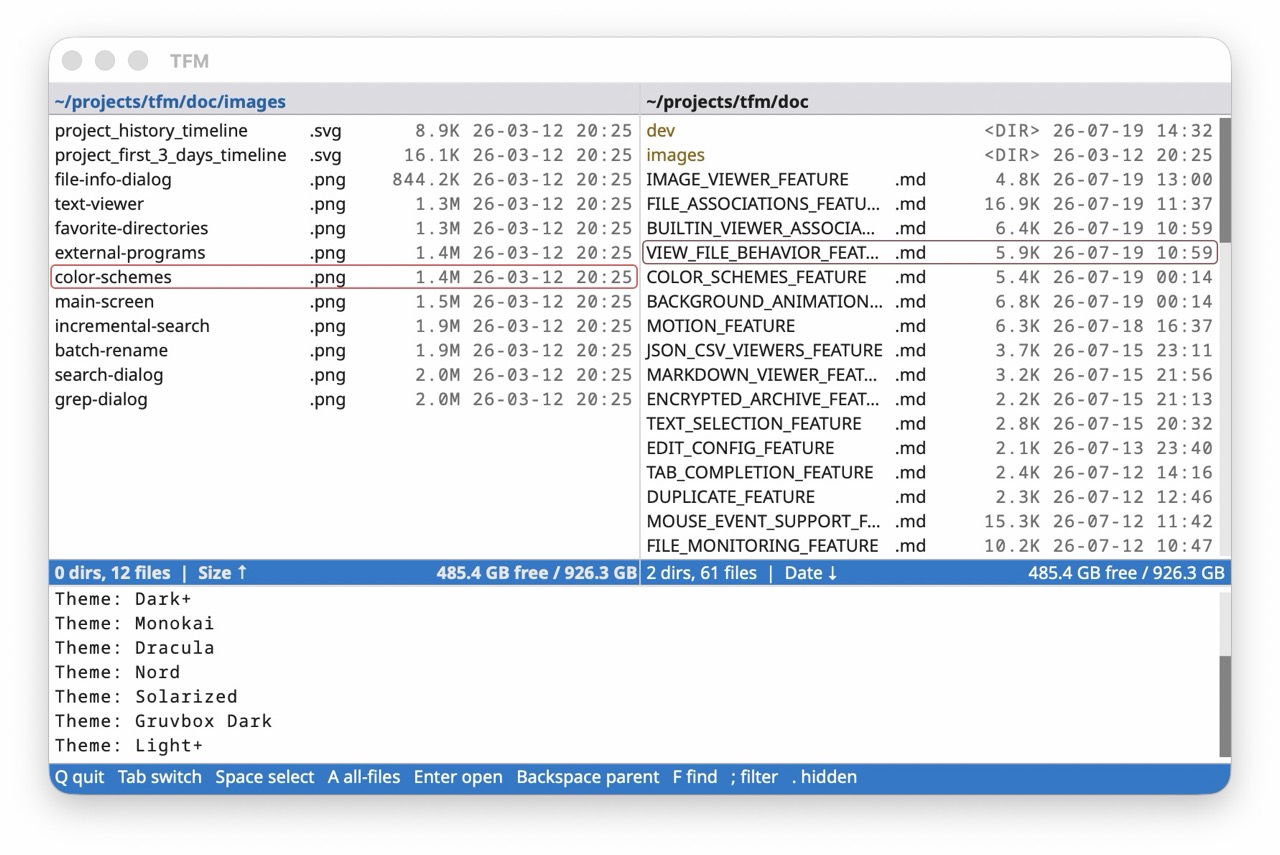 Light+ |
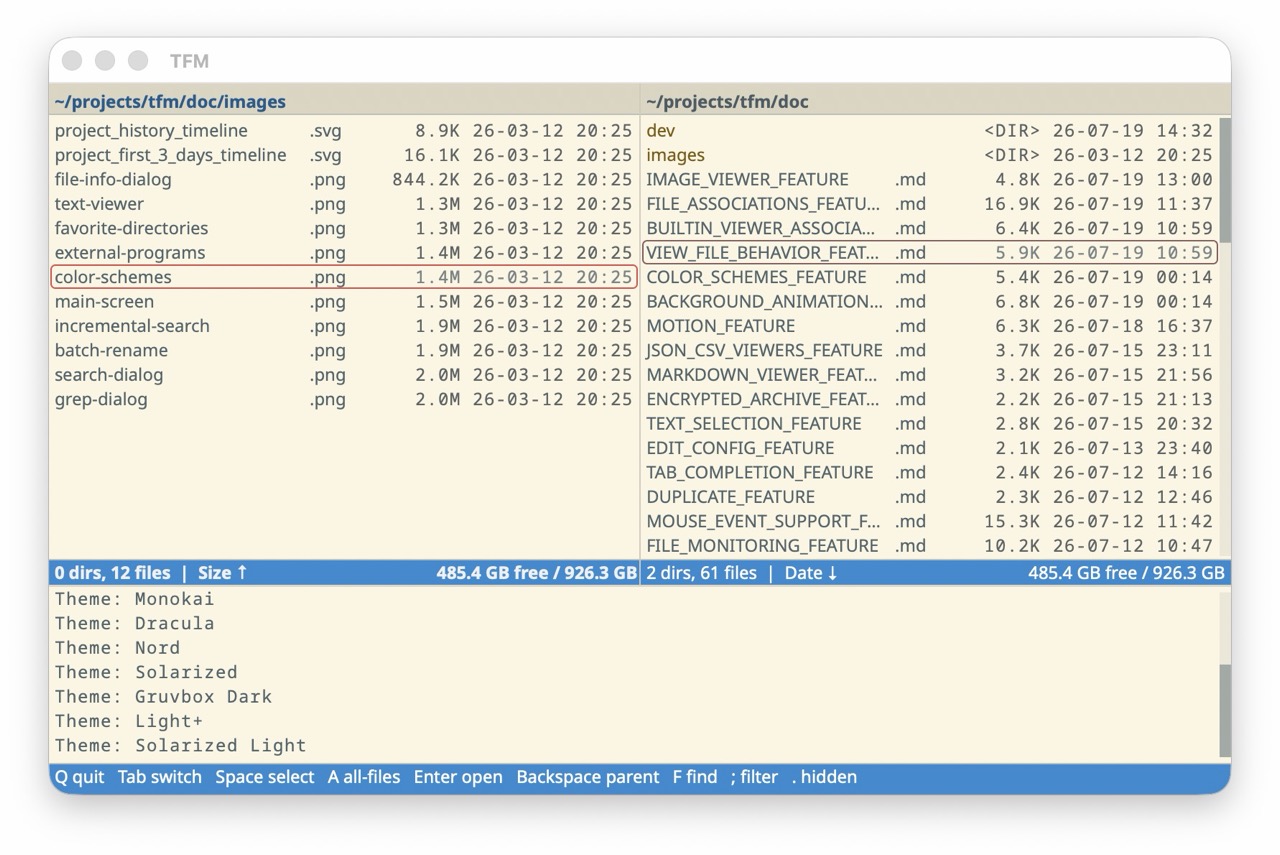 Solarized Light |
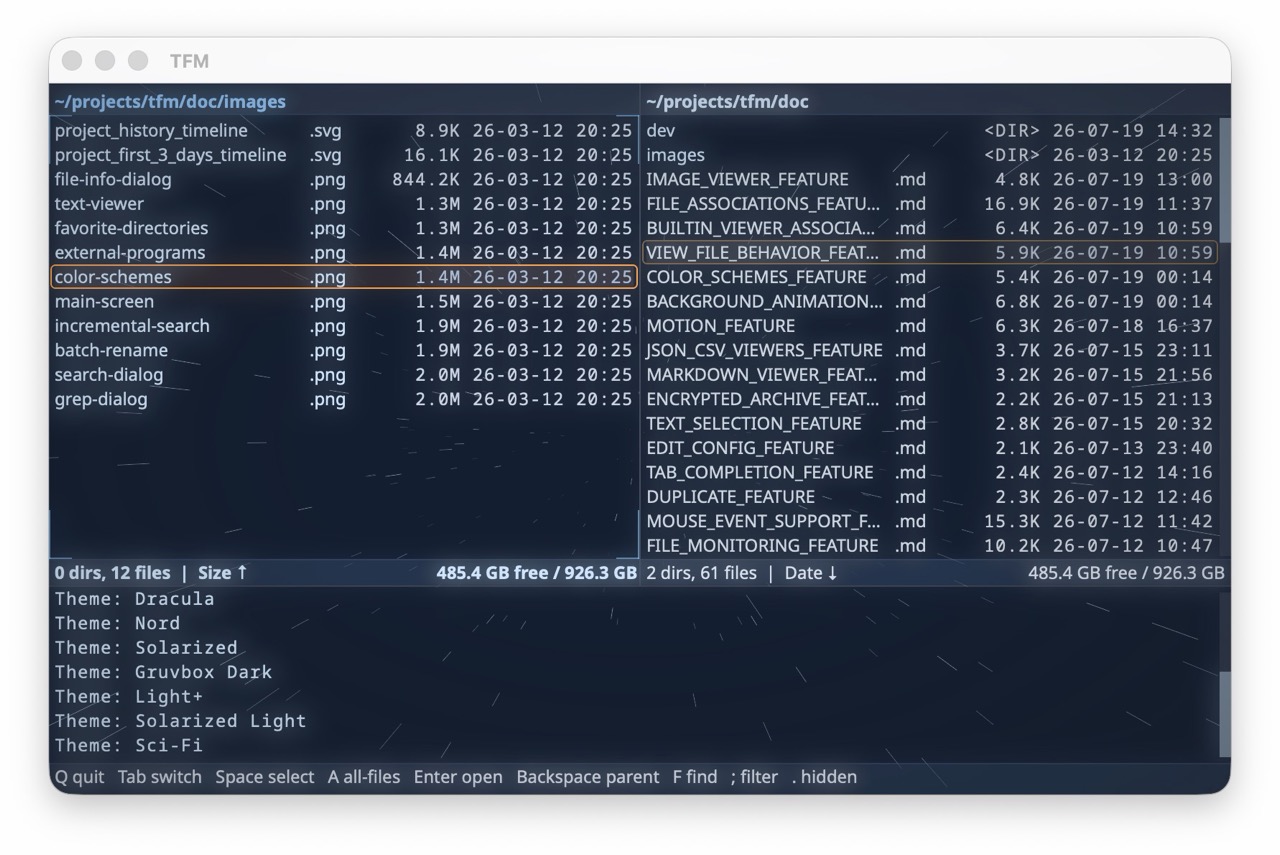 Sci-Fi |
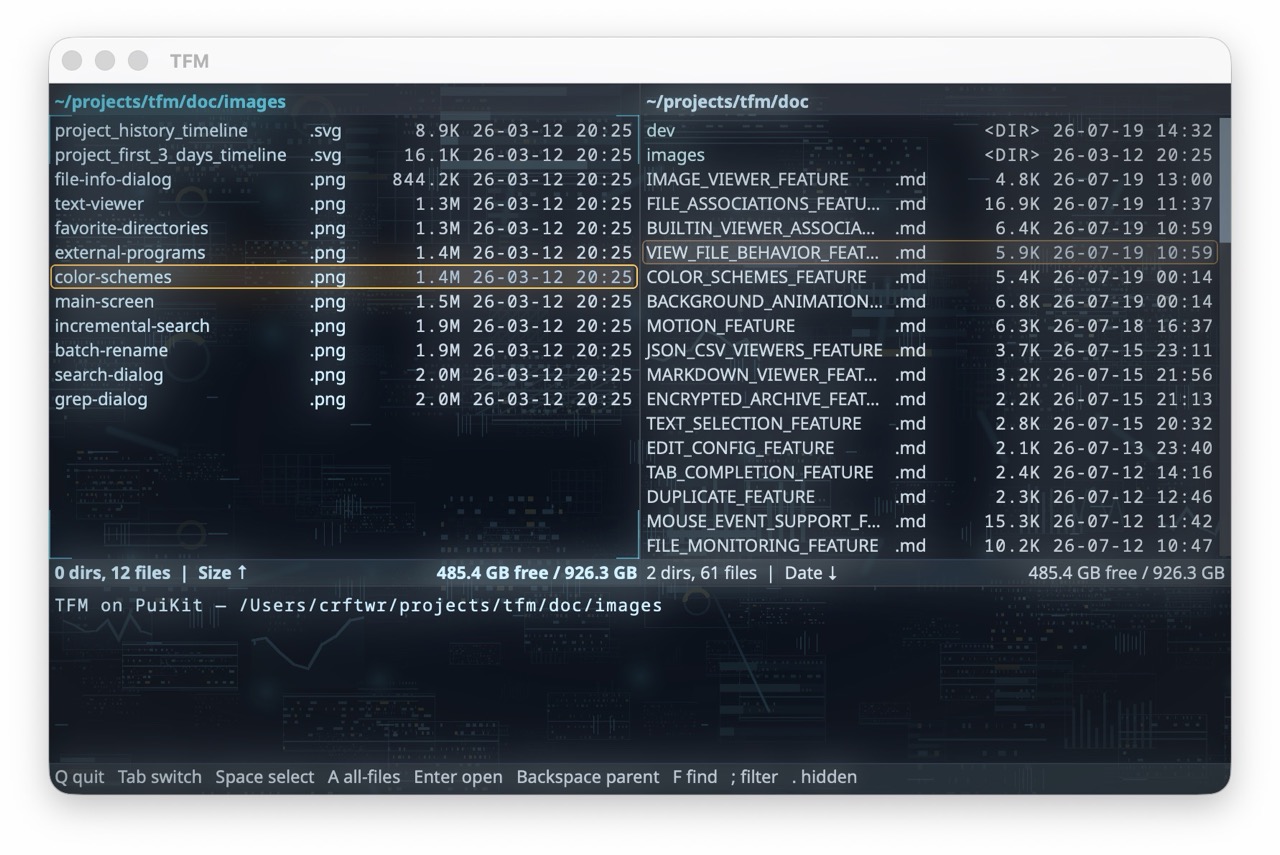 Cyber |
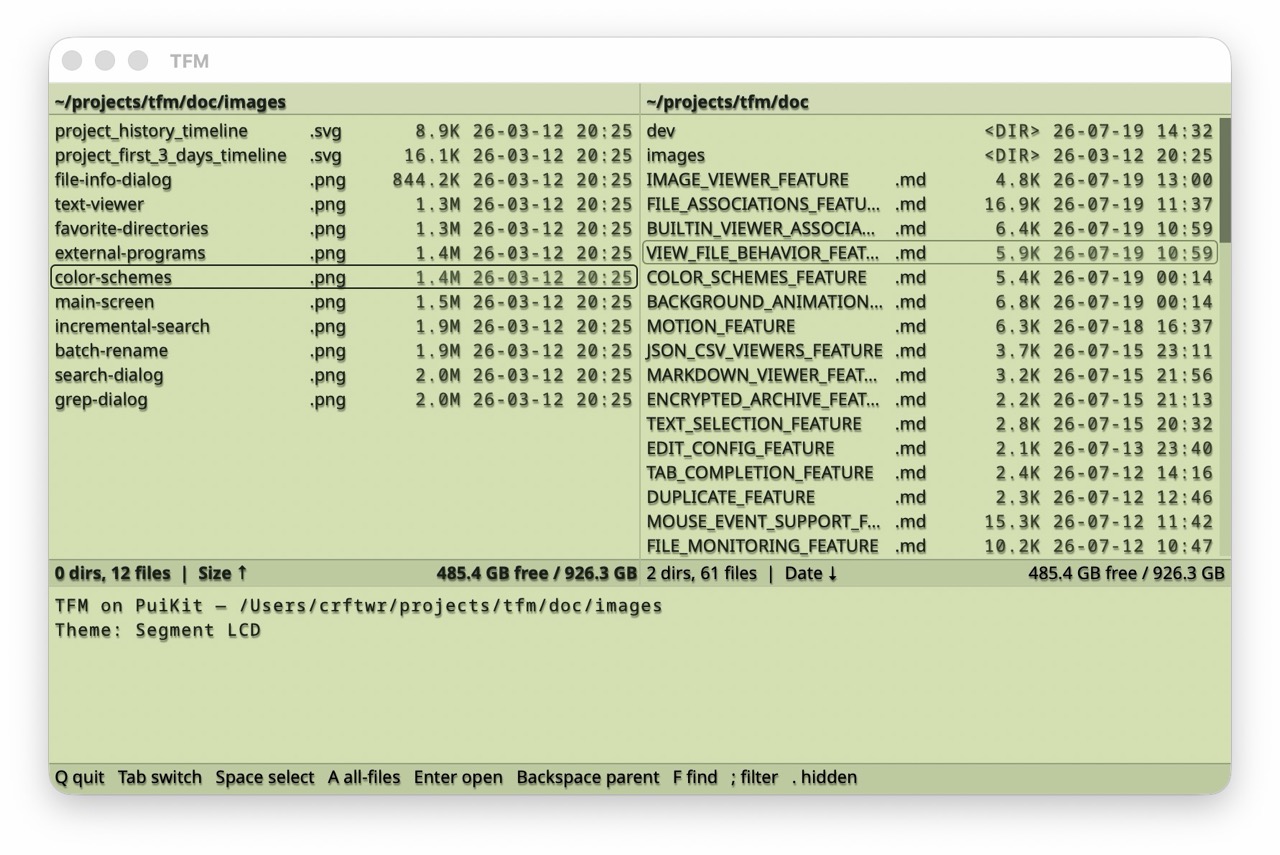 Segment LCD |
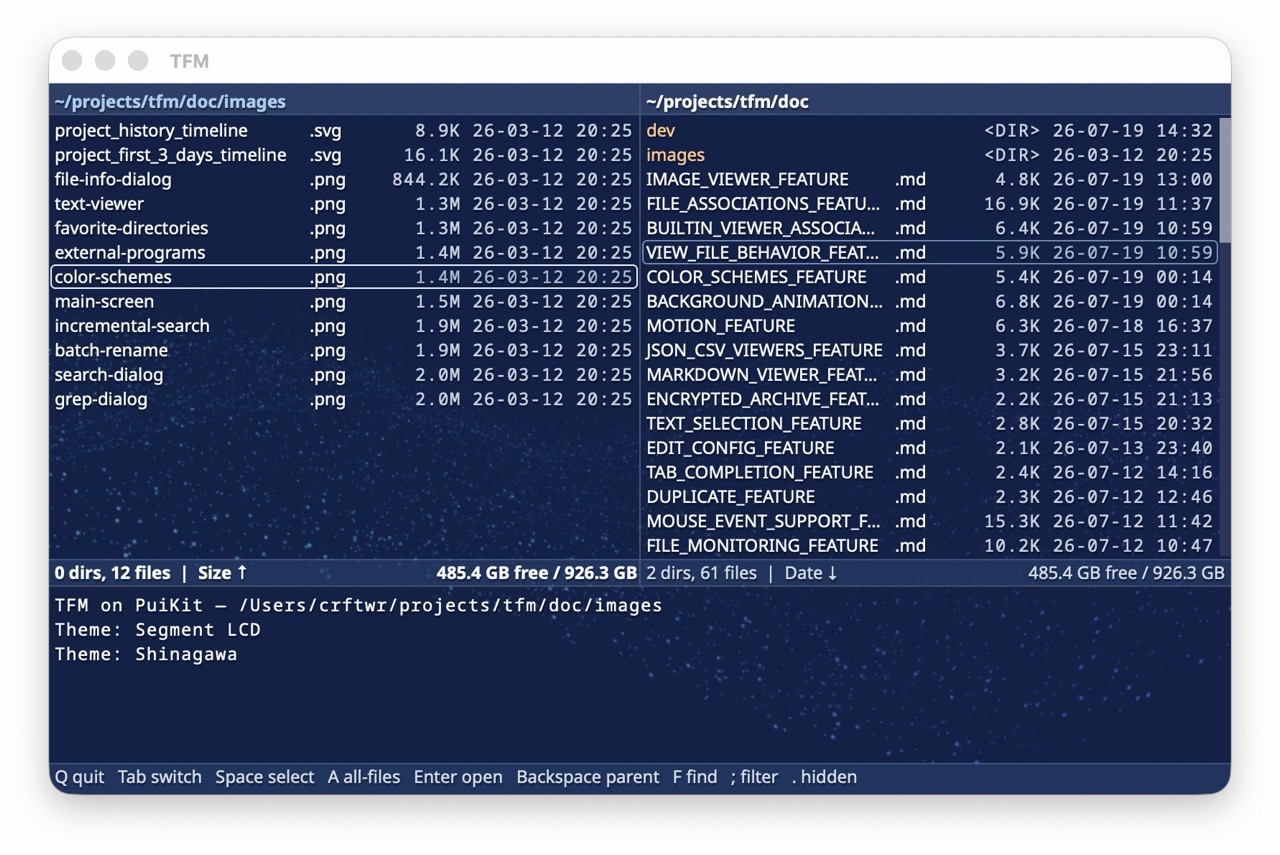 Shinagawa |
In desktop mode a theme can also carry visual effects the GPU renders behind
and over the interface: background animations (starfield, rain, hologram,
…), CRT / phosphor screen post-effects, text-reveal animations, and translucent
surfaces. Effects are pure theme data — a custom theme can mix and match them,
and terminal mode ignores them. See
Color Schemes & Visual Effects.
Sub-shell Mode
Press Shift-X to temporarily suspend XeFM and enter a shell whose environment
describes the current panes and selection (XEFM_LEFT_DIR, XEFM_THIS_DIR,
XEFM_LEFT_SELECTED, …); type exit to return to XeFM. The full variable list
is in the User Guide.
Command Line Options
These apply to the terminal install and to source checkouts (where every command
also works as python3 -m xefm …); the desktop packages take no arguments.
xefm                                    # terminal mode (the default)
xefm --left /path/a --right /path/b     # startup directories
xefm --backend gui                      # desktop window — development path only
The full flag set is --backend {tui,curses,gui,macos,windows}, --left DIR,
--right DIR, --version, and --help. Backend details are in the
Desktop Mode Guide.
Configuration
XeFM is highly configurable through ~/.xefm/config.py — themes and visual
effects, key bindings, external programs and file associations, favorite
directories, and behavior settings. Open it with Tools → Edit Configuration…
in the menu bar, or edit the file directly. See the
Configuration Feature Guide.
Troubleshooting
- "Windows protected your PC" when launching the portable
XeFM.exe— the zip is not code-signed; click More info → Run anyway, or unblock the zip before extracting. The Microsoft Store install is signed and never shows this prompt - "XeFM cannot be opened because the developer cannot be verified" on macOS — right-click
XeFM.appin Applications and choose Open, then confirm once - Install problems (
command not found,externally-managed-environment, upgrade errors) — see Installation troubleshooting
More in the User Guide and the Desktop Mode Guide.
Contact & Support
- GitHub Issues: Report bugs or request features
- Microsoft Store: XeFM on the Store — the Windows desktop app
- PyPI: pypi.org/project/xefm — released versions (
pipx install xefm) - Author's X (Twitter): @crftwr
License
MIT License - see LICENSE file for details.
1 maintainer

Download files
Download the file for your platform. If you're not sure which to choose, learn more about installing packages.
Source Distribution
Built Distribution
Filter files by name, interpreter, ABI, and platform.
If you're not sure about the file name format, learn more about wheel file names.
Copy a direct link to the current filters
File details
Details for the file xefm-1.3.0.tar.gz.
File metadata
- Download URL: xefm-1.3.0.tar.gz
- Upload date:
- Size: 542.6 kB
- Tags: Source
- Uploaded using Trusted Publishing? No
- Uploaded via:
twine/6.2.0 CPython/3.14.7
File hashes
| Algorithm | Hash digest | |
|---|---|---|
| SHA256 |
5c37ea447fbddcc722f4f19f65187426faa63a7a1d976a763c941e6c51cd4014
|
|
| MD5 |
d5f5e2cd5f13aaa25462a6816155e845
|
|
| BLAKE2b-256 |
9de7149701cac953935cd0d2236ce479e829e769c2a78efb6c0da90eeef6c7c2
|
File details
Details for the file xefm-1.3.0-py3-none-any.whl.
File metadata
- Download URL: xefm-1.3.0-py3-none-any.whl
- Upload date:
- Size: 569.0 kB
- Tags: Python 3
- Uploaded using Trusted Publishing? No
- Uploaded via:
twine/6.2.0 CPython/3.14.7
File hashes
| Algorithm | Hash digest | |
|---|---|---|
| SHA256 |
f3e26882ace85d3da2966a14d4594e97c9b2239eed4cf80ca44bad42692fcda6
|
|
| MD5 |
57adc88bfa5199f76f0b23e211114044
|
|
| BLAKE2b-256 |
5c72e7fb4f23715ac5e8e489cfff17e30ae402aa8d2c47a368bd08b80709cc40
|














