
xmldataset: simple XML parsing 🗃️




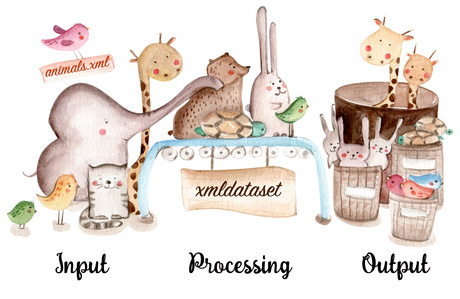
Extract Python datasets from XML with a simple profile that mirrors the XML.
A profile lists the elements and attributes you want, indented the same way as the XML, and names the dataset each value belongs to. xmldataset returns every dataset as a list of records (plain dicts), ready for JSON, CSV, pandas or a database.
Profiles can be written as indented text, YAML or JSON. All three are equivalent, and you can convert between them at any time.
- Documentation: https://xmldataset.readthedocs.io
Installation
pip install xmldataset
xmldataset requires Python 3.11 or newer. Its only dependency is PyYAML, for YAML profiles.
Example
Given this XML:
<colleagues>
    <colleague>
        <title>The Boss</title>
        <email>boss@example.com</email>
    </colleague>
    <colleague>
        <title>Minion</title>
    </colleague>
</colleagues>
this profile collects every colleague into a dataset called colleagues:
colleagues
    colleague
        title = dataset:colleagues
        email = dataset:colleagues,default:none
The same profile in YAML
colleagues:
  colleague:
    title: colleagues
    email:
      $dataset: colleagues
      $default: none
The same profile in JSON
{
  "colleagues": {
    "colleague": {
      "title": "colleagues",
      "email": {
        "$dataset": "colleagues",
        "$default": "none"
      }
    }
  }
}
import xmldataset

result = xmldataset.parse_using_profile(xml, profile)
{
  "colleagues": [
    {"title": "The Boss", "email": "boss@example.com"},
    {"title": "Minion", "email": "none"}
  ]
}
The Minion has no email address, so the default fills it in.
Load a profile file in any format with xmldataset.load_profile("profile.yaml"),
or stream records from a large file in flat memory:
from pathlib import Path

for dataset, record in xmldataset.iter_records(Path("huge.xml"), profile):
    ...
Or skip Python entirely:
xmldataset run profile.yaml data.xml --format csv --dataset colleagues
xmldataset convert profile.txt --to yaml
Features
- Three profile formats: indented text, YAML or JSON, with a JSON Schema for editor completion and validation.
- Elements and attributes, with renaming, prefixes, defaults, lists of repeated values and per-value process functions.
- Correct records by construction: a record never mixes values from two elements, and values from an enclosing element (a shop's number, say) are copied into every record inside it.
- Streams documents of any size in flat memory from a string, bytes, a path or a file, and hands over each record as soon as it is complete.
- Namespaces, matched by local name or by prefix.
- A command-line tool to run, convert and validate profiles.
- Typed, with PyYAML as the only dependency.
Contributing
See CONTRIBUTING.md. Changes are recorded in CHANGELOG.md.
License
BSD-3-Clause. See LICENSE.
1 maintainer

Metadata
1 maintainer
Release files for xmldataset 2.0.0
For a detailed explanation of source distributions (sdists) and built distributions (wheels), please see the package formats documentation.
Source distribution (sdist)
| File | Size | Uploaded | Provenance | Actions |
|---|---|---|---|---|
| xmldataset-2.0.0.tar.gz | 93.0 kB | With provenance | Details for xmldataset-2.0.0.tar.gz |
Built distribution (wheel)
| File | Interpreter | ABI | Platform | Actions Reset |
|---|---|---|---|---|
| xmldataset-2.0.0-py3-none-any.whl | Python 3 | none | any | Details for xmldataset-2.0.0-py3-none-any.whl |
Total release size: 127.6 kB
Release files / xmldataset-2.0.0.tar.gz
| Download URL | xmldataset-2.0.0.tar.gz |
|---|---|
| Size | 93.0 kB |
| Tags | Source |
|
SHA-256 checksum How to use checksums |
5e8dfe9f784227b5df5b6c8ca481fed1337b4ac72175aff288671967ce8e5062
|
|
BLAKE2b-256 checksum How to use checksums |
91c6a15ac19658bed29a4330e7f3be73f964d8e0a29347f6b9d4dfc8da912e52
|
| Upload date | |
|
Uploaded using Trusted Publishing? What is trusted publishing? |
Yes |
| Uploaded via |
twine/7.0.0 CPython/3.13.16
|
Provenance
Provenance describes where a file came from. On PyPI, provenance is shared via attestations, which provide a verifiable record of the build or publishing details. View details, limitations and caveats.


PyPI Publish Attestation
PyPI verified that this artifact, at this checksum, originated from the publisher listed below.
Signed by GitHub Actions, verified by PyPI on Nov 3, 2026.
Transparency logRelease files / xmldataset-2.0.0-py3-none-any.whl
| Download URL | xmldataset-2.0.0-py3-none-any.whl |
|---|---|
| Size | 34.6 kB |
| Tags | Python 3 |
|
SHA-256 checksum How to use checksums |
f0214deb8691b8dabfbfbeaa9036a027f9eaaa79bd635a30e747c5d17b883b2a
|
|
BLAKE2b-256 checksum How to use checksums |
7ffeba4e548815e3263d9f57c7f3bce6d50d069dee9a70f44b0dec10a6b913a1
|
| Upload date | |
|
Uploaded using Trusted Publishing? What is trusted publishing? |
Yes |
| Uploaded via |
twine/7.0.0 CPython/3.13.16
|
Provenance
Provenance describes where a file came from. On PyPI, provenance is shared via attestations, which provide a verifiable record of the build or publishing details. View details, limitations and caveats.
PyPI Publish Attestation
PyPI verified that this artifact, at this checksum, originated from the publisher listed below.
Signed by GitHub Actions, verified by PyPI on Nov 3, 2026.
Transparency logSecurity for xmldataset 2.0.0
Provenance
Provenance describes where a file came from. On PyPI, provenance is shared via attestations, which provide a verifiable record of the build or publishing details. View details, limitations and caveats.
Full provenance
Both files in this release have been uploaded with provenance metadata.
Attestation for xmldataset-2.0.0.tar.gz
PyPI Publish Attestation
PyPI verified that this artifact, at this checksum, originated from the publisher listed below.
Signed by GitHub Actions, verified by PyPI on Nov 3, 2026.
Transparency logA note on package security
PyPI is a repository for distributing packages, not a service for auditing them. While third-party security researchers and our staff do their best to detect and remove malicious packages, PyPI cannot guarantee the quality, security or suitability of any given package.
To learn more about protecting yourself from malicious actors, visit our package security documentation.














