
This is a personal fork of Ultralytics because I want to be able to make modifications and pip install it.







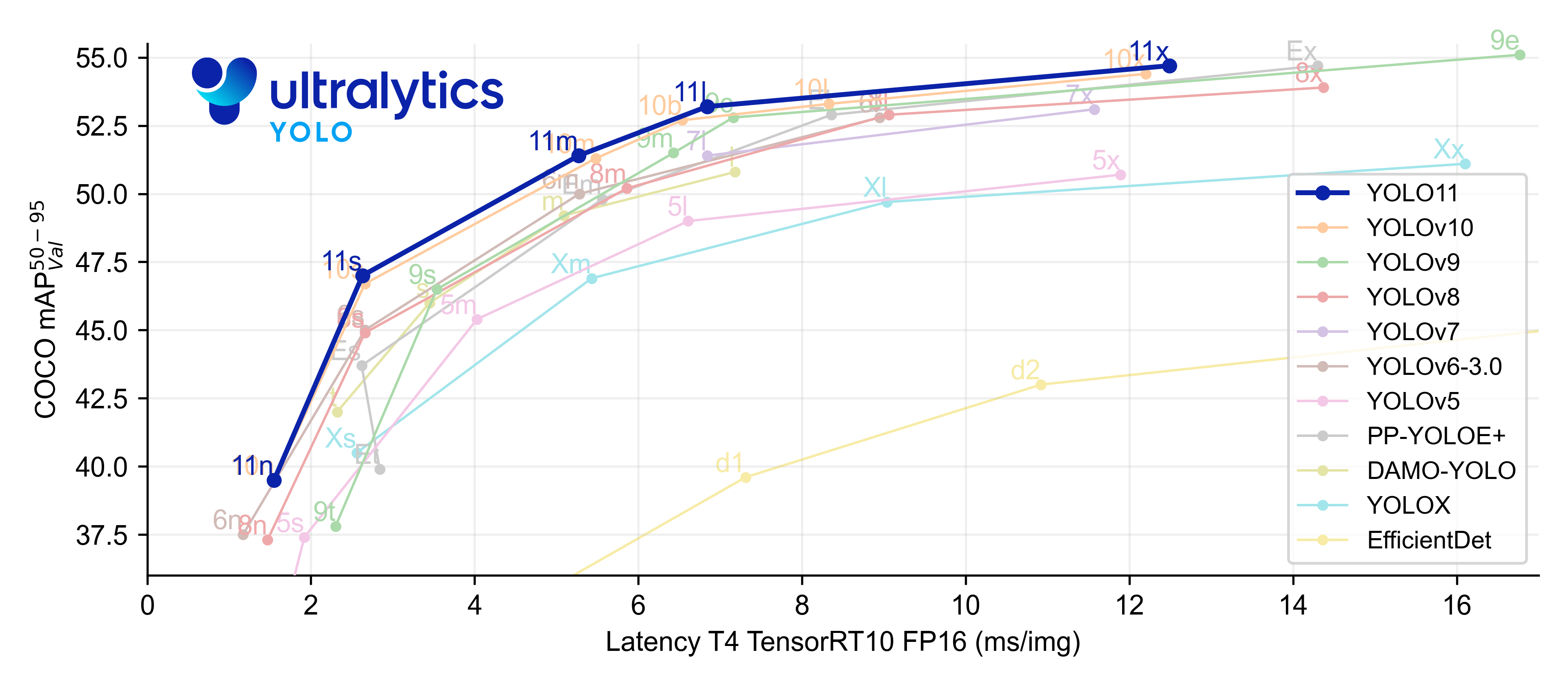
Ultralytics YOLOv8 is a cutting-edge, state-of-the-art (SOTA) model that builds upon the success of previous YOLO versions and introduces new features and improvements to further boost performance and flexibility. YOLOv8 is designed to be fast, accurate, and easy to use, making it an excellent choice for a wide range of object detection and tracking, instance segmentation, image classification and pose estimation tasks.
We hope that the resources here will help you get the most out of YOLOv8. Please browse the YOLOv8 Docs for details, raise an issue on GitHub for support, and join our Discord community for questions and discussions!
To request an Enterprise License please complete the form at Ultralytics Licensing.


Documentation
See below for a quickstart installation and usage example, and see the YOLOv8 Docs for full documentation on training, validation, prediction and deployment.
Install
Pip install the ultralytics package including all requirements in a Python>=3.7 environment with PyTorch>=1.7.
pip install ultralytics
Usage
CLI
YOLOv8 may be used directly in the Command Line Interface (CLI) with a yolo command:
yolo predict model=yolov8n.pt source='https://ultralytics.com/images/bus.jpg'
yolo can be used for a variety of tasks and modes and accepts additional arguments, i.e. imgsz=640. See the YOLOv8 CLI Docs for examples.
Python
YOLOv8 may also be used directly in a Python environment, and accepts the same arguments as in the CLI example above:
from ultralytics import YOLO

# Load a model
model = YOLO("yolov8n.yaml")  # build a new model from scratch
model = YOLO("yolov8n.pt")  # load a pretrained model (recommended for training)

# Use the model
model.train(data="coco128.yaml", epochs=3)  # train the model
metrics = model.val()  # evaluate model performance on the validation set
results = model("https://ultralytics.com/images/bus.jpg")  # predict on an image
path = model.export(format="onnx")  # export the model to ONNX format
Models download automatically from the latest Ultralytics release. See YOLOv8 Python Docs for more examples.
Models
YOLOv8 Detect, Segment and Pose models pretrained on the COCO dataset are available here, as well as YOLOv8 Classify models pretrained on the ImageNet dataset. Track mode is available for all Detect, Segment and Pose models.
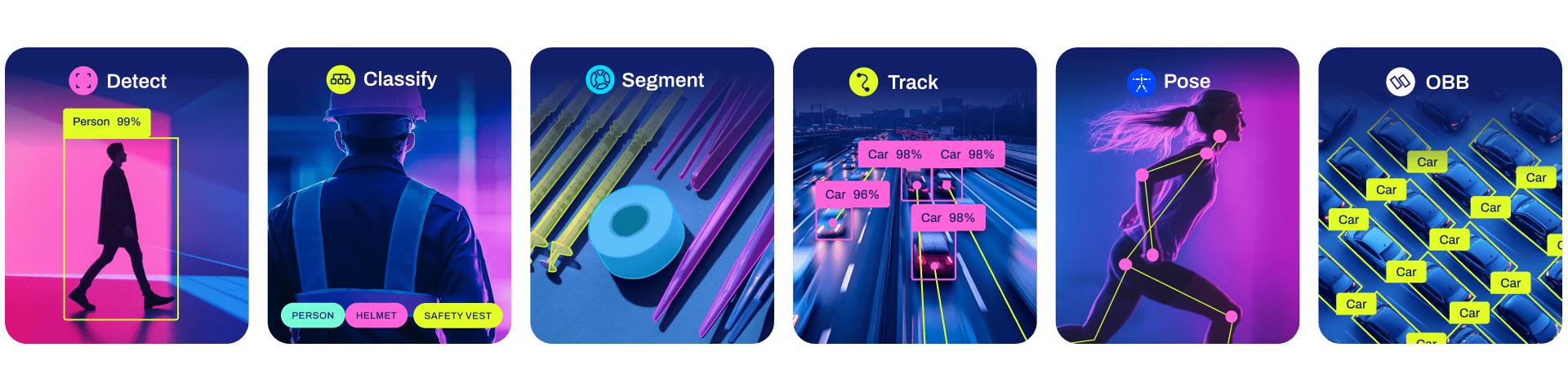
All Models download automatically from the latest Ultralytics release on first use.
Detection
See Detection Docs for usage examples with these models.
| Model | size (pixels) |
mAPval 50-95 |
Speed CPU ONNX (ms) |
Speed A100 TensorRT (ms) |
params (M) |
FLOPs (B) |
|---|---|---|---|---|---|---|
| YOLOv8n | 640 | 37.3 | 80.4 | 0.99 | 3.2 | 8.7 |
| YOLOv8s | 640 | 44.9 | 128.4 | 1.20 | 11.2 | 28.6 |
| YOLOv8m | 640 | 50.2 | 234.7 | 1.83 | 25.9 | 78.9 |
| YOLOv8l | 640 | 52.9 | 375.2 | 2.39 | 43.7 | 165.2 |
| YOLOv8x | 640 | 53.9 | 479.1 | 3.53 | 68.2 | 257.8 |
- mAPval values are for single-model single-scale on COCO val2017 dataset.
Reproduce byyolo val detect data=coco.yaml device=0 - Speed averaged over COCO val images using an Amazon EC2 P4d instance.
Reproduce byyolo val detect data=coco128.yaml batch=1 device=0|cpu
Segmentation
See Segmentation Docs for usage examples with these models.
| Model | size (pixels) |
mAPbox 50-95 |
mAPmask 50-95 |
Speed CPU ONNX (ms) |
Speed A100 TensorRT (ms) |
params (M) |
FLOPs (B) |
|---|---|---|---|---|---|---|---|
| YOLOv8n-seg | 640 | 36.7 | 30.5 | 96.1 | 1.21 | 3.4 | 12.6 |
| YOLOv8s-seg | 640 | 44.6 | 36.8 | 155.7 | 1.47 | 11.8 | 42.6 |
| YOLOv8m-seg | 640 | 49.9 | 40.8 | 317.0 | 2.18 | 27.3 | 110.2 |
| YOLOv8l-seg | 640 | 52.3 | 42.6 | 572.4 | 2.79 | 46.0 | 220.5 |
| YOLOv8x-seg | 640 | 53.4 | 43.4 | 712.1 | 4.02 | 71.8 | 344.1 |
- mAPval values are for single-model single-scale on COCO val2017 dataset.
Reproduce byyolo val segment data=coco.yaml device=0 - Speed averaged over COCO val images using an Amazon EC2 P4d instance.
Reproduce byyolo val segment data=coco128-seg.yaml batch=1 device=0|cpu
Classification
See Classification Docs for usage examples with these models.
| Model | size (pixels) |
acc top1 |
acc top5 |
Speed CPU ONNX (ms) |
Speed A100 TensorRT (ms) |
params (M) |
FLOPs (B) at 640 |
|---|---|---|---|---|---|---|---|
| YOLOv8n-cls | 224 | 66.6 | 87.0 | 12.9 | 0.31 | 2.7 | 4.3 |
| YOLOv8s-cls | 224 | 72.3 | 91.1 | 23.4 | 0.35 | 6.4 | 13.5 |
| YOLOv8m-cls | 224 | 76.4 | 93.2 | 85.4 | 0.62 | 17.0 | 42.7 |
| YOLOv8l-cls | 224 | 78.0 | 94.1 | 163.0 | 0.87 | 37.5 | 99.7 |
| YOLOv8x-cls | 224 | 78.4 | 94.3 | 232.0 | 1.01 | 57.4 | 154.8 |
- acc values are model accuracies on the ImageNet dataset validation set.
Reproduce byyolo val classify data=path/to/ImageNet device=0 - Speed averaged over ImageNet val images using an Amazon EC2 P4d instance.
Reproduce byyolo val classify data=path/to/ImageNet batch=1 device=0|cpu
Pose
See Pose Docs for usage examples with these models.
| Model | size (pixels) |
mAPpose 50-95 |
mAPpose 50 |
Speed CPU ONNX (ms) |
Speed A100 TensorRT (ms) |
params (M) |
FLOPs (B) |
|---|---|---|---|---|---|---|---|
| YOLOv8n-pose | 640 | 50.4 | 80.1 | 131.8 | 1.18 | 3.3 | 9.2 |
| YOLOv8s-pose | 640 | 60.0 | 86.2 | 233.2 | 1.42 | 11.6 | 30.2 |
| YOLOv8m-pose | 640 | 65.0 | 88.8 | 456.3 | 2.00 | 26.4 | 81.0 |
| YOLOv8l-pose | 640 | 67.6 | 90.0 | 784.5 | 2.59 | 44.4 | 168.6 |
| YOLOv8x-pose | 640 | 69.2 | 90.2 | 1607.1 | 3.73 | 69.4 | 263.2 |
| YOLOv8x-pose-p6 | 1280 | 71.6 | 91.2 | 4088.7 | 10.04 | 99.1 | 1066.4 |
- mAPval values are for single-model single-scale on COCO Keypoints val2017
dataset.
Reproduce byyolo val pose data=coco-pose.yaml device=0 - Speed averaged over COCO val images using an Amazon EC2 P4d instance.
Reproduce byyolo val pose data=coco8-pose.yaml batch=1 device=0|cpu
Integrations
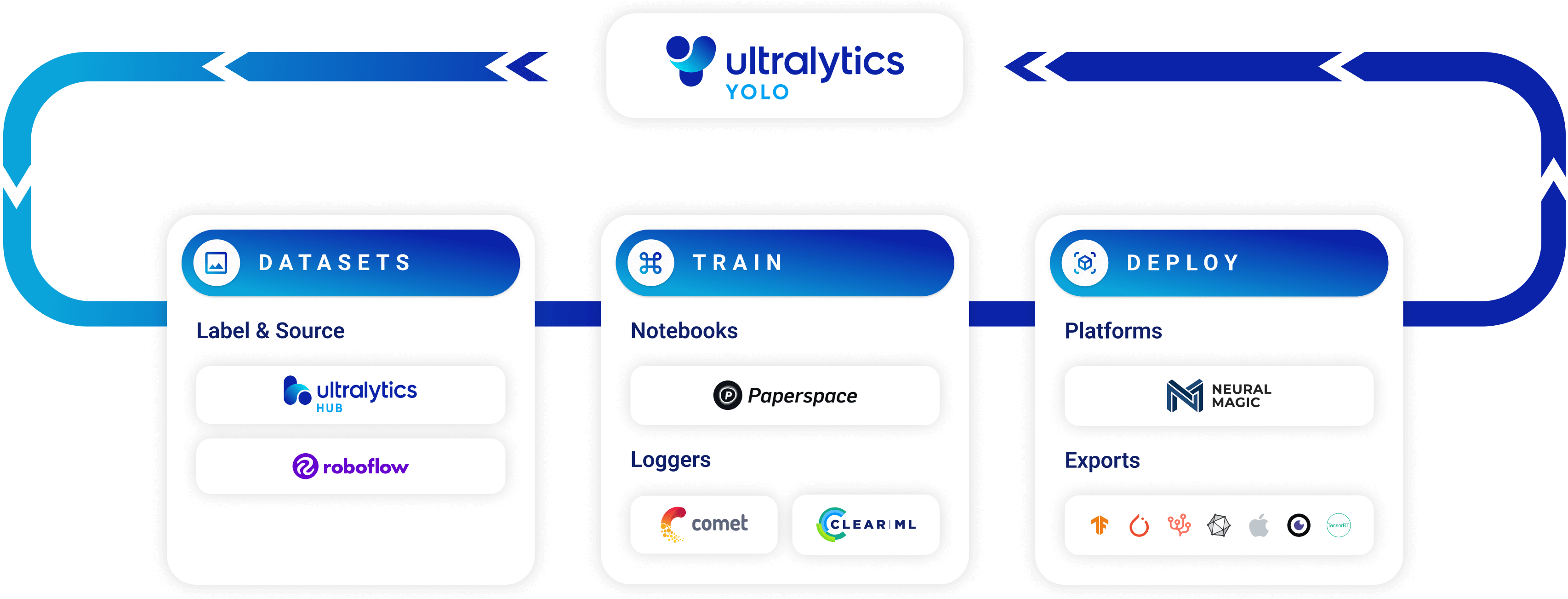




| Roboflow | ClearML ⭐ NEW | Comet ⭐ NEW | Neural Magic ⭐ NEW |
|---|---|---|---|
| Label and export your custom datasets directly to YOLOv8 for training with Roboflow | Automatically track, visualize and even remotely train YOLOv8 using ClearML (open-source!) | Free forever, Comet lets you save YOLOv8 models, resume training, and interactively visualize and debug predictions | Run YOLOv8 inference up to 6x faster with Neural Magic DeepSparse |
Ultralytics HUB
Experience seamless AI with Ultralytics HUB ⭐, the all-in-one solution for data visualization, YOLOv5 and YOLOv8 🚀 model training and deployment, without any coding. Transform images into actionable insights and bring your AI visions to life with ease using our cutting-edge platform and user-friendly Ultralytics App. Start your journey for Free now!

Contribute
We love your input! YOLOv5 and YOLOv8 would not be possible without help from our community. Please see our Contributing Guide to get started, and fill out our Survey to send us feedback on your experience. Thank you 🙏 to all our contributors!
License
YOLOv8 is available under two different licenses:
- AGPL-3.0 License: See LICENSE file for details.
- Enterprise License: Provides greater flexibility for commercial product development without the open-source requirements of AGPL-3.0. Typical use cases are embedding Ultralytics software and AI models in commercial products and applications. Request an Enterprise License at Ultralytics Licensing.
Contact
For YOLOv8 bug reports and feature requests please visit GitHub Issues, and join our Discord community for questions and discussions!
1 maintainer

Metadata
1 maintainer
Release files for xn-ultralytics 1.0.3
For a detailed explanation of source distributions (sdists) and built distributions (wheels), please see the package formats documentation.
Source distribution (sdist)
| File | Size | Uploaded | |
|---|---|---|---|
| xn-ultralytics-1.0.3.tar.gz | 540.3 kB | Details |
Built distribution (wheel)
| File | Interpreter | ABI | Platform | Reset |
|---|---|---|---|---|
| xn_ultralytics-1.0.3-py3-none-any.whl | Python 3 | none | any | Details |
Total release size: 1.2 MB
Release files / xn-ultralytics-1.0.3.tar.gz
| Download URL | xn-ultralytics-1.0.3.tar.gz |
|---|---|
| Size | 540.3 kB |
| Tags | Source |
|
SHA-256 checksum How to use checksums |
202a84b7eff45cc82f9fa668456d2fe3628ec25ef99a8232e98572adc6c9b12c
|
|
BLAKE2b-256 checksum How to use checksums |
a5c99c1691f484a7fb4af9653ed548bb55a20dc19fc1cfc2487a3ad9611d318c
|
| Upload date | |
|
Uploaded using Trusted Publishing? What is trusted publishing? |
No |
| Uploaded via |
twine/4.0.2 CPython/3.10.9
|
Release files / xn_ultralytics-1.0.3-py3-none-any.whl
| Download URL | xn_ultralytics-1.0.3-py3-none-any.whl |
|---|---|
| Size | 612.4 kB |
| Tags | Python 3 |
|
SHA-256 checksum How to use checksums |
5b7606ab8c085b2758926cadfc25a0f8bcd96bfba198c79a9c5d4b1e7ff5c970
|
|
BLAKE2b-256 checksum How to use checksums |
ecc306491bcf4afb1c246e622766b6c58c718c7d55b5db64105b36e8366df081
|
| Upload date | |
|
Uploaded using Trusted Publishing? What is trusted publishing? |
No |
| Uploaded via |
twine/4.0.2 CPython/3.10.9
|














