
xplr

Overview
The xplr package is aimed at quick visualization of Python objects in
exploratory data analysis. It has two functions:
plot—Create basic sensible plot of objectview—Export object to temporary file and open in default external program
The plot function has the following modes:
| Group | Object | Plot type | Mechanism |
|---|---|---|---|
| Vector | ndarray (1-dimensional) |
Line plot | plt.plot |
| Vector | Series |
Line plot | .plot |
| Table | DataFrame |
Line plot | .plot |
| Matrix | ndarray (2-dimensional) |
Image | plt.imshow |
| Geometry column | GeoSeries |
Map | .plot |
| Vector layer | GeoDataFrame |
Map | .plot |
The view function has the following modes:
| Group | Object | Plot type |
|---|---|---|
| Vector | Series |
'.xlsx' |
| Table | DataFrame |
'.xlsx' |
| Geometry column | GeoSeries |
'.gpkg' |
| Vector layer | GeoDataFrame |
'.gpkg' |
GeoSeries,GeoDataFrame—Exported to'.gpkg'and opened (e.g., in QGIS)Series,DataFrame—Exported to'.xlsx'and opened (e.g., in LibreOffice)
The functionality of
plotandviewis inspired by the base R functionsplotandView, respectively.
Examples
Let’s import the two functions:
from xplr import plot
from xplr import view
Suppose we have a GeoDataFrame named pols in our Python environment:
import shapely
import geopandas as gpd
pols = gpd.GeoSeries([
    shapely.geometry.Polygon([(0,0), (2,0), (2,2), (0,2)]),
    shapely.geometry.Polygon([(2,2), (4,2), (4,4), (2,4)]),
    shapely.geometry.Polygon([(1,1), (3,1), (3,3), (1,3)]),
    shapely.geometry.Polygon([(3,3), (5,3), (5,5), (3,5)]),
])
pols = gpd.GeoDataFrame({'geometry': pols, 'value': [1,2,2,3]})
print(pols)
                              geometry  value
0  POLYGON ((0 0, 2 0, 2 2, 0 2, 0 0))      1
1  POLYGON ((2 2, 4 2, 4 4, 2 4, 2 2))      2
2  POLYGON ((1 1, 3 1, 3 3, 1 3, 1 1))      2
3  POLYGON ((3 3, 5 3, 5 5, 3 5, 3 3))      3
Here is how we can plot it:
plot(pols)
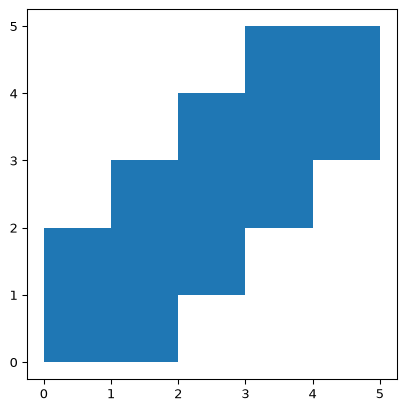
Figure 1
Additional arguments to the plotting method can be passed as follows:
plot(pols, column='value', edgecolor='black')
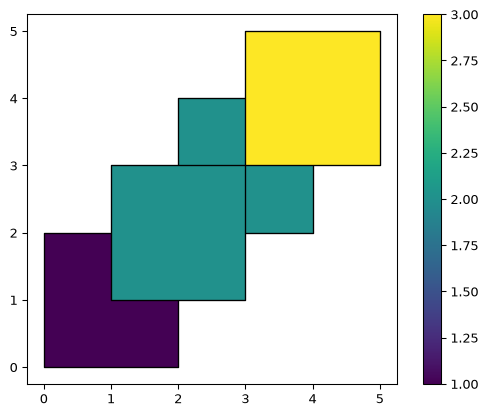
Figure 2
view can be used to open the layer in an external program:
view(pols)
/home/michael/venv/m/lib/python3.14/site-packages/pyogrio/geopandas.py:948: UserWarning: 'crs' was not provided.  The output dataset will not have projection information defined and may not be usable in other systems.
  write(

'/tmp/tmpt02mwagy.gpkg'
The layer is exported to a temporary file, which is then opened in the default program (e.g., QGIS):
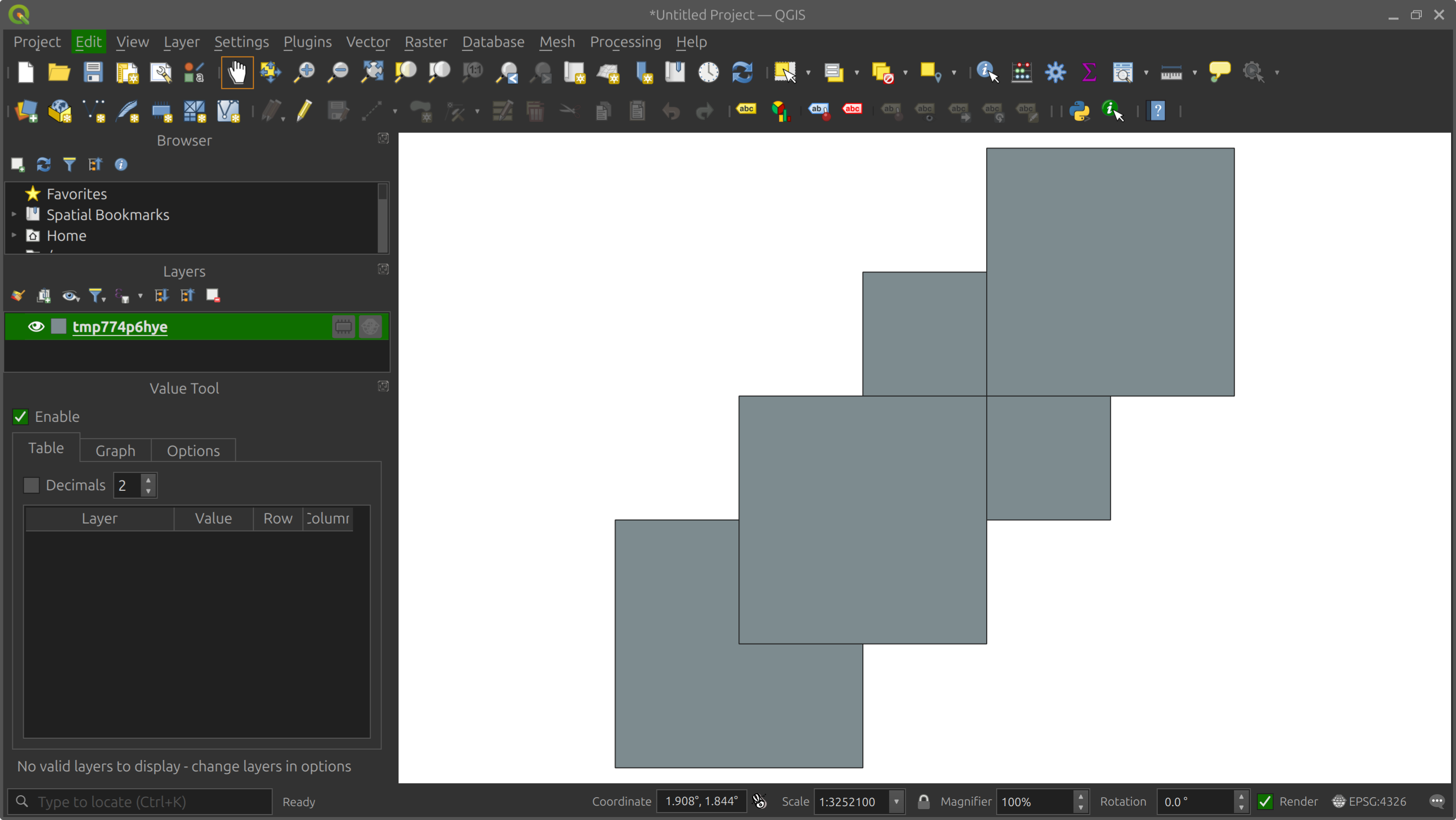
Import on startup
To load the two functions plot and view on startup of python or
ipython in the terminal, so that you can quickly use them anytime, use
the following instructions for Linux. (On other operating systems, or
other Python interfaces, look up analogous instructions of installing a
startup script specific to your system.)
Create a startup script, such as ~/.python_startup.py:
from xplr import plot
from xplr import view
For the script to be automatically executed on python startup, add
this in your .bashrc:
export PYTHONSTARTUP=~/.python_startup.py
In addition, for the script to be automatically executed on ipython
startup, create ipython profiles (if you don’t already have them):
ipython profile create
Then, uncomment the following expression in
~/.ipython/profile_default/ipython_config.py:
c.InteractiveShellApp.exec_PYTHONSTARTUP = True
1 maintainer

Metadata
1 maintainer
Release files for xplr 0.0.5
For a detailed explanation of source distributions (sdists) and built distributions (wheels), please see the package formats documentation.
Source distribution (sdist)
| File | Size | Uploaded | |
|---|---|---|---|
| xplr-0.0.5.tar.gz | 353.4 kB | Details |
Built distribution (wheel)
| File | Interpreter | ABI | Platform | Reset |
|---|---|---|---|---|
| xplr-0.0.5-py3-none-any.whl | Python 3 | none | any | Details |
Total release size: 358.8 kB
Release files / xplr-0.0.5.tar.gz
| Download URL | xplr-0.0.5.tar.gz |
|---|---|
| Size | 353.4 kB |
| Tags | Source |
|
SHA-256 checksum How to use checksums |
285c0ce7c67a2ad58e0945a772948646b225c496707bb881cf72c7ceefb27097
|
|
BLAKE2b-256 checksum How to use checksums |
53600fb62fb78709a975c03e6ff6206ca765578c878d042558af067621f49f6d
|
| Upload date | |
|
Uploaded using Trusted Publishing? What is trusted publishing? |
No |
| Uploaded via |
twine/7.0.0 CPython/3.14.4
|
Release files / xplr-0.0.5-py3-none-any.whl
| Download URL | xplr-0.0.5-py3-none-any.whl |
|---|---|
| Size | 5.4 kB |
| Tags | Python 3 |
|
SHA-256 checksum How to use checksums |
e0797e52e3d8fee5686222d07f20584ac7ac670628a585cefa2060299c23b06d
|
|
BLAKE2b-256 checksum How to use checksums |
06ad850fd8d674a91826e42834b4cdfa7491457fed8fe153a1fef2d446ca44c2
|
| Upload date | |
|
Uploaded using Trusted Publishing? What is trusted publishing? |
No |
| Uploaded via |
twine/7.0.0 CPython/3.14.4
|














