
xseo


A local-first SEO crawler for your desktop and your terminal. Audit your site on your own machine — no cloud, no accounts, no data leaves your computer.
xseo crawls a website, extracts on-page SEO signals, detects common issues and content duplication, and shows the results in a clean desktop UI — or runs headless from the command line so you can pipe reports into other tools and gate CI on SEO regressions. Everything runs locally and persists to a single SQLite file under ~/.xseo/.
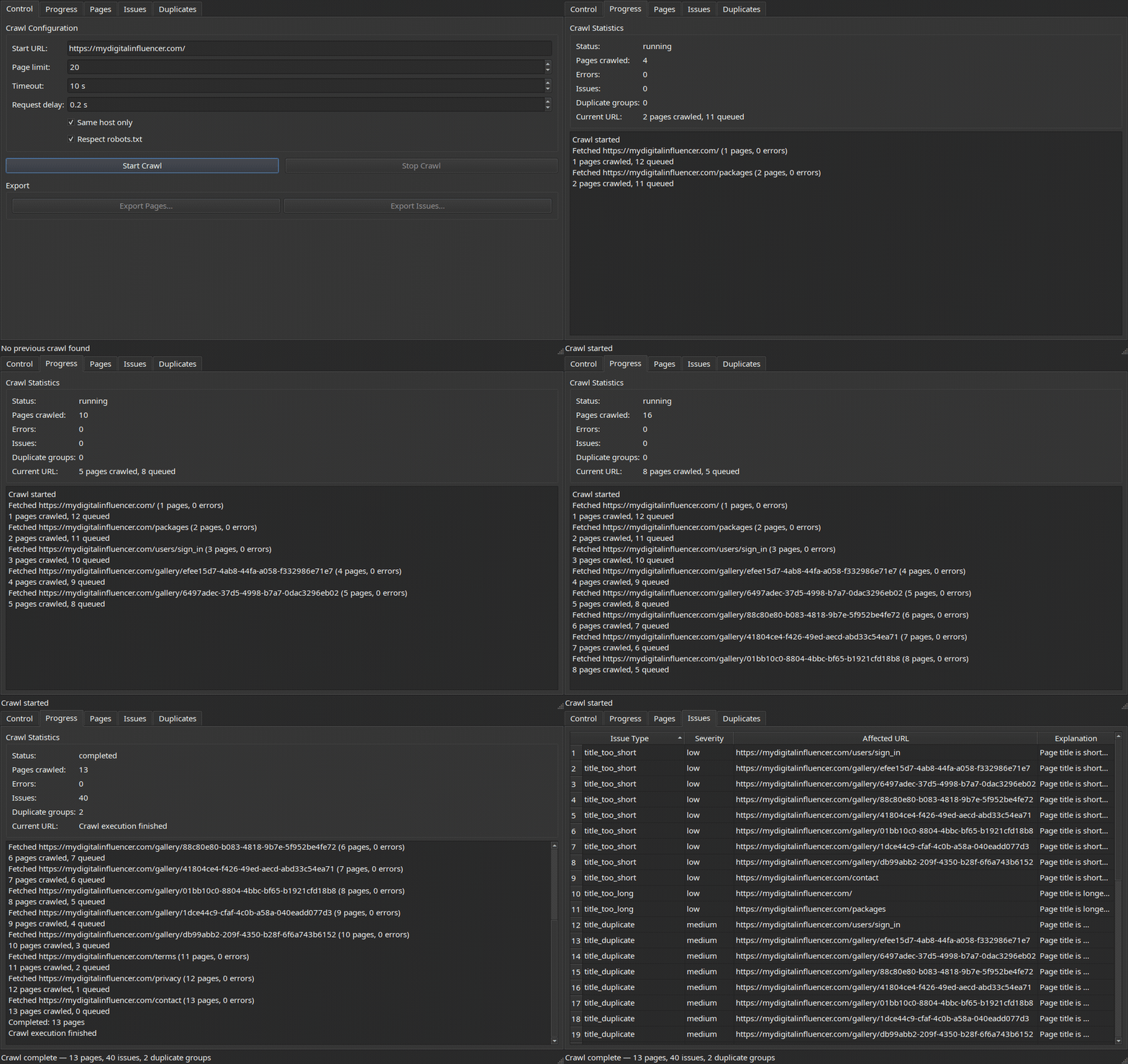
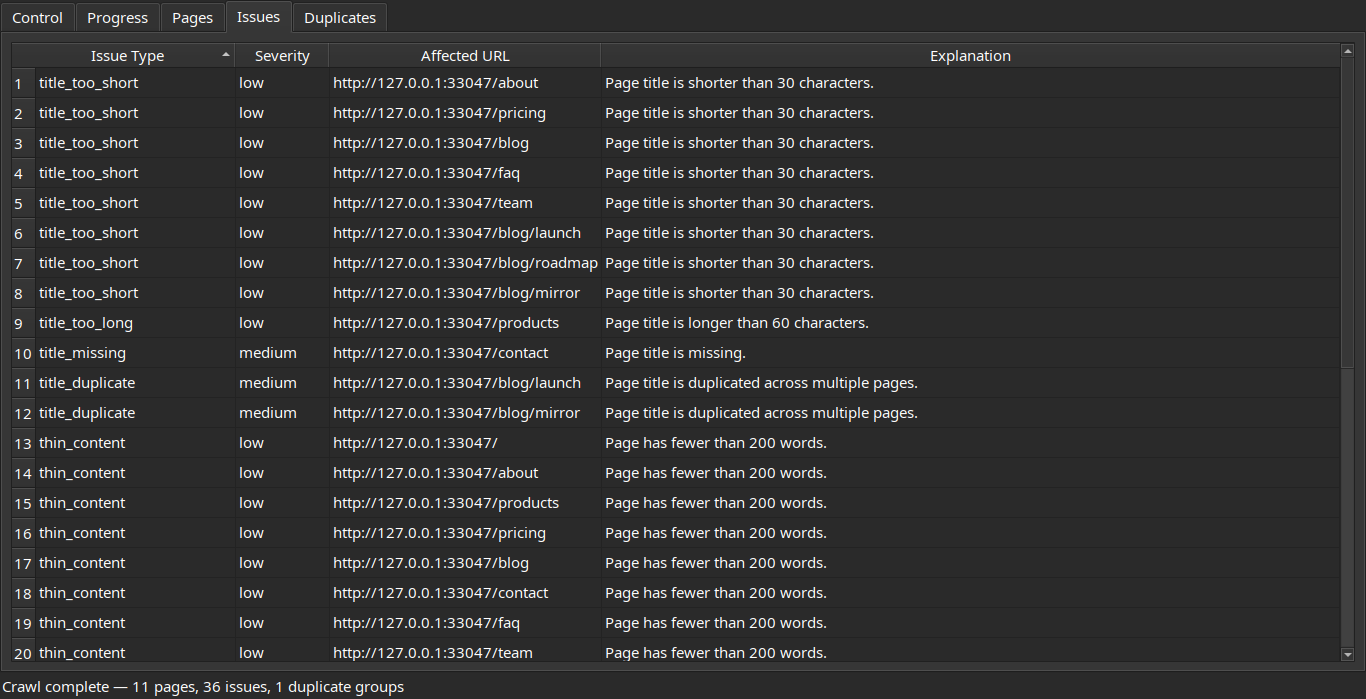
Features
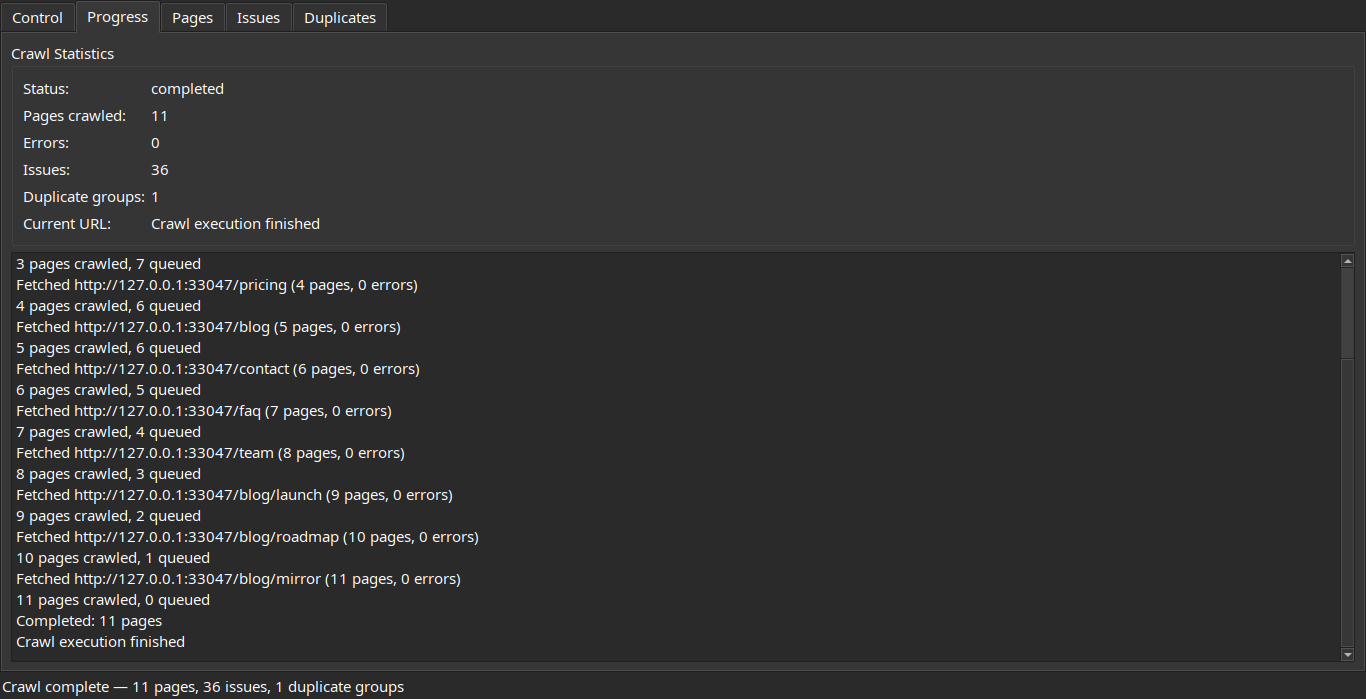
- Live crawling with a real-time progress view and a threaded background worker that keeps the UI responsive.
- Polite by default — respects
robots.txtand applies a configurable per-request delay so you don't hammer the sites you audit. - On-page extraction of titles, meta descriptions, headings, canonicals, robots directives, internal/external links, and more via
selectolax. - Issue detection for missing/duplicate titles and descriptions, thin content, heading problems, broken links, mixed content (http resources on https pages), missing Open Graph tags, missing JSON-LD structured data, non-self-referential hreflang, pages missing from the sitemap, and other common SEO defects.
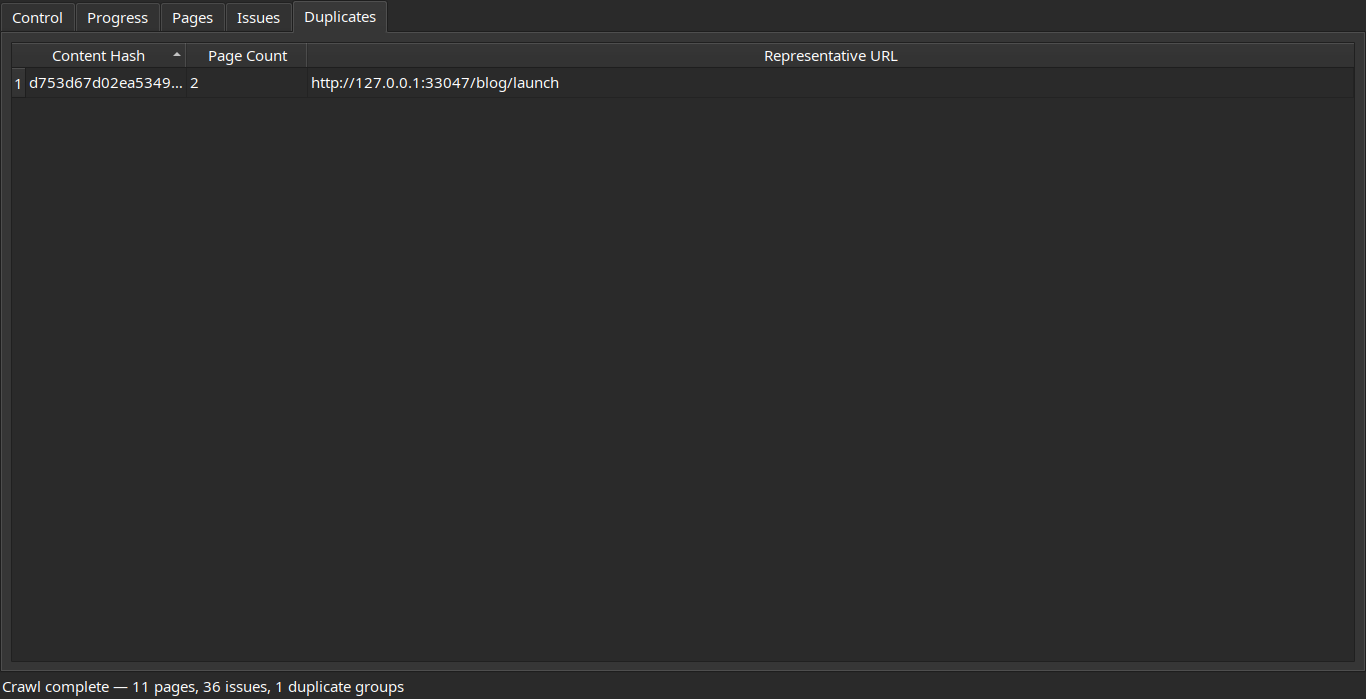
- Duplicate content detection through content hashing and grouped read models.
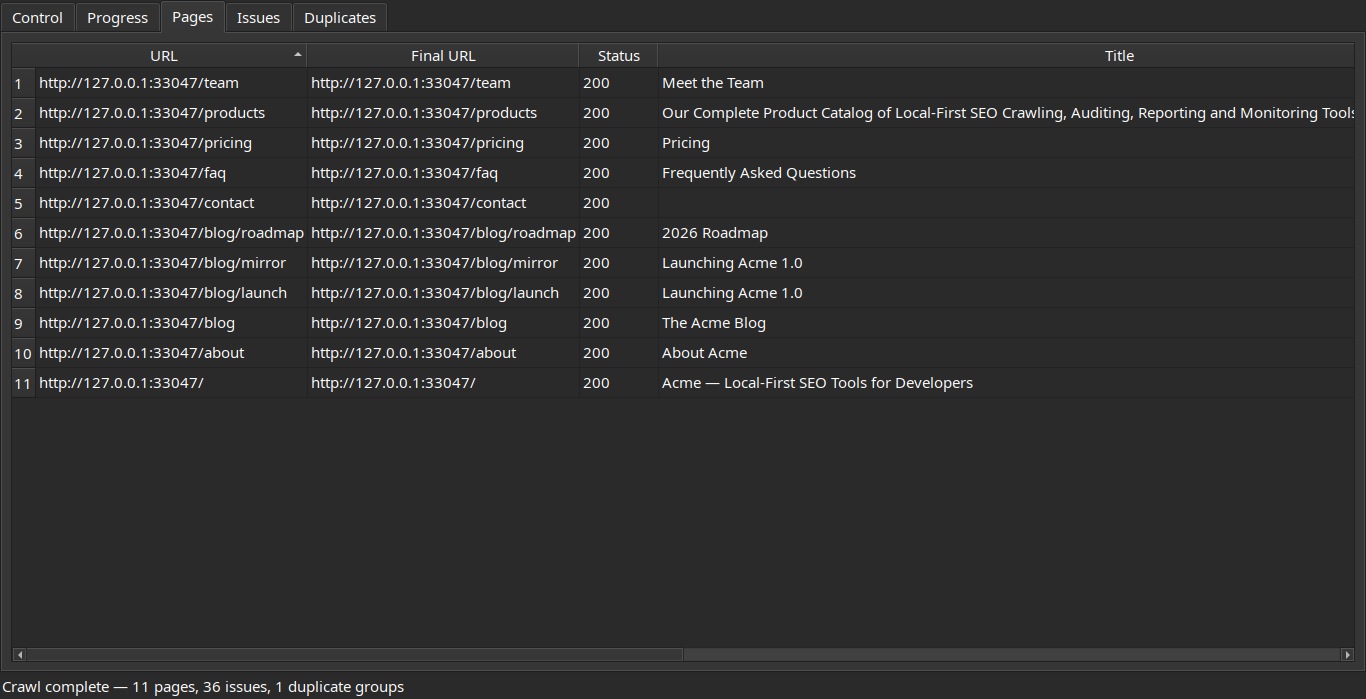
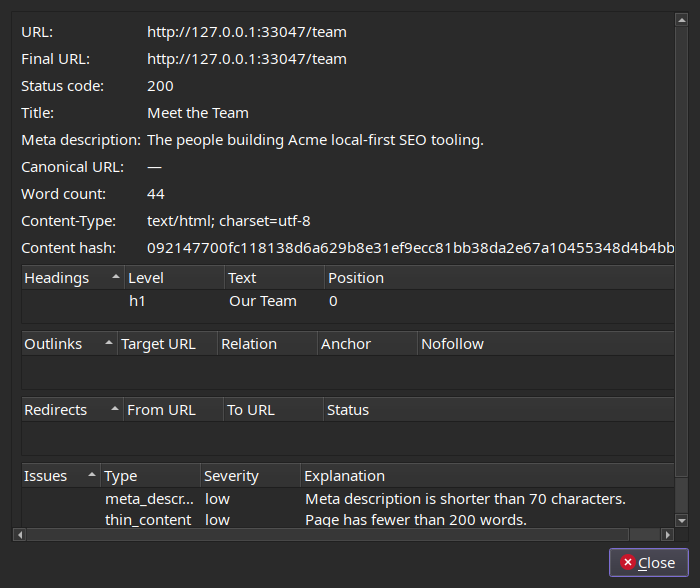
- Sortable result tables for pages, issues, and duplicate groups, with a double-click page detail dialog.
- Headless CLI (
xseo crawl <url>) that runs the same engine without the GUI — JSON, CSV, HTML, and SARIF reports, anxseo diffto compare crawls, and a--fail-onexit code, so you can gate CI on SEO regressions. - GitHub Action that runs an audit on every push and uploads findings to the Security → Code scanning tab via SARIF.
- CSV export for every result view, so you can pipe findings into spreadsheets or other tools.
- Local persistence in SQLite at
~/.xseo/xseo.sqlite3. The last crawl is restored automatically on launch. - Clean architecture — domain, application, and adapter layers are strictly separated, with ports/adapters for HTTP, persistence, export, and the UI.
Screenshots
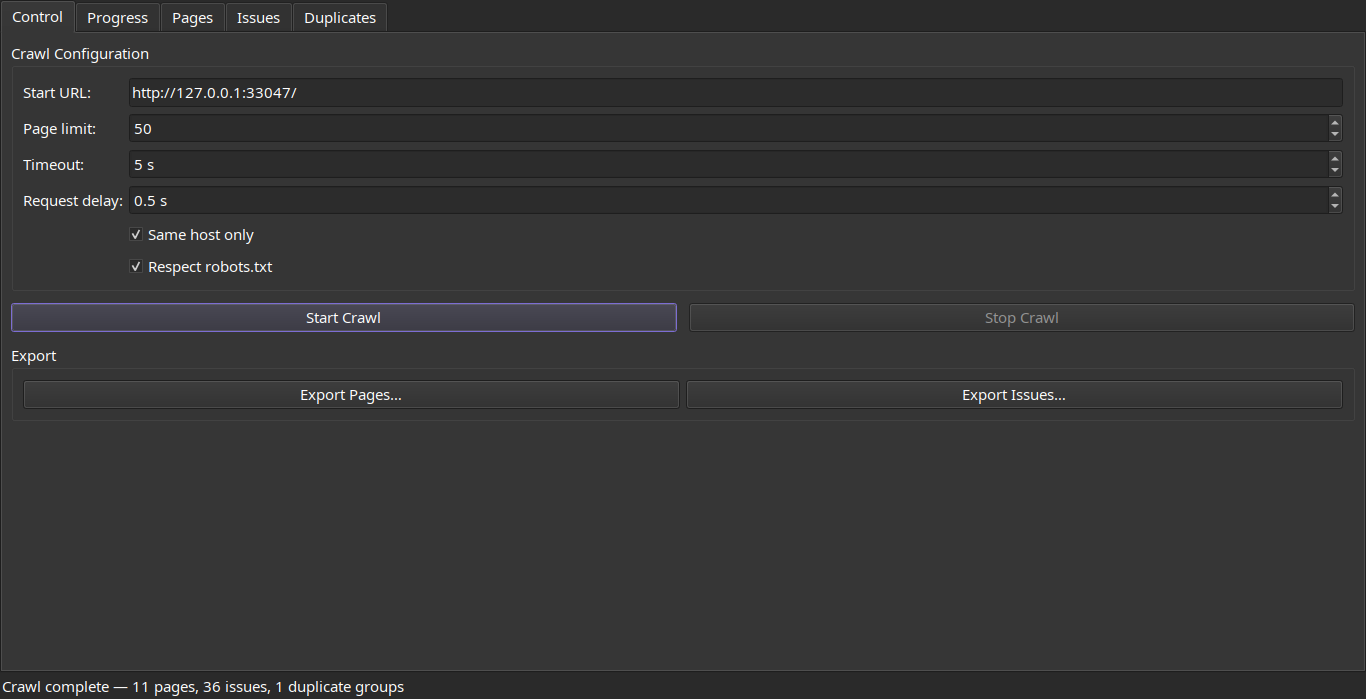
Configure a crawl, then watch progress stream in live:
| Control | Progress |
|---|---|
 |
 |
Review crawled pages, detected issues, and duplicate content groups:
| Pages | Duplicates |
|---|---|
 |
 |
Double-click any page for full detail — headings, links, redirects, and per-page issues:
Tech stack
- Python 3.12+
- PySide6 for the desktop UI
- httpx for HTTP fetching
- selectolax for fast HTML parsing
- SQLite for local storage
- pytest, hypothesis, and pytest-qt for unit, property-based, and UI tests
Install
Download a ready-to-run build (no Python needed)
Download the build for your OS, unzip it, and run the xseo executable inside:
| OS | Download |
|---|---|
| macOS (Apple Silicon) | xseo-macos-arm64.zip |
| Windows (x64) | xseo-windows-x64.zip |
| Linux (x64) | xseo-linux-x64.zip |
These links always point to the most recent release. You can also browse every build on the Releases page.
The builds are not code-signed yet, so the OS may warn you the first time:
- macOS: right-click the app → Open → Open (or
System Settings → Privacy & Security → Open Anyway).- Windows: on the SmartScreen prompt, click More info → Run anyway.
Install from PyPI (for Python users)
pipx install xseo   # isolated, recommended
# or
pip install xseo
Then launch with xseo-ui. Requires Python 3.12 or newer.
From source
python3 -m pip install -e '.[test]'
Run
Launch the desktop UI:
xseo-ui
Or from the source tree:
python3 -m xseo.ui.app
Enter a URL, click Start Crawl, and watch the progress tab fill in. When the crawl finishes, browse pages, issues, and duplicate groups in their respective tabs. Double-click any page row for full detail, or export any view to CSV.
Command line
xseo also runs headless — no GUI, scriptable, and CI-friendly. It uses the same crawl engine and the same SQLite store as the desktop app, so you can audit from the terminal and still open the results in the UI later.
xseo crawl https://example.com/
Crawling https://example.com/ …

Crawled 142 pages, found 38 issues

  HIGH       3  broken_internal_link
  MEDIUM    12  meta_description_missing
  LOW       22  thin_content
Write a report in whichever format fits your workflow, or pipe JSON straight to another tool:
xseo crawl https://example.com/ --out report.json        # full JSON report
xseo crawl https://example.com/ --out - | jq '.summary'  # JSON to stdout
xseo crawl https://example.com/ --format csv  --out issues.csv
xseo crawl https://example.com/ --format html --out report.html   # shareable, self-contained
xseo crawl https://example.com/ --format sarif --out report.sarif # GitHub code scanning
Use it as a build gate — --fail-on makes the command exit non-zero when an issue at or above the given severity is found, so a regression breaks CI:
xseo crawl https://example.com/ --fail-on high
Compare two crawls to see exactly what changed — which issues are new and which were fixed:
xseo crawl https://example.com/ --out before.json
# … ship some changes …
xseo crawl https://example.com/ --out after.json
xseo diff before.json after.json --fail-on-new medium
Other flags: --limit, --delay, --timeout, --no-robots, --all-hosts, --db. Run xseo crawl --help for the full list.
GitHub Action
Run an audit on every push and surface findings in the Security → Code scanning tab:
# .github/workflows/seo.yml
name: SEO audit
on: [push]
permissions:
  security-events: write   # required to upload SARIF
jobs:
  seo:
    runs-on: ubuntu-latest
    steps:
      - uses: yuripinto/xseo@v1
        id: xseo
        with:
          url: https://example.com/
          fail-on: high          # break the build on high-severity issues
      - uses: github/codeql-action/upload-sarif@v3
        if: always()
        with:
          sarif_file: ${{ steps.xseo.outputs.report }}
Verify
python3 -m compileall src tests
python3 -m pytest -q
The current suite has 193 tests covering domain logic, adapters, integration, property-based invariants, CLI behavior, report rendering, and UI smoke tests.
Project layout
src/xseo/
├── domain/         # entities, value objects, ports, validation, events
│   ├── crawler/    # frontier + crawl engine
│   ├── extraction/ # HTML extraction
│   ├── analysis/   # SEO issue detection
│   └── duplicates/ # content duplicate detection
├── application/    # services, commands, queries, read models
├── adapters/       # HTTP, persistence, export, background worker, event bridge
└── ui/             # PySide6 app, widgets, controller
Contributing
Contributions are welcome — see CONTRIBUTING.md for dev setup, how to run the checks (ruff + pytest), and the project conventions.
About
I built xseo because I needed it. I was starting a new project and wanted a fast way to scan it for SEO issues without uploading URLs to a third-party tool, paying for another subscription, or fighting a heavy web dashboard. I wanted something that ran on my desktop, was honest about what it found, and stored results in a file I owned — so I wrote it, and I'm sharing it in case it's useful to anyone else who wants a small, local, hackable SEO crawler.
This is an early prototype. It works end-to-end and I use it on my own projects, but expect rough edges. Issues and PRs are welcome.
Built by Yuri Silva — @yurisilvapi on X/Twitter.
1 maintainer

Metadata
1 maintainer
Release files for xseo 0.7.0
For a detailed explanation of source distributions (sdists) and built distributions (wheels), please see the package formats documentation.
Source distribution (sdist)
| File | Size | Uploaded | |
|---|---|---|---|
| xseo-0.7.0.tar.gz | 68.3 kB | Details |
Built distribution (wheel)
| File | Interpreter | ABI | Platform | Reset |
|---|---|---|---|---|
| xseo-0.7.0-py3-none-any.whl | Python 3 | none | any | Details |
Total release size: 157.1 kB
Release files / xseo-0.7.0.tar.gz
| Download URL | xseo-0.7.0.tar.gz |
|---|---|
| Size | 68.3 kB |
| Tags | Source |
|
SHA-256 checksum How to use checksums |
179c6df2226d2e430b5790acb961da66e7730f1225dac86cfb15a6d3d2bb4830
|
|
BLAKE2b-256 checksum How to use checksums |
63cf2cbcda1bc13c250aac77267fa827ad20c80364ff81a74dd77bcaeaae3741
|
| Upload date | |
|
Uploaded using Trusted Publishing? What is trusted publishing? |
Yes |
| Uploaded via |
twine/6.1.0 CPython/3.13.12
|
Provenance
Provenance describes where a file came from. On PyPI, provenance is shared via attestations, which provide a verifiable record of the build or publishing details. View details, limitations and caveats.


PyPI Publish Attestation
PyPI verified that this artifact, at this checksum, originated from the publisher listed below.
Signed by GitHub Actions, verified by PyPI on Jun 4, 2026.
Transparency logRelease files / xseo-0.7.0-py3-none-any.whl
| Download URL | xseo-0.7.0-py3-none-any.whl |
|---|---|
| Size | 88.8 kB |
| Tags | Python 3 |
|
SHA-256 checksum How to use checksums |
76017e798eca5df92582f15d2aa26344d005a7e63a21dbebc6e32c2d9116a89e
|
|
BLAKE2b-256 checksum How to use checksums |
e07ed5192efa70312b2ad0dbf2d58dbb0bdd02c2c94c4098e6bdcf5745e7e62a
|
| Upload date | |
|
Uploaded using Trusted Publishing? What is trusted publishing? |
Yes |
| Uploaded via |
twine/6.1.0 CPython/3.13.12
|
Provenance
Provenance describes where a file came from. On PyPI, provenance is shared via attestations, which provide a verifiable record of the build or publishing details. View details, limitations and caveats.
PyPI Publish Attestation
PyPI verified that this artifact, at this checksum, originated from the publisher listed below.
Signed by GitHub Actions, verified by PyPI on Jun 4, 2026.
Transparency log













