
Python module for creating terminal spinners.

Project description
xspin
Python module for creating console spinners.



Spinner runtimes
There are two types of spinner's based on the kind of program being run.
-
SyncRuntime
This is the base class for spinners running in a blocking program. They run in a separate thread. These include Xspin and CustomSpinner
-
AsyncRuntime
This is the base class for spinners running in an async program. They run in a separate thread. These include Axspin and CustomAspinner
Running spinners.
There are three ways in which a spinner instance can be run. These are implemented by the runtime base classes hence apply to any of their subclasses.
-
startandstop
These are methods used to start and stop a spinner.
spinner = Xspin(label="Loading ...")
spinner.start()
do_work()
spinner.stop("Done!")
For async spinners, these methods have to be awaited.
async def main():
    spinner = Axspin(label="Loading ...")
    await spinner.start()
    await do_work()
    await spinner.stop("Done!")
-
Context manager
The runtimes also implement the context manager protocal. For sync spinners,
with Xspin("Loading ...") as sp:
    do_work()
    sp.echo("Done!")
For async spinners,
async def main():
    async with Axspin("Loading ...") as sp:
        await do_work()
        sp.echo("Done!")
-
Binding the spinner to a function.
When a spinner is bound to a function, it returns a method which when called runs the spinner in the background as it executes. The function being bound must take in the spinner instance as the first argument. This is useful for ensuring the spinner is accessible from inside the function if logging is required.
sp = Xspin("Doing work ...")

@sp.bind
def do_work(sp: Xspin, some_arg: str, other: int ):
    sp.echo(f" {some_arg} {other}")
    ...
    sp.echo("Done!")

do_work("Some arg", 1 )
Async spinners should be bound to async functions.
sp = Axspin("Doing work ...")

@sp.bind
async def download(sp: Xspin, url: str, file: str):
    sp.echo(f" * Downloading <{other}>")
    ...
    sp.echo(f" * <{other}> -> {[file]}!")

async def main():
    await download("https://www.example.com/image.png", "image.png")
Interfacing with the runtimes.
When inheriting from a runtime base class, the runtime expects the
render method to be defined. This is the function that is called
on each update. It should return an iterable of integers which
when summed returns the lines the text takes up in the terminal. This is
rarely required since the module provides preconfigured classes that implement
the render method automatically. These are
-
Xspin and Axspin
These spinners use python's format templating to define the frames of the spinner.
The format should contain the keys symbol and label. The symbols are cycled over
and formated based on the format specified.
sp = Xspin(label = "Loading ...", format="{symbol} {label}",symbols=r"\|/-")
The symbols are just an iterable of strings.
NOTE If the generator is not a builtin collection, list is called on so the values are reused. Doing things for infinite iterables like itertools
cyclemay lead to memory errors.
-
CustomSpinner and CustomAspinner
When inheriting from these base classes, they rely on the frames being implemented to return
an iterable of strings representing the spinner frame. You can define it as a generator
and store the spinner state in the instance itself.
class MySpinner(CustomSpinner):
    def __init__(self, count: int):
        super().__init__(delay=50)
        self.count = count

    def frames(self):
        for i in range(self.count):
            yield f"Count {i}"

with MySpinner(30) as sp:
    ... # do something
    sp.echo("Done!")
Unix Tingz
When the spinner runs, it disables keystrokes from being echoed so they don't interfere with
the spinner being rendered.

Windows Tingz
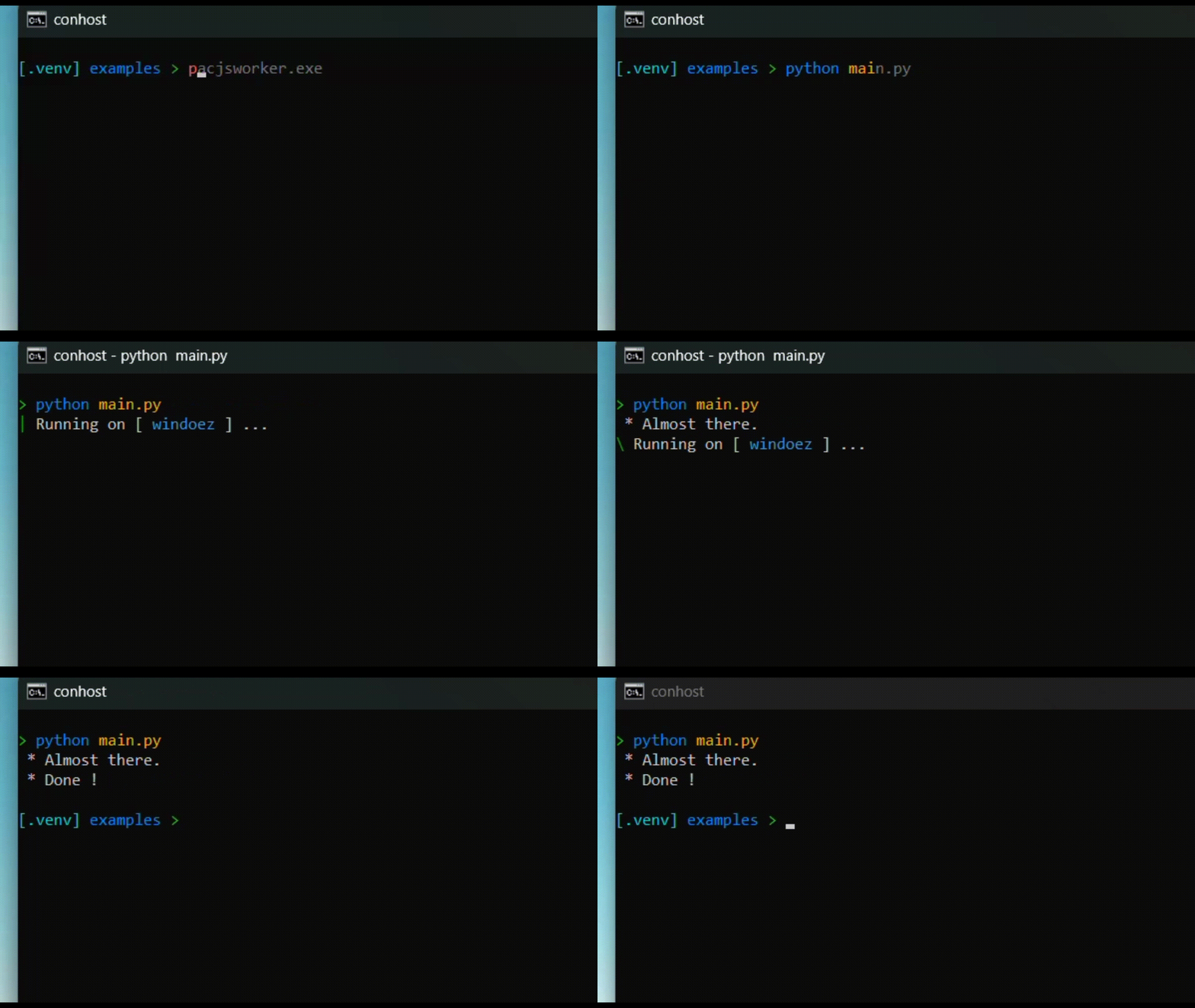
On windows, virtual terminal mode is enabled in order for colors and ansi escape codes to work. This allows for the spinners to be rendered even on
the old conhost.exe emulator.
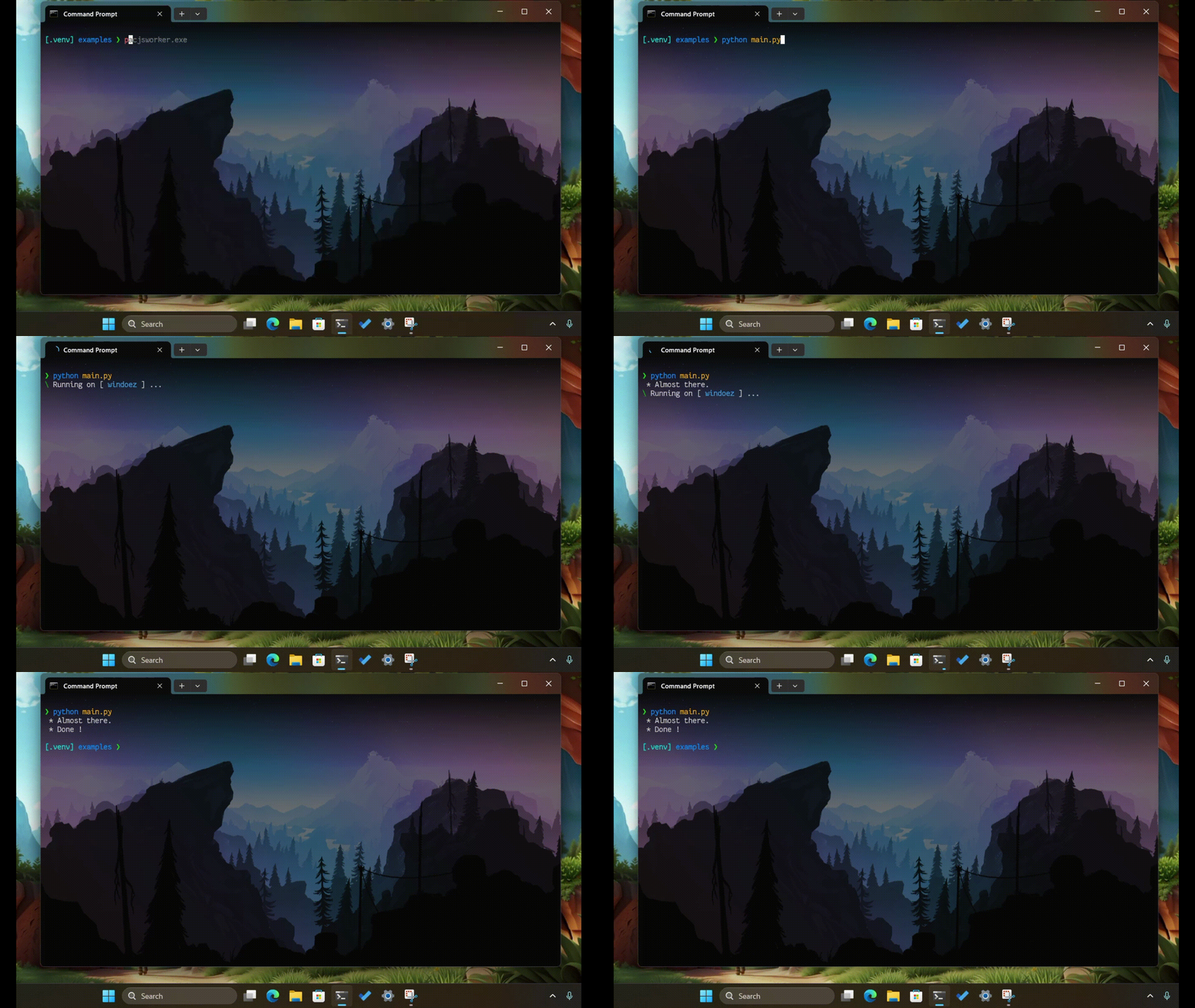
The spinner also uses escape codes specified here to enable progress indication on windows terminal's titlebar and taskbar.
License


Download files
Download the file for your platform. If you're not sure which to choose, learn more about installing packages.
Source Distribution
Built Distribution
Filter files by name, interpreter, ABI, and platform.
If you're not sure about the file name format, learn more about wheel file names.
Copy a direct link to the current filters
File details
Details for the file xspin-0.9.0.tar.gz.
File metadata
- Download URL: xspin-0.9.0.tar.gz
- Upload date:
- Size: 16.0 MB
- Tags: Source
- Uploaded using Trusted Publishing? Yes
- Uploaded via: uv/0.5.9
File hashes
| Algorithm | Hash digest | |
|---|---|---|
| SHA256 |
26fe9ad9b00945bbd8465af4af2d07c9f5093b67f9b4b3ae9d37a208d05aa383
|
|
| MD5 |
dd7a36f92fd9caeb272dba70213e4d49
|
|
| BLAKE2b-256 |
dd9bd40f1976aa0b95d5a11705693f463123b08ed88e699f772e06be3fefe43a
|
File details
Details for the file xspin-0.9.0-py2.py3-none-any.whl.
File metadata
- Download URL: xspin-0.9.0-py2.py3-none-any.whl
- Upload date:
- Size: 9.5 kB
- Tags: Python 2, Python 3
- Uploaded using Trusted Publishing? Yes
- Uploaded via: uv/0.5.9
File hashes
| Algorithm | Hash digest | |
|---|---|---|
| SHA256 |
9ca01fa1baff4e73a8af7cdd8f1f3b6a13c4524f6717238bb99b53e9276cb22f
|
|
| MD5 |
6d426a408c04545c359032f9400a7ea9
|
|
| BLAKE2b-256 |
8bf68572e327df4213ca3281a3843435ce9fc354a0558293aec6fd998603868a
|






