


YAMVP - Yet Another Matplotlib Venn-diagram Plotter
Overview
This module provides a function for creating Matplotlib figures with ellipse-based Venn diagrams for up to five classes. Its primary aim is a simple interface and visually appealing results.
Features:
- Custom color mixing callbacks.
- Area-proportional option for $n=2$.
Installation
pip install yamvp
Basic Usage
import numpy as np
import matplotlib.pyplot as plt

from yamvp import venn

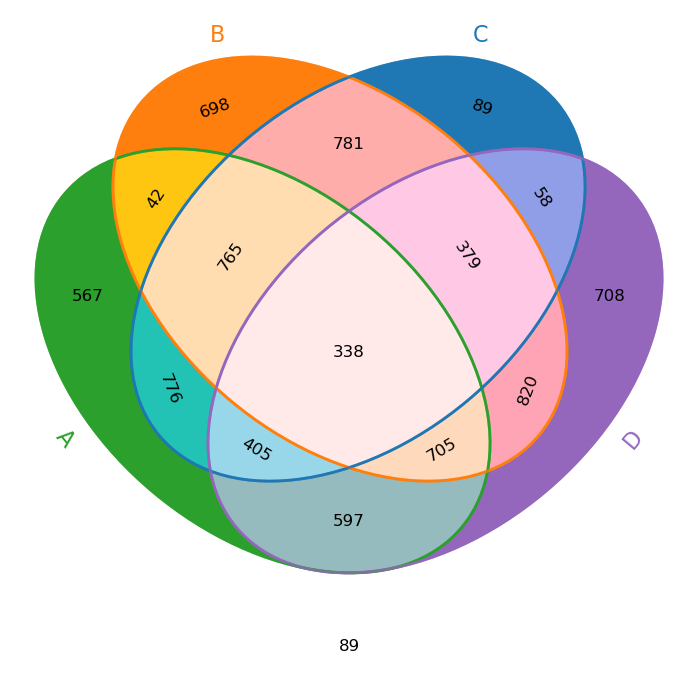
# Fill a 4D 2x2x2x2 array with random values
rand4 = np.random.randint(0, 1000, size=(2, 2, 2, 2))

# Set the value at A∩B to 42
rand4[1,1,0,0] = 42

# Create the Venn-diagram
fig = venn(rand4, ["A", "B", "C", "D"])

# Save the figure
fig.savefig("rand4_demo.png", dpi=100, bbox_inches="tight")
plt.close(fig)
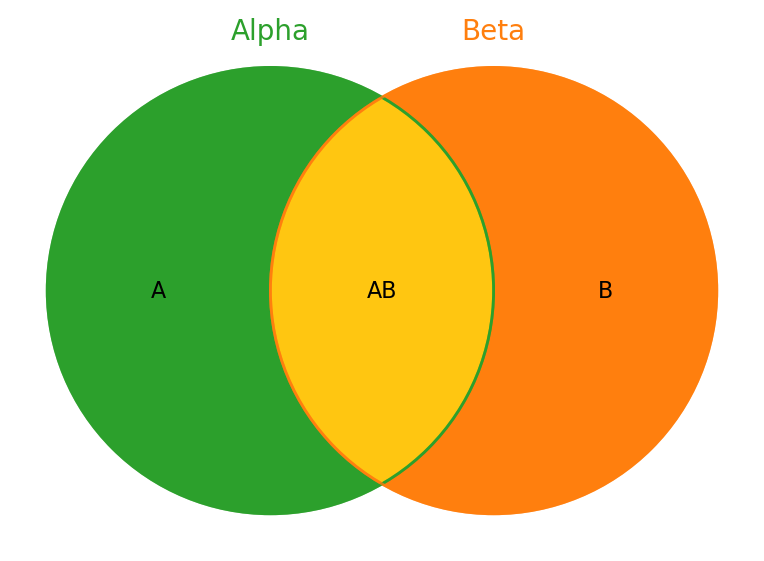
$n=2$
venn([[None, "B"], ["A", "AB"]], ["Alpha", "Beta"], outfile = "venn2_demo.png")
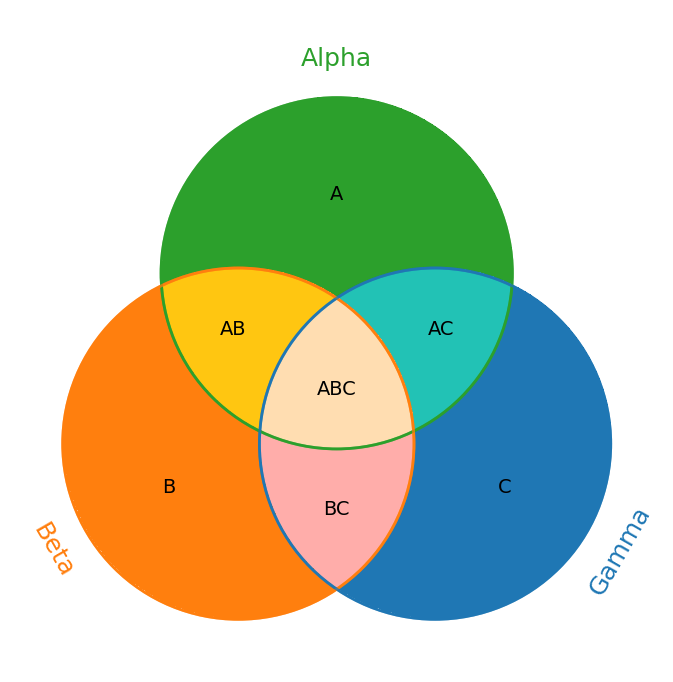
$n=3$
vals3 = [
    [[None, "C"], ["B", "BC"]],
    [["A", "AC"], ["AB", "ABC"]],
]
venn(vals3, ["Alpha", "Beta", "Gamma"], outfile = "venn3_demo.png")
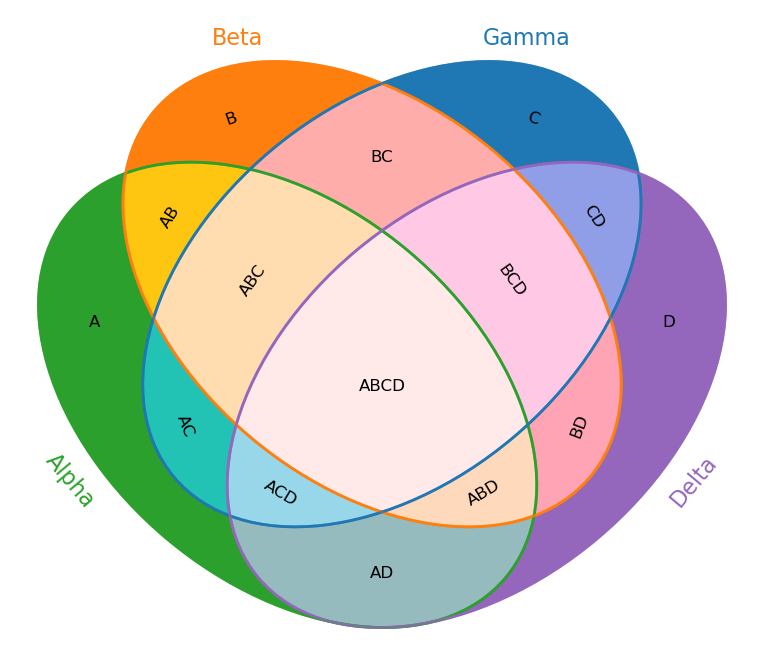
$n=4$
vals4 = np.empty((2, 2, 2, 2), dtype=object)
for i, yA in enumerate(("", "A")):
    for j, yB in enumerate(("", "B")):
        for k, yC in enumerate(("", "C")):
            for l, yD in enumerate(("", "D")):
                vals4[i, j, k, l] = yA + yB + yC + yD
vals4[0,0,0,0] = None

venn(vals4, ["Alpha", "Beta", "Gamma", "Delta"], outfile = "venn4_demo.png")
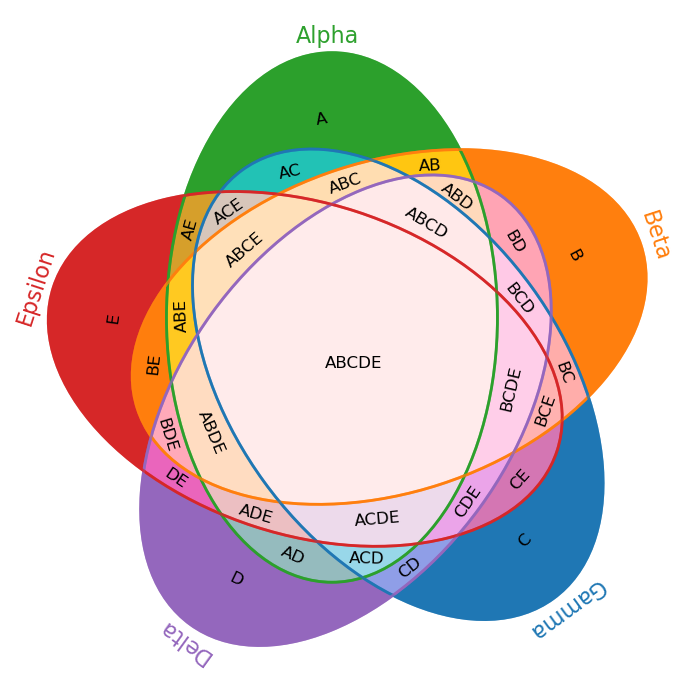
$n=5$
vals5 = np.empty((2, 2, 2, 2, 2), dtype=object)
for i, yA in enumerate(("", "A")):
    for j, yB in enumerate(("", "B")):
        for k, yC in enumerate(("", "C")):
            for l, yD in enumerate(("", "D")):
                for m, yE in enumerate(("", "E")):
                    vals5[i, j, k, l, m] = yA + yB + yC + yD + yE
vals5[0,0,0,0,0] = None

venn(vals5, ["Alpha", "Beta", "Gamma", "Delta", "Epsilon"], outfile = "venn5_demo.png")
Additional Color Mixing Options
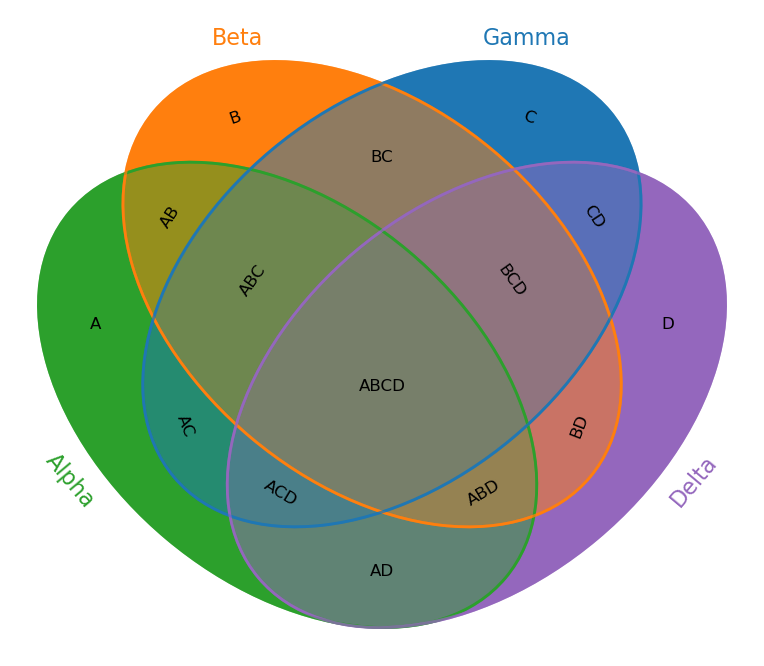
Average
Each intersection’s color is the mean of the corresponding class colors.
venn(vals4, ["Alpha", "Beta", "Gamma", "Delta"], color_mixing = "average", outfile="venn4_demo_colors_average_mixing.png")
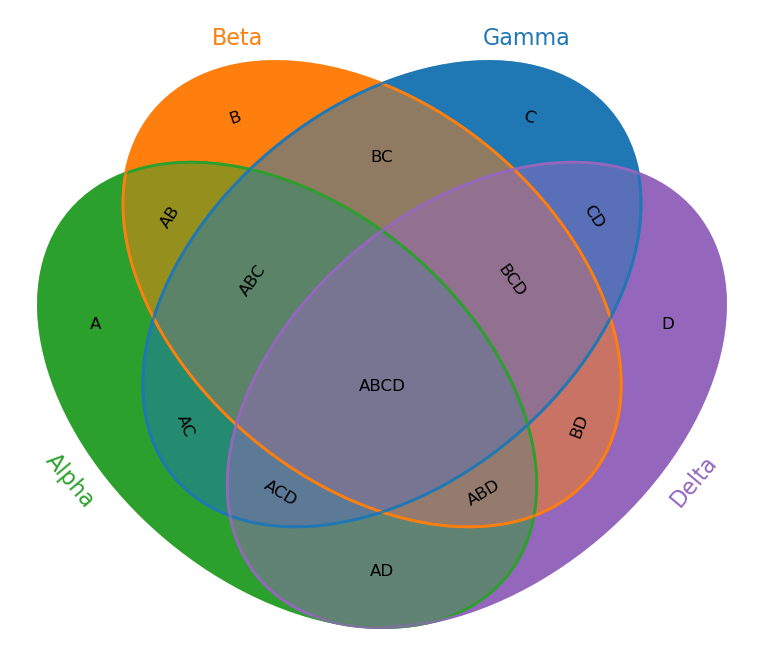
Alpha Stacking
This is what would happen if we simply stacked the ellipses with opacity = 0.5. The result depends on the order in which the ellipses are drawn.
venn(vals4, ["Alpha", "Beta", "Gamma", "Delta"], color_mixing = "alpha", outfile = "venn4_demo_colors_alpha_mixing.png")
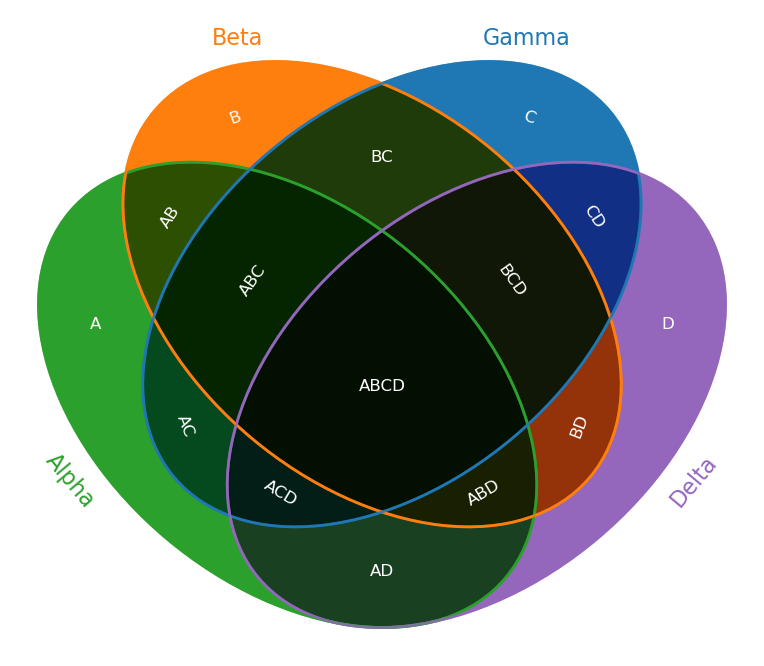
Custom Mixing Callback
def color_mix_multiply(colors):
    arr = np.stack([np.array(c, float) for c in colors], axis=0)
    return np.prod(arr, axis=0)

venn(vals4, ["Alpha", "Beta", "Gamma", "Delta"], color_mixing=color_mix_multiply, outfile="venn4_demo_colors_multiply_mixing.png", text_color="white")
Custom Class Colors
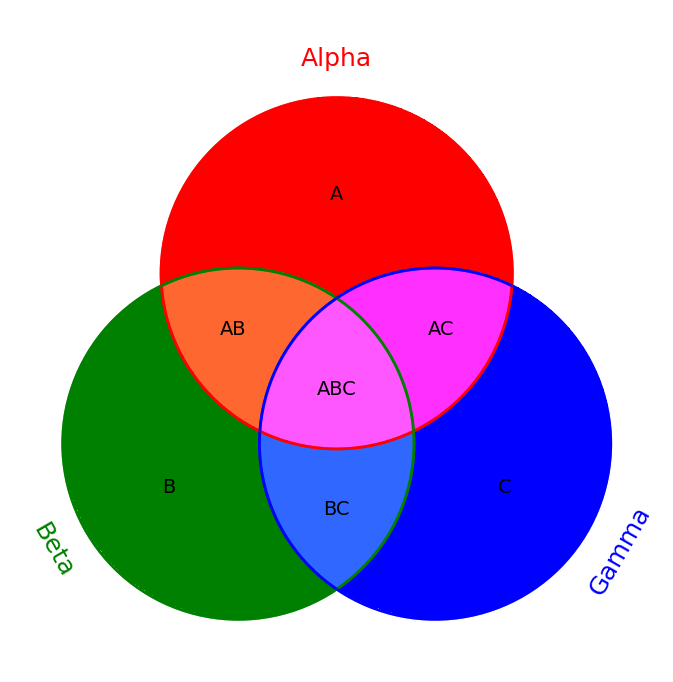
venn(vals3, ["Alpha", "Beta", "Gamma"], colors=["red", "green", "blue"], outfile = "venn3_demo_colors.png")
Area-Proportional Option
The area_proportional flag is ignored if $n > 3$ or if the input data does not contain positive numbers.
$n=2$
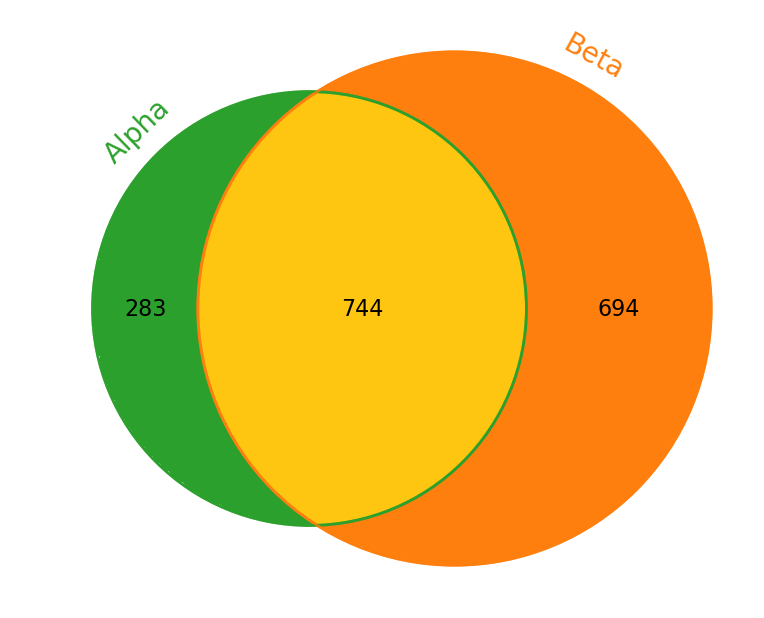
For $n = 2$, it is possible to draw the diagram with areas proportional to the given data.
rand2 = np.random.randint(0, 1000, size=(2, 2))
venn(rand2, ["Alpha", "Beta"], area_proportional=True, outfile = "rand2_demo.png")
$n=3$
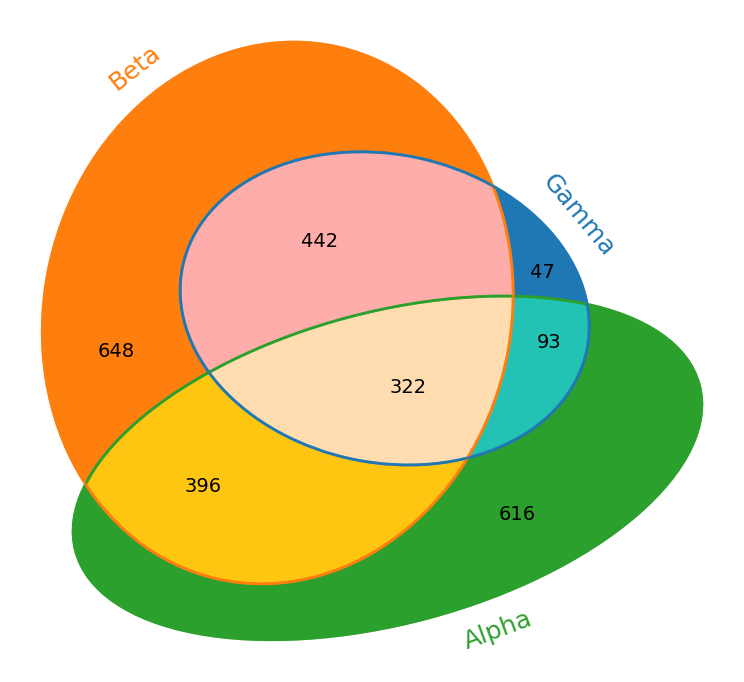
For $n = 3$, it is generally NOT possible to draw the diagram area-proportionally using circles only. However we can try morphing the circles into ellipses.
rand3 = np.array(np.random.randint(0, 1000, size=(2, 2, 2)), dtype=object)
rand3[0,0,0] = None
venn(rand3, ["Alpha", "Beta", "Gamma"], area_proportional=True, outfile = "rand3_demo.png")
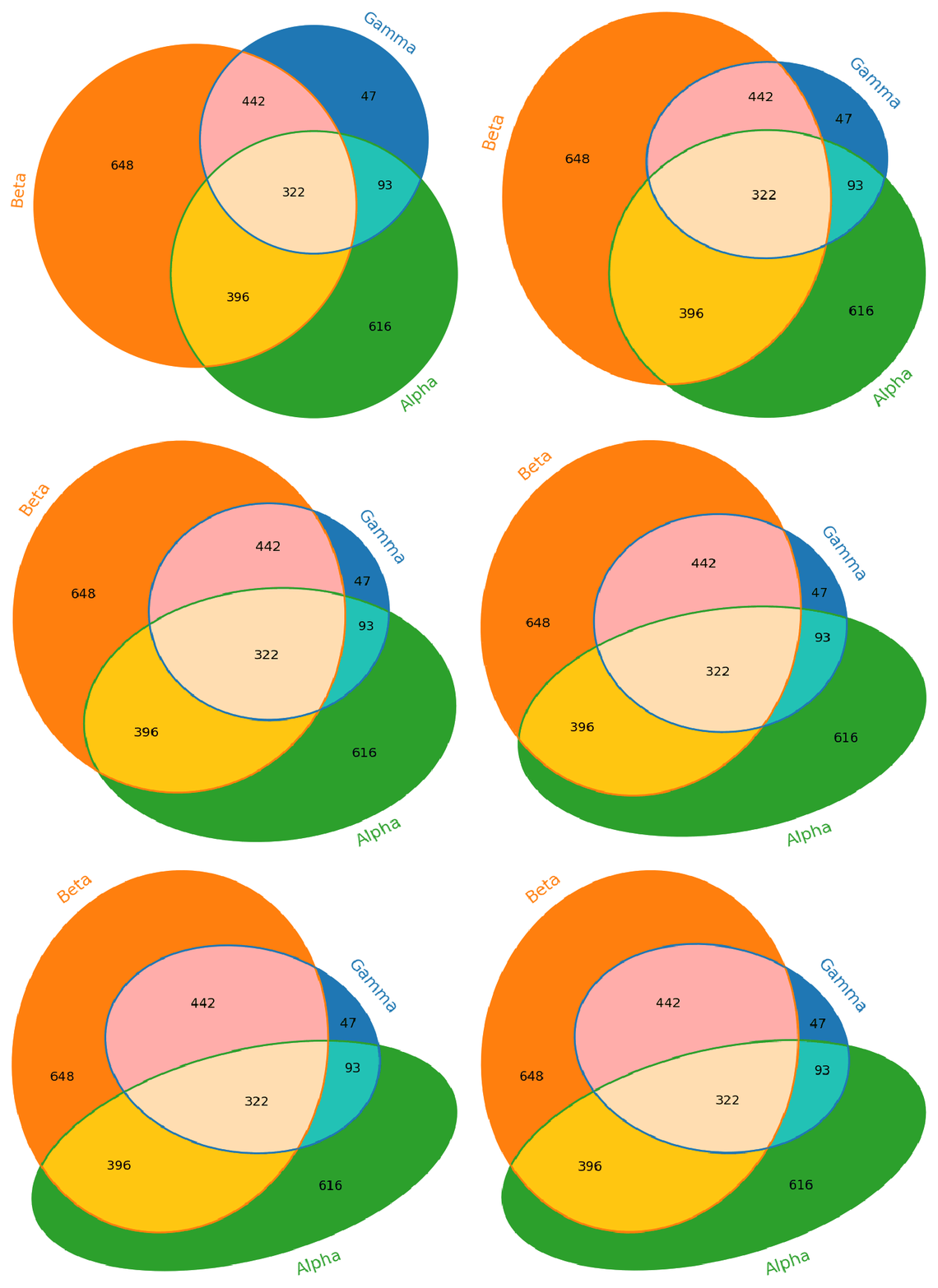
The optimizer is based on a monte-carlo greedy hill climing algorithm, it tries to find a solution with sufficient loss, and selects the best result on using a quality score.
License
This project is licensed under the MIT License (c) 2025 Bálint Csanády, aielte-research. See the LICENSE file for details.
1 maintainer

Metadata
1 maintainer
Release files for yamvp 0.5
For a detailed explanation of source distributions (sdists) and built distributions (wheels), please see the package formats documentation.
Source distribution (sdist)
| File | Size | Uploaded | Provenance | Actions |
|---|---|---|---|---|
| yamvp-0.5.tar.gz | 54.8 kB | Without provenance | Details for yamvp-0.5.tar.gz |
Built distribution (wheel)
| File | Interpreter | ABI | Platform | Actions Reset |
|---|---|---|---|---|
| yamvp-0.5-py3-none-any.whl | Python 3 | none | any | Details for yamvp-0.5-py3-none-any.whl |
Total release size: 163.0 kB
Release files / yamvp-0.5.tar.gz
| Download URL | yamvp-0.5.tar.gz |
|---|---|
| Size | 54.8 kB |
| Tags | Source |
|
SHA-256 checksum How to use checksums |
4138b4d3a9098303dfb26ce19c7b665d2b370e9cd3b7b7ee49a06b33e792dcdc
|
|
BLAKE2b-256 checksum How to use checksums |
e1d4ef8e01056b0796f10ad9fd0fb1e355857da560323542cd6cfc144ed4d882
|
| Upload date | |
|
Uploaded using Trusted Publishing? What is trusted publishing? |
No |
| Uploaded via |
twine/6.2.0 CPython/3.12.12
|
Release files / yamvp-0.5-py3-none-any.whl
| Download URL | yamvp-0.5-py3-none-any.whl |
|---|---|
| Size | 108.2 kB |
| Tags | Python 3 |
|
SHA-256 checksum How to use checksums |
37526264083da2ca682e91894d51dba575d37c4f5ebcb62cc345b62e30c61bc3
|
|
BLAKE2b-256 checksum How to use checksums |
5d37faf0b5e4eb521d171d1786dc74c145ef05739794c9d1ff41b3d2b5164db2
|
| Upload date | |
|
Uploaded using Trusted Publishing? What is trusted publishing? |
No |
| Uploaded via |
twine/6.2.0 CPython/3.12.12
|
Security for yamvp 0.5
Provenance
Provenance describes where a file came from. On PyPI, provenance is shared via attestations, which provide a verifiable record of the build or publishing details. View details, limitations and caveats.
No provenance found
None of the files in this release were uploaded with provenance metadata.
A note on package security
PyPI is a repository for distributing packages, not a service for auditing them. While third-party security researchers and our staff do their best to detect and remove malicious packages, PyPI cannot guarantee the quality, security or suitability of any given package.
To learn more about protecting yourself from malicious actors, visit our package security documentation.














