
A quicknotes app made in python and tkinter.

Project description
YAQN - Yet Another Quick Note
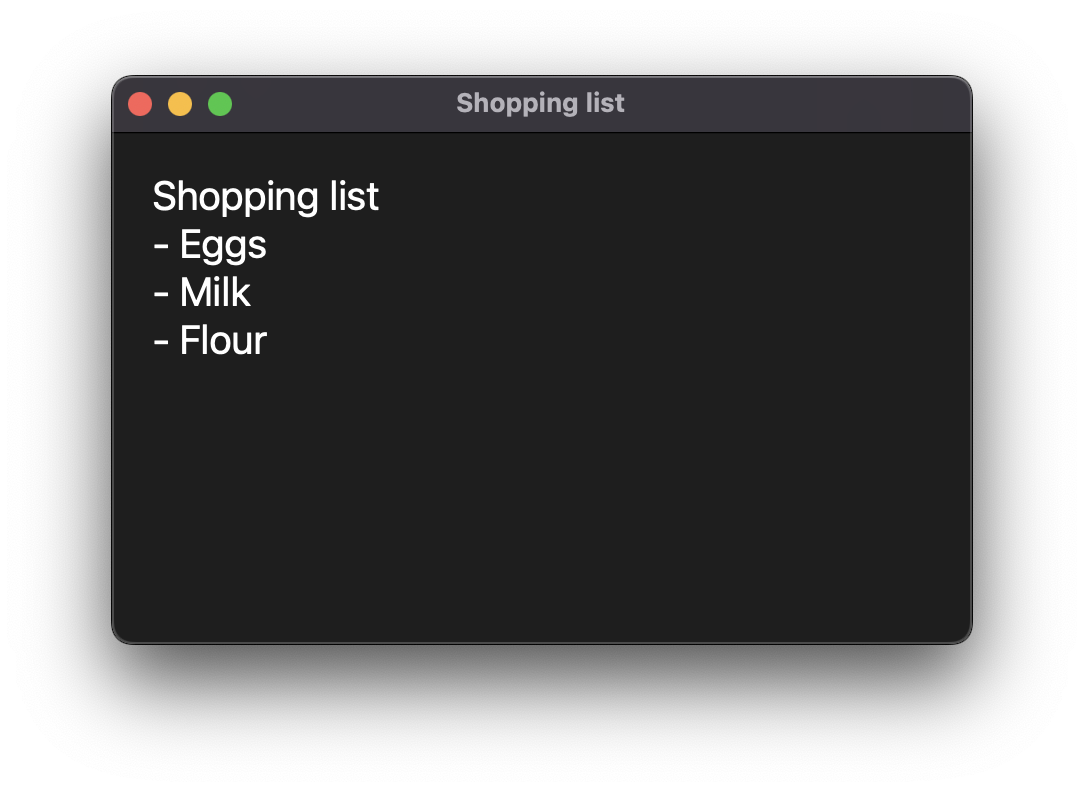
A fast, easy and OOTB app for taking your notes made in Python.
Installation
> pip install yaqn  # Install from pypi
> yaqn --check # Run the app and generate the config file
How to use
Run the yaqn command, it will open the app. To save the note and close the app itself just press Ctrl + Enter.
Open with a keyboard shortcut
This can't be done automatically by pip, please use the correct for your OS:
- MacOS: Use Karabiner Elements and import this rule. This should work in any standard python installation, if you a using
pyenvor similar this rule should be modified manually. - Windows: Too complex too configure unfortunately...
- Linux, FreeBSD and others depend of the window manager you're using.
Configuration
Your configuration file is saved by default in:
- Unix-like:
~/.config/yaqn/config.toml - Windows:
%AppData%\yaqn\config.toml
Custom config path
You can use your custom path for the config using --config:
> yaqn ---config /path/to/config/directory
Check the config file integrity
The argument --check allows you to create, check and repair the config file, just run the command and it will analyze the config:
> yaqn --check
[ INFO ] Check mode -> Config checked and operative
Configuration structure
An ordinary config file looks like this:
notes_path = '/path/to/notes/directory'
extension = 'md'
And this is its structure:
| Parameter | Description |
|---|---|
notes_path |
Define the path to the directory the notes will be saved. You can use the word default to point to the generic notes path. |
extension |
Define the extension the notes will be saves. Remember to not put . before the extension itself. |
no_whitespaces |
Define if YAQN should convert all whitespaces to hyphens - in the file name. |
no_uppercase |
Define if YAQN should convert all uppercase letters to lowercase. |
no_firstline |
Define if YAQN should remove the first line of the note before save it (useful with apps like ObsidianMD). |
Restore configuration to default
Use the command yaqn --restore to regenerate the configuration with its defaults values.
Author
Created with :heart: by Kutu.
Logo of the app created by vladlucha (account deleted unfortunately) in MacOS Icons.
Release history Release notifications | RSS feed


Download files
Download the file for your platform. If you're not sure which to choose, learn more about installing packages.
Source Distribution
Built Distribution
Filter files by name, interpreter, ABI, and platform.
If you're not sure about the file name format, learn more about wheel file names.
Copy a direct link to the current filters
File details
Details for the file yaqn-1.8.0.tar.gz.
File metadata
- Download URL: yaqn-1.8.0.tar.gz
- Upload date:
- Size: 46.9 kB
- Tags: Source
- Uploaded using Trusted Publishing? No
- Uploaded via: poetry/1.2.2 CPython/3.11.0 Darwin/22.1.0
File hashes
| Algorithm | Hash digest | |
|---|---|---|
| SHA256 |
67e9d8317692e65c084bf4c94b8588e606917107f76386ab889326ced6c453c1
|
|
| MD5 |
17a94850eeaae5d029897d953dcdc9e4
|
|
| BLAKE2b-256 |
c894345185ba853e1f4687e1b8165fbf39cb5495bd9fde609ef9407a8dfa0413
|
File details
Details for the file yaqn-1.8.0-py3-none-any.whl.
File metadata
- Download URL: yaqn-1.8.0-py3-none-any.whl
- Upload date:
- Size: 46.4 kB
- Tags: Python 3
- Uploaded using Trusted Publishing? No
- Uploaded via: poetry/1.2.2 CPython/3.11.0 Darwin/22.1.0
File hashes
| Algorithm | Hash digest | |
|---|---|---|
| SHA256 |
f01803e260baacb7926d1d43daa3f55356f82868812edf6f102a5e81964f4a44
|
|
| MD5 |
788212e877c7eee95961f5bba769cee6
|
|
| BLAKE2b-256 |
eb35e14ee4717dd0a8a73e3b46504f67d9562568d4786a21768ed29645914d68
|






