
A terminal-native retro Kubernetes adventure inspired by Pokemon Yellow.

Project description
Project Yellow Olive
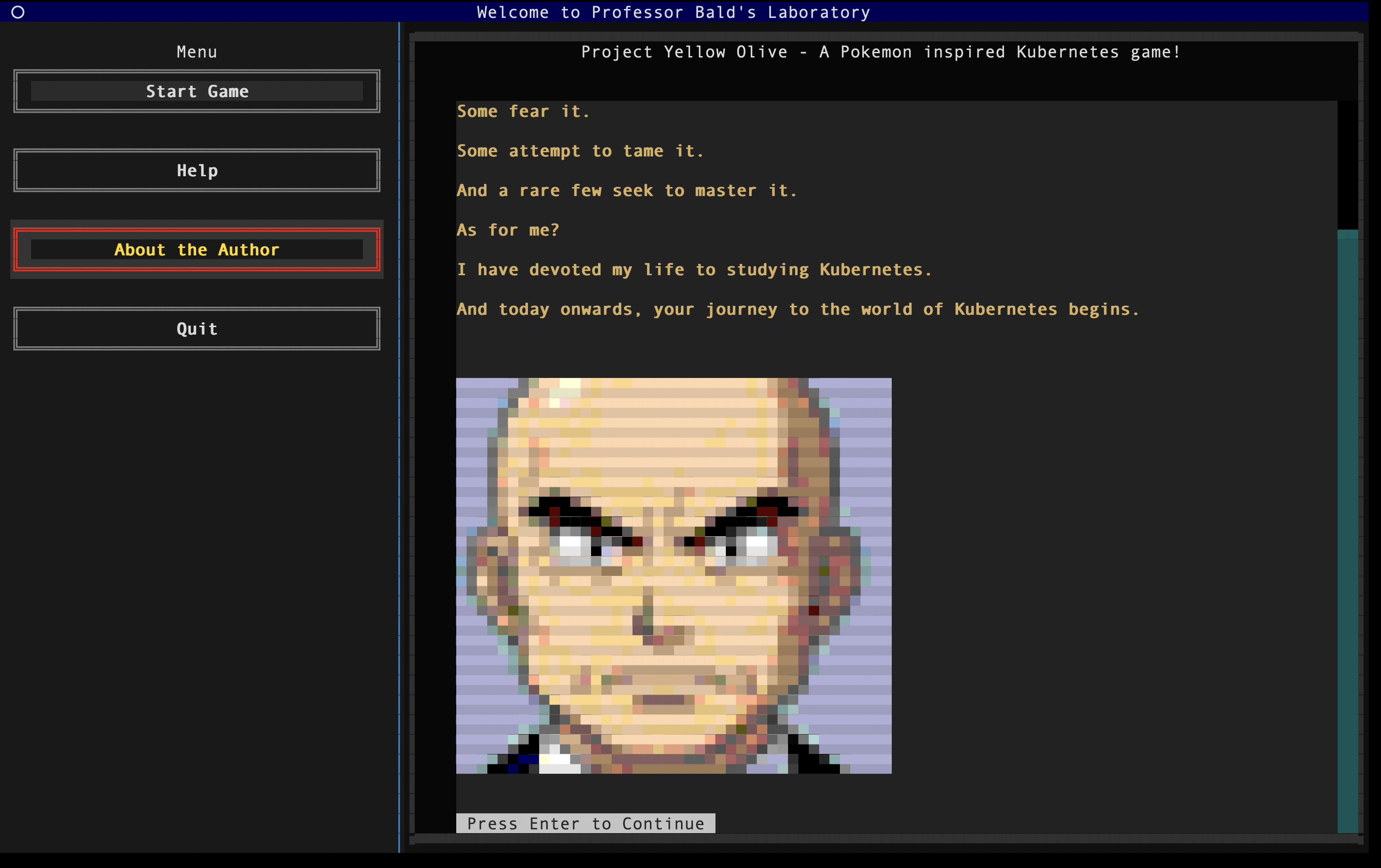
Pokémon Yellow, but you tame Kubernetes clusters instead of Pokémon.
A terminal-native retro adventure designed to make infrastructure learning feel fun, nostalgic, and a little less overwhelming.



Index
- The Motivation
- An Honest Take
- Setup and Run (Local)
- Meet the Characters
- From Yellow Olive to Kubernetes
- Gameplay Commands
- Project Yellow Olive in Action
- Contributing
- What's next in the roadmap?
The Motivation
Kubernetes is everywhere...
Kubernetes runs the modern world...
And yet, for many of us, learning it feels confusing, overwhelming, and sometimes just plain boring :(
Project Yellow Olive is my personal, experimental attempt at changing that.
I grew up on a GameBoy, lost in the world of Pokémon. Even today, a single chiptune note takes me straight back to those golden childhood days. I know I’m not alone in that feeling.
Nostalgia has a strange power - it lowers resistance, sparks curiosity, and makes difficult things feel lighter.
Yellow Olive is built on that belief: combine nostalgia with motivation, and even something as complex as Kubernetes can become approachable.
An Honest Take
I’ve attempted the CKAD and CKA certifications - and I didn’t clear them.
Not because I didn’t understand the concepts, but because I didn’t practice enough. Platforms like Killer.sh demand consistency and repetition - and like many of us, I underestimated that discipline.
This project isn’t a replacement for serious exam prep.
It’s a practice ground - a way to build confidence, stay engaged, and keep the adrenaline slightly elevated while solving real problems.
Not every day is productive. Not every day is high-energy.
This is just my attempt to make the hard days a little easier to push through.
Setup and Run
Prerequisites
- Python 3.10+
- Docker Desktop or Docker Engine (required)
minikube(required)kubectl(required)
Project Yellow Olive uses Minikube to create and manage the local Kubernetes cluster used during gameplay, so Docker and Minikube must be installed before starting the game.
Install Minikube and Kubernetes Tooling
- Install Docker and make sure it is running.
- Install Minikube by following the official guide: Install Minikube
- Install
kubectlby following the official guide: Install kubectl
You can verify the setup with:
docker --version
minikube version
kubectl version --client
Install from PyPI
python -m venv .venv
source .venv/bin/activate
pip install yellow-olive
Start the Game from PyPI
yellow-olive start
When the game starts, Project Yellow Olive creates a yellow-olive-lab/ folder in your current working directory and places the editable challenge manifests there.
Install from Source
git clone https://github.com/Anubhav9/Yellow-Olive.git
cd Yellow-Olive
python -m venv .venv
source .venv/bin/activate
pip install -r requirements.txt
Start the Game from Source
python app.py
When you start the game and proceed through initialization, Yellow Olive will start a Minikube profile and switch kubectl context automatically.
Helpful Tip for Gameplay
Keep two terminal tabs open:
- Game terminal -> run
yellow-olive startorpython app.py - Command Chamber terminal -> run your
kubectlcommands for challenge fixes
Meet the Characters
Professor Bald Uncle

The classic mentor archetype. Calm, experienced, slightly intimidating at first glance.

He steps in when you’re stuck, nudges you in the right direction, and reminds you that debugging is part of the journey.

Strict on the outside, generous at heart.
Electromon

Your closest companion. Quiet by nature, but restless at heart — he doesn’t like being confined for long.

When something feels off in the cluster, he’s usually at the center of it. Shy, but loyal through every broken deployment.
PsyQuack

He doesn’t talk much. He watches.
You think you fixed the Deployment? He checks.
You’re confident the Service works? He verifies.
If something’s still off, PsyQuack will let you know - in his own slightly unhinged way.
He doesn’t reward effort. He rewards correctness.
From Yellow Olive to Kubernetes
Every character, keyword, and challenge maps directly to a real Kubernetes concept.
| Yellow Olive Concept | Kubernetes Equivalent | What It Means in Practice |
|---|---|---|
| Posemon | Container | A single runnable unit inside a workload |
| Pokepod | Pod | The smallest deployable unit - houses Posemons |
(And many more coming — every mechanic is built to teach something real.)
Gameplay Commands
Quick in-game commands you’ll use often:
psyquack validate→ Invokes PsyQuack to evaluate your solution for the current challenge.psyquack hint→ PsyQuack calls Professor Bald Uncle for a nudge (without spoiling the answer).psyquack back→ Returns to the previous challenge screen.
Project Yellow Olive in Action
Full gameplay walkthrough (2 min): Watch on YouTube
Music Credits
All music files used in Project Yellow Olive are sourced from OpenGameArt, shared under the CC0 license, and the relevant creators are credited below.
| Music File | Music Name | Author Name | License | Source |
|---|---|---|---|---|
screen_1_opening_song.mp3 |
JRPG Piano | Joth | CC0 | OpenGameArt |
screen_2_music.mp3 |
Town Theme RPG | CynicMusic | CC0 | OpenGameArt |
battle_music.ogg |
8 bit RPG Battle Encounter Theme | Ted Kerr | CC0 | OpenGameArt |
battle_music_2.mp3 |
8 bit Chiptune Encounter Theme | Shiru8Bit | CC0 | OpenGameArt |
win_music.ogg |
Win Jingle | Fupi | CC0 | OpenGameArt |
loose_music.ogg |
Lost Game Short Music Clip | Robin Lamb | CC0 | OpenGameArt |
Contributing
Contributions are welcome, especially for adding new challenges.
If you'd like to contribute:
- Open an issue with the challenge idea and learning objective.
- Add/update challenge text in
challenge_files/. - Add/update corresponding manifest files in
challenge_files/{type}-q*.yaml. - Add/update challenge validation rules in
core_logic/challenge_validation.py. - Submit a pull request with a short demo of the challenge flow.
What's next in the roadmap?
This is currently a work in progress. Planned milestones:
| Roadmap Stage | Planned Feature | Why It Matters |
|---|---|---|
| Phase 1 | Save/load game progress and jump directly to a specific challenge | Lets players resume quickly and practice targeted scenarios |
| Phase 2 | Add more challenges focused on Kubernetes Services | Expands learning beyond Pods into core networking concepts |
| Phase 3 | Package and publish Project Yellow Olive on PyPI | Makes installation easier for the community |
Release history Release notifications | RSS feed


Download files
Download the file for your platform. If you're not sure which to choose, learn more about installing packages.
Source Distribution
Built Distribution
Filter files by name, interpreter, ABI, and platform.
If you're not sure about the file name format, learn more about wheel file names.
Copy a direct link to the current filters
File details
Details for the file yellow_olive-0.1.0.tar.gz.
File metadata
- Download URL: yellow_olive-0.1.0.tar.gz
- Upload date:
- Size: 8.6 MB
- Tags: Source
- Uploaded using Trusted Publishing? No
- Uploaded via: twine/6.2.0 CPython/3.10.10
File hashes
| Algorithm | Hash digest | |
|---|---|---|
| SHA256 |
273071a649f761bee0816f3da60dca4db6bee39d7cdc4182b1b3b82c66f28642
|
|
| MD5 |
7993506e76ec254dd44189ac76dbfb62
|
|
| BLAKE2b-256 |
fc57bf8aa9b22ca0f5783e8f825643f1f543bea1051df3a3356fd7fa2e12a421
|
File details
Details for the file yellow_olive-0.1.0-py3-none-any.whl.
File metadata
- Download URL: yellow_olive-0.1.0-py3-none-any.whl
- Upload date:
- Size: 8.6 MB
- Tags: Python 3
- Uploaded using Trusted Publishing? No
- Uploaded via: twine/6.2.0 CPython/3.10.10
File hashes
| Algorithm | Hash digest | |
|---|---|---|
| SHA256 |
acc3820ebaf0034dacedc57db4a051a4bfdd6b0d9799986136b238c487420c23
|
|
| MD5 |
f45a4a10fd4ad2c8fbd7ca3e1137432d
|
|
| BLAKE2b-256 |
150ed86c446f43f9fd1639532a34dd61f3f23a3aac543ae65018badd751fd8f6
|






