
yFiles Jupyter Graphs for Neo4j
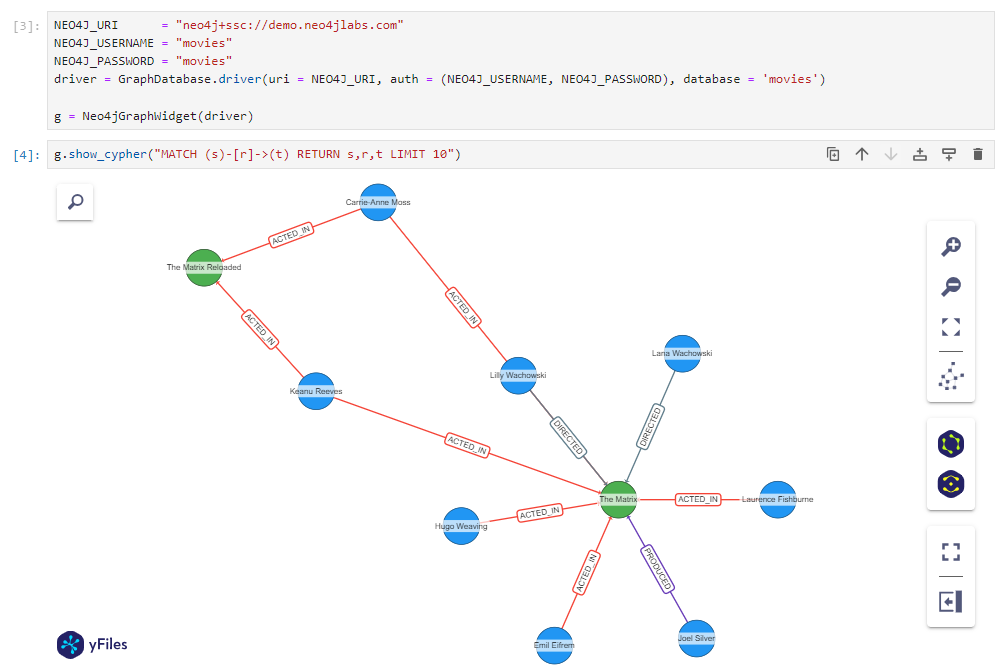

Easily visualize a Neo4j Cypher query as a graph in a Jupyter Notebook.
This packages provides an easy-to-use interface to the yFiles Graphs for Jupyter widget to directly visualize Cypher queries.
Installation
Just install it from the Python Package Index
pip install yfiles_jupyter_graphs_for_neo4j
or see README_DEV.md to build it yourself.
Usage
from yfiles_jupyter_graphs_for_neo4j import Neo4jGraphWidget
from neo4j import GraphDatabase

NEO4J_URI      = "neo4j+ssc://demo.neo4jlabs.com"
NEO4J_USERNAME = "movies"
NEO4J_PASSWORD = "movies"
driver = GraphDatabase.driver(uri = NEO4J_URI, auth = (NEO4J_USERNAME, NEO4J_PASSWORD), database = 'movies')

g = Neo4jGraphWidget(driver)

g.show_cypher("MATCH (s)-[r]->(t) RETURN s,r,t LIMIT 20")
See the basic example notebook for a running example.
Supported Environments
The widget uses yFiles Graphs for Jupyter at its core, and therefore runs in any environment that is supported by it, see supported environments.
AI Coding Assistant
Working with an AI coding agent? Our agent guide contains instructions and best practices for coding agents working with this Neo4j widget.
Example start prompt:
Read the instructions at https://raw.githubusercontent.com/yWorks/yfiles-jupyter-graphs-for-neo4j/refs/heads/main/agent-guide.md.
Then, create a Jupyter notebook that connects to a Neo4j database and visualizes an insightful subset of the graph using `yfiles_jupyter_graphs_for_neo4j`.
Documentation
The main class Neo4jGraphWidget provides the following API:
Constructor
Neo4jGraphWidget: Creates a new class instance with the following arguments
| Argument | Description | Default |
|---|---|---|
driver |
The neo4j driver that is used to execute Cypher queries. |
None |
widget_layout |
Can be used to specify general widget appearance through css attributes. See ipywidget's layout for more information. |
None |
overview_enabled |
Enable graph overview component. Default behaviour depends on cell width. | None |
context_start_with |
Start with a specific side-panel opened in the interactive widget. Starts with closed side-panel by default. | None |
layout |
Can be used to specify a general default node and edge layout. Available algorithms are: "circular", "hierarchic", "organic", "interactive_organic", "orthogonal", "radial", "tree", "map", "orthogonal_edge_router", "organic_edge_router" | organic |
Methods
show_cypher(cypher: str, layout: Optional[str] = None, **kwargs: Dict[str, Any]) -> Nonecypher (str): The Cypher query that should be visualized.layout (Optional[str]): The graph layout that is used. This overwrites the general layout in this specific graph instance. The following arguments are supported:hierarchicorganicinteractive_organiccircularcircular_straight_lineorthogonaltreeradialmaporthogonal_edge_routerorganic_edge_router
**kwargs (Dict[str, Any]): Additional parameters that should be passed to the Cypher query (e.g., see the selection example).
Properties
The following properties can be read and assigned after creating the widget:
driver: The Neo4j driver that is used to resolve Cypher queries. Assign a new driver withwidget.driver = driver.autocomplete_relationships: Controls relationship autocompletion. Set it toTrueorFalseto enable or disable autocompletion for all relationships, or set it to a relationship type (str) or a list of relationship types (list[str]) to enable it for specific relationships.node_cell_mapping: An optionalstror callable that maps nodes to row, column tuples for fine-tuning automatic layout algorithms. AssignNoneto remove the mapping.
The default behavior is to only show the nodes and relationships returned by the Cypher query. To autocomplete relationships like in Neo4j Browser:
widget.autocomplete_relationships = True
widget.driver = driver
The legacy methods set_autocomplete_relationships(), set_driver(), get_driver(), get_node_cell_mapping(),
set_node_cell_mapping(), and del_node_cell_mapping() remain available for backwards compatibility, but are
deprecated. Use the properties above instead.
The graph visualization can be adjusted by adding configurations to each node label or edge type with the following functions:
-
add_node_configuration(label: Union[str, list[str]], **kwargs: Dict[str, Any]) -> Nonelabel (Union[str, list[str]]): The node label(s) for which this configuration should be used. Supports*to address all labels.**kwargs (Dict[str, Any]): Visualization configuration for the given node label. The following arguments are supported:text: The text that displayed at the node. By default, the node's label is used.color: A convenience color binding for the node (see alsostylesargument).size: The size of the node.styles: A dictionary that may contain the following attributescolor,shape(one of 'ellipse', ' hexagon', 'hexagon2', 'octagon', 'pill', 'rectangle', 'round-rectangle' or 'triangle'),image.property: Allows to specify additional properties on the node, which may be bound by other bindings.type: Defines a specific "type" for the node as described in yFiles Graphs for Jupyter which affects the automatic positioning of nodes (same "type"s are preferred to be placed next to each other).parent_configuration: Configure grouping for this node label. See grouping.ipynb for examples.
-
add_relationship_configuration(type: Union[str, list[str]], **kwargs: Dict[str, Any]) -> Nonetype (Union[str, list[str]]): The relationship type for which this configuration should be used. Supports*to address all types.**kwargs: Visualization configuration for the given relationship type. The following arguments are supported:text: The text that displayed at the relationship. By default, the relationship's type is used.color: The relationship's color.thickness_factor: The relationship's stroke thickness factor. By default,1.styles: The style of the edge.property: Allows to specify additional properties on the relationship, which may be bound by other bindings.
-
add_parent_relationship_configuration(type: Union[str, list[str]], reverse: Optional[bool] = False) -> Nonetype: The relationship type that should be visualized as node grouping hierarchy instead of the actual relationship.reverse: By default the target node is considered as parent. This can be reverted with this argument.
To remove a configuration use the following functions:
del_node_configuration(label: Union[str, list[str]]) -> None: Deletes configuration for the given node label(s). Supports*to address all types.del_relationship_configurations(type: Union[str, list[str]]) -> None: Deletes configuration for the given relationship type(s). Supports*to address all labels.del_parent_relationship_configuration(type: Union[str, list[str]]) -> None: Deletes configuration for the given parent relationship type(s).
You can select nodes and relationships to retrieve their Neo4j element ids. For example, you can use these ids in new
Cypher queries with elementId by providing them as a parameter to show_cypher, as shown in
the selection example.
-
get_selected_node_ids(widget: Optional[Type["Neo4jGraphWidget"]] = None) -> List[str]: Returns an Array of Neo4j element idswidget: The widget that is used to select nodes from. IfNoneis specified, the most recently shown widget is used.
-
get_selected_relationship_ids(widget: Optional[Type["Neo4jGraphWidget"]] = None) -> List[str]: Returns an Array of Neo4j relationship element idswidget: The widget that is used to select edges from. IfNoneis specified, the most recently shown widget is used.
How configuration bindings are resolved
The configuration bindings (see add_node_configuration or add_relationship_configuration) are resolved as follows:
If the configuration binding is a string, the package first tries to resolve it against the item's properties and uses the property value if available. If there is no property with the given key, the string value itself is used as a constant binding.
In case you want to create a constant string value as binding, which also happens to be a property key, use a binding function with a constant string as return value instead.
If the configuration binding is a function, the return value of the function is used as value for the respective configuration.
yFiles Graphs for Jupyter
The graph visualization is provided by yFiles Graphs for Jupyter, a versatile graph visualization widget for Jupyter Notebooks.
It can import and visualize graphs from various popular Python packages (e.g. NetworkX, PyGraphviz, igraph) or just structured node and edge lists.
And provides a rich set of visualization options to bring your data to life (see the example notebooks).
Feature Highlights
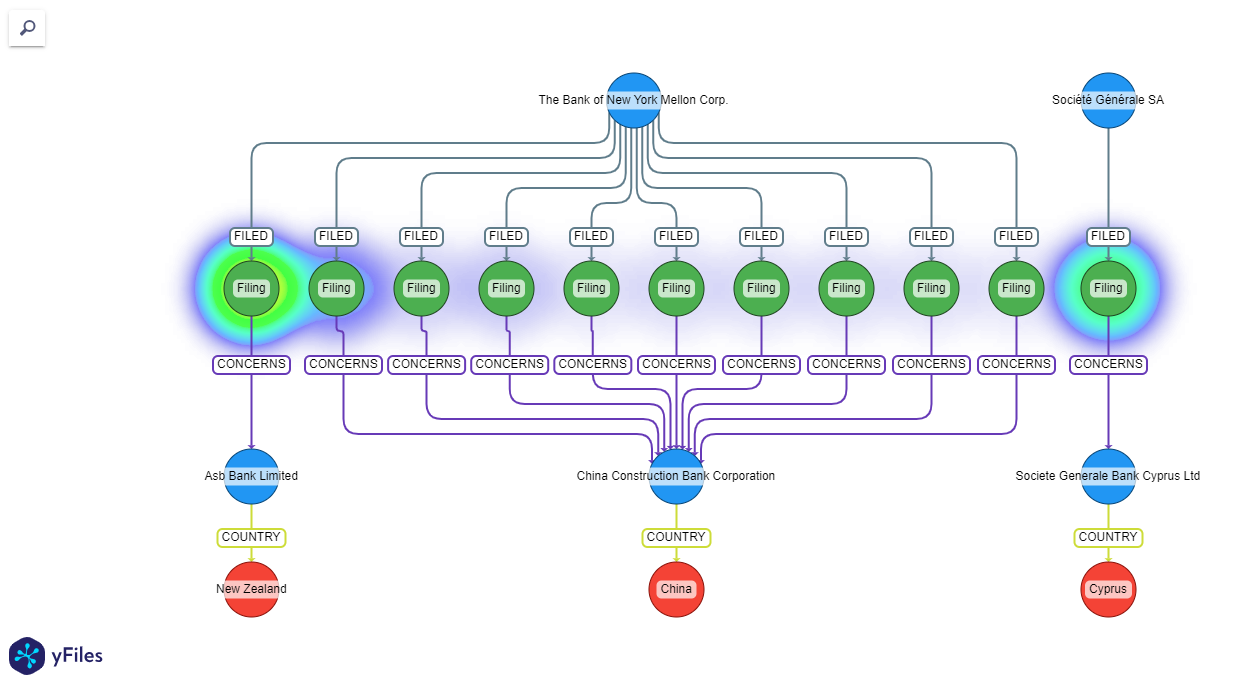 Heatmap visualization
 |
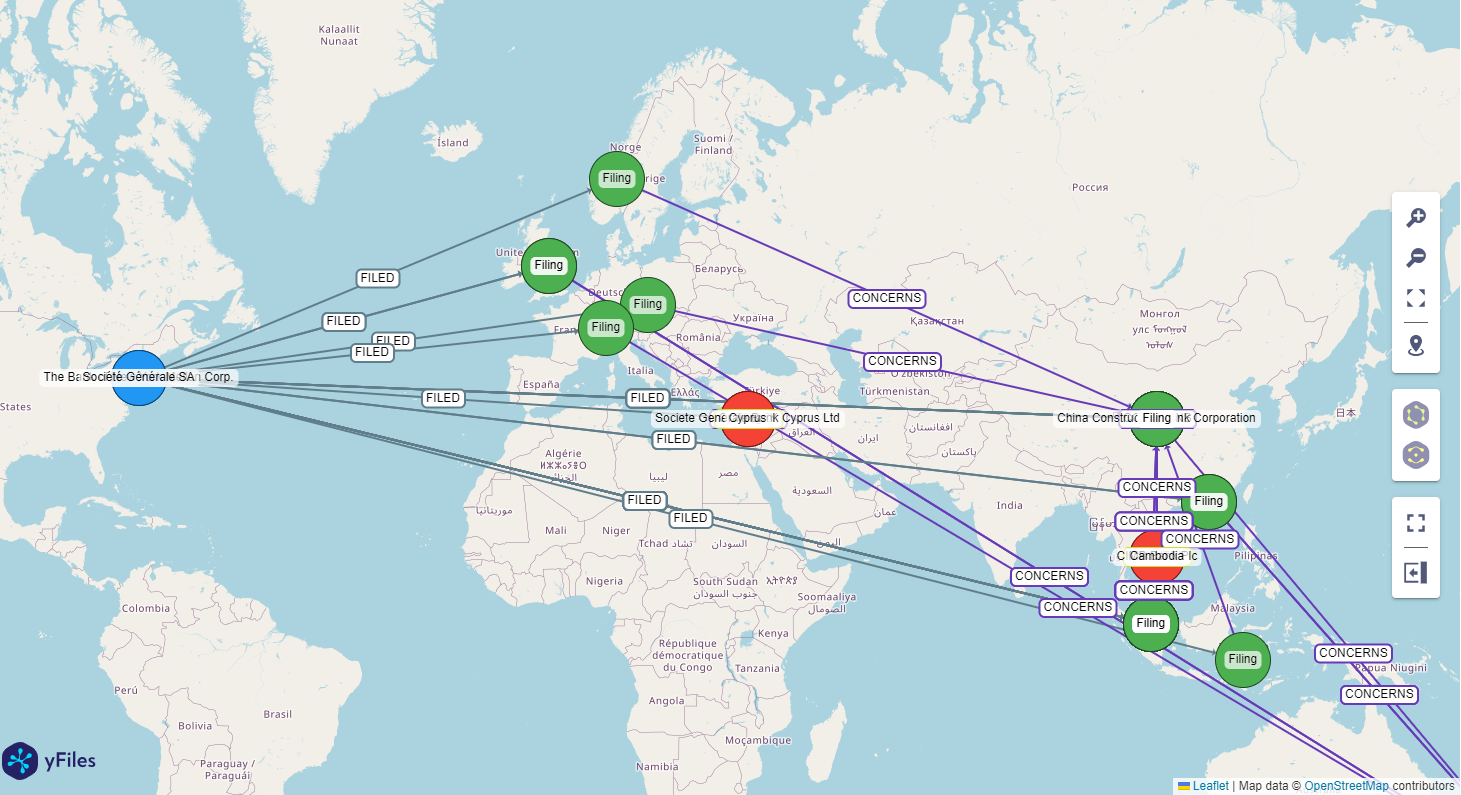 Geospatial data visualization
 |
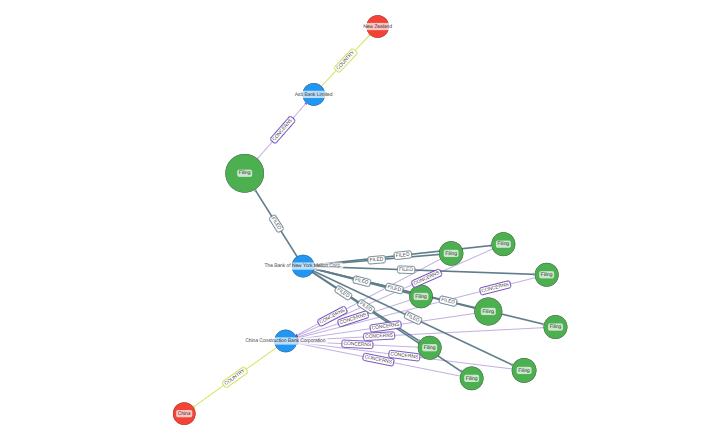 Data-driven item visualization
 |
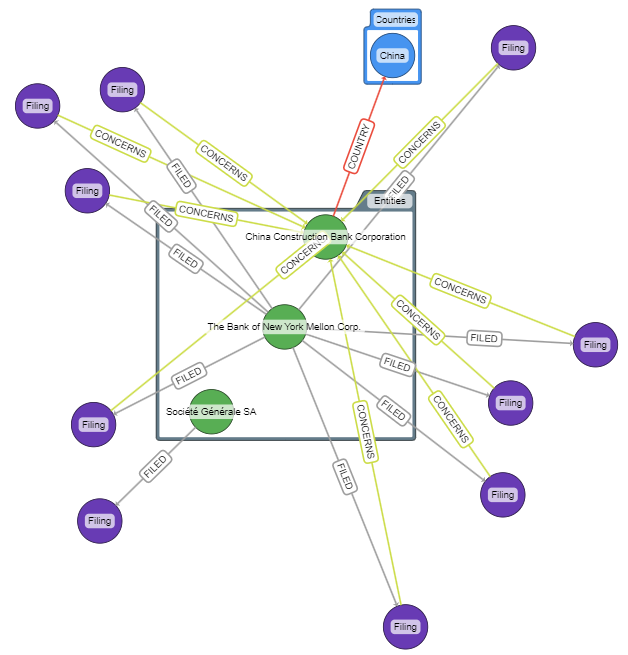 Group items
 |
For a detailed feature guide, check out the main widget example notebooks
Code of Conduct
This project and everyone participating in it is governed by the Code of Conduct. By participating, you are expected to uphold this code. Please report unacceptable behavior to contact@yworks.com.
Feedback
This widget is by no means perfect. If you find something is not working as expected we are glad to receive an issue report from you. Please make sure to search for existing issues first and check if the issue is not an unsupported feature or known issue. If you did not find anything related, report a new issue with necessary information. Please also provide a clear and descriptive title and stick to the issue templates. See issues.
Dependencies
License
See LICENSE file.


Release files for yfiles-jupyter-graphs-for-neo4j 2.0.0
For a detailed explanation of source distributions (sdists) and built distributions (wheels), please see the package formats documentation.
Source distribution (sdist)
| File | Size | Uploaded | |
|---|---|---|---|
| yfiles_jupyter_graphs_for_neo4j-2.0.0.tar.gz | 17.8 kB | Details |
Built distribution (wheel)
| File | Interpreter | ABI | Platform | Reset |
|---|---|---|---|---|
| yfiles_jupyter_graphs_for_neo4j-2.0.0-py3-none-any.whl | Python 3 | none | any | Details |
Total release size: 32.0 kB
Release files / yfiles_jupyter_graphs_for_neo4j-2.0.0.tar.gz
| Download URL | yfiles_jupyter_graphs_for_neo4j-2.0.0.tar.gz |
|---|---|
| Size | 17.8 kB |
| Tags | Source |
|
SHA-256 checksum How to use checksums |
5b2096f7afc1317add07d2baf4695d957f58cb39d2ceb4c3b2b52b56792b1c06
|
|
BLAKE2b-256 checksum How to use checksums |
e57a279aab66b70c9d0ebe3976516406a0f1ce8552c0f3077aec8bd623823762
|
| Upload date | |
|
Uploaded using Trusted Publishing? What is trusted publishing? |
Yes |
| Uploaded via |
twine/7.0.0 CPython/3.13.14
|
Provenance
Provenance describes where a file came from. On PyPI, provenance is shared via attestations, which provide a verifiable record of the build or publishing details. View details, limitations and caveats.


PyPI Publish Attestation
PyPI verified that this artifact, at this checksum, originated from the publisher listed below.
Signed by GitHub Actions, verified by PyPI on Aug 25, 2026.
Transparency logRelease files / yfiles_jupyter_graphs_for_neo4j-2.0.0-py3-none-any.whl
| Download URL | yfiles_jupyter_graphs_for_neo4j-2.0.0-py3-none-any.whl |
|---|---|
| Size | 14.3 kB |
| Tags | Python 3 |
|
SHA-256 checksum How to use checksums |
645ec842d7c99ce0ad40b94c258c7ef4f0a89140651628056de35316fc7d9d9d
|
|
BLAKE2b-256 checksum How to use checksums |
7f5c0d6cac7d0eca13d63c380b46206b3a398fcbdb9dfcfe00dd63521c89f8ac
|
| Upload date | |
|
Uploaded using Trusted Publishing? What is trusted publishing? |
Yes |
| Uploaded via |
twine/7.0.0 CPython/3.13.14
|
Provenance
Provenance describes where a file came from. On PyPI, provenance is shared via attestations, which provide a verifiable record of the build or publishing details. View details, limitations and caveats.
PyPI Publish Attestation
PyPI verified that this artifact, at this checksum, originated from the publisher listed below.
Signed by GitHub Actions, verified by PyPI on Aug 25, 2026.
Transparency log













