
YJViewer
 |
 |
 |
|---|
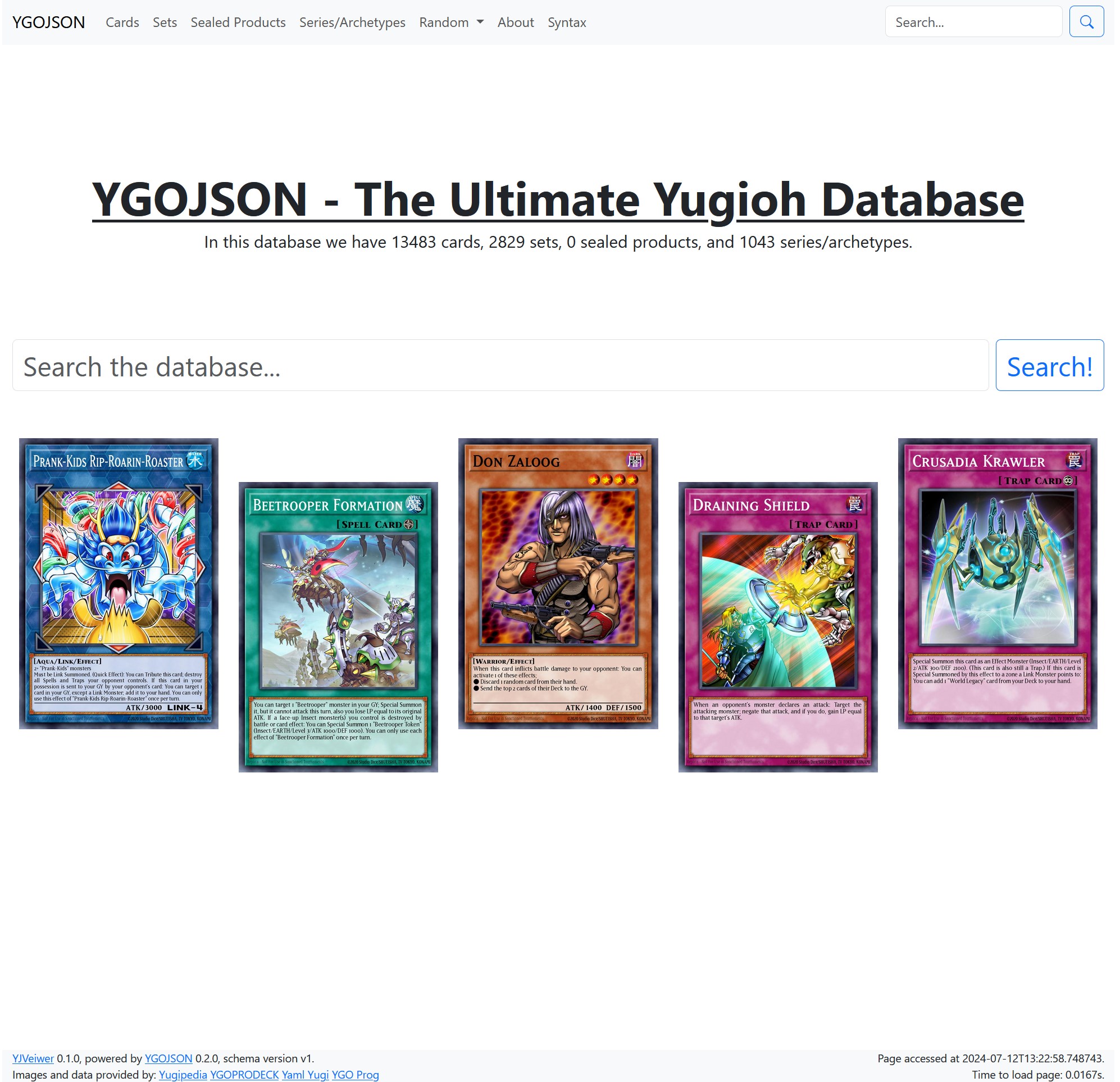
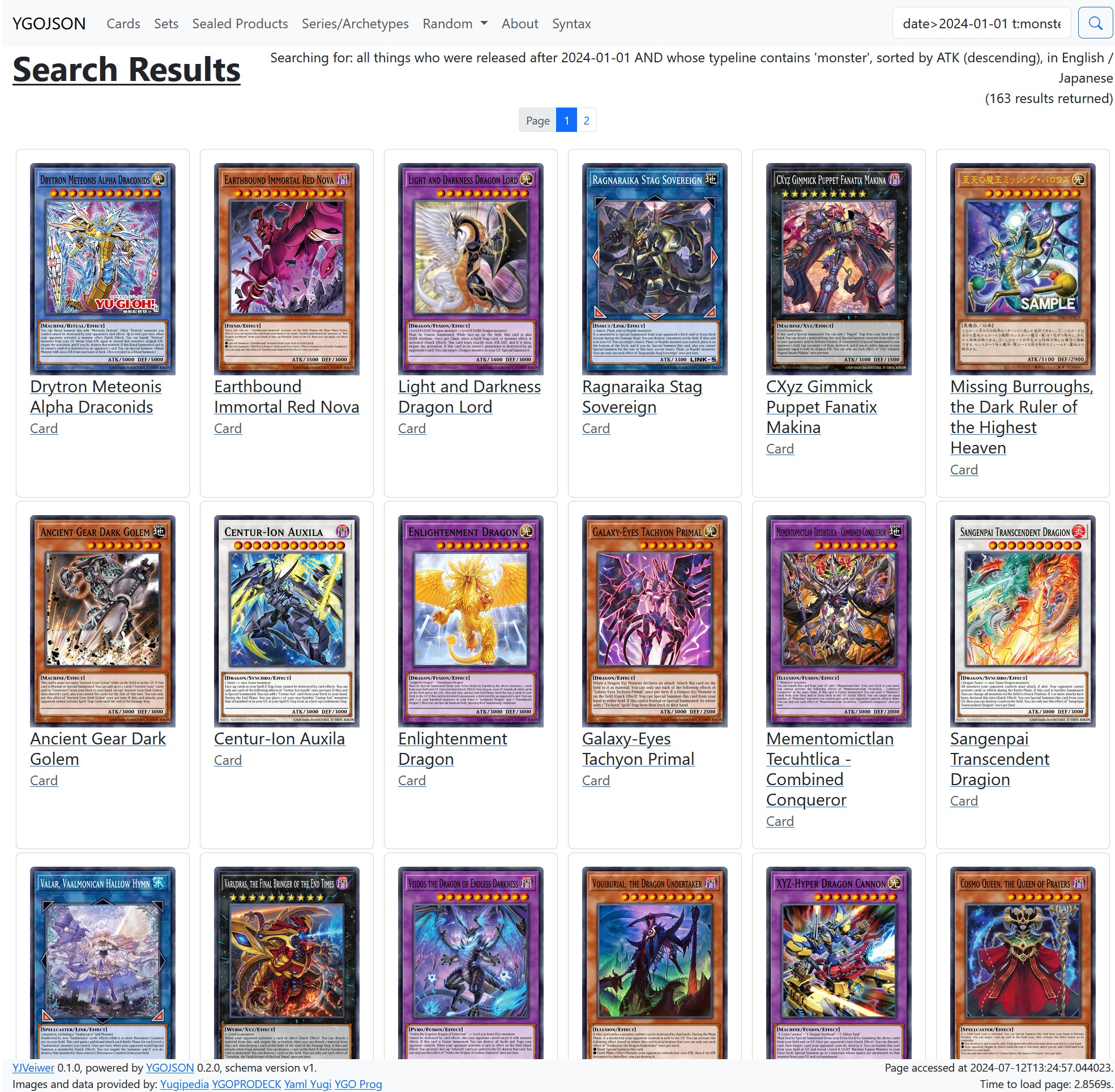
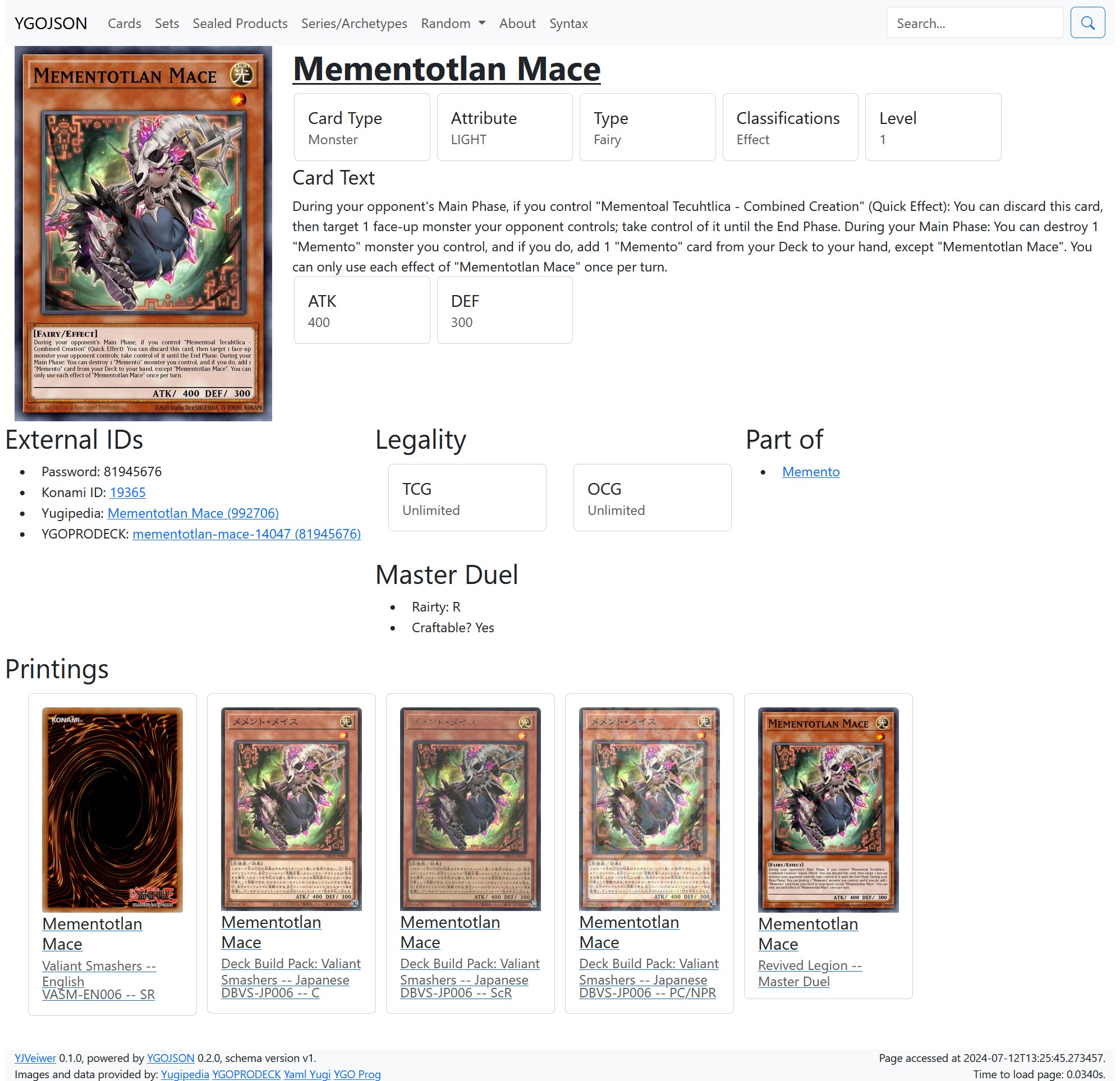
A web application that lets you view YGOJSON data.
Running Locally
You'll need a modern version of Python, at least 3.8, to run this code. To install YJViewer from PyPI:
python3 -m pip install yjviewer
Or to install it if you have the repository downloaded:
python3 -m pip install -e .
From there, you can run this application using flask:
flask --app yjviewer --debug run
It should then load the database and give you a URL to connect to (by default, http://localhost:5000/).
If you don't have the database downloaded, it will download it for you, but it will NOT automatically update an outdated database. You will have to either delete data or redownload it yourself, if you want an updated dataset!
Running in Production
Short answer: Don't.
Long answer: This is a web application meant to be accessed by one person: you. I have not created this with scalability in mind. If you try to serve this to a network, expect problems if you get a lot of people accessing it. Furthermore, we do not cache the images we get from cross-site sources, such as Yugipedia or YGOPRODECK, and those sites have strict policies about hotlinking images from them. If you expose a YJViewer server to the outer world, expect those two sites to get mad at you if you're popular enough. I don't have the money to set up a YJViewer server myself, and even if I did solve the image-hotlinking problem, I don't know if I would have the time to maintain such a website. So don't use this in production, and don't ask me to use this in production. Saying that, if you do want to help me make YJViewer production-ready, see Contributing, below.
Contributing
PRs are always welcome! To set up YJViewer for development, follow these steps after checking out the repository:
python3 -m pip install -e .[dev,test]
pre-commit install
Changelog
0.3.0
- Added support for Genesys.
0.2.4
- Added support for the new red and blue foil secret rares.
0.2.3
- Support for YGOJSON 0.5.0.
0.2.2
- Fixed bug with the random sealed product button.
0.2.1
- Removed deprecated use of
boxImageproperty.
0.2.0
- Added support for viewing sealed products.
- Added support for viewing set pack distributions.
0.1.1
- Fix image loading.
- Add filtering to card printing display.
0.1.0
Initial version.
1 maintainer

Metadata
1 maintainer
Release files for yjviewer 0.3.0
For a detailed explanation of source distributions (sdists) and built distributions (wheels), please see the package formats documentation.
Source distribution (sdist)
| File | Size | Uploaded | |
|---|---|---|---|
| yjviewer-0.3.0.tar.gz | 16.7 kB | Details |
Built distribution (wheel)
| File | Interpreter | ABI | Platform | Reset |
|---|---|---|---|---|
| yjviewer-0.3.0-py3-none-any.whl | Python 3 | none | any | Details |
Total release size: 32.3 kB
Release files / yjviewer-0.3.0.tar.gz
| Download URL | yjviewer-0.3.0.tar.gz |
|---|---|
| Size | 16.7 kB |
| Tags | Source |
|
SHA-256 checksum How to use checksums |
3f3c57f2b2a599bb8b3252f5597ae9b73e5863428ac344fe396623dc3ef63304
|
|
BLAKE2b-256 checksum How to use checksums |
fed431a752fb63e952b9be11e7e248e8e8ec581b79de433f1d58e44a268956de
|
| Upload date | |
|
Uploaded using Trusted Publishing? What is trusted publishing? |
No |
| Uploaded via |
twine/6.1.0 CPython/3.8.18
|
Release files / yjviewer-0.3.0-py3-none-any.whl
| Download URL | yjviewer-0.3.0-py3-none-any.whl |
|---|---|
| Size | 15.6 kB |
| Tags | Python 3 |
|
SHA-256 checksum How to use checksums |
09572976f3a0be3df4f5beab61b944a19d929660fe69be66f94216d3ffccc8a3
|
|
BLAKE2b-256 checksum How to use checksums |
98289d70ea4e4574a17252e35031b4447756f91dd485383c134b33a2fa8394e8
|
| Upload date | |
|
Uploaded using Trusted Publishing? What is trusted publishing? |
No |
| Uploaded via |
twine/6.1.0 CPython/3.8.18
|














