
YOLO Predictions to Labelme and Anylabeling-Compatible JSON

🌟 yolosegment2labelme 🌟
Convert your yolo model prediction results to json to view and edit in Labelme and Anylabeling. YOLO Result to Json with single line cmd!
yolosegment2labelme = Easy Coversion + Predicted to Json + Auto-labeling








⭐ Follow AboniaSojasingarayar for project updates.
yolosegment2labelme is a Python package that allows you to convert YOLO segmentation prediction results to LabelMe JSON format. This tool facilitates the annotation process by generating JSON files that are compatible with Labelme and Anylabeling annotation tools.
Features
- Convert YOLO segmentation prediction results to LabelMe JSON format.
- Compatible with various YOLO models.
- Easy-to-use command-line interface.
- Supports batch processing of images.
- Customizable confidence threshold for predictions.
- Highly customizable and extensible for specific use cases.
Installation
You can install yolosegment2labelme via pip:
pip install yolosegment2labelme
Usage
After installation, you can use the yolosegment2labelme command-line interface to convert YOLO segmentation prediction results to LabelMe JSON format. Here's a basic example:
yolosegment2labelme --images /path/to/images
or with custom yolo segmentation model
yolosegment2labelme --model yolov8n-seg.pt --images /path/to/images --conf 0.3
This command will process the images located in the specified directory (/path/to/images), using the YOLO model weights file yolov8n-seg.pt and here you can add path/to/your/customYOLOModel, and generate LabelMe JSON files with a confidence threshold of your choice and here it is of 0.3.
Sample Output in Anylabeling Annotation Tool
Below are examples of image annotations created using yolosegment2labelme and viewed in the Anylabeling annotation tool:
| Sample Image 1 | Sample Image 2 |
|---|---|
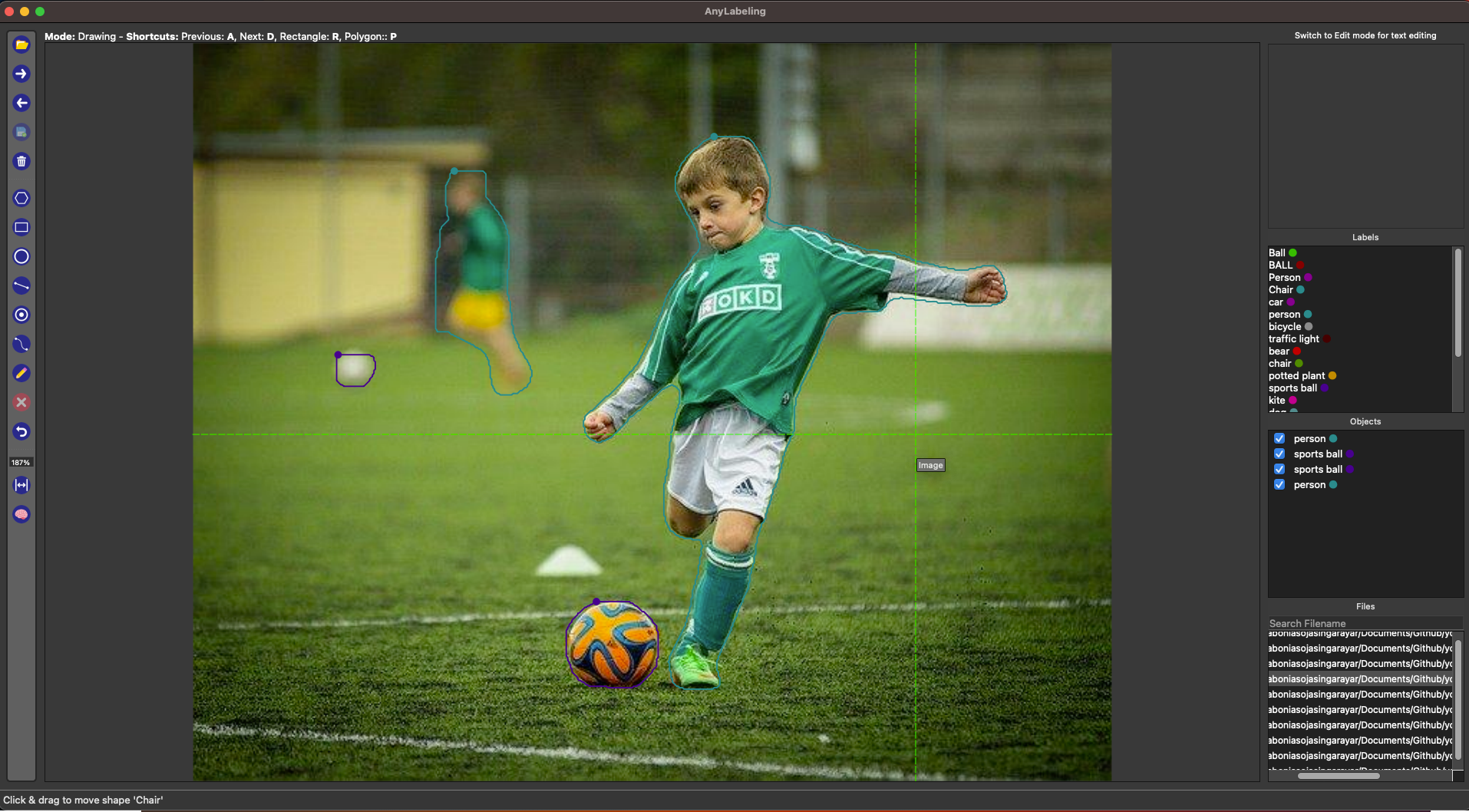 |
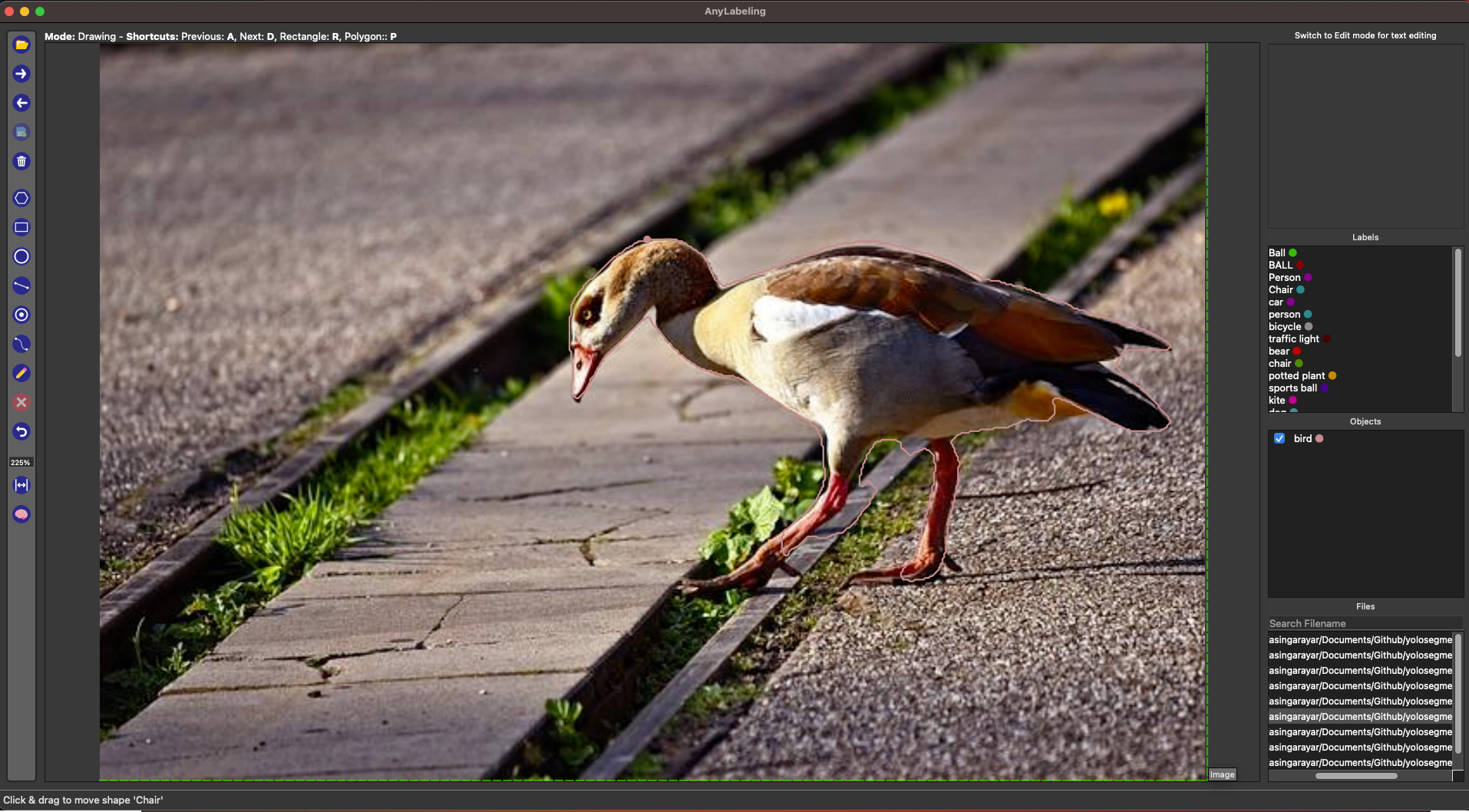 |
| Sample Annotation for Image 1 | Sample Annotation for Image 2 |
| Sample Image 3 | Sample Image 4 |
|---|---|
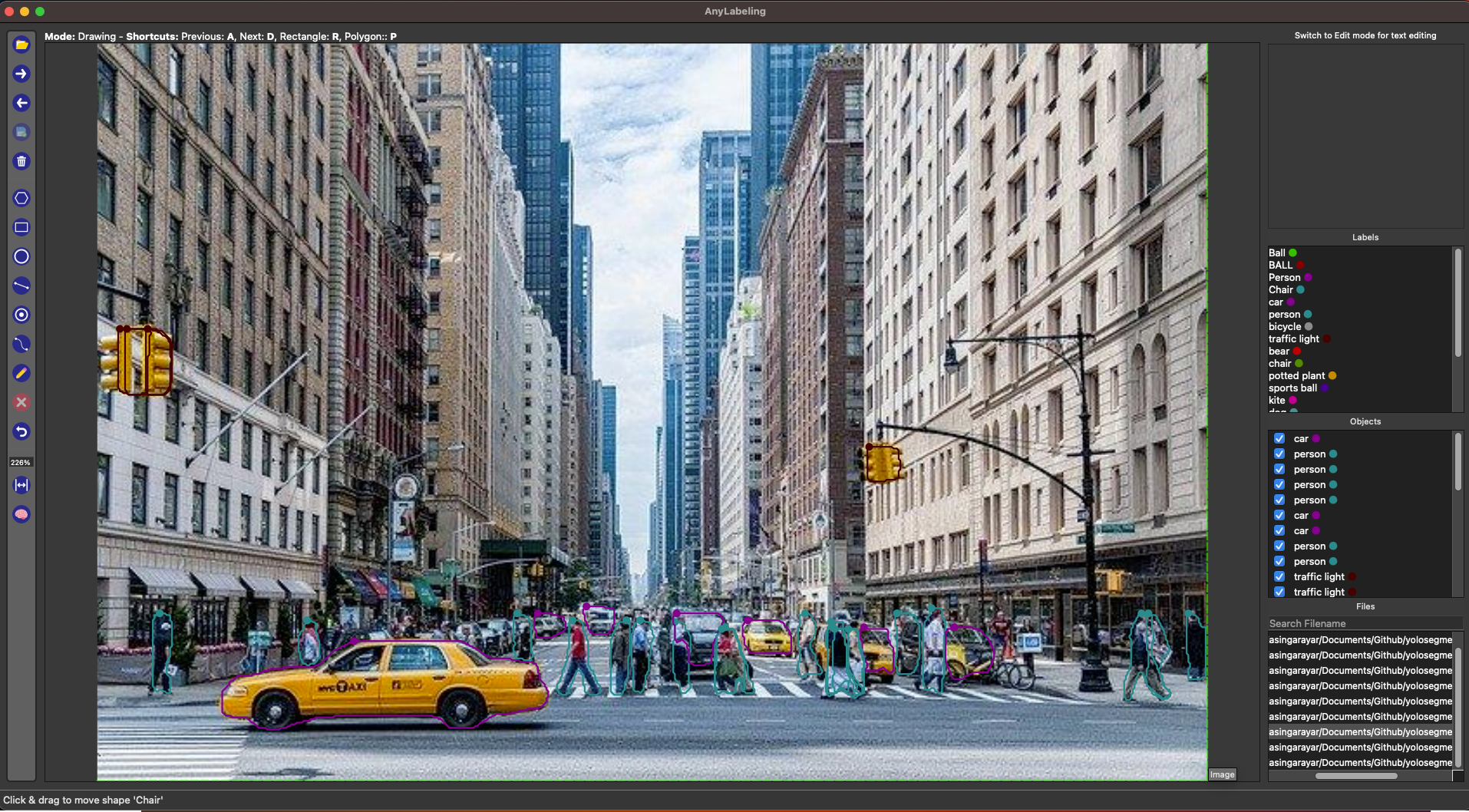 |
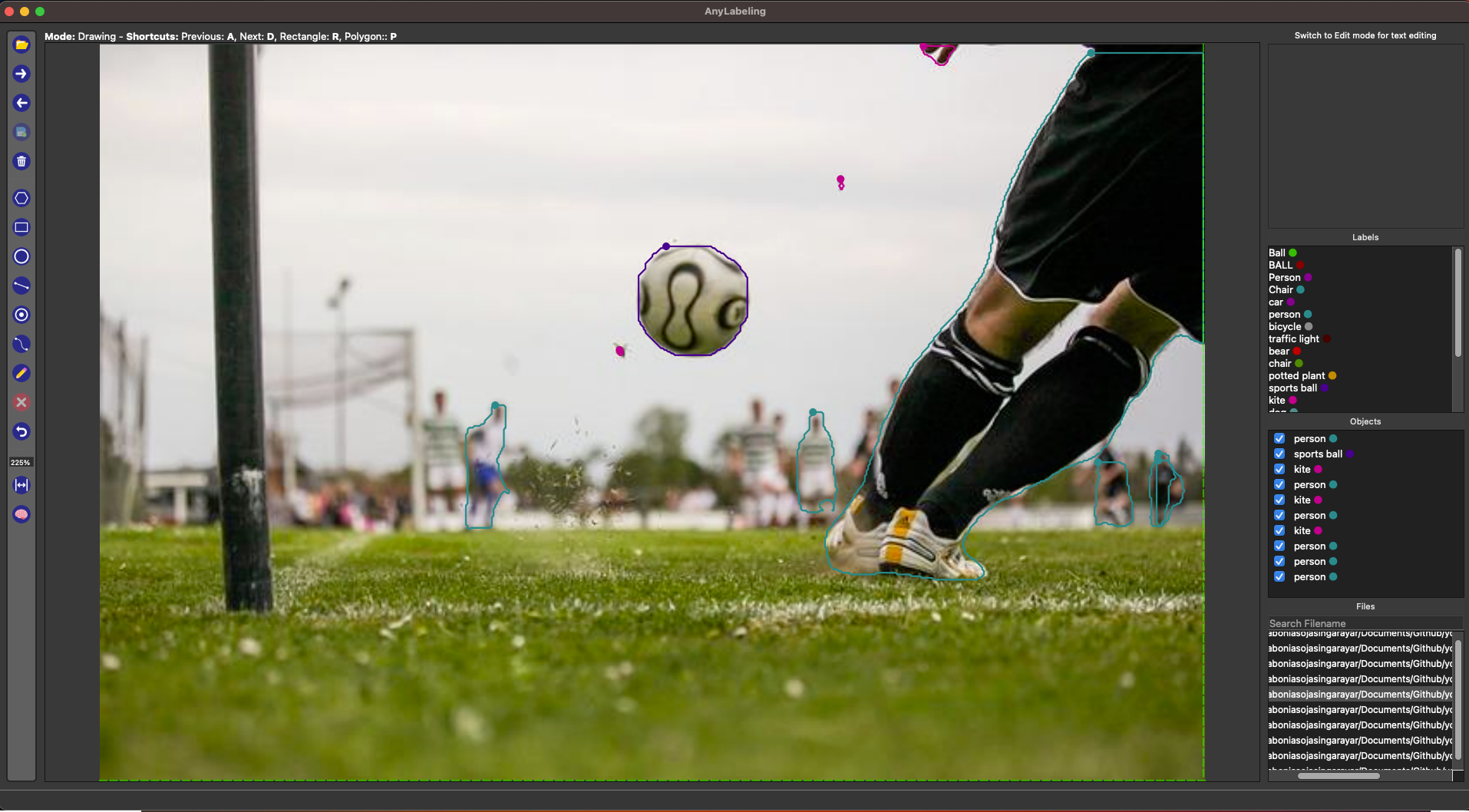 |
| Sample Annotation for Image 3 | Sample Annotation for Image 4 |
Documentation
The documentation for yolosegment2labelme can be found on GitHub: yolosegment2labelme Documentation
Contributing
If you like this work do star to this repo ⭐ and contribute...💁💁💁
Contributions are welcome! If you'd like to contribute to yolosegment2labelme, please check out the Contribution Guidelines.
License
This project is licensed under the MIT License - see the LICENSE file for details.
Authors
- Abonia Sojasingarayar - GitHub
Support
If you encounter any issues or have questions about yolosegment2labelme, please feel free to open an issue on GitHub: yolosegment2labelme Issues
1 maintainer

Metadata
1 maintainer
Release files for yolosegment2labelme 0.0.4
For a detailed explanation of source distributions (sdists) and built distributions (wheels), please see the package formats documentation.
Source distribution (sdist)
| File | Size | Uploaded | |
|---|---|---|---|
| yolosegment2labelme-0.0.4.tar.gz | 6.1 kB | Details |
Built distribution (wheel)
| File | Interpreter | ABI | Platform | Reset |
|---|---|---|---|---|
| yolosegment2labelme-0.0.4-py3-none-any.whl | Python 3 | none | any | Details |
Total release size: 12.4 kB
Release files / yolosegment2labelme-0.0.4.tar.gz
| Download URL | yolosegment2labelme-0.0.4.tar.gz |
|---|---|
| Size | 6.1 kB |
| Tags | Source |
|
SHA-256 checksum How to use checksums |
3ba71c105cbe0740252ebbe0779ec07dd35d15c406c8616d277c329571967de0
|
|
BLAKE2b-256 checksum How to use checksums |
c6770034d6b1a7cfc979a9890a2cd608960021280775d272faac0a01dcc73f9f
|
| Upload date | |
|
Uploaded using Trusted Publishing? What is trusted publishing? |
No |
| Uploaded via |
twine/5.0.0 CPython/3.11.8
|
Release files / yolosegment2labelme-0.0.4-py3-none-any.whl
| Download URL | yolosegment2labelme-0.0.4-py3-none-any.whl |
|---|---|
| Size | 6.3 kB |
| Tags | Python 3 |
|
SHA-256 checksum How to use checksums |
a26aeb58c3aac89a47e15c656942f36d198cdcfe6e8eb6ca835bb500b2276237
|
|
BLAKE2b-256 checksum How to use checksums |
1808f465242cc493ee395d08040fefd7b2ce5bfe3769028ae42143ec5f1f6ffd
|
| Upload date | |
|
Uploaded using Trusted Publishing? What is trusted publishing? |
No |
| Uploaded via |
twine/5.0.0 CPython/3.11.8
|














