
SQLite forensic analysis with local LLMs — ask questions in plain English
Verified details
These details have been verified by PyPIProject links
GitHub Statistics
Maintainers

Project description
yourSQLfriend
Connect SQLite databases to a local LLM. Ask questions in plain English, get SQL queries and results.
Built for offline forensic analysis on a single workstation — no cloud, no telemetry, nothing leaves your machine.




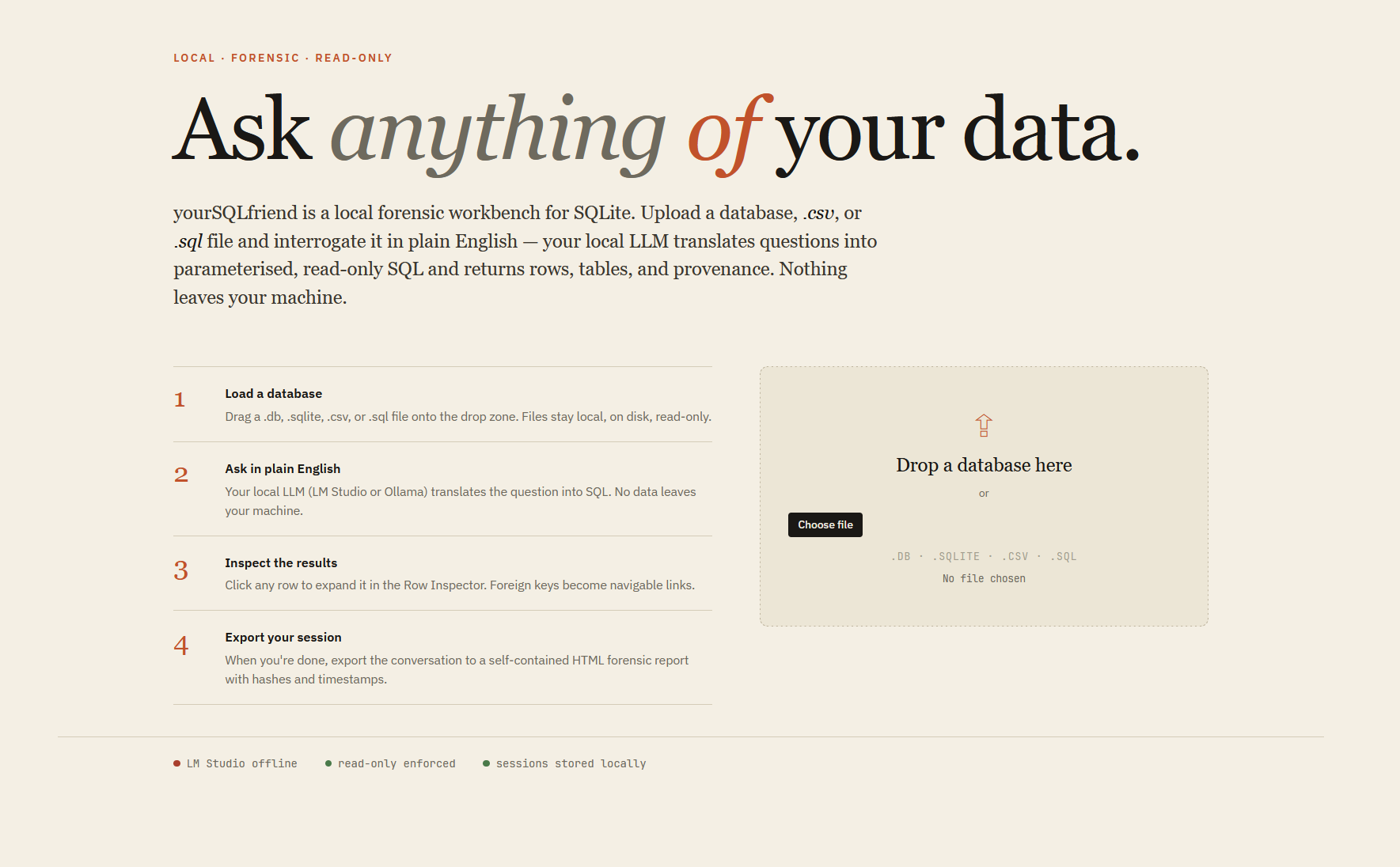
yourSQLfriend is for analysts, investigators, and developers who need to interrogate SQLite databases without sending data anywhere. Load a .db, .sqlite, .csv, or .sql file, ask questions in plain English, and get parameterised read-only SQL with full results — air-gap safe, forensic-grade.
✨ Features
| 🔒 100% Offline | Runs on a local LLM via Ollama or LM Studio. Zero telemetry, air-gap safe |
| 💬 Natural Language | Ask "show me the top 5 customers" and get results + the exact SQL query |
| 🔍 Search All Tables | Find a value across your entire database (⌘K / Ctrl+K) |
| 🪟 Three-Pane Workbench | Schema browser · conversation · Row Inspector |
| 🔎 Row Inspector | Click any result row to expand it; foreign keys become clickable links |
| 🕘 Query History | Per-session panel of every question asked; click to jump back to that turn |
| 📋 Interactive Tables | Sort, filter, paginate results with dark/light theme |
| 💾 Export Sessions | Save your entire chat session as a formatted HTML file with hashes + timestamps |
| 🖥️ Install as App | PWA support — install as a standalone desktop app from Chrome/Edge/Brave |
yourSQLfriend is a desktop-first workbench: on narrow screens (below ~880px) the schema browser and Row Inspector are hidden by design.
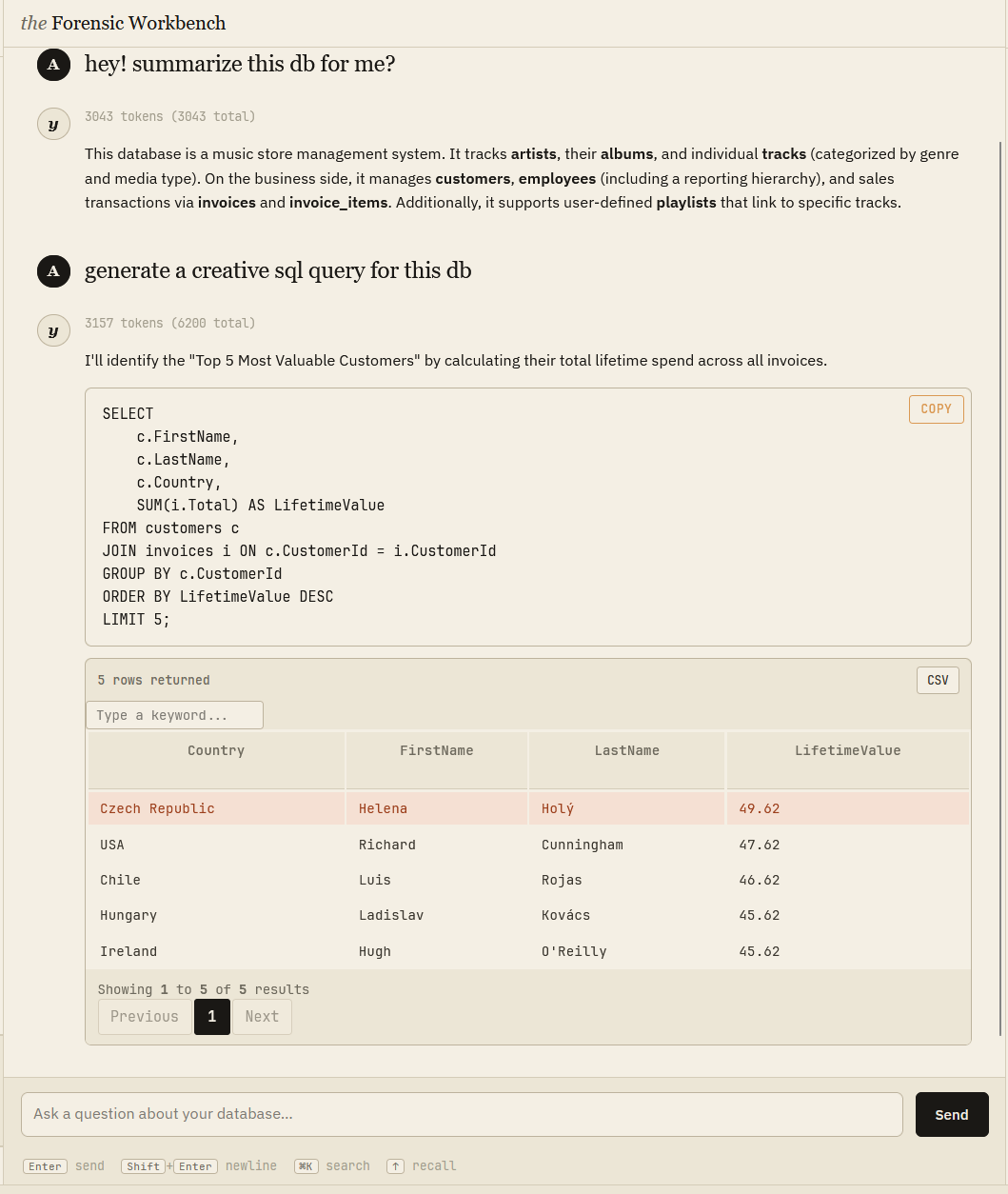
Ask a question in plain English — the LLM writes parameterised read-only SQL, runs it, and returns results you can sort, filter, and export.
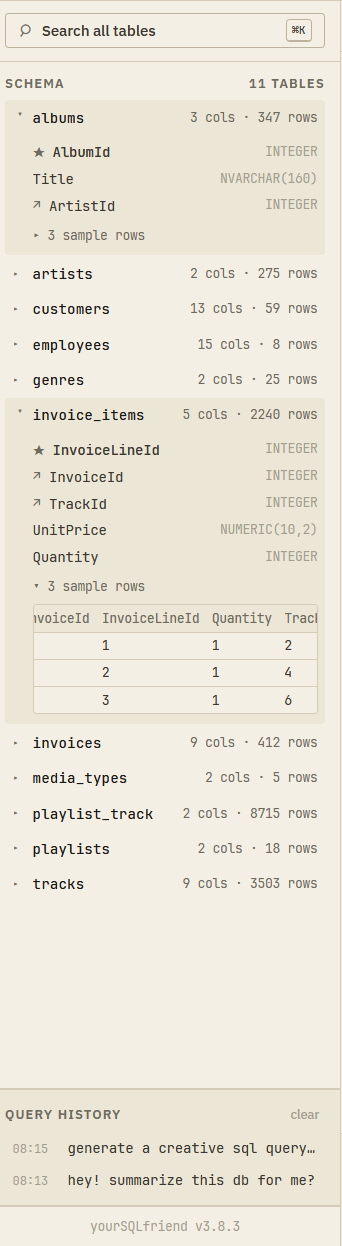
Schema browser & query history
Browse all tables, columns, types, and row counts in the left pane. Query history lives at the bottom — click any entry to jump back.
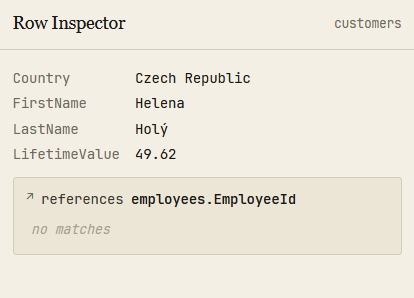
Row Inspector
Click any result row to expand it. Foreign key references become navigable links — follow relationships without writing another query.
🤖 LLM Setup
yourSQLfriend requires a local LLM running before you launch. Set one up first:
Option A: Ollama
ollama pull gemma3:27b   # or a smaller model — see sizes below
ollama serve
Option B: LM Studio
- Download LM Studio
- Load a model
- Start local server on port 1234
Once connected, the provider indicator in the top bar turns green.
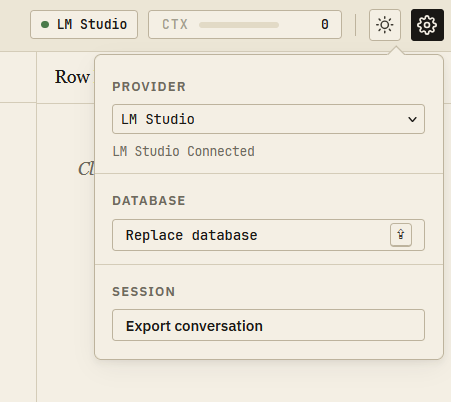
Context window: The system prompt is token-heavy by design. A 16K context window is the minimum; 32K or more is strongly recommended for complex schemas.
LLM model sizes: Smallest → 4B | Mid → 8-9B | Large → 14B | Largest → 26-30B
Recommended LLM families: Qwen | Gemma | Mistral / Devstral
Choosing a model
General chat models (the families above) are the flexible default — they explain schemas well and hold a conversation. If your sessions are SQL-heavy and you're seeing too many failed queries, try a SQL-specialized model: Arctic-Text2SQL-R1-7B (GGUF) outperforms GPT-4o on text-to-SQL benchmarks despite being a 7B model, and loads in LM Studio like any other GGUF. Trade-off: it's a Qwen2.5-Coder fine-tune, so its prose explanations are terser than a general chat model's. A/B both against your own database and keep whichever fails less.
🚀 Quick Start
Prerequisite: Python 3.10+ must be installed, and your LLM must be running (see above).
Linux / macOS
curl -fsSL https://raw.githubusercontent.com/reisset/yourSQLfriend/main/install.sh | sh
Windows (PowerShell)
irm https://raw.githubusercontent.com/reisset/yourSQLfriend/main/install.ps1 | iex
Then launch from any terminal: yoursqlfriend
Options: yoursqlfriend --port 8080, --no-browser, --host 0.0.0.0
Note: The Flask server must be running for the app to work.
yoursqlfriendstarts it automatically — do not close the terminal.
Updating
Re-run the install one-liner above — it upgrades an existing installation in place. Or, equivalently:
pipx upgrade yoursqlfriend
Install with pipx (manual)
pipx install yoursqlfriend
From source (developers)
git clone https://github.com/reisset/yourSQLfriend.git
cd yourSQLfriend
./run.sh          # Linux/macOS
run.bat           # Windows
🛡️ Forensic Integrity
| Read-only guaranteed | SQL validation + SQLite mode=ro block all writes |
| Chain of custody | SHA256 hashes logged, timestamped exports |
| Audit logs | All queries logged to logs/ with daily rotation |
| Air-gap safe | Zero telemetry, works fully offline |
WAL files: The upload process excludes
.db-waland.db-shmfiles. Checkpoint your database first to ensure recent transactions are included.
⚠️ Known Limitations
- Model quality matters. Smaller models will produce incorrect or incomplete SQL on complex schemas. If results look wrong, the query is the first thing to check.
- SQLite only. No support for Postgres, MySQL, or other engines.
- Single database per session. You can replace the loaded database mid-session, but results from different databases are not cross-queryable.
- Complex queries may fail. Heavily nested subqueries, window functions, and non-standard SQLite extensions may exceed what the LLM generates reliably.
📂 Data Storage
All data lives in your home directory:
| Platform | Path |
|---|---|
| Linux / macOS | ~/.yourSQLfriend/ |
| Windows | %APPDATA%\.yourSQLfriend\ |
Contains uploads/, logs/, and sessions/.
Project details
Verified details
These details have been verified by PyPIProject links
GitHub Statistics
Maintainers
Release history Release notifications | RSS feed


Download files
Download the file for your platform. If you're not sure which to choose, learn more about installing packages.
Source Distribution
Built Distribution
Filter files by name, interpreter, ABI, and platform.
If you're not sure about the file name format, learn more about wheel file names.
Copy a direct link to the current filters
File details
Details for the file yoursqlfriend-3.15.0.tar.gz.
File metadata
- Download URL: yoursqlfriend-3.15.0.tar.gz
- Upload date:
- Size: 758.1 kB
- Tags: Source
- Uploaded using Trusted Publishing? Yes
- Uploaded via: twine/6.1.0 CPython/3.13.12
File hashes
| Algorithm | Hash digest | |
|---|---|---|
| SHA256 |
f4b2663a7619b4679e032eca4ac55c21a71a5b0b7af08012c834dbb2dc20e744
|
|
| MD5 |
94e36e7440a0b012c302a9e8cd32da81
|
|
| BLAKE2b-256 |
8d34dc3819e4639114100b3b64f444b5d2285bc693acb2e9eebb113ab9c4292e
|
Provenance
The following attestation bundles were made for yoursqlfriend-3.15.0.tar.gz:
Publisher:
publish.yml on reisset/yourSQLfriend
-
Statement:
-
Statement type:
https://in-toto.io/Statement/v1 -
Predicate type:
https://docs.pypi.org/attestations/publish/v1 -
Subject name:
yoursqlfriend-3.15.0.tar.gz -
Subject digest:
f4b2663a7619b4679e032eca4ac55c21a71a5b0b7af08012c834dbb2dc20e744 - Sigstore transparency entry: 2088438810
- Sigstore integration time:
-
Permalink:
reisset/yourSQLfriend@9dee79a13961b9b9fd235416d3fbb82d9059882e -
Branch / Tag:
refs/tags/v3.15.0 - Owner: https://github.com/reisset
-
Access:
public
-
Token Issuer:
https://token.actions.githubusercontent.com -
Runner Environment:
github-hosted -
Publication workflow:
publish.yml@9dee79a13961b9b9fd235416d3fbb82d9059882e -
Trigger Event:
push
-
Statement type:
File details
Details for the file yoursqlfriend-3.15.0-py3-none-any.whl.
File metadata
- Download URL: yoursqlfriend-3.15.0-py3-none-any.whl
- Upload date:
- Size: 771.3 kB
- Tags: Python 3
- Uploaded using Trusted Publishing? Yes
- Uploaded via: twine/6.1.0 CPython/3.13.12
File hashes
| Algorithm | Hash digest | |
|---|---|---|
| SHA256 |
d309938167c7a078d11396299b3d4617b66406dde52599414da4544b1f7d9a71
|
|
| MD5 |
89b667a83fb26d035fb078c5578b5c69
|
|
| BLAKE2b-256 |
8a437ae0b18f792f9143ed4d93ff1bb5e9c4e684a32dbc617c9a1a3158427860
|
Provenance
The following attestation bundles were made for yoursqlfriend-3.15.0-py3-none-any.whl:
Publisher:
publish.yml on reisset/yourSQLfriend
-
Statement:
-
Statement type:
https://in-toto.io/Statement/v1 -
Predicate type:
https://docs.pypi.org/attestations/publish/v1 -
Subject name:
yoursqlfriend-3.15.0-py3-none-any.whl -
Subject digest:
d309938167c7a078d11396299b3d4617b66406dde52599414da4544b1f7d9a71 - Sigstore transparency entry: 2088439155
- Sigstore integration time:
-
Permalink:
reisset/yourSQLfriend@9dee79a13961b9b9fd235416d3fbb82d9059882e -
Branch / Tag:
refs/tags/v3.15.0 - Owner: https://github.com/reisset
-
Access:
public
-
Token Issuer:
https://token.actions.githubusercontent.com -
Runner Environment:
github-hosted -
Publication workflow:
publish.yml@9dee79a13961b9b9fd235416d3fbb82d9059882e -
Trigger Event:
push
-
Statement type:






