
YouTube Video Sorter
Simple tool to sort videos with directories by channel
How to use?
What you need:
- Python 3
- A directory full of videos downloaded with
yt-dlp - A YouTube API key
Installation
$ pipx install youtubevideosorter
Getting an API key
Go to Google Cloud Console, create a new project if needed
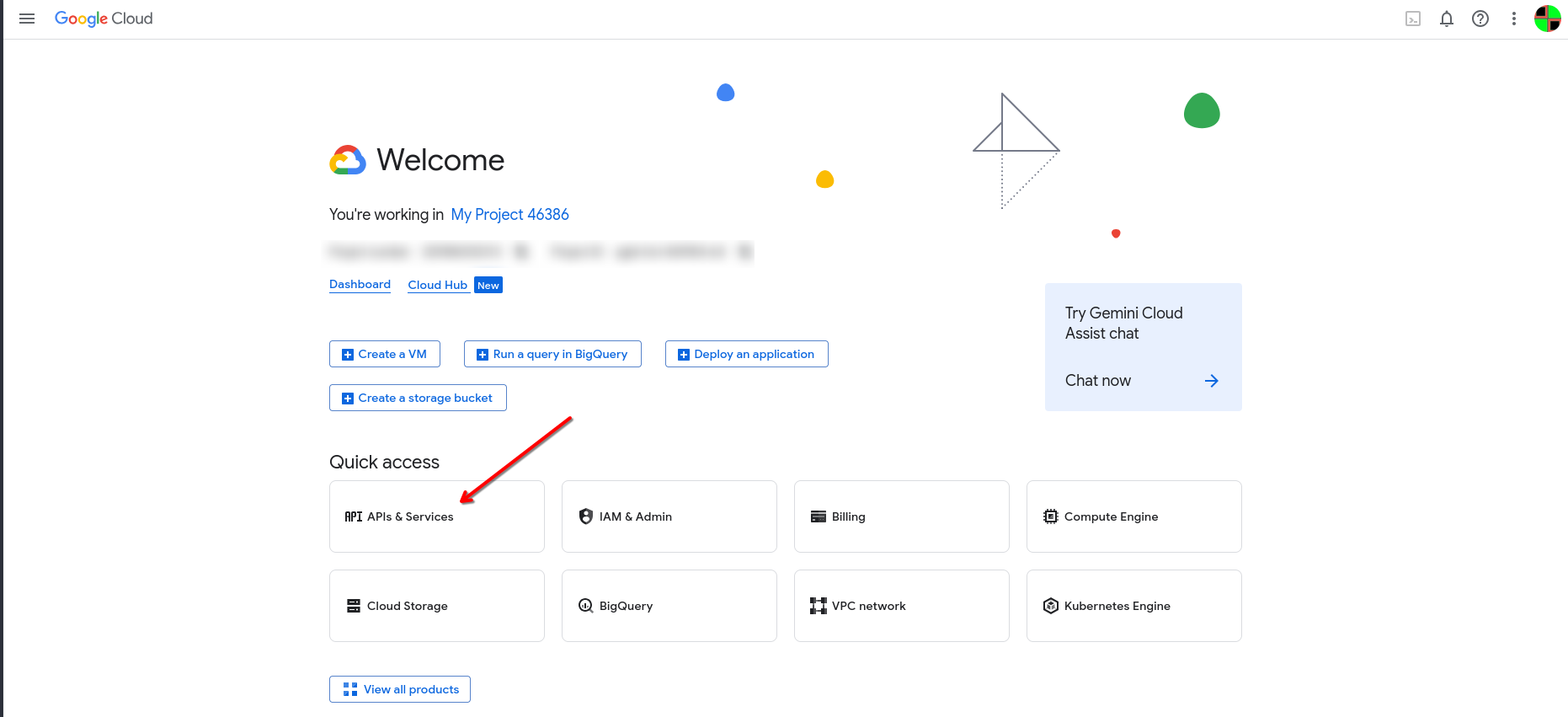
In the "Quick Access" section, click "APIs & Services"
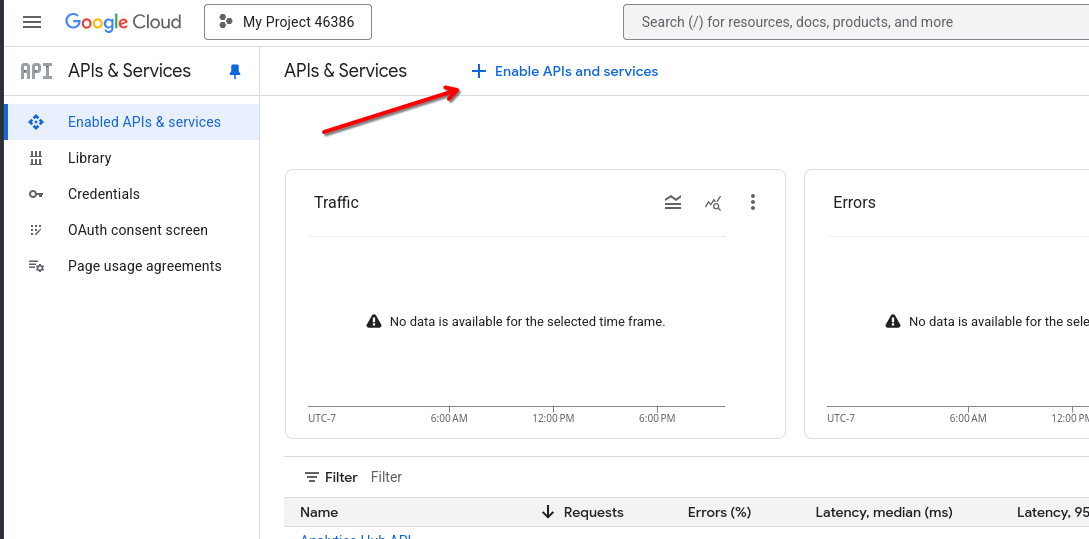
Click the "+ Enable APIs & services" button
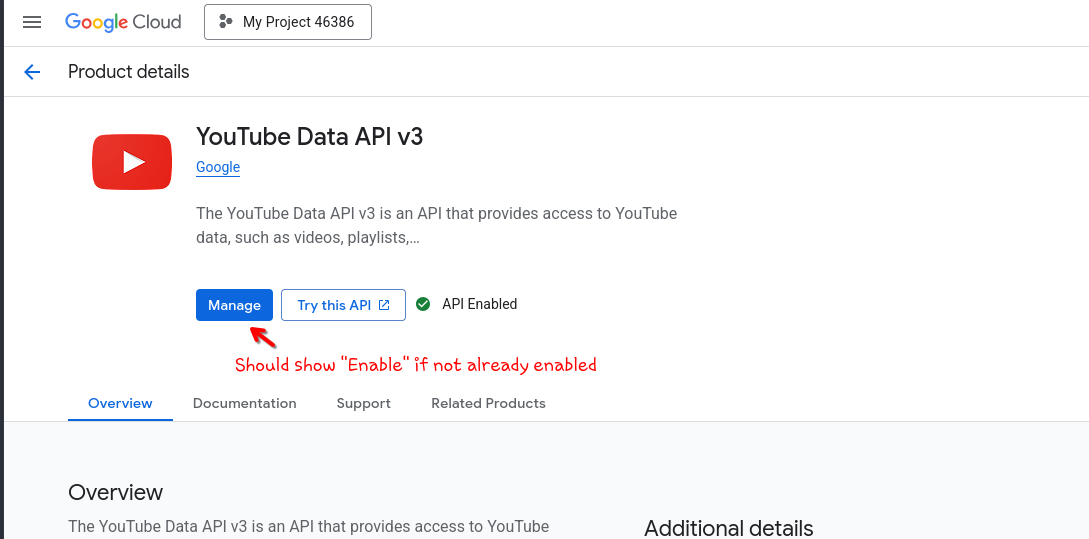
Search and enable "YouTube Data API v3"
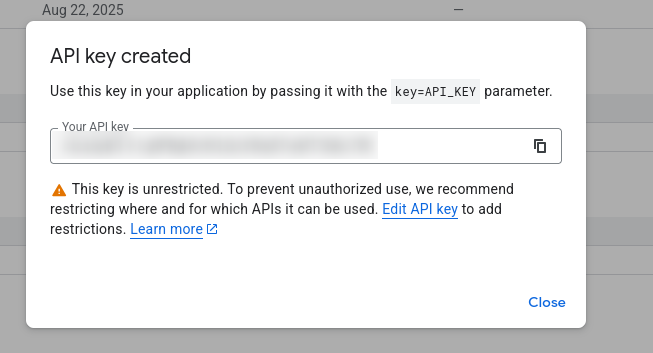
On the right side of the screen, click the "Credentials" section, click "+ Create credentials" and click "API key"
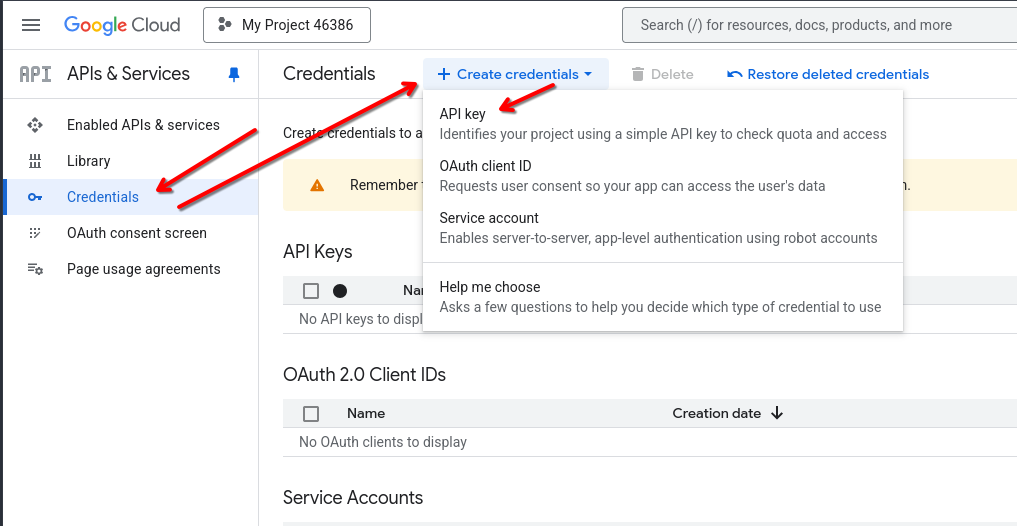
Now you have your API key!
Usage
Make sure your current working directory is the directory full of videos.
$ ytvs [api key]
Now your videos will be sorted with this directory structure:
- Channel Name (@handle)
- Shorts
- Some Short [video id].mp4
- Some video [video id].mp4
- Shorts
1 maintainer

Metadata
1 maintainer
Release files for youtubevideosorter 1.2
For a detailed explanation of source distributions (sdists) and built distributions (wheels), please see the package formats documentation.
Source distribution (sdist)
| File | Size | Uploaded | |
|---|---|---|---|
| youtubevideosorter-1.2.tar.gz | 3.6 kB | Details |
Built distribution (wheel)
| File | Interpreter | ABI | Platform | Reset |
|---|---|---|---|---|
| youtubevideosorter-1.2-py3-none-any.whl | Python 3 | none | any | Details |
Total release size: 7.8 kB
Release files / youtubevideosorter-1.2.tar.gz
| Download URL | youtubevideosorter-1.2.tar.gz |
|---|---|
| Size | 3.6 kB |
| Tags | Source |
|
SHA-256 checksum How to use checksums |
e6c0de760c7aca701381f1940dd130b9805e2ee8fded12bf9708b950f44591ca
|
|
BLAKE2b-256 checksum How to use checksums |
0f6652e0e094465639aba802b37eef7b9ee1c9176b55955cae5621b62bf18b7c
|
| Upload date | |
|
Uploaded using Trusted Publishing? What is trusted publishing? |
No |
| Uploaded via |
twine/6.1.0 CPython/3.9.23
|
Release files / youtubevideosorter-1.2-py3-none-any.whl
| Download URL | youtubevideosorter-1.2-py3-none-any.whl |
|---|---|
| Size | 4.2 kB |
| Tags | Python 3 |
|
SHA-256 checksum How to use checksums |
d976cb85399202da846d6d0e7c63e528625794dace8a1a9c362ea9a9590aa118
|
|
BLAKE2b-256 checksum How to use checksums |
8637fce18e22e9a4e7ad148a875bb2074fdec5475842021686fe26ed0cd91b83
|
| Upload date | |
|
Uploaded using Trusted Publishing? What is trusted publishing? |
No |
| Uploaded via |
twine/6.1.0 CPython/3.9.23
|














