
Yspeed is a library that scrapes the Speedtest site

Project description

Description 🌵
YSpeed is a Python library that scrapes the Speedtest site using Selenium and displays the results with Rich. This library makes it easy to retrieve internet connection speed data (upload, download and latency) in an automated manner and display it elegantly using the Rich library.
Features 🎈
- Speedtest.net site scraping with Selenium
- Retrieve internet connection speed results (upload, download and latency)
- Display results with Rich for better readability
Installation ⚙️
Make sure you have Python 3.6 or later installed. To install YSpeed, use the following command:
pip install yspeed
or :
Clone the Project
git clone https://github.com/Foufou-exe/Yspeed
Go to the directory
cd Yspeed
Install the dependencies
pip install -r requirements.txt
Run the Yspeed.py script
python yspeed.py
Usage 🖥️
Example 1
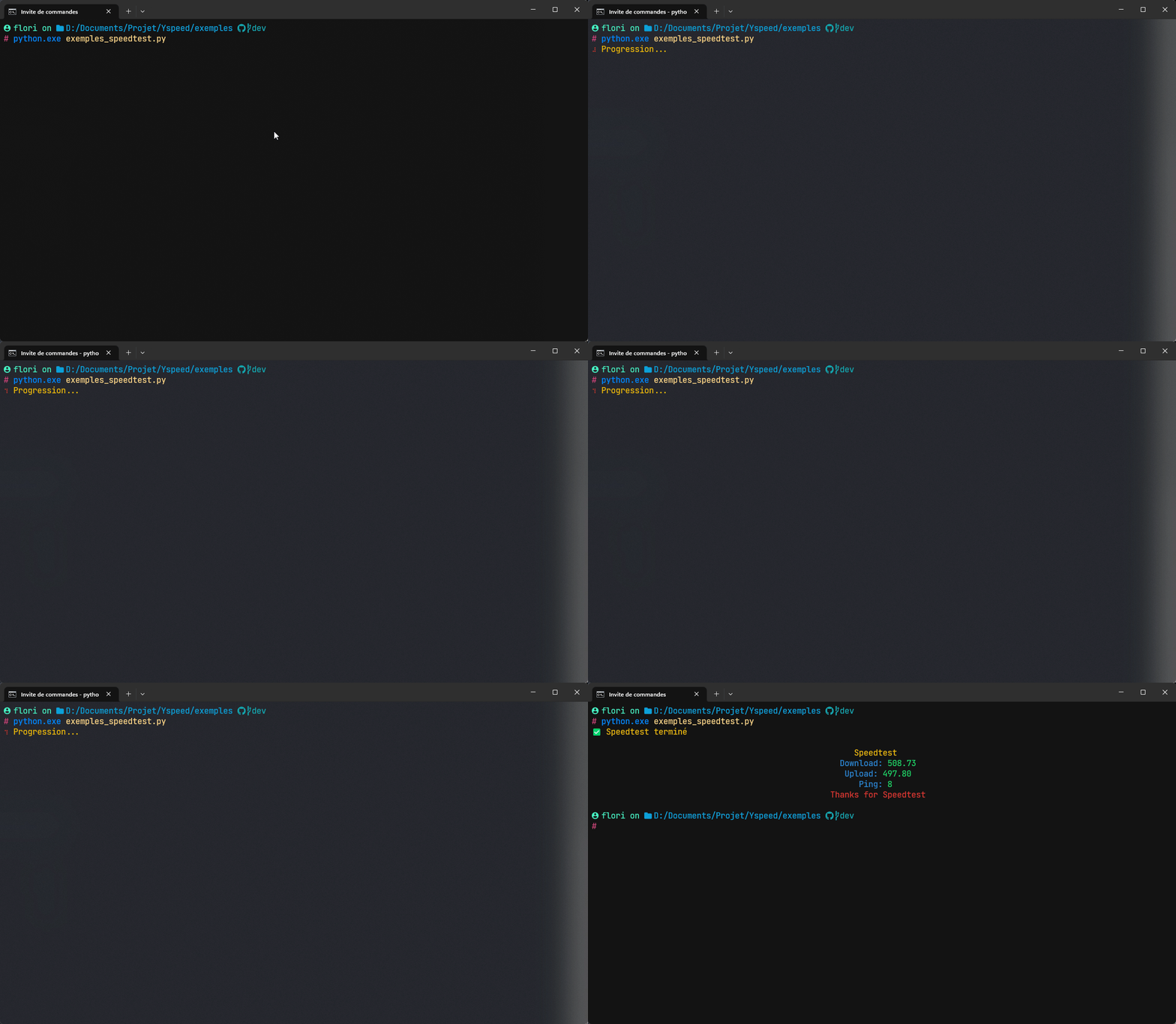
Here is an example of how to use the YSpeed library:
from yspeed import Yspeed

ys = Yspeed()
result = ys.run_speedtest()
ys.display_results(result)
🎬 Example 1
Example 2
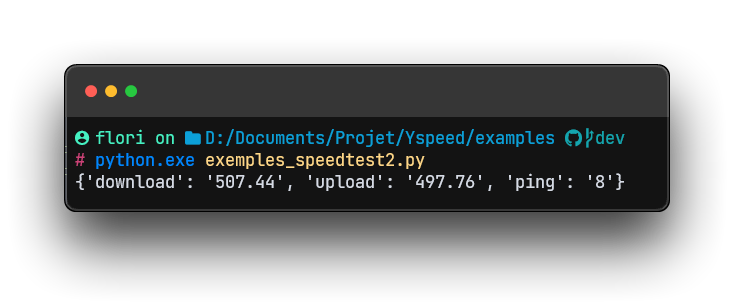
Here are the results that will come out when you use .run_speedtest.
from yspeed import Yspeed

ys = Yspeed()
result = ys.get_speedtest()
print(result)
🔍 Example 1
Dependencies
YSpeed depends on the following libraries:
- selenium
- rich
- holo
Make sure you also have a Selenium-compatible driver installed for your preferred browser (Chrome, Firefox, etc.).
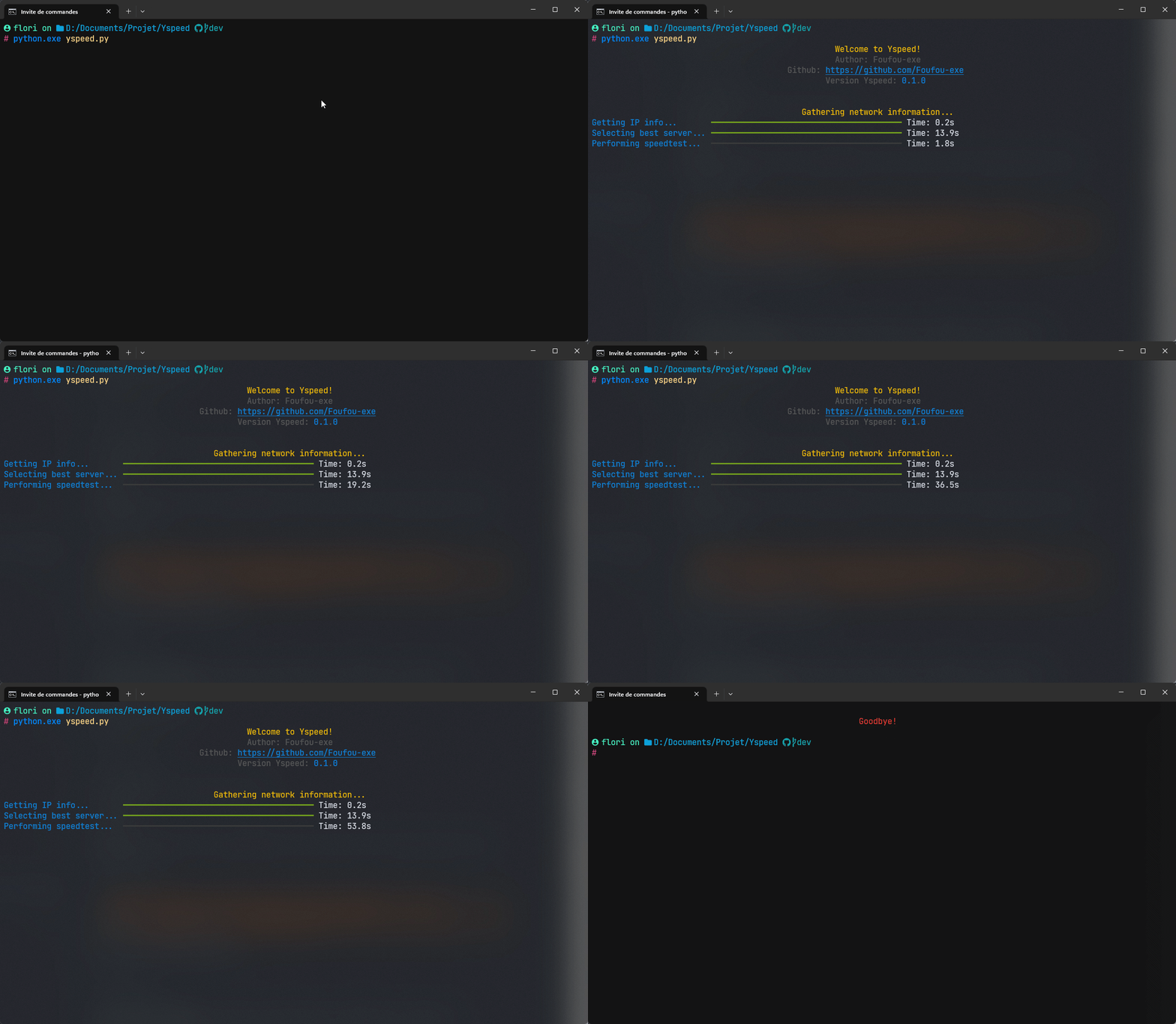
Use screen
🎬 Yspeed
Contribution
Feel free to contribute to this project by opening issues or submitting pull requests. All contributions are welcome.
License
YSpeed is distributed under the MIT license. See the LICENSE file for more information.


Download files
Download the file for your platform. If you're not sure which to choose, learn more about installing packages.
Source Distribution
Built Distribution
Filter files by name, interpreter, ABI, and platform.
If you're not sure about the file name format, learn more about wheel file names.
Copy a direct link to the current filters
File details
Details for the file yspeed-0.1.3.tar.gz.
File metadata
- Download URL: yspeed-0.1.3.tar.gz
- Upload date:
- Size: 10.7 kB
- Tags: Source
- Uploaded using Trusted Publishing? No
- Uploaded via: twine/4.0.2 CPython/3.11.1
File hashes
| Algorithm | Hash digest | |
|---|---|---|
| SHA256 |
70b04e08b59433f315d3392867388aa1be87e57be81c17ebc88fc596e482e6de
|
|
| MD5 |
7afdc17e36195fd9e393847aea5a493f
|
|
| BLAKE2b-256 |
e8358ff8a930e880c82745f759d3118e578e4cd8900fc1a938184de6cbd186fb
|
File details
Details for the file yspeed-0.1.3-py3-none-any.whl.
File metadata
- Download URL: yspeed-0.1.3-py3-none-any.whl
- Upload date:
- Size: 11.0 kB
- Tags: Python 3
- Uploaded using Trusted Publishing? No
- Uploaded via: twine/4.0.2 CPython/3.11.1
File hashes
| Algorithm | Hash digest | |
|---|---|---|
| SHA256 |
71b01765d2ed739f9ea68090f8811ff1b02f114ffc2b38bdc9675702068f11da
|
|
| MD5 |
2bc8c3444163c87c7cae8dd95ecca4ad
|
|
| BLAKE2b-256 |
a58f44d1a3b1deb6ffff8d28ca4c55b7f91e6aed06d5e680ef5289f1e3eb4cf0
|






