
🎞 yt-concate-py



yt-concate-py is a Python app to produce a consolidated video by concatenating YouTube video clips that mention a specific word from user's input.
Description
YouTube is the largest and the most popular video-sharing platform.
As a YouTube user and a python programmer, I was building something related to my interest with a tutorial, then yt-concate-py was born.
With this app, you can easily extract and concatenate video clips by a topic word that interested you the most from a YouTube channel.
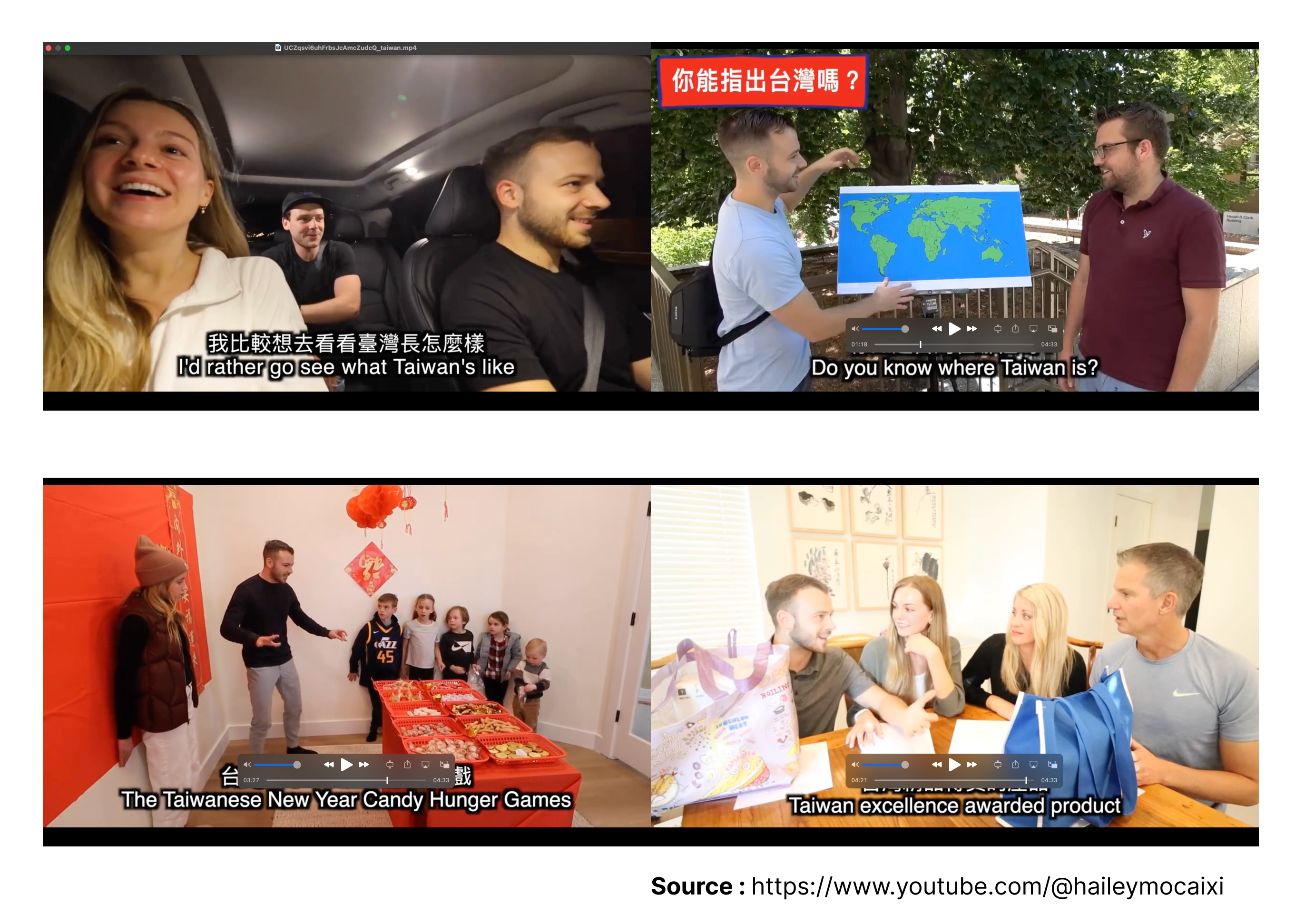
For example, these are screenshots of the output video that concatenates video clips mentioned "taiwan" from the YouTube channel of 莫彩曦Hailey.
Features
- supports in all languages
(As long as the language for a word is the same as the language for the first subtitle option of a video) - supports for customizing the number of clips to be concatenated
(Default number: 10)
Quickstart
Using the command line interface
Clone this repo from GitHub to your local directory
git clone https://github.com/whygreedy/yt-concate-py.git
Change directory to the repo folder just downloaded
cd yt-concate-py
Add .env file that includes your YouTube Data API Key to the repo folder
# your .env file
API_KEY=<your YouTube Data API Key>
Create venv
virtualenv venv
Activate venv
source venv/bin/activate
Install dependencies
pip install -r requirements.txt
Change directory to the folder that includes main.py file
cd yt_concate_py
Execute main.py file
python3 main.py -c <channel_id> -s <search_term> -l <limit>
If you want to concatenate a large number of clips, you could change ulimit to 2048 in terminal with command line
ulimit -n 2048to avoid error message [Errno 24] Too many open files
Using yt-concate-py in a Python script
Create venv
virtualenv venv
Activate venv
source venv/bin/activate
Install from PyPI with pip
pip install yt-concate-py
Add .env file that includes your YouTube Data API Key
# your .env file
API_KEY=<your YouTube Data API Key>
Import the package and execute it with a Python Script
# your Python script
from yt_concate_py import main

main.main()
Example & Result
Using the command line interface
concatenate video clips that mentioned "BMW" from default YouTube channel of Supercar Blondie
python3 main.py -s BMW -l 20

concatenate video clips that mentioned "可愛" from the YouTube channel of 金魚腦Goldfish Brain
python3 main.py -c UCTT5gtQU5rX8sUQnZaBqiVw -s 可愛 -l 30

Reference
1 maintainer

Metadata
1 maintainer
Release files for yt-concate-py 0.1.6
For a detailed explanation of source distributions (sdists) and built distributions (wheels), please see the package formats documentation.
Source distribution (sdist)
| File | Size | Uploaded | |
|---|---|---|---|
| yt_concate_py-0.1.6.tar.gz | 11.5 kB | Details |
Built distribution (wheel)
| File | Interpreter | ABI | Platform | Reset |
|---|---|---|---|---|
| yt_concate_py-0.1.6-py3-none-any.whl | Python 3 | none | any | Details |
Total release size: 25.7 kB
Release files / yt_concate_py-0.1.6.tar.gz
| Download URL | yt_concate_py-0.1.6.tar.gz |
|---|---|
| Size | 11.5 kB |
| Tags | Source |
|
SHA-256 checksum How to use checksums |
369e88df6c8999b635062ca29286264f5bf55ced9efd936ee773b47439275eef
|
|
BLAKE2b-256 checksum How to use checksums |
4847311a7c3c50e466e7eef182abe0541c1ab4b58a4bbb298735bd492551796f
|
| Upload date | |
|
Uploaded using Trusted Publishing? What is trusted publishing? |
No |
| Uploaded via |
twine/5.0.0 CPython/3.9.7
|
Release files / yt_concate_py-0.1.6-py3-none-any.whl
| Download URL | yt_concate_py-0.1.6-py3-none-any.whl |
|---|---|
| Size | 14.2 kB |
| Tags | Python 3 |
|
SHA-256 checksum How to use checksums |
25ec54ec7de279d5131cbb7e878f589205cf6411d62efb19497a5f97960bb810
|
|
BLAKE2b-256 checksum How to use checksums |
a72ccb5c3712d77af5817a02ebd673c55505408846109ea99f6eadde275953ef
|
| Upload date | |
|
Uploaded using Trusted Publishing? What is trusted publishing? |
No |
| Uploaded via |
twine/5.0.0 CPython/3.9.7
|














