
yt-dlp TUI


A terminal user interface for yt-dlp built with Textual. It provides format inspection, playlist item selection, download progress, persistent history, resumable interrupted downloads, and independently managed yt-dlp and FFmpeg binaries.
This project is not affiliated with yt-dlp. Please use it only for content you are permitted to download.
Screenshots
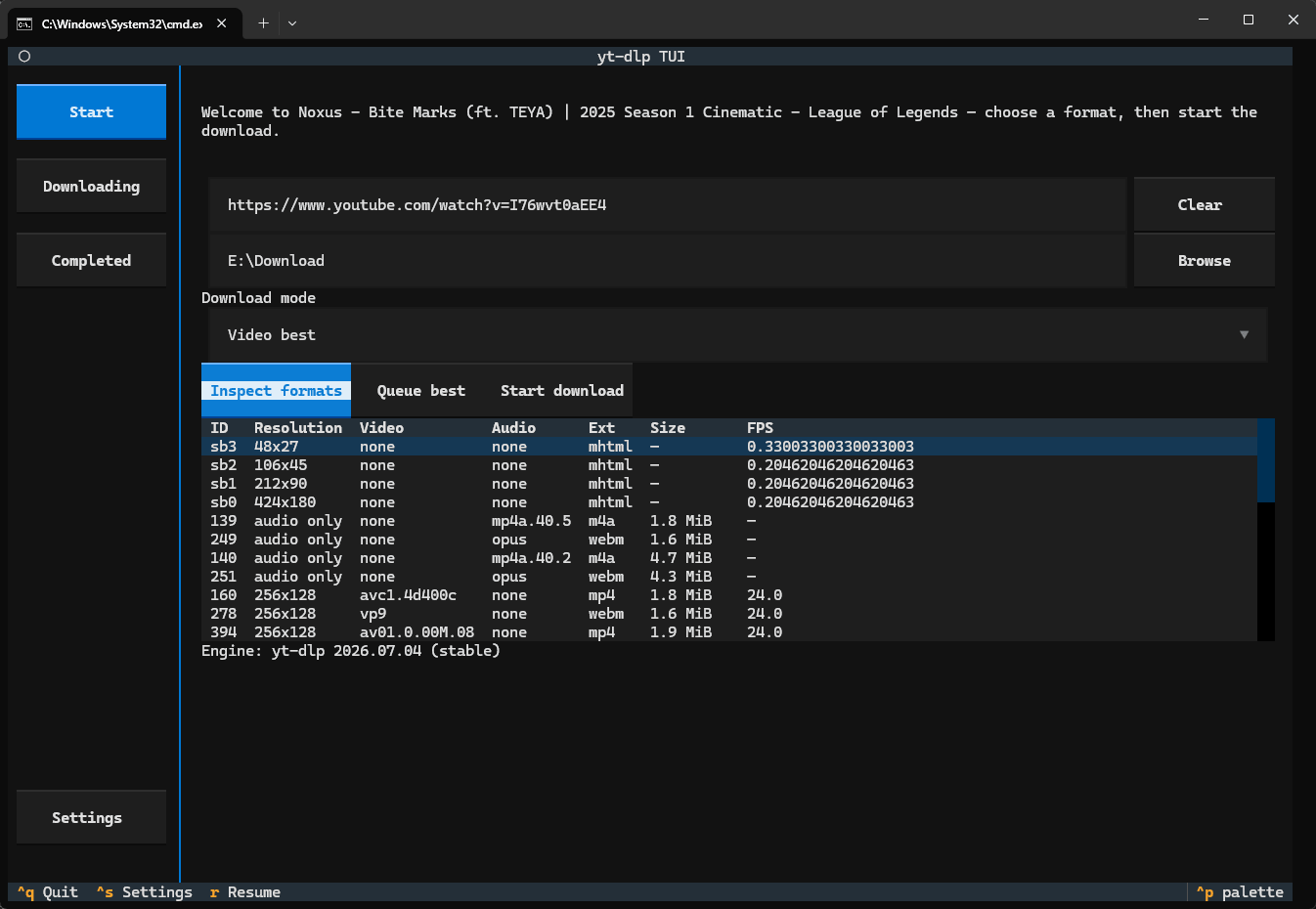
Start a download
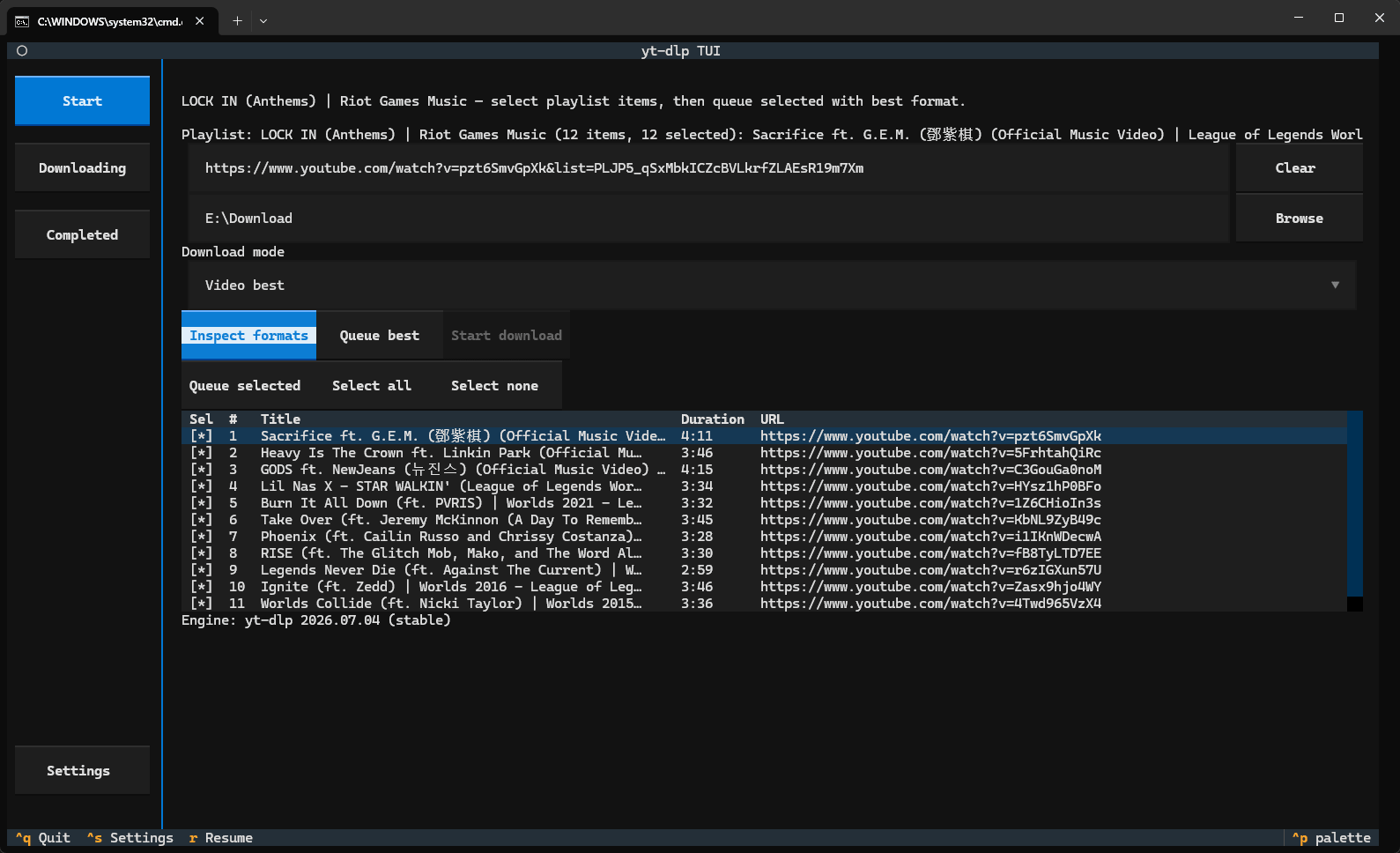
Inspect a playlist
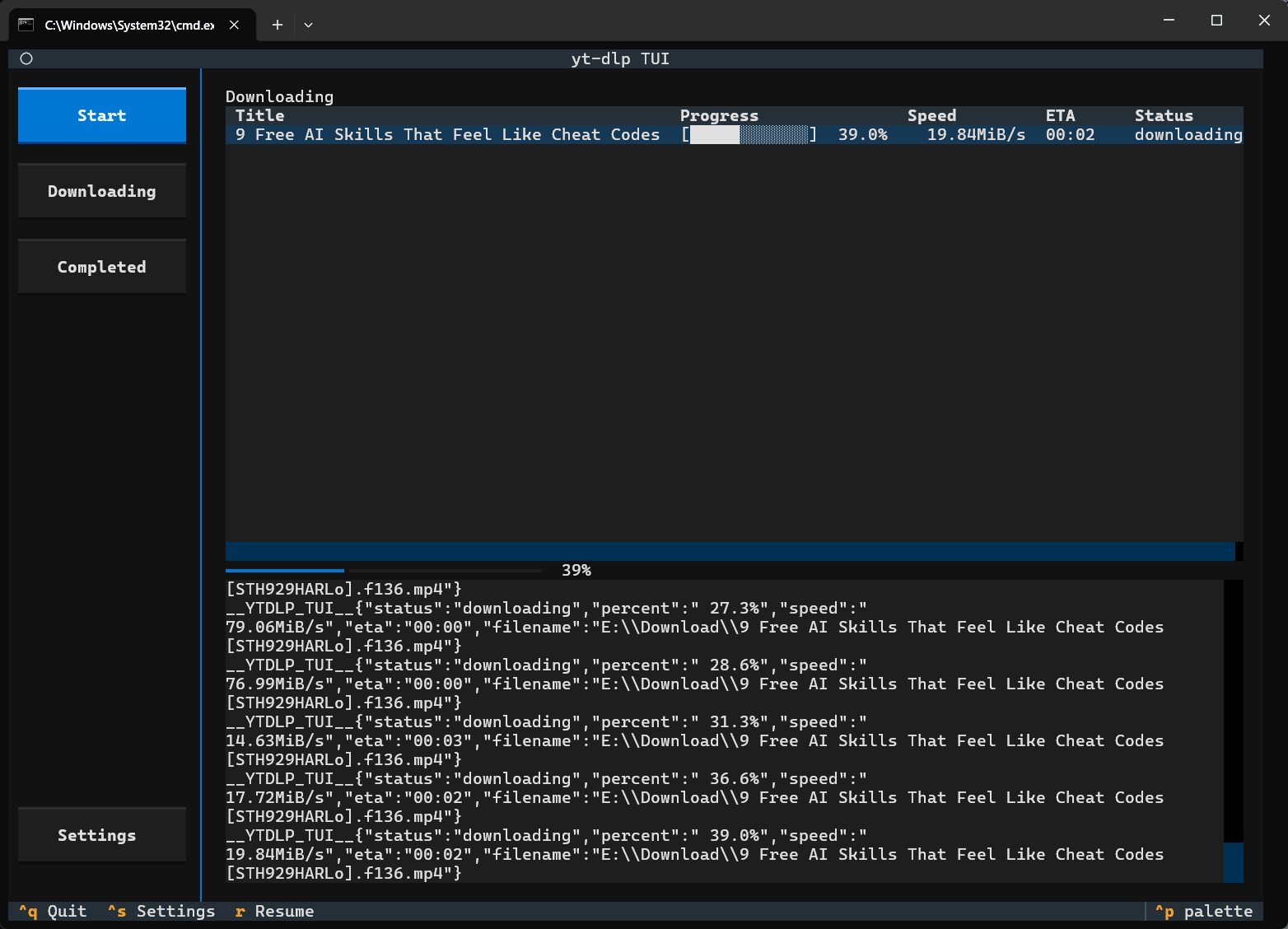
Track downloads
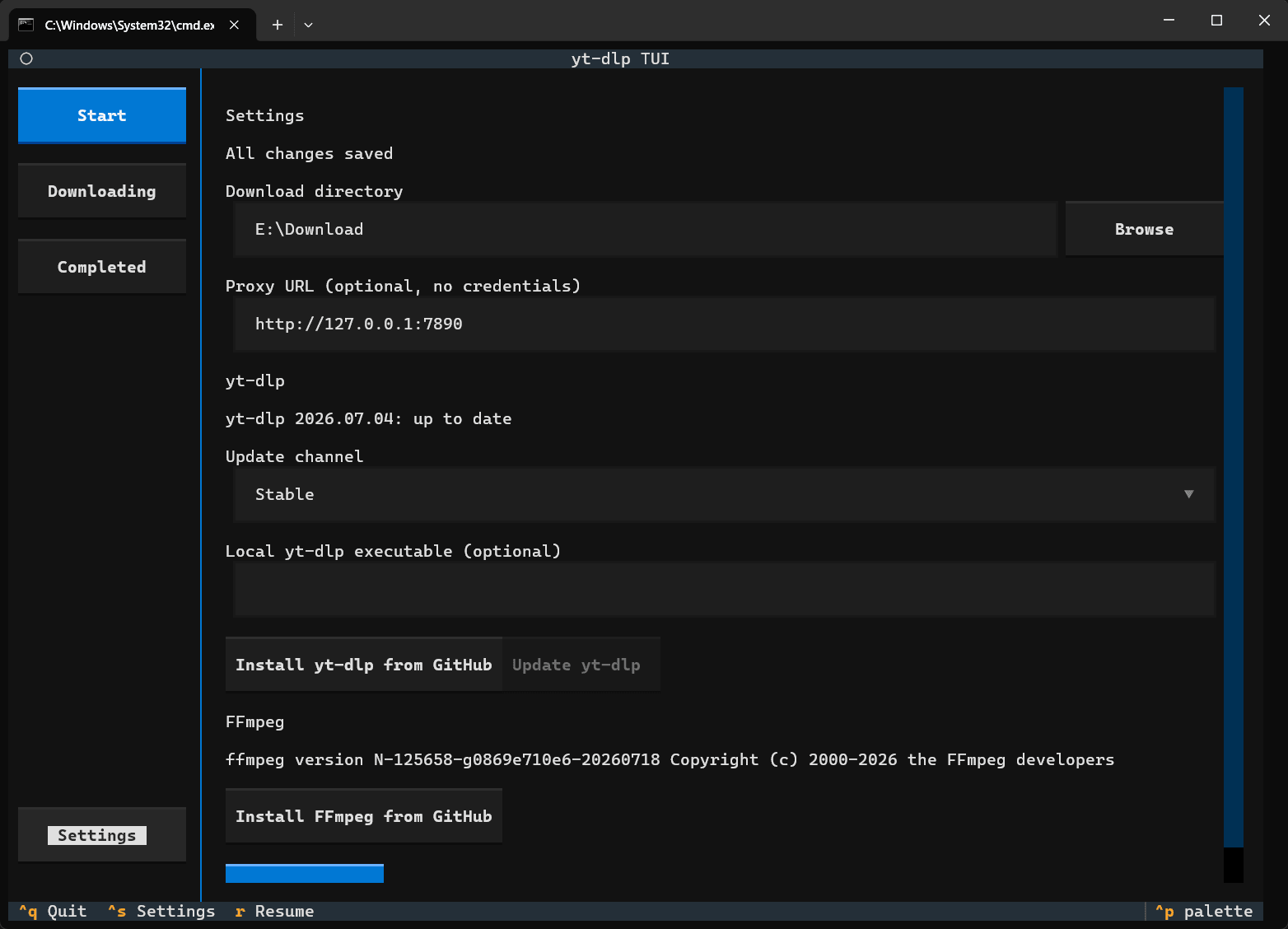
Configure the download engine
Features
- Inspect video and playlist URLs before downloading.
- Select playlist items before queueing them, while single videos still use format selection.
- Choose from available yt-dlp format IDs.
- Automatically add the best available audio stream to video-only formats and merge with FFmpeg.
- Show active downloads with a text progress bar, speed, ETA, and live yt-dlp output.
- Persist completed, failed, and interrupted tasks in per-user JSON history.
- Resume interrupted tasks with yt-dlp's
--continuesupport. - Open a completed file, reveal it in the system file manager, or copy its path.
- Install and update yt-dlp independently from the TUI application.
- Install FFmpeg from GitHub on Windows.
- Use an optional HTTP(S) proxy for engine installation, update checks, metadata extraction, and downloads.
Requirements
- Python 3.11 or newer
- uv for development or local installation
- Windows is the primary supported platform at present. FFmpeg auto-install currently targets Windows x64.
Installation
Run with uvx (recommended)
Run the latest published version without installing it permanently:
uvx yt-dlp-tui
From PyPI
pip install yt-dlp-tui
yt-dlp-tui
From source
git clone https://github.com/z4none/yt-dlp-tui.git
cd yt-dlp-tui
uv sync --all-groups
uv run yt-dlp-tui
Quick start
- Open Settings from the sidebar.
- Set the default download directory and, if needed, an HTTP(S) proxy.
- Install yt-dlp from GitHub. The app checks the selected
stableornightlychannel in the background and offers an update when one is available. - Install FFmpeg from GitHub to merge separate video and audio streams automatically.
- Open Start, paste a URL, inspect formats, select one, and begin downloading.
Notes on downloads
- A video-only format requires FFmpeg to merge it with audio. The app automatically selects
FORMAT_ID+bestaudio/bestwhen appropriate. - The Downloading page includes raw yt-dlp output. Task logs are also written to the application's per-user data directory.
- Interrupted downloads are marked as failed after restart, but can be resumed from Completed.
Development
uv sync --all-groups
uv run ruff check .
uv run pytest -q
uv run yt-dlp-tui
Build and publish
uv build
uv publish --publish-url https://upload.pypi.org/legacy/
Use a PyPI API token through UV_PUBLISH_TOKEN; never commit publishing credentials.
License
Distributed under the MIT License.
1 maintainer

Metadata
1 maintainer
Release files for yt-dlp-tui 0.1.3
For a detailed explanation of source distributions (sdists) and built distributions (wheels), please see the package formats documentation.
Source distribution (sdist)
| File | Size | Uploaded | Provenance | |
|---|---|---|---|---|
| yt_dlp_tui-0.1.3.tar.gz | 151.9 kB | Without provenance | Details |
Built distribution (wheel)
| File | Interpreter | ABI | Platform | Reset |
|---|---|---|---|---|
| yt_dlp_tui-0.1.3-py3-none-any.whl | Python 3 | none | any | Details |
Total release size: 180.9 kB
Release files / yt_dlp_tui-0.1.3.tar.gz
| Download URL | yt_dlp_tui-0.1.3.tar.gz |
|---|---|
| Size | 151.9 kB |
| Tags | Source |
|
SHA-256 checksum How to use checksums |
1afc12714c8c9e9530458431c8958de6967a32c9c2160e020f017ec9bb14d260
|
|
BLAKE2b-256 checksum How to use checksums |
796834ad088f6b89926fa9236b1a1f4d3284d595f66fd2ba960387796fcc6db2
|
| Upload date | |
|
Uploaded using Trusted Publishing? What is trusted publishing? |
No |
| Uploaded via |
uv/0.11.29 {"installer":{"name":"uv","version":"0.11.29","subcommand":["publish"]},"python":null,"implementation":{"name":null,"version":null},"distro":null,"system":{"name":null,"release":null},"cpu":null,"openssl_version":null,"setuptools_version":null,"rustc_version":null,"ci":null}
|
Release files / yt_dlp_tui-0.1.3-py3-none-any.whl
| Download URL | yt_dlp_tui-0.1.3-py3-none-any.whl |
|---|---|
| Size | 29.0 kB |
| Tags | Python 3 |
|
SHA-256 checksum How to use checksums |
010b34c67a6926acd51c35468fd2c0c19e25091b1e0832883fa59c1ac2167314
|
|
BLAKE2b-256 checksum How to use checksums |
a8ba3263447a5a30b8e045f7c3e76cad0aae14928c5f87f49d3eefda21e5c7e3
|
| Upload date | |
|
Uploaded using Trusted Publishing? What is trusted publishing? |
No |
| Uploaded via |
uv/0.11.29 {"installer":{"name":"uv","version":"0.11.29","subcommand":["publish"]},"python":null,"implementation":{"name":null,"version":null},"distro":null,"system":{"name":null,"release":null},"cpu":null,"openssl_version":null,"setuptools_version":null,"rustc_version":null,"ci":null}
|
Security for yt-dlp-tui 0.1.3
Provenance
Provenance describes where a file came from. On PyPI, provenance is shared via attestations, which provide a verifiable record of the build or publishing details. View details, limitations and caveats.
No provenance found
None of the files in this release were uploaded with provenance metadata.
A note on package security
PyPI is a repository for distributing packages, not a service for auditing them. While third-party security researchers and our staff do their best to detect and remove malicious packages, PyPI cannot guarantee the quality, security or suitability of any given package.
To learn more about protecting yourself from malicious actors, visit our package security documentation.














